
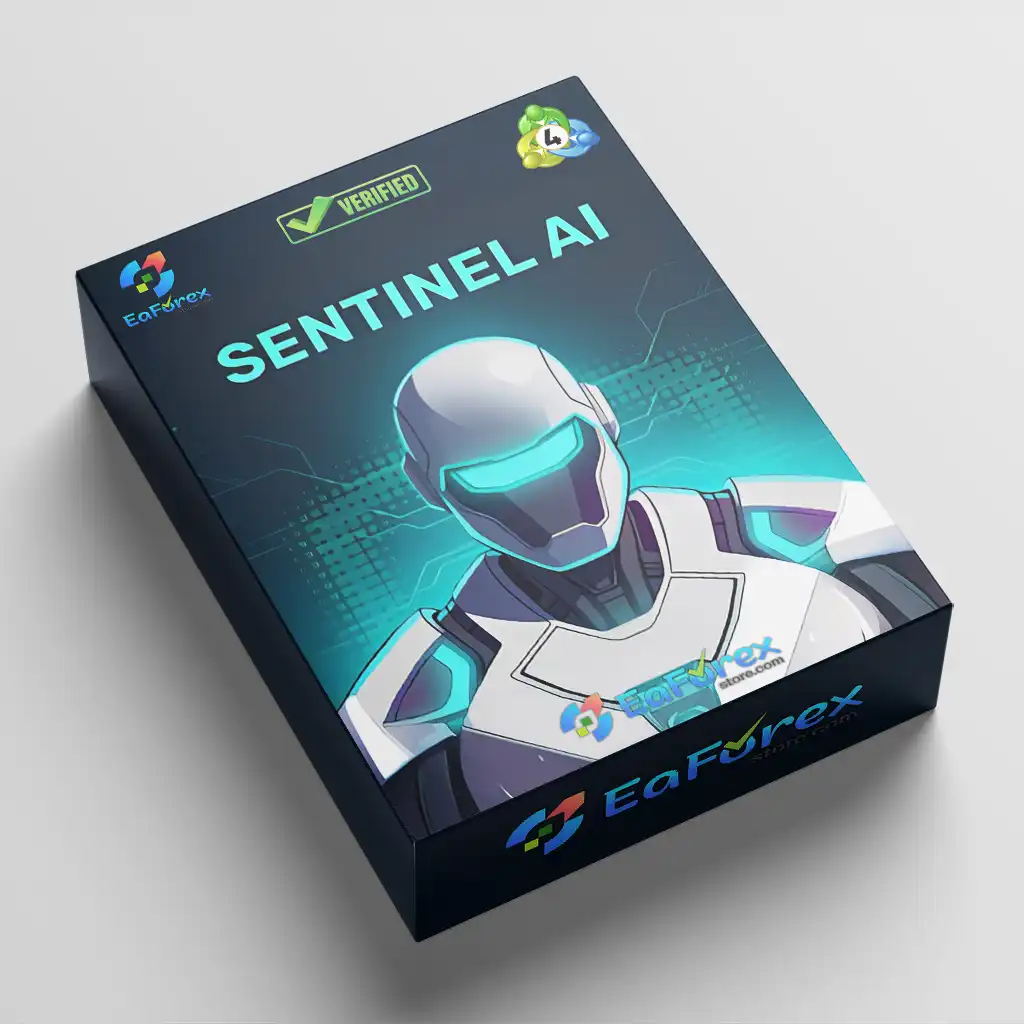

What is SentinelAI EA MT4?
Sentinel AI EA MT4 is a fully automated forex trading system designed for major currency pairs such as EURUSD and GBPUSD on the M5 timeframe. It combines price action, mean reversion logic, and advanced AI-driven analytics to detect potential trend reversals with high precision. The system also integrates deep learning filters, news protection, and volatility analysis to improve trade selection and avoid low-quality market conditions. Built for continuous operation on MT4, it enables traders to execute a data-driven, semi-institutional style strategy with minimal manual intervention.
About the Developer
- Author: Valeriia Mishchenko.
- Experience: Over +4 years of experience on MQL5.
- Notable Products: SentinelAI EA MT4, SentinelAI MT5, Waka Waka EA MT5, Perceptrader AI MT5, News Catcher Pro MT5, Night Hunter Pro MT5 and others.
- Flagship Product: SentinelAI EA MT4 is rated as the best performing product of the year.
>> Join our Channel Telegram <<<
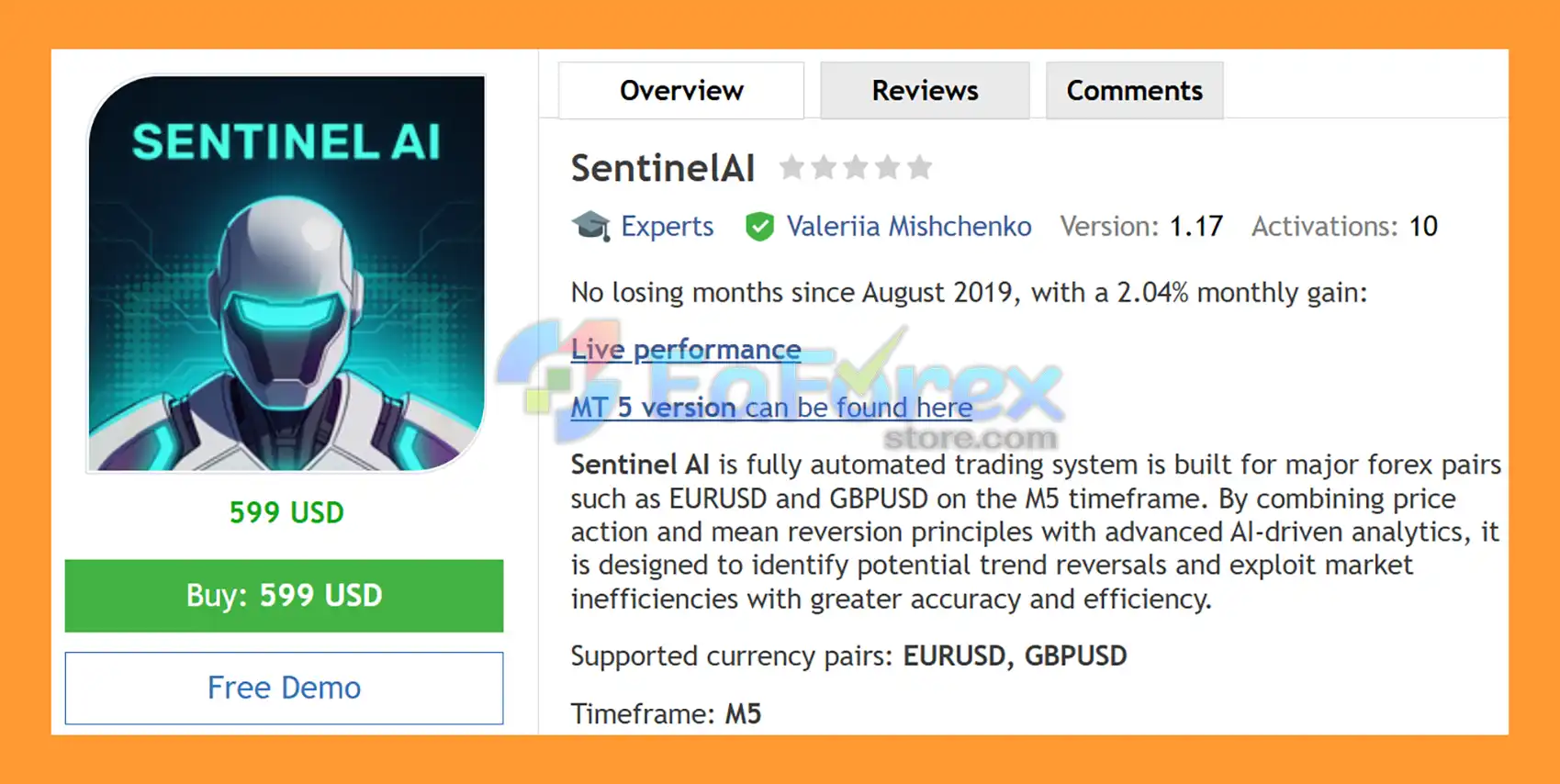
Main Features of SentinelAI EA MT4
- AI-Powered Trade Filtering: Uses deep learning models to identify high-probability reversal setups.
- Price Action + Mean Reversion Logic: Combines two proven strategies for balanced market entries.
- Multi-Factor Market Filters: Includes trend, momentum, and volatility analysis for better accuracy.
- News & Crash Protection System: Automatically avoids high-impact news and market crash conditions.
- Multi-Currency Support: Trades EURUSD and GBPUSD with a unified strategy from one chart.
- Neural Network Forecasting: Applies machine learning to filter weak or low-quality trade signals.
- One-Chart Multi-Symbol Control: Manages all supported symbols from a single MT4 chart setup.
Additional Features
- Advanced GMT Auto Adjustment: Automatically synchronizes broker time for correct trading execution.
- Built-in Statistics Panel: Displays performance metrics and real-time trading analytics.
- Self-Diagnostic System: Continuously monitors EA health and execution performance.
- Flexible Strategy Customization: Wide range of configurable filters and risk settings.
- Backtest-Optimized Performance: Designed for stable results across historical data conditions.
- VPS-Friendly Architecture: Built for 24/5 uninterrupted automated trading execution.
- News API Connectivity: Connects to external servers for real-time economic calendar filtering.
Why Choose SentinelAI EA MT4?
SentinelAI EA MT4 Performance Review
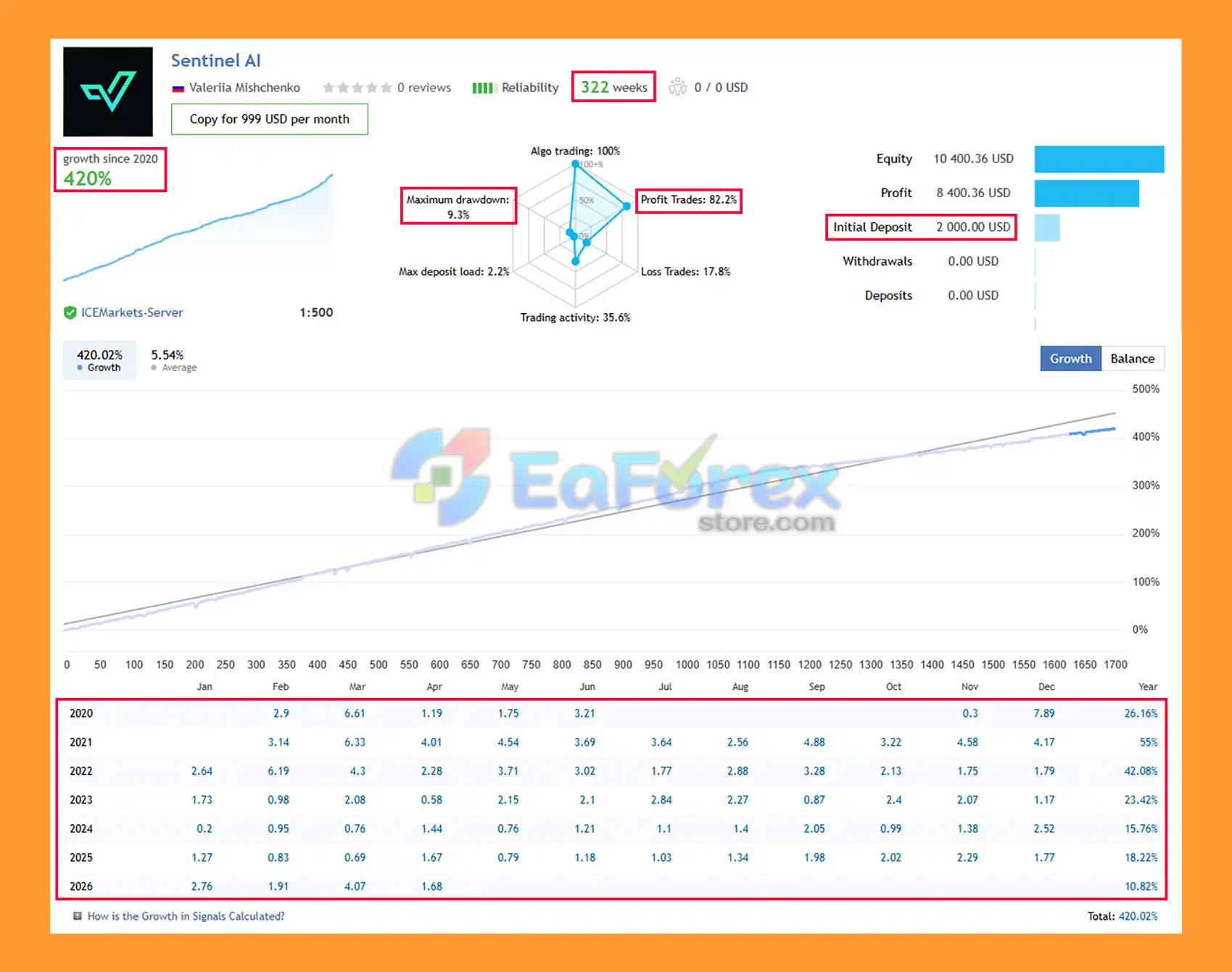
🟢Signal Results
🔺GBPUSD & EURUSD pair – 322 consecutive weeks of trading.
- Initial Deposit: $2,000
- Growth Rate: +420%
- Win Rate (% of total): 82.2%
- Maximum Drawdown: 9.3%
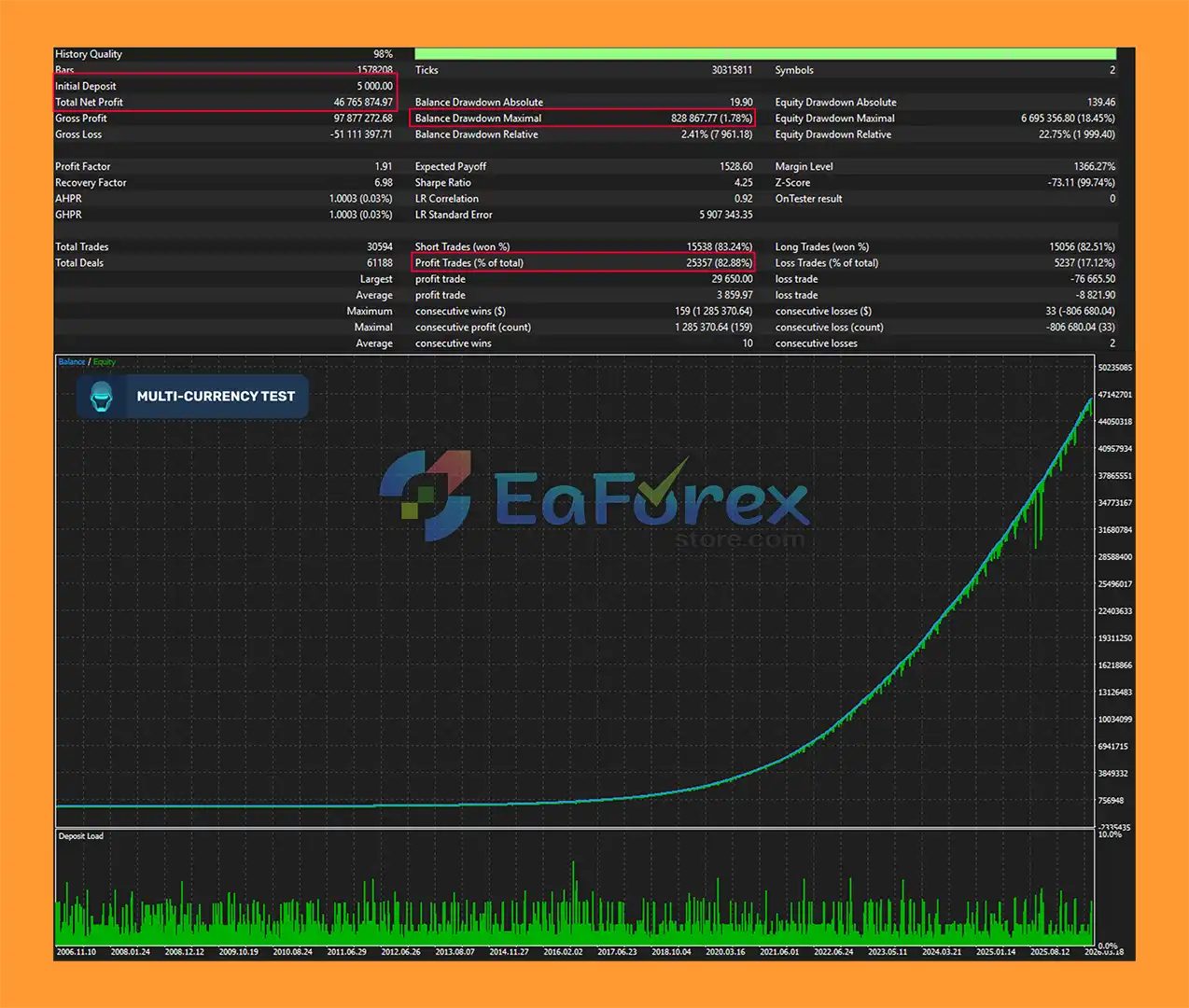
🟢Backtest Results
🔺EURUSD – over many years
- Initial Deposit: $5,000
- Total Net Profit: $46.77 million
- Win Rate (% of total): 82.88%
- Maximum Drawdown: 1.78%
What’s Included in the Download Package?
- Experts:
- SentinelAI_1.17_fix.ex4
- SetFiles:
- Sentinel_Low Risk.set
- Sentinel_Mid Risk.set
- Sentinel_Significant Risk.set
- Sentinel_ High Risk.set
How to set up an EA
🔺Installing SentinelAI EA for MetaTrader 4 (MT4) is simple and only takes a few minutes. Follow the steps below to set up the EA correctly and start automated trading safely.
Step 1: Download SentinelAI EA
➡️Download the SentinelAI EA MT4 files from the official provider and save them to your computer.
Step 2: Open MT4 Data Folder
➡️In your MT4 platform:
- Click File → Open Data Folder
- Go to:
MQL4 → Experts
Step 3: Copy EA Files
➡️Paste the SentinelAI EA .ex4 or .mq4 file into the Experts folder.
➡️If your package includes indicators or presets:
- Indicators →
MQL4 → Indicators - Presets →
MQL4 → Presets
Step 4: Restart MetaTrader 4
➡️Close and reopen MT4 so the platform can detect the new Expert Advisor.
Step 5: Enable Auto Trading
➡️Inside MT4:
- Click the AutoTrading button on the top toolbar
- Make sure it turns green
➡️Then go to:
- Tools → Options → Expert Advisors
- Enable:
- Allow automated trading
- Allow DLL imports
Step 6: Attach SentinelAI EA to a Chart
- Open your preferred currency pair chart (example: EURUSD)
- Choose your recommended timeframe
- Drag SentinelAI EA from the Navigator → Expert Advisors section onto the chart
Step 7: Load Recommended Settings
➡️For best performance:
- Click Load
- Import the provided
.setfile - Confirm the parameters and click OK
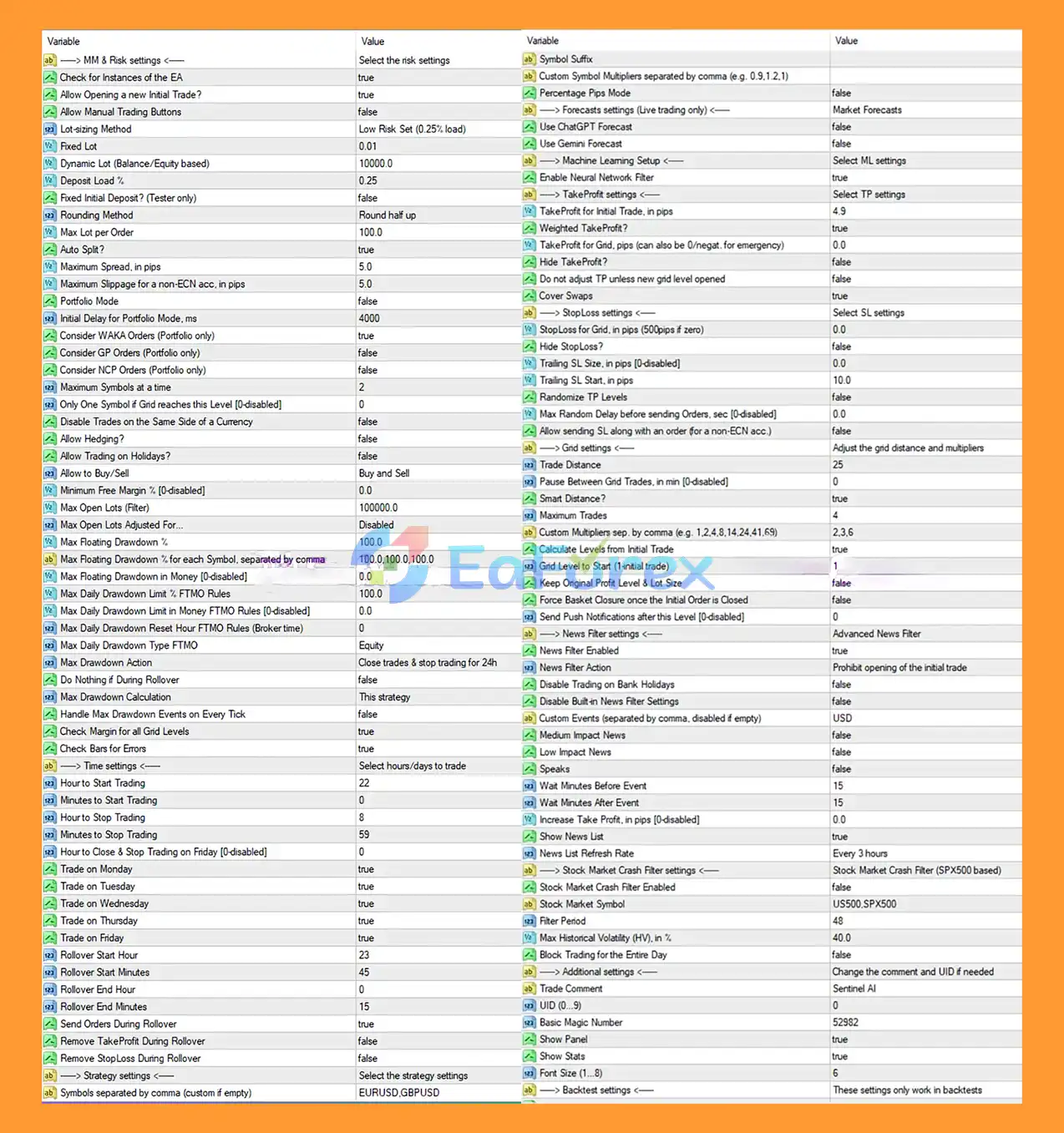
Recommended SentinelAI EA Settings
➡️Typical optimized settings include:
- Low Risk Set (0.25% load)
- Smart Distance: Enabled
- News Filter: Enabled
- Maximum Trades: 4
- Trading Mode: Buy and Sell
- Auto Split: True
- Max Spread: 5 pips
Step 8: Verify EA Is Running
➡️A smiling face icon in the top-right corner of the chart means the EA is active and trading correctly.
Tips for Best Performance
- Use a low-latency VPS for 24/7 trading
- Run SentinelAI EA on a stable ECN broker
- Start with a demo account before live trading
- Avoid excessive leverage
- Keep MT4 connected to the internet at all times
Conclusion
>>> Reviewed by Jason Stap <<<



