









-
 Unlimited Activations
-
 Instant delivery
-
 Easy to install






 Unlimited Activations
Instant delivery
Easy to install
Unlimited Activations
Instant delivery
Easy to install
 Free Update
 Free Install Support

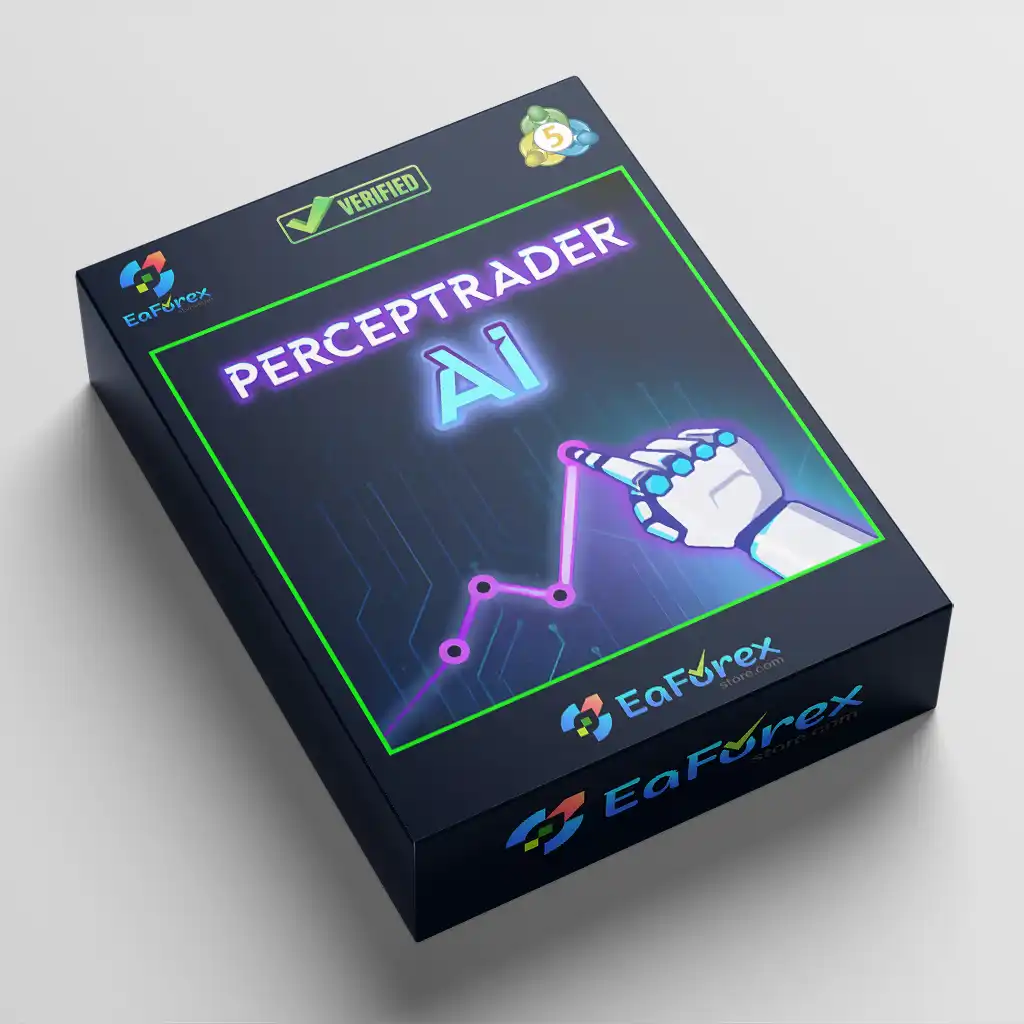
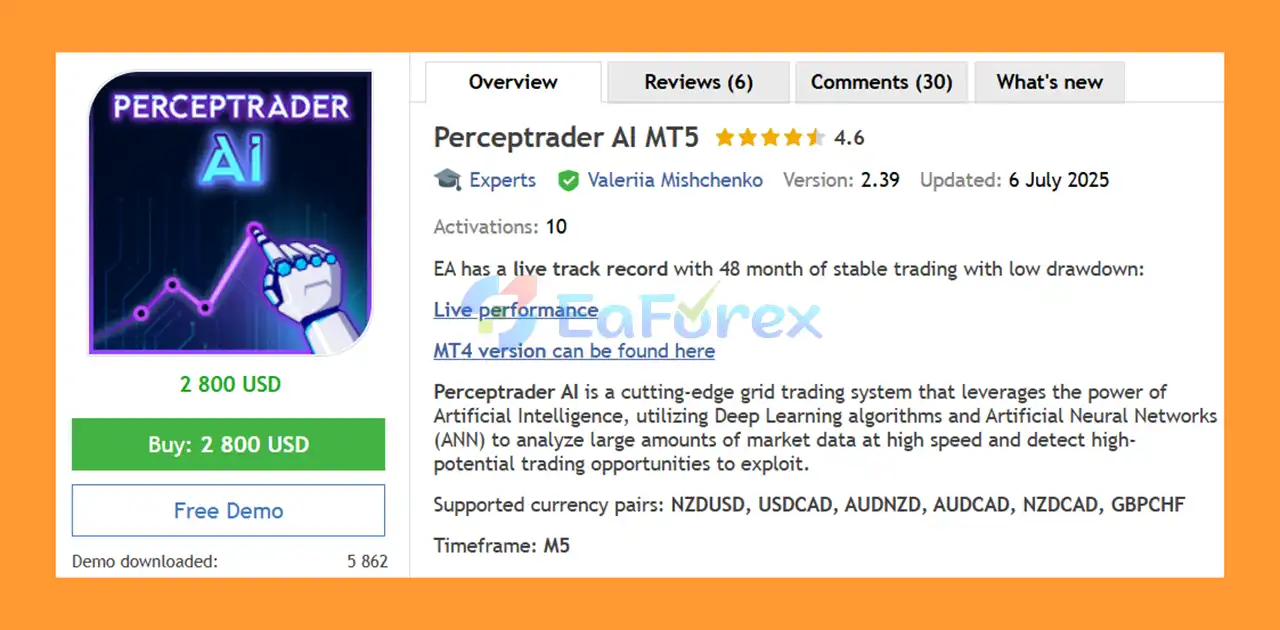
Perceptrader AI MT5 is an advanced Artificial Intelligence Expert Advisor for MetaTrader 5, combining grid trading technology with Deep Learning algorithms and Artificial Neural Networks (ANN) to analyze market conditions and filter potential trading opportunities.
Designed for the M5 timeframe, the EA supports a diversified selection of currency pairs, including NZDUSD, USDCAD, AUDNZD, AUDCAD, NZDCAD, and GBPCHF.
Perceptrader AI MT5 goes beyond a conventional grid trading system by incorporating Trend, Momentum, Volatility, Machine Learning, News, and Stock Market Crash filters. These components are designed to help the EA avoid lower-quality trading opportunities and adapt its behavior to changing market conditions.
The system also provides extensive risk-management controls, allowing traders to customize position sizing, maximum grid levels, drawdown limits, margin requirements, trading schedules, and other parameters.
With its One Chart Setup, users can manage multiple supported currency pairs from a single M5 chart, making the EA relatively simple to deploy despite its extensive configuration options.
• Author: Valeriia Mishchenko
• Experience: Over +3 years of experience on MQL5.
• Notable Products: Perceptrader AI MT5, News Catcher Pro MT5, Night Hunter Pro MT5, Evening Scalper Pro MT5, Waka Waka EA MT5, Golden Pickaxe MT5 and others
• Flagship Product: Perceptrader AI MT5 is rated as the best performing product of the year.
>> Delivery time 24h-48h after payment.
>>> Refund if not delivered.
>>> You will receive the latest version without any limitations (ID+Time).>> Reviewed by Jason Stap <<<
Perceptrader AI EA Overview
Perceptrader AI MT5 uses Deep Learning and Artificial Neural Network technology to process market information and filter potential trading signals.
The EA combines several market-condition filters to evaluate whether an opportunity has sufficient potential before opening an initial trade.
The built-in Perceptron-based Machine Learning filter can estimate the probability of a potentially profitable trade. If the predicted probability falls below the user’s selected threshold, the initial trading signal can be skipped.
For live trading, the EA includes optional forecast filters based on ChatGPT and Google Gemini. These filters can be enabled or disabled according to the trader’s configuration.
Perceptrader AI MT5 uses averaging/grid levels according to predefined distances, multipliers, maximum trade limits, and other configurable parameters.
The built-in economic news filter can suspend or restrict trading around important economic events. Users can configure impact levels, currencies, keywords, and waiting periods before and after news releases.
The EA includes a stock market crash filter designed to monitor volatility in a major stock index and restrict new trading activity when predefined volatility conditions are reached.
Supported currency pairs include:
The EA only needs to be attached to one M5 chart to manage the supported symbols, simplifying installation and terminal management.
Perceptrader AI MT5 can automatically adjust GMT/time settings to help synchronize trading schedules and news-related functions.
Users can select from different lot-sizing methods, including:
The EA provides several drawdown protection mechanisms, including floating drawdown limits, daily drawdown limits, money-based limits, and configurable actions when maximum drawdown thresholds are reached.
The built-in information panel can display statistics, diagnostic information, news events, and Neural Network forecasts.
Continuous operation on a VPS is recommended to keep the Expert Advisor running without interruptions.
Perceptrader AI MT5 combines AI-based market filtering with a grid trading framework.
The process begins by analyzing market conditions across the supported currency pairs. Trend, momentum, and volatility information is evaluated to determine whether a potential setup meets the configured requirements.
The Machine Learning component can then act as an additional filter. When the Neural Network predicts that a signal does not meet the minimum probability threshold configured by the trader, the EA can skip the initial trade.
Once a valid initial position is opened, the grid component can manage subsequent positions according to parameters such as:
The Smart Distance option can automatically adjust grid spacing according to market volatility.
The EA also includes several additional filters designed to reduce exposure during potentially unfavorable conditions. These include the economic News Filter and Stock Market Crash Filter.
This creates a multi-layer trading architecture:
Market Data → Trend/Momentum/Volatility Analysis → AI/Neural Network Filtering → News & Crash Filters → Initial Trade → Grid Management → Risk & Drawdown Controls
Perceptrader AI MT5 is designed for traders interested in combining traditional grid methodology with modern Artificial Intelligence and Machine Learning filters.
Instead of relying on a single trading signal, the EA provides multiple layers of filtering, including trend, momentum, volatility, news, and stock-market volatility conditions.
One of the strongest aspects of the EA is the number of available risk controls. Traders can configure maximum floating drawdown, daily drawdown, free margin requirements, maximum open lots, maximum symbols, and other safety parameters.
The EA can trade several currency pairs from one chart. This provides a diversified approach compared with an EA designed around only one symbol.
Only one M5 chart is required for the EA, with AUDCAD recommended as the chart for attachment.
Advanced users can fine-tune virtually every aspect of the system, including grid levels, lot sizing, trading schedules, news filtering, take-profit, stop-loss, drawdown protection, and AI filtering.
Once properly configured, the EA can continuously monitor the market and execute its trading rules automatically.
🔺 Long-Term (6 Years)
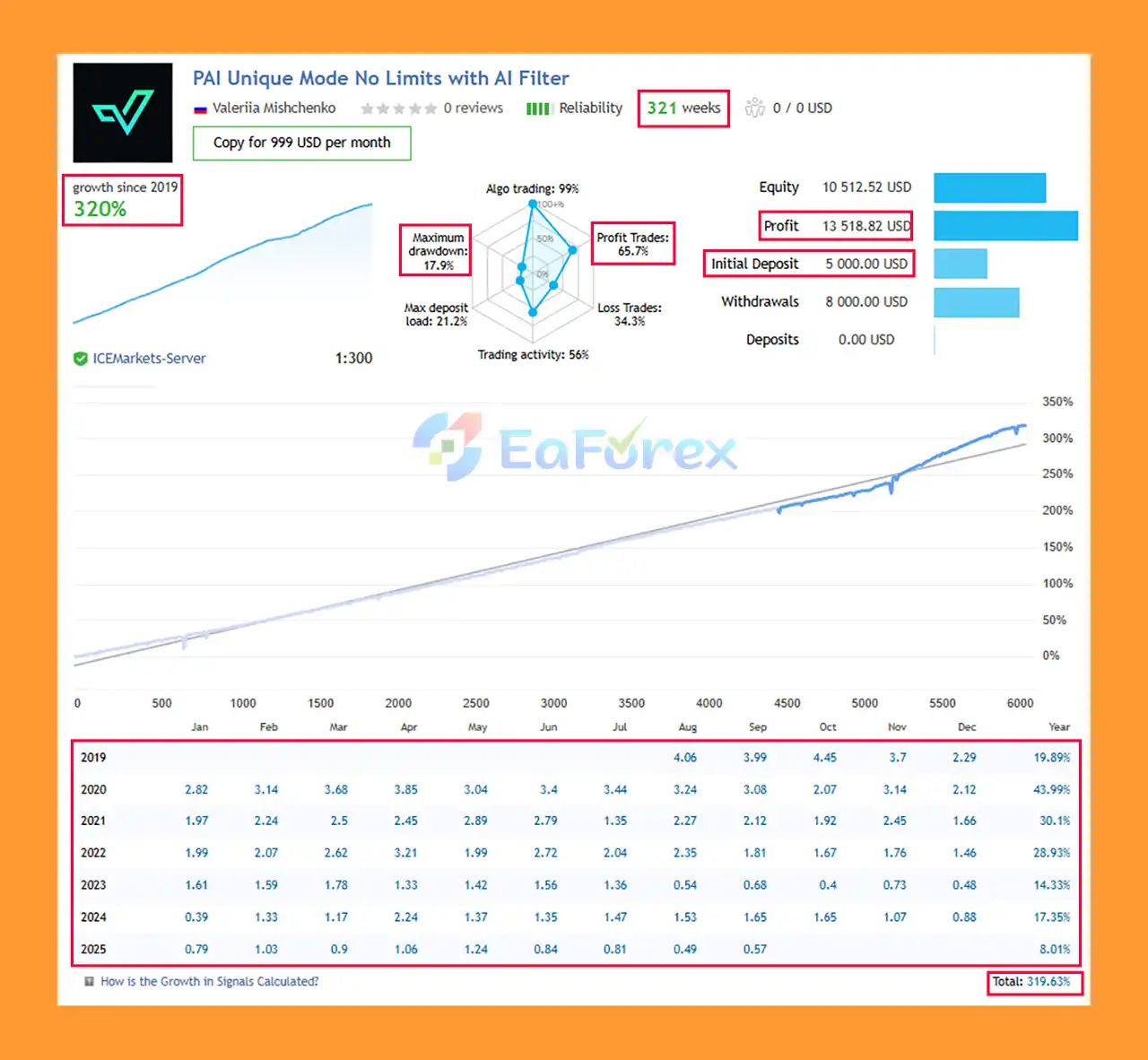
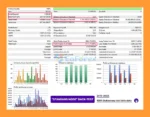
Perceptrader AI MT5 Live Trading Signal
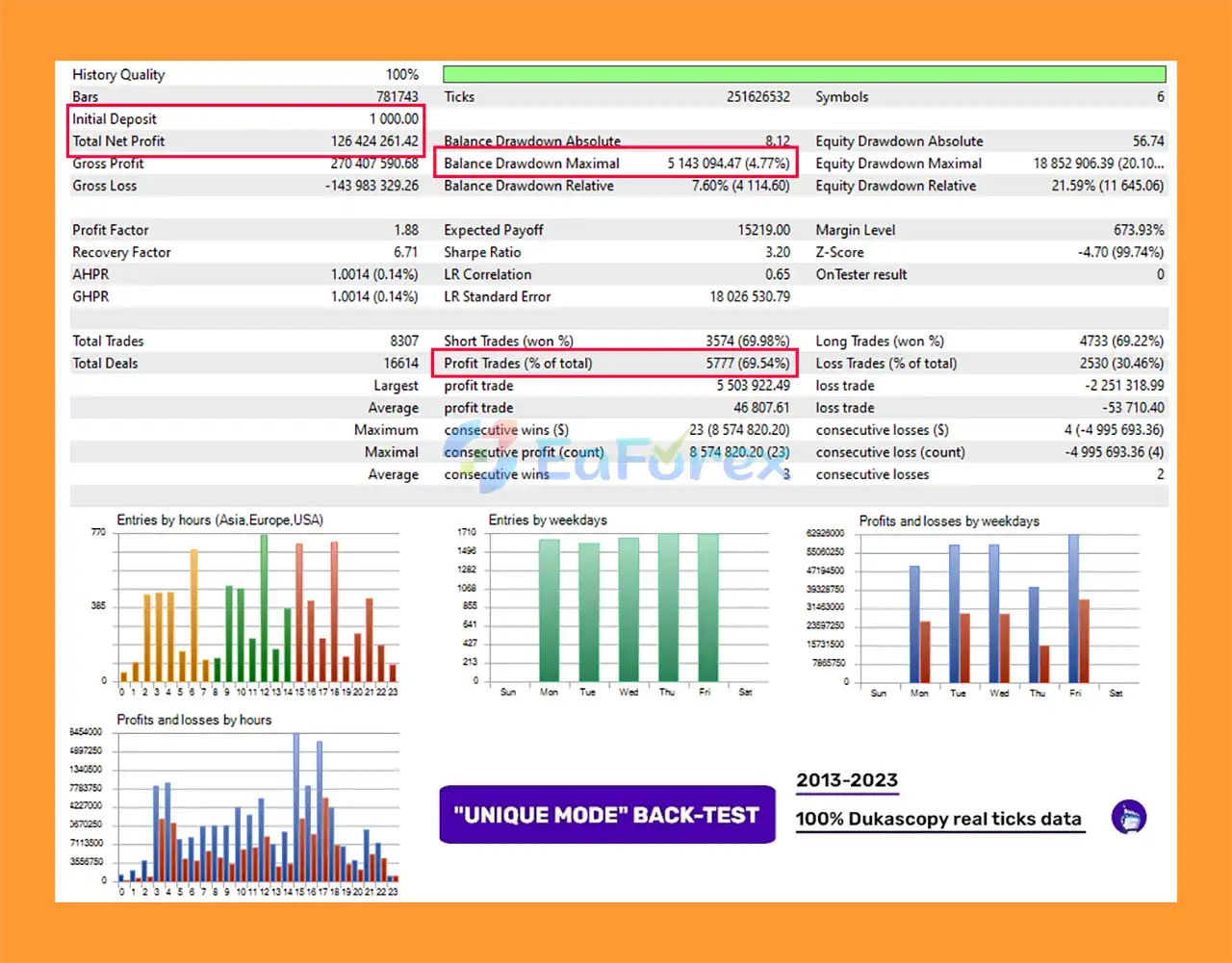
Perceptrader AI MT5 Backtests Results
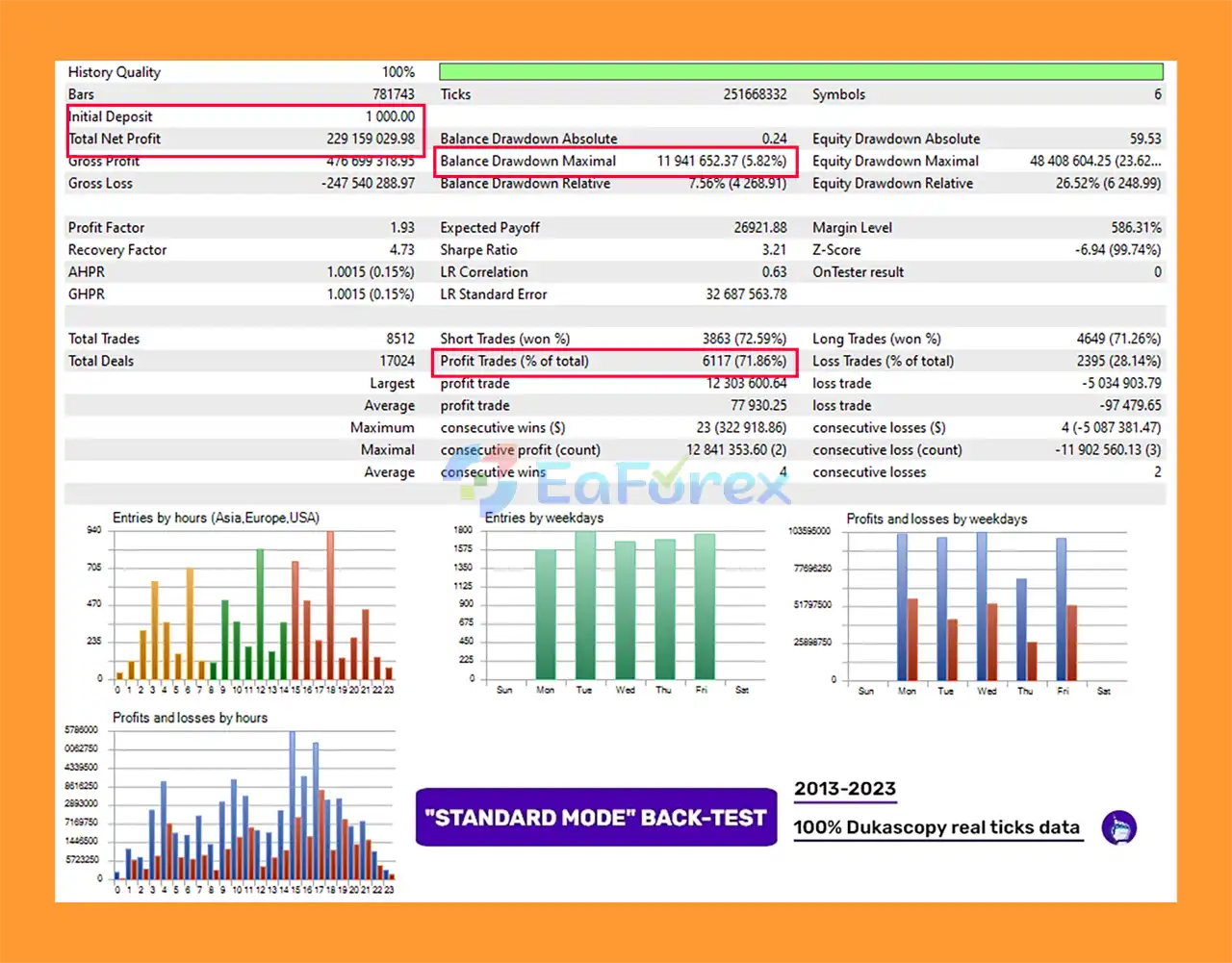
Perceptrader AI MT5 Backtest Results
Perceptrader AI MT5 provides an extensive collection of money-management and risk-control settings.
Users can choose between different position-sizing methods, including fixed lots, dynamic balance/equity-based sizing, deposit-load calculations, and predefined risk settings.
The EA can monitor floating drawdown and take predefined actions when a selected threshold is reached.
Depending on configuration, it can:
The EA also provides daily drawdown controls that can be configured according to percentage or monetary limits.
The Minimum Free Margin % setting can prevent new trades when available free margin falls below the selected threshold.
The EA can also check whether sufficient margin is available for future grid levels and reduce the initial lot size when necessary.
Users can control:
These controls are particularly important because grid strategies can increase market exposure as additional positions are opened.
The developer recommends performing backtests using Tick Data Suite with GMT+2 and US DST, which corresponds to the GMT offset used by many brokers.
However, backtest results should always be treated as historical simulations rather than guarantees of future performance.
Despite its AI filters and extensive risk controls, Perceptrader AI MT5 is not a risk-free Expert Advisor.
The fundamental risk of a grid strategy is that additional positions may be opened when the market continues moving against the initial trade.
Without appropriate position sizing and maximum-grid controls, exposure can increase significantly.
Deep Learning, Neural Networks, ChatGPT, Gemini, and other AI-based forecasting systems can produce incorrect signals. Market conditions can change faster than any forecasting model can adapt.
AI should therefore be considered a filtering component rather than a guarantee of profitable trades.
Multiple grid positions can consume substantial free margin. This is particularly important when trading with lower leverage or smaller accounts.
The developer recommends using conservative risk settings on smaller accounts and ensuring sufficient free margin.
Grid systems can experience periods of substantial floating drawdown, especially during strong one-directional market movements.
Traders should understand how the EA behaves when several grid levels are activated.
Because the EA is designed for continuous automated operation, a stable VPS is recommended. Terminal interruptions, internet problems, or computer shutdowns can affect automated trading.
Although the EA is described as relatively insensitive to spread and slippage, execution conditions can still affect live results.
A reliable ECN broker with suitable trading conditions is recommended.
The EA requires a Hedging MT5 account. Traders should verify their account type before installation.
Backtests and previous live performance cannot guarantee future profitability. Market behavior, liquidity, spreads, execution, and volatility can change over time.
Only trade with money you can afford to lose.
Installing Perceptrader AI MT5 is relatively straightforward, but the EA requires several specific configuration steps.
Install and log in to your MetaTrader 5 trading account.
Make sure the account is a Hedging account.
Copy the Perceptrader AI MT5 files into the appropriate MQL5/Experts directory and restart MetaTrader 5 or refresh the Navigator window.
Attach the EA to only one M5 chart.
The developer recommends using AUDCAD as the chart for attaching the EA.
If your broker uses symbol suffixes, such as:
enter the appropriate suffix or update the symbol names in the EA settings.
The EA requires access to its news-list and time-server services for the news filter and automatic time-detection functionality to operate correctly.
Add the required URLs to the permitted WebRequest list in MetaTrader 5 according to the developer’s installation instructions.
Before activating the EA, carefully review:
Enable Algo Trading in MetaTrader 5 and make sure automated trading permissions are active.
For continuous operation, run the EA on a stable VPS with low latency to your broker.
Always review the latest developer documentation before using the EA on a live account.
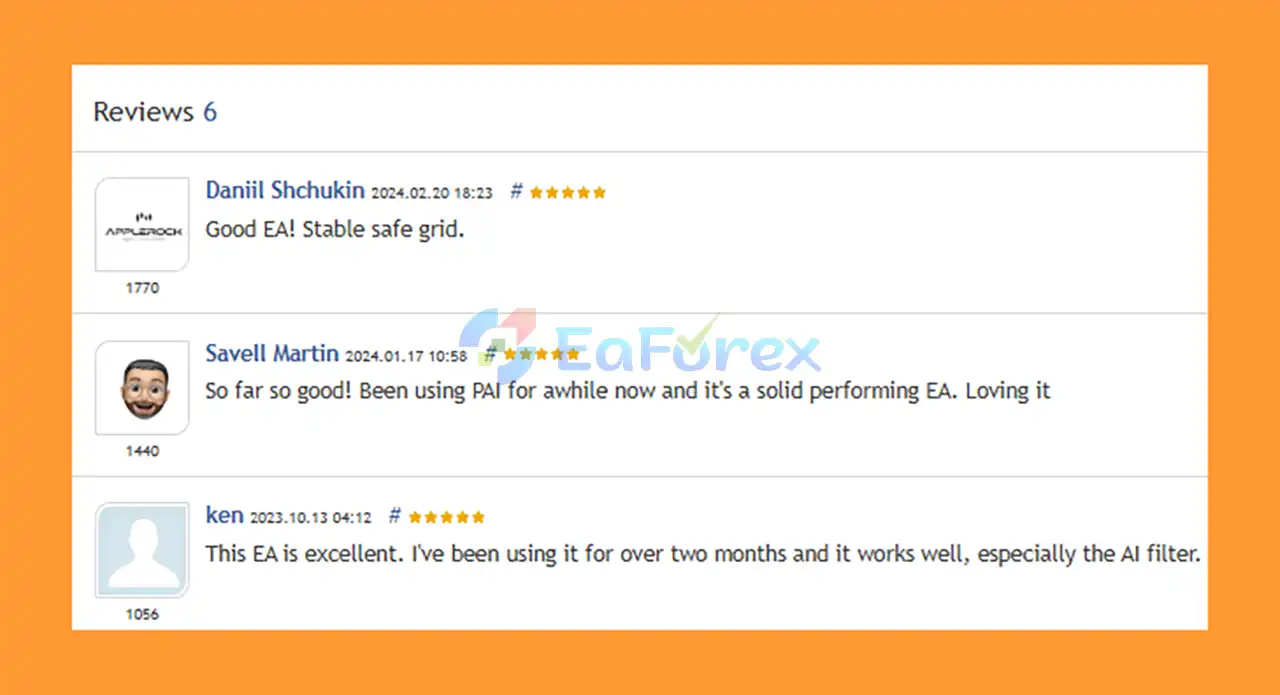
🔺Perceptrader AI MT5 is highly appreciated by the MQL5 community for bringing stable and reliable profits. Below are 5 star reviews from users:
User Reviews
🔺 Experts:
🔺 Presets:
>>> Join VIP Membership Now <<<
Perceptrader AI MT5 is a feature-rich Expert Advisor that combines Artificial Intelligence, Deep Learning, Neural Network filtering, and grid trading into one automated MetaTrader 5 system.
Its main advantage is the multi-layer filtering architecture. Instead of relying solely on grid entries, the EA can evaluate trend, momentum, volatility, machine-learning forecasts, economic news, and stock-market volatility before taking new positions.
The extensive risk-management system is another important component. Traders can configure lot sizing, grid exposure, maximum drawdown, daily drawdown, free-margin protection, trading schedules, and several other controls.
However, the combination of AI and grid trading does not eliminate trading risk. Grid strategies can accumulate positions when markets move strongly in one direction, while AI models can make incorrect predictions. Proper risk settings, sufficient margin, reliable broker conditions, and continuous VPS operation are therefore essential.
For traders looking for an AI-powered grid trading EA for MT5, Perceptrader AI MT5 offers a highly customizable framework with multiple currency pairs and advanced filtering tools. It is best suited to users who understand the risks of grid trading and are willing to test and optimize the system carefully before committing significant capital.
1. What is Perceptrader AI MT5?
Perceptrader AI MT5 is an advanced Forex Expert Advisor powered by Artificial Intelligence, Deep Learning, and Neural Networks. It uses AI-driven forecasts and grid trading strategies to detect high-probability opportunities across multiple currency pairs.
2. How does Perceptrader AI MT5 work?
The EA scans large volumes of market data in real time, applying AI forecasts, trend filters, momentum analysis, and volatility checks. It executes trades using a smart grid system with adjustable spacing, while protecting accounts with strict drawdown, margin, and risk controls.
3. Which currency pairs and timeframes does Perceptrader AI MT5 support?
It is optimized for the M5 timeframe and works best with NZDUSD, USDCAD, AUDNZD, AUDCAD, NZDCAD, and GBPCHF. Thanks to its one-chart setup, traders can run multiple pairs simultaneously.
4. Is Perceptrader AI MT5 beginner-friendly?
Yes, Perceptrader AI MT5 is fully automated and comes with multiple preset strategies for different risk levels. Beginners can use the default setups, while advanced traders can customize filters, lot sizing, and grid settings for maximum flexibility.
5. What kind of performance can I expect from Perceptrader AI MT5?
Live results show +302% profit over 6 years with a 65.7% win rate, proving consistent growth and capital preservation. Backtests (2013–2023) achieved profits over $126M–$229M from a $1,000 deposit, with drawdowns below 6%.
6. What is included when I purchase Perceptrader AI MT5?
You’ll receive the EA file, installation guide, detailed strategy presets (Unique Mode and Standard Mode in both high- and low-risk settings, with or without AI filters), and ongoing updates for future improvements.
In stock
In stock
In stock
In stock
In stock
Out of stock
No account yet?
Create an Account












 Automatic EA
 EA Best Seller
 Expert Advisor MT4
 Expert Advisor MT5
 HFT EA


Reviews
Clear filtersThere are no reviews yet.