









-
 Unlimited Activations
-
 Instant delivery
-
 Easy to install







 Unlimited Activations
Instant delivery
Easy to install
Unlimited Activations
Instant delivery
Easy to install
 Free Update
 Free Install Support

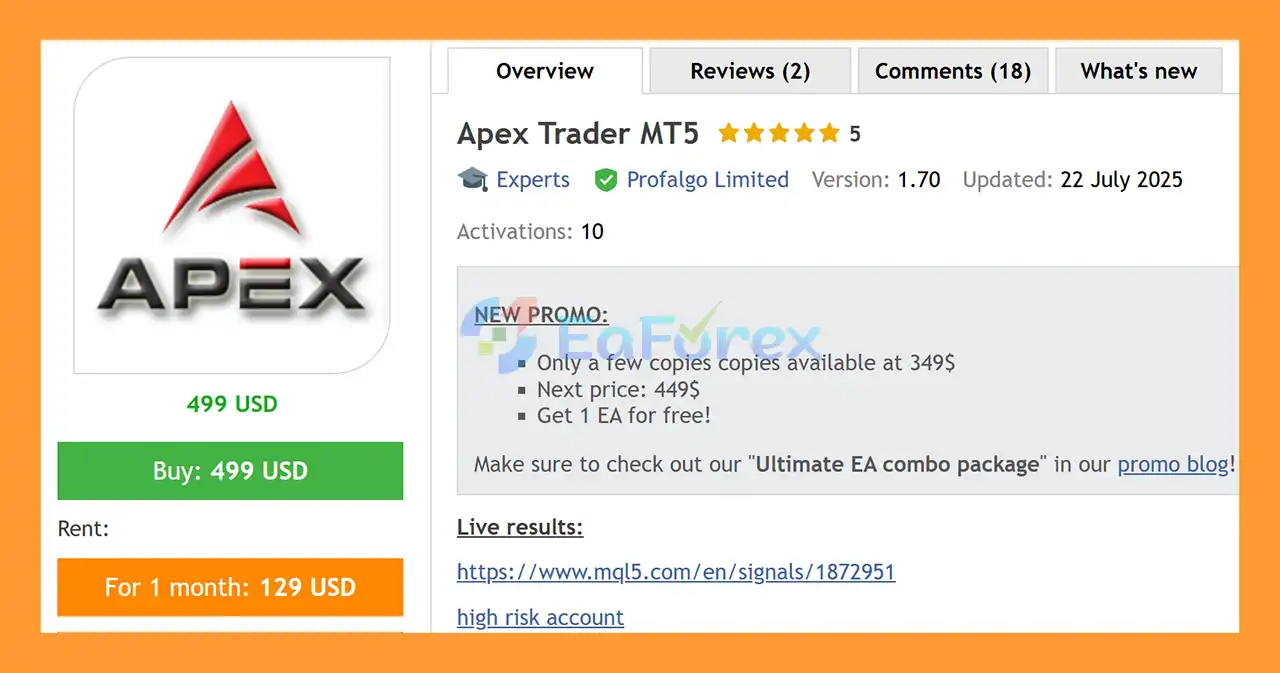
Apex Trader MT5 is an advanced Forex Expert Advisor designed to automate trading across selected currency pairs using a combination of smart grid trading, mean-reversion, and trend-following strategies. Developed through extensive research and years of experience in Expert Advisor development, Apex Trader is built to adapt to different market conditions while maintaining a structured approach to risk management.
The EA specializes in AUDCAD, AUDNZD, and NZDCAD, using a smart grid system with dynamic take-profit management. Unlike traditional grid robots that can expose traders to increasingly high risk as more positions are opened, Apex Trader is designed so that potential rewards can increase alongside grid exposure.
Apex Trader MT5 also includes different risk configurations, allowing traders to select a grid setting based on their account balance and preferred risk level.
The system was optimized primarily for the 2020–2023 period, while out-of-sample testing has also been confirmed for the 2016–2020 period.
• Author: Wim Schrynemakers.
• Experience: Over +11 years of experience on MQL5.
• Notable Products: Apex Trader MT5, Stability Pro MT5, Goldbot One MT5, The Gold Reaper MT5 and many other products.
• Flagship Product: Apex Trader MT5 is rated as the best performing product of the year.
>> Delivery time 24h-48h after payment.
>>> Refund if not delivered.
>>> You will receive the latest version without any limitations (ID+Time).>> Reviewed by Jason Stap <<<
Apex Trader MT5 uses a combination of trading approaches rather than relying on a single market strategy. Its core system combines mean-reversion and trend-following techniques with a smart grid structure.
When market conditions create a suitable trading opportunity, the EA can open an initial position and subsequently manage additional positions according to its grid logic.
The system uses variable take-profit levels rather than applying a simple fixed target to every situation. As market conditions and grid size change, the potential take-profit structure can also adapt.
One of the main concepts behind Apex Trader is balancing increasing exposure with increasing potential reward. When a grid becomes larger, the risk naturally increases. However, the EA is designed to increase the potential reward when successfully closing a larger grid.
This approach aims to provide a more balanced risk-to-reward structure compared with conventional grid systems.
For live trading, traders can enable OneChartSetup and place the EA on a single EURUSD M15 chart. The EA can then automatically execute its optimized strategies for the supported currency pairs.
Apex Trader MT5 may be attractive to traders looking for an automated Forex system that combines grid trading with adaptive trade management.
One of its main advantages is its multi-strategy approach. Instead of depending exclusively on mean reversion or trend following, Apex Trader incorporates both concepts to help respond to different market environments.
The OneChartSetup functionality also simplifies deployment. Traders do not necessarily need to manually attach separate EA instances to every supported currency pair.
Another important advantage is the availability of multiple grid configurations. This allows traders to choose a more conservative setup or increase the level of exposure depending on their account size and risk tolerance.
However, traders should always test their chosen configuration before using it on a live account.
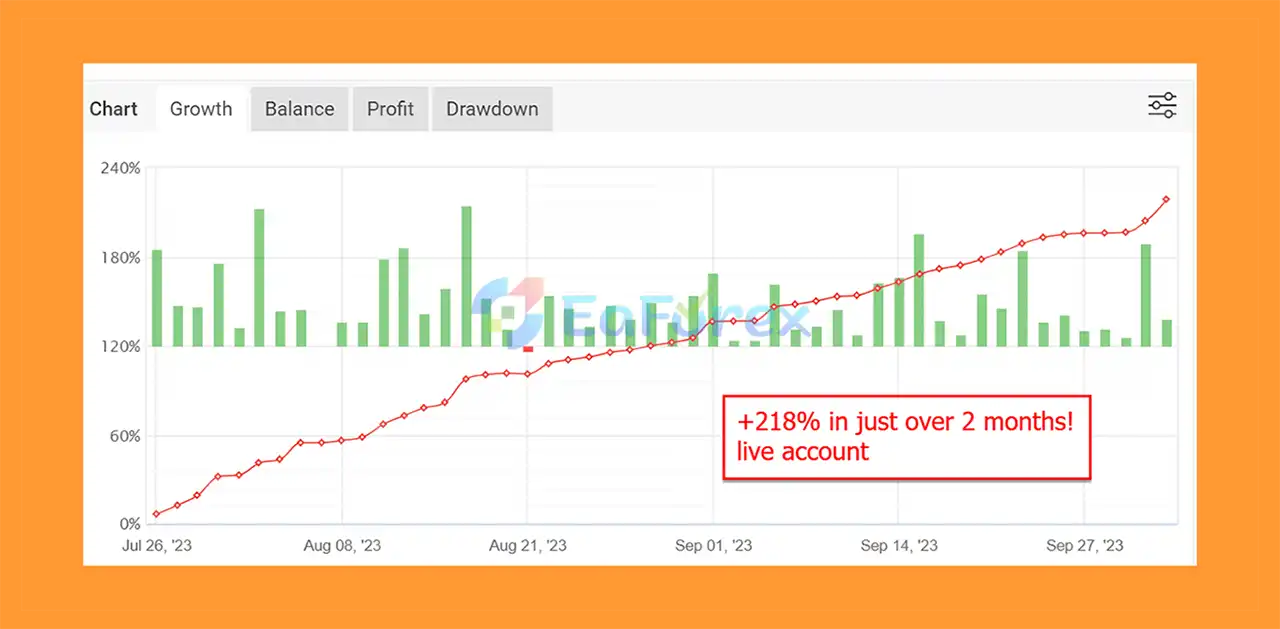
Apex Trader MT5 Live Signal Myfxbook
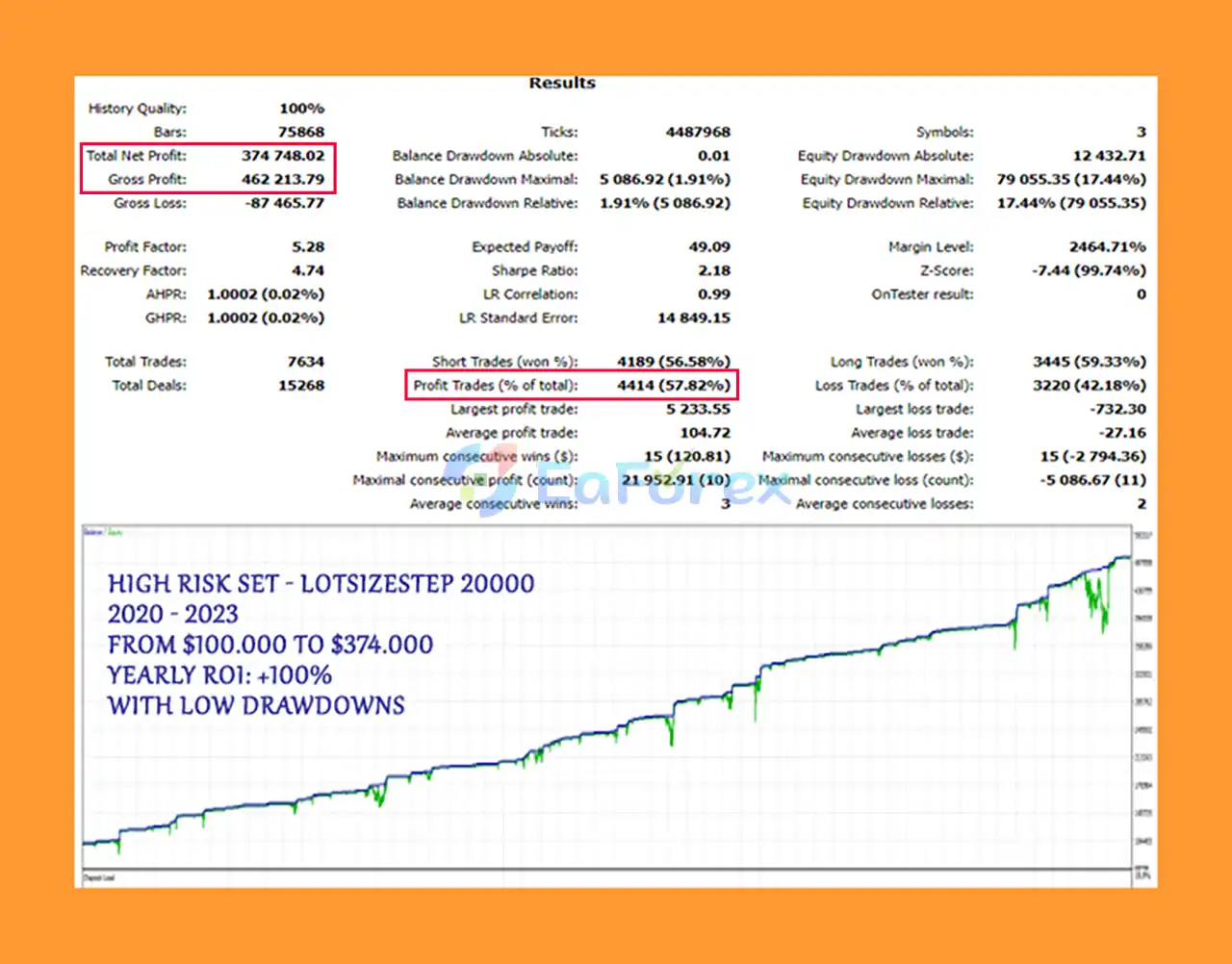
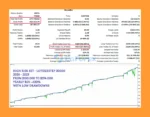
High Risk (2020–2023): $100,000 → $374,748, DD 1.91%
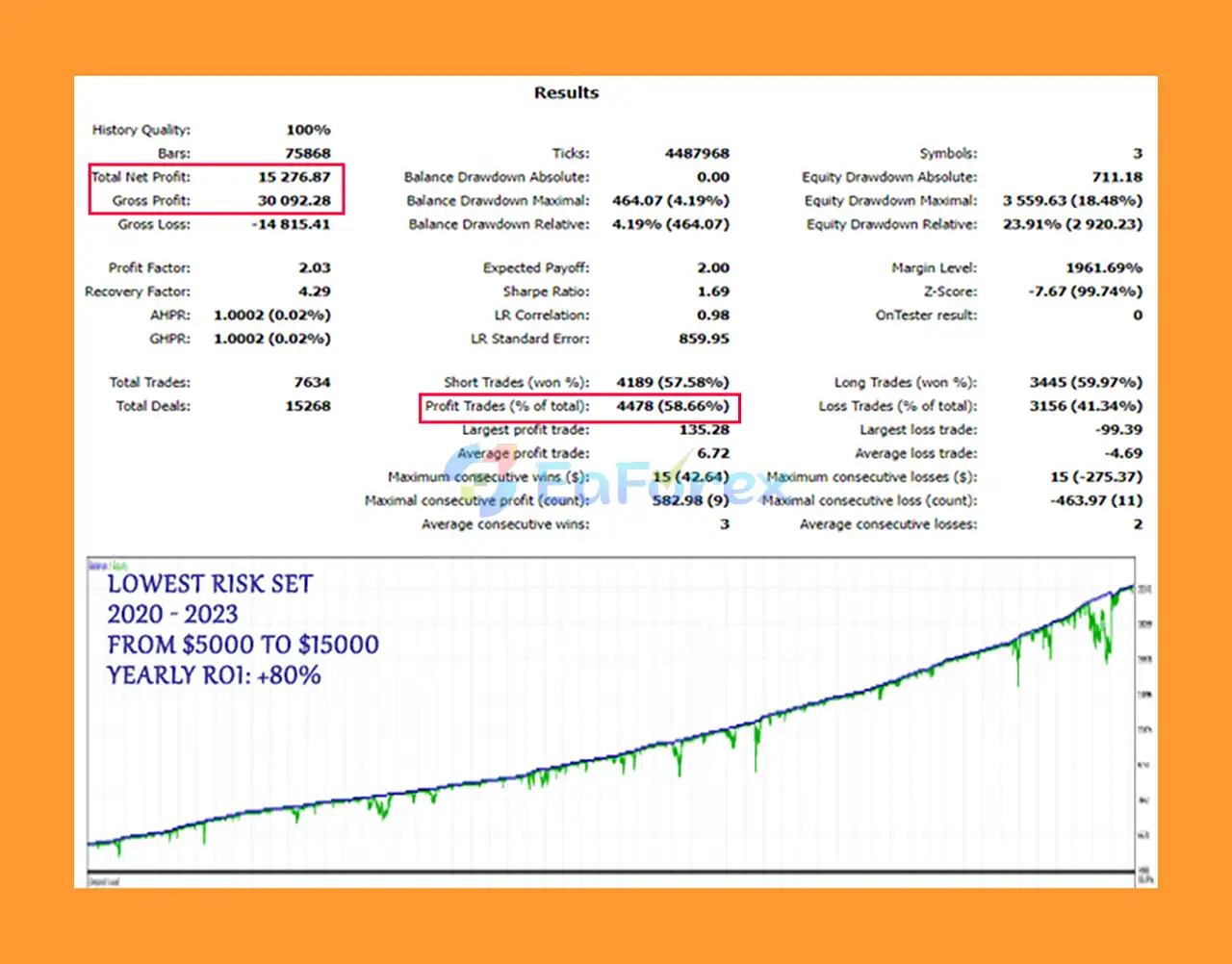
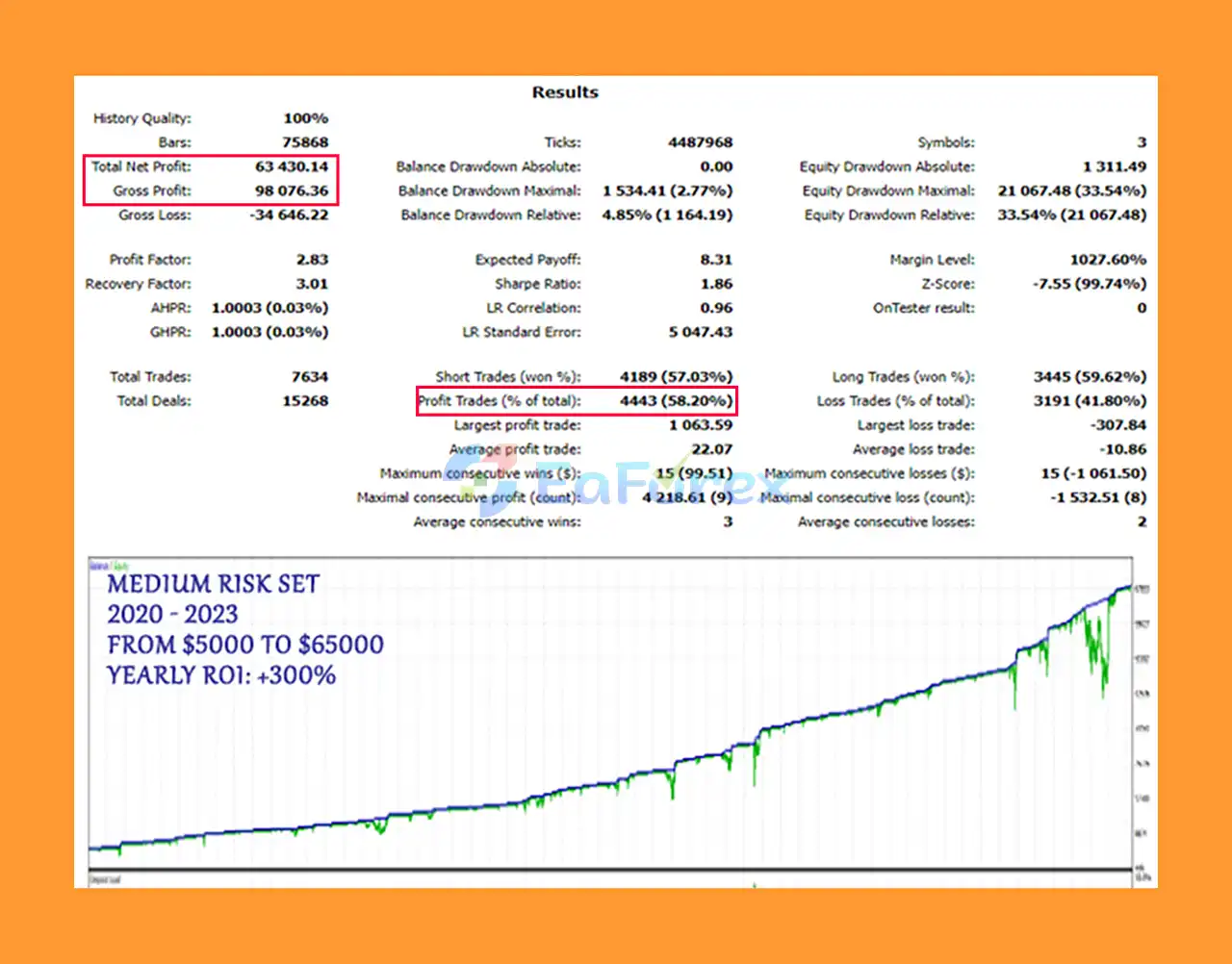
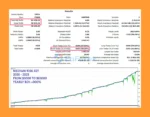
Apex Trader MT5 Backtest Trading Results
Apex Trader Backtest Resultss
Apex Trader EA Backtests Result
Apex Trader MT5 was primarily optimized using data from 2020 to 2023, with additional out-of-sample testing confirmed for the 2016–2020 period.
Because Apex Trader uses a grid-based methodology, risk management and position sizing are extremely important. The recommended settings vary according to account balance.
| Account Balance | Recommended Setup | Minimum LotsizeStep |
|---|---|---|
| Below $2,000 | Ultra Conservative Grid | 2,000+ |
| $2,000–$5,000 | Conservative Grid | 3,000+ |
| $5,000–$15,000 | Elevated Grid | 4,000+ |
| Above $15,000 | Optimal Grid | 15,000+ |
| $5,000+ Extreme Setup | Optimal Grid | 5,000+ |
The Extreme Setup is intended for traders who are deliberately seeking much more aggressive results and are willing to accept substantially higher risk. It should not be confused with a conservative trading configuration.
The developer recommends backtesting the selected setup before applying it to a live account. Traders should also consider spread, slippage, commission, broker execution, leverage, and account-specific conditions when evaluating results.
Past backtest performance does not guarantee future profitability.
Although Apex Trader MT5 includes safety mechanisms and several risk configurations, it is important to understand that grid trading remains a high-risk trading methodology.
The EA may open multiple positions during unfavorable market conditions. If a market continues moving against the grid without sufficient retracement, floating drawdown can increase significantly.
Key risks include:
The recommended settings should be treated as guidelines rather than guarantees. Every trader should determine an appropriate risk level based on their own account, trading objectives, and financial situation.
Never use a high-risk configuration simply because it produced stronger historical results.
Always verify the EA settings, symbol specifications, trading permissions, and broker conditions before allowing automated trading.
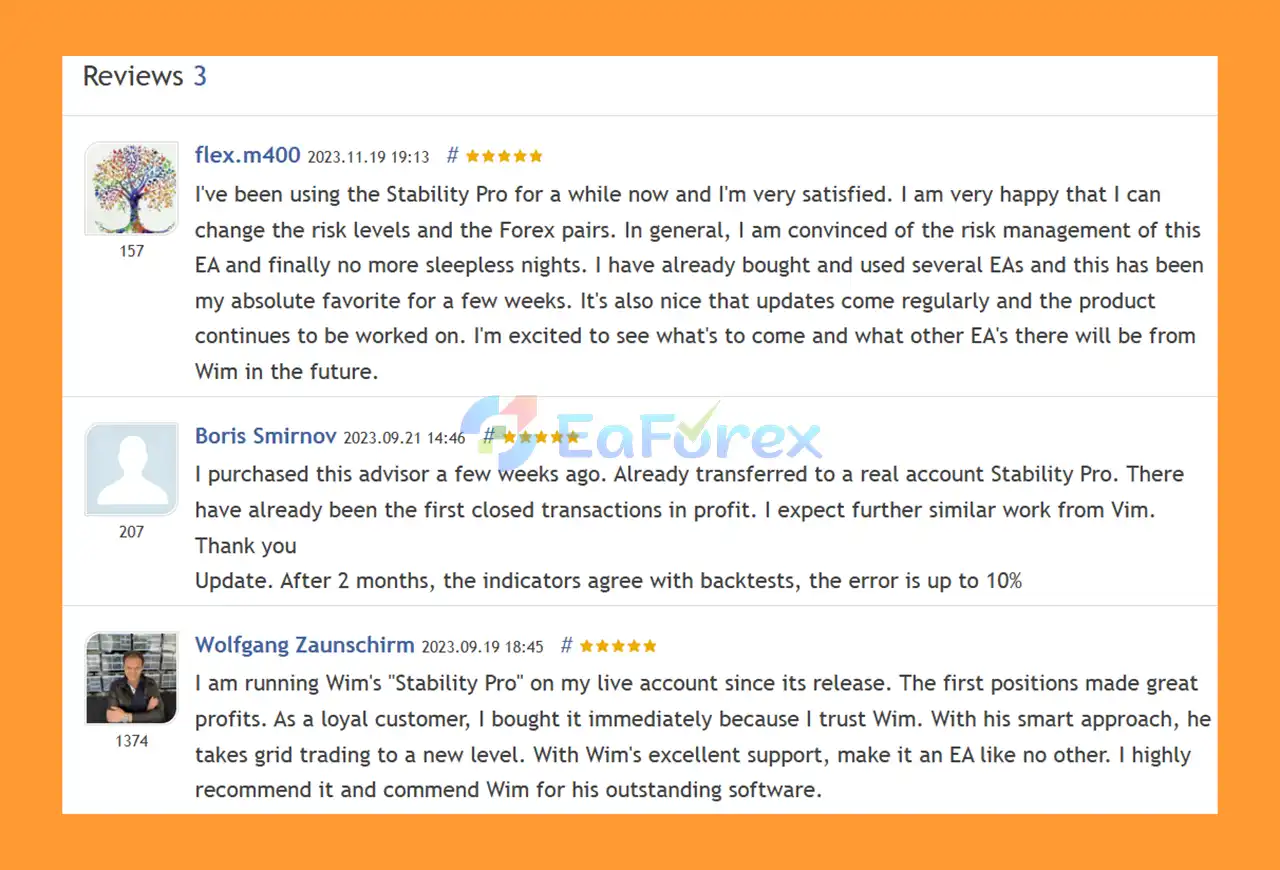
🔺Apex Trader MT5 is highly appreciated by the MQL5 community for bringing stable and reliable profits. Below are 5 star reviews from users:
User Reviews
🔺 Experts:
🔺 Presets:
>>> Join VIP Membership Now <<<
Apex Trader MT5 is a sophisticated automated Forex trading system that combines smart grid trading, mean-reversion, trend-following, and adaptive take-profit management. Its focus on AUDCAD, AUDNZD, and NZDCAD makes it different from many Forex EAs that concentrate primarily on major currency pairs or gold.
The ability to select different grid configurations and use OneChartSetup provides flexibility for traders with different account sizes and risk preferences.
However, Apex Trader should not be viewed as a low-risk or guaranteed-profit solution. Its grid-based architecture means that position sizing, drawdown control, and configuration selection are critical.
For the best results, traders should thoroughly backtest their chosen settings, start with an appropriate risk level, and monitor the EA carefully before committing significant capital.
Apex Trader MT5 can be an interesting option for traders seeking a multi-strategy automated Forex EA with smart grid management, provided that its risks are fully understood and managed responsibly.
1. What is Apex Trader MT5?
Apex Trader MT5 is a professional Forex Expert Advisor (EA) that combines mean-reversion and trend-following strategies with a smart grid system. Specializing in AUDCAD, AUDNZD, and NZDCAD, it adapts to changing market conditions while balancing risk and reward through variable take-profit levels.
2. How does Apex Trader MT5 manage risk?
Unlike traditional grid EAs, Apex Trader MT5 is designed with robust safety measures. It uses scalable grids, built-in protection features, and optimized drawdown limits to ensure sustainable long-term performance—even during volatile markets.
3. Is Apex Trader MT5 beginner-friendly?
Yes. Apex Trader MT5 comes with five ready-to-use preset files (ranging from ultra-conservative to extreme risk), plus a step-by-step installation guide. The One-Chart Setup makes it simple to run multiple pairs from a single EURUSD M15 chart, making it easy for beginners while still offering flexibility for advanced traders.
4. What kind of performance can I expect from Apex Trader MT5?
Live Trading Results: +218% growth in just 2 months, verified with live signals.
Backtests (2020–2023):
High Risk: $100,000 → $374,748 with 1.91% drawdown.
Medium Risk: $5,000 → $63,430 with 2.77% drawdown.
Low Risk: $5,000 → $15,276 with 4.19% drawdown.
These results demonstrate strong consistency across multiple risk settings.
5. Which brokers and accounts does Apex Trader MT5 work best with?
Apex Trader MT5 is broker-adaptive and works on most ECN accounts. Thanks to its scalable grid design, it is suitable for different account sizes, from small retail accounts to larger professional setups, including prop firm challenges.
6. What’s included when I purchase Apex Trader MT5?
Your purchase includes:
The EA file (Apex Trader MT5)
Installation Guide (PDF + DOCX)
5 preset strategy files: Extreme Risk, Optimal Grid, Elevated Grid, Conservative Grid, and Ultra-Conservative Grid
This ensures traders at all levels can set up and trade effectively from day one.
In stock
In stock
In stock
In stock
In stock
Out of stock
No account yet?
Create an Account












 Automatic EA
 EA Best Seller
 Expert Advisor MT4
 Expert Advisor MT5
 HFT EA


Reviews
Clear filtersThere are no reviews yet.