









-
 Unlimited Activations
-
 Instant delivery
-
 Easy to install




 Unlimited Activations
Instant delivery
Easy to install
Unlimited Activations
Instant delivery
Easy to install
 Free Update
 Free Install Support

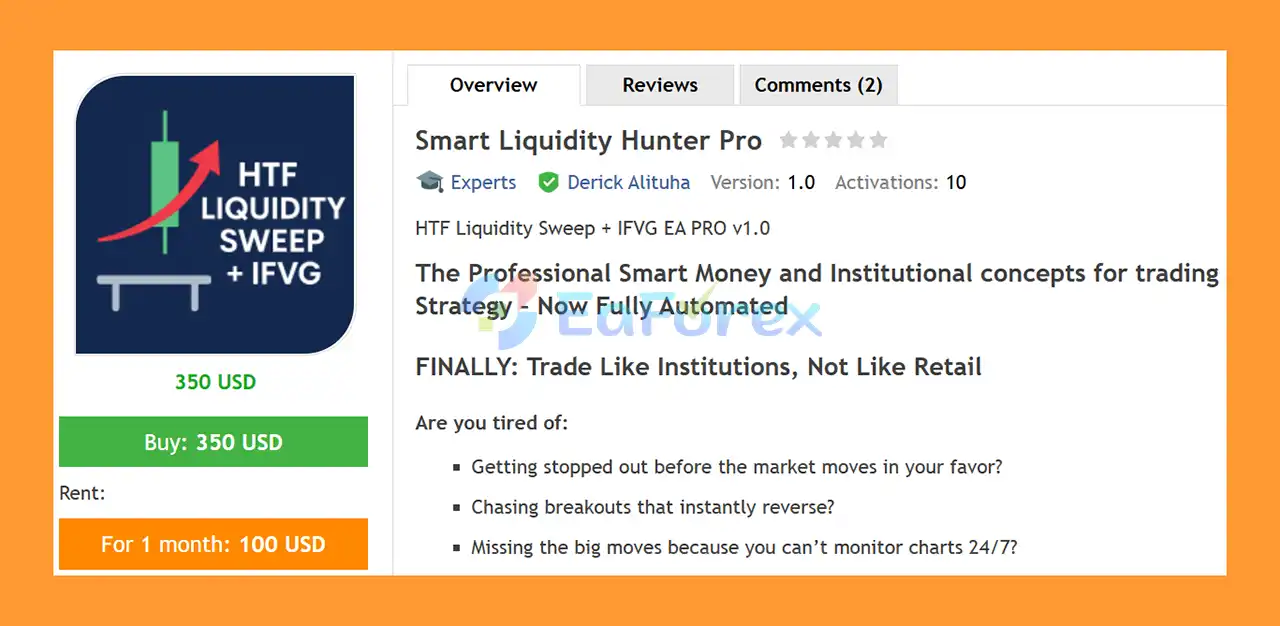
Smart Liquidity Hunter Pro MT5 is a fully automated MetaTrader 5 Expert Advisor designed to identify potential trading opportunities using a combination of liquidity sweeps, market structure, and Fair Value Gap (FVG) analysis.
The EA uses a multi-timeframe trading approach, first analyzing the higher timeframe to determine market direction and identify potential liquidity sweeps around previous highs and lows. It then moves to a lower timeframe to search for a confirming three-candle Fair Value Gap pattern.
Rather than entering immediately after a liquidity sweep, the system waits for the identified price gap to be tested and rejected before opening a position. This additional confirmation is designed to help filter potential trading setups.
Every trade is opened with predefined Stop Loss and Take Profit levels, while traders can configure risk-reward parameters and additional trade-management features according to their preferred strategy.
Smart Liquidity Hunter Pro MT5 operates independently on each chart, allowing users to run the EA across multiple symbols simultaneously.
• Author: Derick Alituha
• Experience: Over +1 years of experience on MQL5.
• Notable Products: Smart Liquidity Hunter Pro MT5 and other advisors.
• Flagship Product: Smart Liquidity Hunter Pro MT5 is rated as the best performing product of the year.
>> Delivery time 24h-48h after payment.
>>> Refund if not delivered.
>>> You will receive the latest version without any limitations (ID+Time).>>Reviewed by Jason Stap <<
Smart Liquidity Hunter Pro MT5 uses a structured multi-timeframe trading process.
The strategy begins on the higher timeframe, where the EA determines the general market direction using either market structure analysis or Moving Average-based trend detection.
Once the market direction has been established, the EA monitors previous swing highs and swing lows.
When price moves beyond one of these previous swing points and then returns back inside the original price range, the system identifies the movement as a potential liquidity sweep.
Instead of immediately opening a trade, Smart Liquidity Hunter Pro MT5 then analyzes the lower timeframe for additional confirmation.
The EA searches for a three-candle Fair Value Gap (FVG) that develops in the opposite direction of the liquidity sweep.
The system then waits for price to return to the identified gap and looks for a rejection before executing the trade.
This creates a sequence based on:
Higher-Timeframe Trend → Liquidity Sweep → Lower-Timeframe FVG → FVG Retest → Rejection → Trade Entry
Once a valid setup is confirmed, the EA automatically executes the position using the configured Stop Loss and Take Profit parameters.
Smart Liquidity Hunter Pro MT5 is designed for traders who want to automate a trading methodology based on liquidity sweeps and Fair Value Gaps without manually monitoring multiple timeframes.
One of the main characteristics of the EA is its use of multiple confirmations. Instead of treating every breakout of a previous high or low as a trading signal, the system waits for the price to return into the range and then looks for confirmation on a lower timeframe.
The ability to combine market structure or moving-average trend detection with liquidity and FVG analysis gives traders flexibility when configuring the strategy.
Another important feature is its built-in risk-management system. Users can select from different position-sizing methods and apply protective limits such as daily loss limits, maximum open trades, and symbol-specific trade restrictions.
The EA also avoids several high-risk trading techniques. According to the supplied specifications, it does not use Martingale, Grid, or Hedging, and every position uses a defined Stop Loss.
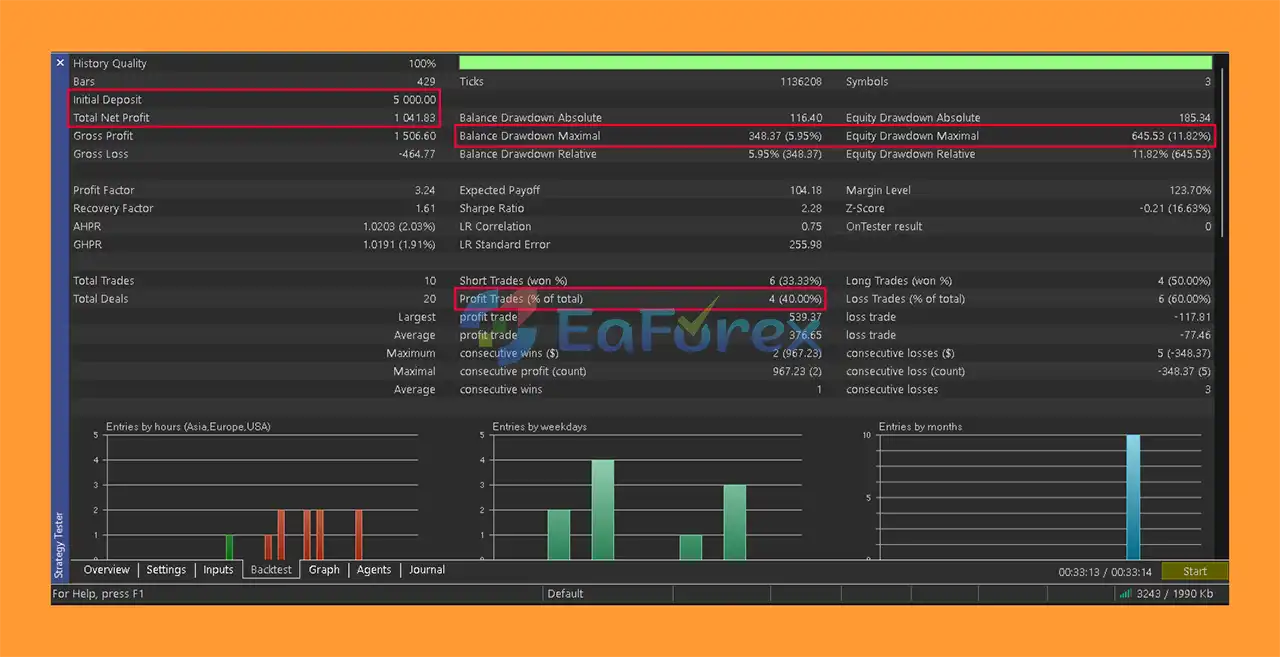
Smart Liquidity Hunter Pro MT5 Backtest
Smart Liquidity Hunter Pro MT5 includes multiple tools for controlling trading exposure.
Traders can choose between three primary position-sizing methods:
Stop Loss placement can also be configured according to the trader’s preferred approach.
A fixed-pip Stop Loss can be used when a consistent distance is preferred, while an ATR-based Stop Loss can dynamically adapt to changing market volatility.
The EA also supports configurable Take Profit and Risk/Reward parameters, allowing traders to define their preferred trade-management structure.
Additional protection features include:
These controls can help limit excessive exposure and manage trades after entry.
However, risk-management features do not eliminate the possibility of losses. Traders should carefully select position sizes and protective limits based on their account balance and risk tolerance.
Smart Liquidity Hunter Pro MT5 relies on technical market patterns, and these patterns do not always lead to successful trades.
Liquidity sweeps can occur without a meaningful reversal, while Fair Value Gaps may fail to produce the expected reaction. Strong trends, sudden volatility, news events, spread expansion, and poor execution can also affect the strategy.
The EA’s performance may vary depending on the selected instruments, timeframes, broker conditions, spreads, liquidity, and execution speed.
Although the system uses closed-candle analysis and does not repaint historical signals according to the supplied specifications, this does not guarantee that future signals will produce profitable results.
Automated trading also carries the risk of technical problems, including platform disconnections, VPS failures, broker execution issues, or incorrect EA configuration.
Users should thoroughly test the EA on a demo account before deploying it with real capital.
Never assume that historical performance guarantees future results, and never risk more capital than you can afford to lose.
A notable characteristic of Smart Liquidity Hunter Pro MT5 is that it does not rely on several aggressive position-management techniques commonly found in automated trading systems.
According to the supplied product information, the EA operates without:
The strategy uses fixed Stop Loss protection on positions and relies on individual trade setups rather than progressively increasing exposure after losing trades.
This structure may also make the EA suitable for traders who prefer automated systems that avoid Martingale and Grid-based recovery methods.
The product information also states that the strategy is compatible with prop-firm rules that prohibit high-risk trading techniques. However, traders should always verify the specific rules of their own prop firm because requirements can vary between firms and account programs.
Platform: MetaTrader 5
Required MT5 Build: 3400 or higher
File Format: Compiled .ex5
Account Binding: Single account
Broker Compatibility: MT5 brokers and account types
Execution: Market orders
Stop Loss: Fixed Pip or ATR-based
Position Sizing: Fixed Lot / Balance Percentage / Fixed Monetary Amount
Timeframes: Configurable higher and lower timeframes
System Resources: Typically less than 100 MB RAM per instance
The EA can operate independently on each chart, allowing traders to configure different symbols and settings.
For multi-symbol trading, simply attach Smart Liquidity Hunter Pro MT5 to each desired chart and configure the relevant parameters.
To install Smart Liquidity Hunter Pro MT5, first make sure you have MetaTrader 5 Build 3400 or higher.
Open MetaTrader 5 and access the platform’s data directory. Locate the MQL5 → Experts folder and place the supplied .ex5 Expert Advisor file in the appropriate location.
Restart MetaTrader 5 or refresh the Expert Advisors section in the Navigator panel.
Locate Smart Liquidity Hunter Pro MT5 and drag it onto your preferred trading chart.
Open the Inputs tab and configure the desired parameters, including:
Make sure Algo Trading is enabled both globally in MetaTrader 5 and within the EA settings.
For multiple-symbol trading, attach the EA separately to each desired chart.
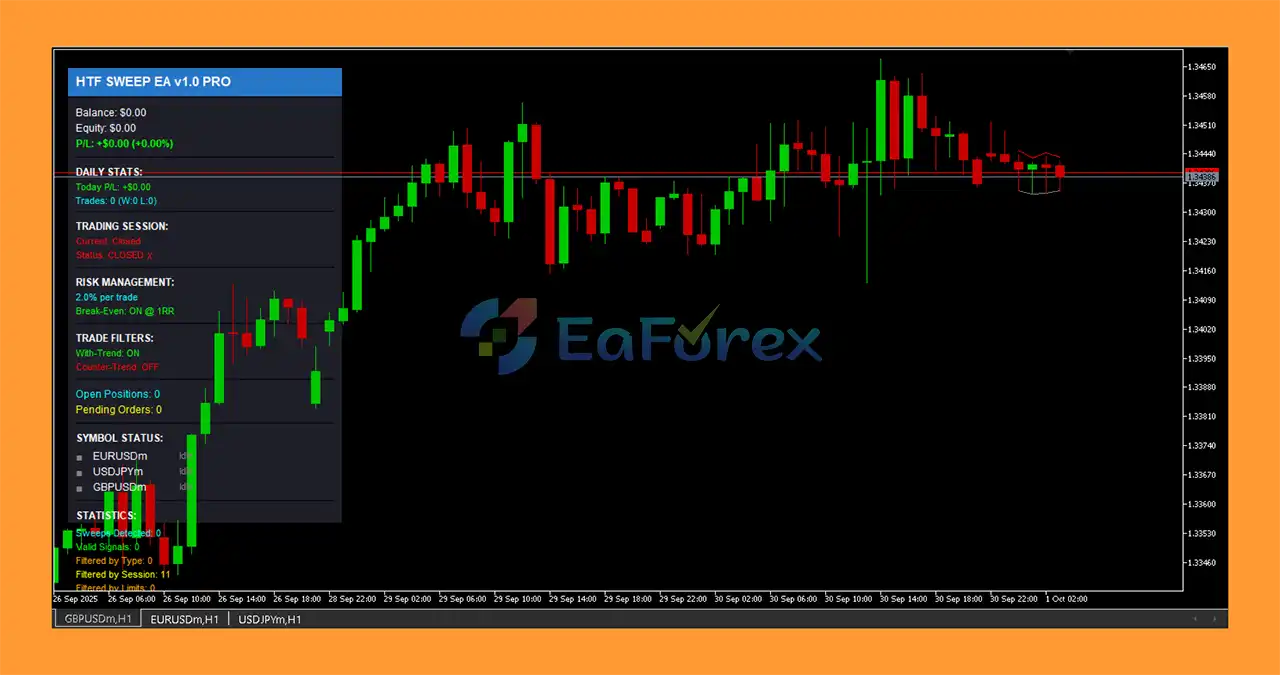
After installation, check the on-chart information panel and visual markers to confirm that the EA is operating correctly.
It is strongly recommended to test the system on a demo account before using it with real funds.
🔺 Experts:
In summary, Smart Liquidity Hunter Pro MT5 is a specialized automated trading system built around the concepts of Liquidity Sweeps, Fair Value Gaps, market structure, and multi-timeframe confirmation.
Its trading process combines higher-timeframe market analysis with lower-timeframe FVG confirmation, creating a structured sequence from liquidity detection to trade execution.
The EA also provides a comprehensive selection of risk-management tools, including fixed or ATR-based Stop Loss, configurable Risk/Reward, position-sizing options, daily loss limits, trade limits, breakeven, trailing stops, session filters, and spread protection.
Another notable aspect is its stated use of no Martingale, no Grid, and no Hedging, with fixed Stop Loss protection on trades.
For traders interested in automating a Smart Money Concepts-style liquidity and Fair Value Gap strategy on MetaTrader 5, Smart Liquidity Hunter Pro MT5 provides a structured and configurable framework.
As with any automated trading system, however, technical sophistication does not guarantee profitability. Market conditions, execution quality, volatility, spreads, and risk settings can all influence results. Proper testing, conservative risk management, and careful configuration remain essential before moving from demo trading to a live account.
1. What is Smart Liquidity Hunter Pro EA for MT5?
Smart Liquidity Hunter Pro EA is a Smart Money Concepts (SMC)-based trading robot that detects liquidity sweeps and confirms reversals using Fair Value Gaps (IFVG). It trades automatically across Forex, Gold, Indices, and Crypto with institutional precision.
2. How does Smart Liquidity Hunter Pro MT5 work?
The EA combines dual-timeframe analysis — using a higher timeframe for trend bias and a lower timeframe for IFVG entry confirmation. It identifies stop-hunts, range sweeps, and institutional reversals, entering trades with fixed risk.
3. Is Smart Liquidity Hunter Pro EA fully automated?
Yes. It’s a fully automated multi-symbol Expert Advisor that monitors and trades over 17+ instruments independently, managing entries, exits, and risk control without manual intervention.
4. Is it compatible with prop firms like FTMO or MFF?
Absolutely. Smart Liquidity Hunter Pro is 100% prop-firm friendly, following strict risk parameters with no martingale or grid, ensuring compliance with FTMO, MyForexFunds, and FundedNext trading rules.
5. What markets and sessions does it trade?
The EA trades Forex, Metals, Indices, and Crypto during the London and New York sessions, when institutional liquidity and volatility are at their peak.
6. Why choose Smart Liquidity Hunter Pro EA MT5?
It provides institutional-level trading logic, prop-firm safety, multi-symbol coverage, and real-time visualization tools — helping traders execute precise, data-driven trades with high reward-to-risk setups.
In stock
In stock
In stock
In stock
In stock
Out of stock
No account yet?
Create an Account












 Automatic EA
 EA Best Seller
 Expert Advisor MT4
 Expert Advisor MT5
 HFT EA


Reviews
Clear filtersThere are no reviews yet.