









-
 Unlimited Activations
-
 Instant delivery
-
 Easy to install







 Unlimited Activations
Instant delivery
Easy to install
Unlimited Activations
Instant delivery
Easy to install
 Free Update
 Free Install Support

Solution EA MT5 is an advanced Expert Advisor designed for automated trading on AUDCAD. The system combines neural network technology, quantitative data analysis, hedging techniques, averaging methods, and automatic volatility adjustment to adapt its trading behavior to changing market conditions.
The EA is designed to automatically adjust position sizing according to the available account balance and uses a progressive money management approach based on compounding. This allows the trading volume to scale as the account grows.
Solution EA MT5 also includes an automatic hedging mechanism designed to help manage positions during unexpected market movements, including periods affected by important economic news.
The default money management setting is MEDIUM, while users can adjust the risk level through the EA’s input parameters according to their preferred trading style and account size.
Recommended Symbol: AUDCAD
Minimum Deposit: $300
Minimum Leverage: 1:30
Account Type: Hedging Account Required
• Author: Ewa Joanna Jagiello Stepien.
• Experience: Over +1 years of experience on MQL5.
• Notable Products: Solution EA MT5, Madness EA, Golden Phantom EA MT5 and other advisors.
• Flagship Product: Solution EA MT5 is rated as the best performing product of the year.
>> Delivery time 24h-48h after payment.
>>> Refund if not delivered.
>>> You will receive the latest version without any limitations (ID+Time).>>Reviewed by Jason Stap <<
Solution EA MT5 combines several automated trading concepts to respond to different market conditions.
The system uses neural network technology and quantitative data to analyze market information and generate trading decisions. Instead of relying on a single trading technique, the EA combines multiple mechanisms, including hedging, averaging, and volatility-based adjustments.
When market conditions change, the EA can automatically adjust its trading behavior and position management. This is particularly important during periods of increased volatility when market movements can become less predictable.
The EA also includes an automatic hedging mechanism intended to protect open exposure when unexpected market data or major news events create sharp price movements.
For money management, Solution EA MT5 automatically calculates the appropriate lot size based on the account’s available capital and selected risk settings. Its progressive compounding approach allows position sizes to scale as the account balance changes.
Solution EA MT5 may be suitable for traders looking for an automated AUDCAD trading system that combines quantitative analysis with dynamic position management.
One of its main advantages is the combination of several mechanisms within a single Expert Advisor. Neural network analysis, volatility adaptation, hedging, averaging, and automatic lot sizing are integrated into the trading system rather than requiring multiple separate tools.
The automatic money management system can also make the EA easier to operate because position sizing is adjusted according to the account balance and selected risk level.
For traders who prefer automated trading and are comfortable with more advanced position-management techniques, Solution EA MT5 offers a comprehensive approach to algorithmic trading on AUDCAD.
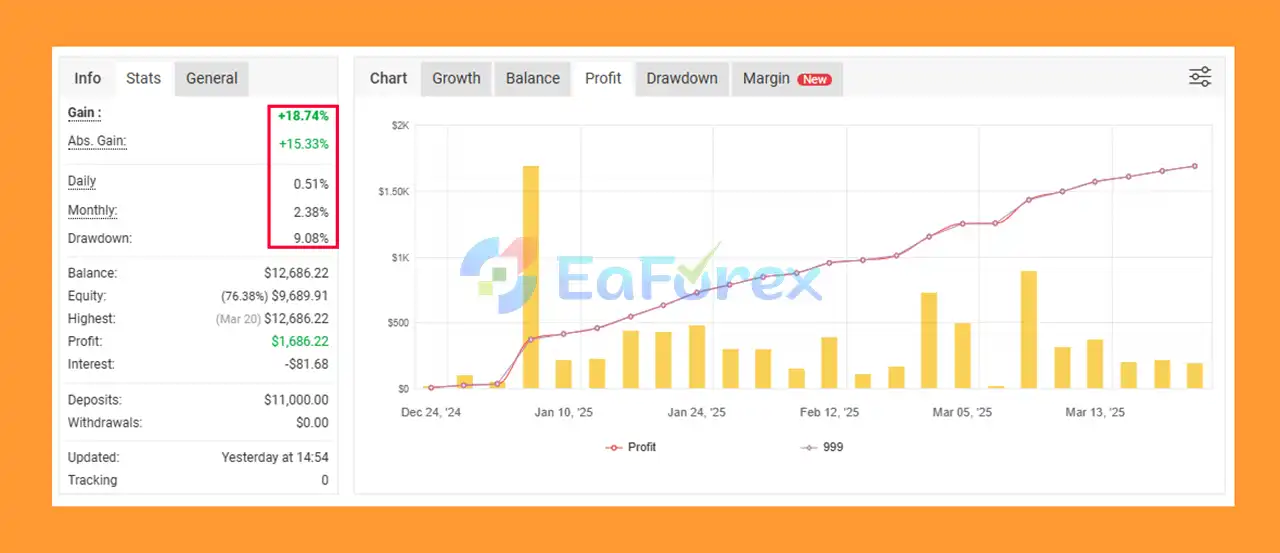
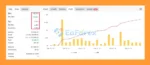
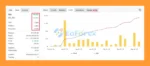
Solution EA MT5 Live Signal Myfxbook
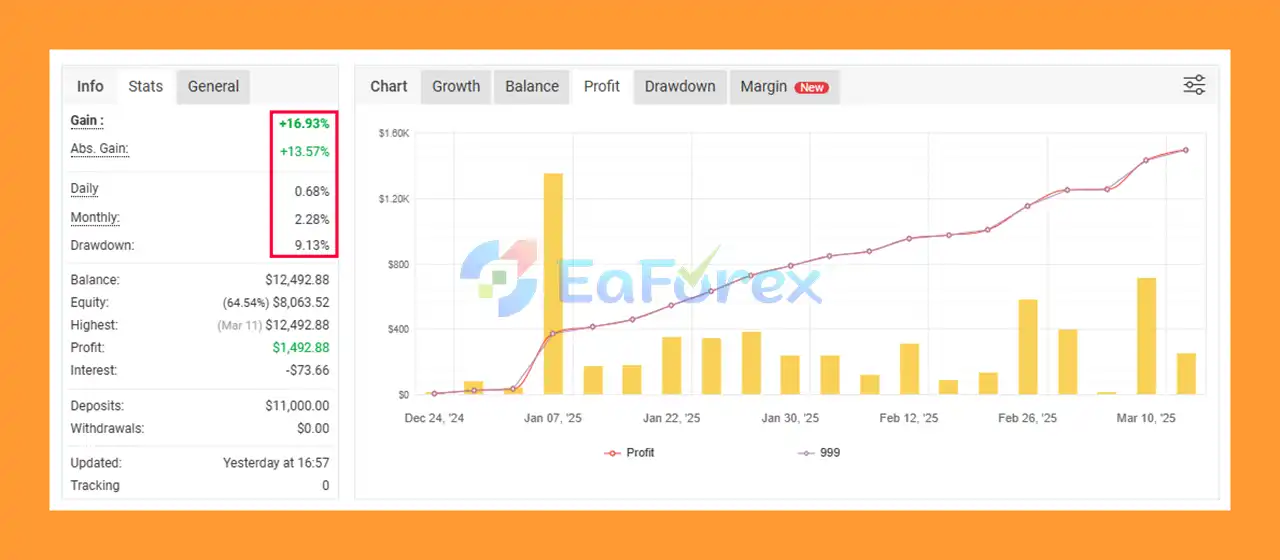
Solution EA MT5 Signal Myfxbook
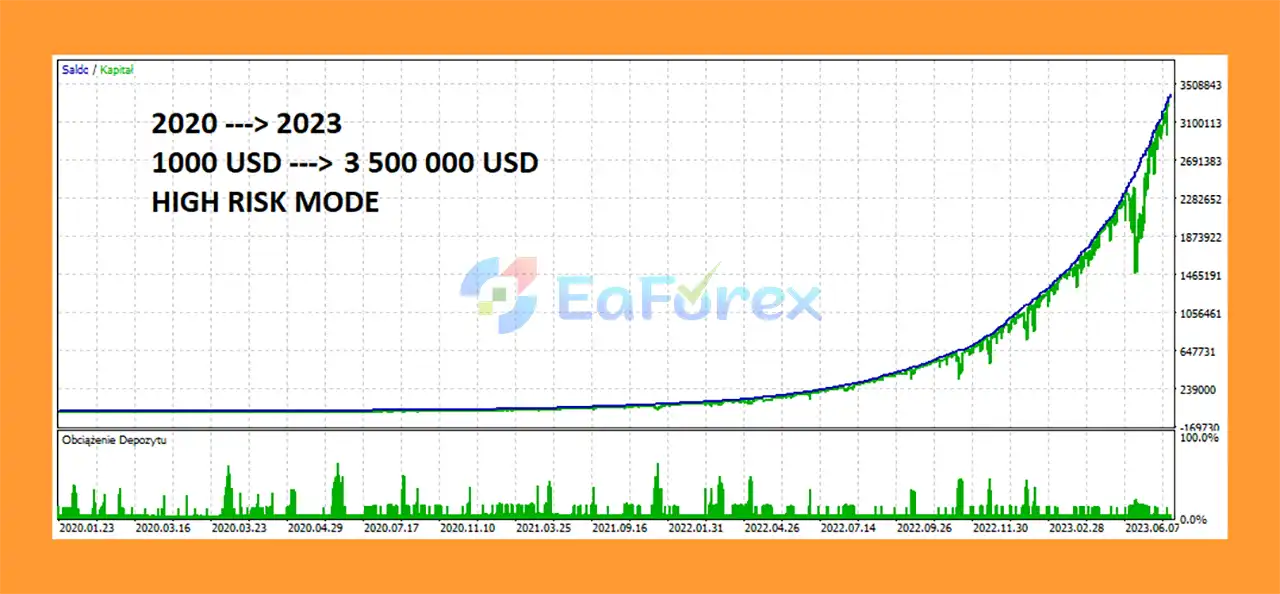
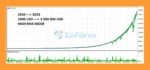
Solution EA Backtest Result
Solution EA MT5 includes several features designed to manage trading risk dynamically.
The risk level can be adjusted directly from the EA’s money management settings, with MEDIUM used as the default configuration. Traders can select a risk level that better matches their account size and personal risk tolerance.
The EA also automatically adjusts its lot size according to the deposit, helping maintain a proportional position-sizing approach as the account balance changes.
Its progressive compounding system can increase trading volume as the account grows. While this can potentially accelerate account growth, it also means that exposure may increase over time.
The hedging and averaging mechanisms are intended to help manage unfavorable positions and changing market conditions. However, these techniques do not eliminate risk. During extreme volatility, prolonged trends, large spreads, slippage, or unexpected news events, drawdown can still increase significantly.
For safer operation, traders should use an appropriate risk setting, maintain sufficient free margin, and test the EA on a demo account before using real capital.
Despite its advanced features, Solution EA MT5 is not a risk-free trading system.
The use of hedging and averaging can increase the number and total volume of open positions during unfavorable market conditions. If a market remains against the EA for an extended period, account drawdown and margin requirements may increase.
The progressive compounding system also deserves careful attention. As the account balance increases, trading volume can increase accordingly, which may amplify both potential profits and potential losses.
AUDCAD can experience periods of increased volatility, particularly around major economic announcements involving the Australian and Canadian economies. Sudden market movements may result in slippage, wider spreads, or execution conditions that differ from backtests.
The EA also requires a hedging-enabled trading account. It may not function correctly on account types that only support netting positions.
Past performance, backtests, or simulated results do not guarantee future profitability. Traders should always consider broker conditions, spreads, commissions, execution speed, leverage, market volatility, and available margin before deploying the EA on a live account.
Recommended minimum deposit: $300
Recommended minimum leverage: 1:30
Trading symbol: AUDCAD
Required account type: Hedging
For better safety, test the EA on a demo account first and verify that your broker provides suitable spreads, leverage, execution, and hedging support.
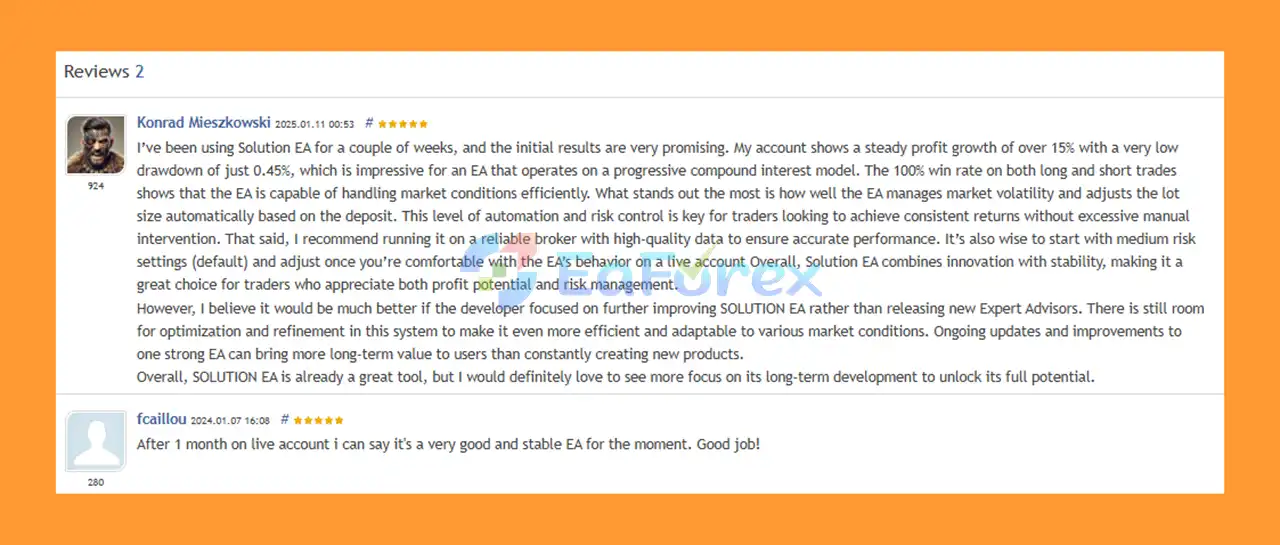
🔺 Solution EA MT5 is highly appreciated by the MQL5 community for bringing stable and reliable profits. Below are 5 star reviews from users:
User Reviews
>>> Join VIP Membership Now <<<
Solution EA MT5 is a sophisticated automated trading system designed for AUDCAD and built around neural network technology, quantitative data, volatility adaptation, hedging, averaging, and automated money management.
Its ability to automatically adjust lot sizes and use progressive compounding makes it suitable for traders interested in a dynamic automated trading approach. The built-in hedging functionality also provides an additional method for managing exposure during unexpected market conditions.
However, the use of averaging, hedging, and compounding means that proper risk management remains essential. Traders should avoid assuming that advanced technology eliminates trading risk.
Overall, Solution EA MT5 can be an interesting option for traders seeking a data-driven AUDCAD Expert Advisor for MetaTrader 5, provided it is used with appropriate risk settings, sufficient capital, and a compatible hedging account.
1. What is Solution EA MT5?
Solution EA MT5 is an advanced neural network Expert Advisor designed for MetaTrader 5. Optimized for AUDCAD trading, it combines machine learning, automatic hedging, and adaptive volatility filters to deliver consistent and reliable results.
2. Which currency pairs does Solution EA MT5 work best with?
The EA is specifically optimized for AUDCAD on the D1 timeframe. While it may work on other pairs, its best results and stability are achieved with AUDCAD.
3. How does Solution EA MT5 manage risk?
Solution EA MT5 uses automatic hedging to protect trades during unexpected news events or market spikes. It also includes customizable money management settings, allowing traders to adjust risk levels from conservative to aggressive.
4. What are the deposit and leverage requirements?
The system is deposit-friendly, working with a minimum deposit of $300 and leverage starting from 1:30. This makes it accessible to both small and large account holders.
5. Can I test Solution EA MT5 before trading live?
Yes. The EA is fully backtest-ready on MetaTrader 5. Traders can simulate performance using historical AUDCAD data, with results showing strong long-term growth and controlled drawdown.
6. What performance results can I expect with Solution EA MT5?
Backtests from 2020–2023 with a $1,000 deposit showed $3.5M+ profit under high-risk mode, while live Myfxbook signals demonstrated +16.93% gain with ~9% drawdown—highlighting its balance between growth and safety.
In stock
In stock
In stock
In stock
In stock
Out of stock
No account yet?
Create an Account












 Automatic EA
 EA Best Seller
 Expert Advisor MT4
 Expert Advisor MT5
 HFT EA


Reviews
Clear filtersThere are no reviews yet.