









-
 Unlimited Activations
-
 Instant delivery
-
 Easy to install



 Unlimited Activations
Instant delivery
Easy to install
Unlimited Activations
Instant delivery
Easy to install
 Free Update
 Free Install Support

Stock Trader Pro MT5 is a fully automated Expert Advisor for MetaTrader 5 designed specifically for systematic trading of US stocks. The EA follows a structured Buy-the-Dip trading strategy, looking for controlled pullbacks within broader bullish market structures rather than chasing breakouts or entering the market frequently.
Unlike a traditional Buy & Hold approach, Stock Trader Pro MT5 does not simply purchase an asset and hold it indefinitely. Each potential trade is evaluated using multiple technical indicators and timeframes, including Moving Average, ATR, Stochastic, and RSI, while every position is protected by predefined risk parameters.
The EA focuses on long positions only, reflecting the historically positive long-term bias of developed equity markets. Its low-frequency approach prioritizes trade quality over quantity.
One of the most distinctive features is the optional AI Verdict Mode. Before a potential trade is executed, an AI language model can analyze current news, company fundamentals, macroeconomic conditions, and geopolitical developments to determine whether a price pullback appears temporary or may indicate a deeper fundamental problem.
Stock Trader Pro MT5 can operate without AI, using its built-in market protection system, or traders can activate AI analysis through OpenRouter and choose models from providers such as OpenAI, Anthropic, xAI, and other supported models.
>> Delivery time 24h-48h after payment.
>>> Refund if not delivered.
>>> You will receive the latest version without any limitations (ID+Time).>>Reviewed by Jason Stap <<
Stock Trader Pro MT5 is designed to identify controlled price pullbacks within broader bullish structures.
Rather than buying after strong upward breakouts, the EA waits for prices to retrace and then evaluates whether the conditions are suitable for a potential long position.
The optional AI Verdict Mode adds fundamental and news analysis to the technical trading process.
Before an entry, the AI can evaluate whether the price decline may represent:
The AI produces a written Allow or Reject verdict with a confidence score, the date of the latest information used, reasoning, and source links.
The EA evaluates potential entries using multiple technical conditions, including:
This helps prevent the strategy from relying on a single technical indicator.
Stock Trader Pro MT5 includes a built-in S&P 500 market regime filter designed to reduce trading activity during broad market crashes and highly turbulent conditions.
The filter works without external AI services and can therefore be used in the MT5 Strategy Tester.
The EA focuses exclusively on long positions.
This approach is designed around the long-term upward tendency historically observed in major US equity markets rather than attempting to profit from both rising and falling markets.
Each trade can be protected with a predefined Stop Loss, ensuring that downside risk is considered at the time of entry rather than relying on an unlimited holding period.
The EA supports predefined Take Profit logic and can also use AI-assisted target proposals when the corresponding AI management functionality is enabled.
When enabled, AI can re-evaluate an open position and provide a recommendation to:
Position-management controls remain subject to the EA’s predefined rules and hard limits.
The AI layer can operate in three different roles:
Entry Filter – The technical strategy identifies a potential trade first. AI then evaluates whether there is a material fundamental or news-related reason to reject the setup.
Stop & Target Sizing – AI can propose Stop Loss and Take Profit levels for the specific situation, subject to predefined maximum and minimum limits.
Position Management – AI can reassess an open trade and provide management decisions according to the configured rules.
Each role can be configured as:
If the AI API is unavailable or the response cannot be properly interpreted, the system is designed to reject the entry rather than automatically approve it.
This fail-closed approach is intended to prevent an unavailable AI service from becoming an unintended reason to enter a trade.
The AI layer does not directly determine the account’s fundamental risk limits.
According to the provided system design, AI cannot modify:
Proposed Stop Loss and Take Profit levels must also pass through predefined hard limits.
The EA uses caching to reduce unnecessary API requests and help control AI-related costs.
The frequency of analysis can vary depending on market conditions, allowing more frequent reassessment during turbulent periods while reducing unnecessary requests during quieter conditions.
Ready-to-use presets are provided for a selection of major US stocks, including:
AAPL, AMZN, AXP, CAT, DELL, GD, GOOGL, JNJ, JPM, KO, LMT, MA, MCD, META, MSFT, NOC, ORCL, PG, TSLA, V, and WMT.
The system is not restricted to these symbols. Since the input parameters are customizable, traders can potentially adapt the EA to other stocks, indices, ETFs, and compatible markets.
Stock Trader Pro MT5 combines technical pullback analysis, market-regime protection, and optional AI-based fundamental analysis.
The EA first looks for a price decline that occurs within a broader bullish market structure.
The objective is to avoid blindly buying every falling stock and instead identify controlled corrections that may potentially provide a long entry opportunity.
The potential setup is evaluated using multiple technical indicators and timeframes, including Moving Average, ATR, Stochastic, and RSI.
The system checks whether the price action and market structure satisfy the configured entry conditions.
The EA can use the S&P 500 Market Regime Filter to identify broad market stress.
When enabled, the filter can block new trades during unfavorable market conditions.
If AI Verdict Mode is enabled, the technical signal is passed to the selected AI model for additional analysis.
The AI examines information that price-based indicators cannot directly see, including:
The AI then produces an Allow or Reject verdict.
The trade can only proceed when the technical strategy generates a valid setup and all configured risk and AI conditions are satisfied.
The AI does not independently create trades. It acts as an additional decision layer on top of the underlying strategy.
After entry, the EA manages the position using its configured Stop Loss and Take Profit rules.
If AI position management is enabled, the model can also reassess the trade according to the selected operating mode and predefined hard limits.
Traditional indicators can identify that a stock has fallen, but they cannot explain why.
Stock Trader Pro’s AI layer is designed to add context by analyzing company news, fundamentals, macroeconomic developments, and geopolitical events.
A falling stock is not automatically a buying opportunity.
The AI layer attempts to distinguish between temporary weakness and potentially serious fundamental deterioration.
The EA is designed specifically around long-side trading of stocks and focuses on controlled pullbacks rather than frequent short-term transactions.
Stock Trader Pro MT5 does not use Martingale or Grid strategies.
Each trade uses predefined risk protection, making the system structurally different from recovery-based EAs.
Traders do not have to use the AI layer.
The core strategy remains functional using the built-in S&P 500 Market Regime Filter, allowing historical backtesting without external AI services.
Users can activate AI in Advisory Mode, allowing the system to analyze potential trades without giving it execution authority.
This provides a practical way to observe AI decisions before enabling automated AI functionality.
The EA’s parameters are open for optimization, allowing traders to create configurations for different stocks and markets.
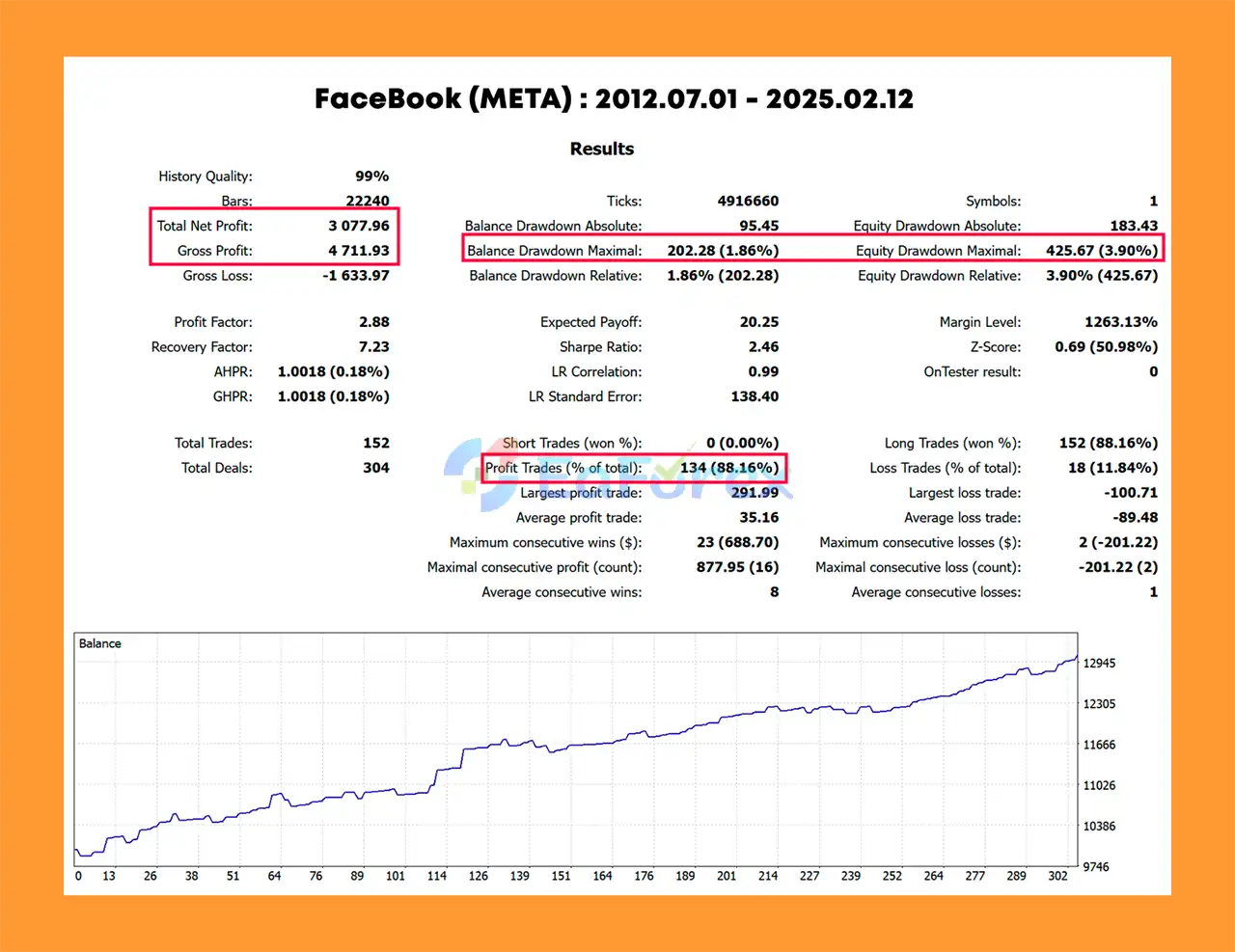
🔺Facebook (META): 12 years
Stock Trader Pro MT5 Backtest Resultss
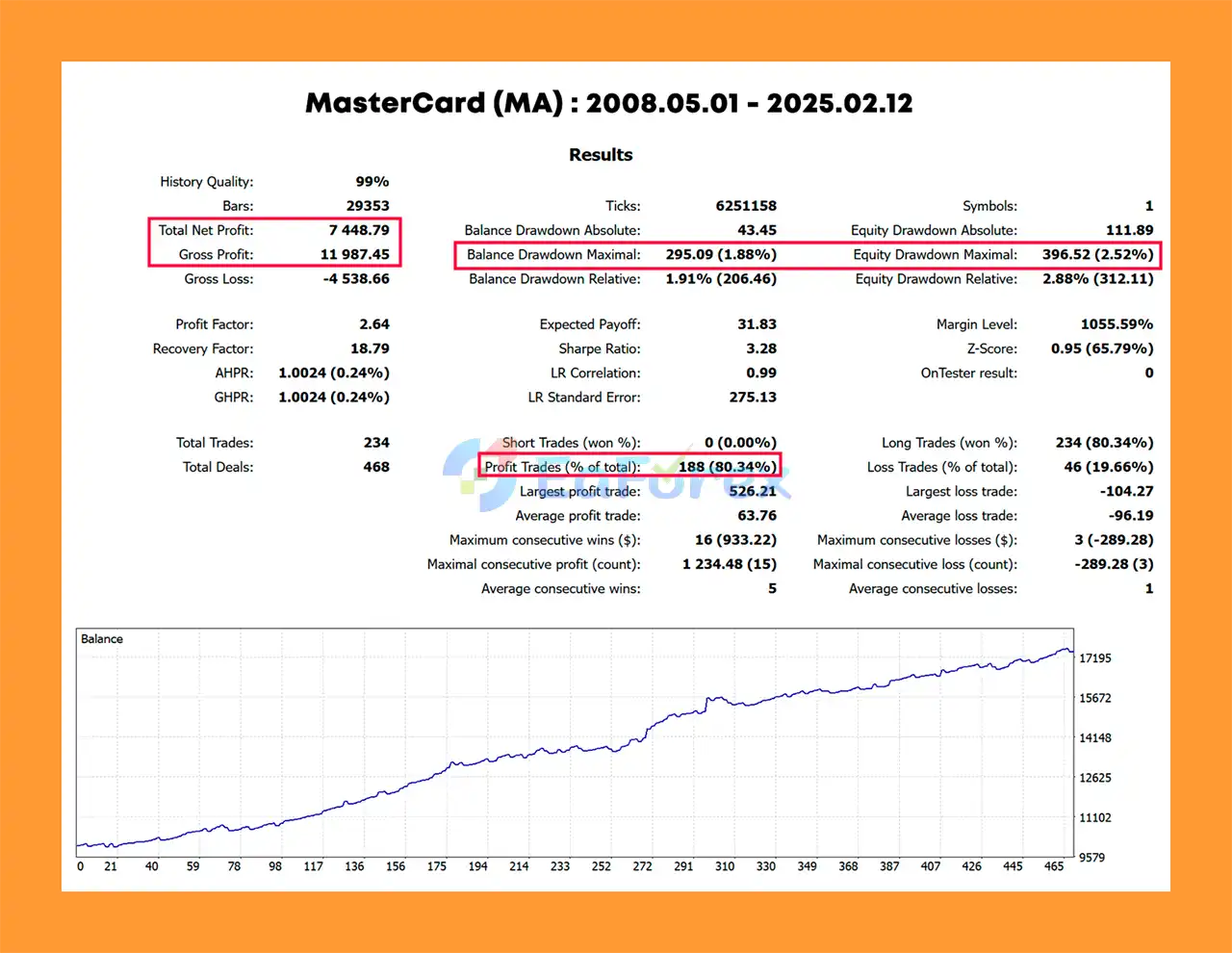
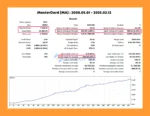
🔺MasterCard (MA): 2008 to 2025
Stock Trader Pro MT5 Backtest Results
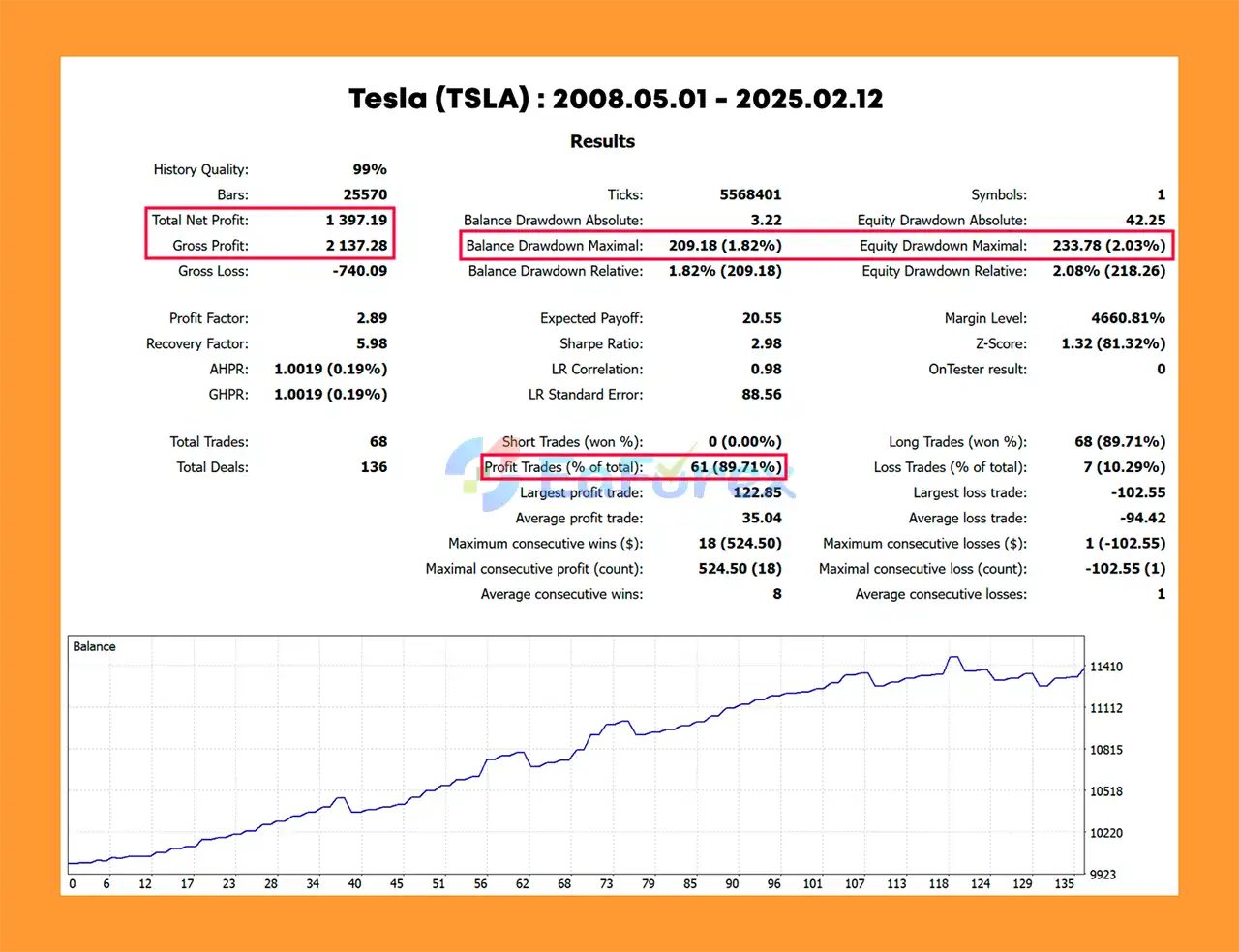
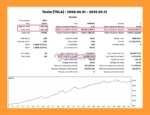
🔺Tesla (TSLA): 2008 to 2025
Net Profit: $1,397.19, Win Rate: 89.71%, Max Drawdown: 1.82%
Stock Trader Pro MT5 Backtest Result
Stock Trader Pro MT5 is designed around a relatively conservative long-only pullback strategy, but stock trading still involves substantial market risk.
Every position uses predefined risk controls, including Stop Loss and Take Profit functionality. The AI layer also operates under hard limits rather than having unrestricted control over position sizing.
One important design principle is that AI does not control position size, per-trade risk, or margin limits. This separates AI analysis from the core account-risk parameters.
The EA also uses two different market-protection approaches.
This built-in filter analyzes market conditions using price-based information from the S&P 500.
It can be used in the Strategy Tester and does not require an external API.
AI Verdict Mode evaluates individual companies rather than simply blocking the entire market.
For example, a broad market shock may negatively affect some industries while benefiting others. The AI layer attempts to evaluate company-specific circumstances rather than treating every stock identically.
For Strategy Tester usage, the S&P 500 filter should be used because external AI/WebRequest functionality is unavailable in the tester.
For live or demo trading, traders can choose between the S&P 500 filter and AI Verdict Mode depending on their preferred configuration.
AI usage through OpenRouter is billed separately and is not included in the EA purchase price.
Language models can misunderstand information, interpret news incorrectly, miss important developments, or produce an incorrect conclusion.
An AI verdict should therefore not be considered a guarantee that a stock will rise.
Company news, earnings announcements, regulatory decisions, and geopolitical developments can change rapidly.
A positive AI verdict can become outdated after a new announcement.
AI Verdict Mode requires an OpenRouter API key and appropriate WebRequest permissions in MetaTrader 5.
API costs are separate from the EA purchase price.
Because WebRequest functionality is unavailable in the MT5 Strategy Tester, the AI layer cannot be used for conventional historical backtesting.
Historical optimization must therefore use the built-in market regime filter instead.
Because the EA focuses exclusively on long positions, it may struggle during prolonged bear markets or extended periods of weakness in individual stocks.
Individual companies can experience unexpected events such as:
No technical or AI system can eliminate these risks.
Stock and CFD trading conditions vary between brokers. Contract sizes, spreads, commissions, market hours, minimum trade sizes, leverage, and available symbols can all affect results.
Stock Trader Pro MT5 is designed to improve the decision-making process, not eliminate market uncertainty.
Past performance does not guarantee future results, and traders can lose capital.
Install Stock Trader Pro MT5 into your MetaTrader 5 terminal.
Restart MT5 or refresh the Expert Advisors section after installation if necessary.
Choose a supported stock available through your broker.
Ready-made presets are available for:
AAPL, AMZN, AXP, CAT, DELL, GD, GOOGL, JNJ, JPM, KO, LMT, MA, MCD, META, MSFT, NOC, ORCL, PG, TSLA, V, and WMT.
The EA can potentially be customized for other compatible stocks, ETFs, indices, or markets.
Load the corresponding settings for your selected instrument if a preset is provided.
For custom instruments, optimize the EA parameters according to the characteristics of the market.
Choose between:
For historical Strategy Tester work, use the S&P 500 filter because external AI/WebRequest functionality is unavailable in the tester.
If using AI functionality, obtain an OpenRouter API key and enter the required API configuration in the EA settings.
OpenRouter usage is billed separately according to the selected AI model and API consumption.
For live or demo AI functionality, allow WebRequest access to the OpenRouter service in MetaTrader 5:
Tools → Options → Expert Advisors → Allow WebRequest for listed URL
Add the OpenRouter URL required by the EA’s documentation.
The system supports models through OpenRouter, including presets for providers such as:
Each AI function can be configured as:
Off – AI is disabled.
Advisory – AI analyzes and provides a verdict but does not execute actions.
Auto – AI can participate in the configured automated decision process, subject to the EA’s fixed risk limits.
For initial testing, Advisory Mode can be useful for observing how the AI responds to different market situations.
Set appropriate Stop Loss, Take Profit, risk, and account-protection parameters.
The developer recommends a starting balance of approximately $1,000 or more, depending on the selected instruments, broker conditions, and minimum trade size.
Run the EA on a demo account first to verify:
Only move to live trading after thoroughly evaluating the EA under your broker’s actual conditions.
🔺Stock Trader Pro MT5 is highly appreciated by the MQL5 community for bringing stable and reliable profits. Below are 5 star reviews from users:
🔺Experts:
🔺Presets:
Stock Trader Pro MT5 is a distinctive automated stock-trading Expert Advisor that combines a systematic Buy-the-Dip strategy with optional AI-powered news and fundamental analysis.
Its core strategy focuses on controlled pullbacks within broader bullish structures, using technical indicators such as Moving Average, ATR, Stochastic, and RSI to identify potential long entries. Every trade is protected by predefined risk parameters rather than relying on unlimited holding or recovery strategies.
The standout feature is AI Verdict Mode, which attempts to answer a critical question that technical analysis alone cannot: Is the price decline a temporary pullback, or is there a fundamental reason why the stock is falling?
The AI layer can analyze company fundamentals, earnings, guidance, legal developments, macroeconomic conditions, and geopolitical events before providing an Allow or Reject verdict. Importantly, the system is designed so that AI does not directly control position sizing or account-risk limits.
For traders who prefer a combination of technical analysis, fundamental context, and automated risk management, Stock Trader Pro MT5 offers an interesting approach to systematic US stock trading.
However, AI should be viewed as an additional decision-support layer rather than an infallible market predictor. Language models can make mistakes, news can change rapidly, and stock prices can move unpredictably.
Ultimately, the strongest approach is to combine the EA with realistic backtesting, forward testing, conservative risk management, and continuous monitoring of live performance. No Expert Advisor, technical indicator, or AI model can eliminate the risk of financial loss.
1. What is Stock Trader Pro MT5?
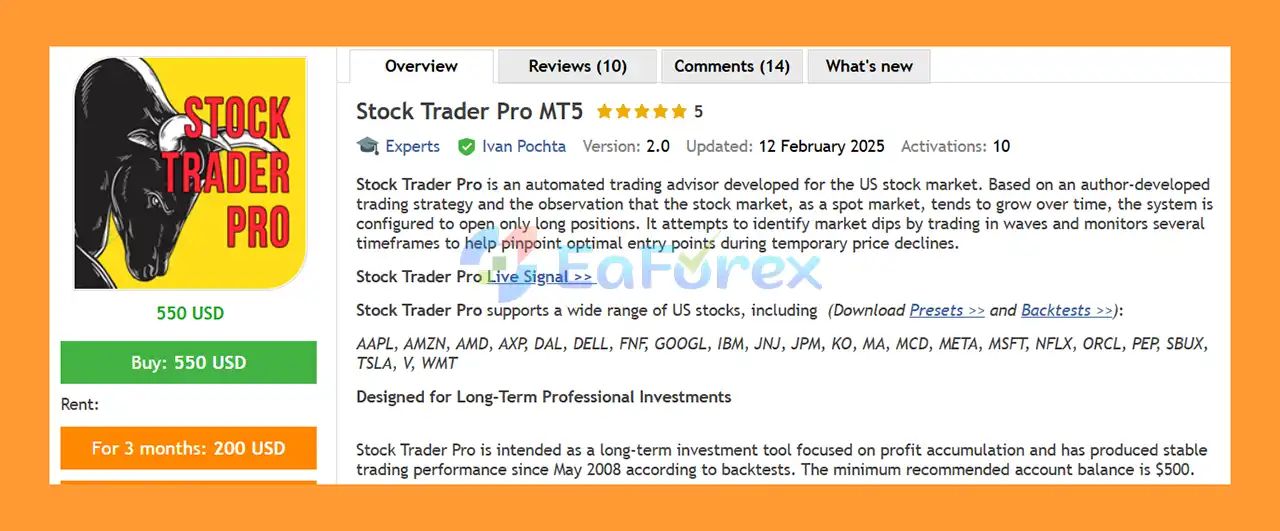
Stock Trader Pro MT5 is a fully automated trading advisor for the US stock market. It focuses on long positions to capitalize on market dips and accumulate stable, long-term profits.
2. Which trading strategies does Stock Trader Pro MT5 use?
The EA uses a long-only strategy combined with multi-timeframe technical analysis, including Moving Average (MA), ATR, Stochastic, and RSI, to detect precise entry points for major US stocks.
3. Is Stock Trader Pro MT5 safe for conservative investors?
Yes. The EA includes built-in stop-loss and take-profit levels, avoids risky strategies like martingale or grid, and uses low trade frequency to reduce drawdowns and protect capital.
4. What performance results can I expect from Stock Trader Pro MT5?
Backtests show strong performance:
Facebook (META): $3,077.96 profit, 88.16% win rate, 1.86% max drawdown
MasterCard (MA): $7,448.79 profit, 80.34% win rate, 1.88% max drawdown
Tesla (TSLA): $1,397.19 profit, 89.71% win rate, 1.82% max drawdown
5. Which stocks are supported by Stock Trader Pro MT5?
The EA trades major US stocks, including AAPL, AMZN, AMD, GOOGL, MSFT, TSLA, and more. Presets are provided for easy setup across multiple symbols.
6. What is included in the Stock Trader Pro MT5 package?
The package includes the EA file, installation guide, and presets for popular US stocks, allowing users to quickly set up and optimize the EA for their trading accounts.
In stock
In stock
In stock
In stock
In stock
Out of stock
No account yet?
Create an Account












 Automatic EA
 EA Best Seller
 Expert Advisor MT4
 Expert Advisor MT5
 HFT EA


Reviews
Clear filtersThere are no reviews yet.