









-
 Unlimited Activations
-
 Instant delivery
-
 Easy to install








 Unlimited Activations
Instant delivery
Easy to install
Unlimited Activations
Instant delivery
Easy to install
 Free Update
 Free Install Support

SwingMaster EA MT5 is an automated position management and trade management utility for MetaTrader 5, designed to help traders manage existing manual or automated positions with advanced layering, trailing stop, break-even, and reverse hedging functionality.
Unlike traditional Expert Advisors that primarily focus on generating entry signals, SwingMaster EA is designed around position management. It can assist with managing manual trades as well as positions opened by other automated trading systems.
The EA combines several management techniques, including Average True Range (ATR) volatility trailing, Parabolic SAR trailing, pending-order grid layering, flexible lot sizing, reverse hedge orders, and an on-chart management dashboard.
SwingMaster can place up to six pending limit orders around an initial position according to user-defined distances. Traders can also configure different position-sizing methods, including fixed lots, multiplier-based sizing, or risk-based calculations using a percentage of account equity.
With state persistence, the EA can maintain awareness of active orders even after a MetaTrader 5 terminal restart, helping provide continuity for automated position management.
• Author: Joshua Johnathan Chung
• Experience: Over +6 years of experience on MQL5.
• Notable Products: SwingMaster EA MT5 and other advisors.
• Flagship Product: SwingMaster EA is rated as the best performing product of the year.
>> Delivery time 24h-48h after payment.
>>> Refund if not delivered.
>>> You will receive the latest version without any limitations (ID+Time).>>Reviewed by Jason Stap <<
SwingMaster EA MT5 is designed to manage both:
This makes it useful as a supporting management layer rather than requiring traders to replace their existing trading strategy.
The EA can place up to 6 pending limit orders around an initial position.
The distances of these orders can be configured according to the trader’s strategy.
Pending orders can be positioned relative to:
This provides a structured approach to position layering when the market moves through predefined levels.
SwingMaster supports multiple position-sizing methods, including:
This allows traders to adapt the position structure to different account sizes and risk-management approaches.
The EA is designed to track active orders across MetaTrader 5 terminal restarts.
This means the position-management logic can continue after the trading platform has been closed and reopened, helping reduce the need for manual reconfiguration.
SwingMaster includes configurable Parabolic SAR trailing-stop functionality.
Traders can independently configure Parabolic SAR parameters such as:
The trailing logic can be assigned to different types of positions, including:
The ATR Stop uses the Average True Range indicator to dynamically adjust trailing-stop distances according to market volatility.
When volatility changes, the trailing distance can tighten or relax based on the configured volatility thresholds.
This provides a more adaptive alternative to using a fixed trailing-stop distance.
The trailing-stop system can be configured so that trailing adjustments occur only when the position is already in positive territory.
This can help prevent the trailing mechanism from immediately modifying a position while it remains in an unrealized loss.
SwingMaster includes a reverse hedge mechanism that can schedule an opposite-direction position after a configurable delay.
The delay can be set from as little as 1 second up to 8 hours.
The system also includes duplicate-prevention logic to reduce the possibility of opening redundant hedge positions on the same symbol.
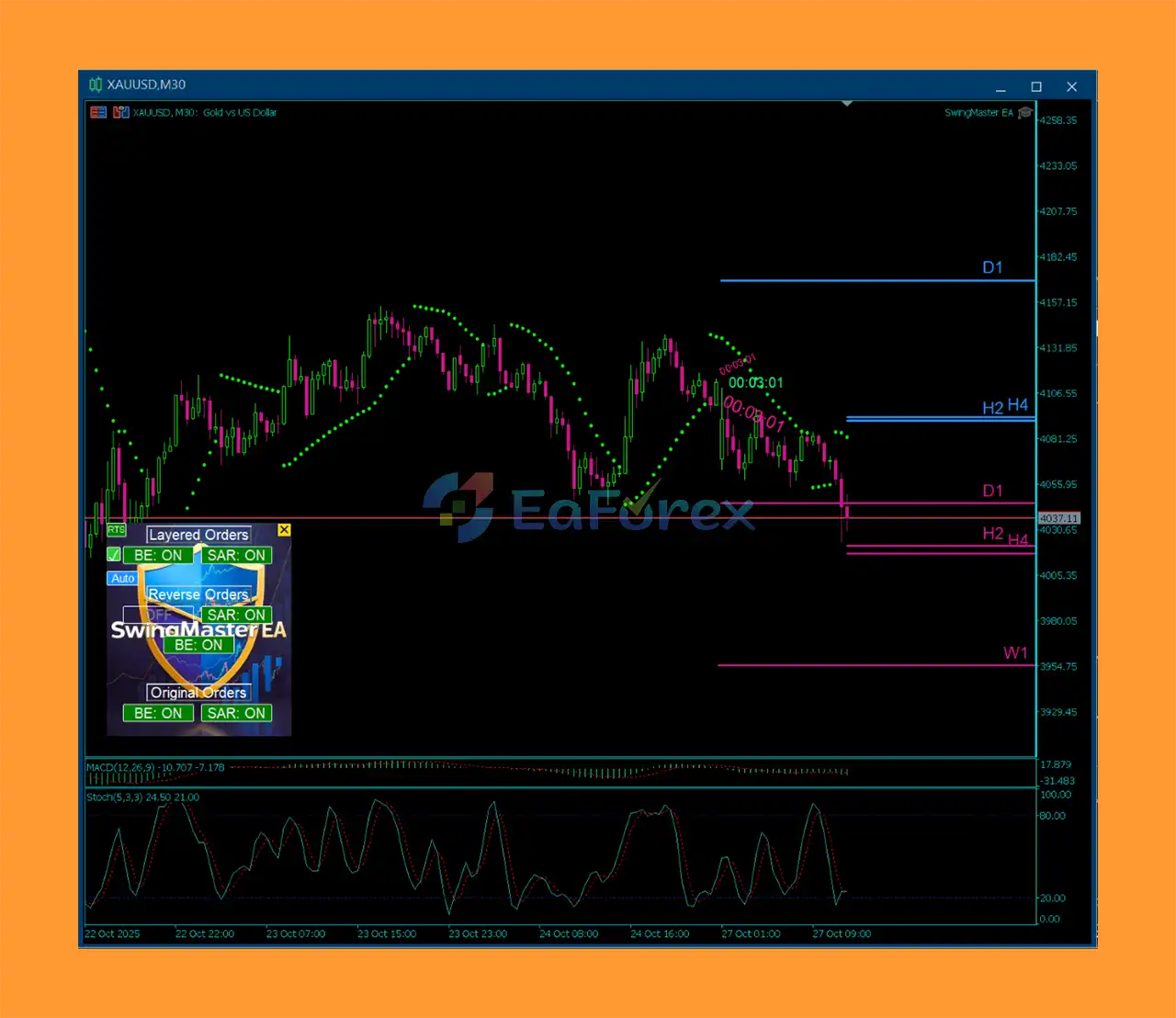
The on-chart dashboard can display up to 6 Support and Resistance pairs.
These levels can be calculated across timeframes ranging from:
This provides a visual reference for traders when evaluating position layers, trailing levels, or potential market reaction zones.
SwingMaster includes an on-chart dashboard with controls that allow traders to manage important functions directly from the chart.
Available controls include:
This makes the EA easier to monitor and adjust without repeatedly opening the main Expert Advisor settings window.
SwingMaster EA MT5 operates primarily as a trade-management layer.
The process begins with an existing position, which can be opened manually by the trader or automatically by another Expert Advisor.
Once the position is detected, SwingMaster can apply the configured management rules.
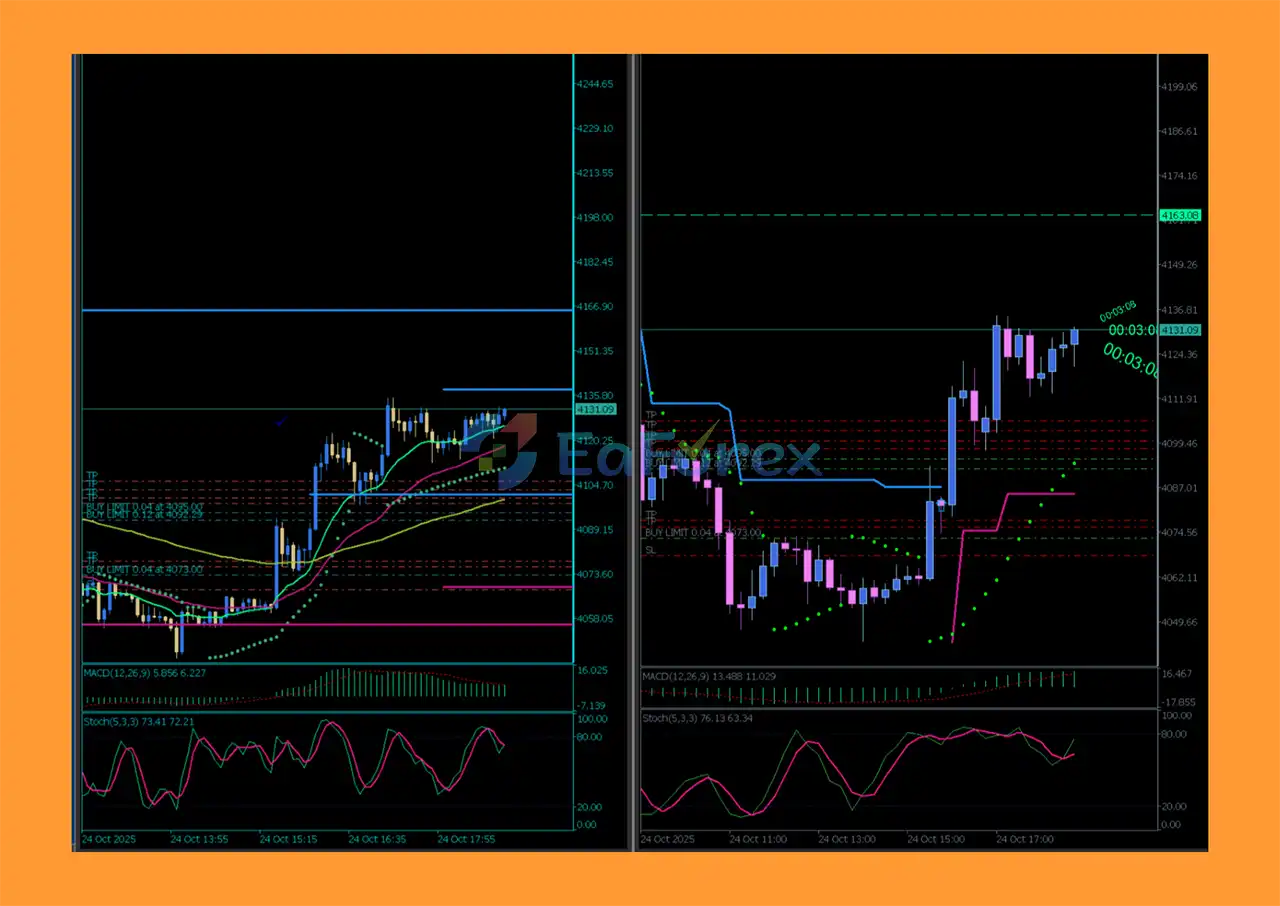
For example, the trader can configure a series of pending limit orders around the initial trade. Up to six grid layers can be created, with each layer using the specified distance and lot-sizing method.
At the same time, SwingMaster can monitor the position using one or more trailing mechanisms.
The EA calculates market volatility using Average True Range (ATR) and adjusts the trailing distance according to the configured volatility thresholds.
Alternatively, traders can use Parabolic SAR to determine trailing-stop levels based on the selected timeframe and SAR parameters.
The dashboard also provides controls for break-even management, allowing traders to incorporate break-even logic into their overall position-management plan.
If configured, the EA can schedule a reverse position after a specified delay. This can be used as part of a hedging or recovery framework.
The system also checks for existing hedge positions to reduce duplicate reverse entries on the same symbol.
Overall, the management process can be summarized as:
Initial Position → Grid Layers → Position Monitoring → ATR/SAR Trailing → Break-Even / Reverse Hedge → Exit Management
SwingMaster EA MT5 may be useful for traders who already have a trading strategy but want additional automation for position management and risk-control tasks.
Instead of focusing exclusively on trade entries, the utility provides tools for managing positions after they have been opened.
One of its main advantages is flexibility. Traders can combine several management components according to their preferred approach:
The ATR trailing mechanism is particularly useful for traders who prefer a stop distance that adapts to market volatility rather than remaining fixed.
The ability to manage both manual and automated positions also means SwingMaster can potentially be used alongside other trading systems.
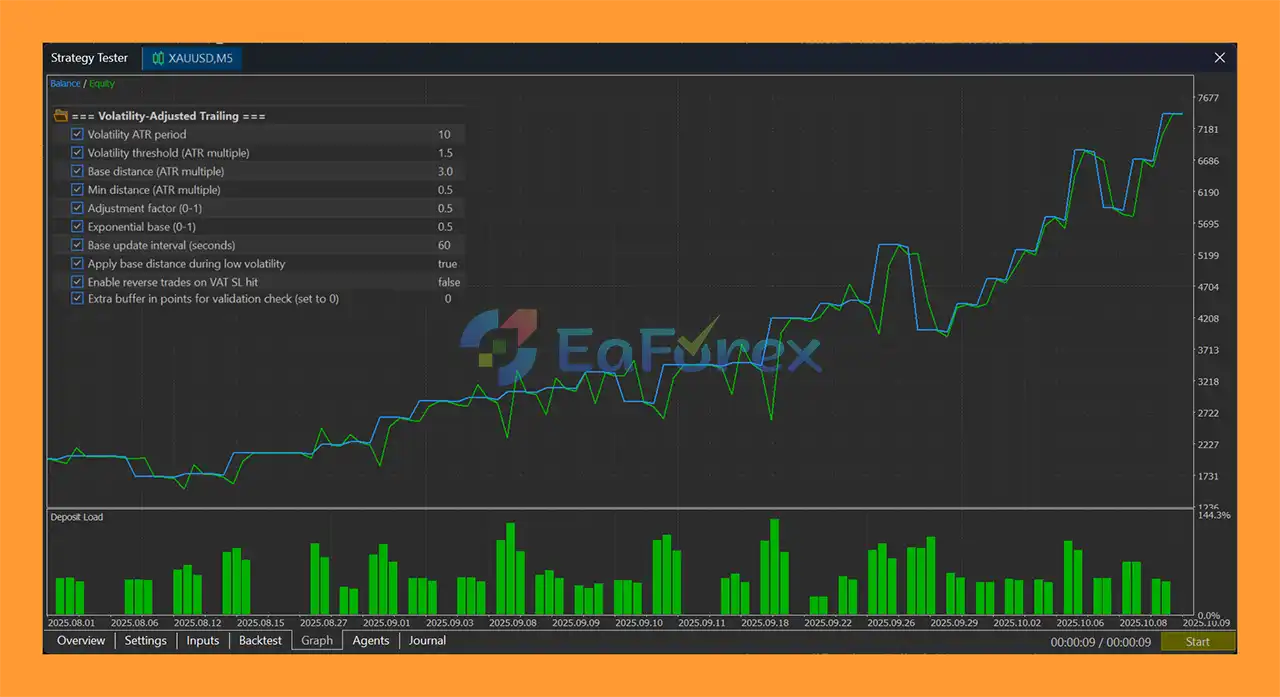
SwingMaster EA MT5 Backtest
SwingMaster EA MT5 is primarily a trade-management utility, so its performance depends significantly on the underlying strategy and positions it is managing.
The EA does not inherently make an existing trading strategy profitable simply by adding trailing stops, grid orders, or hedging.
Instead, its purpose is to automate specific position-management rules.
The pending-order grid can contain up to six additional layers. As more positions are added, total exposure can increase.
Therefore, traders should carefully evaluate:
The risk-based sizing option can calculate position size using a percentage of account equity.
However, traders should verify how the selected risk percentage interacts with:
A seemingly small initial risk can become substantially larger when several additional positions are opened.
ATR trailing can adapt to changing volatility.
During higher-volatility periods, the trailing distance may adjust according to the configured rules. During quieter conditions, the distance can behave differently.
This adaptive behavior can be useful, but it does not eliminate the risk of sudden price movements or market gaps.
SwingMaster is primarily a position-management utility. It does not guarantee profitable entries or profitable trading results.
The quality of the underlying trading strategy remains extremely important.
Adding up to six pending positions can significantly increase the total market exposure if multiple orders are triggered.
Traders should understand the maximum possible exposure before enabling the grid function.
Using a multiplier for subsequent positions can cause lot sizes to increase rapidly.
For example, aggressive scaling can result in later grid positions being substantially larger than the initial position.
Reverse positions may increase the number of open trades and can introduce additional:
Hedging does not automatically eliminate losses; it changes the structure of the exposure.
ATR measures market volatility rather than predicting future price direction.
An ATR-based trailing stop can adapt to volatility, but it cannot guarantee that the market will continue moving in the favorable direction.
Parabolic SAR can respond rapidly to price changes. Depending on the selected parameters and timeframe, this can result in earlier or more frequent trailing-stop adjustments.
During major economic events, market gaps or extreme volatility can cause actual execution prices to differ from expected levels.
No trailing mechanism can guarantee execution at the exact calculated price under all market conditions.
Install the MetaTrader 5 trading platform through your broker or another trusted source.
In MetaTrader 5, select:
File → Open Data Folder → MQL5 → Experts
Copy the SwingMaster EA MT5 files into the Experts directory.
Restart the platform or refresh the Expert Advisors section in the Navigator window.
Open the symbol and timeframe where you want SwingMaster to manage positions.
Because the EA is designed as a management utility, the chart should correspond to the positions or trading strategy you want it to control.
Drag SwingMaster EA MT5 onto the selected chart.
Enable Algo Trading and allow the necessary trading permissions.
Set your preferred:
Choose and configure the desired trailing method:
Parabolic SAR
Set the:
Or use:
ATR Volatility Trailing
Configure the relevant volatility thresholds and trailing distances.
If required, enable reverse hedging and define the desired delay.
The delay can range from 1 second to 8 hours.
Only enable this function after testing how it affects margin usage and total exposure.
Use the on-chart controls to manage:
You can also enable the Support and Resistance grid for additional visual reference.
Before using SwingMaster with real funds, test the complete management configuration on historical data and a demo account.
Pay particular attention to:
🔺 Experts:
In summary, SwingMaster EA MT5 is a flexible position management and volatility trailing utility designed for traders who want greater automation after a trade has already been opened.
Its combination of pending-order grid layering, flexible lot sizing, ATR volatility trailing, Parabolic SAR trailing, break-even management, reverse hedging, and on-chart controls makes it suitable for a variety of position-management approaches.
One of the most useful aspects is the ability to adapt trailing behavior to market volatility through ATR-based trailing, while Parabolic SAR provides an alternative technical trailing method. The state-persistence functionality also helps maintain management continuity after MetaTrader 5 restarts.
However, traders should remember that additional automation does not remove market risk. Grid layering and multiplier-based position sizing can increase exposure, while reverse hedging can introduce additional positions, costs, and margin requirements.
For this reason, SwingMaster EA MT5 should be tested as part of the complete trading system, including the strategy generating the initial position. Carefully evaluate the maximum possible exposure, grid configuration, lot sizing, trailing parameters, and hedging behavior before deploying the utility on a live account.
1. What is SwingMaster EA MT5?
SwingMaster EA MT5 is an automated swing trading Expert Advisor designed for Forex, Gold (XAUUSD), and other instruments. It uses multi-layer trade management and volatility-adjusted trailing stops to optimize entries and exits.
2. How does SwingMaster EA MT5 trade the market?
The EA opens 1–6 layered pending orders per trade, uses ATR-based Volatility-Adjusted Trailing Stops (AVAT SL), and applies dynamic support/resistance and Parabolic SAR for precise swing trading.
3. Does SwingMaster EA MT5 include risk management features?
Yes. It features stop-loss, take-profit, break-even, smart reverse trades, and dynamic trailing to protect profits and limit exposure during volatile market conditions.
4. Which timeframes and instruments are supported?
SwingMaster EA is optimized for M5 timeframe but supports all major Forex pairs, commodities, and indices. It automatically detects symbol and broker pip sizes for accurate execution.
5. What are the key benefits of SwingMaster EA MT5?
It provides enhanced trade precision, automated risk control, multi-symbol versatility, and stress-free automation, allowing traders to capitalize on market swings with minimal manual effort.
6. What’s included in the SwingMaster EA MT5 package?
The package includes the EA file, installation guide, and preset settings for easy setup. Users also gain access to developer support and Telegram community updates.
In stock
In stock
In stock
In stock
In stock
Out of stock
No account yet?
Create an Account












 Automatic EA
 EA Best Seller
 Expert Advisor MT4
 Expert Advisor MT5
 HFT EA


Reviews
Clear filtersThere are no reviews yet.