









-
 Unlimited Activations
-
 Instant delivery
-
 Easy to install







 Unlimited Activations
Instant delivery
Easy to install
Unlimited Activations
Instant delivery
Easy to install
 Free Update
 Free Install Support

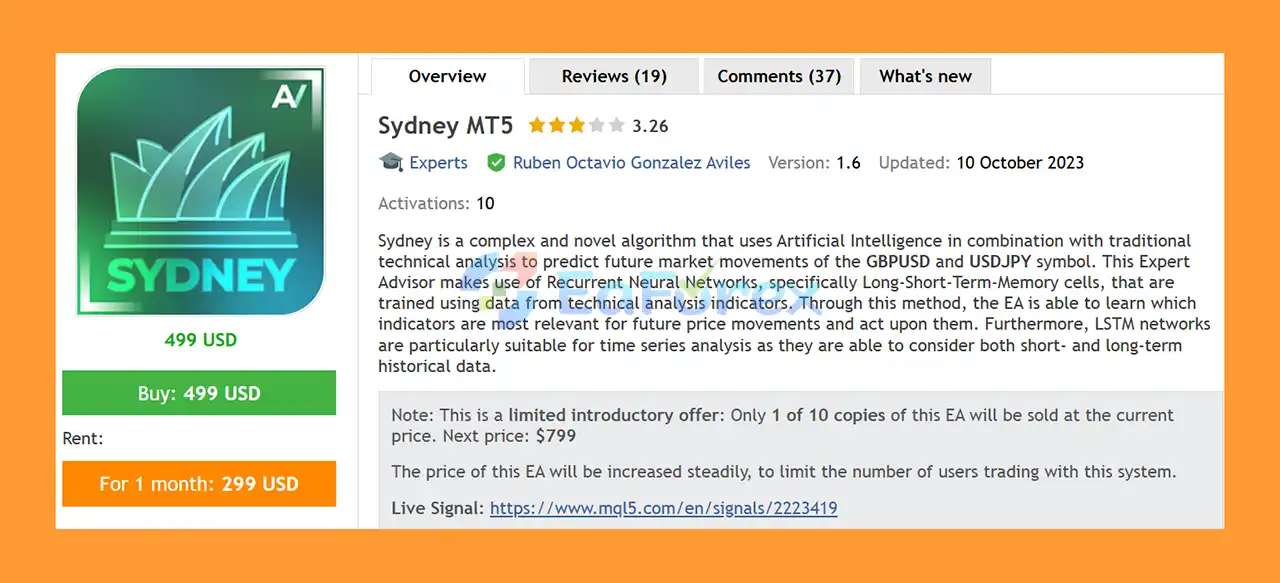
Sydney MT5 is an advanced and innovative AI-powered Expert Advisor designed to analyze and predict potential market movements on GBPUSD and USDJPY. The system combines traditional technical analysis with Artificial Intelligence, using Recurrent Neural Networks (RNNs), specifically Long Short-Term Memory (LSTM) networks.
LSTM technology is particularly suitable for financial time-series analysis because it can process both recent and historical market information. Sydney MT5 uses technical indicator data to train its neural network, allowing the system to identify which market factors may be more relevant to future price movements.
Unlike many aggressive automated trading systems, Sydney MT5 does not require Martingale, Grid Trading, Averaging Down, or Smart Recovery to operate. Its core trading mode focuses on controlled position management, with each trade protected by a predefined Stop Loss and either a fixed or trailing Take Profit.
The EA is primarily trained for GBPUSD and USDJPY, making these currency pairs the preferred markets for testing and deployment.
• Author: Ruben Octavio Gonzalez Aviles
• Experience: Over +4 years of experience on MQL5.
• Notable Products: Sydney MT5, Gapscalper AI EA MT5, Deeptrader AI MT5 and other advisors.
• Flagship Product: Sydney MT5 is rated as the best performing product of the year.
>> Delivery time 24h-48h after payment.
>>> Refund if not delivered.
>>> You will receive the latest version without any limitations (ID+Time).>> Reviewed by Jason Stap <<<
The core of Sydney MT5 is its Recurrent Neural Network architecture using Long Short-Term Memory cells.
LSTM networks are designed to process sequential data and retain relevant information from previous observations. This makes them particularly suitable for financial markets, where current price behavior can be influenced by patterns that developed over different historical periods.
Sydney uses data generated from traditional technical analysis indicators as input for its neural network. The AI then attempts to learn which indicators and market conditions are more relevant to potential future price movements.
The neural network was trained using historical market data from:
These are therefore the recommended currency pairs for the EA.
Although other currency pairs can be tested experimentally, results may differ because the neural network was specifically trained around the historical characteristics of GBPUSD and USDJPY.
Sydney MT5 can operate without aggressive recovery techniques such as:
This makes the standard trading mode easier to understand and potentially more suitable for traders who prefer structured position management.
Every standard position receives a fixed Stop Loss from the beginning of the trade.
This provides predefined downside protection and prevents positions from remaining completely unmanaged during adverse market movements.
Sydney MT5 supports two main Take Profit approaches:
With fixed TP, the EA attempts to close the position at the predefined profit target.
With trailing profit mode, the EA can allow profitable positions to continue running when the market moves strongly in the expected direction.
The Dynamic Lot function can calculate position size according to account balance.
For example, if Dynamic Lot is set to 0.5 per $1,000 and the account balance is $1,200, the calculated position size would be:
0.5 × (1,200 / 1,000) = 0.60 lots
A Max Lot parameter can then limit the maximum position size.
The Max Spread parameter allows traders to define the maximum acceptable spread for opening a trade.
If the current spread exceeds the configured threshold, Sydney MT5 will not execute a new position.
This can help reduce exposure to unfavorable execution conditions.
Sydney MT5 combines technical market information with an AI-based time-series model.
The first component consists of traditional technical indicators. Their historical values are used as input data for the neural network.
The second component is the LSTM-based recurrent neural network. The network analyzes sequential information and attempts to learn relationships between historical indicator behavior and subsequent market movements.
Because LSTM models can retain information across different points in a sequence, the system is designed to consider both shorter-term and longer-term historical context.
Once the EA receives new market information, the trained model evaluates the current conditions and determines whether they resemble situations associated with potentially favorable trading opportunities.
After a trading signal is generated, the position is managed using the configured:
Lot Size → Stop Loss → Take Profit → Trailing Profit → Spread Filter
Under normal operation, the EA maintains a maximum of one open position at a time. Additional positions are only possible when Recovery Mode is enabled.
Sydney MT5 is designed for traders interested in combining Artificial Intelligence and conventional technical analysis within an automated forex trading system.
Its LSTM architecture gives the EA a different approach from traditional Expert Advisors that rely exclusively on fixed indicator rules.
The system may be particularly interesting for traders looking for:
Another advantage is that the EA does not require Martingale or Grid Trading in its standard mode, allowing traders to use a more conventional position-management structure.
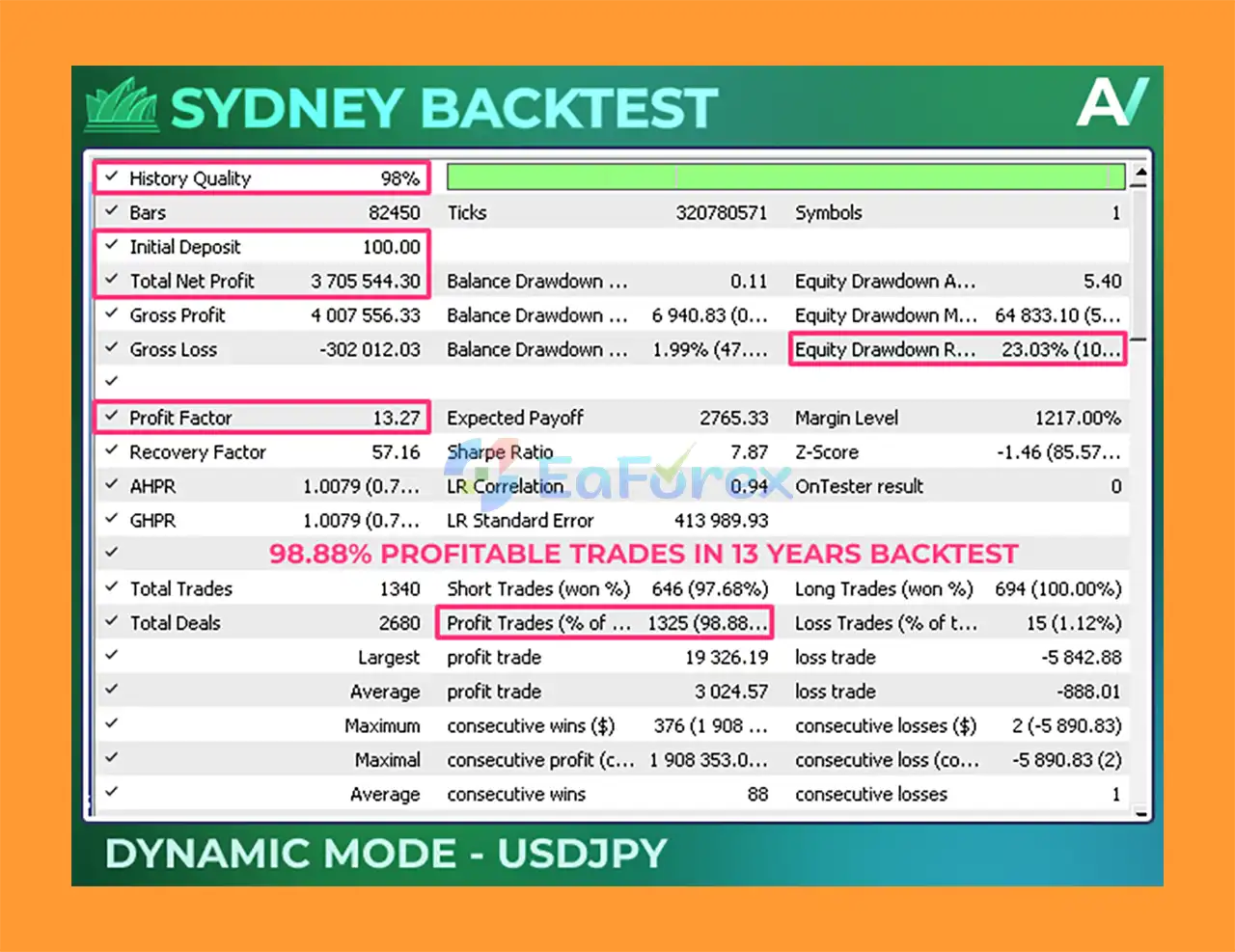
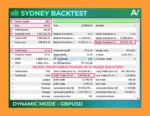
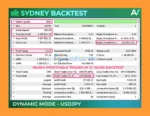
🔺 13-Year Backtest Results for USDJPY
Sydney MT5 Backtest Results
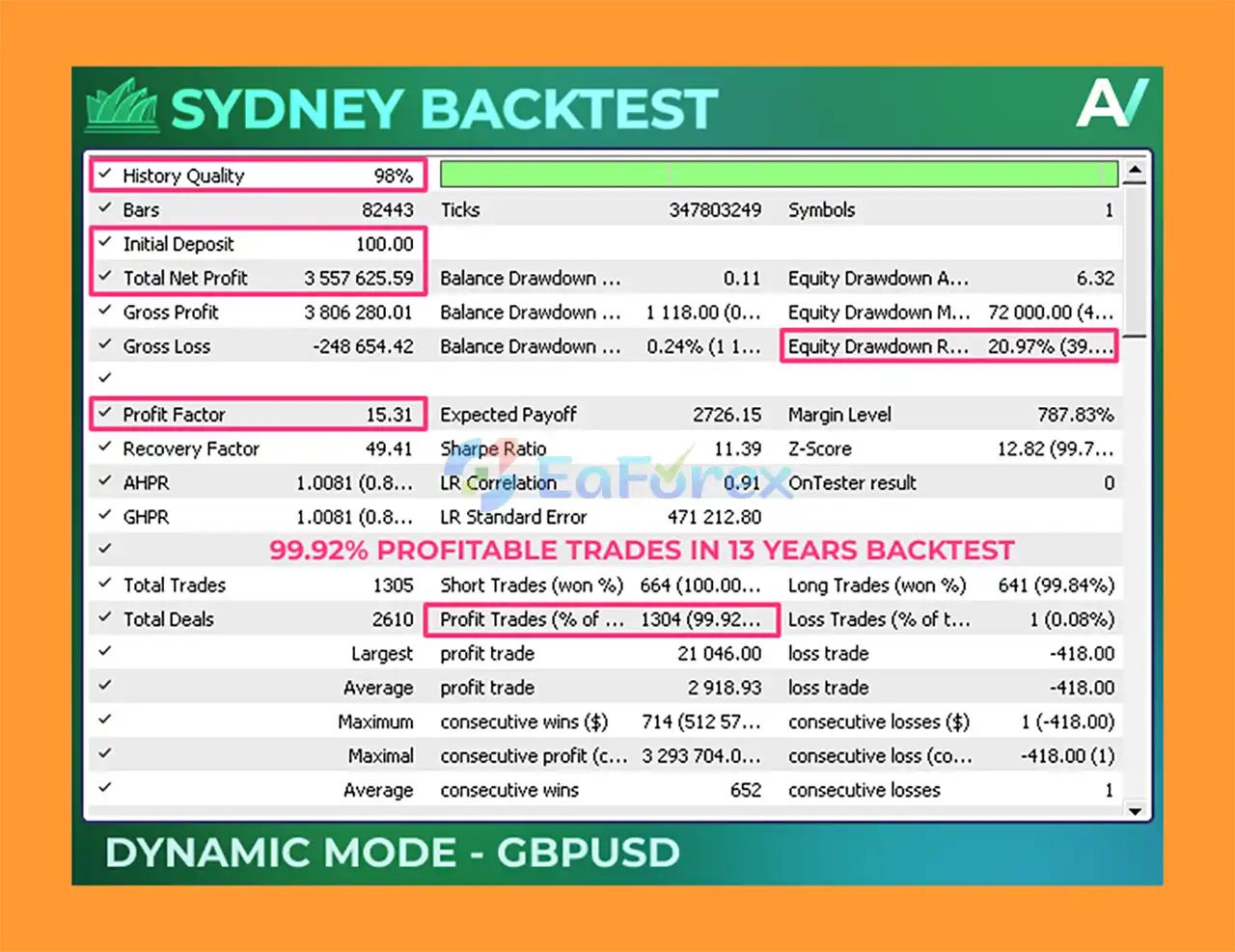
🔺 13-Year Backtest Results for GBPUSD
Sydney EA Backtest Resultss
Sydney MT5 includes several features designed to control position size and trading exposure.
The Dynamic Lot parameter allows the position size to scale according to account balance, while Max Lot provides an upper limit on the size of individual trades.
Every standard position has a Stop Loss, while traders can choose between fixed and trailing Take Profit approaches.
The Max Spread filter prevents new trades from being opened when market transaction costs exceed the configured threshold.
For traders who prefer a static position size, the EA can also be configured using the Max Lot parameter to cap the calculated lot at the desired fixed size.
For example, if the desired maximum lot is 0.10, setting Max Lot to 0.10 prevents the calculated position size from exceeding that value.
The developer recommends using a minimum deposit of approximately $100 for testing, although the appropriate capital level depends on the selected lot size, risk parameters, broker conditions, and trading objectives.
Sydney MT5 also includes an optional Recovery Mode for traders who specifically want an additional position-management mechanism.
When Recovery Mode is activated, the EA can open additional trades after an initial position moves into a specified loss.
The recovery system uses several configurable parameters:
Each additional recovery trade can potentially move the combined position’s average Take Profit closer to the current market price while maintaining the configured Stop Loss structure.
For example, if the original position uses a 5-lot position and Recovery Lot Percentage is set to 50%, an additional recovery position may use 2.5 lots.
Recovery Mode should be treated as an optional higher-risk feature, not as a guarantee that losing trades will be recovered.
The Trailing Profit Mode is designed to take advantage of extended market movements.
Instead of closing a profitable position immediately at a fixed target, the trailing mechanism can allow the position to remain open while price continues moving favorably.
This approach can potentially capture larger trends, although it may also return part of an unrealized profit if the market reverses before the trailing mechanism closes the position.
Trailing Profit Mode can also be used together with Recovery Mode.
To reproduce or compare historical test results, the following settings are recommended:
Symbol: GBPUSD or USDJPY
Timeframe: Any supported timeframe
Modeling:
Deposit: Minimum recommended testing balance of approximately $100.
Account Type: Any account type can be tested, with ECN/Raw-style accounts preferably used when available because of their lower spreads.
Leverage: Any leverage can be used, subject to broker conditions and risk settings.
Backtest results should always be interpreted carefully because historical simulation cannot perfectly reproduce live execution, spreads, slippage, liquidity, and market conditions.
Despite its AI architecture, Sydney MT5 is not a guaranteed-profit system.
Neural networks learn from historical data, meaning their effectiveness can change when market conditions become significantly different from the conditions represented in the training data.
The EA was specifically trained on GBPUSD and USDJPY, so applying it to unrelated currency pairs may produce different results.
AI-based predictions can also be incorrect. Financial markets contain unexpected events, structural changes, volatility spikes, and conditions that cannot always be identified from historical patterns.
Recovery Mode introduces additional risk because it can increase market exposure after an initial position moves against the trade.
Other important risks include:
Past performance does not guarantee future results.
Always test the EA on a demo account and use conservative risk settings before considering live deployment.
Installing Sydney MT5 follows the standard MetaTrader 5 Expert Advisor installation procedure.
Step 1: Download the Sydney MT5 EA files and any recommended configuration files.
Step 2: Open MetaTrader 5 and select File → Open Data Folder.
Step 3: Navigate to the MQL5 → Experts directory.
Step 4: Copy the Sydney EA files into the Experts folder.
Step 5: Restart MetaTrader 5 or refresh the Expert Advisors section in the Navigator.
Step 6: Open a GBPUSD or USDJPY chart.
Step 7: Attach Sydney MT5 to the chart.
Step 8: Enable Algo Trading/AutoTrading.
Step 9: Configure the Dynamic Lot, Max Lot, Stop Loss, Take Profit, Max Spread, and other parameters according to your risk tolerance.
Step 10: If desired, configure Recovery Mode and Trailing Profit Mode.
Step 11: Run a backtest and forward test before using the EA on a live account.
For the most reliable evaluation, use realistic broker conditions and compare both historical backtests and forward-testing results.
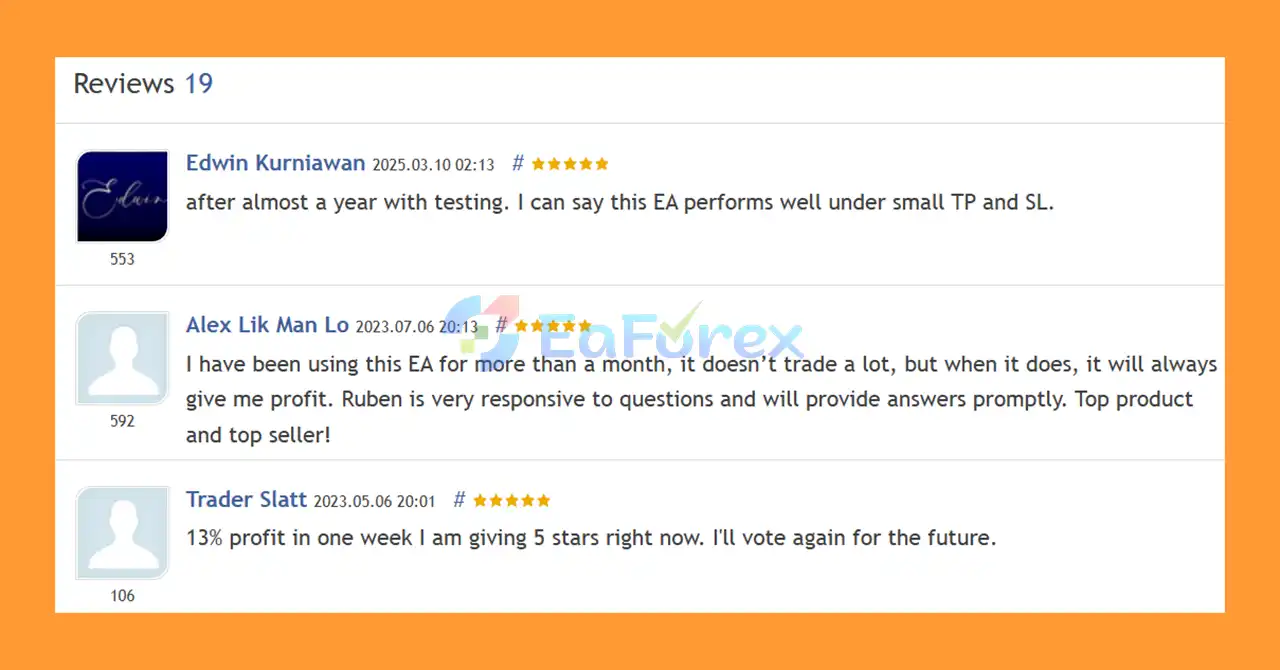
🔻Sydney MT5 is highly appreciated by the MQL5 community for bringing stable and reliable profits. Below are 5 star reviews from users:
User Reviews
Sydney MT5 is an innovative AI-powered Expert Advisor that combines LSTM neural networks with traditional technical analysis to analyze potential future movements in the forex market.
Its primary focus on GBPUSD and USDJPY makes it a specialized solution rather than a universal currency-pair EA. The use of LSTM technology allows the system to process sequential historical information and search for relationships between technical indicator behavior and subsequent price movements.
The EA also provides a practical range of trading and risk-management features, including dynamic lot sizing, maximum lot protection, fixed Stop Loss, fixed or trailing Take Profit, spread filtering, and optional Recovery Mode.
One of its most notable characteristics is that the standard strategy does not require Martingale or Grid Trading. This makes the core system considerably different from aggressive recovery-based Expert Advisors.
However, AI does not eliminate market risk. Neural networks are trained using historical information, and future market conditions can differ significantly from the past. Recovery Mode should also be used cautiously because additional positions can increase overall exposure.
Overall, Sydney MT5 offers an interesting approach for traders looking for an AI forex trading EA using LSTM technology, particularly for GBPUSD and USDJPY. Proper backtesting, forward testing, conservative position sizing, and disciplined risk management remain essential before moving to live trading.
1. What is Sydney MT5 and how does it work?
Sydney MT5 is an advanced Forex Expert Advisor (EA) that combines Artificial Intelligence (AI) with traditional technical analysis to trade GBPUSD and USDJPY. It uses Recurrent Neural Networks (RNN) with Long Short-Term Memory (LSTM) cells to learn from historical price data and technical indicators, generating precise trading signals for both short- and long-term market trends.
2. Which currency pairs are best for Sydney MT5?
Sydney MT5 is specifically optimized for GBPUSD and USDJPY, but it can also be experimented with on other pairs. Its one-chart functionality allows traders to test different currency pairs across various timeframes while leveraging the same AI-driven strategy.
3. Is Sydney MT5 safe for trading?
Yes. Sydney MT5 avoids risky strategies such as martingale, grid, or averaging. It features risk-conscious trading modes, including recovery and trailing profit mechanisms, flexible stop loss and take profit settings, and lot size adjustment options to protect your capital while maximizing gains.
4. Can Sydney MT5 handle losing trades automatically?
Absolutely. Sydney MT5 includes a Recovery Mode that manages losing trades by strategically adjusting lot sizes, trade distances, and profit targets. This feature helps reduce drawdowns and improve overall trading performance without manual intervention.
5. What are the performance results of Sydney MT5?
Sydney MT5 has been extensively backtested:
USDJPY (13-Year Backtest): Initial $100 → $3.7M profit, Win Rate: 97.68%, Relative Drawdown: 23.03%
GBPUSD (13-Year Backtest): Initial $100 → $3.6M profit, Win Rate: 99.92%, Relative Drawdown: 0.59%
These results demonstrate the EA’s reliability, stability, and low-risk performance.
6. What is included in the Sydney MT5 package?
The download package includes:
Installation Guide.docx — step-by-step setup instructions
Setting (If Any).docx — recommended presets and configurations
These files make setup quick and easy, even for traders with minimal MT5 experience.
In stock
In stock
In stock
In stock
In stock
Out of stock
No account yet?
Create an Account












 Automatic EA
 EA Best Seller
 Expert Advisor MT4
 Expert Advisor MT5
 HFT EA


Reviews
Clear filtersThere are no reviews yet.