









-
 Unlimited Activations
-
 Instant delivery
-
 Easy to install


 Unlimited Activations
Instant delivery
Easy to install
Unlimited Activations
Instant delivery
Easy to install
 Free Update
 Free Install Support

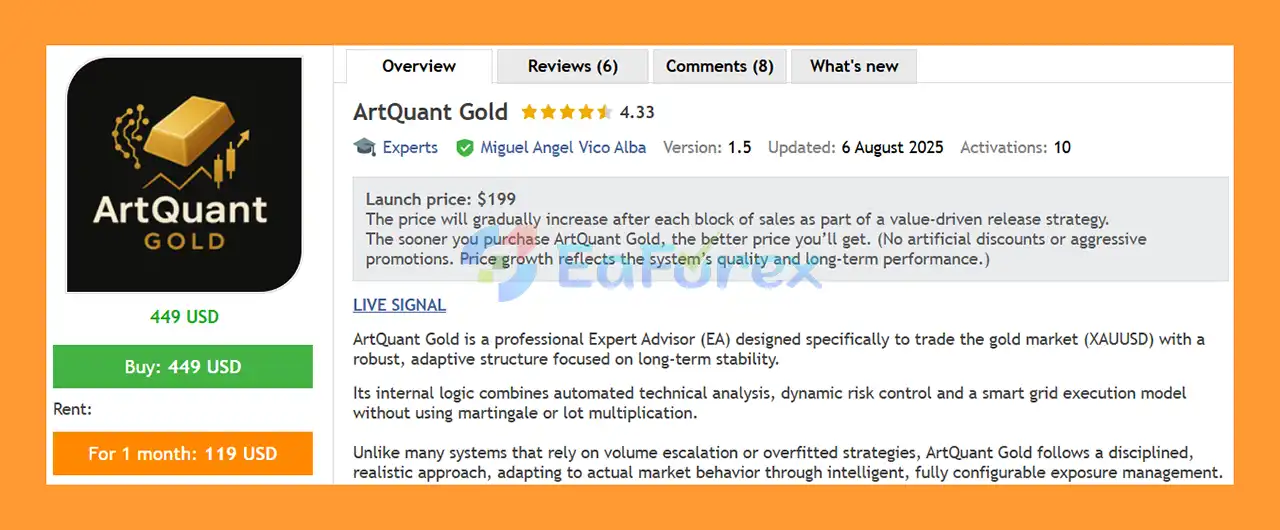
ArtQuant Gold EA MT5 is an automated Expert Advisor developed exclusively for Gold / XAUUSD trading on MetaTrader 5. It combines multiple independent trading modules with centralized portfolio management, exposure controls, execution filters, virtual trade management, and account-protection mechanisms.
Unlike conventional single-strategy Expert Advisors, ArtQuant Gold EA MT5 uses a portfolio of up to 20 internal trading modules. Each module can manage its own trading cycle while the main EA controls overall exposure, position sizing, execution conditions, and account-level protection.
The EA is designed specifically for Gold trading and supports common broker-specific XAUUSD symbol variations, including symbols with prefixes, suffixes, or alternative Gold names.
ArtQuant Gold EA MT5 is also timeframe-independent. It can be attached to any chart timeframe because its internal trading engine manages the required market data independently.
Users do not need to configure proprietary indicators, entry periods, or internal strategy parameters. The commercial version provides a clean input interface focused on portfolio selection, risk management, exposure, execution, and operational controls.
• Author: Miguel Angel Vico Alba
• Experience: Over +11 years of experience on MQL5.
• Notable Products: ArtQuant Gold and other advisors
• Flagship Product: ArtQuant Gold EA MT5 is rated as the best performing product of the year.
>> Delivery time 24h-48h after payment.
>>> Refund if not delivered.
>>> You will receive the latest version without any limitations (ID+Time).>>Reviewed by Jason Stap <<
ArtQuant Gold EA MT5 is designed exclusively for Gold / XAUUSD or an equivalent broker-specific Gold symbol.
It will not open trades when attached to an unrelated financial instrument.
The EA contains a portfolio of up to 20 independent internal modules.
Each module can identify and manage its own trading cycle while the central portfolio engine applies common risk and exposure rules.
Users can create custom module combinations by:
1,3,5,11,14,20.Custom module maps provide flexibility for testing, optimization, saving, and sharing portfolio configurations.
The EA allows users to control the maximum number of modules that can maintain active trading cycles simultaneously.
This can help control portfolio concurrency and overall exposure.
ArtQuant Gold EA MT5 supports different position-sizing approaches, including fixed lot sizing and balance-based lot scaling.
Users can configure a Base Lot and optionally increase the lot size according to predefined account-balance steps.
The EA can limit the combined open volume generated by all ArtQuant Gold modules.
This provides an additional layer of portfolio-level exposure control.
Users can also define the maximum volume that an individual module can maintain.
This helps prevent one module from consuming an excessive amount of the permitted EA exposure.
The EA can limit the number of orders opened by an individual module during a trading cycle.
ArtQuant Gold can monitor the combined floating result of its own positions and respond when the configured drawdown threshold is reached.
Depending on the selected mode, the EA can:
A configurable daily loss limit can monitor the trading result generated by ArtQuant Gold.
When the defined threshold is reached, the EA can attempt to close its managed positions and restrict new trading activity.
The EA can also monitor the current floating loss of its own positions and block new trading cycles when the configured threshold is reached.
Cycle Guard is designed to prevent certain non-forced cycle closures while the overall net result of the cycle remains negative after trading costs.
The EA monitors broker-reported margin and stop-out conditions and can attempt to react before the broker’s stop-out threshold is reached.
ArtQuant Gold can prevent new entries when the current spread exceeds the configured maximum.
A configurable maximum execution deviation can be used to control the permitted price deviation when market orders are sent.
Users can choose between:
The EA includes optional controls for Friday entries and Friday closing policies.
ArtQuant Gold can use the MetaTrader 5 / MQL5 Economic Calendar to detect selected USD events during live trading.
Users can configure:
The EA can prevent new trading cycles during configured Christmas and New Year periods.
Take Profit, Stop Loss, and Trailing Stop levels are managed internally as virtual trading controls rather than being placed as conventional server-side orders.
The EA uses Magic Numbers to identify its own positions and maintain continuity after terminal restarts or VPS migrations.
The optional panel provides operational information and controls, including:
ArtQuant Gold EA MT5 uses a multi-module portfolio architecture rather than relying on a single trading algorithm.
The EA identifies the broker’s Gold/XAUUSD symbol and verifies that it is a supported Gold instrument.
Users can select a predefined portfolio profile or create a Custom Portfolio using individual modules or a module map.
The proprietary internal trading parameters are not exposed in the commercial version.
The EA continuously evaluates operational conditions such as:
When the required conditions are satisfied, eligible internal modules can initiate their own trading cycles.
One module may manage multiple positions as part of a single cycle. Therefore, one active module does not necessarily mean one open position.
Before opening additional positions, the EA checks configured restrictions such as:
Once positions are active, the EA manages them using its internal cycle logic and virtual:
The EA continuously monitors relevant risk conditions, including floating drawdown, floating loss, daily EA loss, and broker margin conditions.
If a configured protection threshold is reached, the EA can attempt to close its own positions and restrict further trading.
ArtQuant Gold EA MT5 is not a generic multi-asset robot. It is specifically designed for XAUUSD / Gold trading.
This allows the system to focus its portfolio architecture on one highly liquid but volatile market
The multi-module structure provides considerably more flexibility than a single-strategy EA.
Users can choose predefined portfolios or create their own combinations without accessing the proprietary strategy logic.
The EA provides multiple levels of exposure control, including total EA exposure, per-module exposure, maximum orders per cycle, and active-module limits.
ArtQuant Gold includes several independent protection mechanisms rather than relying on a single Stop Loss or drawdown control.
Advanced users can create, test, optimize, save, and share custom portfolio configurations.
Internal virtual TP, SL, and trailing management allows the EA to control its trading cycles without exposing those specific levels as conventional broker-side orders.
The EA checks important broker conditions such as:
The optional economic-calendar and holiday filters can prevent new cycles during selected periods.
ArtQuant Gold can be attached to different chart timeframes because its internal trading engine does not depend directly on the chart timeframe.
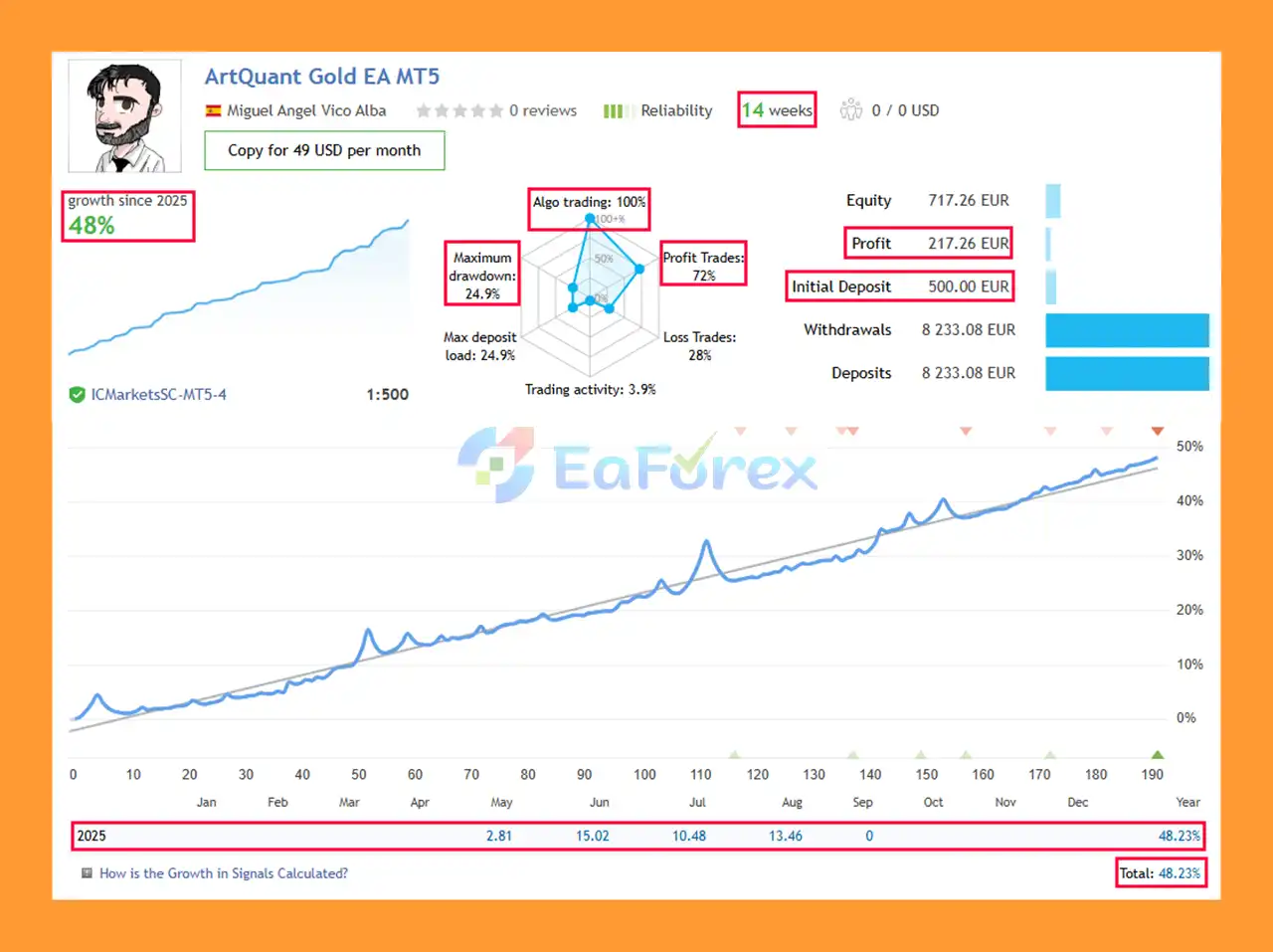
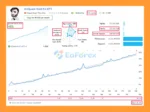
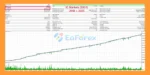
ArtQuant Gold EA Live Results
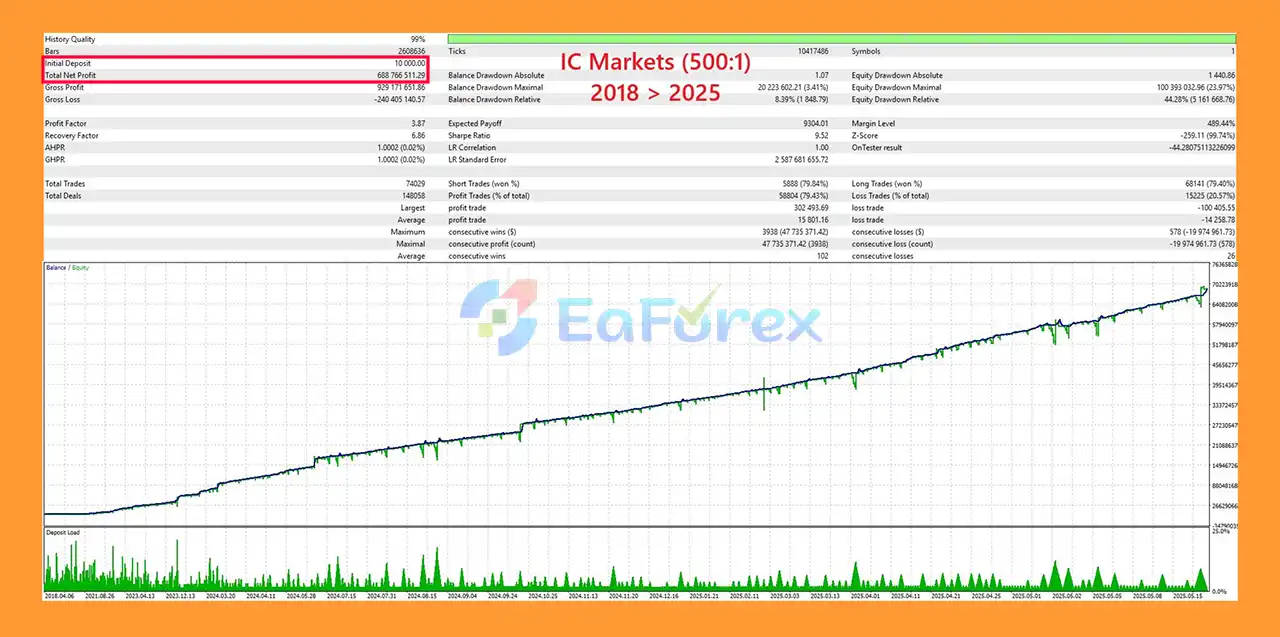
🔺7-year backtest with realistic parameters
ArtQuant Gold EA MT5 Backtest Results
ArtQuant Gold EA MT5 provides a broad range of risk and exposure controls.
| Feature | Description |
|---|---|
| Platform | MetaTrader 5 |
| Primary Market | Gold / XAUUSD |
| Trading Architecture | Multi-Module Portfolio |
| Internal Modules | Up to 20 |
| Chart Timeframe | Independent |
| Trading Direction | Buy / Sell / Both |
| Position Sizing | Fixed Lot / Balance Step |
| Total Exposure Limit | Available |
| Per-Module Exposure Limit | Available |
| Orders Per Cycle Limit | Available |
| Floating Drawdown Protection | Available |
| Daily EA Loss Limit | Available |
| Floating Loss Limit | Available |
| Margin Protection | Available |
| Spread Filter | Available |
| Virtual TP/SL | Available |
| Virtual Trailing Stop | Available |
| News Filter | Optional |
| Holiday Filter | Optional |
| VPS | Strongly Recommended |
One of the key strengths of ArtQuant Gold EA MT5 is its ability to manage exposure at multiple levels.
The trader can control:
These controls work together to create a more structured risk framework.
Balance Step allows the EA to increase its Base Lot as account equity or balance grows according to configured thresholds.
For example, a Base Lot of 0.01 with a Balance Step of 1,000 could result in:
However, balance scaling does not guarantee proportional risk.
Market volatility, module activity, simultaneous positions, broker margin requirements, and trade sequencing can cause actual drawdown to vary considerably.
The floating drawdown system focuses specifically on positions managed by ArtQuant Gold EA MT5.
This is important because manual positions and trades from other Expert Advisors are not automatically included in the EA’s internal exposure calculations.
The Daily EA Loss Limit provides another layer of account protection by monitoring the trading result generated by ArtQuant Gold.
When the configured threshold is reached, the EA can attempt to close its own positions and stop initiating new cycles.
Margin protection can monitor broker-provided margin-call and stop-out information.
However, traders should never assume this feature guarantees protection from liquidation.
During fast Gold movements, gaps, slippage, liquidity shortages, disconnections, or broker-side execution problems, the EA may not be able to close positions at the intended price.
XAUUSD can experience rapid price movements and significant volatility.
A sudden Gold movement can affect several modules simultaneously and increase floating drawdown quickly.
A multi-module system can maintain several positions at the same time.
Therefore, users should evaluate total portfolio exposure, rather than looking only at the lot size of individual orders.
ArtQuant Gold EA MT5 uses a grid-based multi-position trading structure. Grid-style systems can experience prolonged floating losses when Gold moves strongly in one direction.
The number of open positions, lot size, module configuration, and account capital can have a major impact on drawdown.
Because TP, SL, and trailing management are handled virtually, the EA and MetaTrader 5 terminal need to remain operational.
If the computer, VPS, internet connection, or trading terminal becomes unavailable, virtual protection cannot operate until connectivity is restored.
A reliable 24/7 VPS is therefore strongly recommended.
The USD news filter is intended for live terminal operation.
It is ignored during Strategy Tester runs and optimization, meaning historical backtests do not reproduce the exact live behaviour of the news filter.
Results can vary considerably between brokers because of:
Account-protection tools can reduce certain types of exposure but cannot guarantee that an account will never experience severe losses or stop-out.
A custom module combination that performs well historically may not perform well in future market conditions.
Users should validate custom portfolios using out-of-sample and forward testing rather than relying solely on optimization results.
Use a compatible MT5 Hedging account and confirm that your broker provides a tradable Gold/XAUUSD symbol.
Different brokers may use different names for Gold, such as symbols with prefixes, suffixes, or alternative naming conventions.
Select the exact Gold symbol provided by your broker.
Place the ArtQuant Gold EA file into the appropriate MetaTrader 5 Experts directory.
After installation, restart MetaTrader 5 or refresh the Navigator window.
Open the broker’s supported Gold/XAUUSD chart.
Because the EA is timeframe-independent, it can be attached to the chart without relying on a particular timeframe.
Drag ArtQuant Gold EA MT5 onto the Gold chart and enable Algo Trading.
Choose one of the predefined portfolio profiles or select Custom Portfolio.
Advanced users can select individual modules or enter a module map such as:
1,3,5,11,14,20
Set the Base Lot and, if required, configure Balance Step.
Start conservatively and ensure that the selected position size is appropriate for your account capital and broker margin requirements.
Review:
These settings should be considered together rather than independently.
Set appropriate values for:
Do not assume that the default settings are suitable for every account.
If required, configure:
Because ArtQuant Gold EA MT5 uses virtual trade management, a reliable VPS with continuous MetaTrader 5 operation is strongly recommended.
Run the EA through the MetaTrader 5 Strategy Tester and then test it on a demo account.
Evaluate:
Only after sufficient testing should the EA be considered for live deployment.
🔺ArtQuant Gold EA MT5 is highly appreciated by the MQL5 community for bringing stable and reliable profits. Below are 5 star reviews from users:
ArtQuant Gold EA MT5 is a specialized XAUUSD Expert Advisor built around a multi-module portfolio architecture rather than a simple single-strategy trading model.
Its combination of up to 20 internal modules, custom portfolio construction, exposure limits, balance-based position sizing, drawdown protection, margin monitoring, spread filtering, virtual trade management, and optional news and holiday filters provides traders with a broad set of tools for managing an automated Gold portfolio.
The ability to create custom module combinations is particularly useful for experienced users who want to experiment with different portfolio structures without modifying the proprietary strategy logic.
At the same time, ArtQuant Gold should not be considered a low-risk system simply because it contains multiple protection mechanisms. Gold is highly volatile, and the EA’s multi-position/grid structure can generate significant floating exposure. Virtual protection also means that continuous terminal and VPS operation is essential.
For best practice, users should start with conservative exposure, thoroughly test the EA with their specific broker, evaluate drawdown and margin requirements, and validate any custom portfolio before moving to live trading.
ArtQuant Gold EA MT5 is best suited to traders who understand the risks of automated Gold trading and want a configurable multi-module portfolio system with centralized exposure and account-protection controls.
1. What is ArtQuant Gold EA MT5?
ArtQuant Gold EA MT5 is a professional Expert Advisor designed exclusively for XAUUSD (Gold) trading. It uses a safe grid strategy without martingale, event-driven execution, and multi-layered logic to deliver stable, long-term profitability.
2. Does ArtQuant Gold EA use Martingale or risky strategies?
No. ArtQuant Gold EA MT5 specifically avoids martingale and aggressive lot scaling. Instead, it uses a safer grid approach with fixed exposure controls, making it more reliable than typical grid-based systems.
3. What is the minimum deposit required to use ArtQuant Gold EA MT5?
The recommended minimum deposit is $1,000 with leverage of 1:500 on a hedging account. This ensures proper risk management and capital protection.
4. How does ArtQuant Gold EA MT5 manage risk?
The EA includes configurable drawdown controls, stop-out protections, and flexible lot sizing options (fixed, balance-based, or risk-adjusted). This helps safeguard capital while adapting to different account sizes.
5. What results can I expect with ArtQuant Gold EA MT5?
Backtests from 2018–2025 show a net profit of $688,716 from a $10,000 deposit with only 8.39% drawdown. Live trading results confirm growth of +48% with a 72% win rate.
6. Is ArtQuant Gold EA MT5 beginner-friendly?
Yes. The EA is plug-and-play with minimal setup required. At the same time, advanced traders can fine-tune parameters for greater customization, making it suitable for both beginners and professionals.
In stock
In stock
In stock
In stock
In stock
Out of stock
No account yet?
Create an Account












 Automatic EA
 EA Best Seller
 Expert Advisor MT4
 Expert Advisor MT5
 HFT EA


Reviews
Clear filtersThere are no reviews yet.