









-
 Unlimited Activations
-
 Instant delivery
-
 Easy to install










 Unlimited Activations
Instant delivery
Easy to install
Unlimited Activations
Instant delivery
Easy to install
 Free Update
 Free Install Support

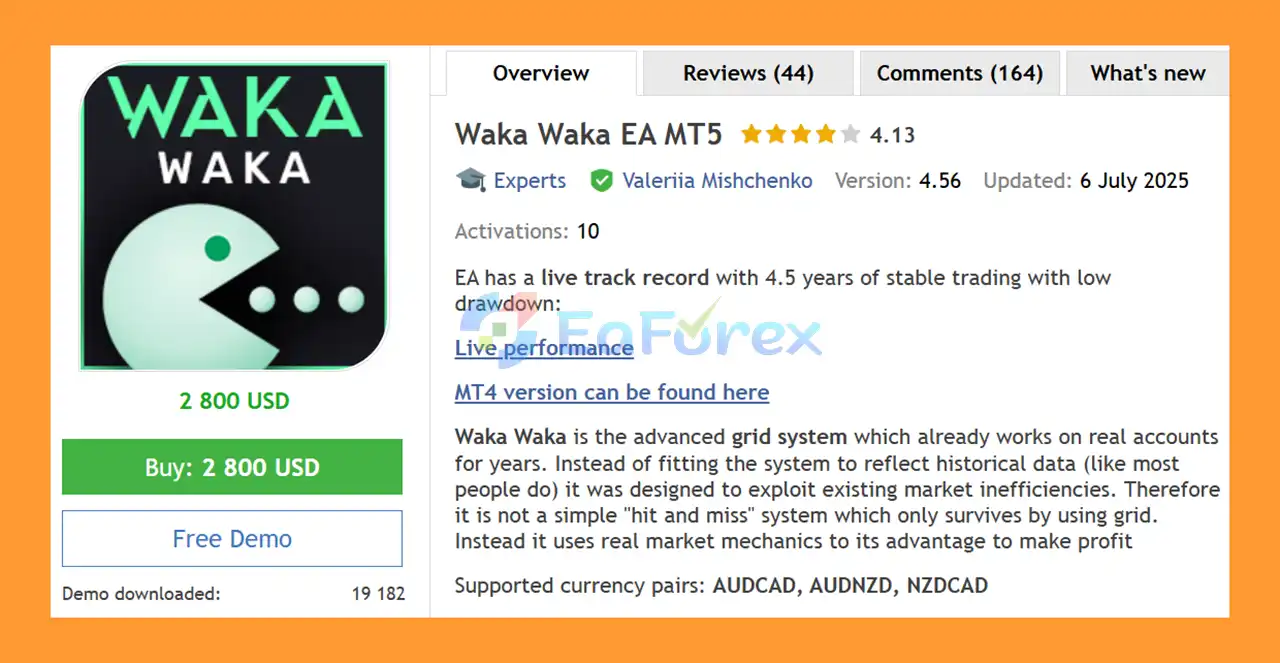
Waka Waka EA MT5 is an advanced automated grid trading Expert Advisor designed for MetaTrader 5. Unlike systems that are heavily optimized to reproduce historical results, Waka Waka EA MT5 is designed around market inefficiencies and trading mechanics with the goal of adapting to real market conditions.
The EA supports AUDCAD, AUDNZD, and NZDCAD and is recommended for the M15 timeframe. It uses a structured combination of market filters, technical indicators, grid management, and configurable money management to automate the entire trading process.
One of its most convenient features is its one-chart setup. Instead of attaching the EA separately to every currency pair, users can run the system from a single M15 chart while allowing it to manage the supported symbols.
Waka Waka EA MT5 is intended for traders who understand the risks associated with grid and averaging strategies and want an automated multi-symbol trading solution with extensive control over risk, position sizing, and grid behavior.
• Author: Valeriia Mishchenko.
• Experience: Over +3 years of experience on MQL5.
• Notable Products: Waka Waka EA MT5, Perceptrader AI MT5, Golden Pickaxe MT5, Night Hunter Pro MT5 and others.
• Flagship Product: Waka Waka EA MT5 is rated as the best performing product of the year.
>> Delivery time 24h-48h after payment.
>>> Refund if not delivered.
>>> You will receive the latest version without any limitations (ID+Time).>> Reviewed by Jason Stap <<<
Waka Waka EA MT5 Overview
.set files.Waka Waka EA MT5 combines market analysis with a controlled grid and averaging framework. The strategy uses technical conditions to determine potential entries and can subsequently manage additional grid positions when the market moves against an existing trade.
The EA incorporates Bollinger Bands and RSI as part of its market filtering and trade-entry logic. Bollinger Bands are used to calculate upper and lower market levels, while RSI helps filter trades that may have insufficient potential according to the configured RSI conditions.
Once a trade is opened, the EA can manage the position using predefined take-profit, stop-loss, and grid parameters. If additional grid trades are enabled, the system determines when another position can be opened based on the configured Trade Distance or the adaptive Smart Distance function.
The position-sizing system can also be adjusted according to the trader’s preferred risk model. Users can choose fixed lots, dynamic lot sizing, deposit-load calculations, or predefined risk presets.
Because grid trading can increase exposure as additional positions are opened, the EA provides controls such as Maximum Trades, Maximum Lot, Maximum Drawdown Percent, and Allow Opening a New Grid to help manage overall exposure.
Waka Waka EA MT5 supports AUDCAD, AUDNZD, and NZDCAD, allowing traders to operate a diversified basket of currency pairs through one automated system.
The EA is designed to run from a single M15 chart, with AUDCAD recommended as the primary chart. This makes setup simpler than attaching multiple EA instances to individual currency charts.
The system provides numerous parameters for controlling trading exposure, including fixed lots, dynamic lots, deposit-load sizing, maximum lot limits, maximum drawdown, and maximum simultaneous symbols.
The Smart Distance feature can adjust the spacing between grid trades according to market volatility. This can provide a more adaptive approach than using a completely fixed grid distance.
The main settings are stored internally in the EA, meaning users do not need to search for or install additional .set files when using the recommended currency pairs.
The EA includes functionality related to news filtering and time detection. Correct operation requires the EA to have access to the required news list website and time server.
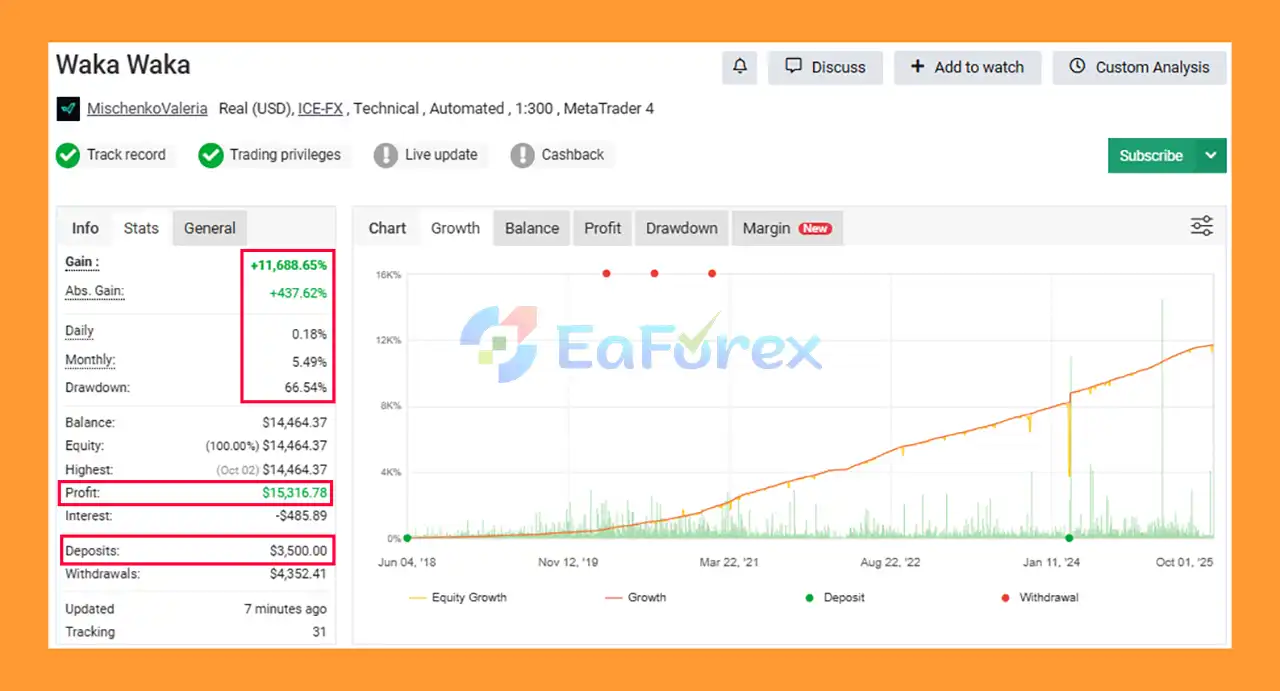
Waka Waka EA MT5 Verified by MyFxBooks
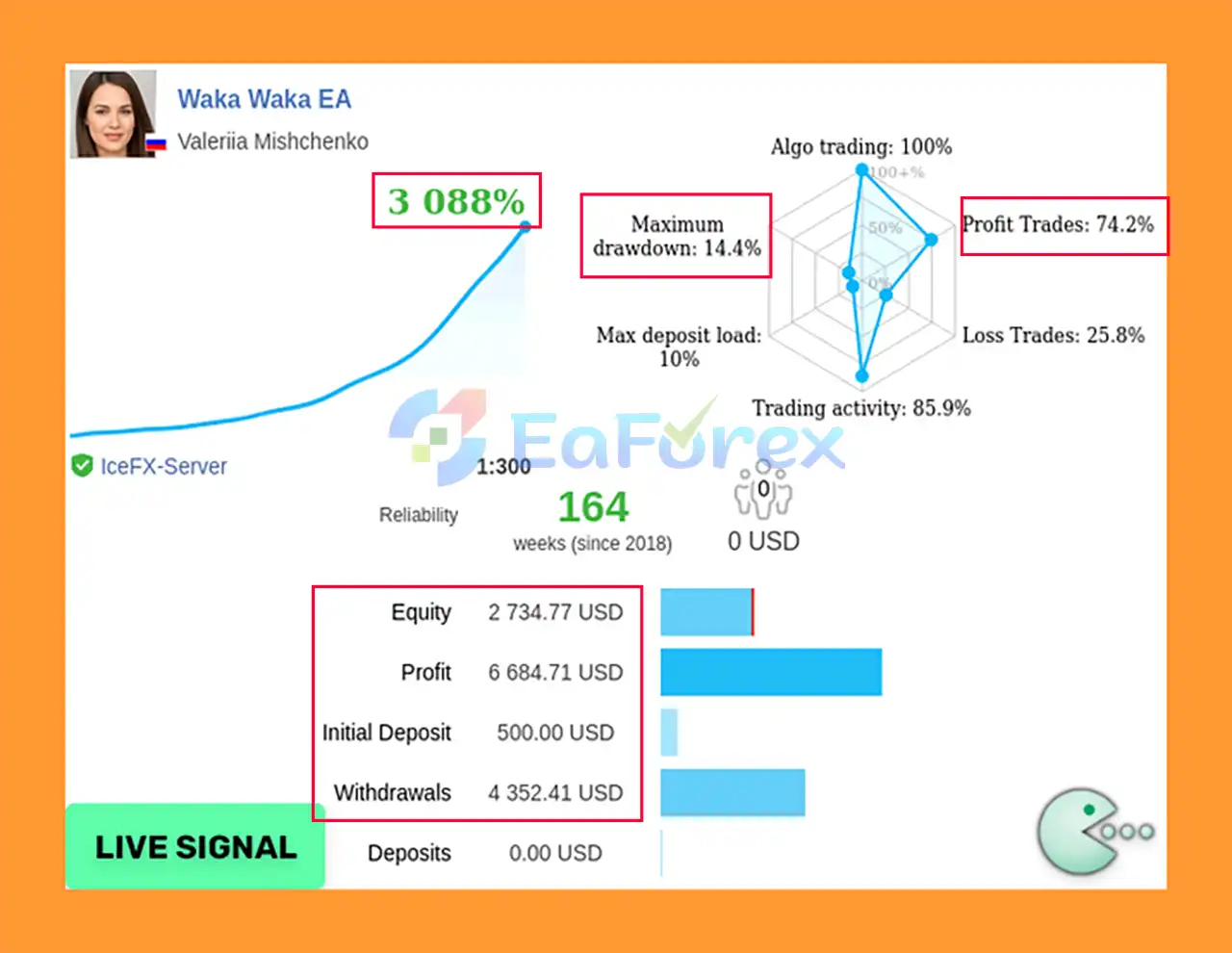
Waka Waka EA MT5 Live Result
Waka Waka EA MT5 Live Results
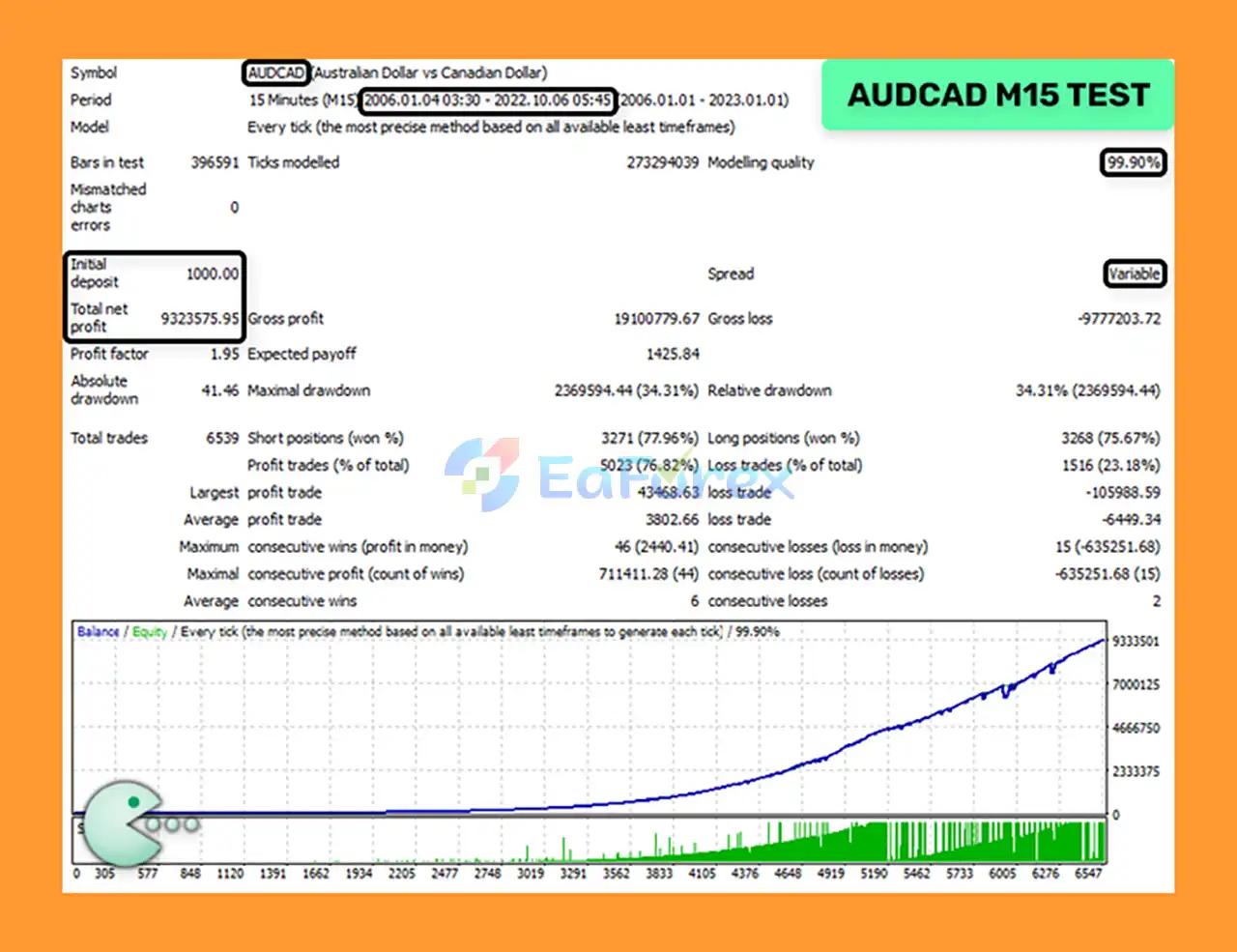
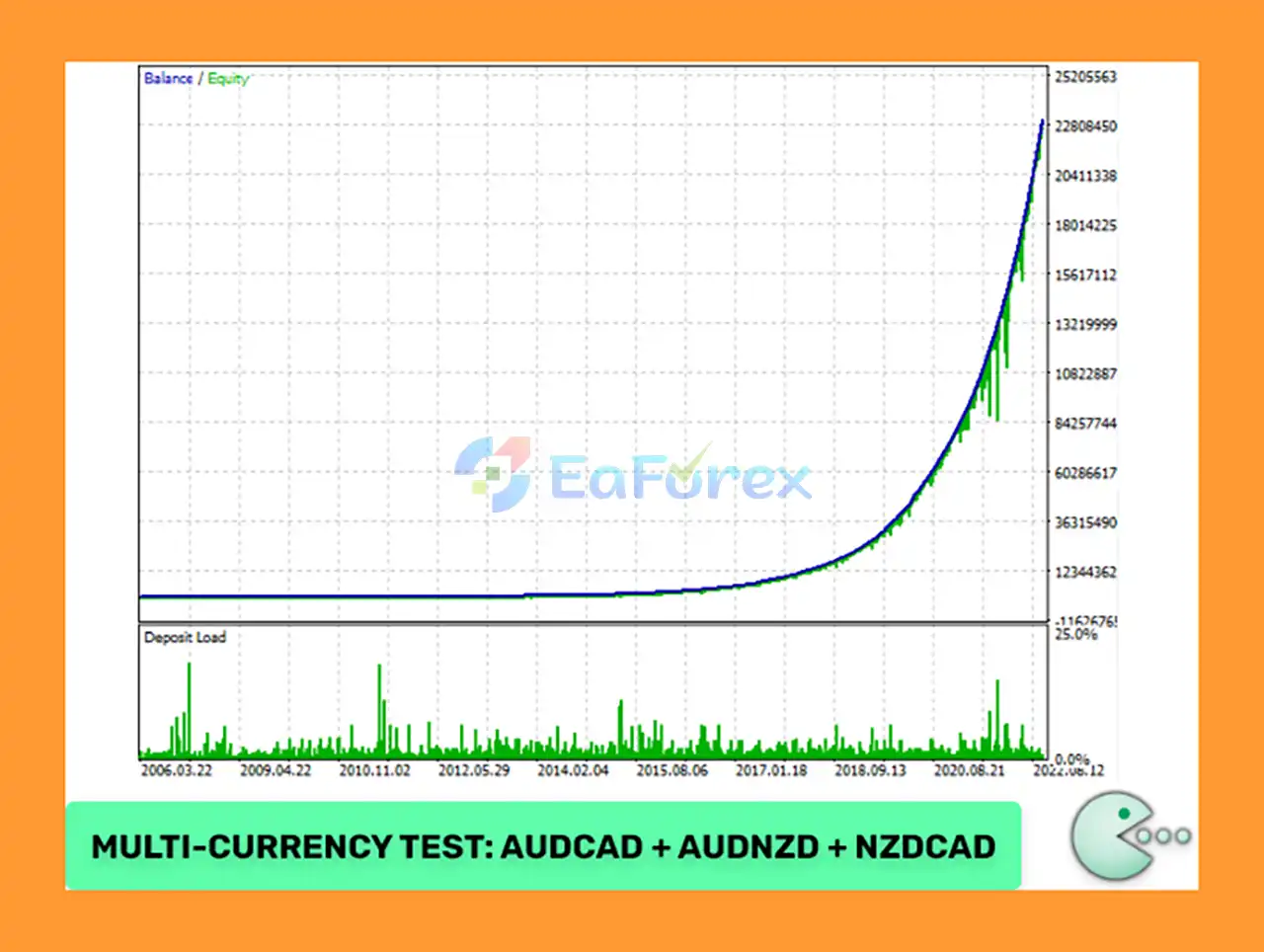
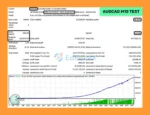
🔺AUDCAD Pair (17 Years)
Waka Waka EA Backtests Resultss
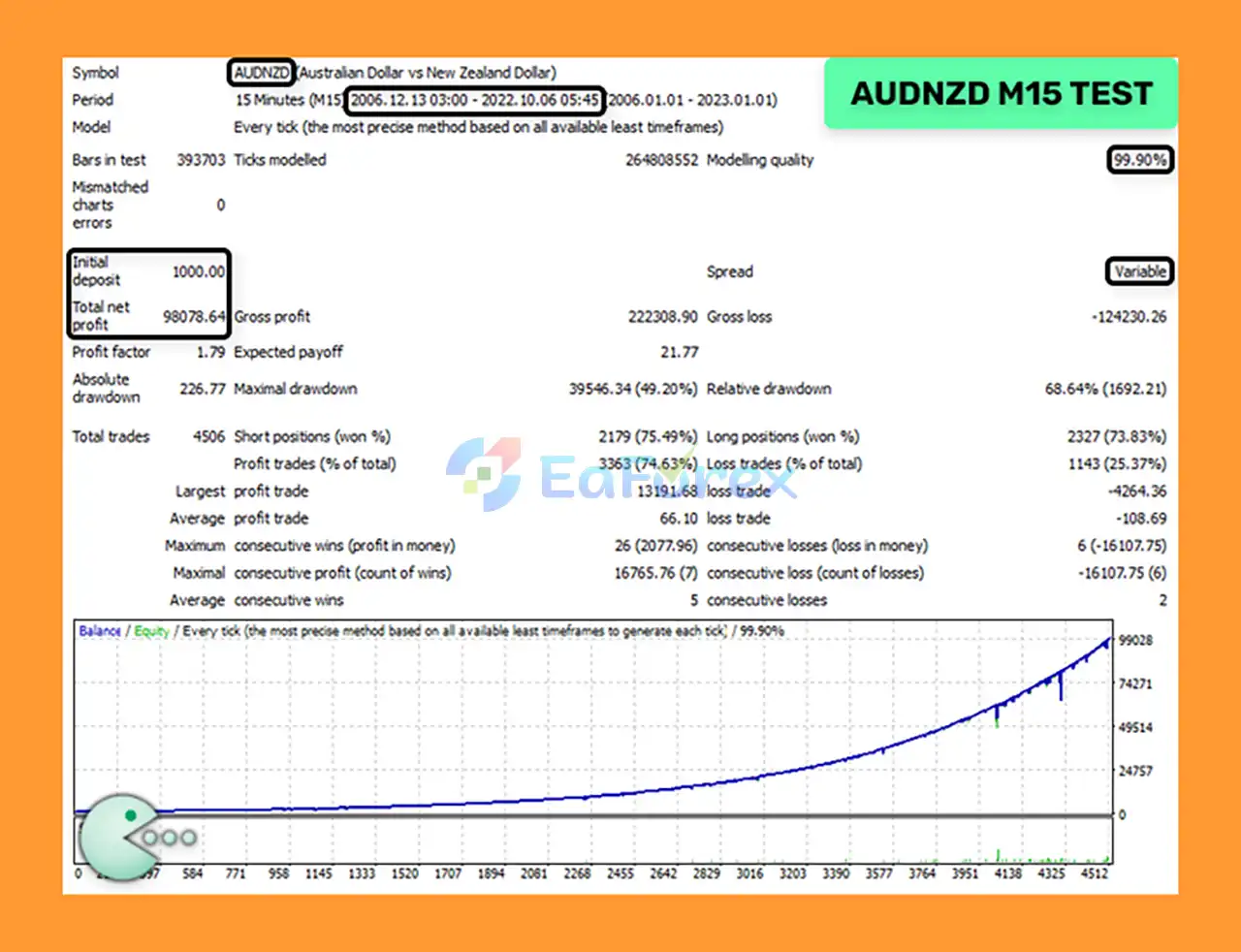
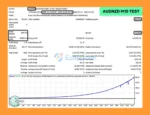
🔺AUDNZD Pair (16 Years)
Waka Waka EA Backtests Result
Waka Waka EA MT5 is designed with multiple parameters for controlling risk and trading exposure. However, it is important to understand that a grid strategy inherently carries higher exposure risk when the market moves persistently against an open position.
The EA allows traders to configure:
The recommended leverage and account size also affect available free margin. According to the provided specifications, with 1:30 leverage, traders should use conservative risk settings on accounts below approximately $6,000. With 1:100 leverage, the system may have more available margin for higher-risk settings, but higher leverage also increases financial risk.
A hedging account is required, and running the EA continuously on a reliable VPS is recommended.
The primary risk of Waka Waka EA MT5 comes from its grid trading and averaging mechanism. Grid systems can accumulate multiple positions when the market moves against the initial trade. During prolonged or unusually strong trends, this can result in rapidly increasing exposure and floating drawdown.
Important considerations include:
Users should start with conservative settings and thoroughly test the EA on a demo account before considering live deployment.
.set files required for the recommended configuration.Installing Waka Waka EA MT5 is relatively straightforward when using the recommended configuration.
Copy the Waka Waka EA MT5 files into the appropriate MetaTrader 5 Experts directory and restart MT5 or refresh the Navigator window.
Make sure your broker provides a hedging MT5 account, as this is a requirement for the EA.
Attach the EA to only one M15 chart. AUDCAD is recommended as the chart used for the EA.
Use the recommended symbols:
If your broker uses a symbol suffix, such as AUDCAD.a, update the corresponding symbol names in the EA’s Symbol parameter.
Choose the appropriate lot-sizing method and risk level based on your account balance, leverage, and available free margin.
Avoid aggressive settings until you have verified how the EA behaves on your broker.
The EA requires access to the relevant news list website and time server for its news-filtering and time-detection functions.
Make sure the required WebRequest permissions are enabled in MetaTrader 5 according to the EA’s installation instructions.
For uninterrupted automated trading, run MetaTrader 5 and Waka Waka EA MT5 on a stable VPS.
After installation, verify that all supported symbols are recognized correctly and that the EA is operating without errors. Monitor margin usage, floating drawdown, grid exposure, and execution conditions regularly.
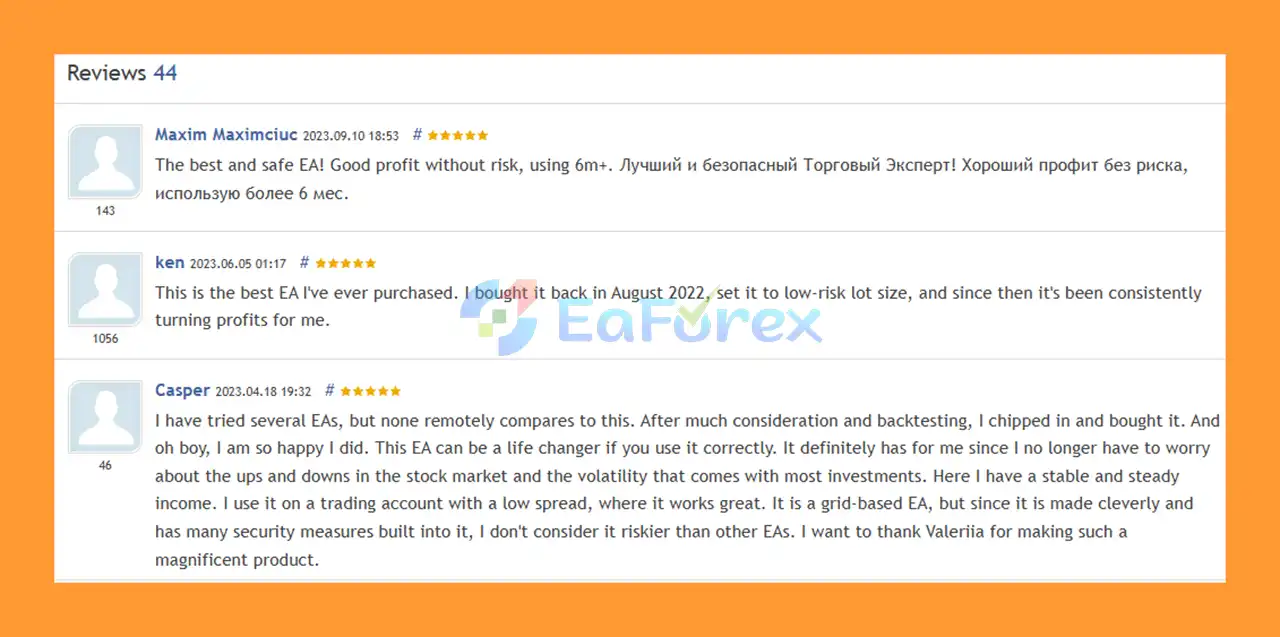
🔻Waka Waka EA MT5 is highly appreciated by the MQL5 community for bringing stable and reliable profits. Below are 5 star reviews from users:
User Reviews
Waka Waka EA MT5 is an automated multi-currency grid trading system built for traders who want to manage AUDCAD, AUDNZD, and NZDCAD through a convenient one-chart setup.
Its combination of Bollinger Bands, RSI filtering, adaptive grid distance, configurable position sizing, drawdown protection, and multiple exposure controls provides considerable flexibility for different trading approaches.
However, the use of grid and averaging positions means risk management is critical. The EA should not be evaluated solely by its backtest results. Account size, leverage, broker conditions, margin availability, and risk settings can have a significant impact on real-world performance.
For traders who understand the characteristics and risks of grid trading, Waka Waka EA MT5 offers a structured automated solution with extensive configuration options and support for multiple currency pairs. Always test the EA thoroughly on a demo account and use responsible risk management before moving to live trading.
1. What is Waka Waka EA MT5?
Waka Waka EA MT5 is a professional-grade grid trading Expert Advisor built for MetaTrader 5. It trades AUDCAD, AUDNZD, and NZDCAD on the M15 timeframe, using smart algorithms and risk control to exploit real market inefficiencies and deliver sustainable profitability.
2. Is Waka Waka EA MT5 safe for long-term trading?
Yes. Unlike risky grid systems, Waka Waka EA MT5 includes strict risk management features such as stop-loss, drawdown control, spread filters, and slippage protection. It has proven live results since 2018, making it a safer choice for long-term trading.
3. Which currency pairs and timeframe does Waka Waka EA MT5 support?
Waka Waka EA MT5 works best on AUDCAD, AUDNZD, and NZDCAD using the M15 timeframe. Traders can attach it to just one chart (AUDCAD recommended), and it will automatically manage trades across all supported pairs.
4. How has Waka Waka EA MT5 performed in live trading and backtests?
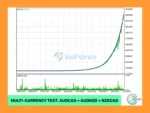
Waka Waka EA MT5 shows outstanding performance. Verified MyFxBook results report over +10,700% gain since 2018. Backtests covering 16–17 years show millions in profit with a win rate above 74%, confirming long-term reliability.
5. Do I need advanced skills to use Waka Waka EA MT5?
No. Waka Waka EA MT5 is user-friendly and designed with a plug-and-play setup. It comes with optimized presets, but advanced traders can also customize money management, grid spacing, and strategy filters for greater control.
6. Why should I choose Waka Waka EA MT5 over other grid EAs?
Waka Waka EA MT5 stands out because it is based on real market mechanics, not curve-fitted backtests. It offers proven live results, robust risk management, multi-currency support, and professional-level performance at an affordable price.
In stock
In stock
In stock
In stock
In stock
Out of stock
No account yet?
Create an Account












 Automatic EA
 EA Best Seller
 Expert Advisor MT4
 Expert Advisor MT5
 HFT EA


Reviews
Clear filtersThere are no reviews yet.