









-
 Unlimited Activations
-
 Instant delivery
-
 Easy to install







 Unlimited Activations
Instant delivery
Easy to install
Unlimited Activations
Instant delivery
Easy to install
 Free Update
 Free Install Support

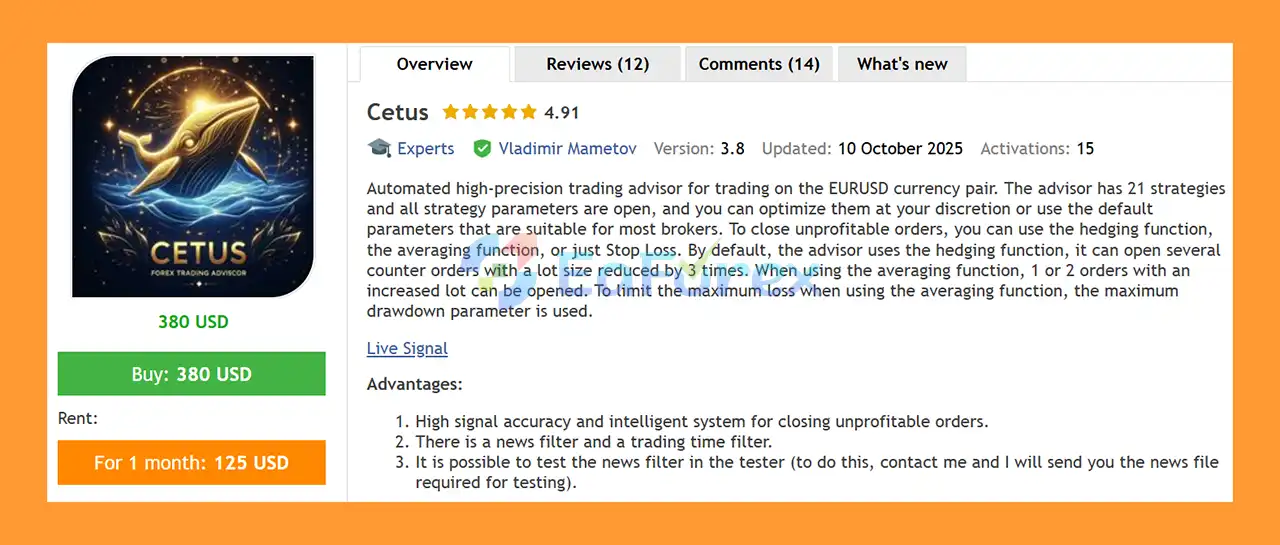
Cetus EA MT5 is a fully automated Forex Expert Advisor designed specifically for trading the EURUSD currency pair on MetaTrader 5.
The system is powered by 21 trading strategies, allowing it to identify and execute multiple trading opportunities while maintaining a structured approach to position management.
Cetus EA MT5 is designed with an emphasis on signal accuracy, fixed Stop Loss protection, trailing Take Profit, and intelligent trade-closing logic. Instead of simply holding losing positions indefinitely, the EA attempts to manage trades dynamically according to price behavior.
When a trade does not move toward profit within a certain period, the system can attempt to close the position around breakeven. If the position moves into loss, the EA attempts to exit during a pullback, with the objective of reducing the duration and potential drawdown of losing trades.
The EA also includes a news filter and trading-time filter, allowing traders to control when the system is permitted to open new positions.
• Author: Vladimir Mametov
• Experience: Over +10 years of experience on MQL5.
• Notable Products: Cetus EA MT5, Gold System, GTX Scalper, Quantum Index and other advisors.
• Flagship Product: Cetus EA MT5 is rated as the best performing product of the year.
>> Delivery time 24h-48h after payment.
>>> Refund if not delivered.
>>> You will receive the latest version without any limitations (ID+Time).>> Reviewed by Jason Stap <<<
Cetus EA MT5 analyzes the EURUSD market using a combination of 21 trading strategies.
When the conditions defined by the active strategies are satisfied, the EA can automatically open a position without requiring manual trade execution.
After entering a trade, the position is managed according to predefined risk and exit rules.
Every trade is protected by a fixed Stop Loss, providing a predefined loss boundary for the position.
For profitable trades, the EA can use a trailing Take Profit mechanism to manage the position as the market moves.
The system also includes additional logic for trades that do not develop as expected.
If the market does not move in the profitable direction for a certain period, Cetus can attempt to close the position around breakeven rather than allowing the trade to remain open indefinitely.
If the position moves into negative territory, the EA attempts to identify a suitable pullback to close the trade. According to the developer’s strategy, this approach is intended to reduce the duration and potential drawdown associated with losing positions.
Cetus EA MT5 is designed for traders who want a dedicated automated solution for EURUSD rather than a multi-symbol Expert Advisor.
Its main focus is combining multiple trading strategies with structured position management.
The EA may be suitable for traders looking for:
The combination of entry strategies and trade-management logic means that Cetus is not solely focused on finding entries. It also places significant emphasis on how open positions are handled after execution.
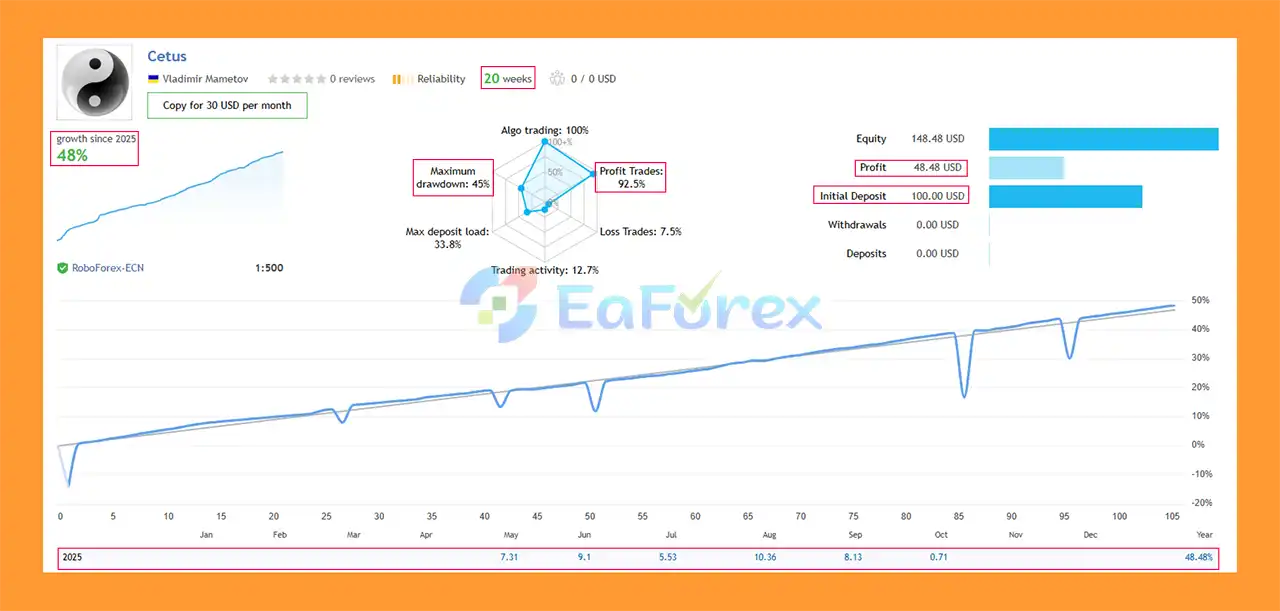
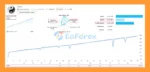
Cetus EA MT5 Signal Results
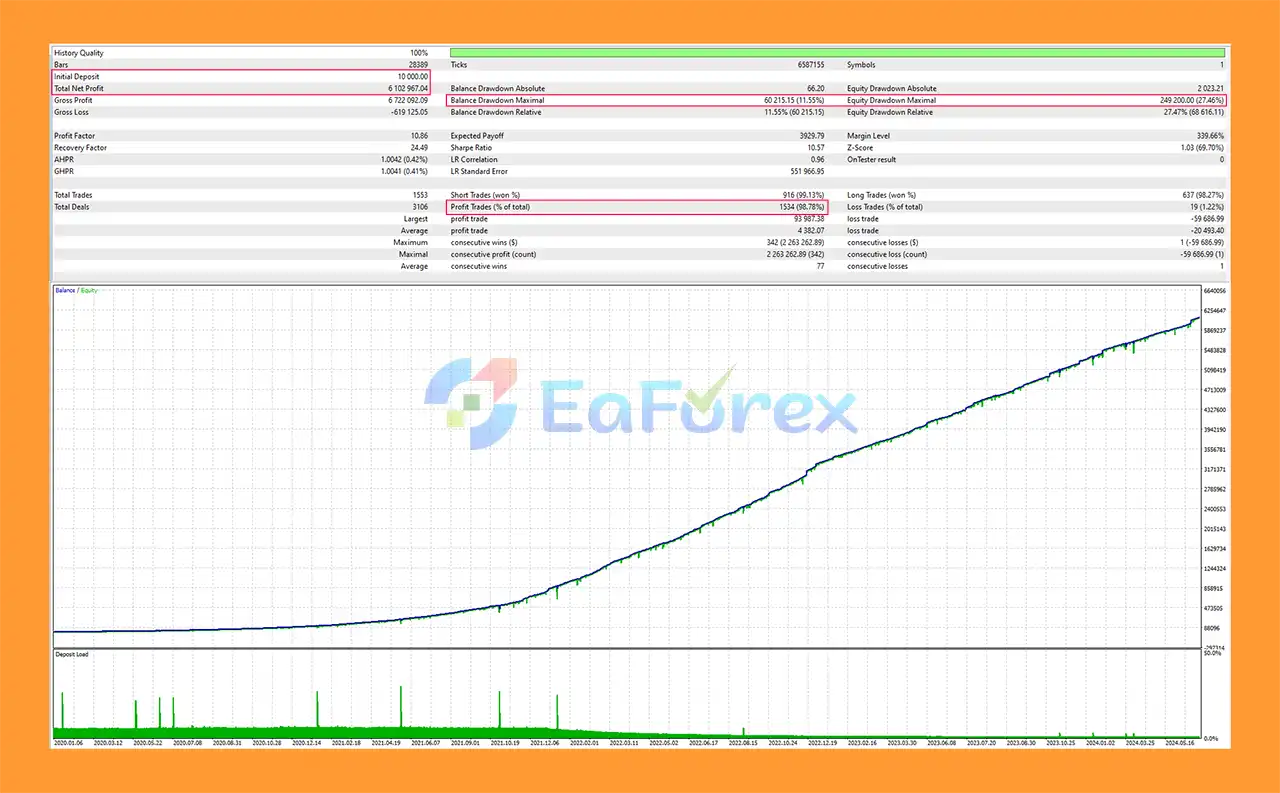
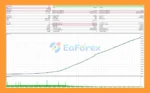
Cetus EA MT5 Backtests
Risk management is an important component of Cetus EA MT5.
Every position uses a fixed Stop Loss, establishing a predefined protection level when the market moves significantly against the trade.
The EA also uses trailing Take Profit for profitable positions, allowing the exit level to adapt as price moves according to the system’s trading logic.
Another important part of its trade management is the handling of positions that fail to develop in the expected direction.
When price remains relatively stagnant for a certain period, the EA can attempt to close the position near breakeven.
For positions that enter a losing state, the system attempts to use market pullbacks as potential exit opportunities. The purpose is to avoid keeping unsuccessful trades open unnecessarily and potentially limit the duration of drawdown.
Cetus also provides a news filter and trading-time filter, which can be used to reduce exposure during selected periods.
However, these mechanisms cannot eliminate trading risk. Market gaps, slippage, spread expansion, unexpected volatility, and broker execution can still result in losses beyond the levels observed during historical testing.
According to the developer, Cetus EA MT5 has been optimized for use with several popular brokers, including:
The EA is preferably used on ECN accounts with low spreads.
Actual trading conditions can vary between brokers, account types, symbols, commissions, spreads, execution speeds, and liquidity providers. Traders should therefore test the EA under their intended broker conditions before moving to live trading.
Trading Pair: EURUSD
Timeframe: H1
Minimum Deposit: $100
Leverage: Any leverage is acceptable according to the supplied specifications
Recommended Account: ECN with low spreads
Trading Mode: Fully automated
Recommended Brokers: ICMarkets, ICTrading, RoboForex, Tickmill, Darwinex, XM, ActiveTrades
The $100 minimum deposit should be considered a stated product requirement rather than a recommendation that a particular account size is sufficient for every risk setting.
Although Cetus EA MT5 is designed with several trade-management and risk-control mechanisms, no automated trading system can guarantee profits.
The EA is specifically designed for EURUSD, so its performance on other currency pairs should not be assumed.
Important risks include:
For safer deployment, traders should test Cetus on a demo account and evaluate drawdown, spread requirements, execution, trade frequency, and results before committing substantial capital.
Install MetaTrader 5 through your preferred broker.
Open the MetaTrader 5 data folder and place the Cetus EA files in the appropriate MQL5 → Experts directory.
Restart MetaTrader 5 or refresh the Navigator window.
Open an EURUSD H1 chart and attach Cetus EA MT5.
Enable automated trading and configure the available parameters according to your preferred risk level and trading conditions.
Make sure the EA is running on the correct EURUSD symbol provided by your broker, especially if the broker uses a suffix or prefix.
For best results, verify the spread, commission, execution conditions, and trading hours before running the EA on a live account.
A demo or controlled forward test is recommended before deploying the EA with significant capital.
🔺 Cetus EA MT5 is highly appreciated by the MQL5 community for bringing stable and reliable profits. Below are 5 star reviews from users:
User Review
🔺 Experts:
Cetus EA MT5 is a specialized automated Forex trading system focused on EURUSD H1, combining 21 trading strategies with structured trade-management mechanisms.
Its approach goes beyond entry generation by incorporating fixed Stop Loss, trailing Take Profit, breakeven attempts, pullback-based exits, news filtering, and trading-time controls.
The system may appeal to traders looking for a dedicated EURUSD Expert Advisor with multiple signal strategies and automated position management.
However, the EA should be evaluated under real broker conditions before live deployment. Spread, commission, slippage, execution quality, market volatility, and risk settings can all materially affect results.
As with any automated trading system, Cetus EA MT5 should be treated as a trading tool rather than a guarantee of profitability. Proper testing, conservative risk management, and regular monitoring remain important when using the EA on a live account.
1. What is Cetus EA MT5 and how does it work?
Cetus EA MT5 is a fully automated Expert Advisor developed specifically for Gold (XAUUSD) trading. It uses an adaptive algorithm that analyzes volatility, trend direction, and market structure in real time to execute high-accuracy trades while applying advanced risk management for long-term consistency.
2. Is Cetus EA MT5 safe to use for Gold trading?
Yes. Cetus EA MT5 prioritizes capital preservation through built-in Stop Loss, hedging protection, and automatic trade suspension during high volatility or major news events. Its dual-layer risk control system ensures safety even during unpredictable Gold price movements.
3. What kind of traders is Cetus EA MT5 suitable for?
Cetus EA MT5 is ideal for both beginners and professional traders. It requires no manual intervention, works on all account types (Standard, ECN, Pro), and is compatible with micro-lots, making it suitable for small or large accounts alike. Its user-friendly setup also makes it great for hands-free trading.
4. What are the verified performance results of Cetus EA MT5?
Based on live signal data, Cetus EA achieved +48% growth in 20 weeks with a 92.5% win rate. Backtests show even stronger long-term performance — a total profit of $6.1 million from a $10,000 initial deposit, maintaining an impressive 98.78% win rate with 11.55% maximum drawdown.
5. Does Cetus EA MT5 require a VPS or special setup?
While not mandatory, a VPS (Virtual Private Server) is highly recommended to ensure 24/7 uptime and uninterrupted trading. The EA features a plug-and-play configuration, meaning you can install it easily, attach it to your XAUUSD chart, and start trading instantly.
6. What’s included when purchasing Cetus EA MT5?
Your purchase includes the Cetus EA MT5 file, a detailed installation guide, and recommended settings (Set files) for quick deployment. Users also gain access to developer support, free future updates, and Telegram community access for ongoing strategy improvements.
In stock
In stock
In stock
In stock
In stock
Out of stock
No account yet?
Create an Account












 Automatic EA
 EA Best Seller
 Expert Advisor MT4
 Expert Advisor MT5
 HFT EA


Reviews
Clear filtersThere are no reviews yet.