









-
 Unlimited Activations
-
 Instant delivery
-
 Easy to install


 Unlimited Activations
Instant delivery
Easy to install
Unlimited Activations
Instant delivery
Easy to install
 Free Update
 Free Install Support

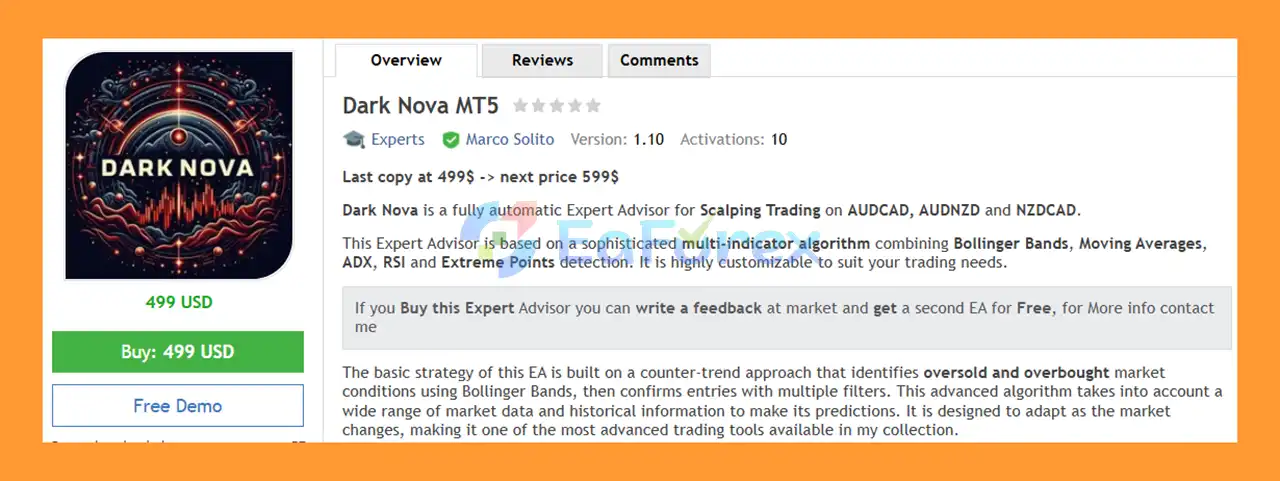
Dark Nova MT5 is a fully automated Forex Scalping Expert Advisor designed primarily for AUDCAD, AUDNZD, and NZDCAD. The system is optimized for the M15 timeframe and uses a sophisticated multi-indicator algorithm to identify potential trading opportunities in changing market conditions.
Dark Nova MT5 combines Bollinger Bands, Moving Averages, ADX, RSI, and Extreme Point detection to filter market conditions and generate automated trading signals.
The core strategy is based primarily on a counter-trend approach. The EA searches for potentially overbought and oversold conditions using Bollinger Bands and then applies additional technical filters before opening a position.
Dark Nova MT5 is highly customizable, allowing traders to modify indicator parameters, trading conditions, money management, grid settings, profit targets, and stop-loss controls according to their preferred trading environment.
The EA can also be configured for other currency pairs when appropriate settings are used.
>> Delivery time 24h-48h after payment.
>>> Refund if not delivered.
>>> You will receive the latest version without any limitations (ID+Time).>>Reviewed by Jason Stap <<
Dark Nova MT5 combines several technical indicators and market filters, including:
Using multiple filters allows traders to customize how potential entries are identified and confirmed.
The default strategy focuses on identifying potential overbought and oversold market conditions. Bollinger Bands are used to detect price extremes, while additional indicators can be used to filter potential entries.
The Bollinger strategy can also be changed from the default counter-trend approach to a trend-following configuration, providing additional flexibility.
The recommended timeframe for Dark Nova is M15. The EA has been optimized primarily for:
Other Forex pairs may also be used with appropriate parameter settings and testing.
The EA provides detailed controls for automated trading, including:
These settings allow traders to customize how the EA manages entries and positions.
Dark Nova MT5 includes flexible position-sizing options. Traders can use a fixed lot size or activate percentage-based money management.
Available settings include:
This allows the EA to adjust its trading exposure according to the selected risk configuration.
The Bollinger Bands module includes customizable parameters such as:
The Extreme Point module analyzes recent market data to identify potential high and low price areas.
Traders can configure:
The Moving Average module provides additional trend filtering capabilities.
Available parameters include:
The EA can support different moving-average calculation methods, such as SMA and EMA.
The ADX module helps classify market conditions according to the configured ADX threshold.
Settings include:
The Reverse Rules option can be configured to trade when ADX is below the selected threshold, which may be useful for strategies targeting lower-volatility environments.
The RSI filter provides additional overbought and oversold confirmation.
Traders can configure:
Dark Nova MT5 operates by analyzing multiple technical indicators and market conditions before executing automated trades.
The basic workflow can be summarized as follows:
The EA continuously monitors the selected Forex pair and timeframe.
The system evaluates whether price has reached an area considered potentially overbought or oversold according to the configured Bollinger Band parameters.
Additional filters such as RSI, Moving Average, ADX, and Extreme Point detection can be used to confirm or reject potential trading opportunities.
When the required conditions are satisfied, Dark Nova can automatically open a Buy or Sell position according to the configured trading rules.
The EA can manage open positions using its target, grid, and stop-loss settings.
Trades can be closed according to the configured Take Target, candle-close conditions, or monetary loss protection.
This multi-layered approach gives traders extensive control over how the automated strategy responds to different market conditions.
Dark Nova MT5 is designed for traders looking for an automated Forex scalping system with extensive customization options.
Dark Nova can therefore be adapted to different trading preferences rather than forcing traders to use a single fixed configuration.
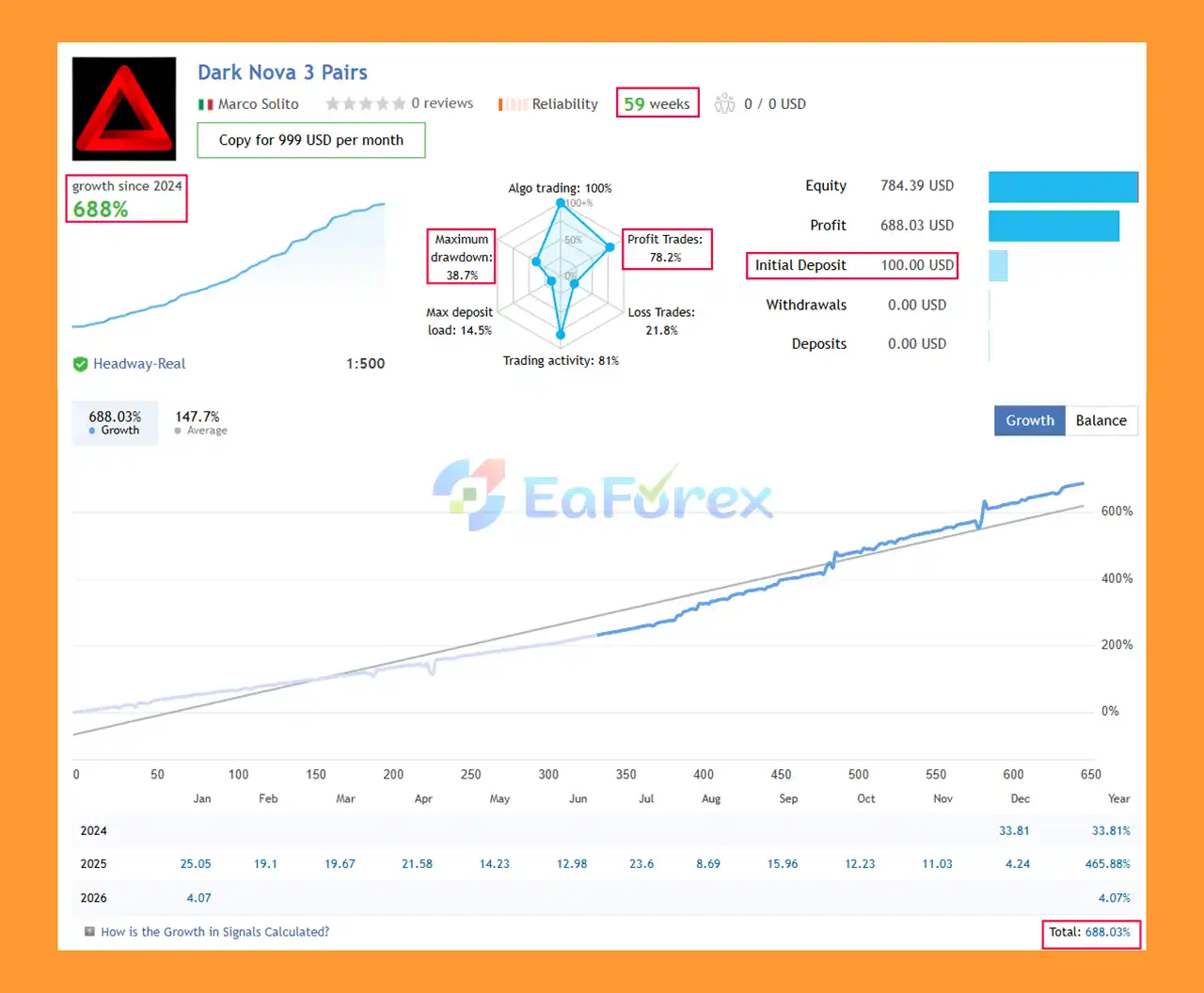
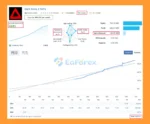
Dark Nova MT5 Signal Results
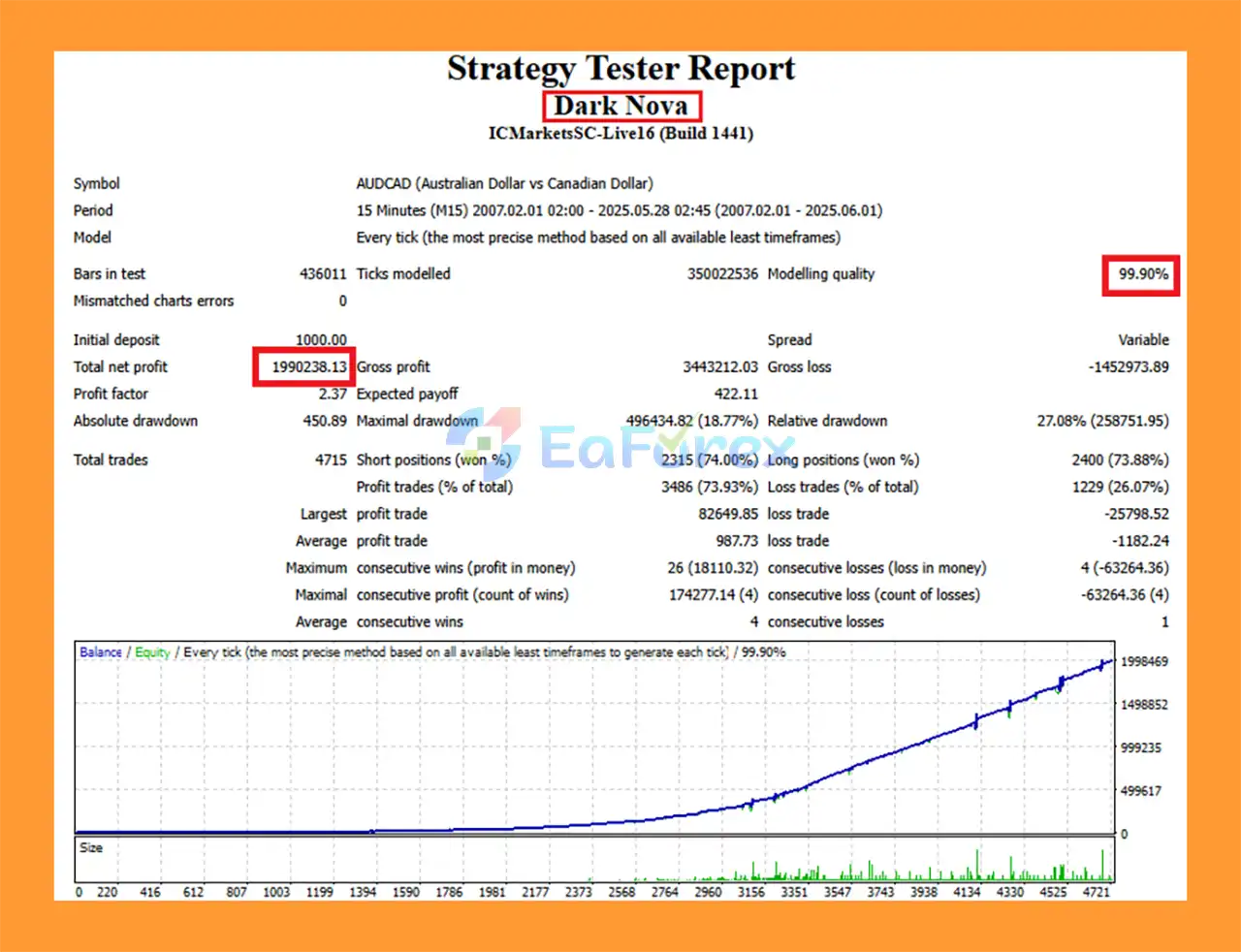
🔺AUDCAD pair – 18 years
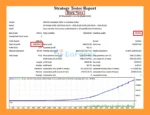
Dark Nova MT5 Backtests
Dark Nova MT5 includes several features designed to help traders manage automated trading exposure.
The EA supports both fixed-lot and percentage-based risk management.
When Money Management is enabled, the Risk Percent parameter can be used to determine the intended risk factor.
Traders should carefully select this value based on account size, leverage, drawdown tolerance, and trading conditions.
The EA includes:
These settings can prevent the EA from opening new trades when trading costs exceed the configured limits.
The Max Number of Orders parameter allows traders to limit the number of simultaneously open positions.
While the EA provides multiple position and monetary risk controls, traders should also consider broker-specific risk limits and their own daily drawdown rules when configuring the system.
The Monetary Loss module allows traders to define a maximum account-currency loss.
Available options include:
This provides an additional layer of account-level protection.
Dark Nova MT5 includes optional Grid functionality. Traders can configure:
Because grid systems can increase market exposure as additional positions are opened, traders should test these settings carefully and understand the potential impact on drawdown.
Despite its extensive customization options, Dark Nova MT5 has several important considerations that traders should understand before using it on a live account.
The default strategy is based on identifying potentially overbought and oversold conditions. Markets can remain overbought or oversold for extended periods, meaning price may continue moving against a counter-trend position.
The EA provides an optional Grid module. Grid-based position accumulation can increase exposure when the market moves persistently in one direction.
Traders should avoid using aggressive grid multipliers without extensive testing.
AUDCAD, AUDNZD, and NZDCAD can experience significant movements during economic announcements, interest-rate decisions, commodity-market changes, and periods of changing market liquidity.
Scalping strategies can be sensitive to:
An ECN broker and a low-latency VPS are recommended according to the supplied product specifications.
The recommended minimum leverage is 1:20, with a stated minimum deposit of $1,000 USD.
However, meeting a minimum deposit requirement does not eliminate trading risk. Position sizing should always be appropriate for the available capital.
The EA is highly customizable. While default settings can be used initially, changing parameters without proper testing may significantly affect trading behavior.
Past testing or successful configurations cannot guarantee future results. Live performance may differ because of market conditions, spreads, slippage, execution quality, and broker specifications.
Always test Dark Nova MT5 on a demo account before using it with real funds.
Installing Dark Nova MT5 is generally straightforward.
Install the appropriate MetaTrader platform and log in to your trading account.
In MetaTrader, select:
File → Open Data Folder
Locate the appropriate Experts directory.
Copy the Dark Nova EA file into the Experts folder.
Restart the platform or refresh the Expert Advisors section in the Navigator window.
For the standard configuration, open an M15 chart for one of the recommended pairs:
Find Dark Nova MT5 under Navigator → Expert Advisors and attach it to the selected chart.
Make sure automated trading is enabled in MetaTrader.
Review the EA settings, including:
Confirm that your broker provides suitable trading conditions. An ECN account with low spreads is recommended, along with a low-latency VPS.
Run the EA on a demo account first. Monitor trade frequency, spread, slippage, drawdown, grid behavior, and overall execution before considering live deployment.
No specific set file is required to start because the EA can be used with its default settings.
>>> Join VIP Membership Now <<<
In summary, Dark Nova MT5 is a customizable automated Forex scalping Expert Advisor designed primarily for AUDCAD, AUDNZD, and NZDCAD on the M15 timeframe.
Its main strength is the range of technical and risk-management options available to traders. The system combines Bollinger Bands, Moving Averages, ADX, RSI, and Extreme Point detection to analyze market conditions and identify potential trading opportunities.
The EA also provides advanced controls for money management, spread filtering, maximum orders, grid trading, profit targets, and monetary loss protection.
The default strategy uses a counter-trend approach, which means traders should pay particular attention to prolonged directional market movements. The optional grid functionality also requires careful risk control because adding positions can increase total market exposure.
For the recommended setup, traders should consider an ECN broker, low-latency VPS, appropriate leverage, and sufficient trading capital. Most importantly, Dark Nova MT5 should be thoroughly tested under the specific broker conditions where it will eventually operate.
Dark Nova MT5 — automated Forex scalping with multi-indicator analysis, flexible configuration, and comprehensive trade-management controls.
1. What is Dark Nova MT5?
Dark Nova MT5 is a fully automated scalping Expert Advisor for MetaTrader 5, optimized for AUDCAD, AUDNZD, and NZDCAD, using multi-indicator analysis for precise trade entries.
2. Which currency pairs is Dark Nova MT5 optimized for?
The EA is specifically optimized for AUDCAD, AUDNZD, and NZDCAD, focusing on high-volatility scalping opportunities.
3. How does Dark Nova MT5 detect trade opportunities?
It uses a multi-indicator strategy combining Bollinger Bands, Moving Averages, ADX, RSI, and Extreme Points to identify high-probability entries.
4. Can Dark Nova MT5 be used for prop firm challenges?
Yes. Dark Nova MT5 is prop firm ready, compatible with FTMO and other evaluation programs, and includes risk controls to meet strict funded account rules.
5. What risk management features does Dark Nova MT5 have?
The EA includes automatic stop loss, take profit, trailing, money management, daily loss limits, and optional grid scaling for controlled exposure.
6. Is Dark Nova MT5 beginner-friendly?
Yes. It comes with preconfigured default settings for quick setup, making it suitable for both beginners and advanced traders.
7. Which timeframes can Dark Nova MT5 trade on?
The recommended timeframe is M15, but the EA is adaptable across multiple timeframes with flexible input parameters.
8. How does Dark Nova MT5 handle trend vs. counter-trend trades?
It supports both trend-following and counter-trend strategies, using ADX, RSI, and Extreme Point filters to confirm valid trade setups.
9. What are the backtested and live performance results of Dark Nova MT5?
Backtest (AUDCAD, 18 years):
Initial Deposit: $1,000
Total Net Profit: $1.99 million
Win Rate: 73.93%
Maximum Drawdown: 18.77%
Live Account (59 weeks):
Initial Deposit: $100
Growth Rate: +688%
Win Rate: 78.2%
Maximum Drawdown: 38.7%
In stock
In stock
In stock
In stock
In stock
Out of stock
No account yet?
Create an Account












 Automatic EA
 EA Best Seller
 Expert Advisor MT4
 Expert Advisor MT5
 HFT EA


Reviews
Clear filtersThere are no reviews yet.