Gold Heist EA
Gold Heist EA MT5 v2.2 with SetFiles | Unbounded Original price was: $2,000.00.Current price is: $85.00.
Back to products
RedFox Copier Pro EA
RedFox Copier Pro MT4 v1.39 (Official version 1455+) Original price was: $149.00.Current price is: $65.00.

Waka Waka EA MT4 v4.43 + SetFiles (Official version 1455+)

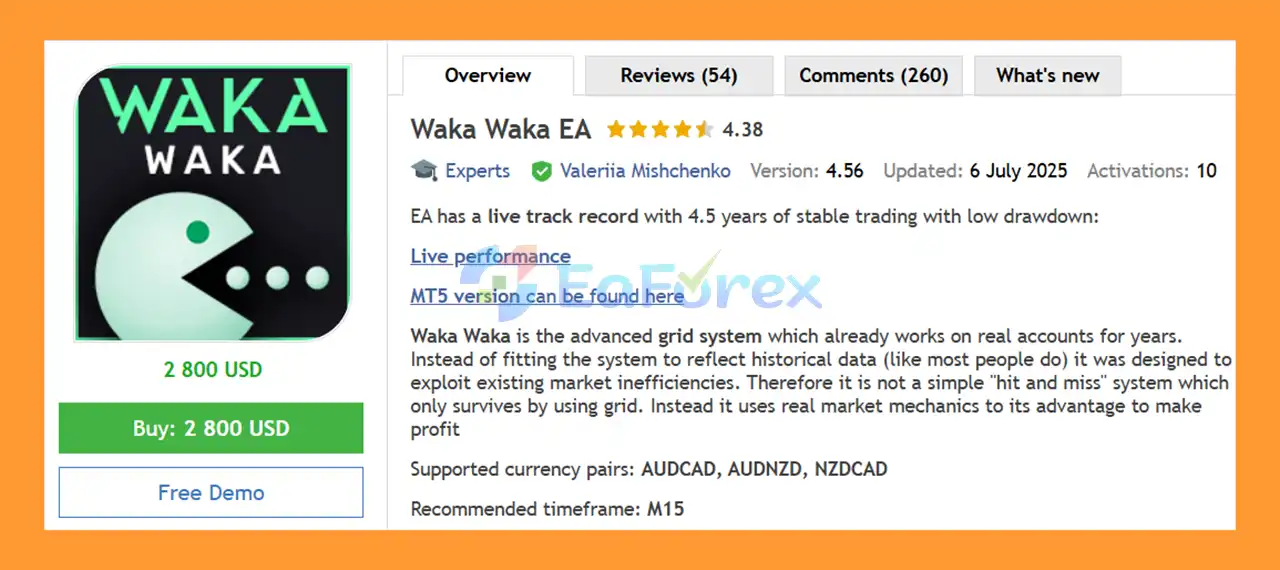
Waka Waka EA MT4 is a trading EA for AUDCAD, AUDNZD and NZDCAD, exploiting real-world market inefficiencies with intelligent risk control and proven performance

Original price was: $2,800.00.Current price is: $85.00.

72 People watching this product now!
  • Unlimited Activations

You can use product with unlimited account


  • Instant delivery

Download link will be sent instantly after purchase


  • Easy to install
Pre-activated, ready to use immediately


  • Free Update
  • Free Install Support

Payment Methods:

Description

What is Waka Waka EA MT4?

Waka Waka EA MT4 is an advanced Expert Advisor (EA) based on a trading grid, developed for MetaTrader 4, designed to trade based on actual market inefficiencies rather than curve-adjusted historical data. This system has been running on real accounts for years, utilizing proven market mechanisms instead of relying on “random” trading grid behavior to generate consistent profits.

Vendor website

About the Developer

  • Author: Valeriia Mishchenko.
  • Experience: Over +4 years of experience on MQL5.
  • Notable Products: Waka Waka EA MT4, Waka Waka EA MT5, Perceptrader AI MT5, Golden Pickaxe MT5, Night Hunter Pro MT5 and others.
  • Flagship Product: Waka Waka EA MT4 is rated as the best performing product of the year.

>>> Join our Channel Telegram <<<

Waka Waka EA MT4 Overview

Waka Waka EA MT4 Overview

Core Features of Waka Waka EA MT4

  • Advanced Grid System: Utilizes market inefficiencies and structured grid logic instead of random averaging methods.
  • Proven Real Account Performance: Actively traded on live accounts for years with solid backtest validation.
  • One-Chart Trading Setup: Allows trading all supported symbols from a single M15 chart.
  • Multiple Currency Pair Support: Optimized specifically for AUDCAD, AUDNZD, and NZDCAD pairs.
  • No GMT Adjustment Needed: Automatically detects server time without manual configuration.
  • User-Friendly Operation: Requires minimal setup with internally stored settings and simple instructions.
  • Cost-Effective Solution: Offers professional-grade grid trading at a lower cost than comparable alternatives.

Additional Features

  • Flexible Lot Sizing Methods: Supports fixed, dynamic, deposit load, and preset risk-based lot calculations.
  • Smart Grid Distance Logic: Automatically adjusts grid spacing based on current market volatility.
  • Bollinger Bands Entry Filter: Uses Bollinger Bands to define upper and lower price extremes.
  • RSI Trade Filtering: Filters out low-potential trades using RSI momentum confirmation.
  • Maximum Drawdown Protection: Automatically closes all trades if floating drawdown exceeds a defined limit.
  • Spread and Slippage Control: Prevents trade execution during unfavorable market conditions.
  • Hedging Capability: Allows multi-directional positions on the same symbol when enabled.

Why Choose Waka Waka EA MT4?

  • Designed for Real Market Conditions: Built to exploit actual market mechanics rather than historical overfitting.
  • Long-Term Live Testing: Proven stability through years of real account trading.
  • Optimized for Specific Pairs: Focuses on correlated AUD and NZD markets for higher efficiency.
  • Strong Risk Management Tools: Provides detailed control over exposure, drawdown, and lot sizing.
  • Not Sensitive to Spread or Slippage: Performs reliably even in varying execution environments.
  • VPS and ECN Friendly: Ideal for continuous operation on VPS with ECN brokers.
  • Professional Grid Automation: Suitable for traders seeking controlled grid trading with disciplined logic.

Waka Waka EA MT4 Performance Review

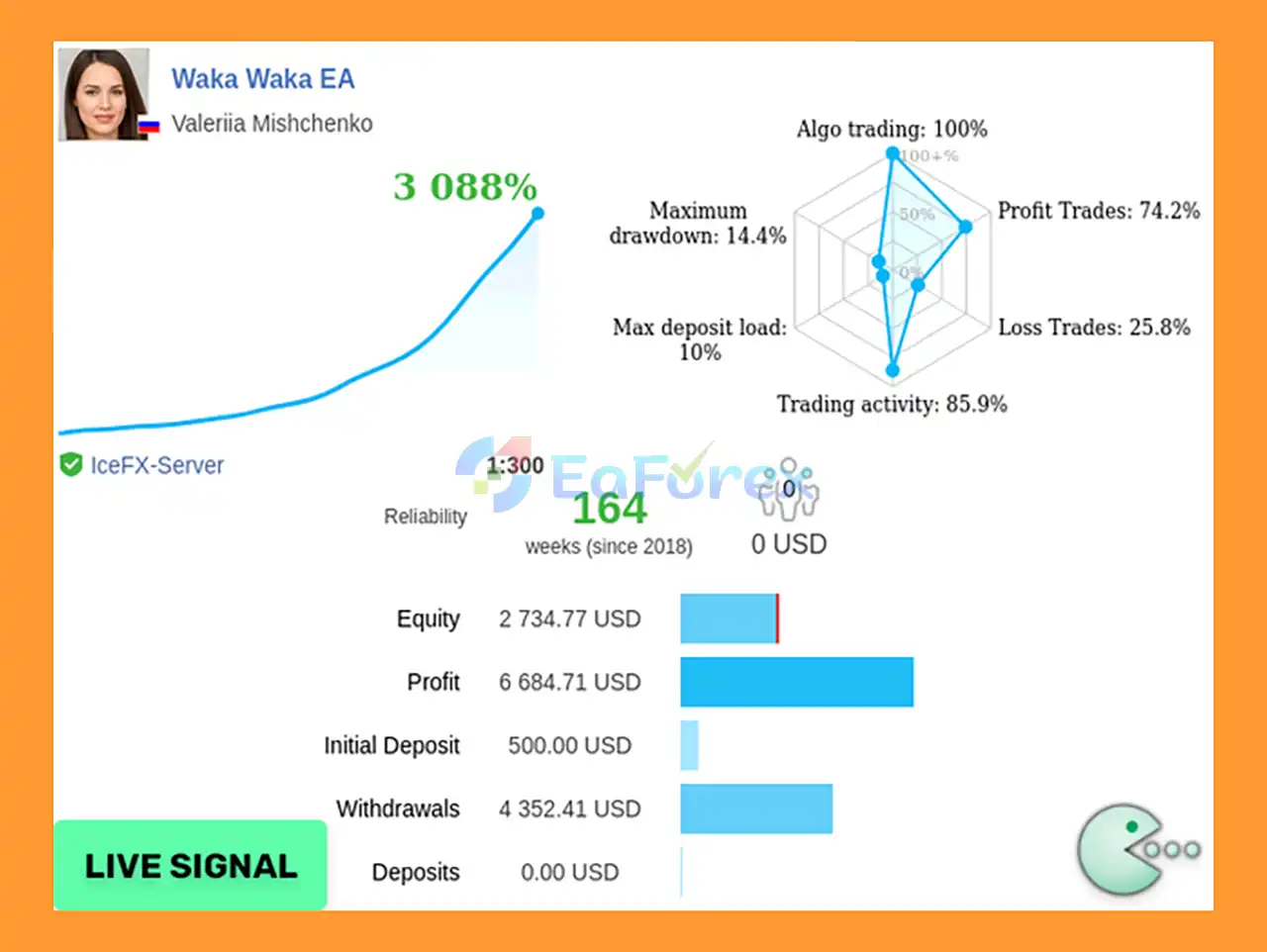
🟢Signal Results

  • Total Return: +3,088% (164 weeks)
  • Initial Deposit: $500
  • Win Rate: 74.2%
  • Maximum Drawdown: 14.4%
Waka Waka EA Trading Results

Waka Waka EA Trading Results

Waka Waka EA MT4 Trading Results

Waka Waka EA MT4 Trading Results

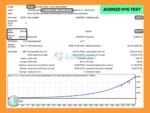
🟢Backtest Results

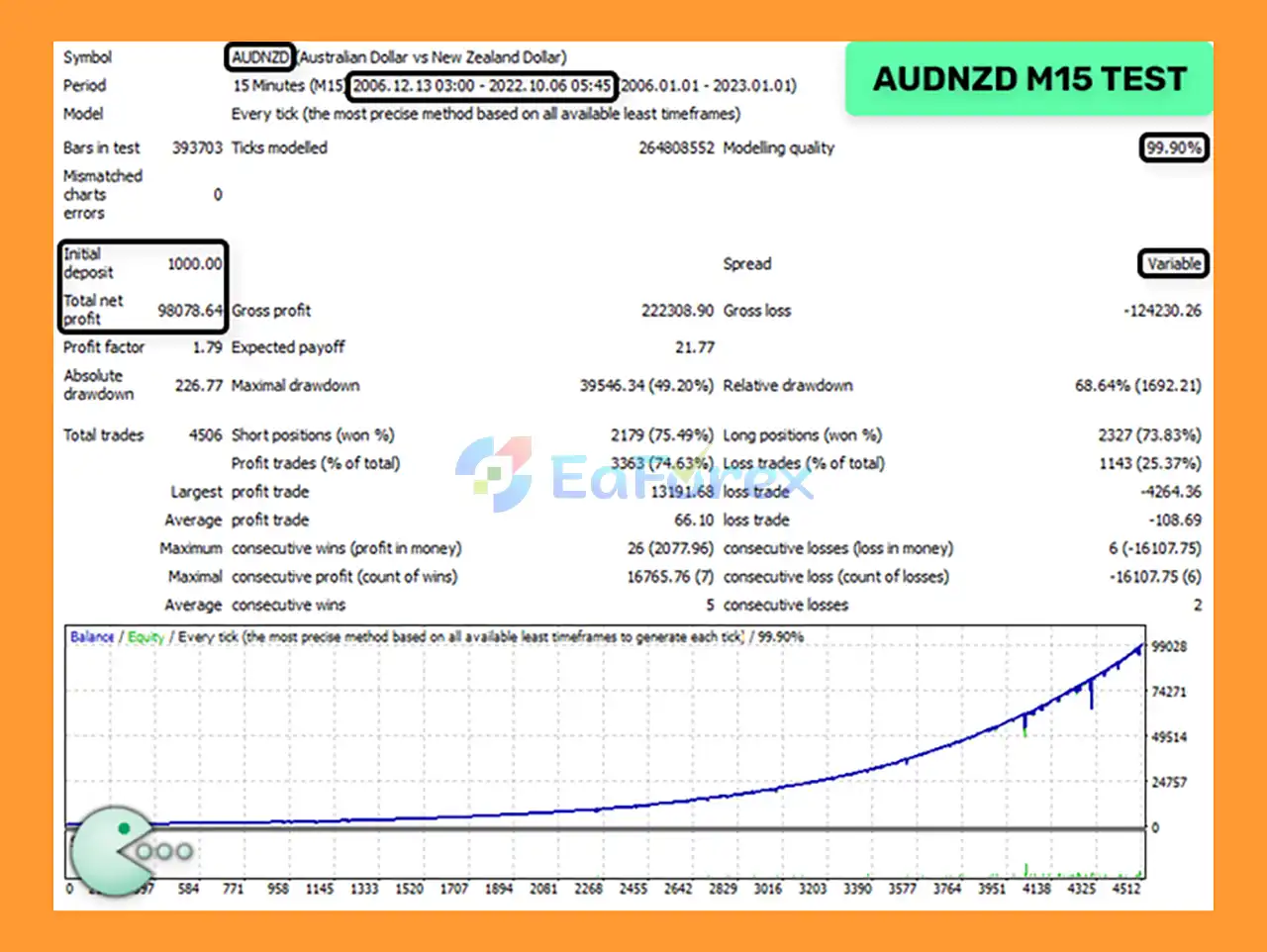
🔺AUDNZD pair – 17 years

  • Initial Deposit: $1,000
  • Total Net Profit: $98,078.64
  • Win Rate (% of total): 74.63%
  • Maximum Drawdown: 49.20%
Waka Waka EA Backtets

Waka Waka EA Backtets

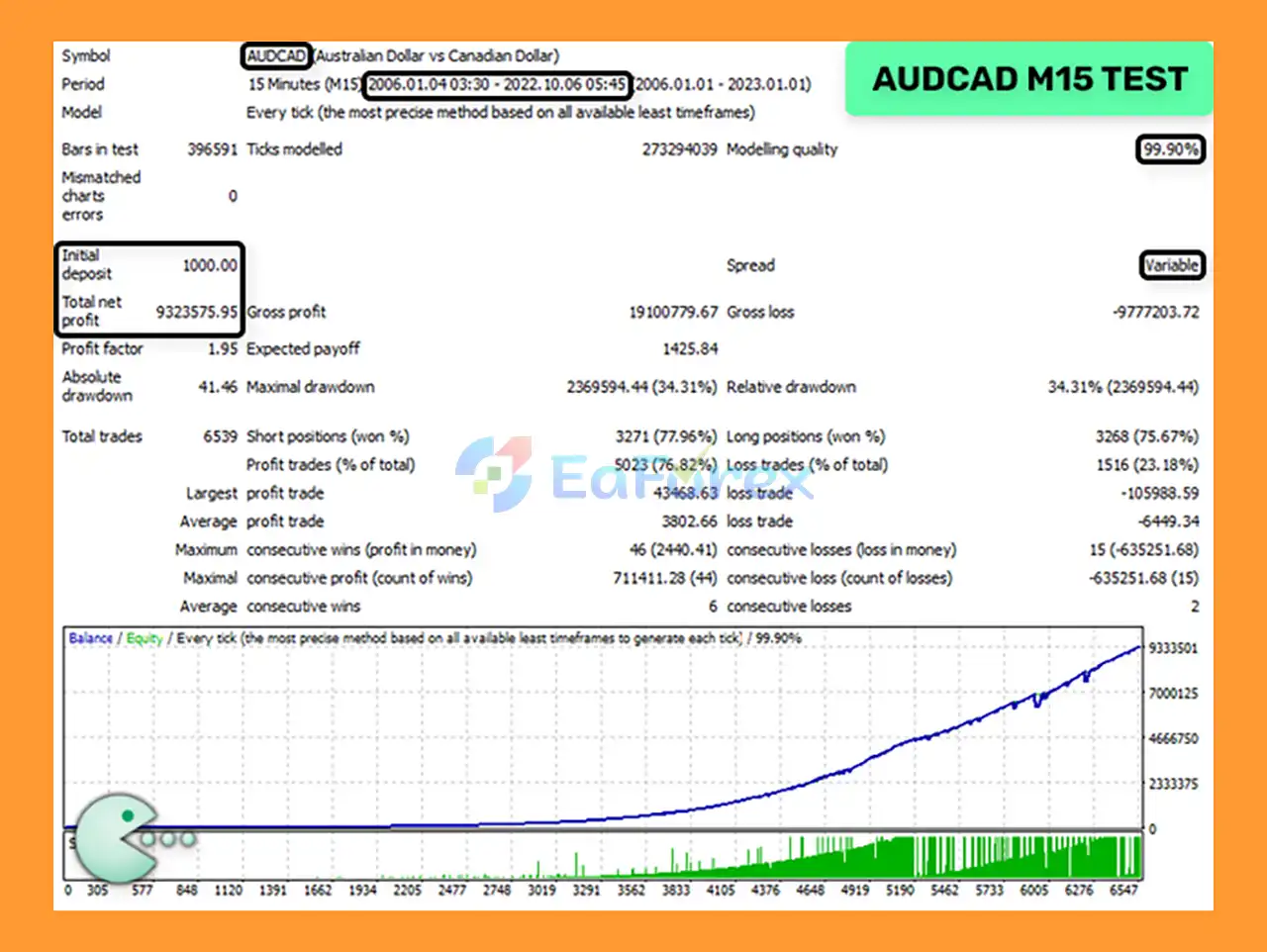
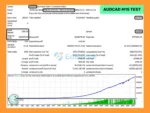
🔺AUDCAD pair – 17 years

  • Initial Deposit: $1,000
  • Total Net Profit: $9.32 million
  • Win Rate (% of total): 76.82%
  • Maximum Drawdown: 34.31%
Waka Waka MT4 Backtets

Waka Waka MT4 Backtets

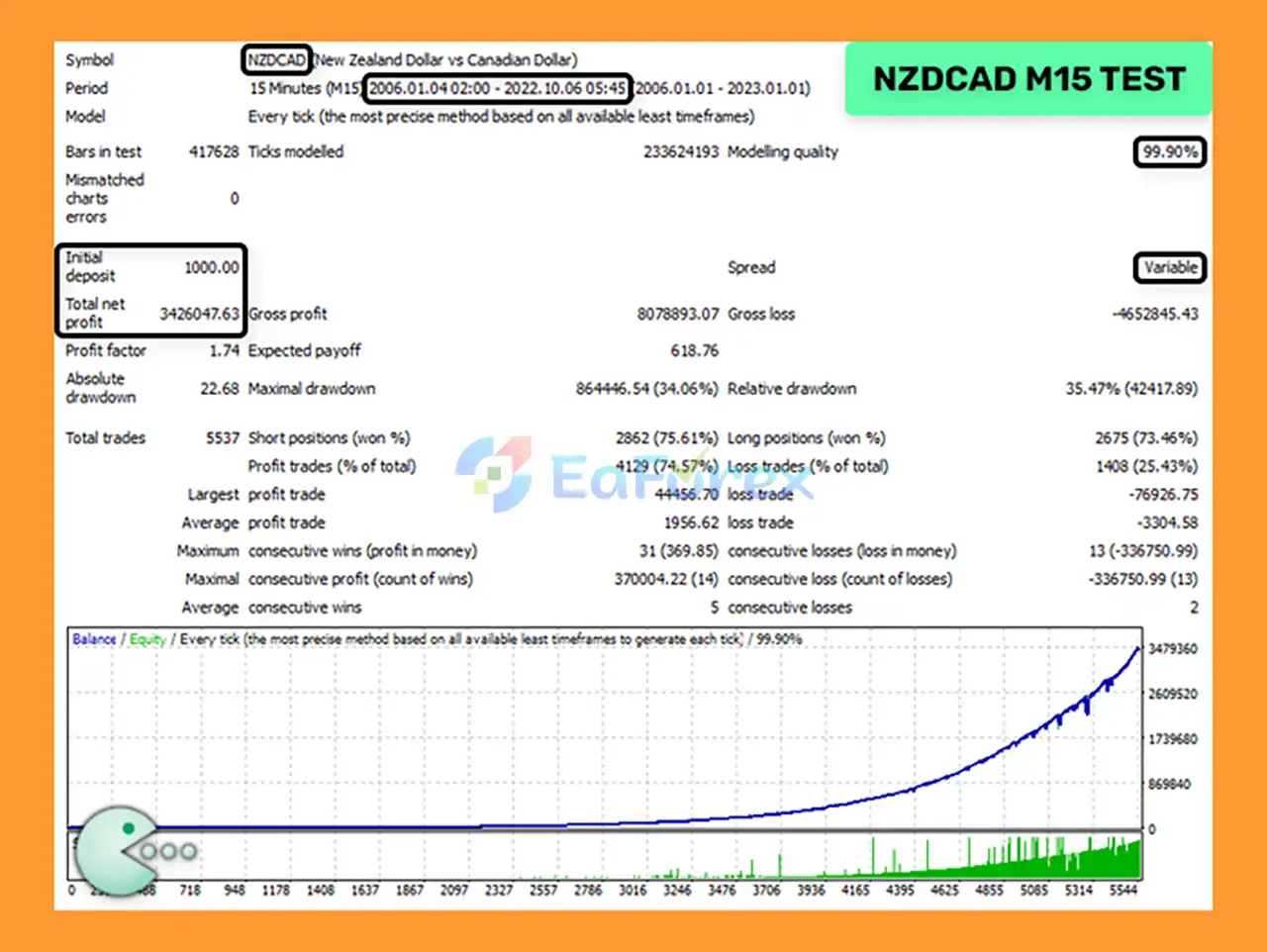
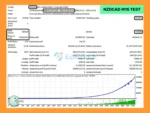
🔺NZDCAD pair – 17 years

  • Initial Deposit: $1,000
  • Total Net Profit: $3.42 million
  • Win Rate: 74.57%
  • Maximum Drawdown: 34.06%
Waka Waka EA MT4 Backtets

Waka Waka EA MT4 Backtets

Real User Reviews and Feedback

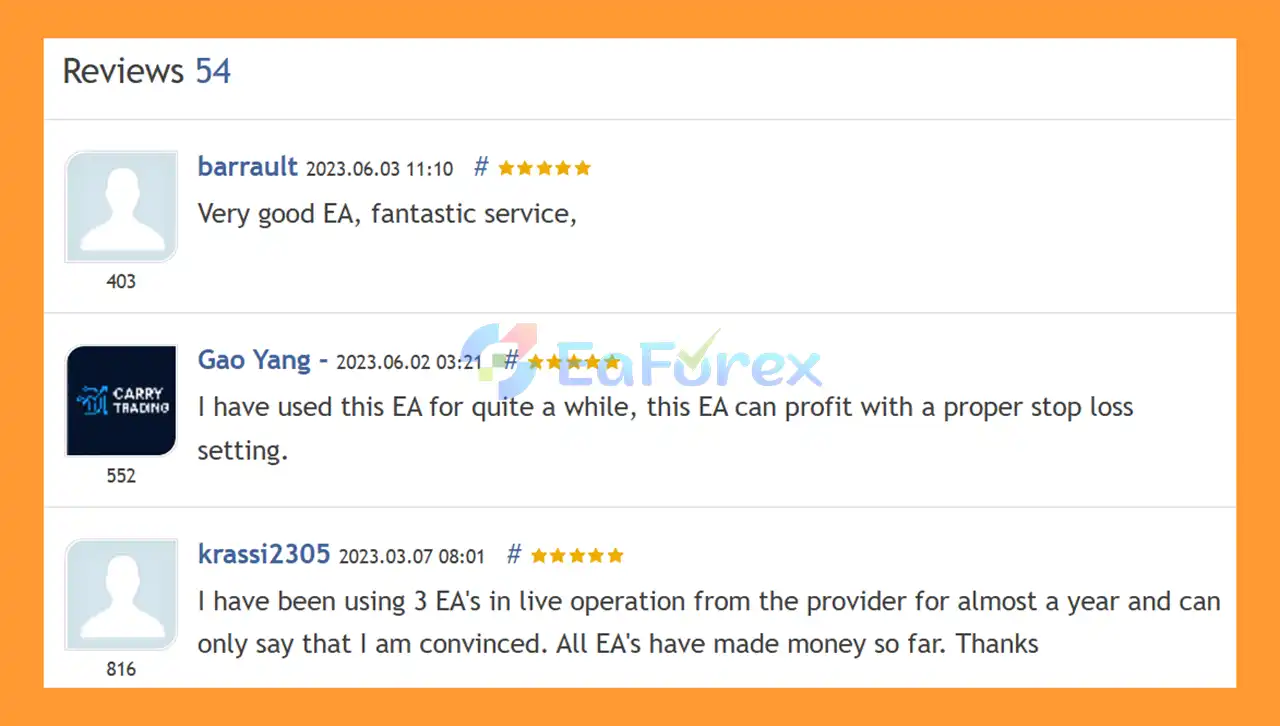
🔺Waka Waka EA MT4 is highly appreciated by the MQL5 community for bringing stable and reliable profits. Below are 5 star reviews from users:

User Reviews

User Reviews

What’s Included in the Download Package?

  • Experts:
    • Waka Waka EA v4.43_fix_.ex4
  • SetFiles:
    • URLs.txt
    • Specification.txt
    • AUDCAD_AUDNZD_NZDCAD_Round down.set
    • AUDCAD_AUDNZD_NZDCAD_Round half up.set

>>> Join VIP Membership Now <<<

How To Set Up EA

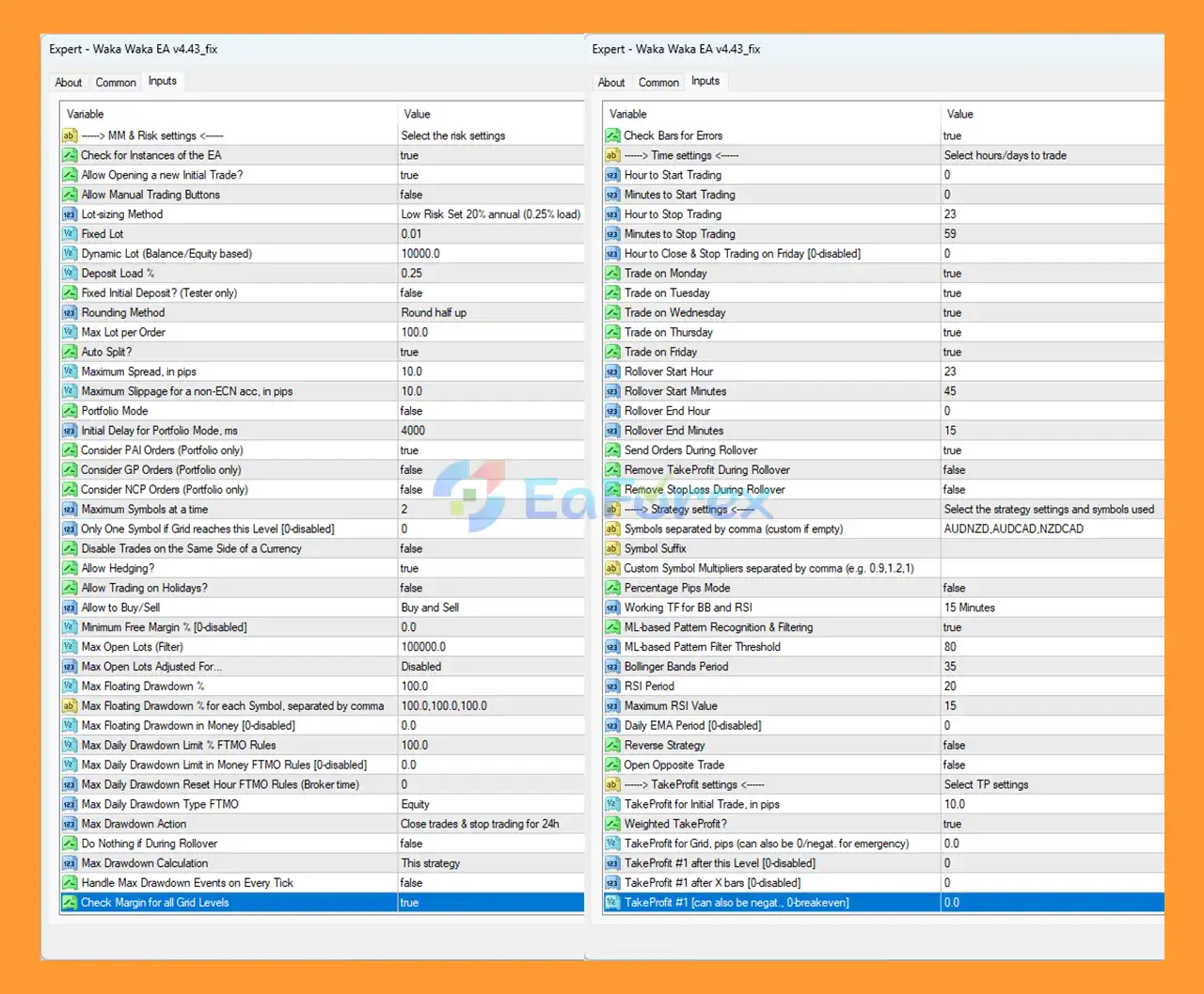
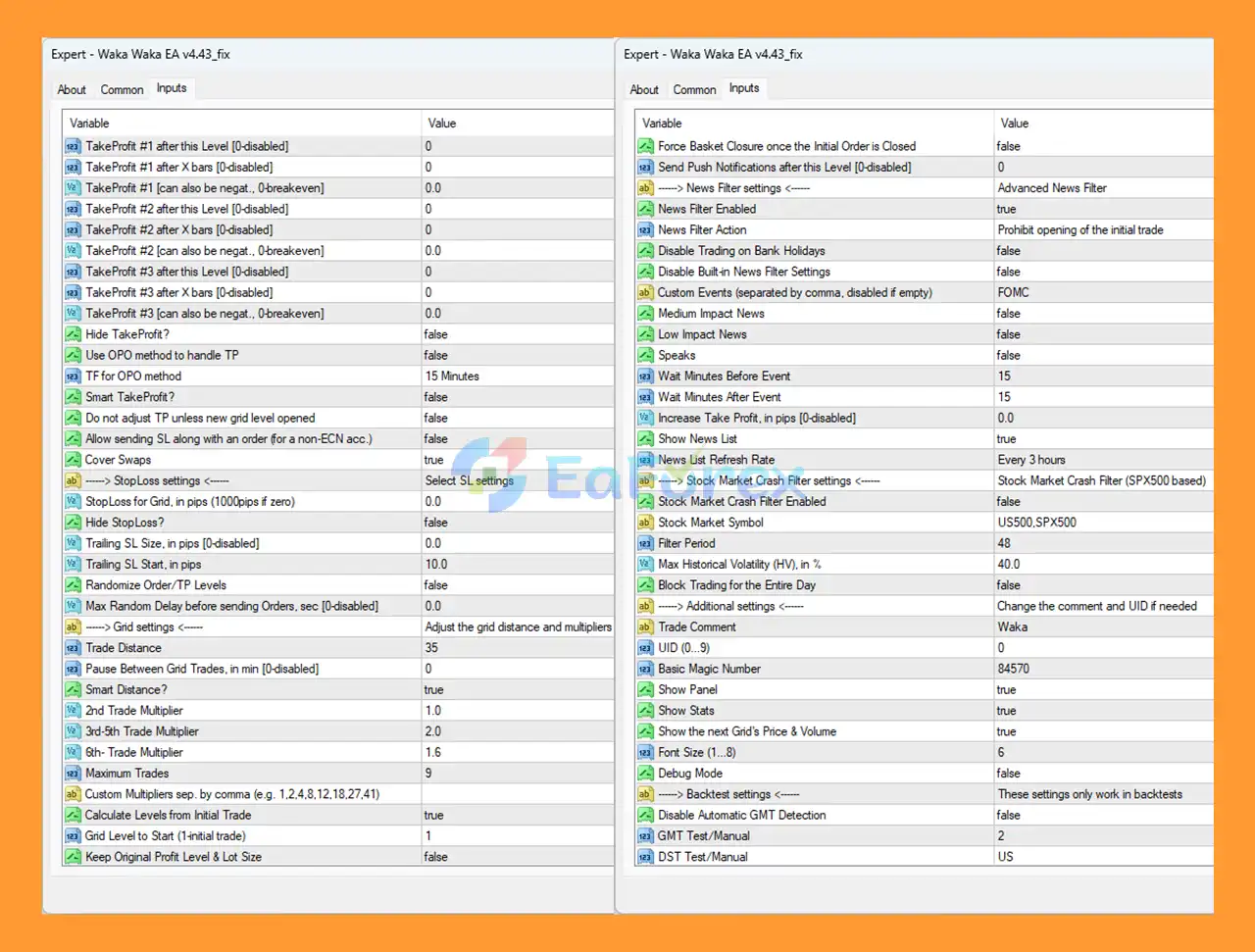
🔻 Waka Waka EA MT4 is an advanced grid-based automated trading robot with risk management, news filter, and portfolio trading features. Follow this complete guide to correctly install, configure, and run Waka Waka EA on MetaTrader 4 for stable performance.

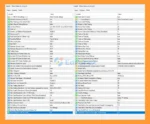
Waka Waka EA MT4 setting

Waka Waka EA MT4 setting

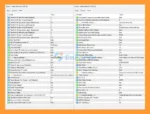
Waka Waka EA setting

Waka Waka EA setting

Step 1: Download Waka Waka EA MT4

  • Download the Waka Waka EA (.ex4) file from the official provider
  • Ensure the EA version is compatible with MetaTrader 4 (MT4)

Step 2: Install Waka Waka EA in MT4

  1. Open MetaTrader 4
  2. Click File → Open Data Folder
  3. Navigate to:
    • MQL4 → Experts
  4. Copy Waka Waka EA.ex4 into the Experts folder
  5. Restart MetaTrader 4

🔺After restarting, you will find the EA under:

  • Navigator → Expert Advisors

Step 3: Enable Auto Trading in MT4

🔺To allow Waka Waka EA to trade automatically:

  1. Go to Tools → Options → Expert Advisors
  2. Enable the following:
    • ✅ Allow automated trading
    • ✅ Allow DLL imports (if required)
    • ❌ Disable “Confirm DLL function calls”
  3. Click OK
  4. Turn on AutoTrading on the MT4 toolbar (green button)

Step 4: Attach Waka Waka EA to a Chart

  1. Open a supported currency pair (example: AUDNZD, AUDCAD, NZDCAD)
  2. Use the recommended timeframe (M15 is commonly used)
  3. Drag Waka Waka EA onto the chart
  4. Click OK

➡️If the setup is correct, a smiley face 😊 will appear in the top-right corner of the chart.

Step 5: Configure Waka Waka EA Settings

🔺Waka Waka EA includes advanced configuration options. Below are the most important sections:

🟡 Risk & Money Management Settings
  • Lot Size Method – Fixed lot or dynamic balance-based
  • Fixed Lot – Example: 0.01
  • Dynamic Lot (Equity Based) – Automatically adjusts lot size
  • Max Lot per Order – Limits risk exposure
  • Maximum Drawdown – Controls equity protection
  • Portfolio Mode – Enables multi-pair trading

➡️Tip: Beginners should start with low-risk settings.

🟡 Trading Time Settings
  • Start Trading Hour / Minute
  • Stop Trading Hour / Minute
  • Trade on Monday – Friday
  • Friday Close Time
  • Rollover Protection

➡️These settings help avoid high-risk trading sessions.

🟡 Strategy & Indicator Settings
  • ML-based Pattern Recognition – Improves entry quality
  • RSI Period & Timeframe
  • Bollinger Bands Period
  • Reverse Strategy – Optional counter-trend trading
  • Open Opposite Trade – Disabled by default
🟡 Grid & Martingale Settings
  • Trade Distance – Distance between grid orders
  • Grid Level to Start
  • 2nd / 3rd / 4th Trade Multiplier
  • Maximum Trades
  • Pause Between Grid Trades

➡️ Grid trading involves higher risk — use conservative multipliers.

🟡Take Profit & Stop Loss Settings
  • Take Profit per Initial Trade
  • Weighted Take Profit
  • Smart Take Profit
  • Trailing Stop
  • Stop Loss for Grid
🟡 News Filter & Market Protection
  • News Filter Enabled – Prevents trading during news
  • High / Medium / Low Impact News
  • Wait Minutes Before & After News
  • Stock Market Crash Filter (S&P500 based)
  • Block Trading for the Entire Day

➡️Highly recommended for live accounts.

🟡 Additional & Control Settings
  • Magic Number – Unique ID for EA trades
  • Trade Comment
  • Show Panel / Statistics
  • GMT Offset & DST Settings
  • Backtest Mode

Step 6: Test Waka Waka EA Before Live Trading

🔺Before using a real account:

  • Run backtests in MT4 Strategy Tester
  • Trade on a demo account for at least 1–2 weeks
  • Monitor drawdown, grid behavior, and broker execution
🟡Recommended Broker Conditions for Waka Waka EA
  • Low spread & low commission
  • ECN or RAW account
  • Fast execution speed
  • VPS recommended (24/5 uptime)

Conclusion

In summary, Waka Waka EA MT4 is a reliable and professional grid-based Expert Advisor for MetaTrader 4, built to trade real market inefficiencies rather than overfitted historical data. Backed by years of live account performance, strong backtest results, and positive user reviews, it combines advanced grid logic, smart volatility-based spacing, and filters like RSI and Bollinger Bands to improve trade quality. With robust risk management, drawdown protection, multi-pair support for AUDCAD, AUDNZD, and NZDCAD, and full compatibility with ECN brokers and VPS, Waka Waka EA MT4 is a solid choice for traders seeking stable, long-term automated grid trading with controlled risk.

>>> Reviewed by Jason Stap <<<

FAQs

FAQs

1. What is Waka Waka EA MT4 and how does it work?

Waka Waka EA MT4 is a professional grid-based Expert Advisor for MetaTrader 4 that trades based on real market inefficiencies. Unlike random grid systems, it uses structured grid logic combined with indicators such as RSI and Bollinger Bands to identify high-probability entry zones and manage trades automatically.

2. Is Waka Waka EA MT4 safe to use for live trading?

Yes, Waka Waka EA MT4 has been traded on real accounts for several years with verified performance. It includes advanced risk management tools such as maximum drawdown protection, smart grid spacing, lot size control, and news filters to reduce trading risks in live market conditions.

3. Which currency pairs are best for Waka Waka EA MT4?

Waka Waka EA MT4 is specifically optimized for AUDCAD, AUDNZD, and NZDCAD. These correlated AUD and NZD currency pairs provide stable market behavior, making them ideal for grid-based strategies and long-term automated trading.

4. What timeframe should I use for Waka Waka EA MT4?

The recommended timeframe for Waka Waka EA MT4 is M15. The EA is designed to trade all supported symbols from a single M15 chart, allowing efficient portfolio trading with minimal chart setup.

5. What is the minimum deposit required to run Waka Waka EA MT4?

The recommended minimum deposit is $500, depending on your broker conditions and risk settings. Conservative lot sizes and low-risk configurations are strongly advised, especially for beginners using grid trading strategies.

6. Does Waka Waka EA MT4 use martingale or risky averaging?

Waka Waka EA MT4 uses a controlled grid system, not aggressive martingale. Grid distances are adjusted automatically based on market volatility, and users can limit maximum trades, multipliers, and drawdown to maintain safer exposure.

7. Can Waka Waka EA MT4 trade multiple pairs at the same time?

Yes, Waka Waka EA MT4 supports portfolio trading. You can trade AUDCAD, AUDNZD, and NZDCAD simultaneously from a single chart by enabling portfolio mode, making it efficient for VPS-based automated trading.

8. Does Waka Waka EA MT4 require manual GMT or broker time settings?

No, Waka Waka EA MT4 automatically detects server time. Manual GMT offset or daylight saving time (DST) adjustments are not required, which simplifies installation and reduces configuration errors.

9. Is Waka Waka EA MT4 compatible with ECN brokers and VPS?

Yes, Waka Waka EA MT4 is fully compatible with ECN and RAW spread brokers. It is also VPS-friendly and recommended for 24/5 uninterrupted trading with low latency and fast execution.

10. Can I test Waka Waka EA MT4 before using a real account?

Absolutely. You can run MT4 backtests, use the Strategy Tester, and trade on a demo account for 1–2 weeks before going live. This allows you to evaluate drawdown, grid behavior, and broker execution quality safely.

Specification

Technical Details

Trading platform

MetaTrader 4 (MT4)

Time frames

M15 (15 minute chart)

Currency pairs

AUDCAD, AUDNZD, NZDCAD

Product type

NoDLL / Fix

Customer Reviews

0 reviews
0
0
0
0
0

There are no reviews yet.

Be the first to review “Waka Waka EA MT4 v4.43 + SetFiles (Official version 1455+)”

Your email address will not be published. Required fields are marked *

1 2 3 4 5
1 2 3 4 5
1 2 3 4 5