









-
 Unlimited Activations
-
 Instant delivery
-
 Easy to install





 Unlimited Activations
Instant delivery
Easy to install
Unlimited Activations
Instant delivery
Easy to install
 Free Update
 Free Install Support

Trader Scalper EA MT5 is a professional-style automated trading system designed primarily for XAUUSD (Gold) and compatible with Forex, Indices, and Stocks on the MetaTrader 5 platform.
The EA combines Price Action, volume analysis, liquidity mapping, momentum exhaustion detection, adaptive trade management, and advanced risk protection to identify potential high-quality trading opportunities.
Rather than depending on simple indicator signals, Trader Scalper EA MT5 is designed around market behavior, including bullish and bearish momentum exhaustion, volume pressure, liquidity zones, and rapid price movements.
The system supports multiple trading styles, from aggressive M1 scalping to more controlled M5/M15 trading and a conservative H1 swing-scalp approach.
An important part of the system is its adaptive architecture. Features such as the Internal Memory Engine, Adaptive Intelligence Modes, Dynamic SL/TP Management, Fast Spike Reaction Module, and Recovery Auto-Close System are designed to adjust trade management according to changing market conditions.
Trader Scalper EA MT5 is intended for traders looking for a fully automated MT5 Gold Scalping EA with configurable execution and risk-management tools.
>> Delivery time 24h-48h after payment.
>>> Refund if not delivered.
>>> You will receive the latest version without any limitations (ID+Time).>>Reviewed by Jason Stap <<
Trader Scalper EA MT5is primarily designed for XAUUSD Gold trading, making it suitable for traders who want an automated scalping system focused on one of the market’s most actively traded and volatile instruments.
The EA can also be used with Forex, Indices, and Stocks, depending on broker support and the system’s configuration.
The EA incorporates Price Action analysis to evaluate market structure and price behavior.
Instead of relying exclusively on conventional indicators, the system attempts to identify meaningful changes in momentum and price pressure that may precede potential reversals or continuation moves.
The Consecutive Bars Momentum Engine analyzes sequences of bullish and bearish candles to identify potential momentum exhaustion.
The system uses customized bullish and bearish exhaustion logic to look for potential reversal opportunities when price momentum reaches an extreme condition.
Trader Scalper EA MT5uses volume behavior and pressure confirmation as additional filters for trade entries.
The purpose is to help distinguish stronger market conditions from weaker setups and avoid entering trades when the underlying volume confirmation does not meet the configured requirements.
The EA incorporates liquidity mapping and volume-profile concepts to identify areas of potential market interest.
Optional limit-entry functionality can be used to seek more precise entry locations instead of relying exclusively on immediate market execution.
The updated Internal Memory Engine is designed to retain information about previous trade contexts and evaluate decision quality.
According to the system design, this information can be used to influence future trade decisions and adapt the EA’s behavior to previous trading conditions.
Trader Scalper EA MT5 includes Adaptive Intelligence Modes that can shift between:
The system is designed to adjust its operating behavior based on live trading performance and market conditions.
The EA includes Dynamic SL/TP Management, allowing Stop Loss and Take Profit levels to adapt according to market strength and trade context.
Instead of relying exclusively on a fixed-distance SL/TP structure, the system can modify trade-management parameters as conditions evolve.
Gold can experience explosive price movements within a short period.
The Fast Spike Reaction Module is designed to respond to rapid market movements using configurable parameters such as:
This feature is intended to help the EA manage unusually fast market movements.
The Recovery Auto-Close System provides drawdown-aware position management.
It is designed to incorporate controlled recovery logic, profit locking, and configurable risk scaling while attempting to manage positions during periods of adverse performance.
Trader Scalper EA MT5 supports optional Depth of Market (DOM) / Order Book confirmation.
DOM can be configured as either:
If DOM information is unavailable through the broker, the system can use a fallback mechanism according to its configuration.
The EA includes several additional risk-management mechanisms, including:
These tools are designed to help control trading activity and account exposure.
Trader Scalper EA MT5 follows a multi-stage market-analysis and execution process.
The general logic can be summarized as:
Price Action → Momentum Analysis → Volume Confirmation → Liquidity Analysis → Entry Decision → Dynamic Risk Management → Exit
First, the EA monitors the selected instrument and timeframe.
It analyzes price behavior using its Consecutive Bars Momentum Engine to determine whether bullish or bearish momentum may be approaching an exhaustion point.
The system can then use volume and pressure confirmation to filter weaker conditions.
Next, liquidity mapping and optional volume-profile information can be considered to identify potential entry zones.
When the required conditions are satisfied, the EA can execute a trade using market or optional limit-entry logic.
After entry, the system manages the position using its dynamic SL/TP framework, trailing, break-even, profit targets, and other configured risk controls.
The Internal Memory Engine and Adaptive Intelligence Modes are designed to provide additional adjustment based on previous trade context and current performance.
Trader Scalper EA MT5 supports multiple trading timeframes for different trading approaches.
The M1 timeframe is designed for traders seeking faster and more frequent scalping opportunities.
Because lower timeframes contain more market noise and can produce rapid price movements, M1 trading may require careful spread and execution management.
M5 and M15 provide a more balanced environment between trade frequency and market filtering.
These timeframes may be suitable for traders who want active scalping without relying exclusively on very short-term M1 movements.
The H1 timeframe provides a slower market structure and can be used for a more conservative trading approach.
The lower trading frequency can potentially reduce some of the noise associated with very short-term scalping, although market risk remains.
Trader Scalper EA MT5 is designed for traders who want an automated trading system that goes beyond simple indicator-based entries.
Its architecture combines:
The EA also avoids relying solely on a fixed SL/TP structure by incorporating dynamic trade management, trailing, break-even, profit targets, and configurable protection mechanisms.
For traders interested in automated XAUUSD scalping on MetaTrader 5, these features provide a broad framework for evaluating the system under different market conditions.
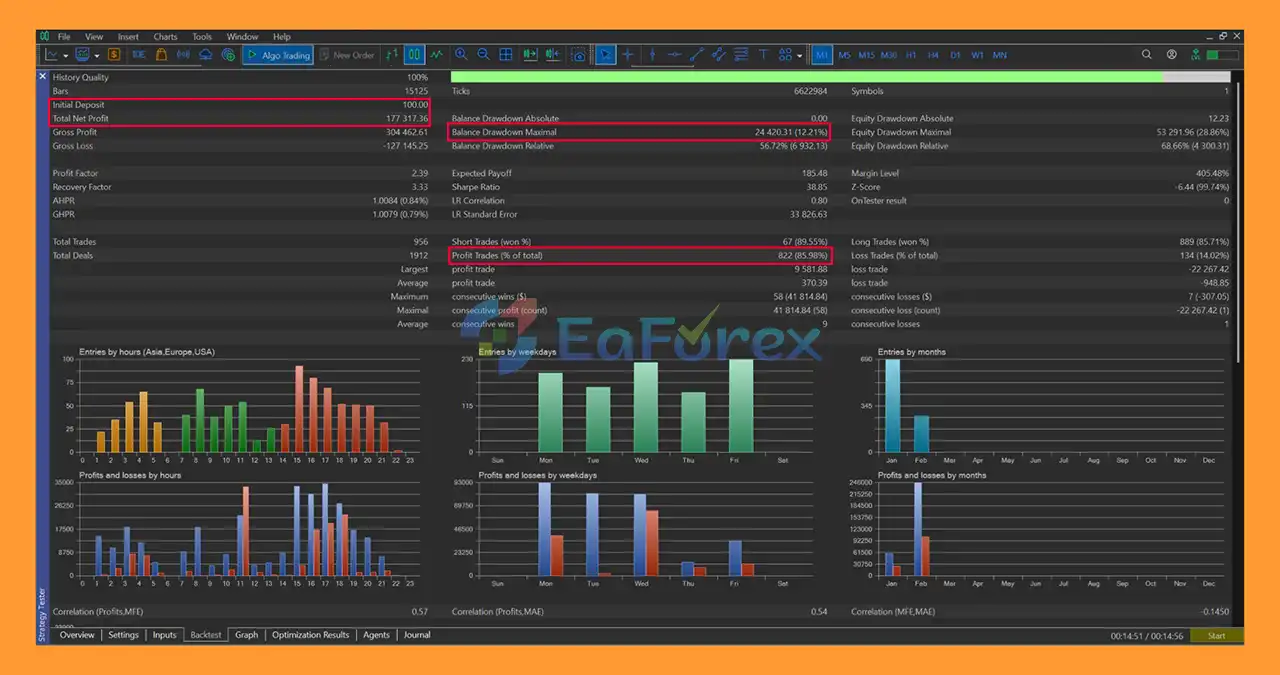
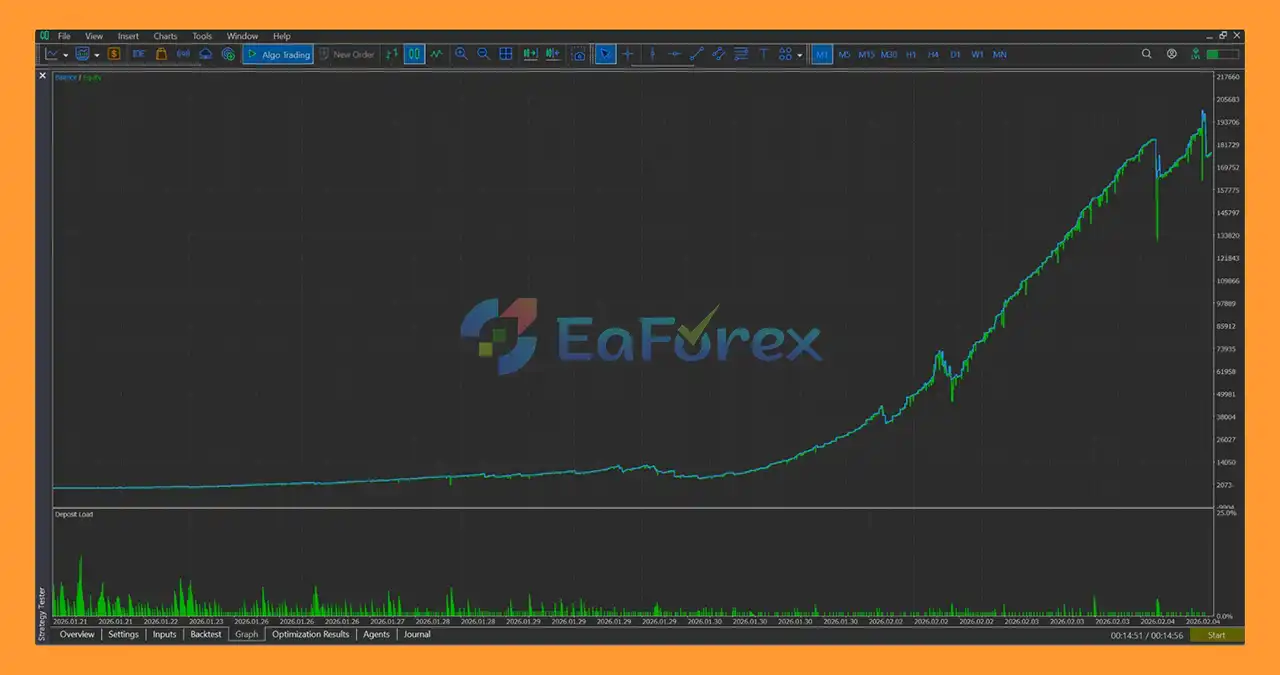
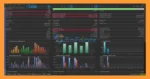
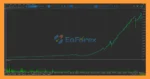
Trader Scalper EA MT5 backtets
Trader Scalper MT5 backtets
Trader Scalper EA MT5 places significant emphasis on automated risk and trade management.
The system includes multiple mechanisms designed to control exposure before, during, and after trades.
Dynamic SL/TP management allows trade protection and profit targets to adapt to market conditions and trade context.
The EA supports Trailing Stop and Break-Even functionality to help manage open positions as price develops.
A USD-based profit or risk threshold can be used to automatically close positions when a predefined account-level monetary condition is reached.
The loss cooldown feature can temporarily restrict new entries after losing trades, according to the configured settings.
Safe Mode provides an additional operating option for traders using smaller or Cent accounts.
Traders can restrict trading to selected sessions or days, helping to prevent unwanted trading during periods outside their preferred market conditions.
The EA includes controlled re-entry logic designed to prevent indiscriminate immediate re-entry after a trade has closed.
Despite these mechanisms, no automated risk-management system can eliminate market risk.
XAUUSD can experience extremely fast price movements, especially during major economic releases and unexpected market events.
Rapid movements can result in slippage, wider spreads, and execution prices that differ from expected levels.
Short-term strategies can be particularly sensitive to:
A strategy that performs differently under one broker’s conditions may produce different results under another broker.
Although M1 can provide frequent opportunities, it also contains more short-term price fluctuations and market noise.
Traders should carefully evaluate the EA’s behavior on lower timeframes before using significant capital.
Features such as Internal Memory and Adaptive Intelligence are designed to adjust trading behavior, but adaptation does not guarantee better future results.
Financial markets can change in ways that historical trade information cannot fully anticipate.
Recovery mechanisms and controlled risk scaling may increase exposure under certain conditions.
Traders should understand how these parameters affect total account risk before enabling aggressive recovery settings.
Depth of Market information can vary significantly between brokers and account types.
If accurate DOM information is unavailable, the EA’s fallback behavior may be used instead.
King Gold Scalper is designed to seek trading opportunities and manage positions automatically, but it cannot guarantee consistent or profitable results.
Past performance and backtest results do not guarantee future performance.
Launch your MetaTrader 5 trading platform.
From the MT5 menu, select:
File → Open Data Folder
Then navigate to:
MQL5 → Experts
Copy the Trader Scalper EA MT5 .ex5 file into the Experts folder.
If the package includes additional files, install them into their appropriate MT5 directories according to the developer’s instructions.
Restart MetaTrader 5 or right-click the Expert Advisors section in the Navigator and select Refresh.
Open the desired trading instrument.
For the primary strategy, this will generally be:
XAUUSD
Select the desired timeframe:
Go to:
Navigator → Expert Advisors → Trader Scalper EA MT5
Drag the EA onto the selected chart.
Review the available settings, including:
For initial testing, it is recommended to start with the developer’s standard configuration.
Make sure Algo Trading is enabled in MetaTrader 5.
Confirm that automated trading permissions are active for the EA.
Before using real capital, test Trader Scalper EA MT5 on a demo account under your intended broker.
Pay particular attention to:
>>> Join VIP Membership Now <<<
In summary, Trader Scalper EA MT5 is a feature-rich automated trading system designed primarily for XAUUSD Gold scalping, combining Price Action, volume analysis, liquidity concepts, momentum exhaustion, adaptive trade management, and advanced risk controls.
Its architecture includes several specialized modules, including the Consecutive Bars Momentum Engine, Internal Memory Engine, Adaptive Intelligence Modes, Dynamic SL/TP Management, Fast Spike Reaction Module, Recovery Auto-Close System, and optional DOM integration.
The EA supports multiple trading styles, from aggressive M1 scalping to M5/M15 trading and a more conservative H1 approach.
However, sophisticated automation does not eliminate financial-market risk. Scalping systems can be particularly sensitive to execution quality, spreads, slippage, volatility, and broker conditions.
For anyone evaluating Trader Scalper EA MT5, demo testing, conservative risk settings, broker-specific evaluation, and careful monitoring of live execution conditions are important before considering real-money deployment.
1. What is Trader Scalper EA MT5 and how does it work?
Trader Scalper EA MT5 is a professional automated scalping Expert Advisor for MetaTrader 5. It uses institutional-style price action, volume analysis, and liquidity zone detection to trade Gold (XAUUSD), Forex, Stocks, and Indices with precise entries and adaptive risk control in real market conditions.
2. Is Trader Scalper EA MT5 optimized for Gold (XAUUSD) trading?
Yes, Trader Scalper EA MT5 is specifically optimized for Gold (XAUUSD). Its execution engine is designed to handle gold volatility, variable spreads, and fast execution environments, making it highly effective for gold scalping strategies.
3. Does Trader Scalper EA MT5 use martingale or grid strategies?
No. Trader Scalper EA MT5 does not use martingale, grid, averaging, or recovery systems. It focuses on disciplined scalping with strict risk management to protect trading capital and control drawdowns.
4. Which timeframes does Trader Scalper EA MT5 support?
Trader Scalper EA MT5 supports multiple timeframes, including M1 for high-frequency scalping, M5–M15 for balanced intraday trading, and H1 for swing-scalping strategies, offering flexibility for different trading styles.
5. How does risk management work in Trader Scalper EA MT5?
The EA uses an adaptive risk management system that dynamically adjusts risk per trade based on account performance. It also includes Safe Mode, cooldown protection after losses, and performance-based risk scaling to maintain long-term stability.
6. Can Trader Scalper EA MT5 trade markets other than Gold?
Yes, Trader Scalper EA MT5 supports multiple markets, including major Forex pairs, Stocks, and Indices, allowing traders to diversify while using the same professional scalping logic.
7. Is Trader Scalper EA MT5 suitable for small accounts?
Yes, Trader Scalper EA MT5 is scalable and proven to work on small accounts, starting from balances as low as $100 or even lower, depending on broker conditions and risk settings.
8. Does Trader Scalper EA MT5 repaint or use indicators?
No. Trader Scalper EA MT5 uses non-repainting logic based on pure price action and volume analysis. It does not rely on repainting indicators, ensuring transparent and reliable trade signals.
9. Is Trader Scalper EA MT5 designed for live trading or backtesting only?
Trader Scalper EA MT5 is built specifically for real market execution and live trading. While backtest results are available, the EA is not curve-fitted and focuses on delivering consistent performance under real trading conditions.
In stock
In stock
In stock
In stock
In stock
Out of stock
No account yet?
Create an Account












 Automatic EA
 EA Best Seller
 Expert Advisor MT4
 Expert Advisor MT5
 HFT EA


Reviews
Clear filtersThere are no reviews yet.