Product Overview
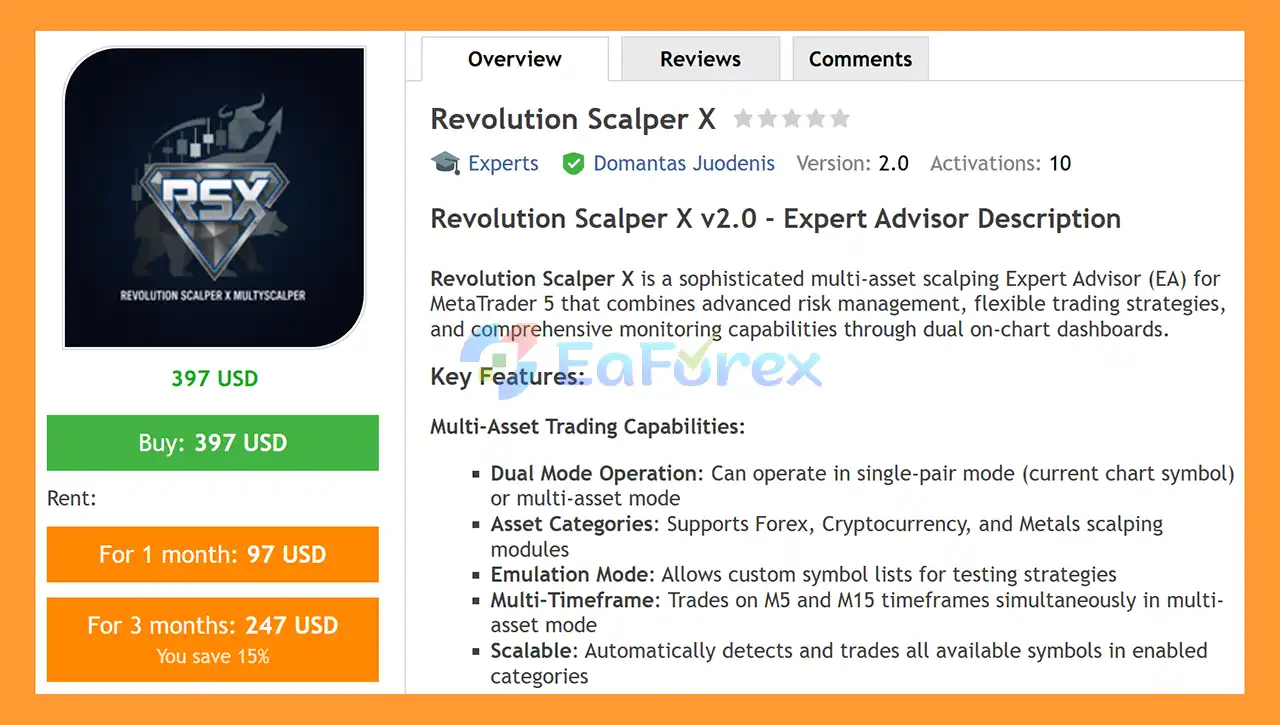
Revolution Scalper X EA MT5 is a sophisticated multi-asset scalping Expert Advisor for MetaTrader 5, designed to automate short-term trading across Forex, Cryptocurrency, and Precious Metals.
The EA combines flexible entry logic, multiple money management methods, configurable Stop Loss and Take Profit systems, session filtering, news protection, spread control, and optional trailing stop functionality. It is designed to give traders greater flexibility when building automated scalping strategies for different market conditions.
One of the key features of Revolution Scalper X EA is its ability to operate in both single-symbol and multi-asset modes. Traders can focus on the current chart symbol or allow the EA to scan and trade supported instruments across selected asset categories.
The system also includes dual on-chart dashboards, providing real-time information about account status, risk, trading sessions, spreads, news conditions, active positions, profit/loss, drawdown, and other important trading statistics.
Revolution Scalper X EA MT5 can therefore be configured for different trading approaches, from focused single-pair scalping to diversified automated trading across multiple markets.
Platform: MetaTrader 5
Programming Language: MQL5
Version: 2.00
Trading Style: Automated Scalping
Supported Assets: Forex, Crypto, Gold, Silver, and other supported symbols
Timeframes: M5 and M15 in multi-asset mode
Magic Number: Customizable
About the Developer
- Author: Domantas Juodenis
- Experience: Over +3 years of experience on MQL5.
- Notable Products: Revolution Scalper X, S and D Inducement PinBar EA, Alliance EA, HighRewSwing, Trending Swing Sweep OBxFVG, Skyliner and other advisors.
- Flagship Product: Revolution Scalper X EA MT5 is rated as the best performing product of the year.
>> Delivery time 24h-48h after payment.
>>> Refund if not delivered.
>>> You will receive the latest version without any limitations (ID+Time).
>>Reviewed by Jason Stap <<
Main Features of Revolution Scalper X EA MT5
Multi-Asset Trading
Revolution Scalper X EA MT5 supports automated trading across multiple asset categories, including:
- Forex currency pairs
- Cryptocurrency pairs
- Precious metals
- Gold and Silver
- Other broker-supported symbols
The EA can automatically detect available symbols within the enabled categories, allowing traders to build a broader automated scalping portfolio.
Single-Pair & Multi-Asset Modes
The EA provides two primary operating modes.
Single-Pair Mode allows the system to focus on the symbol attached to the current chart.
Multi-Asset Mode allows the EA to scan and trade multiple supported instruments simultaneously.
This flexibility makes Revolution Scalper X suitable for traders who prefer either focused trading or diversified automated execution.
Flexible Risk Management
The EA provides several position-sizing methods:
- Risk Percentage
- Fixed Lot Size
- Fixed Money Risk
This allows traders to choose a money-management approach that matches their account size and risk tolerance.
Multiple Stop Loss Methods
Revolution Scalper X EA MT5 provides several ways to calculate Stop Loss levels:
- Fixed Pips
- ATR-Based Stop Loss
- Previous Candle High/Low
The ATR option allows the Stop Loss distance to respond to changing market volatility, while previous-candle levels can be used as technical reference points.
Multiple Take Profit Methods
The EA also supports different Take Profit approaches, including:
- Fixed Pips
- Risk/Reward Ratio
- Candle-Based Targets
This gives traders the ability to configure the reward structure according to their preferred scalping methodology.
Optional Martingale System
An optional Martingale module is available with configurable multiplier and maximum levels.
This feature should be used with extreme caution because increasing position size after losing trades can significantly increase account exposure and drawdown.
For traders prioritizing capital preservation, the Martingale function should be carefully evaluated through extensive demo and historical testing before being considered for live trading.
Trading Session Filter
Revolution Scalper X can be configured to trade during selected market sessions, including:
- Asian Session
- London Session
- New York Session
News Filter
The integrated News Filter is designed to help avoid trading around high-impact economic events.
This can be particularly relevant for scalping strategies because major economic announcements can cause sudden spread expansion, slippage, and rapid price movements.
Spread Control
The EA includes a maximum spread filter designed to prevent new trades when market execution conditions become less favorable.
This feature is particularly useful for short-term scalping strategies, where transaction costs can have a meaningful impact on overall performance.
Trailing Stop
An optional trailing stop can automatically adjust trade protection as a position moves into profit.
Traders can configure the trailing start and step distances according to their strategy.
Automatic Profit & Loss Protection
The Auto Close function allows traders to configure predefined account-level profit or loss thresholds.
When the configured condition is reached, the EA can automatically close positions according to the selected settings.
How Does Revolution Scalper X EA MT5 Work?
Revolution Scalper X EA MT5 uses a combination of candle analysis, volatility measurements, risk management, and market filters to identify and manage short-term trading opportunities.
Step 1: Market & Symbol Scanning
In multi-asset mode, the EA scans supported instruments based on the enabled asset categories and available broker symbols.
In single-pair mode, the EA concentrates on the symbol attached to the current chart.
Step 2: Trading Condition Filtering
Before considering an entry, the EA can evaluate several conditions, including:
- Trading session
- Current spread
- News conditions
- Market volatility
- Candle behavior
- Existing positions
- Configured trading restrictions
These filters are designed to prevent the EA from opening trades when selected conditions are not satisfied.
Step 3: Candle Pattern Analysis
The entry system analyzes bullish and bearish candle patterns and can use multi-bar confirmation to validate potential setups.
The EA also uses configurable lookback periods for signal validation.
Step 4: Volatility Analysis
The ATR indicator can be used to evaluate market volatility and dynamically calculate Stop Loss distances.
This allows risk parameters to adapt to different market conditions rather than relying exclusively on a fixed distance.
Step 5: Position Sizing
After a trading opportunity has passed the configured filters, the EA calculates the position size according to the selected risk mode:
- Percentage of account risk
- Fixed lot
- Fixed money risk
Step 6: Trade Execution & Management
The EA opens the trade according to its entry conditions and then manages the position using the selected Stop Loss, Take Profit, trailing stop, and other risk-management settings.
The system also prevents duplicate entries on the same symbol according to its trading logic.
Why Choose Revolution Scalper X EA MT5?
Revolution Scalper X EA MT5 is designed for traders looking for a flexible MetaTrader 5 scalping EA rather than a system restricted to one market or one trading configuration.
Its main advantages include:
- Multi-asset trading capabilities
- Forex, Crypto, and Metals support
- Single-symbol and multi-asset operation
- M5 and M15 trading in multi-asset mode
- Multiple position-sizing methods
- Multiple Stop Loss calculation methods
- Multiple Take Profit methods
- Optional session filtering
- High-impact news filtering
- Maximum spread protection
- Optional trailing stop
- Automatic profit/loss closing
- Customizable Magic Number
- Real-time dual dashboard
- Live account and trading statistics
- Customizable chart interface
- Candle-pattern-based entry logic
The combination of these features gives traders significant control over how the EA operates and how risk is managed.
Why Choose Revolution Scalper X EA MT5?
- Advanced Automated Scalping MT5: Built for high-frequency, precision-based trading.
- Portfolio Diversification: Trade Forex, Crypto, and Metals simultaneously.
- Comprehensive Risk Control: Multiple SL/TP and money management systems for flexibility.
- Session-Based Optimization: Ideal for London breakout or New York volatility strategies.
- Professional-Grade Monitoring: Dual dashboards provide full transparency and control.
- Adaptable Trading Architecture: Suitable for scalpers, day traders, and diversified portfolio traders.
Revolution Scalper X EA MT5 Backtest Results
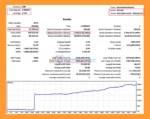
🔺BTCUSD – 11 year
- Initial Deposit: $2.000
- Total Net Profit: $32.399,27
- Win Rate (% of total): 61,47%
- Maximum Drawdown: 5,54%
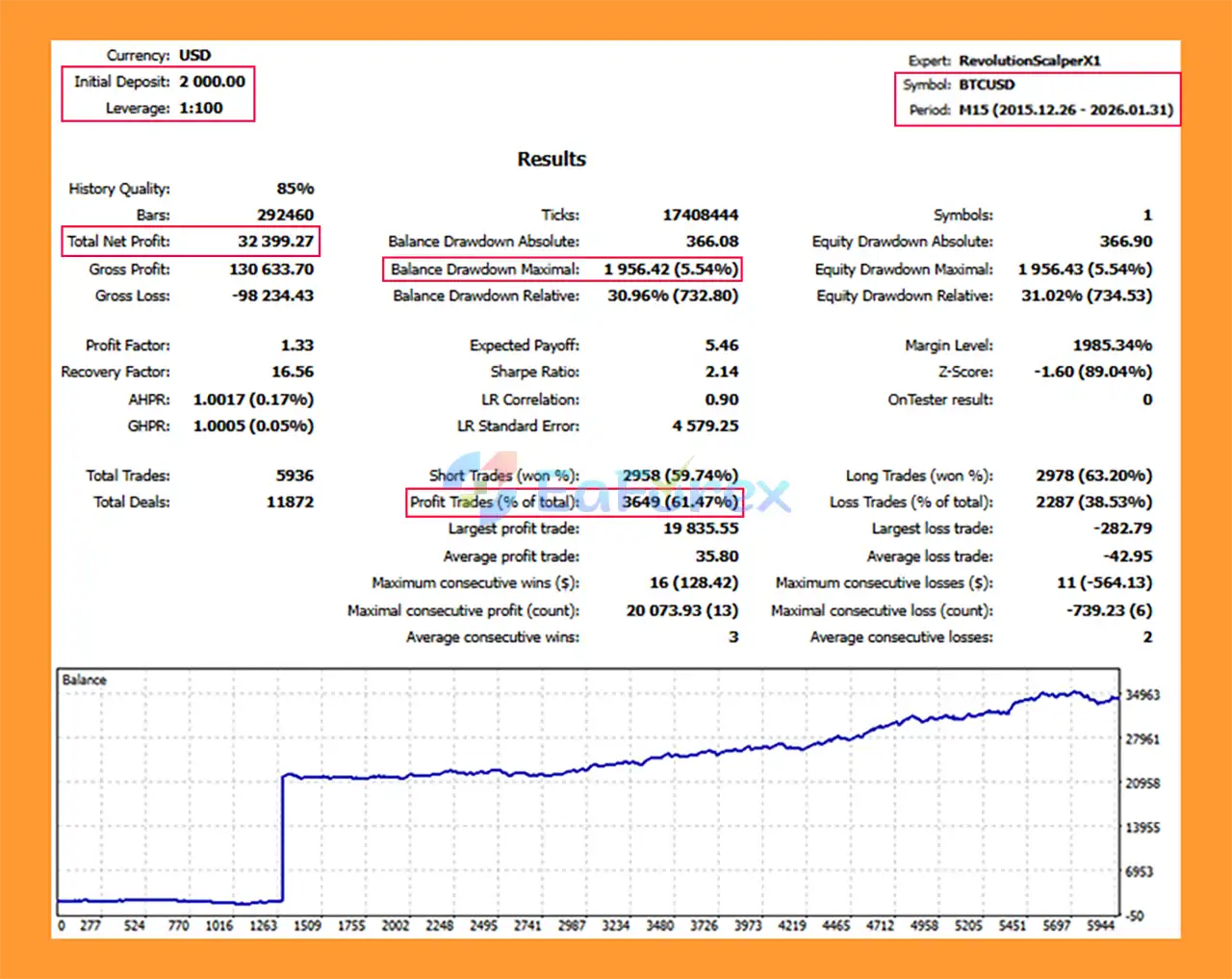
Revolution Scalper X EA MT5 backtets
Performance and Risk Management
Because Revolution Scalper X EA MT5 is designed primarily for short-term scalping, execution conditions can have a significant impact on trading results.
Factors such as spread, commission, slippage, execution speed, liquidity, leverage, and broker specifications may influence actual performance.
The EA provides several tools that can be used to manage these risks, including:
Risk Percentage
Position size can be calculated according to a predefined percentage of account equity or balance, depending on the selected configuration.
Fixed Lot
Traders can use a predefined lot size for each trade.
Fixed Money Risk
The EA can calculate position sizing based on a selected monetary risk amount.
ATR-Based Stop Loss
ATR-based Stop Loss calculation can adapt the protective distance to current market volatility.
Spread Filter
The maximum spread setting can prevent new entries when transaction costs exceed the configured threshold.
News Filter
The news filter can be used to avoid selected high-impact economic events.
Session Filter
Trading can be restricted to selected Asian, London, and New York sessions.
Auto Close
Account-level profit or loss thresholds can be configured to automatically close open positions when the specified conditions are reached.
These tools provide flexibility, but they do not guarantee a specific level of risk or profitability.
Weaknesses and Risk Warnings
Scalping Is Sensitive to Execution
Short-term strategies can be particularly sensitive to spread, commission, latency, slippage, and execution quality.
Results from one broker may therefore differ considerably from results obtained with another broker.
Multi-Asset Trading Increases Exposure
Trading several symbols simultaneously can create greater overall exposure than trading a single instrument.
Correlated assets may also experience similar price movements during major market events.
Cryptocurrency Markets Can Be Highly Volatile
Crypto markets can experience substantial price movements and liquidity changes. Traders should carefully evaluate symbol specifications and broker conditions before enabling cryptocurrency trading.
Optional Martingale Requires Caution
The Martingale feature can increase position sizes after losses. While this may alter the recovery characteristics of a strategy, it can also significantly increase drawdown and account exposure.
Traders should not enable Martingale simply because historical testing shows periods of recovery.
News Events Can Cause Unexpected Execution
Even with a news filter enabled, economic announcements can cause rapid price movements, spread widening, gaps, and slippage.
A news filter cannot completely eliminate these risks.
Backtest Results May Differ From Live Results
Historical backtests are dependent on the data, modeling quality, spread assumptions, execution settings, and other parameters used during testing.
Live trading conditions can be different.
Tested Settings Should Be Verified
The supplied information states:
“Tested Settings contact personally.”
Traders should obtain and verify the recommended settings before using the EA on a live account. Settings should also be tested with the specific broker and account type being used.
Demo Testing Is Recommended
Before live deployment, it is advisable to run the EA on a demo account long enough to evaluate:
- Trade frequency
- Spread sensitivity
- Slippage
- Drawdown
- Position sizing
- Session behavior
- News behavior
- Multi-asset exposure
Never trade with capital that you cannot afford to lose.
Pros and Cons
Pros
- Multi-asset MetaTrader 5 Expert Advisor
- Supports Forex, Crypto, Gold, and Silver
- Single-pair and multi-asset modes
- M5 and M15 support in multi-asset mode
- Flexible risk percentage, fixed lot, and fixed money risk
- Multiple Stop Loss methods
- Multiple Take Profit methods
- ATR-based volatility management
- Session filtering
- News filtering
- Maximum spread protection
- Optional trailing stop
- Auto-close profit/loss protection
- Dual professional dashboards
- Real-time trading statistics
- Customizable Magic Number
- Prevents duplicate entries on the same symbol
Cons
- Scalping performance can be highly sensitive to broker execution
- Spread and commission can have a significant impact on short-term results
- Multi-asset trading can increase overall account exposure
- Cryptocurrency trading may involve substantial volatility
- Martingale can significantly increase risk when enabled
- News filters cannot eliminate all event-related trading risks
- Live performance may differ from backtest results
- Requires careful optimization and testing for each broker
- No automated trading system can guarantee profits
How to Install Revolution Scalper X EA MT5
Step 1: Download the EA
Download the Revolution Scalper X EA MT5 package and extract the files if they are supplied in a ZIP or RAR archive.
Step 2: Open MetaTrader 5
Launch MetaTrader 5 and select:
File → Open Data Folder
Navigate to:
MQL5 → Experts
Copy the EA file into the Experts directory.
Step 3: Refresh MetaTrader 5
Restart MetaTrader 5 or right-click Expert Advisors in the Navigator window and select Refresh.
The Revolution Scalper X EA should then appear in the Expert Advisors list.
Step 4: Select the Trading Mode
Choose whether you want to operate the EA in:
- Single-Pair Mode, or
- Multi-Asset Mode
For multi-asset trading, make sure the required symbols are available and enabled in your broker’s Market Watch.
Step 5: Configure Risk Management
Before activating the EA, configure the preferred:
- Risk mode
- Lot size or risk percentage
- Stop Loss method
- Take Profit method
- Maximum spread
- Trading sessions
- News filter
- Trailing stop
- Auto-close settings
If using the Martingale function, carefully review the multiplier and maximum levels.
Step 6: Configure the Dashboard
Review the two on-chart dashboards to confirm that account information, risk settings, session status, spread conditions, and trading statistics are displayed correctly.
Step 7: Enable Automated Trading
Enable Algo Trading in MetaTrader 5 and verify that the EA has permission to execute trades.
Step 8: Test Before Live Trading
Run the EA on a demo account first and evaluate its performance under your broker’s actual spread, commission, execution, and liquidity conditions.
Only consider live deployment after you have thoroughly tested and understood the EA’s behavior and risk profile.
What’s Included in the Download Package?
- Setting (If Any).docx
- Installation Guide.docx
>>> Join VIP Membership Now <<<
Final Thoughts
In summary, Revolution Scalper X EA MT5 is a flexible automated scalping system designed to operate across Forex, Cryptocurrency, and Precious Metals. Its combination of multi-asset trading, configurable risk management, technical entry logic, session filtering, news protection, spread control, and dual dashboards makes it a feature-rich solution for MetaTrader 5 users.
The EA offers considerable configuration flexibility, but that flexibility also means that settings can materially affect trading behavior and risk. In particular, multi-asset exposure and the optional Martingale system require careful testing and position-size management.
For traders considering this EA, demo testing and broker-specific evaluation are important steps before using real capital. The recommended settings should also be verified and tested rather than assumed to be universally suitable.
Revolution Scalper X EA MT5 is a trading automation tool, and its features should be evaluated based on actual testing, execution conditions, and individual risk parameters rather than expectations of guaranteed returns.













 Unlimited Activations
 Instant delivery
 Easy to install
















 Automatic EA
 EA Best Seller
 Expert Advisor MT4
 Expert Advisor MT5
 HFT EA


Reviews
Clear filtersThere are no reviews yet.