Qyra Mt5 EA
Qyra MT5 (Official version) | Unbounded Original price was: $999.00.Current price is: $599.00.
Back to products
PHAZER x EA
PHAZER x EA MT5 (Official version) | Unbounded Original price was: $999.00.Current price is: $599.00.

Forex Trade Manager MT5 (Official version) | Unbounded

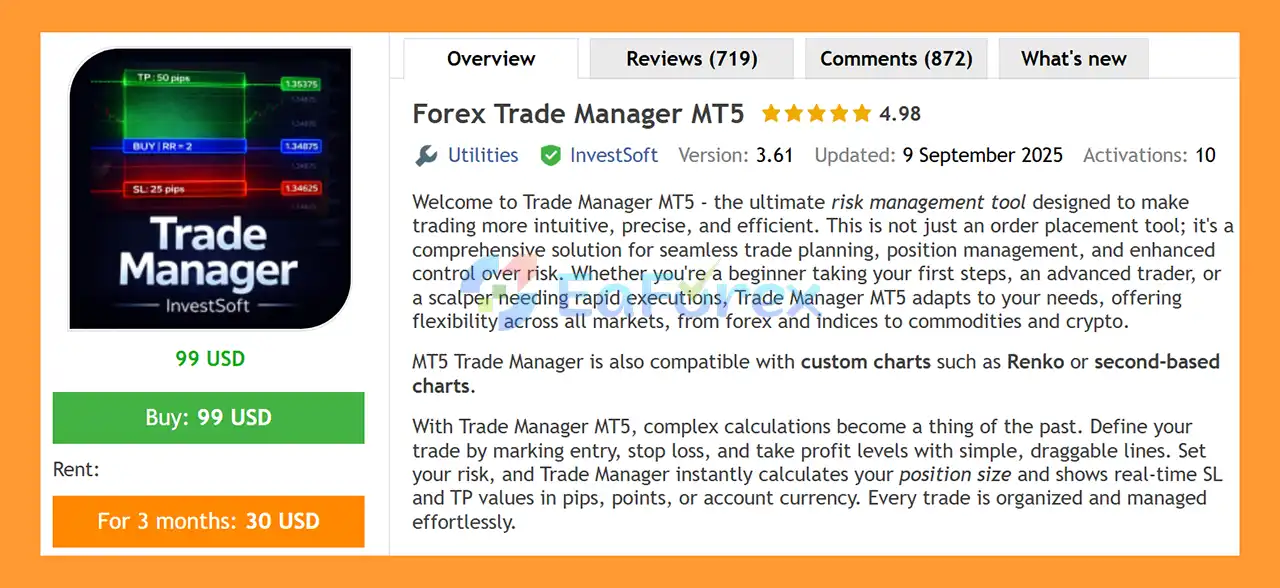
Forex Trade Manager MT5 is a powerful MT5 risk management tool enabling precise trade planning, position sizing, and fast execution across markets globally now.

Original price was: $999.00.Current price is: $599.00.

77 People watching this product now!
  • Unlimited Activations

You can use product with unlimited account


  • Instant delivery

Download link will be sent instantly after purchase


  • Easy to install

Pre-activated, ready to use immediately


  • Free Update
  • Free Install Support

Payment Methods:

Description

Product Overview

Forex Trade Manager MT5 is an advanced trade management and position size calculator for MetaTrader 5, designed to help traders plan trades faster, calculate the appropriate lot size, control risk, and manage open positions directly from the trading chart.

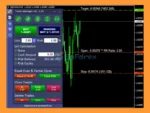
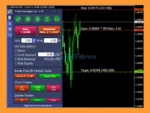
Instead of using separate tools for position sizing, Stop Loss, Take Profit, Break Even, Trailing Stop, and partial closing, Forex Trade Manager MT5 combines these functions into one intuitive chart-based panel.

The tool supports a wide range of financial markets, including Forex, Gold, Silver, indices, commodities, cryptocurrencies, and futures. It can also work with Renko charts, second-based charts, and other non-standard chart types, providing flexibility for traders who use alternative charting methods.

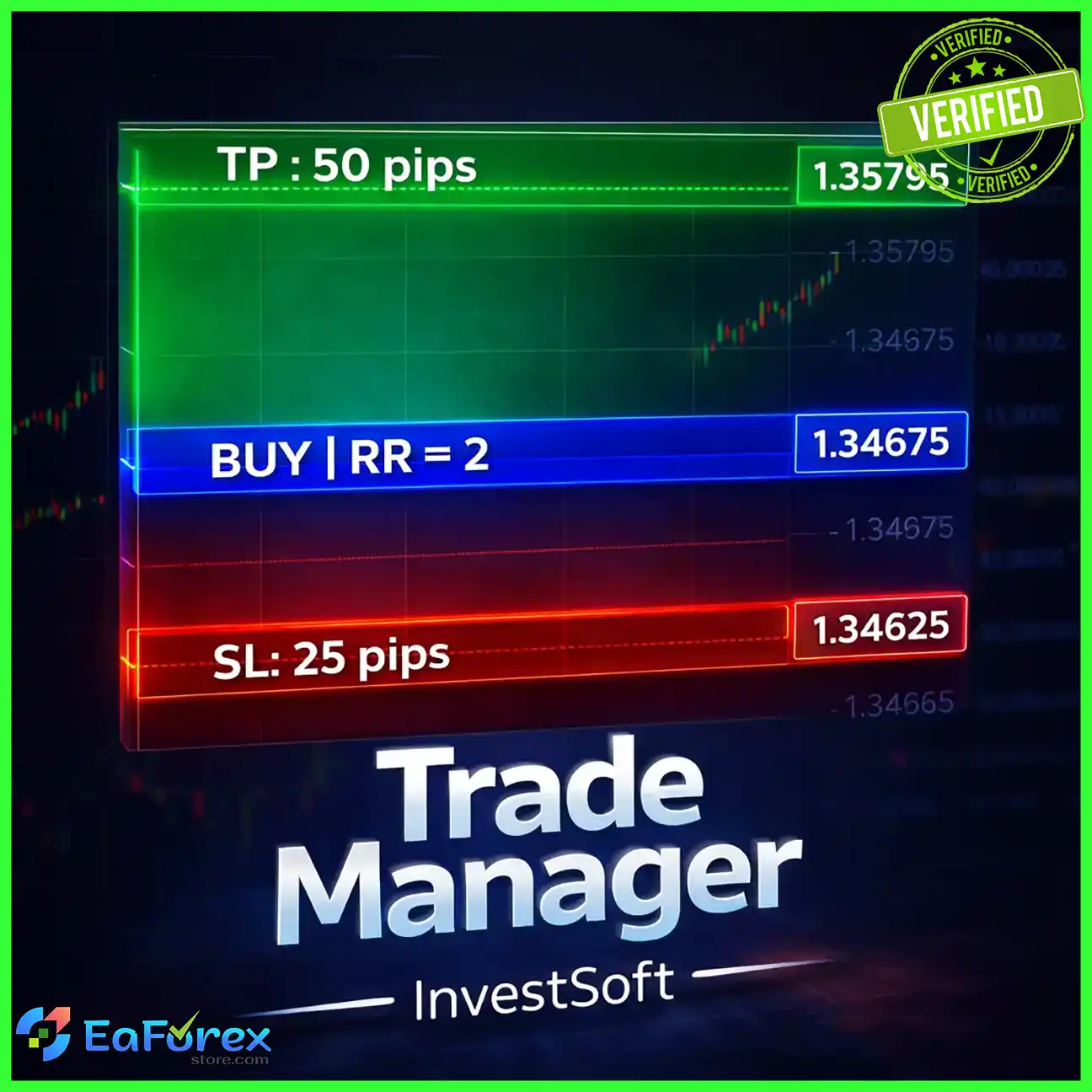
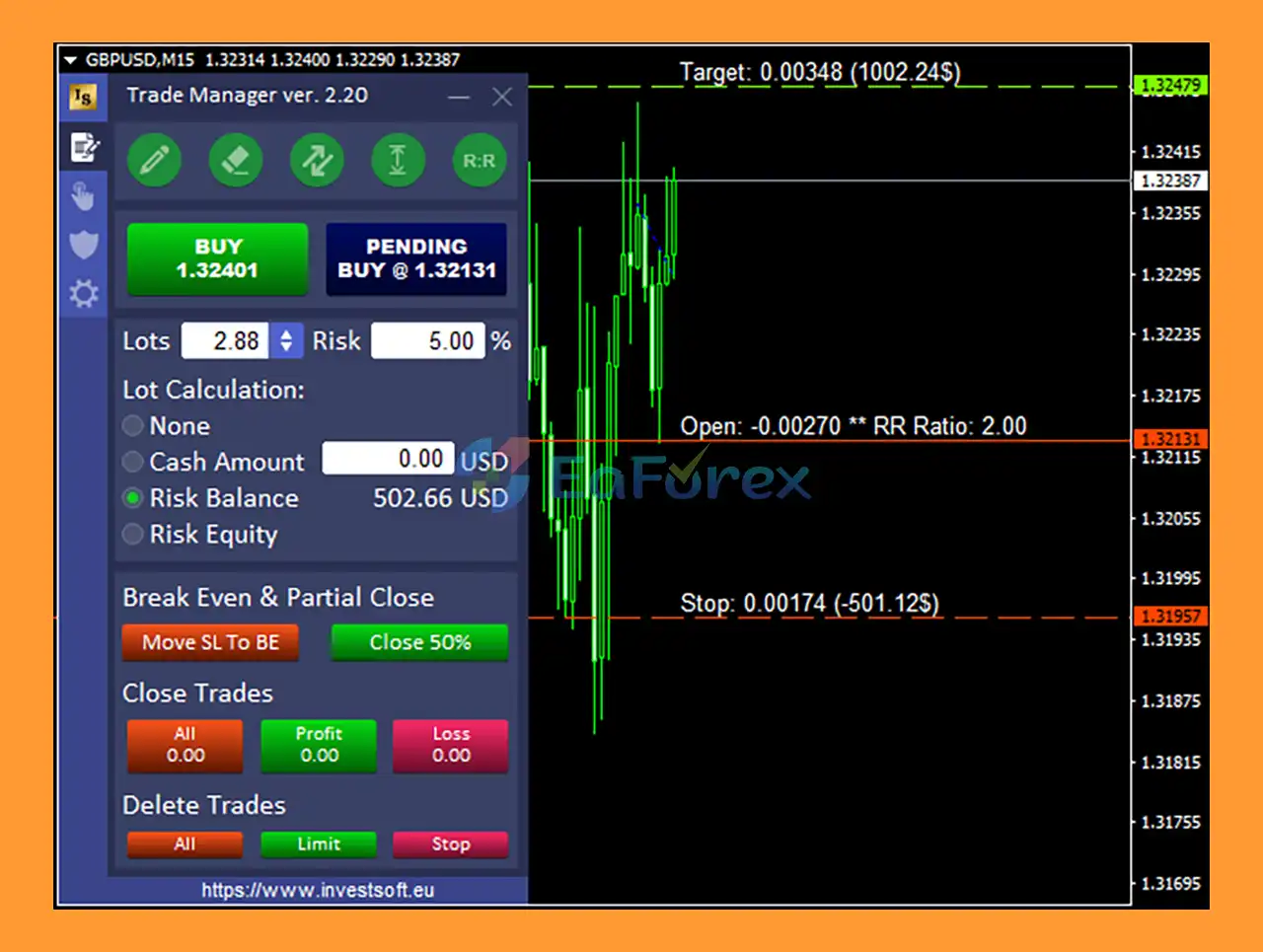
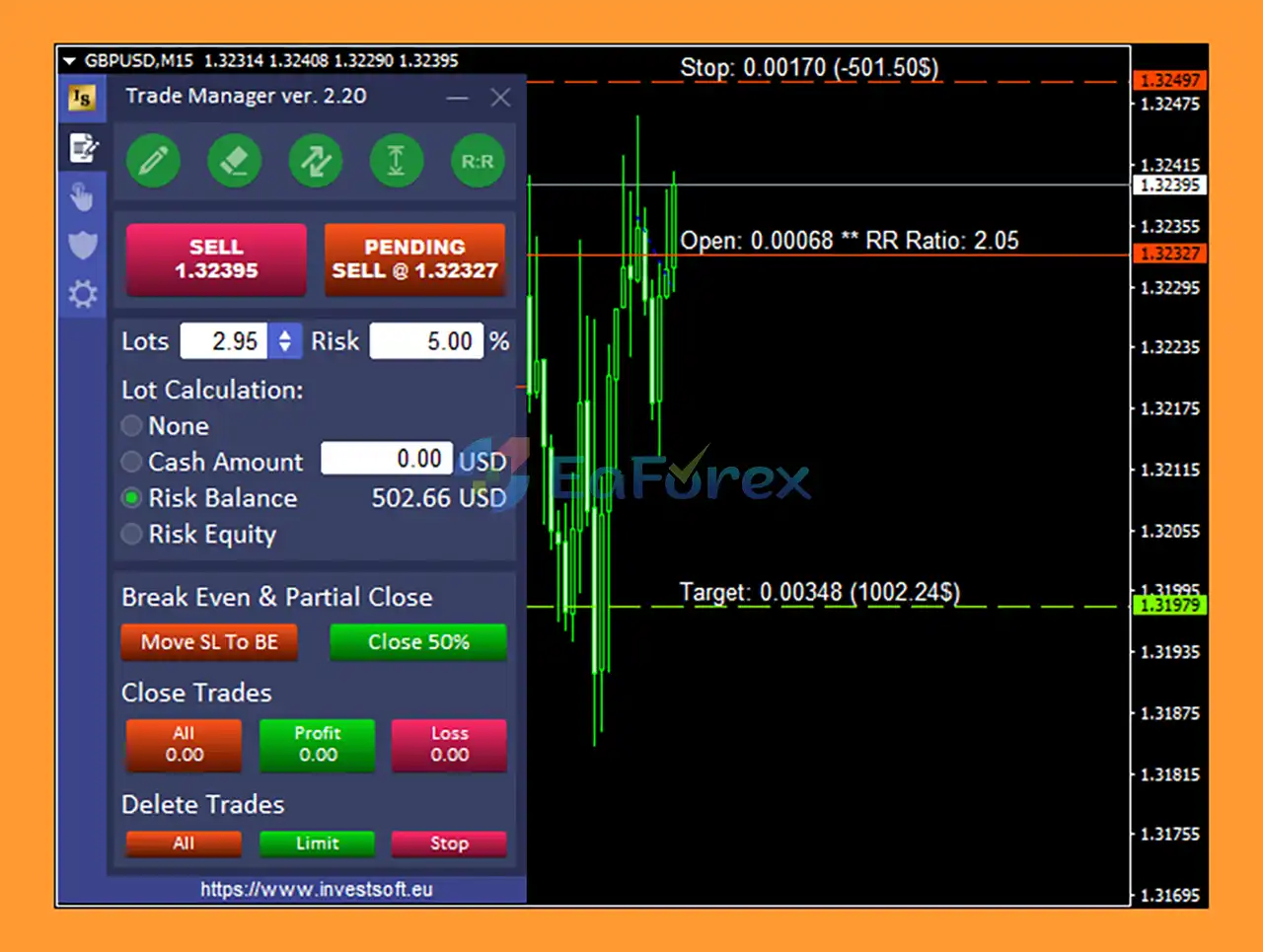
One of its key advantages is its ability to simplify trade planning. Traders can place draggable Entry, Stop Loss, and Take Profit lines directly on the chart. After defining the desired risk, the system can calculate the appropriate position size while displaying potential SL and TP values in pips, points, or account currency.

Forex Trade Manager MT5 is therefore designed for traders who want a more organized, consistent, and efficient approach to manual and automated trade management.

About the Developer

  • Author: Janusz Trojca
  • Experience: Over +11 years of experience on MQL5.
  • Notable Products: Forex Trade Manager MT5, Forex Trade Manager MT4, TPA Sessions MT4, TPA True Price Action MT4 Indicator and others.
  • Flagship Product: Forex Trade Manager MT5 is rated as the best performing product of the year.

>> Delivery time 24h-48h after payment.
>>> Refund if not delivered.
>>> You will receive the latest version without any limitations (ID+Time).

>>Reviewed by Jason Stap <<

Main Features of Forex Trade Manager MT5

🔺Position Size Calculator

The integrated position size calculator determines the appropriate trade volume based on parameters such as:

  • Account balance
  • Account equity
  • Risk percentage
  • Fixed cash risk
  • Stop Loss distance
  • Entry price
  • Trading instrument

This helps traders avoid manually calculating lot sizes before every trade.

🔺Visual Trade Planning

Forex Trade Manager MT5 allows traders to plan positions directly on the chart using draggable horizontal lines.

Entry, Stop Loss, and Take Profit levels can be moved visually, making it easier to define the exact trade structure before execution.

🔺Real-Time SL and TP Display

The tool can display potential Stop Loss and Take Profit values in:

  • Account currency
  • Pips
  • Points

This provides traders with an immediate view of potential risk and reward before placing the order.

🔺External Lot Calculation

Forex Trade Manager MT5 can also calculate position sizing for trades opened outside the panel.

This includes positions opened through:

  • MT5 Mobile App
  • MT5 Web Terminal
  • Another MetaTrader 5 terminal
  • Another external trading source
  • Other Expert Advisors connected to the same account

This makes the tool useful even when trades are not initiated directly from its interface.

5. Mobile Trading Support

Traders can open a position from their MT5 Mobile App while Forex Trade Manager MT5 runs on a desktop terminal or VPS.

The tool can detect the external position, read its Stop Loss information, calculate the appropriate position size, and automatically adjust the final trade volume according to the configured parameters.

Advanced Risk Management Tools

Break Even Management

Forex Trade Manager MT5 provides multiple ways to protect open trades with Break Even functionality.

Available options include:

  • Basic Break Even – Automatically moves Stop Loss to the Break Even level.
  • Multi-Level Break Even – Supports up to four Break Even stages.
  • Manual Move SL to BE – Move Stop Loss to Break Even with one click.
  • Common Break Even – Manage multiple positions using a shared Break Even level.

The Common Break Even function can also display the shared BE line or zone directly on the chart, helping traders understand the overall position structure.

Advanced Trailing Stop

The tool offers several Trailing Stop methods designed for different trading approaches.

These include:

  • Basic Trailing Stop
  • Multi-Level Trailing Stop
  • High and Low-based Trailing Stop
  • Moving Average-based Trailing Stop
  • ATR-based Trailing Stop
  • Partial Closure Trailing Stop

This flexibility allows traders to choose a trailing method based on price momentum, market volatility, or trend-following requirements.

Partial Take Profit and Stop Loss

The Partial Close functionality allows traders to gradually reduce position exposure.

Instead of closing the entire position at one target, traders can secure part of the profit while leaving the remaining position open for a potentially larger market move.

Partial Stop Loss management can also be used to adjust exposure progressively.

Equity Protection

The Equity Protect feature can automatically close trades when a predefined account-level profit or loss threshold is reached.

This provides an additional layer of account protection and can help traders control overall drawdown rather than managing every position independently.

Stealth and Efficiency Tools

Hidden Mode

Forex Trade Manager MT5 includes a Hidden Mode that can hide Stop Loss, Take Profit, and pending orders from the broker-side trading environment.

This feature is designed for traders who want to keep their predefined levels hidden from the broker’s visible order parameters.

However, traders should understand the operational risks of hidden protection. If the terminal, VPS, internet connection, or EA stops functioning, hidden protective levels may not be executed as expected.

Automated SL and TP for External Orders

  • The tool can automatically apply configured Stop Loss and Take Profit management to positions opened through external sources.
  • This is particularly useful for traders who combine manual mobile trading with automated management on a desktop terminal or VPS.

Trailing Pending Orders

  • Pending orders can be configured to follow the current market price dynamically, providing greater flexibility for traders who use breakout or pullback entry strategies.

Precision Trade Execution

Limit Pullback Orders

The Limit Pullback Orders (LPO) feature is designed to help traders seek better entry prices by waiting for price to retrace to a predefined level.

Rather than immediately entering at the current market price, traders can use strategic pullback levels to potentially improve trade entry.

Quick Trade Closure

Forex Trade Manager MT5 provides one-click trade closing functions.

Traders can close:

  • All open positions
  • Profitable trades
  • Losing trades
  • Buy positions
  • Sell positions
  • Selected groups of trades

This can be particularly useful when fast intervention is required during volatile market conditions.

Asynchronous Fast Trade Closing

The MT5 version supports asynchronous trade operations, allowing groups of positions to be closed efficiently without waiting for each individual transaction to complete sequentially.

This can be especially useful for accounts with multiple open trades.

One-Click Pending Order Deletion

All pending orders can be removed quickly, helping traders clean up outdated trade setups without manually deleting each order.

Large Trade Splitting

For high-volume accounts, the tool can split a large position into multiple smaller trades.

This can provide more flexibility when managing large exposure or distributing trade execution.

How Does Forex Trade Manager MT5 Work?

  • Forex Trade Manager MT5 works as a centralized trade planning and management panel directly inside MetaTrader 5.
  • The process begins by defining the intended trade on the chart. Traders can move the Entry, Stop Loss, and Take Profit lines to their desired levels.
  • Once the risk parameters are defined, the built-in lot size calculator determines an appropriate position size based on the selected risk percentage, account equity, balance, fixed cash risk, and Stop Loss distance.
  • The trader can then execute the position directly from the panel or use the tool to manage an externally opened position.
  • After a trade becomes active, the EA can automatically manage the position using configured tools such as Break Even, Trailing Stop, Partial Close, Stop Loss, Take Profit, and Equity Protection.
  • External positions can also be detected and managed, including trades opened through the MT5 mobile application, web terminal, another MT5 terminal, or another Expert Advisor.
  • For traders managing multiple positions, features such as Common Break Even, group closing, partial profit taking, and asynchronous trade closing can simplify the overall process.
  • The result is a centralized workflow where trade planning, position sizing, execution, and risk management can be handled from one MetaTrader 5 interface.

Why Choose Forex Trade Manager MT5?

  • Forex Trade Manager MT5 may be a strong choice for traders who want to combine manual trading and professional risk management within MetaTrader 5.
  • Its biggest advantage is that it goes beyond being a simple MT5 lot size calculator. The tool provides a complete trade-management environment covering the entire trading process, from planning a position to managing and closing it.
  • The visual chart interface makes trade planning straightforward. Instead of manually calculating the required lot size, traders can define their Entry and Stop Loss levels and allow the system to calculate position size according to the desired risk.
  • The wide range of management tools is another advantage. Traders can use Break Even, multi-level trailing, ATR trailing, Moving Average trailing, partial closure, equity protection, and Common Break Even according to their trading style.
  • External trade management also makes the tool particularly flexible. Positions opened from a mobile phone, another terminal, or another EA can still be managed through the MT5 Trade Manager.
  • For traders who operate across different markets, support for Forex, Gold, Silver, indices, commodities, crypto, futures, Renko charts, and non-standard chart types further increases its versatility.

Forex Trade Manager MT5 Reviews

  • Professional Trade Management: Deliver institutional-level control over trading positions with advanced tools designed for precision and performance.
  • Advanced Trading Control: Optimize your strategy with powerful position management features tailored for serious traders.
  • Marketplace-Ready Solution: Access a reliable, scalable, and fully optimized automation tool built for seamless integration into trading platforms.
  • Efficient Trading Automation: Enhance trading efficiency with a robust solution designed to streamline processes and maximize results.
Forex Trade Manager MT5 Reviews

Forex Trade Manager MT5 Reviews

Forex Trade Manager MT5 Review

Forex Trade Manager MT5 Review

Performance and Risk Management

Forex Trade Manager MT5 is primarily a risk-management and trade-execution tool, rather than a standalone trading strategy that generates market signals.

Its value comes from helping traders apply more consistent risk rules to their existing trading strategies.

The position size calculator can help maintain a predefined monetary or percentage-based risk per trade. This is particularly useful when trading instruments with different volatility levels, contract specifications, or Stop Loss distances.

The platform also provides several additional layers of trade protection:

  • Break Even for reducing risk after favorable price movement.
  • Multi-Level Break Even for progressive trade protection.
  • Trailing Stop for following favorable price movement.
  • ATR and Moving Average trailing for volatility- or trend-based management.
  • Partial Close for progressively securing profits.
  • Equity Protection for account-level profit and loss limits.
  • Common Break Even for managing multiple positions collectively.
  • Automated SL/TP for externally opened trades.

However, these tools cannot eliminate trading risk. Correct position sizing reduces the amount exposed according to predefined parameters, but it does not guarantee profitable trades.

Actual trading risk can also be affected by slippage, spread, market gaps, liquidity, execution speed, broker conditions, and unexpected volatility.

Traders should therefore test their preferred settings on a demo account and verify that the calculated position sizes and protective mechanisms behave correctly with their broker and trading instruments before using the system with significant capital.

Weaknesses and Risk Warnings

Not a Profit-Generating Strategy

Forex Trade Manager MT5 is primarily a trade management and risk-control tool. It does not guarantee profitable trading and cannot compensate for a poor underlying trading strategy.

Hidden Mode Requires Continuous Operation

When using hidden Stop Loss or Take Profit functionality, the management software must remain operational. A terminal shutdown, VPS failure, connectivity problem, or software interruption can affect the execution of hidden protection.

Broker Conditions Matter

Position-size calculations and order execution depend on broker specifications such as contract size, tick value, minimum lot, maximum lot, lot step, spread, and execution conditions.

External Trade Management Requires Proper Setup

Managing trades opened from mobile devices, other terminals, or external EAs requires the Trade Manager to be correctly configured and running on the connected MT5 environment.

Advanced Features Require Testing

Because the tool offers many Break Even, Trailing Stop, Partial Close, Equity Protection, and order-management options, incorrect settings can produce unexpected trade behavior.

Risk Is Not Eliminated

A sophisticated position size calculator and trade manager can improve consistency, but it cannot prevent losses caused by adverse market movements. Traders should always use appropriate risk limits and avoid risking capital they cannot afford to lose.

Pros and Cons

Pros

  • Advanced MT5 position size calculator.
  • Risk-based lot calculation.
  • Supports balance, equity, percentage risk, and fixed cash risk.
  • Visual Entry, Stop Loss, and Take Profit planning.
  • Real-time SL/TP display in currency, pips, or points.
  • Supports external trades opened from mobile, web, other terminals, or EAs.
  • Basic and multi-level Break Even management.
  • Up to four Break Even levels.
  • Multiple Trailing Stop methods.
  • ATR-based and Moving Average-based trailing.
  • Partial Take Profit and Partial Close functionality.
  • Equity Protection.
  • Hidden SL, TP, and pending order mode.
  • Limit Pullback Orders.
  • One-click trade and pending-order management.
  • Asynchronous fast trade closing.
  • Large trade splitting.
  • OCO functionality.
  • Risk-to-Reward Ratio management.
  • Supports multiple asset classes and non-standard chart types.
  • Save and load customizable settings templates.

Cons

  • Does not generate guaranteed profitable trading signals.
  • Hidden protection depends on the MT5 terminal or VPS remaining operational.
  • Advanced settings may require a learning curve.
  • Execution can still be affected by broker conditions, slippage, spread, and liquidity.
  • Incorrect risk parameters can result in inappropriate position sizes.
  • Some advanced functions require careful testing before live use.
  • It is a trade-management tool rather than a complete automated trading strategy.

Real User Reviews and Feedback

🔺Forex Trade Manager MT5 is highly appreciated by the MQL5 community for bringing stable and reliable profits. Below are 5 star reviews from users:

  • Sallyahills (2026.03.26): “This is a great tool and does exactly what I wanted it to. I also purchase the add on Grid Trading module which is so useful when placing multiple trades.”
  • Mandigo971trade (2026.03.24): “Ce Trade Manager est vraiment excellent, il est incroyable et je le recommande.”
  • Niel Dela Cruz (2026.03.24): “Great EA for risk management. The support is excellent too, highly recommended!”
  • Dinesh Trader (2026.03.24): “The way it’s presented makes it easy to understand what it does. It clearly shows all the main features like partial close, breakeven, trailing stops, and handling multiple trades. It’s obvious it’s built for MT5, so I didn’t have to worry about compatibility. Reliability & Usability: The tool runs smoothly and handles trades efficiently.”

What’s Included in the Download Package?

  • Setting (If Any).docx
  • Installation Guide.docx

>>> Join VIP Membership Now <<<

Final Thoughts

In summary, Forex Trade Manager MT5 is a comprehensive MT5 trade management and position size calculator designed for traders who want greater control over risk, position sizing, trade execution, and open-position management. Its chart-based interface, visual Entry/Stop Loss/Take Profit planning, risk-based lot calculation, Break Even, Trailing Stop, Partial Close, Equity Protection, and external trade management features make it a versatile tool for both manual and automated trading.

Rather than generating trading signals or promising profits, Forex Trade Manager MT5 focuses on improving the trade management and risk management process. The ability to calculate position size based on account risk and Stop Loss distance can help traders maintain more consistent exposure, while its advanced management functions provide additional flexibility during active trades.

However, traders should remember that no trade manager can eliminate market risk or guarantee profitable results. Hidden protection also requires the MT5 terminal or VPS to remain operational, while broker conditions, spreads, slippage, liquidity, and incorrect settings can affect real-world performance.

Overall, Forex Trade Manager MT5 may be a valuable solution for traders looking for an all-in-one MT5 position size calculator and trade management tool. Before using it with significant capital, traders should test its features, risk parameters, and execution behavior on a demo account and ensure that the settings are appropriate for their individual trading strategy and risk tolerance.

FAQs

FAQs

1. What is Forex Trade Manager MT5?

Forex Trade Manager MT5 is a professional trade management and risk control tool for MetaTrader 5, designed to simplify trade execution, position management, and risk calculation across forex, commodities, indices, and cryptocurrencies.

2. How does Forex Trade Manager MT5 help with risk management?

It automatically calculates position sizes based on your defined risk, manages stop loss (SL) and take profit (TP) levels, offers trailing stops, and includes an equity protection system to control losses and protect profits.

3. Can Forex Trade Manager MT5 be used for all types of charts?

Yes, it is compatible with standard MT5 charts as well as custom charts like Renko charts and second-based charts, allowing flexibility for different trading strategies.

4. What markets can I trade with Forex Trade Manager MT5?

The tool supports multiple markets, including forex, commodities, indices, and cryptocurrencies, making it suitable for traders across different asset classes.

5. Does Forex Trade Manager MT5 allow one-click trading?

Yes, it features one-click trade execution, enabling quick order placement, position management, and instant trade closing, which is especially useful for scalpers and active traders.

6. What advanced features does Forex Trade Manager MT5 offer?

Advanced features include multi-level trailing stops, partial take profit and stop loss, breakeven options, hidden mode for orders, trailing pending orders, and automated SL/TP for external trades.

7. Is Forex Trade Manager MT5 suitable for beginner traders?

Absolutely. While it offers advanced tools for professional traders, its intuitive chart-based interface with draggable lines makes it accessible for beginners as well.

8. How do I install and set up Forex Trade Manager MT5?

The download package includes a step-by-step Installation Guide and any necessary settings documents to help users install and configure the tool quickly on MetaTrader 5.

9. Who developed Forex Trade Manager MT5?

Forex Trade Manager MT5 was developed by Janusz Trojca, a seasoned MQL5 developer with over 11 years of experience and multiple notable trading products, ensuring reliability and professional-grade design.

10. Why should I choose Forex Trade Manager MT5 over other trade managers?

It offers comprehensive risk management, precise trade execution, flexible trade handling, smart order automation, template customization, and a proven record of user satisfaction, making it a market-leading MT5 trade manager.

Specification

Technical Details

Trading platform

MetaTrader 5 (MT5)

Time frames

M1, M5, M15, M30, H1, H4

Currency pairs

Any

Product type

Original version

Customer Reviews

0 reviews
0
0
0
0
0

There are no reviews yet.

Be the first to review “Forex Trade Manager MT5 (Official version) | Unbounded”

Your email address will not be published. Required fields are marked *

1 2 3 4 5
1 2 3 4 5
1 2 3 4 5