LL Smart Recovery Grid EA
LL Smart Recovery Grid EA MT5 (Official version) | Unbounded Original price was: $999.00.Current price is: $599.00.
Back to products
Gold Mugen EA
Gold Mugen EA MT5 (Official version) | Unbounded Original price was: $999.00.Current price is: $599.00.

Ultimate Trader MT5 + SetFiles (Official version) | Unbounded

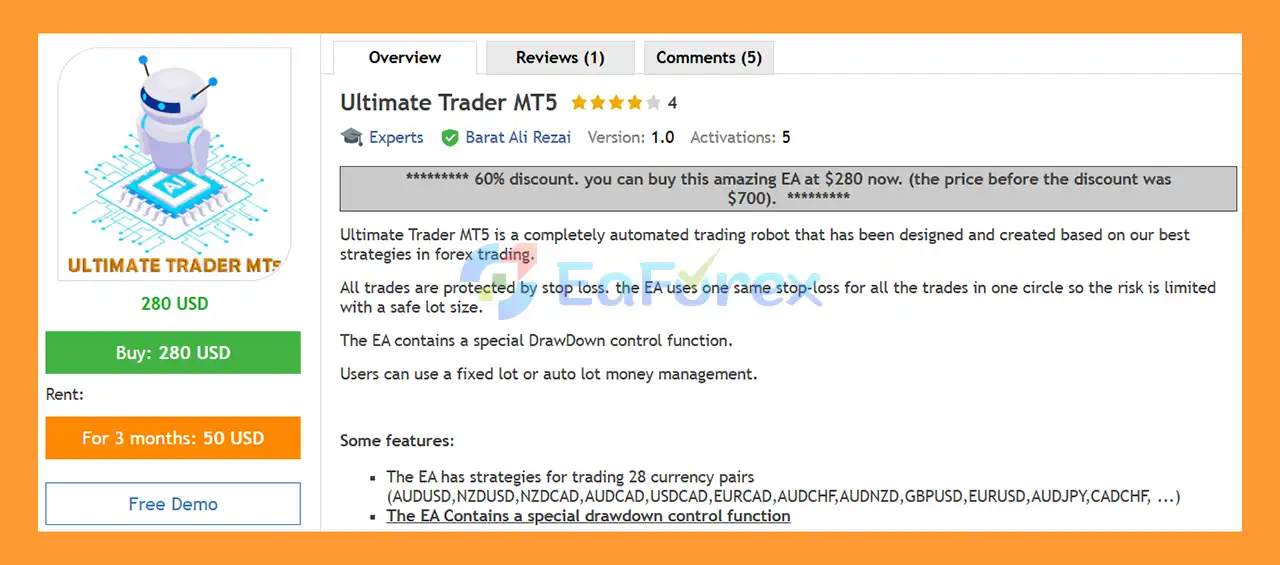
Ultimate Trader MT5 is a fully automated forex EA for MetaTrader 5, trading 28 pairs with strict risk control, stop loss protection and steady growth.

Original price was: $999.00.Current price is: $599.00.

43 People watching this product now!
  • Unlimited Activations

You can use product with unlimited account


  • Instant delivery

Download link will be sent instantly after purchase


  • Easy to install

Pre-activated, ready to use immediately


  • Free Update
  • Free Install Support

Payment Methods:

Description

Product Overview

Ultimate Trader MT5 is a fully automated Forex Expert Advisor designed around a collection of trading strategies developed for multiple currency pairs. The EA is built to automate trade entries and exits while incorporating predefined Stop Loss protection, drawdown control, spread filtering, and flexible money management.

One of the key characteristics of Ultimate Trader MT5 is its approach to trade protection. All trades are protected by a Stop Loss, while trades within the same trading cycle can use the same Stop Loss structure. The developer describes this design as a way to keep risk controlled when combined with an appropriate lot size.

The EA supports strategies for up to 28 currency pairs, giving traders the ability to select the market they want the system to trade.

For money management, Ultimate Trader MT5 provides both Fixed Lot and Auto Lot options. This allows users to choose between consistent position sizing and automatically adjusted lot sizes based on the configured account-management parameters.
The EA also includes a dedicated Drawdown Control function, which adds another layer of account-level risk management.

About the Developer

  • Author: Barat Ali Rezai.
  • Experience: Over 4 years of experience on MQL5.
  • Notable Products:  Ultimate Trader MT5, Gold High MT4, Gold High MT5, Dragon Gold MT4 and other products.
  • Flagship Product: Ultimate Trader MT5 is rated as the best performing product of the year.

>> Delivery time 24h-48h after payment.
>>> Refund if not delivered.
>>> You will receive the latest version without any limitations (ID+Time).

>>Reviewed by Jason Stap <<

Ultimate Trader MT5 Overview

Ultimate Trader MT5 Overview

Key Features of Ultimate Trader MT5

🔺Fully Automated Forex Trading

  • Ultimate Trader MT5 is designed to automate the trading process.
  • Once configured, the EA can manage its trading logic without requiring the trader to manually place and monitor every order.
  • This makes it suitable for traders who want to explore systematic Forex trading while reducing the need for constant manual intervention.

🔺Support for 28 Currency Pairs

The EA contains strategies designed for 28 currency pairs, providing a broad selection of Forex markets.

Examples include:

  • AUDUSD
  • NZDUSD
  • NZDCAD
  • AUDCAD
  • USDCAD
  • EURCAD
  • AUDCHF
  • AUDNZD
  • GBPUSD
  • EURUSD
  • AUDJPY
  • CADCHF

The full selection is controlled through the ChooseEA parameter, which provides 28 available options corresponding to different currency-pair strategies.

Trading multiple currency pairs can create more opportunities, but it can also increase overall exposure and correlation risk. Traders should therefore evaluate each strategy and pair individually rather than assuming that diversification automatically reduces risk.

🔺Stop Loss Protection

  • Risk protection is an important part of the Ultimate Trader MT5 design.
  • The EA uses a predefined Stop Loss measured in points. This gives every trade a defined loss-exit level rather than leaving positions completely unprotected.
  • The EA’s trading-cycle approach also uses the same Stop Loss structure for trades within a particular cycle.
  • However, traders should remember that a configured Stop Loss does not guarantee an exact execution price during extreme volatility. Slippage, spreads, gaps, and broker execution can affect the final result.

🔺Take Profit

  • Ultimate Trader MT5 also provides a configurable Take Profit parameter.
  • Users can specify the desired Take Profit distance in points, allowing the EA to automatically close trades when the predefined profit target is reached.
  • The combination of Stop Loss and Take Profit creates a structured framework for managing individual positions.

🔺Drawdown Control

  • A dedicated Drawdown Control function is included in the EA.
  • Drawdown control is particularly important for automated trading because an EA can continue receiving signals while market conditions become unfavorable.
  • The drawdown-control mechanism provides an additional layer of account protection beyond individual trade Stop Loss settings.
  • Traders should carefully understand how the drawdown function operates and test its behavior under different market conditions before using it on a live account.

🔺Fixed Lot Money Management

  • Ultimate Trader MT5 supports Fixed Lot money management.
  • When Fixed Lot is selected, the trader specifies the position size through the FixedOrderSize parameter.
  • This approach provides direct control over the lot size used by the EA.
  • Fixed lot trading can make exposure easier to understand, but the actual percentage risk can change as account equity changes. A fixed lot that is conservative for one account size may be aggressive for another.

🔺Auto Lot Money Management

  • The EA also provides an Auto Lot option.
  • With Auto Lot enabled, the system can adjust the lot size according to the configured money-management parameters.
  • The IncreaseLotSizeEvery parameter determines the account-size threshold used for increasing the lot size.
  • This feature can allow position sizing to scale as the trading account changes.
  • However, automatic lot increases can also increase monetary exposure. Traders should therefore test the Auto Lot settings carefully and avoid assuming that automatic scaling is inherently safer.

How Does Ultimate Trader MT5 Work?

Ultimate Trader MT5 follows a relatively straightforward automated trading workflow.

Step 1: Select the Trading Strategy

The ChooseEA parameter provides 28 available currency-pair options.

The trader selects the desired strategy according to the currency pair they want to trade.

Step 2: Configure Trade Direction

The EA provides separate controls for:

  • OpenLongTrades
  • OpenShortTrades

These settings allow traders to control whether the selected strategy can open long positions, short positions, or both.

Step 3: Apply Trading Conditions

  • Before placing an order, the EA evaluates its configured trading conditions.
  • One important execution filter is MaximumSpread.
  • If the current spread exceeds the configured maximum, the EA can prevent a new order from being placed.
  • This can be particularly useful because trading costs can increase significantly when market liquidity becomes unfavorable.

Step 4: Calculate Position Size

The trader selects between:

  • FixedLot
    or
    AutoLot
  • With Fixed Lot, the position size is determined by FixedOrderSize.
  • With Auto Lot, the EA adjusts the lot size according to the configured account-growth threshold represented by IncreaseLotSizeEvery.

Step 5: Open and Protect the Trade

When the trading conditions are satisfied, the EA opens a position.

The trade is protected with the configured:

  • Stop Loss
  • Take Profit

The EA also assigns a Magic Number, allowing it to distinguish its own orders from trades created by other EAs or manually by the trader.

Step 6: Monitor Risk

  • The EA’s Drawdown Control function provides an additional account-level risk-management layer.
  • This works alongside individual trade protection to help limit excessive account exposure.

Why Choose Ultimate Trader MT5?

Broad Forex Market Coverage

  • One of the main advantages of Ultimate Trader MT5 is its support for 28 currency-pair strategies.
  • This provides considerably more market selection than an EA designed exclusively for one currency pair.

Automated Trading

  • The EA is designed to operate automatically after installation and configuration.
  • This can be useful for traders who prefer systematic execution instead of manually monitoring charts throughout the trading day.

Defined Trade Risk

  • Every trade is protected by a Stop Loss.
  • Having a predefined exit level is an important component of structured automated trading, although it cannot eliminate the possibility of losses.

Drawdown Protection

  • The dedicated Drawdown Control feature provides another layer of risk management beyond individual trades.
  • This is particularly relevant for traders who are concerned about extended losing periods.

Flexible Money Management

  • The combination of Fixed Lot and Auto Lot gives traders greater flexibility when deciding how position sizes should be managed.

Spread Filter

  • The MaximumSpread parameter can help prevent the EA from opening new positions when trading costs become excessive.

Directional Control

  • The OpenLongTrades and OpenShortTrades param

Ultimate Trader MT5 Backtest Results

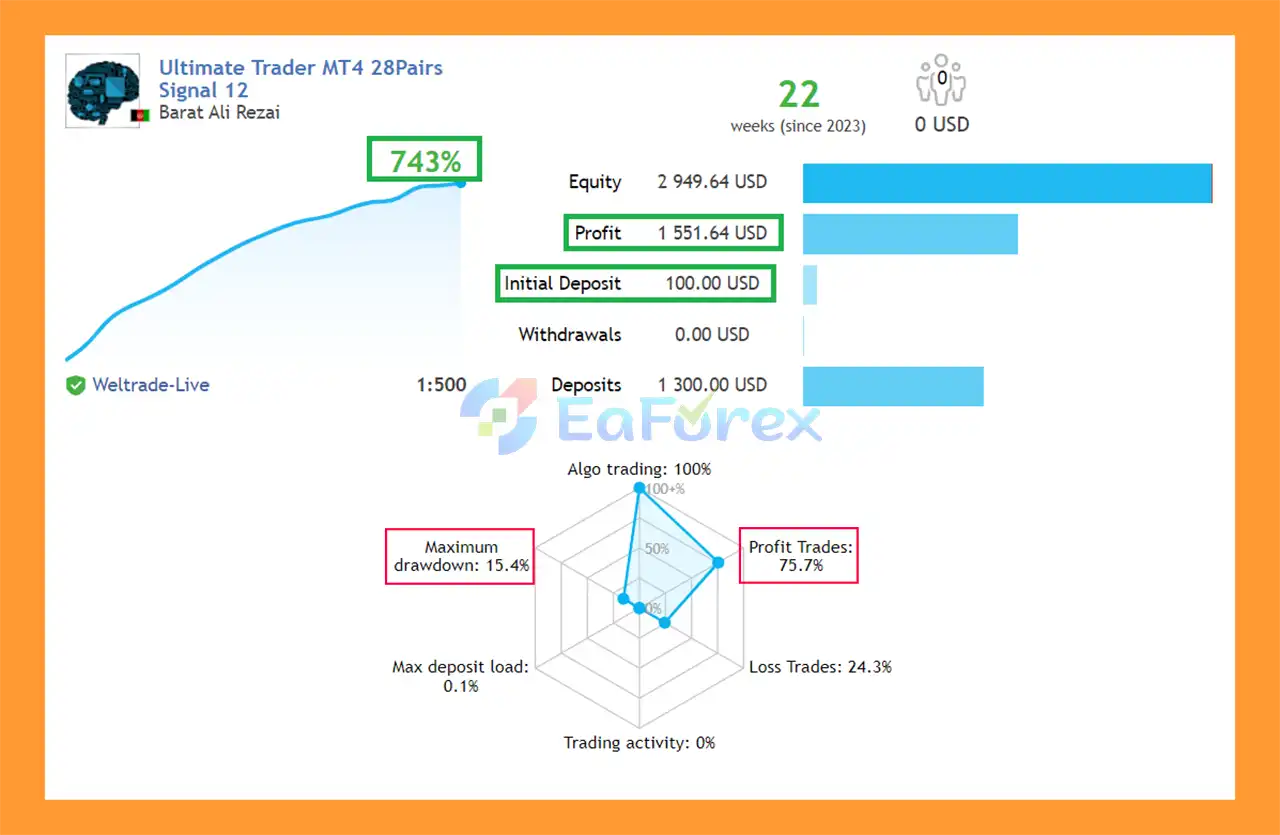
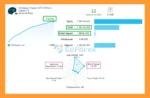
🔺28 pairs – 22 weeks

  • Initial Deposit: $100
  • Growth Rate: +743%
  • Win Rate (% of total): 75.7%
  • Maximum Drawdown: 15.4%
Ultimate Trader MT5 Signal

Ultimate Trader MT5 Signal

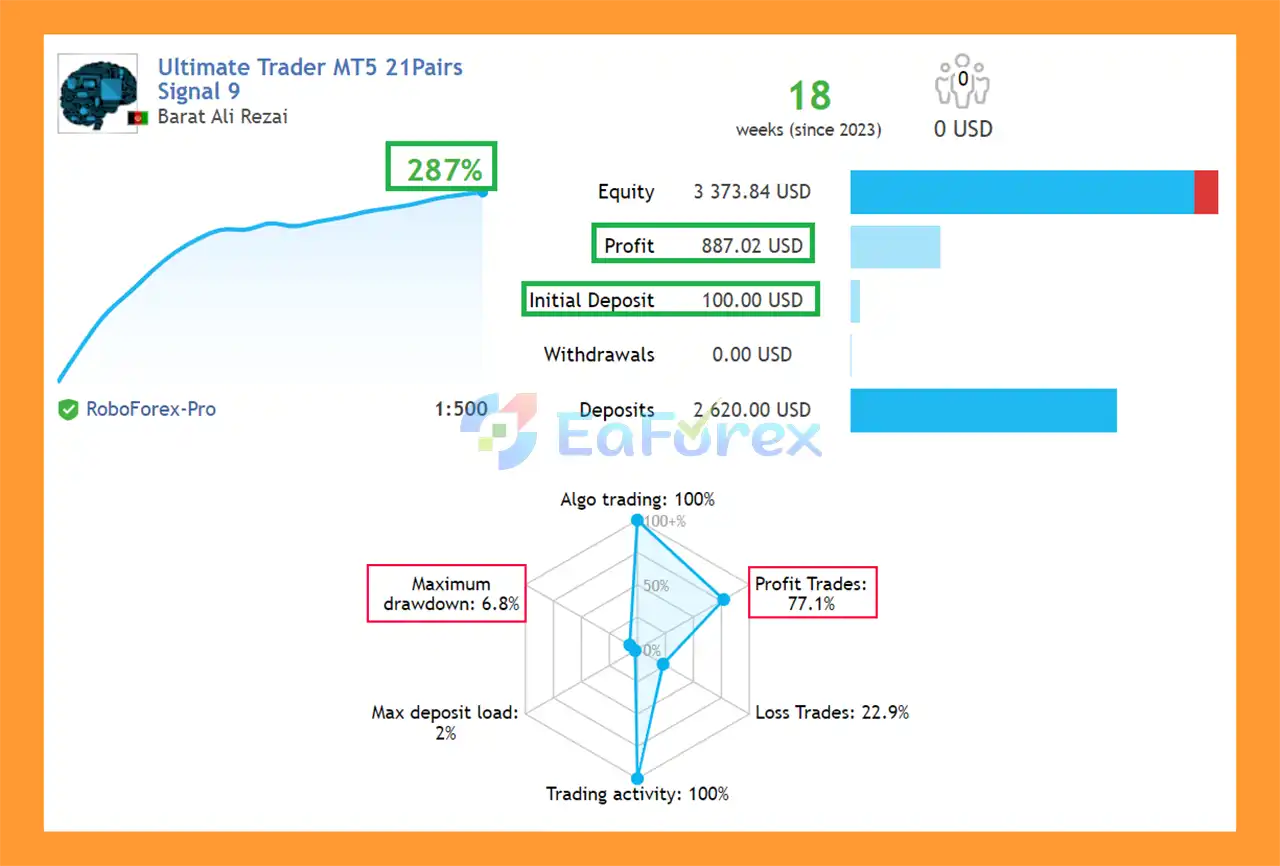
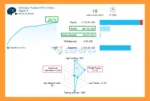
🔺21 pairs – 18 weeks

  • Initial Deposit: $100
  • Growth Rate: +287%
  • Win Rate (% of total): 77.1%
  • Maximum Drawdown: 6.8%
Ultimate Trader MT5 Signal Results

Ultimate Trader MT5 Signal Results

Performance and Risk Management

No specific backtest statistics, live-account results, Myfxbook verification, win rate, profit factor, or maximum drawdown figures were provided in the supplied product information.

Therefore, performance claims should not be estimated or presented as verified results.

The strongest documented aspect of Ultimate Trader MT5 is its collection of risk and execution controls.

Feature Function
Stop Loss Defines a predefined loss-exit level
Take Profit Defines a predefined profit target
Drawdown Control Provides account-level loss protection
Maximum Spread Blocks trading when spread exceeds the configured level
Fixed Lot Uses a manually defined position size
Auto Lot Adjusts position sizing according to configured account thresholds
IncreaseLotSizeEvery Determines when Auto Lot can increase exposure
OpenLongTrades Controls long-position permission
OpenShortTrades Controls short-position permission
Magic Number Identifies the EA’s own trades
Trade Comment Adds an identifiable comment to orders

Understanding the Risk

A Stop Loss can limit planned trade risk, but it does not guarantee a fixed monetary loss.

Actual results can be affected by:

  • Slippage
  • Spread widening
  • Market gaps
  • Broker execution
  • Liquidity
  • Leverage
  • Account balance
  • Lot size
  • Market volatility

The same considerations apply to Drawdown Control. Automated protection is useful, but execution conditions can cause actual losses to differ from theoretical or configured limits.

Important Auto Lot Considerations

  • Auto Lot can be useful for traders who want position sizes to scale with their account.
  • However, increasing lot size as the account grows can also magnify future losses.
  • For example, if a trader uses an aggressive IncreaseLotSizeEvery setting, the EA may eventually operate with substantially larger positions than it used at the beginning of the account.
  • For this reason, Auto Lot should be tested over a sufficiently long period and evaluated using both profitable and losing scenarios.
  • Conservative position sizing is generally preferable when the priority is long-term capital preservation.

Weaknesses and Risk Warnings

No Performance Statistics Provided

  • The supplied description does not provide detailed historical performance figures.
  • Without verified data, traders cannot objectively assess metrics such as maximum drawdown, profit factor, win rate, or historical return.

Multiple Currency Pairs Can Increase Exposure

  • Although 28 currency pairs provide diversification, many Forex pairs can become correlated during major economic events.
  • A trader running several strategies simultaneously may therefore experience multiple positions moving against the account at the same time.

Same Stop Loss Structure Does Not Eliminate Risk

  • Using a common Stop Loss structure within a trading cycle can simplify risk management, but it does not eliminate market risk.
  • If several positions are active simultaneously, the total account exposure still needs to be evaluated.

Auto Lot Can Increase Risk

  • Automatic position scaling can accelerate account growth during favorable periods, but it can also increase losses when the strategy enters a drawdown.

Broker Conditions Matter

  • Maximum Spread filtering is useful, but execution quality still depends on the broker, liquidity, and market conditions.

No EA Is Guaranteed to Be Profitable

  • Even a system with Stop Loss, Drawdown Control, and spread filtering can experience prolonged losing periods.
  • Risk management reduces certain risks; it does not guarantee profitability.

Pros and Cons

Pros

  • Fully automated Forex trading
  • Supports up to 28 currency-pair strategies
  • M15 and higher timeframe strategy framework is not required; strategy selection is based on the chosen EA/pair
  • Stop Loss protection on trades
  • Configurable Take Profit
  • Dedicated Drawdown Control function
  • Fixed Lot money management
  • Auto Lot money management
  • Configurable lot-size scaling
  • Maximum Spread filter
  • Long and short trading controls
  • Magic Number support
  • Custom Trade Comment
  • Flexible trading parameters
  • Designed for systematic automated execution

Cons

  • No verified performance statistics were supplied
  • Trading multiple pairs can increase overall exposure
  • Currency correlations can create simultaneous losses
  • Auto Lot can increase risk as position sizes grow
  • Stop Loss execution can be affected by slippage and gaps
  • Drawdown protection cannot eliminate market risk
  • Actual performance may vary by broker and execution conditions
  • Past performance, if available, would not guarantee future results

What’s Included in the Download Package?

  • Experts:
    • Setting (If Any).docx
    • Installation Guide.docx
  • SetFiles:
    • audusd m15.set
    • nzdusd m15.set
    • nzdcad m15.set
    • audcad m15.set
    • usdcad m15.set
    • eurcad m15.set
    • audchf m15.set
    • audnzd m15.set
    • gbpusd m15.set
    • eurusd m15.set
    • audjpy m15.set
    • cadchf m15.set
    • cadjpy m15.set
    • chfjpy m15.set
    • euraud m15.set
    • usdchf m15.set
    • eurchf m15.set
    • eurgbp m15.set
    • eurjpy m15.set
    • gbpaud m15.set
    • gbpcad m15.set
    • gbpnzd m15.set
    • gbpjpy m15.set
    • gbpchf m15.set
    • nzdchf m15.set
    • nzdjpy m15.set
    • usdjpy m15.set
    • eurnzd m15.set

>>> Join VIP Membership Now <<<

Final Thoughts

In summary, Ultimate Trader MT5 is a multi-currency Expert Advisor designed to automate Forex trading across up to 28 currency pairs. Its combination of predefined Stop Loss and Take Profit, Drawdown Control, Maximum Spread filtering, directional controls, and flexible Fixed Lot or Auto Lot money management gives traders a structured framework for automated execution.

The available performance data includes a 28-pair backtest showing +743% growth with a 15.4% maximum drawdown and a 21-pair signal showing +287% growth with 6.8% drawdown. However, these figures should be treated as historical results rather than guarantees of future performance. Actual trading outcomes can vary due to broker conditions, spreads, slippage, liquidity, leverage, market volatility, and position sizing.

Overall, Ultimate Trader MT5 may be worth considering for traders looking for a diversified Forex EA with multiple pair-specific strategies and built-in risk controls. Nevertheless, running many currency pairs simultaneously can increase correlation and overall exposure, while Auto Lot may magnify both gains and losses as account size changes. Thorough backtesting, forward testing, conservative lot sizing, and careful monitoring are recommended before using the EA with real capital.

FAQs

FAQs

1. What is Ultimate Trader MT5?

Ultimate Trader MT5 is a fully automated forex trading robot for MetaTrader 5 that trades 28 major currency pairs using a structured, rule-based strategy with strict risk management and stop-loss protection.

2. How does Ultimate Trader MT5 work?

The EA automatically analyzes market conditions on the M15 timeframe and executes trades across multiple currency pairs using predefined strategy logic, without requiring manual intervention.

3. Which currency pairs does Ultimate Trader MT5 trade?

Ultimate Trader MT5 supports 28 forex pairs, including major, minor, and cross pairs such as EURUSD, GBPUSD, USDJPY, and many others for diversified trading opportunities.

4. Is Ultimate Trader MT5 fully automated?

Yes, the EA is fully automated. It handles market analysis, trade execution, risk management, and trade closing without any manual input from the user.

5. How does Ultimate Trader MT5 manage risk?

Every trade is protected with a fixed stop loss, and the EA uses a controlled risk structure per trading cycle to ensure consistent and limited exposure.

6. What timeframe does Ultimate Trader MT5 use?

The EA is optimized for the M15 (15-minute) timeframe, offering a balance between trade frequency and signal accuracy.

7. Does Ultimate Trader MT5 support lot size customization?

Yes, it supports both fixed lot sizing and automatic lot growth, allowing traders to choose between stable risk or scalable profit strategies.

8. What is the drawdown level of Ultimate Trader MT5?

Backtest results show relatively controlled drawdown levels, ranging from around 6.8% to 15.4%, depending on the trading configuration and number of pairs used.

9. Is Ultimate Trader MT5 suitable for beginners?

Yes, it is beginner-friendly because it is fully automated and does not require manual trading experience or advanced technical knowledge.

Specification

Technical Details

Trading platform

MetaTrader 5 (MT5)

Time frames

M15 (15 minute chart)

Currency pairs

28 currency pairs

Product type

Official version

Customer Reviews

0 reviews
0
0
0
0
0

There are no reviews yet.

Be the first to review “Ultimate Trader MT5 + SetFiles (Official version) | Unbounded”

Your email address will not be published. Required fields are marked *

1 2 3 4 5
1 2 3 4 5
1 2 3 4 5