









-
 Unlimited Activations
-
 Instant delivery
-
 Easy to install





 Unlimited Activations
Instant delivery
Easy to install
Unlimited Activations
Instant delivery
Easy to install
 Free Update
 Free Install Support

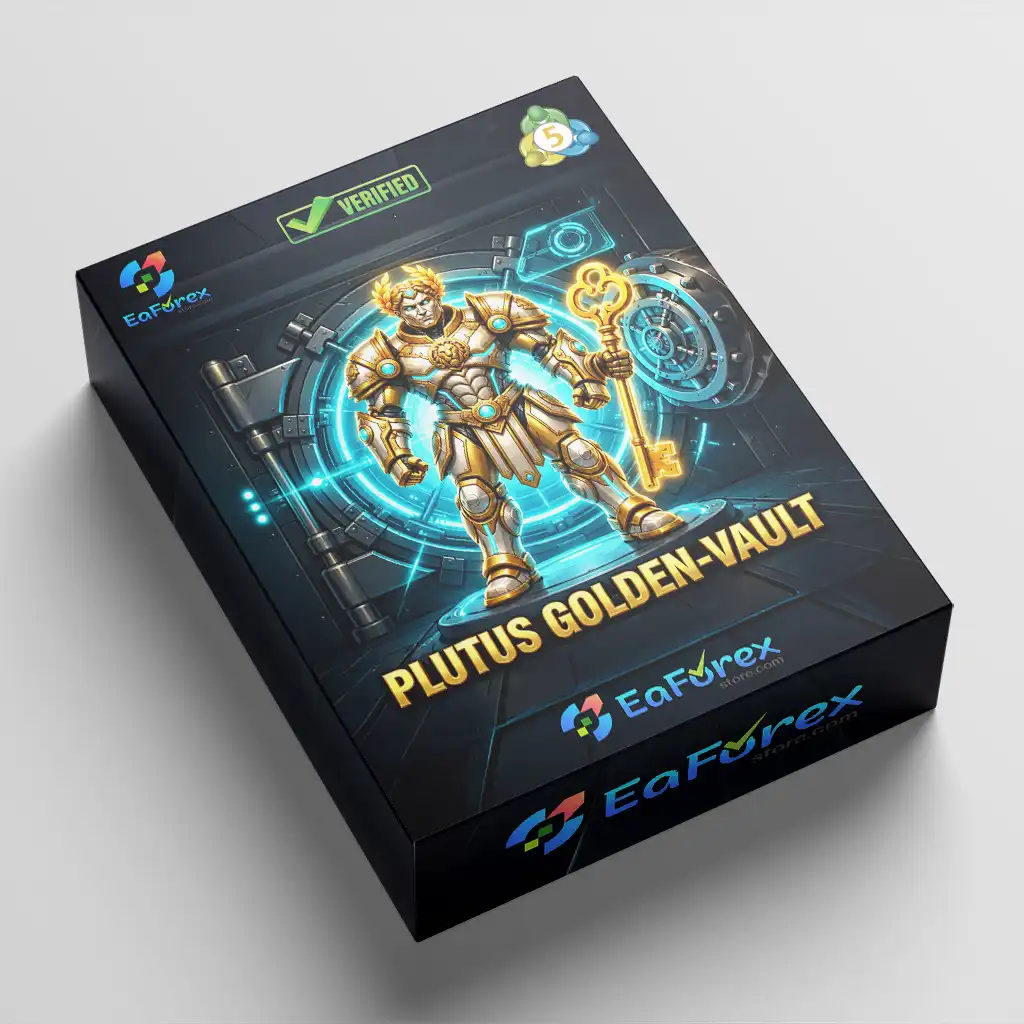
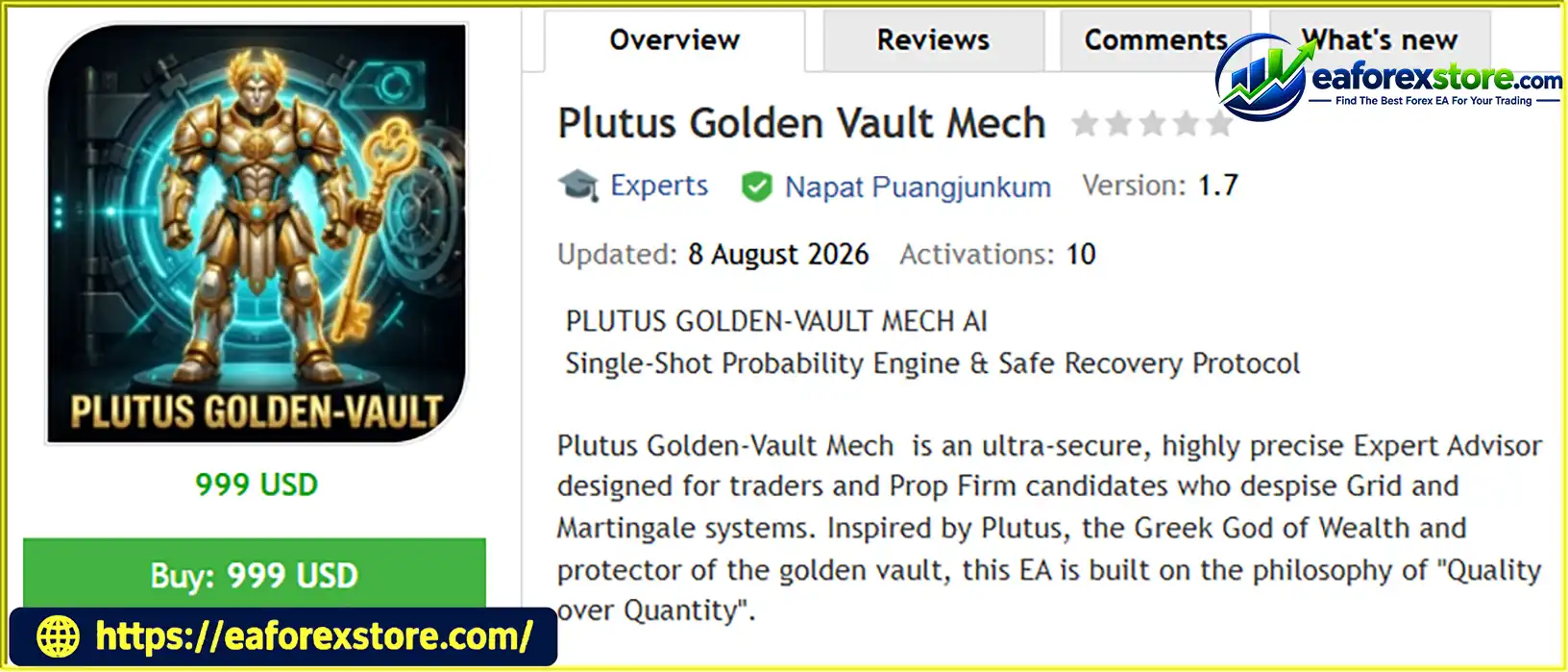
Plutus Golden Vault Mech EA MT5 is an automated Expert Advisor for MetaTrader 5, designed around a simple trading philosophy: Quality over Quantity. Developed for traders who prefer selective entries over excessive trading activity, this EA combines multi-indicator signal analysis, single-trade execution, predefined Stop Loss protection, and configurable recovery management.
Inspired by Plutus, the Greek god of wealth, the EA is built around the concept of protecting trading capital while waiting for potentially favorable market opportunities. Its strategy analyzes M5 trend direction, RSI values, and MACD momentum to calculate a signal probability score. A configurable minimum probability threshold determines whether a setup qualifies for a trade.
Unlike traditional Grid systems that accumulate multiple positions, Plutus Golden Vault Mech EA MT5 is designed to maintain a strict one-trade-at-a-time policy. Every trade uses a Stop Loss, while its optional Safe-Recovery protocol adjusts the lot size for a subsequent valid signal after a loss.
The EA also features an on-chart dashboard displaying signal probability, trend direction, market spread, and trading statistics. Additional controls, including a daily drawdown limit and the Ghost Protocol V3 feature, are designed to give traders greater control over their automated trading configuration.
With configurable presets for conservative, balanced, and more aggressive approaches, Plutus Golden Vault Mech EA MT5 provides a customizable framework for traders who want to evaluate selective automated trading on XAUUSD and other supported instruments.
>>> Delivery time 24h-48h after payment.
>>> Refund if not delivered.
>>> You will receive the latest version without any limitations (ID+Time).
>> Reviewed by Jason Stap <<<
Plutus Golden Vault Mech EA MT5 Overview
The EA uses a combination of technical indicators to evaluate potential trading opportunities.
Its described signal analysis includes:
These inputs are combined into a signal probability score. Traders can set the minimum acceptable threshold through InpMinProbability.
For example, a configuration with InpMinProbability = 80 is intended to reject signals below the 80 threshold and consider qualifying setups at or above that level.
Important: This score should not automatically be interpreted as a statistically validated 80% probability of winning. Its predictive value depends on how the score is calculated and whether it has been independently calibrated against historical and out-of-sample results.
Plutus follows a single-shot trading approach. Rather than continuously adding positions as the market moves against an existing trade, it is designed to maintain only one open trade at a time.
This approach can simplify position monitoring and prevent the progressive accumulation of exposure associated with traditional Grid strategies.
However, users should verify how the EA handles manual positions, trades from other Expert Advisors, multiple charts, and positions across different symbols. A one-trade limit is only effective within the scope actually enforced by the software.
Every trade is intended to have a predefined Stop Loss. If the market moves against the position and the Stop Loss is triggered, the trade closes according to the available execution conditions.
This creates a defined exit level under normal market conditions, but it does not guarantee that the final loss will equal the estimated amount. Slippage, gaps, spread changes, and execution delays may result in a different exit price.
The Safe-Recovery feature is designed to increase the lot size of a subsequent qualifying trade after a losing trade. For example, a recovery multiplier of 1.2 increases the next calculated lot size by 20% relative to the applicable base or prior recovery size, depending on the EA’s implementation.
The developer describes this approach as a gentler alternative to traditional Martingale systems. Nevertheless, any loss-recovery multiplier increases exposure and can amplify subsequent losses. It is not a guarantee that previous losses will be recovered.
The multiplier can be set to 1.0 for flat lot sizing, or adjusted to other supported values within the EA’s limits.
The Aegis Shield feature provides a configurable daily drawdown threshold, expressed as a percentage in the supplied presets.
For example, a setting of InpMaxDailyDD = 5.0 specifies a 5% daily drawdown limit according to the EA’s own calculation method.
Before relying on this feature for a funded or evaluation account, traders should verify:
These details matter because proprietary trading firms may calculate daily and total drawdown differently.
Ghost Protocol V3 is described as a feature that hides the intended Stop Loss and Take Profit levels from direct broker-side visibility by managing them virtually.
This may change how exit orders appear to the broker, but it introduces important operational considerations. If the terminal or VPS disconnects, the EA stops functioning, or market prices move rapidly, a virtual Stop Loss may not execute as intended. Hidden levels also do not eliminate slippage or guarantee protection from adverse execution.
Confirm the exact implementation and test disconnection behavior before using this feature with real capital.
Plutus Golden Vault Mech EA MT5 provides three presets intended for different trading styles.
Designed for traders who prefer stricter signal filtering and flat lot sizing.
| Parameter | Setting |
|---|---|
InpMinProbability |
90 |
InpBaseLot |
0.05 |
InpRecoveryMult |
1.0 |
InpMaxDailyDD |
5.0% |
Configuration objective: Apply a high entry threshold, avoid recovery-based lot increases, and use a relatively tight daily drawdown setting.
The name “Ultra-Safe” describes the intended configuration, not a guarantee of safety or compliance with a particular prop firm’s rules. A 0.05 lot position can still create substantial risk depending on the instrument and Stop Loss distance.
Presented as the recommended preset, this configuration combines a moderate signal threshold with a small recovery multiplier.
| Parameter | Setting |
|---|---|
InpMinProbability |
80 |
InpBaseLot |
0.05 |
InpRecoveryMult |
1.2 |
InpMaxDailyDD |
10.0% |
Configuration objective: Balance signal selectivity with a modest increase in position size following a loss.
A 10% daily drawdown threshold may be too high for many trading accounts and proprietary trading evaluations. Consider using a lower limit where appropriate and confirm how the EA calculates drawdown before deployment.
Designed for traders who want a lower entry threshold and a larger base lot with a stronger recovery multiplier.
| Parameter | Setting |
|---|---|
InpMinProbability |
75 |
InpBaseLot |
0.10 |
InpRecoveryMult |
1.5 |
InpMaxDailyDD |
15.0% |
Configuration objective: Consider more qualifying signals while allowing larger position sizes after losses.
This preset carries higher potential exposure. A 15% daily drawdown threshold is particularly aggressive and may violate the limits of many funded trading programs. It should not be considered suitable for a prop firm merely because the EA includes drawdown controls.
No preset is universally optimal. Select settings according to verified testing results, account size, instrument volatility, Stop Loss distance, and applicable trading rules.
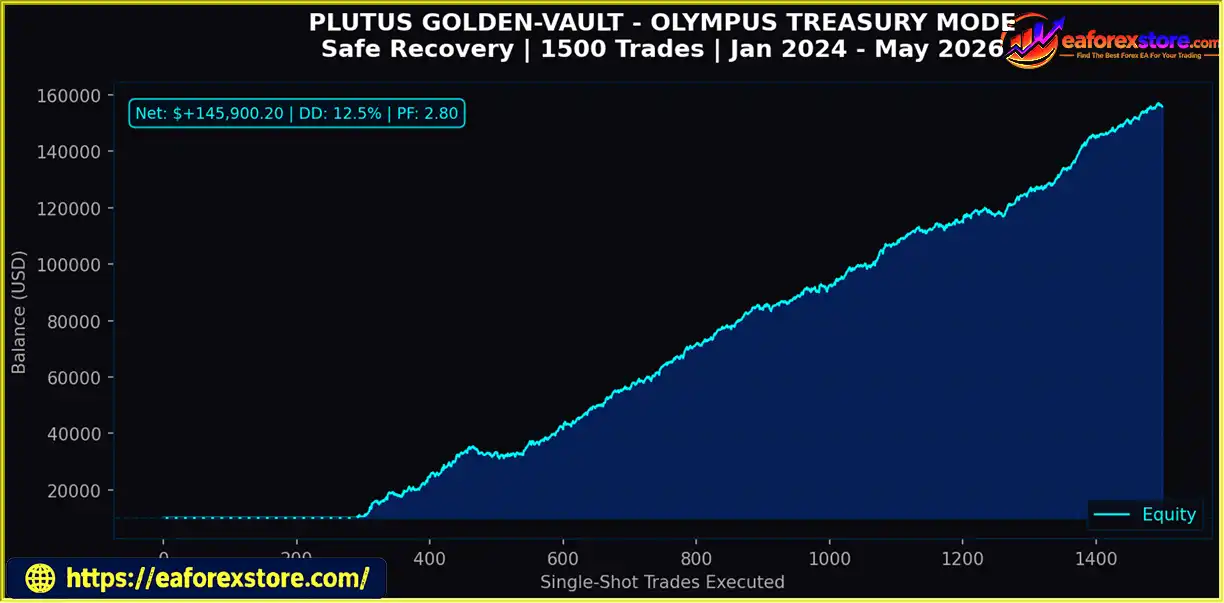
The developer lists the following performance figures for the Olympus Treasury (Smart Recovery) configuration:
| Metric | Reported Value |
|---|---|
| Trades Executed | 1,500 |
| Maximum Drawdown | 12.5% |
| Profit Factor | 2.80 |
These figures are developer-reported and should not be treated as independently verified results without supporting documentation. The testing period, instrument, timeframe, initial capital, leverage, trading costs, and whether the figures came from a backtest or live account have not been specified here.
Before relying on these results, request or produce a complete test report and verify the following:
A profit factor of 2.80 or a maximum drawdown of 12.5% in one test does not guarantee that similar results will occur in future trading.
The Single-Shot Probability Engine is designed to filter potential entries rather than continually open new positions. Traders who dislike the position accumulation associated with traditional Grid systems may find this approach easier to monitor.
Hard Stop Loss settings, the daily drawdown parameter, and adjustable lot sizing give users several controls for defining their risk-management approach.
These controls should be tested carefully: their presence does not automatically make a strategy low-risk.
The HUD provides information about signal probability, trend direction, live spread, and wins versus losses. This can help users monitor the EA’s displayed state without constantly reviewing every internal parameter.
Dashboard statistics should still be reconciled with the account history and broker statements.
The three presets offer different combinations of entry filtering, base lot size, recovery multiplier, and daily drawdown settings. Users can compare their behavior in the Strategy Tester before selecting a configuration.
The EA includes features relevant to rule-based trading, such as a daily drawdown control and selective trade entries. However, acceptance by any proprietary trading firm is not guaranteed. Automated trading, hidden stops, recovery sizing, and other methods may be restricted by individual firms.
Always check the firm’s current rules before using the EA in an evaluation or funded account.
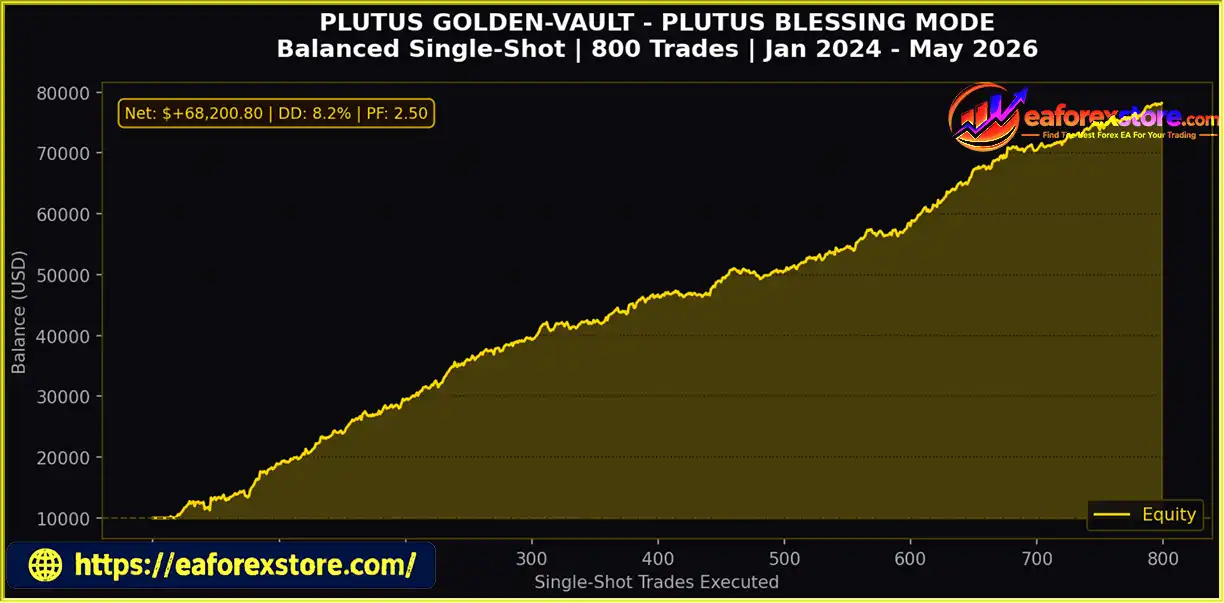
🔺XAUUSD (Gold) – 2Year
Plutus Golden Vault Mech EA MT5 backtets
🔺XAUUSD (Gold) – 2Year
Plutus Golden Vault Mech EA backtets
Despite its single-trade design and risk controls, Plutus Golden Vault Mech EA MT5 remains exposed to market and execution risks.
For these reasons, avoid assuming that a single-trade policy or a low recovery multiplier makes the EA inherently safe.
Follow these steps to install and configure the EA in MetaTrader 5.
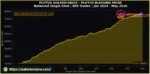
setting
Step 1: Open MetaTrader 5
Launch MT5 and select File → Open Data Folder.
Step 2: Install the Expert Advisor
Open the MQL5 → Experts directory and copy the Plutus Golden Vault Mech EA MT5 file into it. Return to MT5 and refresh the Expert Advisors section in the Navigator, or restart the platform.
Step 3: Open the XAUUSD Chart
Open an XAUUSD chart and select the M5 timeframe, as specified in the supplied installation instructions. Confirm that your broker supports the symbol and that the symbol name matches the one used by the EA.
Step 4: Attach the EA
Drag Plutus Golden Vault Mech EA MT5 onto the chart. Review the EA’s permissions and inputs, and enable algorithmic trading where required.
Step 5: Select a Preset
Choose Vault Guardian, Plutus Blessing, or Olympus Treasury. Check the minimum probability, base lot, recovery multiplier, and maximum daily drawdown settings.
Step 6: Review the Risk Parameters
Confirm that the base lot is suitable for your account and the instrument’s contract specifications. Check the Stop Loss behavior, daily drawdown calculation, recovery limits, and Ghost Protocol V3 functionality.
Step 7: Backtest and Forward-Test
Use the MT5 Strategy Tester with realistic transaction costs. Then run the EA on a demo account to monitor entries, exits, recovery sizing, and drawdown behavior.
Step 8: Consider Reliable Hosting
If the EA relies on terminal-side monitoring for hidden Stop Loss or Take Profit management, continuous platform operation becomes especially important. A VPS may help reduce interruptions, but it cannot eliminate connectivity, execution, or market risks.
Do not deploy the EA on a live or prop firm account until its behavior and compatibility have been verified.
>> Join VIP Membership Now <<<
Plutus Golden Vault Mech EA MT5 – Single-Shot Probability Engine & Safe Recovery Protocol is designed for traders who prefer selective entries, one-trade-at-a-time execution, and configurable risk controls rather than conventional Grid-based trading.
Its main features include multi-indicator signal scoring, hard Stop Loss settings, optional recovery sizing, daily drawdown controls, an on-chart dashboard, and three configurable presets. These features offer a framework for testing automated trading strategies, but they do not eliminate the possibility of substantial losses.
The most prudent starting point is to test the Vault Guardian configuration with flat lot sizing, verify how the Stop Loss and daily drawdown controls behave, and evaluate the EA on a demo account. Consider recovery sizing only after understanding its effect on cumulative risk.
Risk Disclaimer: Trading Forex, gold, and other financial instruments involves substantial risk and may result in the partial or total loss of capital. Recovery multipliers can amplify losses, virtual Stop Loss mechanisms may depend on continuous platform operation, and historical results do not guarantee future performance. No Expert Advisor can guarantee profits or ensure compliance with every proprietary trading firm’s rules. Always conduct independent testing and use risk settings appropriate for your financial situation.
1. What Is Plutus Golden Vault Mech EA MT5?
Plutus Golden Vault Mech EA MT5 is an automated trading Expert Advisor designed for MetaTrader 5. It combines trend analysis, RSI, and MACD momentum to evaluate trading signals, with single-trade execution, predefined Stop Loss protection, and configurable recovery management.
2. How Does Plutus Golden Vault Mech EA MT5 Work?
The EA analyzes M5 trend direction, RSI values, and MACD momentum to calculate a signal probability score. When the score meets the configured minimum threshold, the system can enter a trade according to its rules. It is designed to maintain one open trade at a time and apply predefined risk-management settings.
3. Does Plutus Golden Vault Mech EA MT5 Use Martingale or Grid Trading?
According to the product description, Plutus Golden Vault Mech EA MT5 avoids traditional Grid-style position accumulation and follows a single-trade policy. However, its optional Safe-Recovery protocol can increase the lot size after a losing trade. This can amplify subsequent losses, so it should not be considered risk-free or equivalent to fixed-lot trading.
4. What Are the Main Features of Plutus Golden Vault Mech EA MT5?
Key features include a signal probability engine, configurable entry thresholds, predefined Stop Loss protection, optional Safe-Recovery sizing, a daily drawdown circuit breaker, Ghost Protocol V3, and an on-chart dashboard. It also offers three presets: Vault Guardian, Plutus Blessing, and Olympus Treasury.
5. What Is the Difference Between the Three Plutus Golden Vault Mech EA MT5 Presets?
The Vault Guardian preset uses a minimum probability threshold of 90, a 0.05 base lot, a 1.0 recovery multiplier, and a 5% daily drawdown setting. Plutus Blessing uses a threshold of 80, a 0.05 base lot, a 1.2 multiplier, and a 10% drawdown setting. Olympus Treasury uses a threshold of 75, a 0.10 base lot, a 1.5 multiplier, and a 15% drawdown setting. These are configurable examples, not guarantees of safety or profitability.
6. What Is Ghost Protocol V3 in Plutus Golden Vault Mech EA MT5?
Ghost Protocol V3 is described as a feature that manages Stop Loss and Take Profit levels virtually rather than exposing the intended levels directly as broker-side orders. Its behavior depends on the EA's implementation. If virtual exits require continuous terminal operation, platform or VPS interruptions may affect trade management.
7. What Are the Backtest Results of Plutus Golden Vault Mech EA MT5?
The supplied product description reports two XAUUSD backtests covering two years. The first reports $145,900.20 in net profit, 12.5% maximum drawdown, and a 2.80 profit factor. The second reports $68,200.80 in net profit, 8.2% maximum drawdown, and a 2.50 profit factor. These figures have not been independently verified here, and the initial capital, testing conditions, and live performance are not established by the supplied information.
8. Is Plutus Golden Vault Mech EA MT5 Suitable for Prop Firm Challenges?
Plutus Golden Vault Mech EA MT5 includes daily drawdown controls and configurable trading parameters that may help traders manage risk during evaluations. However, compatibility with a specific prop firm is not guaranteed. Traders should verify the firm's daily and overall drawdown rules, automated trading policies, and restrictions on virtual Stop Losses or recovery sizing before using the EA.
In stock
In stock
In stock
In stock
In stock
Out of stock
No account yet?
Create an Account












 Automatic EA
 EA Best Seller
 Expert Advisor MT4
 Expert Advisor MT5
 HFT EA


Reviews
Clear filtersThere are no reviews yet.