









-
 Unlimited Activations
-
 Instant delivery
-
 Easy to install






 Unlimited Activations
Instant delivery
Easy to install
Unlimited Activations
Instant delivery
Easy to install
 Free Update
 Free Install Support

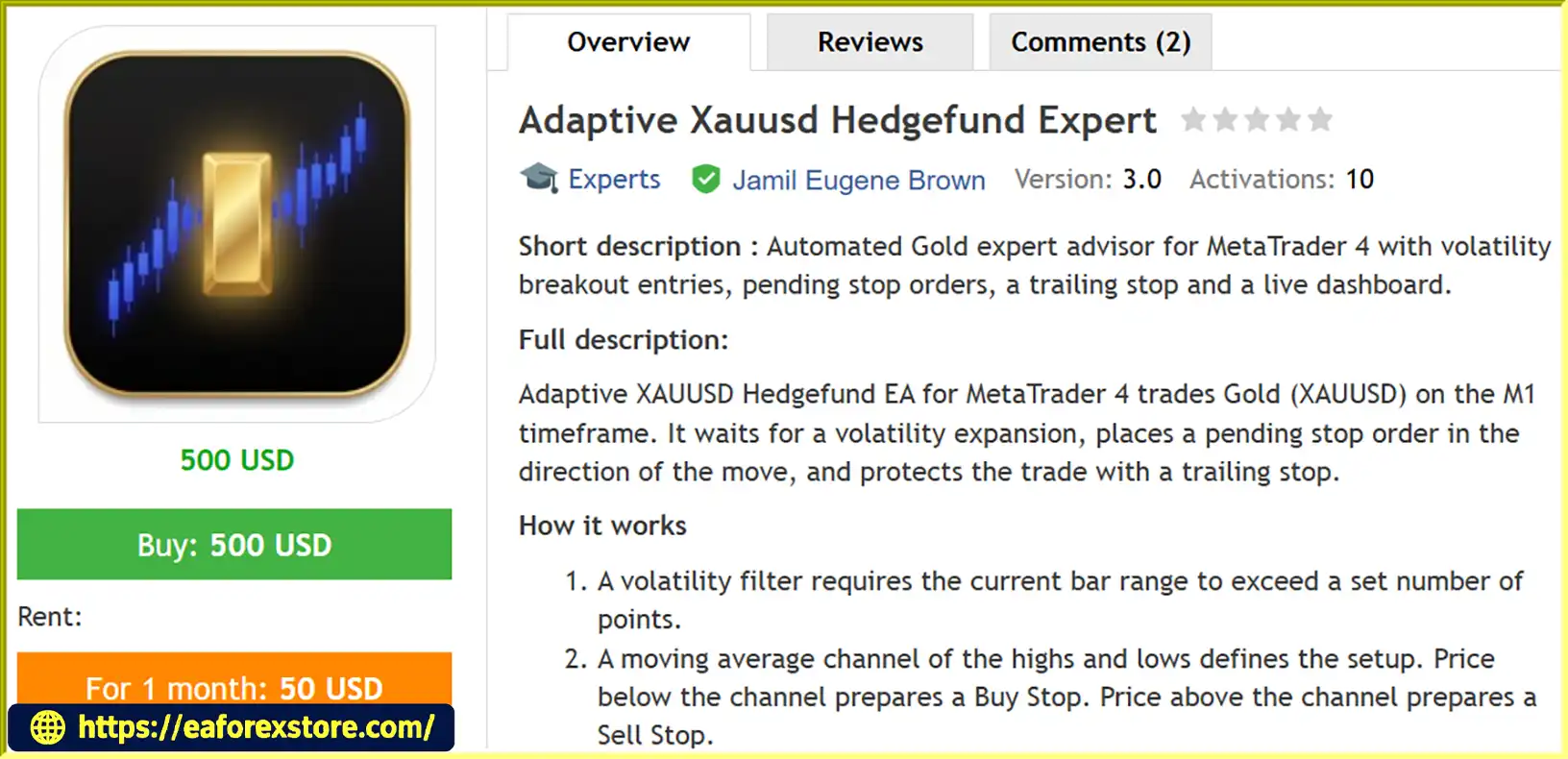
Adaptive XAUUSD Hedgefund Expert EA MT4 is an automated Gold trading Expert Advisor designed for the MetaTrader 4 (MT4) platform. Developed specifically for trading XAUUSD on the M1 timeframe, this EA uses a volatility breakout strategy combined with pending stop orders, moving average channel analysis, and dynamic trailing stop protection.
The EA monitors market volatility and price movements to identify potential breakout opportunities. When specific trading conditions are met, it places a pending Buy Stop or Sell Stop order in the anticipated direction of the market movement. Once the order is triggered, the EA manages the trade using a protective stop loss and a trailing stop that follows price movements in a favorable direction.
With built-in spread protection, optional trading time filters, risk-based lot sizing, and a real-time trading dashboard, Adaptive XAUUSD Hedgefund EA provides a structured approach to automated Gold trading.
Designed for traders who prefer systematic execution over manual decision-making, this MT4 Gold Expert Advisor offers a configurable trading framework for volatile market conditions.
>>> Delivery time 24h-48h after payment.
>>> Refund if not delivered.
>>> You will receive the latest version without any limitations (ID+Time).Reviewed by Jason Stap <<<
Adaptive Xauusd Hedgefund Expert EA MT4 Overview
The EA is designed to trade Gold automatically on MetaTrader 4. It continuously monitors market conditions and evaluates potential breakout setups according to its predefined trading rules.
A built-in volatility filter identifies periods when the current candle’s price range exceeds a configurable threshold. This helps the EA focus on periods of increased market activity.
The EA uses a moving average channel based on price highs and lows to define potential trading setups. The channel helps determine whether a Buy Stop or Sell Stop order should be prepared.
Instead of entering the market immediately, the EA uses pending stop orders to seek confirmation of a price breakout.
Buy Stop and Sell Stop orders are positioned according to the strategy’s predefined conditions.
After a trade is activated, the EA uses a trailing stop to follow favorable price movements. The stop loss is adjusted according to the configured trailing distance and is designed to move only in the direction of reduced trading risk.
The EA supports two position-sizing methods:
The EA includes a spread filter with a commission estimate to help avoid trading when transaction costs exceed the configured threshold.
The integrated dashboard displays useful trading information, including:
Adaptive XAUUSD Hedgefund Expert EA MT4 follows a systematic trading process designed to identify volatility breakout opportunities in the Gold market.
The EA continuously monitors the current XAUUSD candle.
A trade setup is considered only when the candle’s range exceeds the configured volatility threshold.
This filter is designed to identify periods of increased market activity.
The EA calculates a moving average channel using the highs and lows of recent price candles.
The channel helps define the potential breakout setup:
The direction of the pending order is determined by the EA’s trading conditions.
Before placing an order, the EA checks several conditions:
These checks are designed to prevent order placement when the configured trading conditions are not satisfied.
When all conditions are met, the EA places a pending stop order with a predefined stop loss.
The pending order can be adjusted closer to the market according to the EA’s configured order limit and distance parameters.
The objective is to position the order near a potential breakout level while maintaining predefined trade protection.
Once the pending order is triggered, the EA manages the position using its trailing stop mechanism.
The stop loss follows favorable price movements and is designed not to move backward against the trade.
This process allows the EA to manage trades automatically according to its configured parameters.
Gold is known for its volatility and rapid price movements. Adaptive XAUUSD Hedgefund Expert EA MT4 is designed specifically for XAUUSD trading, using a volatility-based approach to identify potential breakout opportunities.
The EA follows predefined trading rules for signal detection, pending order placement, and trade management.
This can help reduce the need for constant manual chart monitoring.
The EA does not use martingale lot multiplication or grid-based trade accumulation.
It is designed to operate with one order or position at a time, according to its trade management rules.
Traders can adjust important parameters, including volatility filters, stop loss, trailing distance, risk percentage, moving average settings, and spread limits.
This flexibility allows the EA to be configured for different broker conditions and trading preferences.
The EA includes stop loss protection, trailing stop management, spread filtering, and margin safety checks.
These features provide a structured framework for managing trading exposure.
The live dashboard allows traders to monitor account information, trading signals, positions, and statistics directly from the MT4 chart.
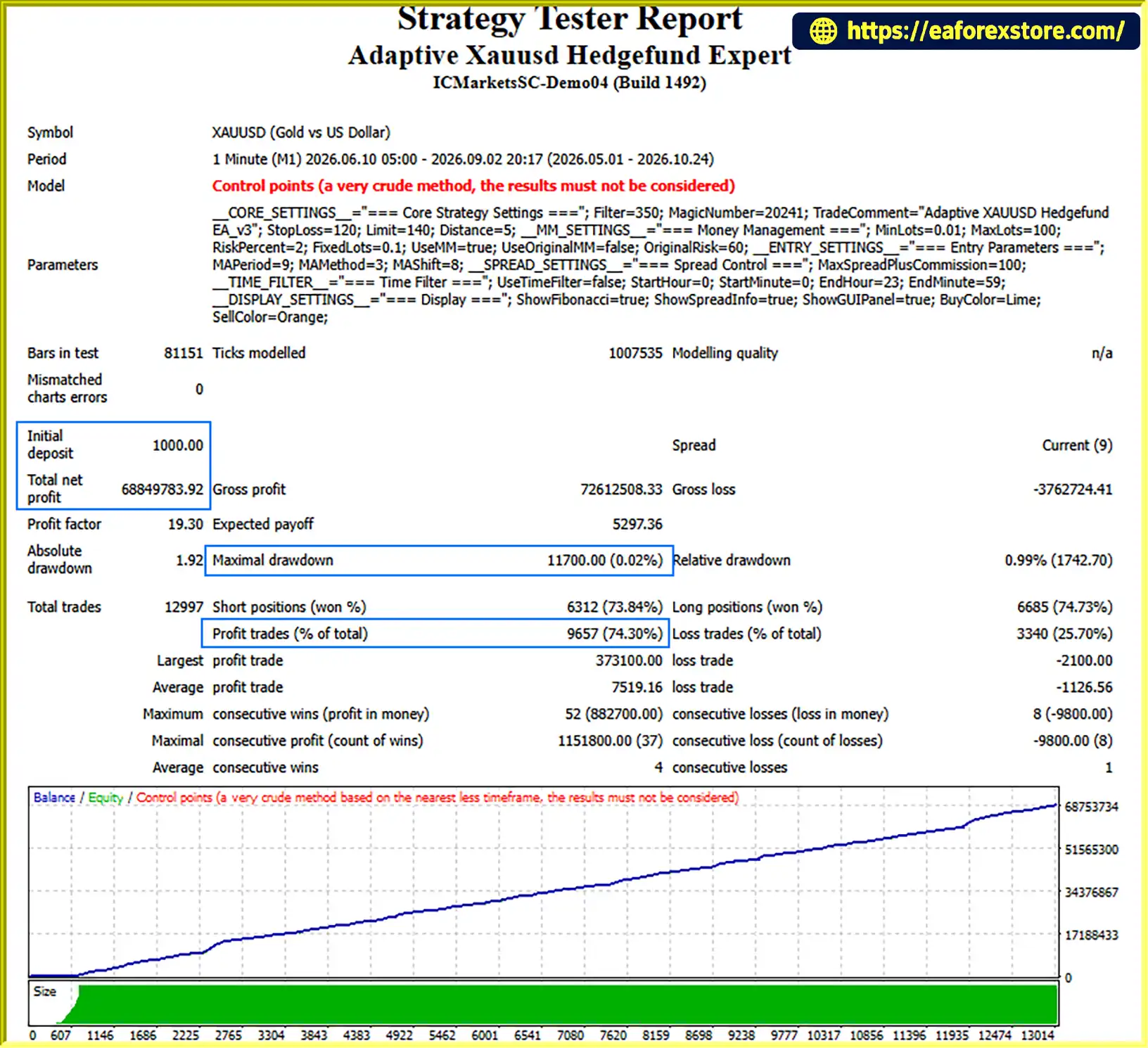
🔺XAUUSD (Gold) pair – 5.5 months
Adaptive Xauusd Hedgefund Expert EA MT4 bac ktets
Risk management is an important component of automated Gold trading, especially when operating on the M1 timeframe.
Adaptive XAUUSD Hedgefund Expert EA MT4includes several configurable features designed to help manage trading exposure.
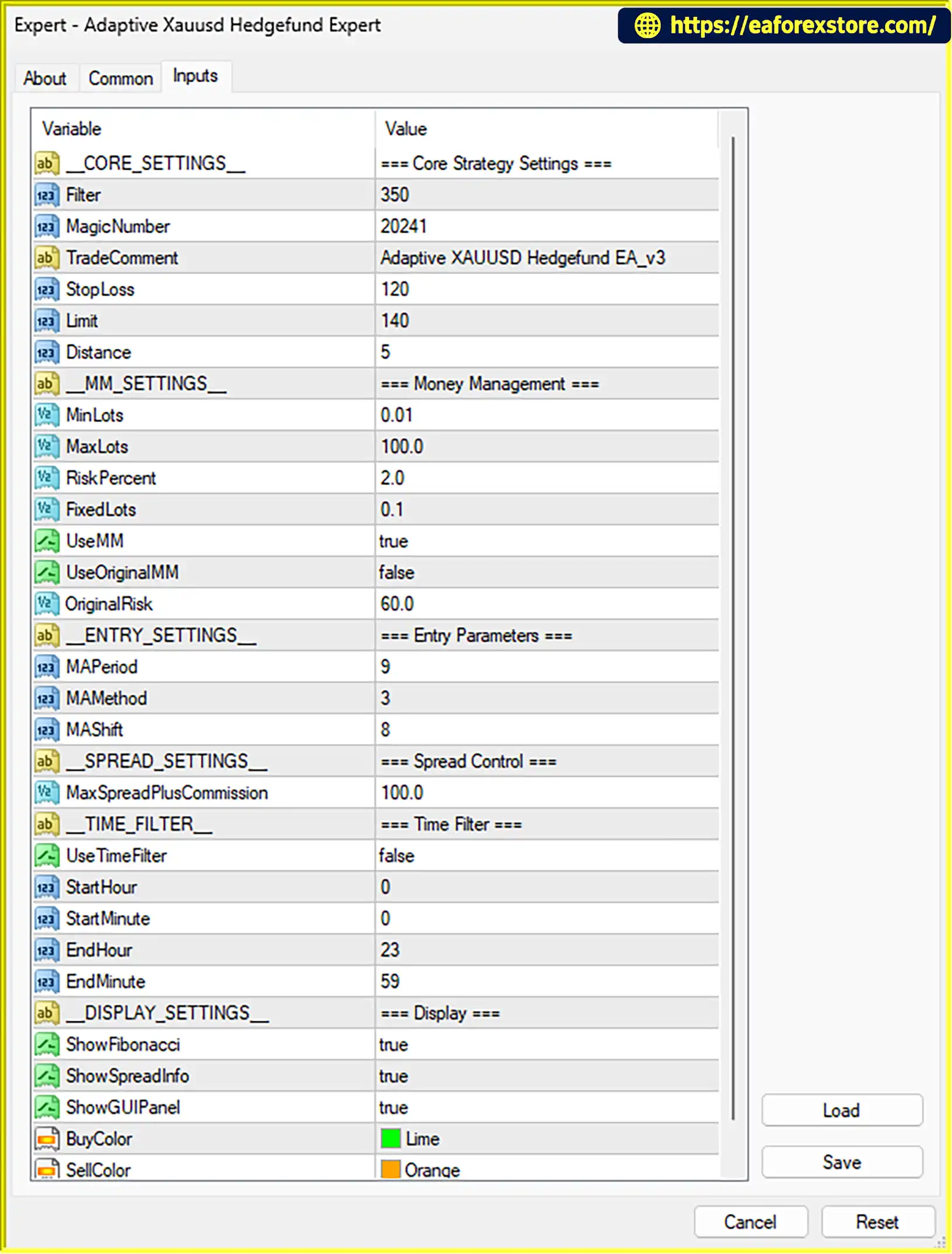
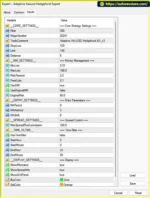
The EA supports risk-based lot sizing through the RiskPercent parameter.
The default risk setting is 2.0%, but traders should understand that the actual risk per trade depends on the EA’s implementation, stop loss distance, broker contract specifications, and execution conditions.
A lower risk setting may help reduce exposure, although it cannot eliminate the possibility of losses.
Every trade is designed to include a stop loss.
The default StopLoss parameter is 120 points. Actual monetary risk depends on the broker’s Gold contract specifications and the account’s trading conditions.
The trailing stop is designed to follow favorable price movements and help protect accumulated gains.
However, a trailing stop does not guarantee execution at the specified price during periods of slippage, gaps, or extreme volatility.
The MaxSpreadPlusCommission parameter is used to define the maximum acceptable spread and estimated commission threshold.
The default setting is 100 points.
This filter helps the EA avoid trading when transaction costs are considered too high.
The EA includes a margin safety mechanism based on a 90% free-margin threshold.
Traders should carefully review how this parameter is implemented and ensure that sufficient free margin remains available during volatile market conditions.
Important: The EA’s dashboard displays trading information and statistics. Specific alert notifications, such as push notifications, email alerts, or sound alerts, should only be considered available if they are explicitly supported by the installed EA version.
Follow these steps to install and configure the Expert Advisor on MetaTrader 4.
Setting
Download the Adaptive XAUUSD Hedgefund EA MT4 file.
The EA is typically provided as an .ex4 or .mq4 file.
MQL4 directory.Experts folder.Copy the EA file into the following directory:
MQL4/Experts/
If the EA includes additional files, such as indicators or libraries, place them in their corresponding folders according to the developer’s instructions.
Return to MetaTrader 4.
In the Navigator panel:
Alternatively, restart the MT4 platform.
The EA should now appear in the Expert Advisors list.
Make sure the symbol matches the instrument supported by your broker.
Drag Adaptive XAUUSD Hedgefund EA onto the XAUUSD M1 chart.
In the EA settings:
Click the AutoTrading button in MT4 to enable automated trading.
Check that the EA’s dashboard indicates that it is active and that there are no configuration or trading errors.
Before using a real account:
A VPS is recommended for traders who require continuous operation.
>>> Join VIP Membership Now <<<
Adaptive XAUUSD Hedgefund Expert EA MT4 is an automated Gold trading solution designed for traders who want to explore a systematic volatility breakout strategy on MetaTrader 4.
By combining volatility filtering, moving average channel analysis, pending stop orders, and trailing stop management, the EA provides a structured approach to identifying and managing potential XAUUSD trading opportunities.
Its configurable risk settings, spread protection, margin safety check, and real-time dashboard make it a flexible tool for traders who prefer automated execution and systematic trade management.
However, automated trading does not eliminate market risk. Gold can experience sudden price movements, false breakouts, slippage, and unexpected changes in trading conditions.
For this reason, traders should begin with a demo account, evaluate the EA under realistic market conditions, and use conservative risk settings before considering live trading.
Adaptive XAUUSD Hedgefund EA MT4 is a trading tool, not a guarantee of profits.
Always remember that past performance and backtest results do not guarantee future results. Trade responsibly and only use capital you can afford to lose.
1. What Is Adaptive XAUUSD Hedgefund Expert EA MT4?
Adaptive XAUUSD Hedgefund Expert EA MT4 is an automated Gold trading Expert Advisor designed for MetaTrader 4 (MT4). It uses a volatility breakout strategy, moving average channel analysis, and pending stop orders to identify potential XAUUSD trading opportunities. The EA also includes a trailing stop, risk-based lot sizing, spread protection, and a real-time trading dashboard.
2. Which Trading Pair and Timeframe Does Adaptive XAUUSD Hedgefund EA MT4 Support?
Adaptive XAUUSD Hedgefund EA MT4 is specifically designed for XAUUSD (Gold) trading on the M1 timeframe. Its strategy focuses on short-term price movements and volatility breakout opportunities. Traders should verify their broker's Gold symbol, contract specifications, spread, and execution conditions before using the EA.
3. How Does Adaptive XAUUSD Hedgefund EA MT4 Work?
The EA monitors Gold price movements and identifies potential breakout opportunities when the current candle's range exceeds a configurable volatility threshold. It then analyzes a moving average channel and places a pending Buy Stop or Sell Stop order according to its trading conditions. Once the order is triggered, the EA manages the position using a predefined Stop Loss and dynamic trailing stop.
4. Does Adaptive XAUUSD Hedgefund EA MT4 Use Martingale or Grid Trading?
No. According to its described trading logic, Adaptive XAUUSD Hedgefund EA MT4 does not use martingale lot multiplication or grid-based trade accumulation. It is designed to operate with one order or position at a time, helping maintain a more structured approach to trade management. However, traders should still configure appropriate position sizing and risk limits.
5. Does Adaptive XAUUSD Hedgefund EA MT4 Include Stop Loss and Trailing Stop Protection?
Yes. The EA includes a predefined Stop Loss and a dynamic trailing stop designed to follow favorable price movements. The trailing stop can adjust the protective stop level as the trade moves in a profitable direction. However, slippage, market gaps, and extreme volatility can affect execution, so these features cannot guarantee that losses will remain within a specific amount.
6. Can I Use Fixed Lots or Risk-Based Lot Sizing with Adaptive XAUUSD Hedgefund EA MT4?
Yes. The EA supports both fixed lot sizing and risk-based position sizing through its configurable parameters. The default RiskPercent setting is 2.0%, but traders can adjust it according to their trading preferences and risk tolerance. Actual monetary risk depends on the Stop Loss distance, broker contract specifications, account currency, and execution conditions.
7. Is Adaptive XAUUSD Hedgefund EA MT4 Suitable for Beginners?
Adaptive XAUUSD Hedgefund EA MT4 can be useful for beginners who want to explore automated Gold trading without manually placing every trade. Its trading dashboard, predefined trading rules, and configurable risk settings provide a structured trading framework. However, beginners should understand how automated trading works, test the EA on a demo account, and use conservative risk settings before considering live trading.
8. How Can I Install and Run Adaptive XAUUSD Hedgefund EA MT4?
To install Adaptive XAUUSD Hedgefund EA MT4, copy the .ex4 file into the MQL4/Experts folder of your MT4 Data Folder. Refresh the Expert Advisors list, open an XAUUSD chart on the M1 timeframe, and attach the EA to the chart. Configure the trading parameters, enable automated trading, and verify that the EA is operating correctly. A reliable VPS is recommended for continuous operation, and demo testing is strongly advised before live deployment.
In stock
In stock
In stock
In stock
In stock
Out of stock
No account yet?
Create an Account












 Automatic EA
 EA Best Seller
 Expert Advisor MT4
 Expert Advisor MT5
 HFT EA


Reviews
Clear filtersThere are no reviews yet.