









-
 Unlimited Activations
-
 Instant delivery
-
 Easy to install





 Unlimited Activations
Instant delivery
Easy to install
Unlimited Activations
Instant delivery
Easy to install
 Free Update
 Free Install Support

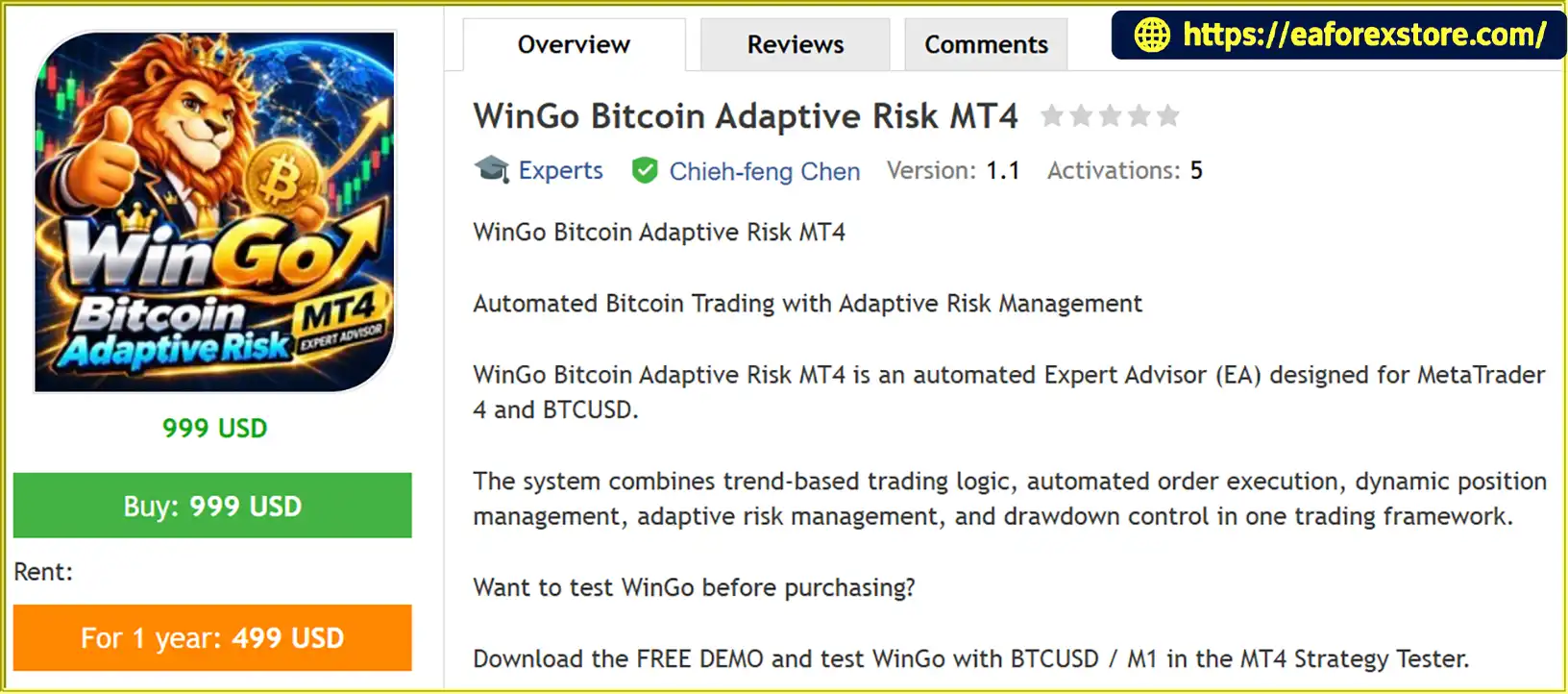
WinGo Bitcoin Adaptive Risk MT4 is an automated Bitcoin trading Expert Advisor (EA) developed for the MetaTrader 4 platform and designed specifically for the BTCUSD trading pair. It combines trend-based trading logic, automated order execution, dynamic position management, and adaptive risk management in a single trading framework.
Designed for the recommended M1 timeframe, WinGo aims to respond to changing Bitcoin market conditions, including trending markets, sideways price movements, sudden reversals, and periods of elevated volatility.
Unlike automated trading systems that rely on a single fixed risk-management approach, WinGo incorporates a three-level framework consisting of Normal Mode, Drawdown Defense, and Severe Market Protection. These layers are designed to adjust the system’s risk response according to market and account conditions.
One of WinGo’s key advantages is the opportunity to evaluate its trading behavior before purchasing. Traders can use the free demo version in the MT4 Strategy Tester to examine historical performance, maximum drawdown, profit factor, trading frequency, and equity-curve behavior across multiple market periods.
>>> Delivery time 24h-48h after payment.
>>> Refund if not delivered.
>>> You will receive the latest version without any limitations (ID+Time).Reviewed by Jason Stap <<<
WinGo Bitcoin Adaptive Risk MT4 Overview
WinGo automates key trading operations on BTCUSD, including trade execution and entry and exit management according to its programmed strategy.
Once correctly configured and enabled, the EA can execute its trading logic without requiring the trader to manually place every order. Users should still monitor execution, connectivity, margin requirements, and account risk.
Bitcoin can experience extended trends as well as periods of consolidation and sudden reversals. WinGo uses trend-based trading logic designed to identify and respond to market movements according to its internal trading rules.
Its performance may vary significantly depending on market conditions, price data, broker execution, and the behavior of the underlying strategy.
One of WinGo’s defining features is its three-level risk-management framework.
Normal Mode
Under normal market and account conditions, the EA operates using its standard trading strategy and configured position-management rules.
Drawdown Defense
When account conditions deteriorate, the system is designed to activate a more defensive risk-management approach. The objective is to adapt its behavior as drawdown conditions become less favorable.
Severe Market Protection
An additional protection layer is designed for particularly unfavorable market conditions. This provides another level within the EA’s risk-management framework.
The exact activation thresholds and actions depend on the EA’s implementation. These modes should not be interpreted as a guarantee that losses or drawdowns will be prevented.
WinGo includes dynamic position management designed to manage trades according to its internal strategy and prevailing conditions.
This feature works alongside the EA’s adaptive risk framework to support automated trade handling. Actual position sizing, exit behavior, and risk exposure should be verified through the product documentation and demo testing.
WinGo incorporates equity protection or monitoring functionality as part of its risk-management design.
These functions are intended to help the system respond to changing account conditions. However, equity monitoring does not necessarily guarantee a maximum loss limit or prevent losses caused by rapid price movements, gaps, slippage, or execution delays.
WinGo allows prospective buyers to evaluate the EA using a free demo version in the MetaTrader 4 Strategy Tester.
This enables traders to investigate historical results, compare different periods, and examine important performance indicators before purchasing.
Testing the EA under the same broker specifications that you intend to use can provide a more relevant assessment than relying on screenshots alone.
WinGo combines automated BTCUSD trading with a risk-management framework designed to respond to market and account conditions.
Install the EA in MetaTrader 4, select BTCUSD, and use the recommended M1 timeframe.
Before testing, verify your broker’s contract size, spread, commission, leverage, minimum lot size, and historical price-data availability.
WinGo applies its internal trend-based trading logic to evaluate market conditions and identify potential trading opportunities.
The EA’s exact entry signals and technical calculations depend on its implementation and should be assessed through its documentation and observed testing behavior.
When the trading conditions are satisfied, WinGo can execute orders and manage trade entries and exits according to its programmed rules.
Dynamic position management supports the automated handling of active trades without requiring constant manual intervention.
The EA uses three risk-management levels to address different conditions:
The actual behavior of each level should be confirmed during testing, including the conditions that trigger a change and the actions taken by the EA.
Traders should review the equity curve, profit factor, maximum drawdown, trade frequency, and overall exposure.
These metrics help reveal how the EA behaves across different market environments and whether its risk profile is compatible with the trader’s objectives.
Use the free demo to test multiple historical periods and, where possible, conduct forward testing on a demo account.
Historical performance is only one part of the evaluation process. Execution quality, transaction costs, margin requirements, and real-time market behavior also influence actual results.
WinGo provides an opportunity to evaluate its trading behavior before committing to a purchase. The free demo lets traders investigate the EA using the MT4 Strategy Tester rather than relying exclusively on promotional performance figures.
The three-level framework distinguishes WinGo from systems that use only a single risk-management mode. Its design aims to adapt to different market and account conditions through Normal Mode, Drawdown Defense, and Severe Market Protection.
However, the effectiveness of these mechanisms must be evaluated using actual test results.
WinGo targets Bitcoin trading through the BTCUSD instrument. Its recommended M1 timeframe is intended for short-term automated trading, although the quality of results depends on the broker’s price feed, trading costs, and execution environment.
The supplied backtests cover four separate one-year historical periods, allowing traders to compare the reported results across different BTCUSD market environments.
This is more informative than evaluating a single favorable period, although the reported figures still require independent verification and do not establish future profitability.
Automated trade execution and position management can reduce the need to monitor every short-term market movement and manually place each order.
Automation does not remove the need for supervision, technical monitoring, or risk controls.
WinGo encourages users to focus on profit factor, maximum drawdown, total trades, and the equity curve when evaluating the system.
This approach supports a more balanced assessment than judging an EA by returns alone.
🔺BTCUSD pair – 1 Years
WinGo Bitcoin Adaptive Risk MT4 Backtets
WinGo Bitcoin Adaptive Risk MT4 EA Backtets
Bitcoin is a highly volatile market, and automated BTCUSD trading can involve substantial financial risk. WinGo’s adaptive risk framework is designed to manage changing conditions, but no automated trading system can eliminate market risk.
The Normal Mode, Drawdown Defense, and Severe Market Protection framework is intended to adjust the system’s response to different account and market conditions.
Before using real funds, test how these modes behave, what triggers them, and whether the EA changes position sizes, trade frequency, exposure, or other risk-related parameters.
Maximum drawdown measures the decline from a previous equity or balance peak, depending on the calculation method used. Equity drawdown is particularly important for systems that may have open positions and unrealized losses.
Review both the historical drawdown statistics and the EA’s actual equity behavior during testing.
BTCUSD specifications vary between brokers. Important factors include:
Differences in these conditions can materially affect results.
The suggested starting balance is $1,000 or higher. This is a recommendation supplied for the product, not a guarantee that the EA is safe or adequately funded at that amount.
The appropriate account size depends on the EA’s actual position sizing, potential exposure, broker contract specifications, and the trader’s tolerance for losses.
Bitcoin can experience rapid price changes, unexpected reversals, and sharp movements outside normal market conditions.
Protective logic may not respond quickly enough to avoid losses during fast markets, particularly when execution is delayed or prices gap.
If running the EA continuously, consider a reliable VPS and stable connection. Monitor the MT4 Experts and Journal logs for errors, rejected orders, connectivity problems, and other execution issues.
Do not assume that an adaptive risk feature replaces independent safeguards or active monitoring.
Modeling Quality of 99.90% is a reported backtest statistic, not proof of live profitability or a guarantee of execution accuracy.
For a more reliable assessment, verify the historical data, testing configuration, broker specifications, spread assumptions, and methodology used to calculate the results.
Important: Historical performance does not guarantee future results. BTCUSD trading can lead to substantial losses, including the loss of all capital allocated to trading. Test carefully and use only funds you can afford to lose.
Follow these steps to install and test WinGo Bitcoin Adaptive Risk MT4 on your MetaTrader 4 platform.
Obtain the WinGo Bitcoin Adaptive Risk MT4 demo from the official or authorized product provider.
Check the supplied files and installation instructions before proceeding.
Launch MetaTrader 4 and navigate to:
File → Open Data Folder
Open the following directory:
MQL4 → Experts
Copy the supplied WinGo EA file into the Experts folder.
The file may use the .ex4 or .mq4 extension. If additional libraries or indicators are provided, follow the developer’s installation instructions.
Return to MT4 and open the Navigator panel.
Right-click Expert Advisors and select Refresh, or restart the terminal if necessary.
Select BTCUSD from the Market Watch window and open its chart.
Set the timeframe to M1, as recommended for WinGo.
If your broker uses a different symbol name, such as a BTCUSD suffix or prefix, check the EA’s compatibility before testing.
Press Ctrl + R or select View → Strategy Tester.
Choose WinGo Bitcoin Adaptive Risk MT4 as the Expert Advisor and select BTCUSD as the testing symbol.
Set the timeframe to M1 and select a historical period.
Where supported, configure the test using realistic trading costs and the broker’s actual contract specifications.
Run multiple independent periods rather than testing only one favorable interval.
Pay attention to the following performance indicators:
After backtesting, consider testing the demo on a demo account using your intended broker’s BTCUSD specifications.
Verify order execution, risk-management behavior, and the EA’s response to changing market conditions before considering live trading.
Compare the test results with your financial objectives and risk tolerance.
Do not purchase or deploy the EA based solely on the highest historical return. Consider the complete performance profile, potential losses, and limitations of historical testing.
>> Join VIP Membership Now <<<
WinGo Bitcoin Adaptive Risk MT4 is an automated BTCUSD trading Expert Advisor designed for MetaTrader 4. Its main features include trend-based trading logic, dynamic position management, and a three-level risk-management framework consisting of Normal Mode, Drawdown Defense, and Severe Market Protection.
The opportunity to test a free demo before purchasing is a valuable part of the product’s evaluation process. Traders can investigate four separate one-year historical backtests, review reported performance metrics, and assess how the EA behaves across different market conditions.
The supplied results show substantial variation in historical returns and trading frequency. These differences highlight the importance of independent verification, realistic testing assumptions, and a careful assessment of drawdown rather than focusing on headline returns alone.
For traders interested in automated Bitcoin trading, WinGo offers a framework that can be evaluated before live deployment. However, its adaptive risk-management features should not be interpreted as a guarantee against losses, and historical backtests cannot establish future performance.
Test first. Review the risks. Decide later.
Download the free demo, test WinGo Bitcoin Adaptive Risk MT4 with BTCUSD on the M1 timeframe, and make your decision based on verified results and your own risk tolerance.
1. What Is WinGo Bitcoin Adaptive Risk MT4?
WinGo Bitcoin Adaptive Risk MT4 is an automated trading Expert Advisor (EA) designed specifically for BTCUSD on the MetaTrader 4 platform. It combines trend-based trading logic, automated order execution, dynamic position management, and a three-level adaptive risk framework. The EA is designed to respond to changing Bitcoin market conditions while allowing traders to evaluate its historical performance before purchasing.
2. Does WinGo Bitcoin Adaptive Risk MT4 Offer a Free Demo?
Yes, WinGo Bitcoin Adaptive Risk MT4 offers a free demo version that can be evaluated using the MT4 Strategy Tester. Traders can use historical data to examine key performance metrics, including net profit, profit factor, maximum drawdown, trading frequency, and equity-curve behavior. Testing multiple historical periods can help you assess the EA's consistency and risk profile before deciding whether to purchase it.
3. How Does the Adaptive Risk Management System Work?
WinGo Bitcoin Adaptive Risk MT4 uses three risk-management levels designed to respond to different market and account conditions:
Normal Mode: Operates under standard trading conditions.
Drawdown Defense: Applies a more defensive approach when account conditions deteriorate.
Severe Market Protection: Provides an additional risk-response layer during particularly unfavorable conditions.
The exact activation thresholds and actions depend on the EA's implementation. These features are designed to manage risk but cannot guarantee protection against losses or excessive drawdown.
4. Is WinGo Bitcoin Adaptive Risk MT4 Profitable? What Are Its Backtest Results?
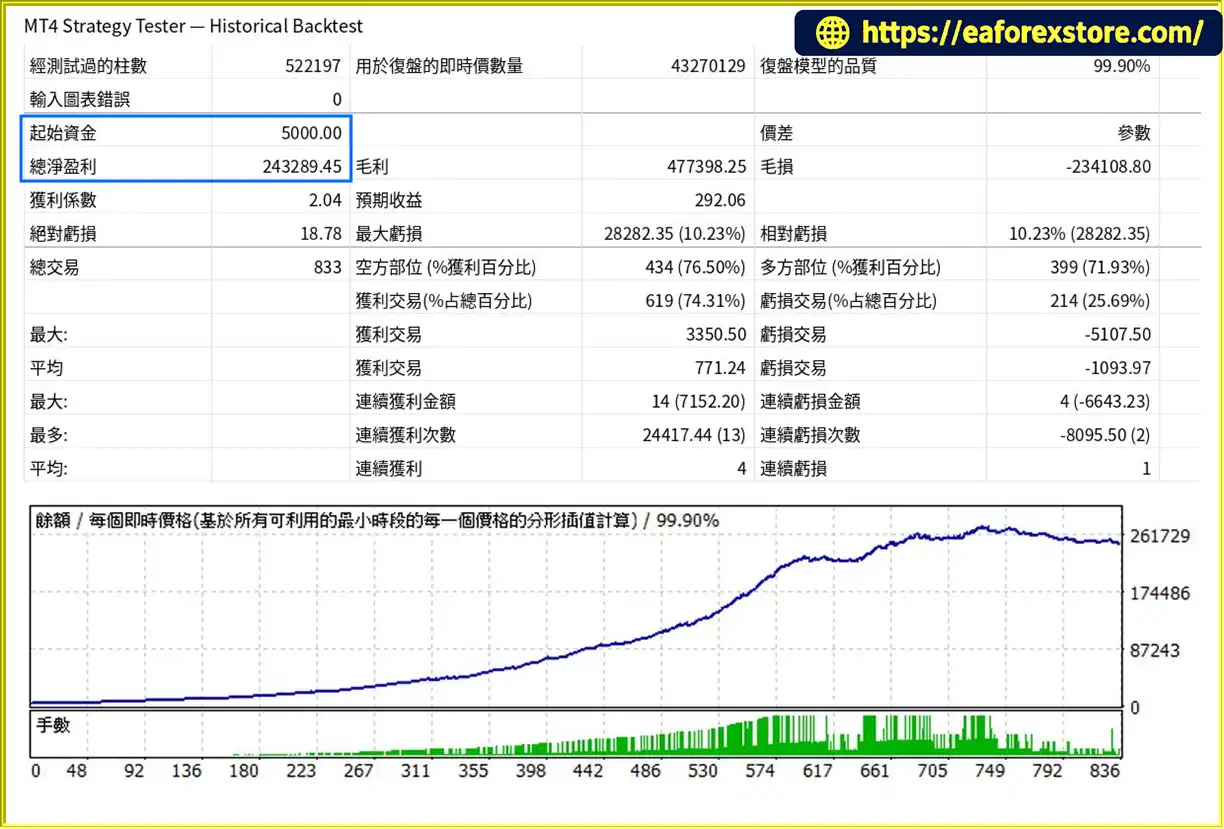
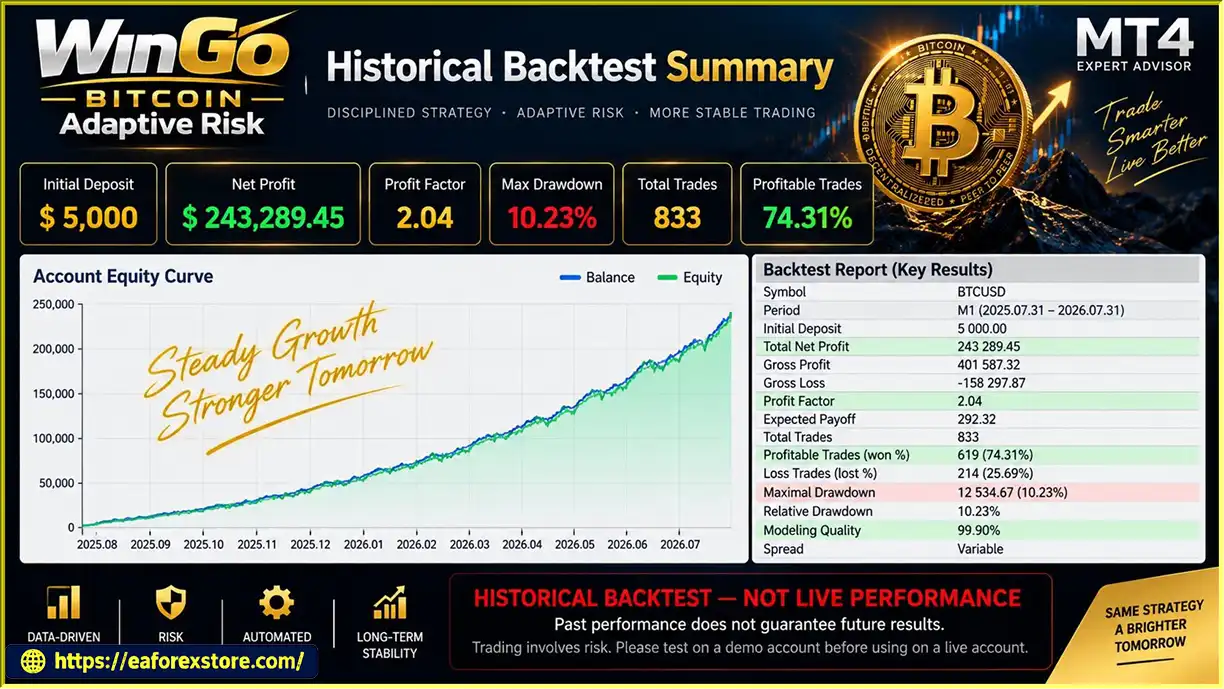
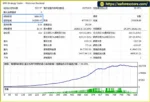
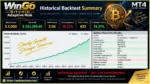
According to the supplied backtest results, WinGo Bitcoin Adaptive Risk MT4 recorded the following performance over a one-year BTCUSD testing period:
Initial deposit: $5,000
Reported net profit: $243,289.45
Win rate: 74.31%
Maximum drawdown: 10.23%
These figures are historical backtest results and should be independently verified. Actual trading performance may differ because of spreads, commissions, slippage, broker specifications, and changing Bitcoin market conditions. A high historical return does not guarantee future profitability, and drawdown should be evaluated alongside net profit.
5. What Is the Recommended Starting Balance for WinGo Bitcoin Adaptive Risk MT4?
The suggested starting balance is $1,000 or more. However, this is a product recommendation rather than a guarantee that the EA will operate safely with that amount. The appropriate balance depends on position sizing, BTCUSD contract specifications, leverage, margin requirements, and potential drawdown. Use the free demo to evaluate the EA's exposure and verify whether your intended account size is suitable before trading with real money.
6. Which Timeframe Is Best for WinGo Bitcoin Adaptive Risk MT4?
The recommended timeframe for WinGo Bitcoin Adaptive Risk MT4 is M1, or the one-minute chart. This timeframe is intended for short-term automated BTCUSD trading. Results can vary depending on the broker's price feed, spread, execution speed, and historical data quality. For a meaningful evaluation, use realistic testing conditions and examine multiple market periods rather than relying on a single backtest.
7. Can WinGo Bitcoin Adaptive Risk MT4 Protect My Account From Large Losses?
WinGo includes equity monitoring and a three-level adaptive risk framework designed to respond to unfavorable conditions. However, these mechanisms cannot eliminate trading risk or guarantee a maximum loss limit. Bitcoin can move rapidly, and slippage, price gaps, margin pressure, or execution delays may cause losses to exceed expectations. Traders should verify the EA's actual protection behavior, conduct demo forward testing, and avoid risking money they cannot afford to lose.
8. How Do I Install and Test WinGo Bitcoin Adaptive Risk MT4?
To install WinGo Bitcoin Adaptive Risk MT4, obtain the EA file from the authorized provider and copy it into the MQL4/Experts folder within your MT4 Data Folder. Refresh the Navigator panel, open a BTCUSD chart, and select the recommended M1 timeframe. You can then use the Strategy Tester to evaluate historical performance across different periods. Review profit factor, maximum drawdown, trade frequency, equity behavior, and trading costs before conducting forward tests on a demo account.
In stock
In stock
In stock
In stock
In stock
Out of stock
No account yet?
Create an Account












 Automatic EA
 EA Best Seller
 Expert Advisor MT4
 Expert Advisor MT5
 HFT EA


Reviews
Clear filtersThere are no reviews yet.