









-
 Unlimited Activations
-
 Instant delivery
-
 Easy to install





 Unlimited Activations
Instant delivery
Easy to install
Unlimited Activations
Instant delivery
Easy to install
 Free Update
 Free Install Support

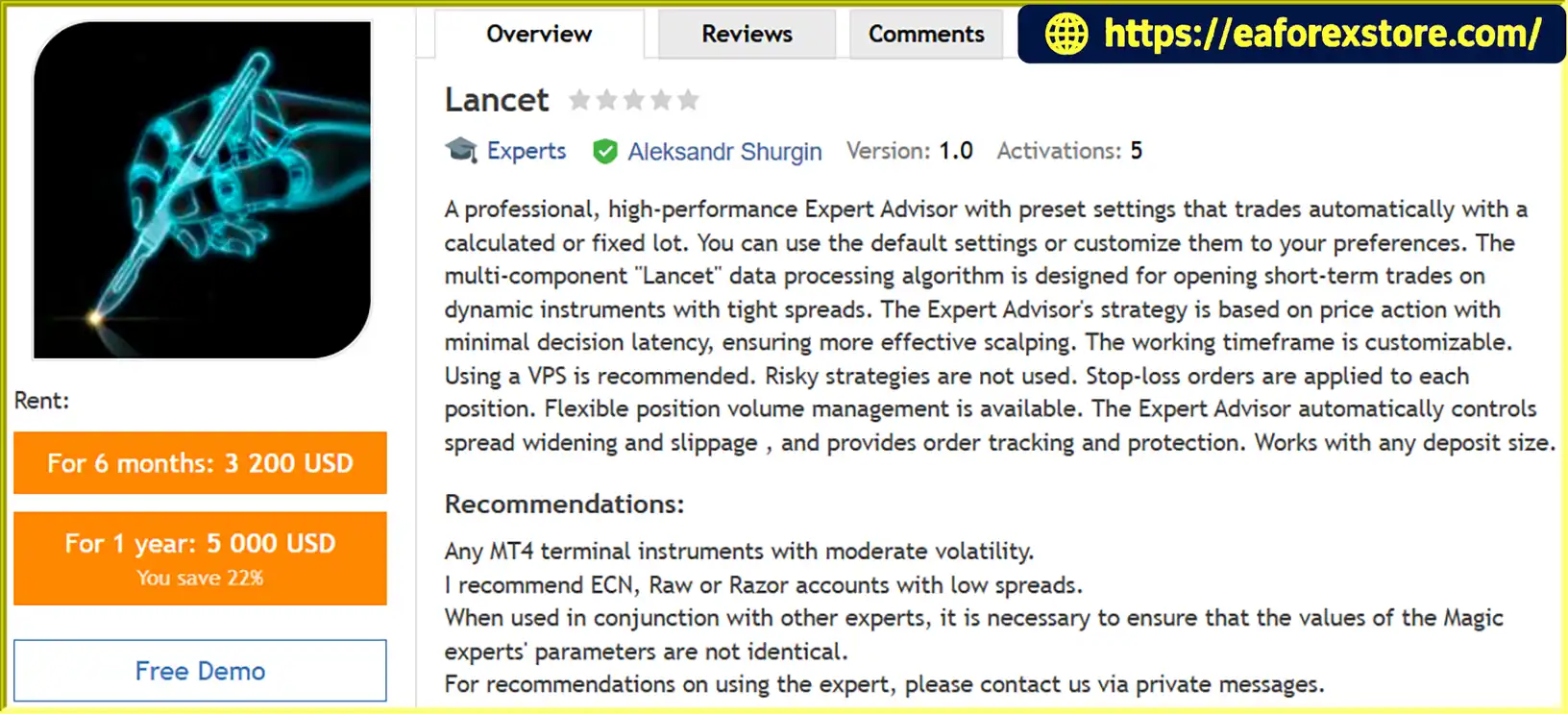
Lancet EA MT4 is an automated Forex trading Expert Advisor developed for the MetaTrader 4 platform. Designed for short-term scalping, this trading robot uses a multi-component data-processing algorithm to analyze price action and identify potential trading opportunities on dynamic financial instruments.
The Lancet Expert Advisor focuses on fast market analysis, automated order execution, and flexible position management. Its strategy is designed to operate with minimal decision latency while incorporating stop-loss protection, take-profit targets, trailing-stop functionality, and controls for spread widening and slippage.
Traders can use the EA’s preset configuration or customize its parameters according to their preferred trading style, risk tolerance, and broker conditions. The system supports both fixed lot sizing and automatic money management, offering flexibility for different account configurations.
Lancet EA MT4 is intended for instruments with moderate volatility and competitive spreads. ECN, Raw Spread, and Razor-style accounts may be suitable when their trading conditions are compatible with the EA’s execution requirements.
With customizable trading hours, adjustable signal parameters, and built-in order-management features, Lancet EA MT4 provides a configurable solution for traders interested in automated scalping on MetaTrader 4.
>>> Delivery time 24h-48h after payment.
>>> Refund if not delivered.
>>> You will receive the latest version without any limitations (ID+Time).Reviewed by Jason Stap <<<
Lancet EA MT4 Overview
Lancet EA MT4 uses a multi-component algorithm designed to process market data and generate potential short-term trading signals.
Its price-action-oriented approach aims to identify trading opportunities without requiring the trader to manually analyze and execute every position. The EA’s signal-generation behavior can be adjusted through parameters such as Signal, Index, IndexPeriod, Matching, and Cluster.
The Lancet algorithm is designed for short-term trading on dynamic instruments where execution speed and market conditions can influence trade outcomes.
Although the system aims to minimize decision latency, actual execution speed depends on the broker’s infrastructure, server distance, liquidity, network conditions, and order-processing environment.
Lancet EA MT4 supports two approaches to position-volume management.
These options allow traders to configure position sizing according to their trading preferences. The exact calculation method and percentage interpretation should be confirmed in the EA documentation before live deployment.
The EA supports predefined stop-loss and take-profit levels for individual positions.
The StopLoss parameter defines the configured loss level, while TakeProfit specifies the profit target. These controls help establish trade-level exit rules, although execution prices can differ from requested levels during gaps, slippage, or periods of poor liquidity.
Lancet EA MT4 includes a StopLossCorrector parameter designed to adjust stop-loss settings relative to current market volatility.
When enabled, this function is intended to make stop-loss placement more responsive to changing market conditions. Setting the parameter to zero disables the adjustment regulator, according to the supplied specifications.
The EA provides several trailing-stop controls to help manage positions as the market moves.
These settings can be customized to suit different instruments and scalping conditions.
Scalping strategies can be sensitive to transaction costs. Lancet EA MT4 includes Max_Spread and Slippage parameters to control the spread and price deviation accepted by the EA.
These filters are designed to help avoid trading under unfavorable execution conditions. However, they cannot eliminate all slippage, guarantee order execution at a desired price, or prevent losses caused by sudden market movements.
The EA allows traders to define when automated trading can operate using server-time settings.
StartTrade and EndTrade define the main trading session, while StartTradeMonday and EndTradeFriday provide additional schedule controls for the beginning of Monday and the end of Friday.
This flexibility helps traders configure the operating schedule according to their broker’s server time and preferred market sessions.
Lancet EA MT4 includes order-tracking and protection functionality designed to support automated trade management.
The Magic parameter identifies the EA’s orders, helping distinguish them from orders generated by other Expert Advisors. When multiple EAs operate on the same account, each should use an appropriately unique Magic Number to reduce the risk of order-management conflicts.
Lancet EA MT4 follows an automated trading process that combines market-signal generation, trade execution, and position management.
The EA processes market information using its multi-component algorithm and price-action-oriented logic.
Its configurable signal parameters help regulate how potential market-entry opportunities are identified.
The Signal, Index, IndexPeriod, Matching, and Cluster parameters influence the EA’s signal-generation and filtering process according to its internal implementation.
The Matching parameter is described as a market-noise filter, while Cluster acts as a regulator for mathematical analysis of entry signals. A Cluster value of zero disables that component.
The exact calculations depend on the EA’s code and documentation.
Before opening a trade, the EA can apply its configured trading schedule, maximum-spread setting, and slippage limit.
These controls are intended to help the system avoid selected unfavorable conditions and maintain consistency with the configured strategy.
The EA determines the trade volume using either the FixedLot setting or the automatic money-management configuration.
Traders should verify the AutoMM calculation method and select a position size that accounts for available equity, stop-loss distance, contract specifications, and potential losses.
When the configured trading conditions are satisfied, the EA submits the order according to its internal execution logic.
Actual fills depend on broker conditions, available liquidity, price movement, and order-processing speed.
After entry, the EA manages the position using its configured stop-loss, take-profit, and trailing-stop parameters.
The StopLossCorrector can adjust stop-loss behavior relative to market volatility when enabled.
The EA tracks open orders and manages their exits according to the configured trading rules.
Traders should monitor the MT4 Experts and Journal logs to identify execution errors, rejected orders, connectivity issues, or other operational problems.
Lancet EA MT4 is built around a short-term trading approach that uses price-action-oriented signals and automated execution.
It may appeal to traders who prefer a systematic approach to identifying and managing short-duration trading opportunities.
The availability of fixed lot sizing and automatic money management provides flexibility when configuring trade volume.
Traders can select the approach that best fits their risk-management plan, subject to the EA’s actual position-sizing logic.
Stop loss, take profit, trailing-stop controls, and volatility-related stop-loss adjustment provide several configurable tools for managing individual trades.
These features support structured trade management but do not guarantee a specific win rate or maximum drawdown.
The Max_Spread and Slippage parameters allow traders to define execution conditions under which the EA can operate.
This is particularly relevant to scalping, where spreads, commissions, and execution quality can have a significant impact on net results.
Configurable trading hours make it possible to restrict the EA’s operation to selected periods according to broker server time.
This can help traders align automated trading with their preferred schedule and testing requirements.
Lancet EA MT4 offers multiple settings for adjusting signal generation, filtering, position sizing, stop-loss behavior, trailing stops, and order identification.
Traders can begin with the provider’s recommended settings and evaluate changes through systematic testing rather than making unverified adjustments.
The Magic parameter allows the EA to identify its own orders within an account environment that may contain other automated strategies.
When running multiple Expert Advisors, traders should use unique identifiers and verify that each system manages only its intended positions.
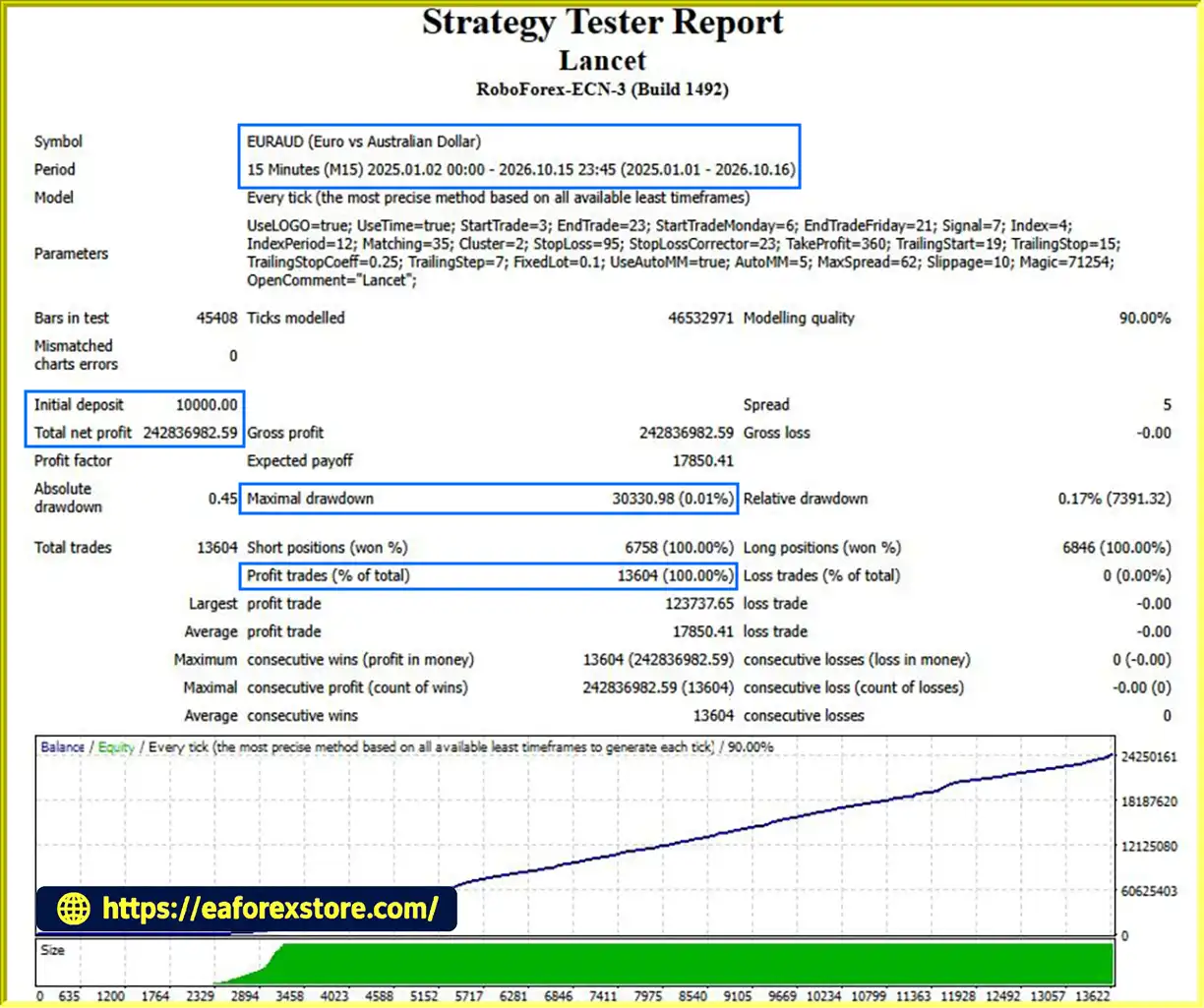
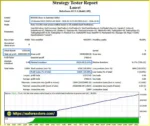
🔺EURAUD pair – 22.5 months
Lancet EA MT4 Backtets
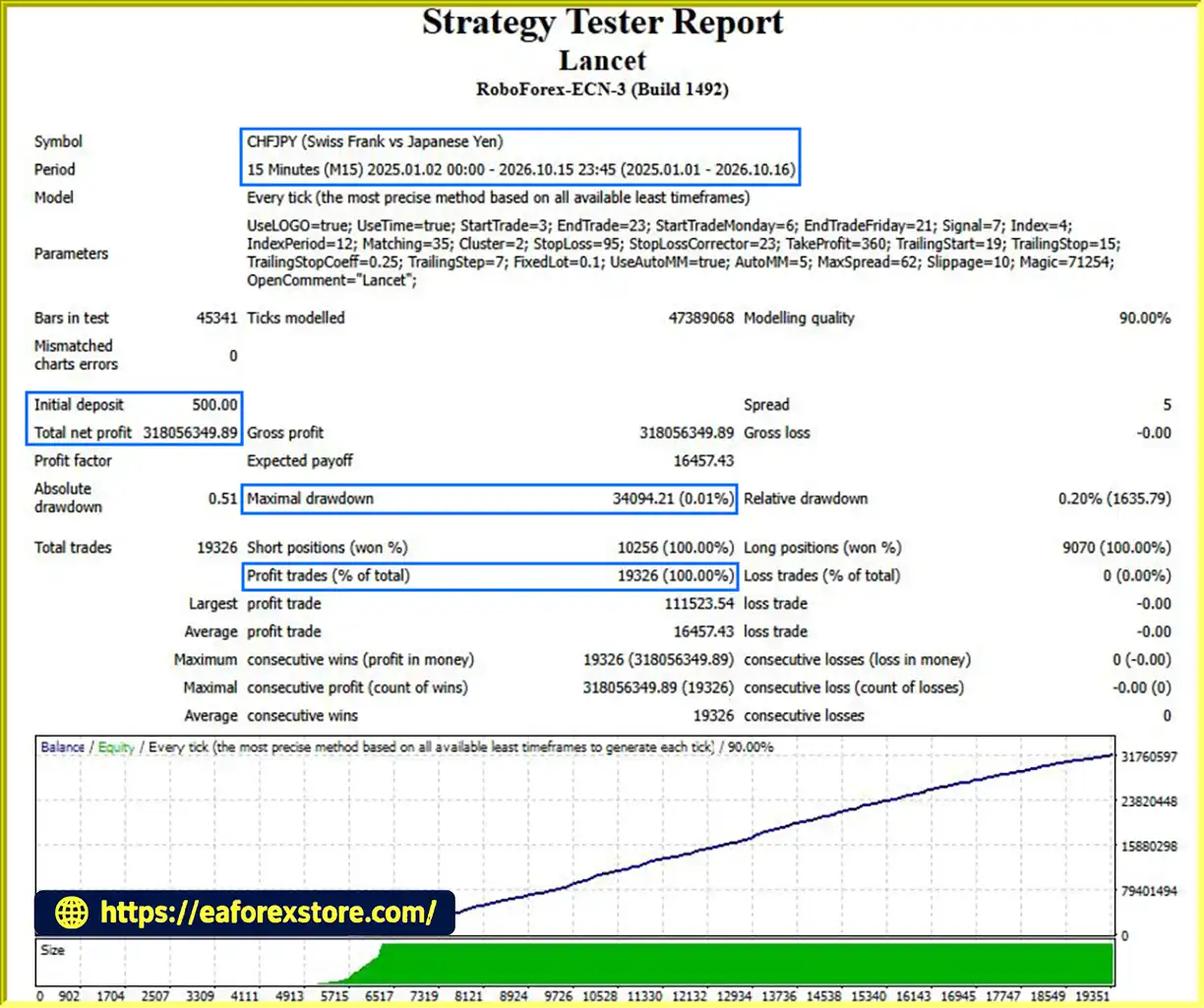
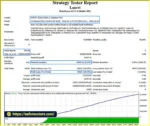
🔺CHFJPY pair – 22.5 months
Lancet EA Backtets
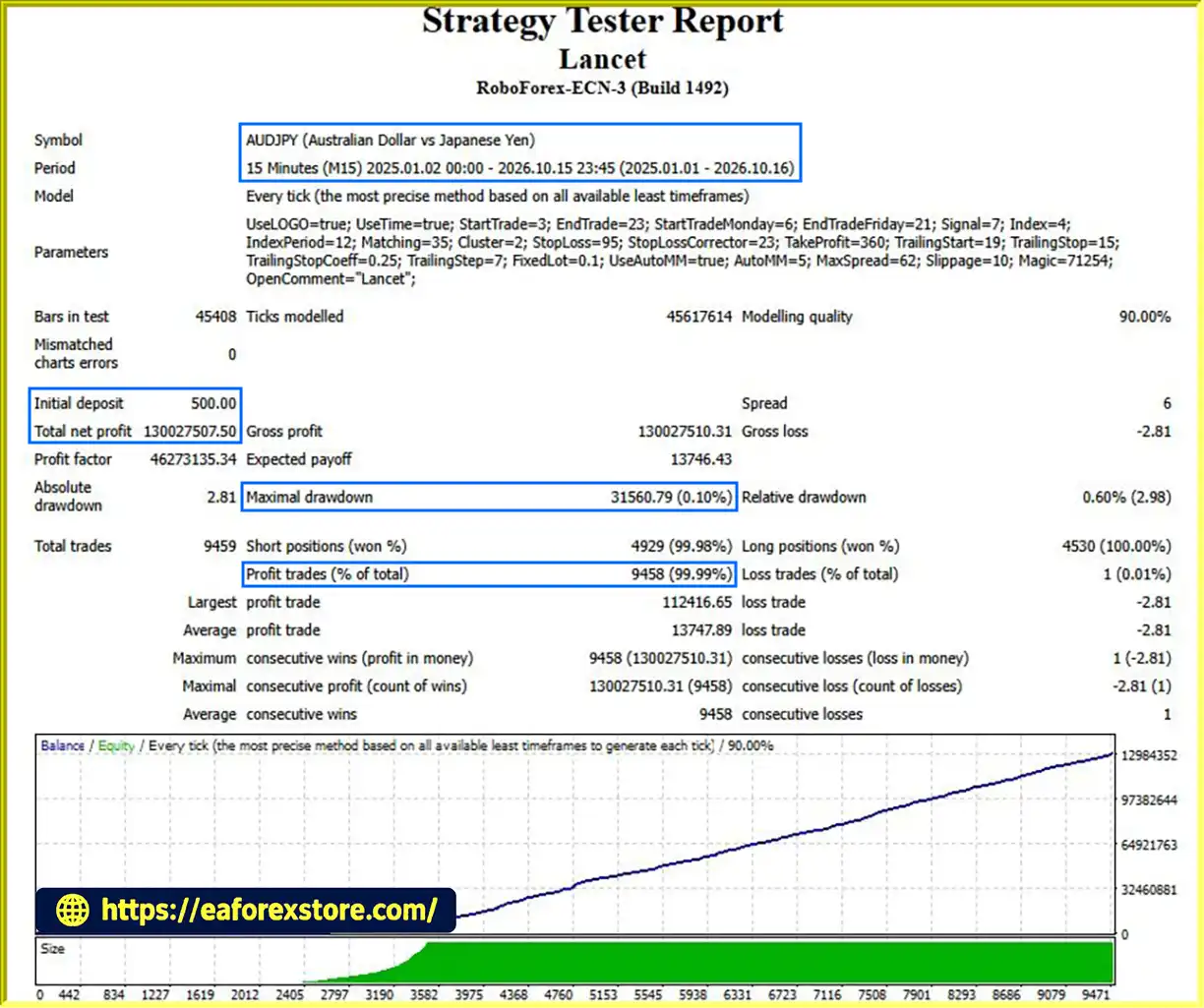
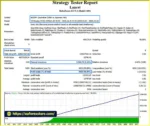
🔺AUDJPY pair – 22.5 months
Lancet MT4 Backtets
Although Lancet EA MT4 includes several risk-control features, automated scalping remains exposed to market, execution, and technical risks. Proper configuration and ongoing monitoring are essential.
Choose between fixed lot sizing and automatic money management only after understanding how each method calculates exposure.
Do not assume that automatic lot calculation is inherently safer. An unsuitable AutoMM setting can create excessive position sizes, particularly when stop-loss distances or contract specifications differ between instruments.
Set StopLoss according to the instrument’s volatility, trading costs, and the maximum loss you are prepared to accept.
The StopLossCorrector may adjust stop-loss behavior relative to volatility, but traders should verify how it interacts with the initial stop-loss and whether it changes risk per trade.
Stop-loss orders may execute at prices different from the requested level during fast markets or price gaps.
TakeProfit, TrailingStart, TrailingStop, TrailingStopCoeff, and TrailingStep should be configured with the instrument’s price behavior and broker conditions in mind.
Overly tight settings may increase sensitivity to market noise and transaction costs, while wider settings may change the strategy’s holding time and risk profile.
Use Max_Spread and Slippage values that reflect realistic broker execution conditions.
A spread filter may prevent new trades when spreads exceed the configured limit, but it does not necessarily protect open positions from widening spreads or adverse price movements.
Configure trading sessions using the broker’s server time rather than assuming it matches your local time.
Test how the EA behaves around major news releases, market openings, rollover periods, and other times when spreads or volatility may change significantly.
A reliable VPS is recommended for traders who want to keep MT4 running continuously with a stable connection.
However, a VPS does not eliminate platform failures, broker outages, network interruptions, or execution errors. Regularly review the EA’s logs and verify that open positions remain correctly managed.
When running Lancet EA MT4 alongside other Expert Advisors, assign a unique Magic Number to each instance where required.
Incorrectly configured identifiers may create order-management conflicts, depending on how each EA handles its positions.
Backtest the EA using realistic spreads, commissions, slippage assumptions, and broker specifications. Follow historical testing with demo-account forward testing where possible.
Review net profit, profit factor, maximum drawdown, average trade duration, trade frequency, and performance across different market conditions.
Important Risk Warning: No Expert Advisor can guarantee profits or eliminate trading risk. Short-term strategies can be particularly sensitive to transaction costs and execution quality. Test Lancet EA MT4 carefully before using real funds, and never risk capital you cannot afford to lose.
Follow these steps to install and configure Lancet EA MT4 in MetaTrader 4.
Download Lancet EA MT4 from the official or authorized provider.
The supplied Expert Advisor file will generally use the .ex4 or .mq4 extension. Follow any additional instructions provided with the product.
Launch MetaTrader 4 and select:
File → Open Data Folder
Navigate to:
MQL4 → Experts
Place the Lancet EA file inside the Experts directory.
If the provider includes additional indicators or libraries, install them in the correct directories according to the documentation.
Return to MT4 and open the Navigator panel.
Right-click Expert Advisors and select Refresh, or restart the terminal if necessary.
Choose an instrument supported by your broker and compatible with the EA’s trading logic.
Lancet EA MT4 is intended for instruments with moderate volatility and competitive spreads. Confirm the appropriate timeframe with the provider or through demo testing.
Drag the EA from the Navigator panel onto the selected chart.
Review the Common and Inputs tabs, and enable the required automated-trading permissions.
Review the following settings before activating the EA:
Parameter units, ranges, default values, and exact calculation methods should be verified against the provider’s documentation.
Enable the AutoTrading button in MT4 and confirm that the EA has the necessary permissions.
Check the chart status and the Experts and Journal tabs for errors, rejected orders, or other issues.
Run a backtest where supported and conduct forward testing on a demo account.
Evaluate the results under different market conditions and realistic trading costs before considering live trading.
If continuous operation is required, consider running MT4 on a stable VPS.
Monitor connectivity, order execution, and platform logs to help identify technical problems promptly.
>> Join VIP Membership Now <<<
Lancet EA MT4 is an automated scalping Expert Advisor for MetaTrader 4 that combines price-action-oriented signal processing, flexible lot sizing, and configurable trade-management tools.
Its main features include fixed and automatic money management, stop-loss and take-profit settings, trailing-stop controls, volatility-related stop-loss adjustment, spread and slippage filters, and customizable trading hours.
These capabilities provide flexibility for traders who want to configure an automated short-term trading system around their preferred instruments and broker conditions.
However, scalping strategies depend heavily on execution quality and transaction costs. The EA’s performance should therefore be evaluated using realistic spreads, commissions, slippage assumptions, and market data before any live deployment.
For traders interested in automated scalping, Lancet EA MT4 offers a range of configurable controls to explore through systematic testing. Begin with conservative settings, verify the money-management behavior, and assess the complete risk profile rather than relying on individual features alone.
Test carefully, configure responsibly, and evaluate performance before trading with real capital.
1. What Is Lancet EA MT4 and How Does It Work?
Lancet EA MT4 is an automated Forex scalping Expert Advisor designed for the MetaTrader 4 platform. It uses a multi-component, price-action-oriented algorithm to analyze market data and identify potential short-term trading opportunities. The EA can automatically execute and manage trades using configurable entry signals, stop-loss, take-profit, trailing-stop, spread, and slippage settings. Its actual performance depends on market conditions, broker execution, and parameter configuration.
2. Which Currency Pairs and Timeframes Does Lancet EA MT4 Support?
Lancet EA MT4 is designed for short-term trading on instruments with moderate volatility and competitive spreads. The supplied backtest examples include EURAUD, CHFJPY, and AUDJPY. However, these examples do not establish that every currency pair is suitable for live trading. The appropriate timeframe and instrument should be confirmed through the provider's documentation and tested with the intended broker before deployment.
3. Does Lancet EA MT4 Use Martingale or Grid Trading?
The supplied product specifications describe Lancet EA MT4 as a price-action-oriented scalping system with configurable signal processing and individual trade-management controls. They do not establish whether the EA uses Martingale, grid trading, or other position-adding techniques internally. Traders should verify this behavior with the developer or official documentation before purchasing, particularly if avoiding Martingale or grid strategies is an important requirement.
4. What Are the Backtest Results of Lancet EA MT4?
According to the supplied product information, Lancet EA MT4 was tested over approximately 22.5 months on three currency pairs:
EURAUD: $10,000 initial deposit, reported net profit of 242,836,982.59, 100% win rate, and 0.01% maximum drawdown.
CHFJPY: $500 initial deposit, reported net profit of 310,056,349.89, 100% win rate, and 0.01% maximum drawdown.
AUDJPY: $500 initial deposit, reported net profit of 130,027,570.50, 99.99% win rate, and 0.10% maximum drawdown.
These figures are vendor-supplied claims and should be independently verified. The reported returns and exceptionally low drawdowns warrant careful examination of the account currency, test settings, lot sizing, leverage, spreads, commissions, tick data, and any open or floating losses. Historical backtests do not guarantee future profitability or equivalent live-trading results.
5. Does Lancet EA MT4 Support Fixed Lots and Automatic Money Management?
Yes. Lancet EA MT4 provides two position-sizing options. Fixed Lot mode uses the volume specified by the FixedLot parameter when automatic money management is disabled. Alternatively, Use_AutoMM and AutoMM configure the EA's automatic money-management function. Before using this feature, confirm the calculation method and percentage interpretation in the official documentation. Always select a position size that reflects your account equity, stop-loss distance, and acceptable risk.
6. What Risk Management Features Does Lancet EA MT4 Include?
Lancet EA MT4 includes configurable stop-loss and take-profit levels, trailing-stop management, a StopLossCorrector for volatility-related adjustments, and Max_Spread and Slippage filters. It also supports trading-hour restrictions and a Magic Number for identifying the EA's orders. These features help structure trade management, but they cannot eliminate market risk, guarantee execution at requested prices, or prevent losses during gaps and periods of poor liquidity.
7. Which Broker Conditions Are Best for Lancet EA MT4?
Lancet EA MT4 is intended for trading conditions with competitive spreads and reliable order execution. ECN, Raw Spread, and Razor-style accounts may be worth evaluating if their specifications are compatible with the EA. Compare the total trading cost, including commissions, spreads, slippage, and swap charges where applicable. A low advertised spread alone does not guarantee suitable scalping conditions. Test the EA on a demo account using the same broker, account type, and execution environment planned for live trading.
8. How Do I Install and Test Lancet EA MT4 Before Live Trading?
To install Lancet EA MT4, open MetaTrader 4 and select File → Open Data Folder → MQL4 → Experts. Copy the supplied EA file into that folder, refresh the Navigator panel, and attach the EA to a compatible chart. Review the input settings, configure position sizing and trading hours, and enable automated trading. Run a backtest and then conduct forward testing on a demo account. Monitor the Experts and Journal logs for execution errors. Consider VPS hosting if continuous operation is required, and only move to live trading after verifying the EA's behavior and risk profile.
In stock
In stock
In stock
In stock
In stock
Out of stock
No account yet?
Create an Account












 Automatic EA
 EA Best Seller
 Expert Advisor MT4
 Expert Advisor MT5
 HFT EA


Reviews
Clear filtersThere are no reviews yet.