









-
 Unlimited Activations
-
 Instant delivery
-
 Easy to install







 Unlimited Activations
Instant delivery
Easy to install
Unlimited Activations
Instant delivery
Easy to install
 Free Update
 Free Install Support

BinLucaFx Breakout EA MT5 s an automated Expert Advisor designed to trade the NASDAQ 100 index, commonly represented by symbols such as NAS100, US100, or NQ. The system focuses on a structured breakout approach using key price levels derived from the Daily (D1) timeframe, while trading opportunities can be executed on H1 to M15 timeframes.
Instead of chasing price with immediate market orders, the EA uses Buy Limit and Sell Limit orders around important trading zones. These zones can include the previous Daily High, Daily Low, and areas of market consolidation.
The objective is to identify structured opportunities while reducing unnecessary entries during periods of extreme volatility. The EA also incorporates trend, spread, volume, range, distance, and time-based filters to determine whether market conditions are suitable for placing an order.
BinLucaFx Breakout EA MT5 is designed with a strong emphasis on risk control, transparent trading logic, and long-term sustainability rather than unrealistic account-growth targets.
>> Delivery time 24h-48h after payment.
>>> Refund if not delivered.
>>> You will receive the latest version without any limitations (ID+Time).>>Reviewed by Jason Stap <<
One of the defining characteristics of Breakout NAS100 EA is its use of pending limit orders rather than simply entering at market price.
The system analyzes important Daily price zones and can place Buy Limit or Sell Limit orders around these areas according to its trading logic.
This approach is intended to reduce impulsive market entries and avoid simply chasing rapidly moving NASDAQ price action.
Key characteristics include:
Because NAS100 can experience rapid price movements, using a structured order-placement system can provide a more controlled framework for trade execution.
BinLucaFx Breakout EA MT5 does not rely exclusively on a single breakout condition. Multiple filters are used to determine whether an opportunity meets the system’s trading requirements.
The available filters include:
These filters are designed to help the EA avoid low-quality or unsuitable trading conditions.
For example, the spread filter can prevent order placement when transaction costs become excessive, while the EMA filter can help align trading decisions with the broader market direction.
The EA provides different ways to control position size.
Traders can choose between:
With RiskPercent mode, the lot size can be calculated according to the configured account risk rather than remaining fixed for every trade.
A commonly suggested starting configuration is around 1% risk per trade, but this should not be interpreted as a universally appropriate risk level. Traders should determine position sizing according to their account size, broker conditions, strategy testing, and personal risk tolerance.
BinLucaFx Breakout EA MT5 can use fixed SL/TP levels or a configurable Risk-to-Reward (R) structure.
For example, a 1:2 Risk-to-Reward ratio means the planned potential reward is twice the defined risk distance.
The EA can therefore be configured to work with structured trade-management rules rather than relying solely on discretionary exits.
Depending on the selected settings, traders can use:
These tools allow the user to adapt the EA’s trade management to different trading objectives.
Risk management is an important part of the BinLucaFx Breakout EA MT5 design.
The system includes several controls intended to limit excessive trading activity:
The absence of grid, martingale, and recovery systems is particularly relevant for traders who prefer a more straightforward position-management structure.
However, these protections cannot eliminate market risk. NAS100 remains a highly volatile index, and losses can still occur during fast market movements or unexpected market events.
BinLucaFx Breakout EA MT5 is designed to work across different broker environments.
The system is intended to support:
Because index CFDs can have different contract sizes, tick values, minimum lot sizes, and trading conditions from one broker to another, traders should always verify the broker’s specifications before using the EA on a live account.
The EA does not require a specific preset according to the supplied specifications.
BinLucaFx Breakout EA MT5 provides adjustable input parameters so users can adapt the system to their trading environment.
Depending on the available configuration, users can adjust areas such as:
This makes the EA suitable for users who want more control over how the automated strategy operates.
The EA follows a structured sequence when searching for potential NASDAQ 100 opportunities.
The system begins by evaluating the broader market using the D1 timeframe.
It can identify important reference points such as:
These areas provide the framework for identifying potential breakout opportunities.
After identifying relevant zones, the EA evaluates additional conditions.
The EMA trend filter can be used to assess the broader directional environment, while volume and range conditions can help determine whether the market has sufficient activity for the strategy.
The system also checks the spread and trading-time conditions before proceeding.
Rather than immediately entering when price moves aggressively, the EA uses pending orders around its identified trading zones.
This is intended to create a more structured entry process.
The EA may place:
depending on the setup and configured strategy conditions.
Before or during order execution, the EA applies the configured money-management rules.
The trader can use fixed lots or RiskPercent-based sizing.
Stop Loss and Take Profit can also be configured according to fixed levels or a selected Risk-to-Reward structure.
Once a trade becomes active, the EA can manage the position using the selected exit configuration.
Available tools can include:
The EA can also enforce daily trade and drawdown limitations.
BinLucaFx Breakout EA MT5 is designed for traders who prefer structured and rule-based NASDAQ trading rather than discretionary market chasing.
Several characteristics distinguish its approach:
The strategy is built around clearly defined price zones rather than random entries.
The use of Buy Limit and Sell Limit orders provides a different execution approach from conventional market-entry breakout systems.
EMA, spread, volume, range, distance, and time filters can help define when the EA should participate.
Users can choose between fixed lot and percentage-based risk models.
The EA does not rely on grid, martingale, or recovery systems.
Users can adjust important trading and risk-management parameters according to their environment.
The strategy emphasizes rules, filters, and risk controls rather than unrealistic profit promises.
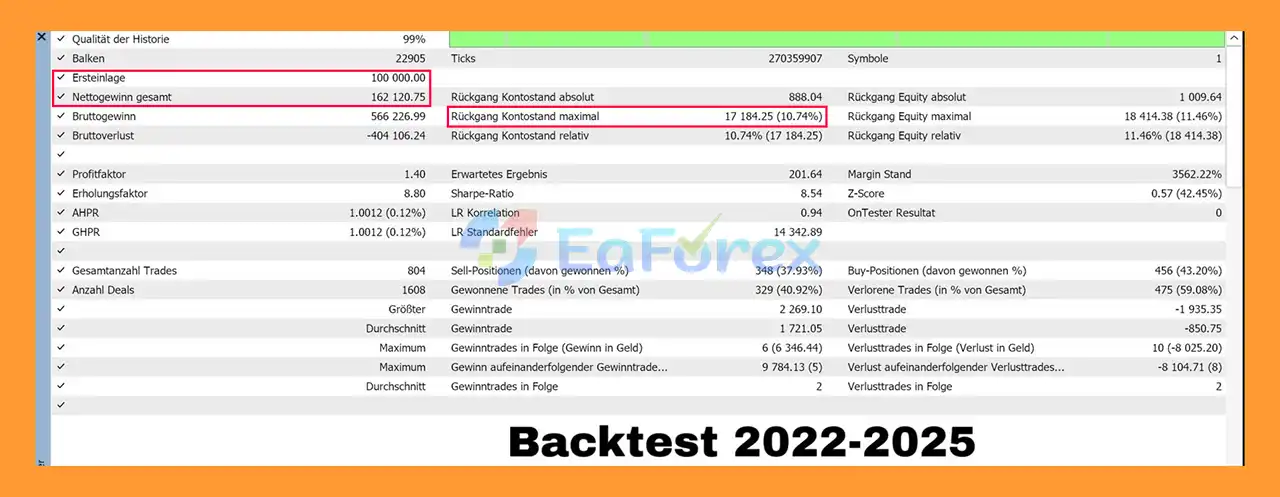
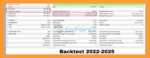
🔺backtest – over 3 years (2022 – 2025).
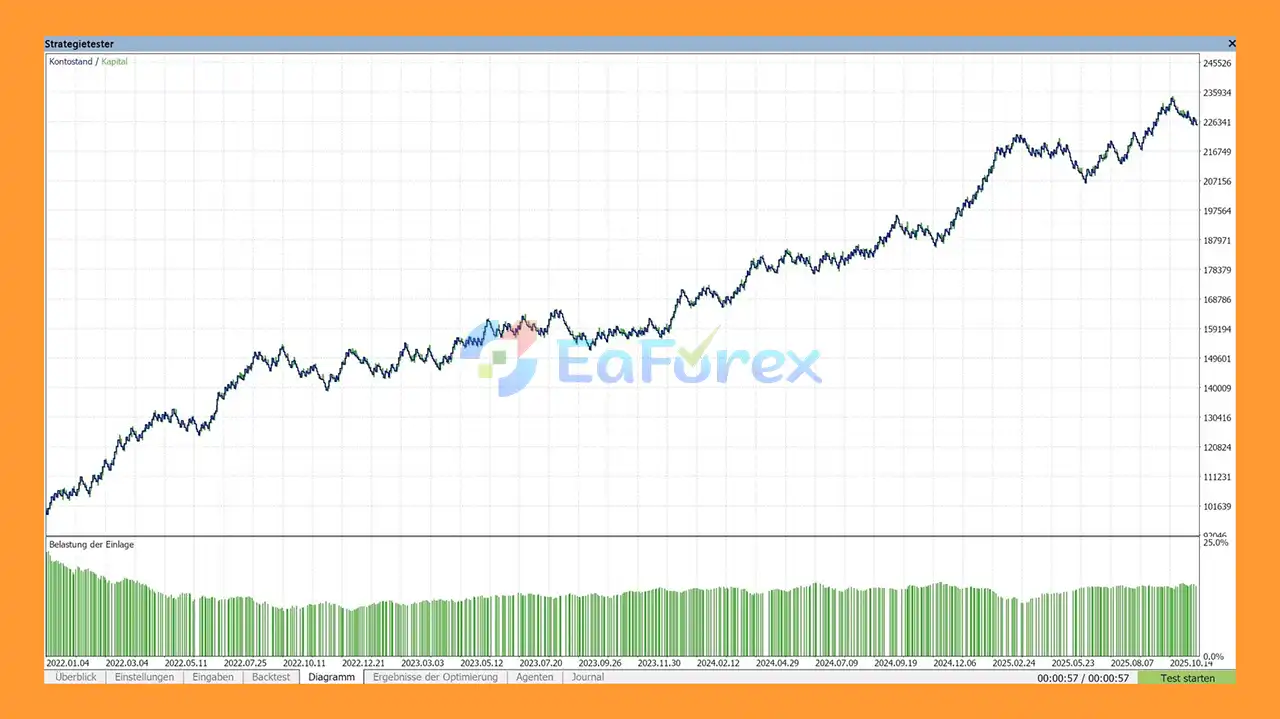
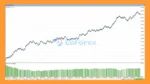
BinLucaFx Breakout EA Trading Results
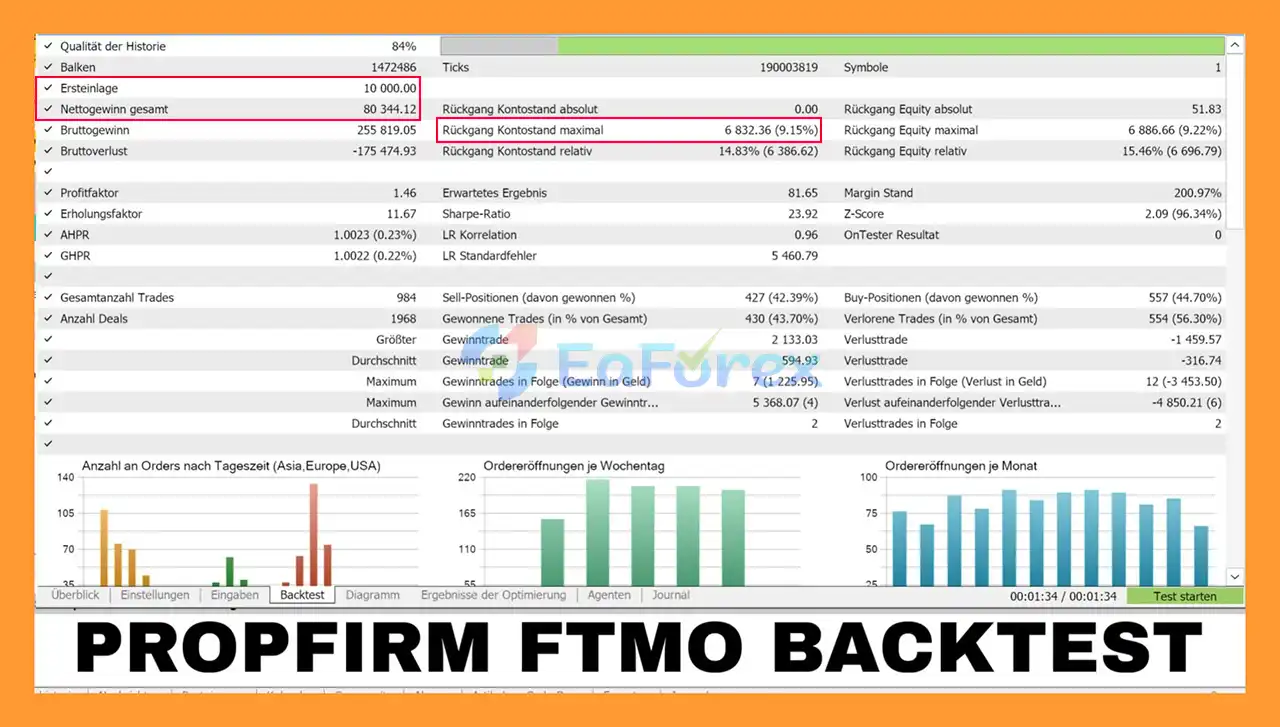
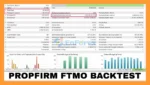
🔺PropFim FTMO – over 3 years
BinLucaFx Breakout MT5 Backtest
BinLucaFx Breakout EA MT5 Review
BinLucaFx Breakout EA MT5 is designed with risk management as a central component rather than focusing exclusively on maximizing the number of trades.
The system provides several mechanisms for controlling exposure.
RiskPercent mode can automatically calculate position size according to the configured risk level.
For example, a trader may choose a lower risk percentage for a more conservative configuration.
The daily drawdown limit can help prevent the EA from continuing to trade after a predefined level of daily loss has been reached.
Limiting the number of trades per day can help reduce excessive exposure during unfavorable market conditions.
A defined Stop Loss provides a predetermined point at which a trade can be closed if the market moves against the position.
Take Profit can be configured using fixed targets or a Risk-to-Reward approach.
Optional trailing and break-even functionality can allow the EA to adjust trade management after the position develops favorably.
The supplied starting guidelines include:
These are starting points rather than guarantees of optimal performance. Users should backtest and forward-test different configurations before committing significant capital.
Although the EA is designed for broad broker compatibility, the trading environment can still affect execution quality.
The supplied recommendations include:
An ECN/STP-style broker with competitive NAS100 spreads may be preferable because spread costs can become significant when trading volatile indices.
A low-latency VPS can help maintain stable connectivity between the EA and broker server.
The recommended range provided is approximately 1:50 to 1:200, although leverage requirements and appropriate exposure depend on the broker and account configuration.
Always verify the broker’s:
NAS100 may appear under different names such as NAS100, US100, USTEC, or NQ, depending on the broker.
No automated trading system can eliminate the risks associated with financial markets.
Breakout NAS100 EA also has several considerations that users should understand before deploying it.
The NASDAQ 100 can experience rapid price movements, especially around major US economic releases, market openings, earnings events, and unexpected news.
Even with filters and pending orders, fast market conditions can produce losses.
Although pending orders may reduce the need to chase market price, execution can still be affected by:
A market may appear to establish a breakout structure and subsequently reverse.
No breakout filter can guarantee that every identified setup will develop into a profitable trade.
A $100 minimum deposit does not mean that every $100 account is suitable for live trading.
The appropriate account size depends on lot size, leverage, contract specifications, Stop Loss distance, and selected risk percentage.
Historical testing can help evaluate the strategy, but it cannot predict future market behavior.
Changes in volatility, spreads, liquidity, and market structure can cause live results to differ significantly from historical results.
Different brokers may use different NAS100 contract specifications, spreads, execution models, and trading sessions.
Testing should therefore be performed using conditions that are as close as possible to the intended live environment.
| Pros | Cons |
|---|---|
| Designed specifically for NAS100/US100/NQ | NAS100 can experience significant volatility |
| Uses structured breakout zones | Breakouts can fail or reverse |
| Uses pending limit orders | Limit orders can still be affected by market conditions |
| EMA and market-condition filters | Filters cannot eliminate losing trades |
| RiskPercent money management | Incorrect risk settings can increase losses |
| Fixed lot option available | Broker contract specifications vary |
| Fixed SL/TP or R management | Live results can differ from backtests |
| Optional trailing and break-even | Requires proper testing and configuration |
| Daily drawdown protection | Protection does not eliminate overall account risk |
| No grid | — |
| No martingale | — |
| No recovery system | — |
| No preset required | Broker-specific testing is still recommended |
Installing the EA on MetaTrader is generally straightforward.
Obtain the Breakout NAS100 EA files and make sure you have the appropriate version for your MetaTrader platform.
Launch MetaTrader 4 or MetaTrader 5, depending on the EA version supplied.
From the MetaTrader platform, open:
File → Open Data Folder
Locate the appropriate Experts directory and copy the EA file into it.
Restart the platform or refresh the Expert Advisors section in the Navigator.
Open the broker’s NAS100/US100/NQ chart.
The exact symbol name may vary between brokers.
Drag Breakout NAS100 EA onto the selected chart.
Configure the desired:
Make sure automated trading is enabled in MetaTrader and that the EA has the required permissions.
Before using real funds, perform both:
Pay particular attention to the broker’s NAS100 contract specifications, spread, execution, and trading hours.
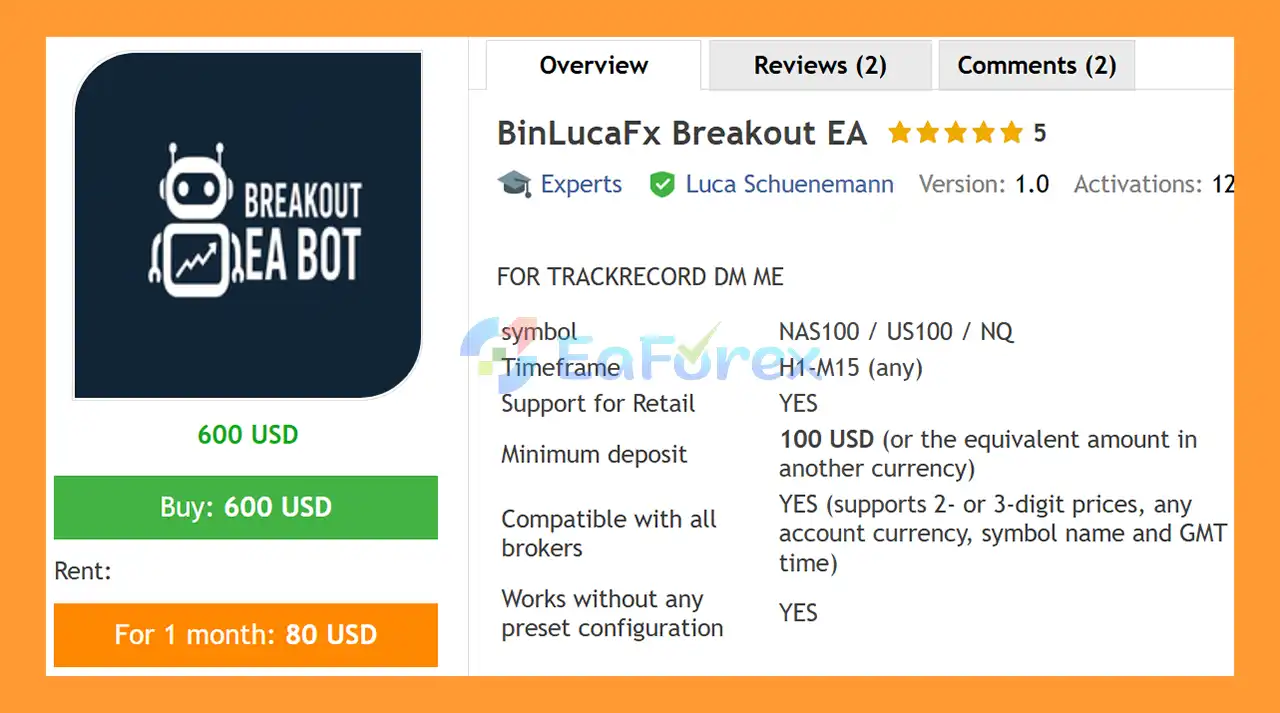
🔺BinLucaFx Breakout MT5 is highly appreciated by the MQL5 community for bringing stable and reliable profits. Below are 5 star reviews from users:
User Reviews
>>> Join VIP Membership Now <<<
In summary, BinLucaFx Breakout EA MT5takes a structured approach to automated NASDAQ 100 trading by combining Daily breakout-zone analysis, pending limit orders, trend filtering, market-condition filters, and configurable risk management.
Rather than attempting to generate unrealistic account growth, the system is positioned around a more transparent trading philosophy: identify structured market conditions, filter unsuitable setups, control exposure, and avoid unnecessary complexity such as grid, martingale, and recovery systems.
Its combination of RiskPercent sizing, Stop Loss and Take Profit controls, optional trailing and break-even management, daily drawdown limits, and daily trade restrictions gives users several tools for controlling automated exposure.
However, these features should not be interpreted as protection against losses. NAS100 remains a volatile financial instrument, and live execution can differ from backtesting because of spreads, slippage, liquidity, broker specifications, and changing market conditions.
For traders interested in automated NAS100 trading, the most appropriate approach is to test the EA thoroughly, verify broker compatibility, use conservative risk parameters, and evaluate results over a meaningful sample of market conditions.
BinLucaFx Breakout EA MT5 focuses on structured entries, disciplined risk management, and transparent automated trading logic—not guaranteed profits.
Risk Disclaimer: Trading financial markets involves substantial risk and may result in the loss of invested capital. Past performance does not guarantee future results. Always conduct your own backtesting and forward testing, and use only funds you can afford to lose.
1. What is BinLucaFx Breakout EA MT5?
BinLucaFx Breakout EA MT5 is a fully automated trading robot designed for NAS100 / US100 / NQ indices. It uses limit-based breakout orders, daily market structure analysis, and intelligent filtering to capture high-probability breakout trades.
2. Which markets and instruments does BinLucaFx Breakout EA MT5 trade?
This EA is purpose-built for high-volatility US indices, including NAS100, US100, and NQ, optimizing its strategy for structured breakout behavior and trending phases.
3. How does the breakout strategy work in BinLucaFx Breakout EA MT5?
The EA identifies key levels such as daily high, daily low, and consolidation zones, then places Buy Limit or Sell Limit orders near breakout points. This avoids chasing the market and improves trade accuracy.
4. Does BinLucaFx Breakout EA MT5 use risky strategies like martingale or grid?
No. The EA strictly avoids martingale, grid, or artificial recovery systems, focusing on safe, logic-driven trades with strict risk management.
5. What risk management features are included in BinLucaFx Breakout EA MT5?
It offers fixed lot or percentage-based risk, daily drawdown cutoffs, trade limits, optional trailing stops, and break-even activation to protect capital and minimize losses.
6. Can beginners use BinLucaFx Breakout EA MT5?
Yes. The EA is plug-and-play, requiring minimal setup, a low deposit (from $100), and full compatibility with retail brokers, making it suitable for both beginners and advanced traders.
7. What timeframes does BinLucaFx Breakout EA MT5 support?
While the EA uses daily (D1) market structure for trend bias, it can execute trades on H1, M30, and M15 charts for precise breakout entries.
8. Has BinLucaFx Breakout EA MT5 been backtested and proven profitable?
Yes. A 3-year backtest (2022–2025) showed a net profit of $162,120.75 on a $100,000 deposit with a maximum drawdown of 10.74%. Real PropFirm FTMO results also confirm stable performance.
9. Why choose BinLucaFx Breakout EA MT5 for trading NAS100?
It is specifically optimized for US indices, avoids dangerous trading methods, uses structured breakout logic, applies intelligent filtering, and prioritizes long-term stability and capital protection—making it ideal for sustainable index trading.
In stock
In stock
In stock
In stock
In stock
Out of stock
No account yet?
Create an Account












 Automatic EA
 EA Best Seller
 Expert Advisor MT4
 Expert Advisor MT5
 HFT EA


Reviews
Clear filtersThere are no reviews yet.