









-
 Unlimited Activations
-
 Instant delivery
-
 Easy to install




 Unlimited Activations
Instant delivery
Easy to install
Unlimited Activations
Instant delivery
Easy to install
 Free Update
 Free Install Support

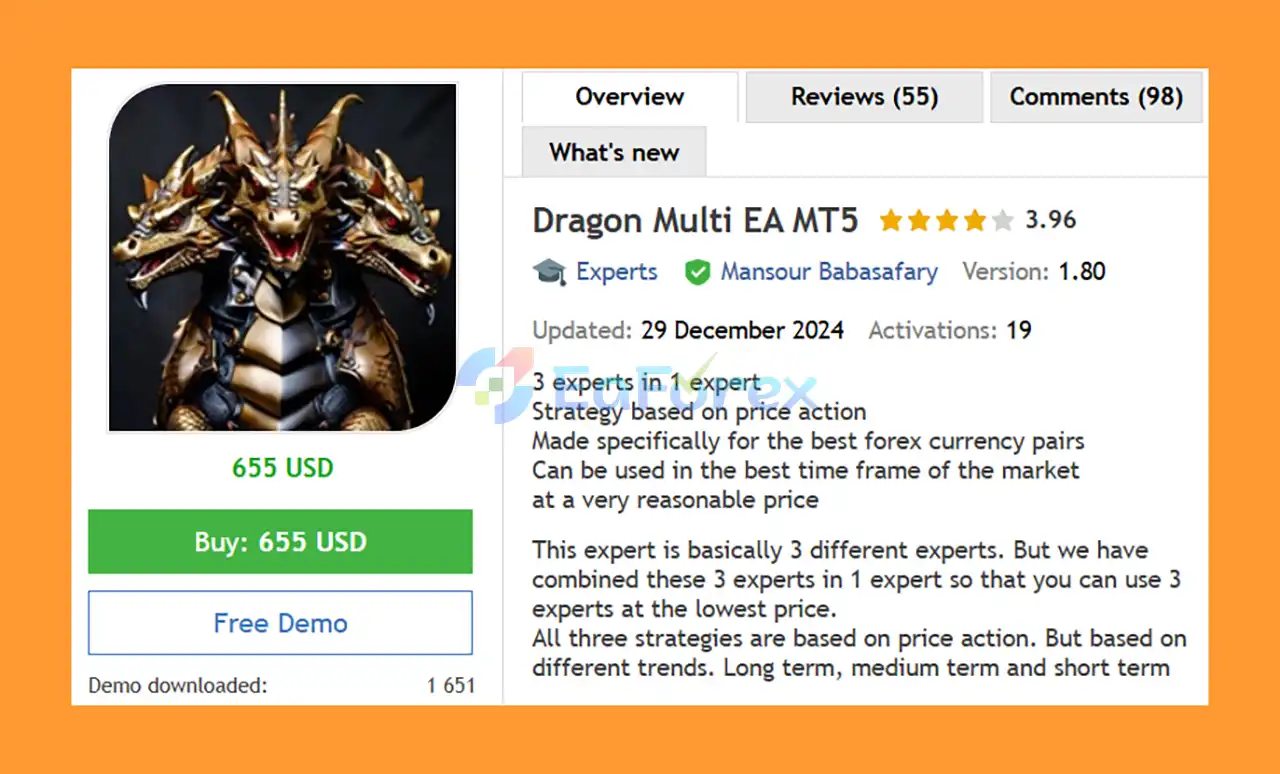
Dragon Multi EA MT5 is a versatile MetaTrader 5 Expert Advisor that combines three different trading strategies into one automated trading system. Designed around Price Action analysis, the EA provides long-term, medium-term, and short-term trading approaches within a single product.
Instead of purchasing and managing three separate Expert Advisors, Dragon Multi EA MT5 combines all three strategies into one solution, allowing traders to select the strategy that best matches their preferred trading style and market conditions.
The EA is specifically designed for major and popular Forex currency pairs, including EURUSD, AUDUSD, USDCAD, and GBPUSD, and supports M30, H1, and H4 timeframes.
Dragon Multi EA MT5 does not rely on aggressive techniques such as Martingale or Hedging. It also incorporates profit and loss limits, multiple money-management options, and a risk-based position-sizing system.
With tested capital starting from $100 and tested leverage from 1:50, Dragon Multi EA MT5 can be considered by traders looking for an affordable Price Action-based automated trading solution.
• Author: Mansour Babasafary
• Experience: Over +1 years of experience on MQL5.
• Notable Products: Dragon Multi EA MT5, Sharp EA MT5, Ai Multi Trend MT5 and other advisors.
• Flagship Product: Dragon Multi EA MT5 is rated as the best performing product of the year.
>> Delivery time 24h-48h after payment.
>>> Refund if not delivered.
>>> You will receive the latest version without any limitations (ID+Time).>>Reviewed by Jason Stap <<
The main advantage of Dragon Multi EA MT5 is its three-in-one structure. The system combines three different Price Action strategies covering:
This allows traders to choose the approach that best fits their preferred trading horizon without purchasing three separate EAs.
All three strategies are based on Price Action, focusing on market price behavior rather than relying solely on conventional indicators.
The system is designed to analyze market movements and identify potential trading opportunities according to different trend conditions.
Dragon Multi EA MT5 is designed for several major and popular currency pairs:
The EA can be used on three recommended timeframes:
This provides flexibility for traders who prefer short-term, medium-term, or longer-term market analysis.
Dragon Multi EA MT5 does not use aggressive strategies such as Martingale or Hedging. This makes the trading methodology more straightforward and potentially easier to manage compared with systems that rely on increasing position sizes after losses.
The EA includes configurable profit and loss limits, helping traders establish boundaries for automated trading activity.
Dragon Multi EA MT5 provides several capital-management settings, allowing traders to adjust their trading approach according to account size and risk tolerance.
The EA is designed according to FIFO trading rules, which can be useful for traders operating under brokers or account environments where FIFO requirements apply.
The minimum tested capital is stated as $100, making the EA accessible to traders with relatively small accounts.
However, the minimum tested capital should not automatically be considered the recommended live-trading balance. Traders should select account size and risk based on their own financial circumstances and acceptable drawdown.
Dragon Multi EA MT5 can be used with Prop Firm accounts, subject to each company’s individual trading rules and restrictions.
Dragon Multi EA MT5 combines three Price Action-based strategies into a single Expert Advisor.
The EA allows traders to choose their preferred strategy through the Select Strategy setting.
Depending on the selected configuration, traders can use a strategy designed around:
The selected strategy evaluates market price behavior and trend conditions to identify potential trading opportunities.
Rather than depending on a single trading timeframe, the EA supports M30, H1, and H4, giving traders the ability to adapt the system to different trading styles.
The EA includes a configurable Risk setting that controls the amount of capital exposed to each trade.
The developer recommends approximately 2% risk as a starting point and advises traders not to use excessive risk, especially when beginning with the system.
Once the selected strategy identifies a suitable trading opportunity, the EA can automatically open and manage trades according to its programmed rules.
Profit and loss limits can be used to control the EA’s trading activity and help establish predefined boundaries.
The biggest advantage of Dragon Multi EA MT5 is its 3-in-1 structure. Traders can access three different Price Action approaches through one Expert Advisor.
This can be more convenient and cost-effective than purchasing and maintaining three separate systems.
Price Action is one of the most widely used concepts in technical trading. Dragon Multi EA MT5 applies this concept across different market trends and trading horizons.
With long-term, medium-term, and short-term strategies available, traders can select a trading approach that fits their preferred style.
The EA does not rely on Martingale position sizing, helping avoid the potentially dangerous practice of continuously increasing trade size after losing positions.
The EA focuses on four established currency pairs:
EURUSD, AUDUSD, USDCAD, and GBPUSD.
The system has been tested with a minimum capital of $100, providing a relatively low entry threshold for traders who want to explore automated Forex trading.
Because the EA is designed to operate without Martingale and supports FIFO-style trading, it may be suitable for certain Prop Firm environments. However, compatibility must always be checked against the specific firm’s rules.
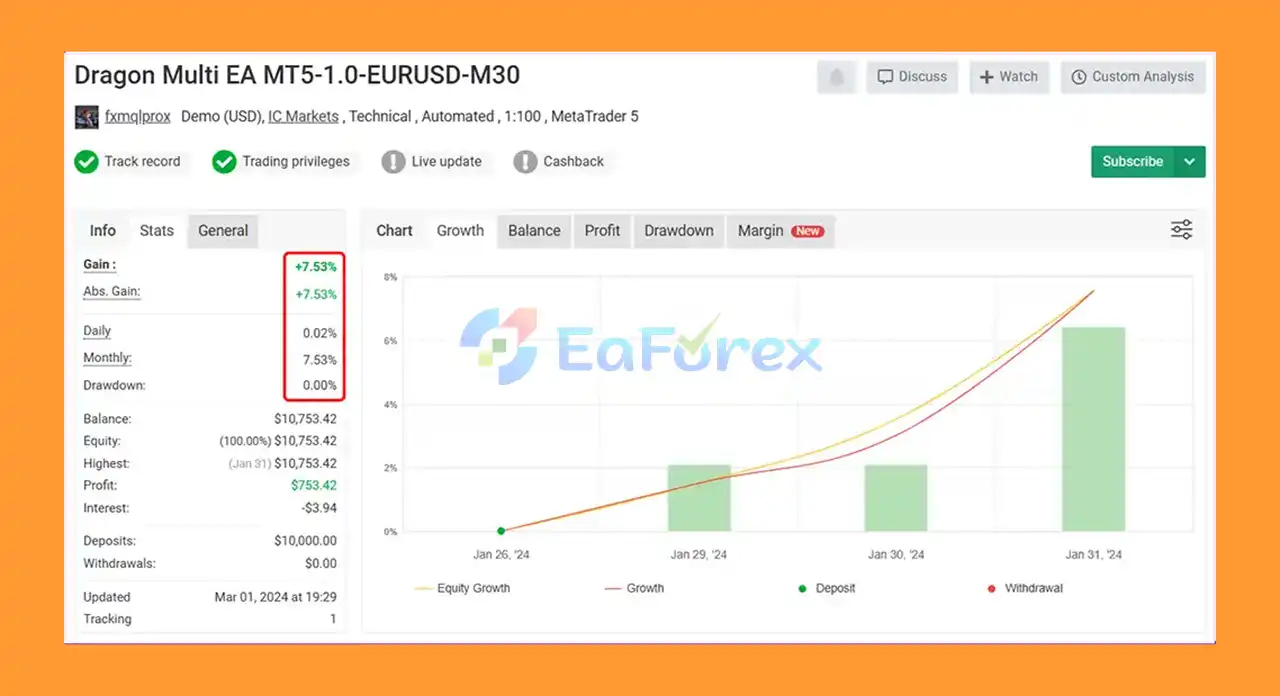
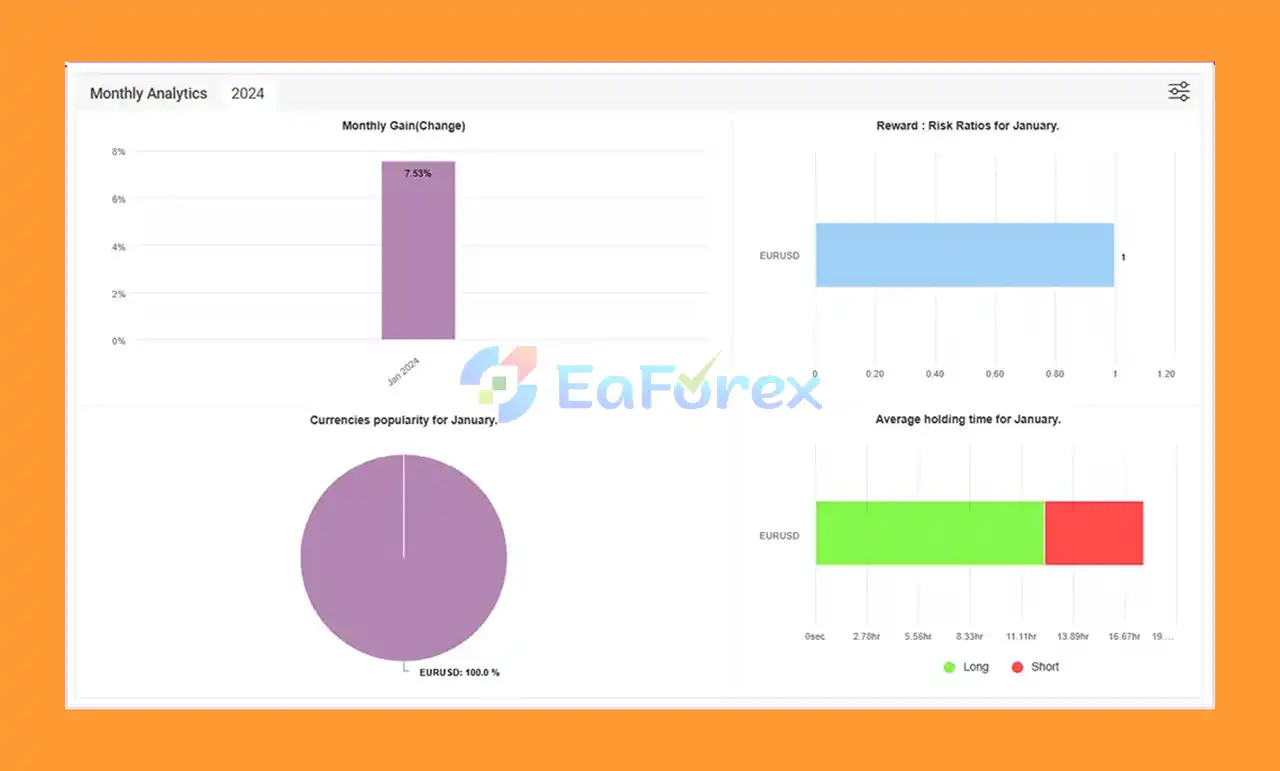
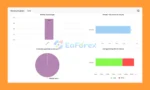
Dragon Multi EA MT5 Myfxbook
Dragon Multi EA MT5 Myfxbook Results
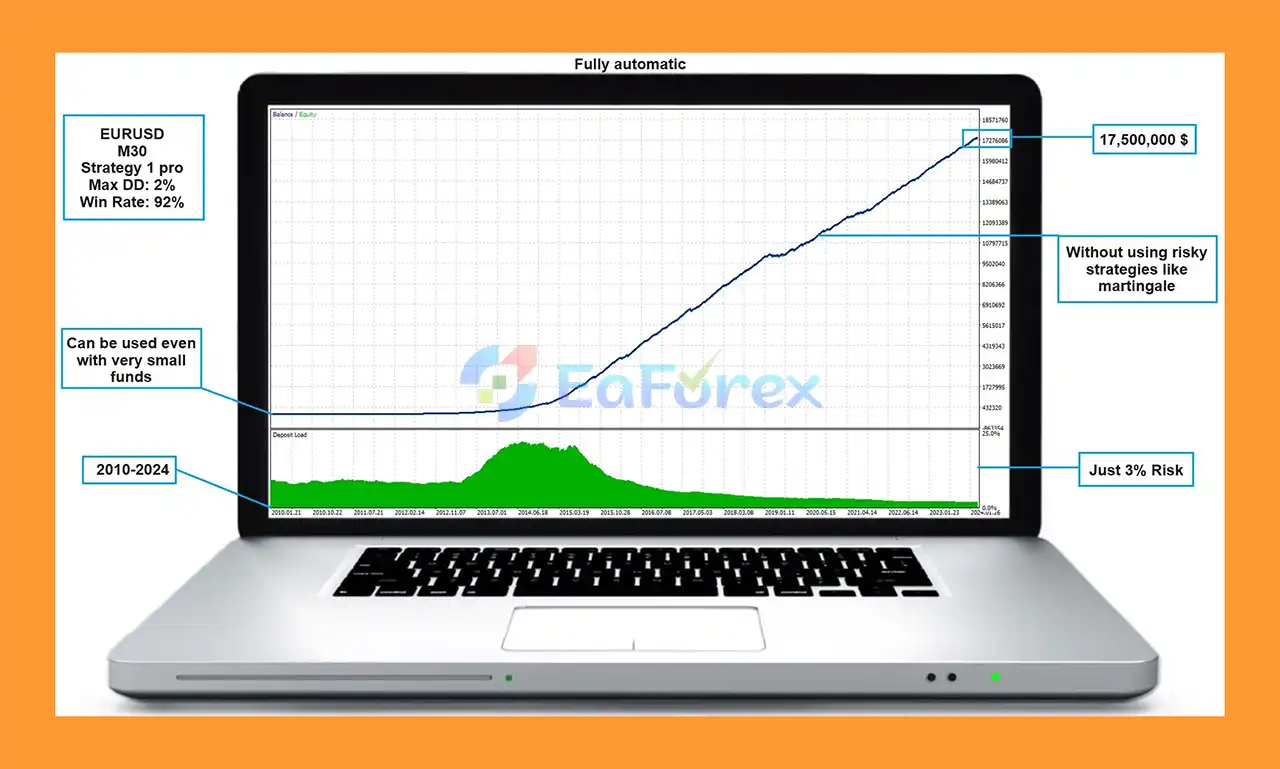
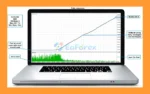
🔺Backtest (2010–2024, EURUSD M30, 3% risk):
Dragon Multi EA MT5 Backtest
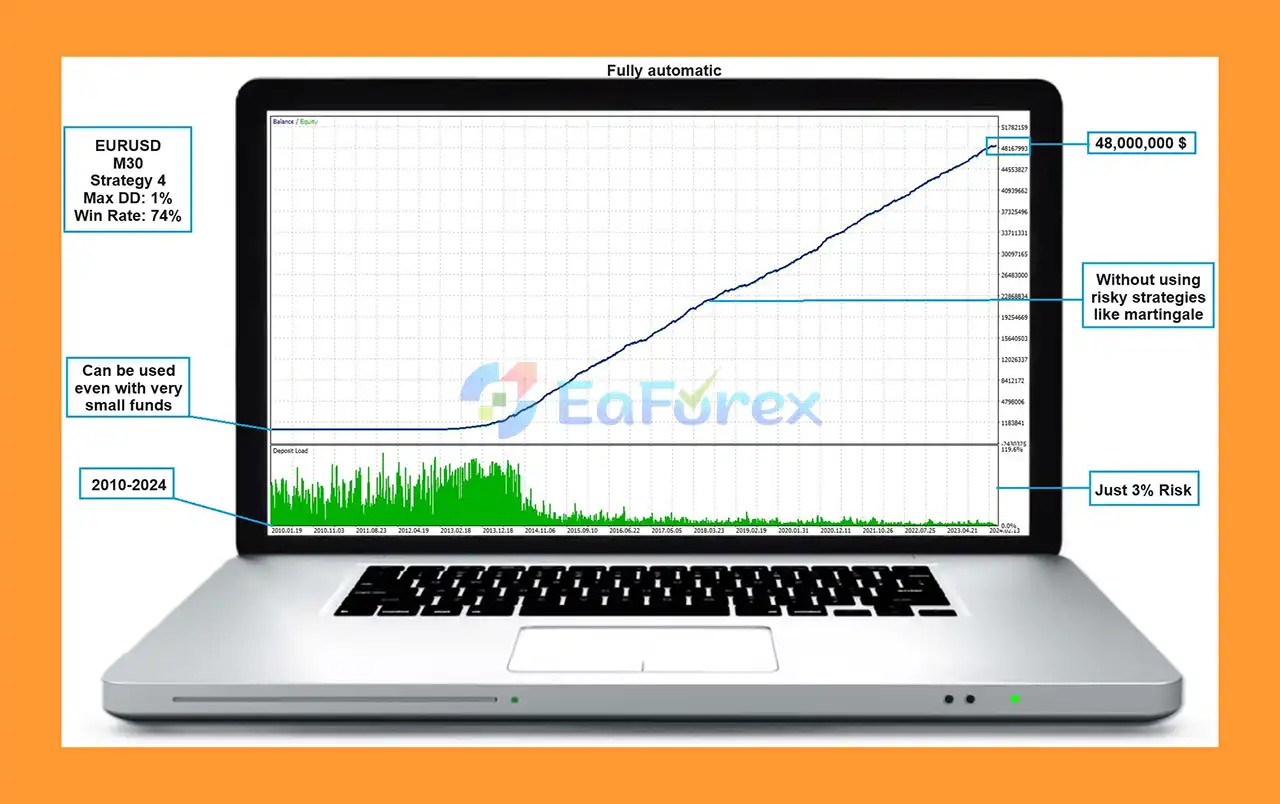
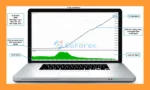
🔺Backtest (2010–2024, EURUSD M30, Strategy 3):
Dragon Multi EA MT5 Backtests Trading Results
Dragon Multi EA MT5 is designed with configurable risk and money-management options to help traders control their account exposure.
The EA provides a Risk parameter that can be used to determine the level of capital allocated to trades. The developer recommends a risk level of approximately 2%, particularly for traders starting with the system.
| Attribute | Details |
|---|---|
| Minimum Tested Capital | $100 |
| Minimum Tested Leverage | 1:50 |
| Recommended Currency Pairs | EURUSD, AUDUSD, USDCAD, GBPUSD |
| Recommended Timeframes | M30, H1, H4 |
| Trading Strategy | Price Action |
| Strategies | 3 in 1 |
| Martingale | No |
| Hedging | No |
| FIFO | Supported |
| Prop Firm Use | Possible, subject to rules |
Traders who prefer fixed position sizes can enable the Set the Lot Value Manually option. This allows the EA to trade with the specified lot size rather than automatically calculating the position size based on the selected risk settings.
Although the developer mentions 2% risk as a suitable starting level, traders should not assume that this level is appropriate for every account.
A lower risk level may be more appropriate for:
Always evaluate the EA on a demo account or through forward testing before committing significant capital.
While Dragon Multi EA MT5 offers several useful features, automated trading always involves financial risk.
The use of Price Action, multiple strategies, or automated risk management does not guarantee profitable results. Past performance cannot guarantee future performance.
A strategy that performs effectively in one market environment may perform differently during periods of consolidation, high volatility, unexpected news, or changing market trends.
Although combining three strategies provides flexibility, it does not eliminate the possibility of losses. Different strategies may experience unfavorable conditions at the same time.
The EA supports several Forex pairs, but diversification across currency pairs does not necessarily mean complete independence. Certain currencies and market factors can create correlations between positions.
The minimum tested leverage is stated as 1:50, but leverage can significantly increase both potential gains and potential losses. Traders should avoid using excessive leverage simply because it is available.
Before using Dragon Multi EA MT5 on a Prop Firm account, carefully review the firm’s rules regarding:
A system that works on a standard Forex account may not necessarily comply with every Prop Firm’s rules.
Although the EA has been tested with $100 capital, trading an automated strategy with a very small account can result in significant percentage drawdowns and may leave little room for normal market fluctuations.
Installing Dragon Multi EA MT5 on MetaTrader 5 is generally straightforward.
Install the MetaTrader 5 platform through your preferred broker.
Open MT5 and navigate to:
File → Open Data Folder → MQL5 → Experts
Copy the Dragon Multi EA MT5 files into the Experts folder.
Restart MT5 or refresh the Expert Advisors section in the Navigator window.
Attach the EA to one of the supported pairs:
Choose one of the supported timeframes:
Use the Select Strategy parameter to choose the desired trading strategy.
You can select the approach that best fits your preferred trading horizon, whether long-term, medium-term, or short-term.
Set the desired risk level according to your account size and trading plan.
The developer recommends approximately 2% risk, but traders should consider using a lower level when starting.
If you plan to run multiple instances of the EA, assign a different Magic Number to each instance. This helps MetaTrader distinguish trades generated by different EA configurations.
The Comment setting can be used to identify trades generated by Dragon Multi EA MT5 when multiple Expert Advisors are running on the same account.
The Days of the Week setting allows traders to prevent the EA from opening trades on selected days.
Make sure Algo Trading / AutoTrading is enabled in MetaTrader 5.
Before trading real funds, it is strongly recommended to test the EA on a demo account and verify that the settings, lot sizes, risk level, and trading behavior operate as expected.
🔺Dragon Multi EA MT5 is highly appreciated by the MQL5 community for bringing stable and reliable profits. Below are 5 star reviews from users:
Dragon Multi EA MT5 is a flexible 3-in-1 Price Action Expert Advisor designed for traders who want multiple trading approaches within a single automated system.
By combining long-term, medium-term, and short-term strategies, the EA provides traders with greater flexibility while focusing on popular Forex pairs such as EURUSD, AUDUSD, USDCAD, and GBPUSD.
Its key advantages include the absence of Martingale and Hedging, configurable risk management, profit and loss limits, FIFO-oriented trading, multiple timeframes, and potential compatibility with certain Prop Firm environments.
The ability to select between three strategies also makes Dragon Multi EA MT5 an interesting option for traders who want to experiment with different trading horizons without purchasing multiple Expert Advisors.
However, traders should always remember that automated trading involves risk. The stated $100 minimum tested capital should not be interpreted as a guarantee that the EA is suitable for every account. Start with conservative risk, conduct forward testing, and carefully evaluate drawdown and broker conditions before using the EA with real capital.
Overall, Dragon Multi EA MT5 offers a practical combination of three Price Action strategies, flexible timeframes, automated execution, and configurable money management in one MetaTrader 5 Expert Advisor.
1. What is Dragon Multi EA MT5?
Dragon Multi EA MT5 is a multi-strategy Expert Advisor that combines three trading systems—long-term, medium-term, and short-term—into one. Built on price action analysis, it delivers flexible, reliable, and safe automated trading for pairs like EURUSD, AUDUSD, USDCAD, and GBPUSD.
2. How does Dragon Multi EA MT5 manage risk?
The EA includes built-in stop loss and take profit levels, avoids dangerous strategies like martingale, grid, or hedging, and supports flexible risk settings (default 2%). This ensures capital safety while aiming for steady account growth.
3. What makes Dragon Multi EA MT5 different from other Forex robots?
Unlike single-strategy EAs, Dragon Multi EA MT5 gives traders three strategies in one system, customizable depending on your trading goals. It is FIFO compliant, prop firm friendly, and proven effective in both backtests and live results.
4. What are the minimum requirements to use Dragon Multi EA MT5?
You can start trading with as little as $100 and 1:50 leverage. The EA works best on M30, H1, and H4 timeframes, supports multi-pair trading, and is compatible with major brokers. VPS hosting is recommended for 24/7 performance.
5. How profitable is Dragon Multi EA MT5?
Backtests (2010–2024) show exceptional results. With a $1,000 starting balance, the EA grew to $3,000,000 with just 8% drawdown. A separate strategy test turned the same $1,000 into $48,000,000 with only 1% drawdown and a 74% win rate.
6. Does Dragon Multi EA MT5 come with support and updates?
Yes. The purchase includes installation guides, settings files, and lifetime updates. The developer, Mansour Babasafary, also provides direct support and regular improvements to keep the EA effective in evolving market conditions.
In stock
In stock
In stock
In stock
In stock
Out of stock
No account yet?
Create an Account












 Automatic EA
 EA Best Seller
 Expert Advisor MT4
 Expert Advisor MT5
 HFT EA


Reviews
Clear filtersThere are no reviews yet.