









-
 Unlimited Activations
-
 Instant delivery
-
 Easy to install







 Unlimited Activations
Instant delivery
Easy to install
Unlimited Activations
Instant delivery
Easy to install
 Free Update
 Free Install Support

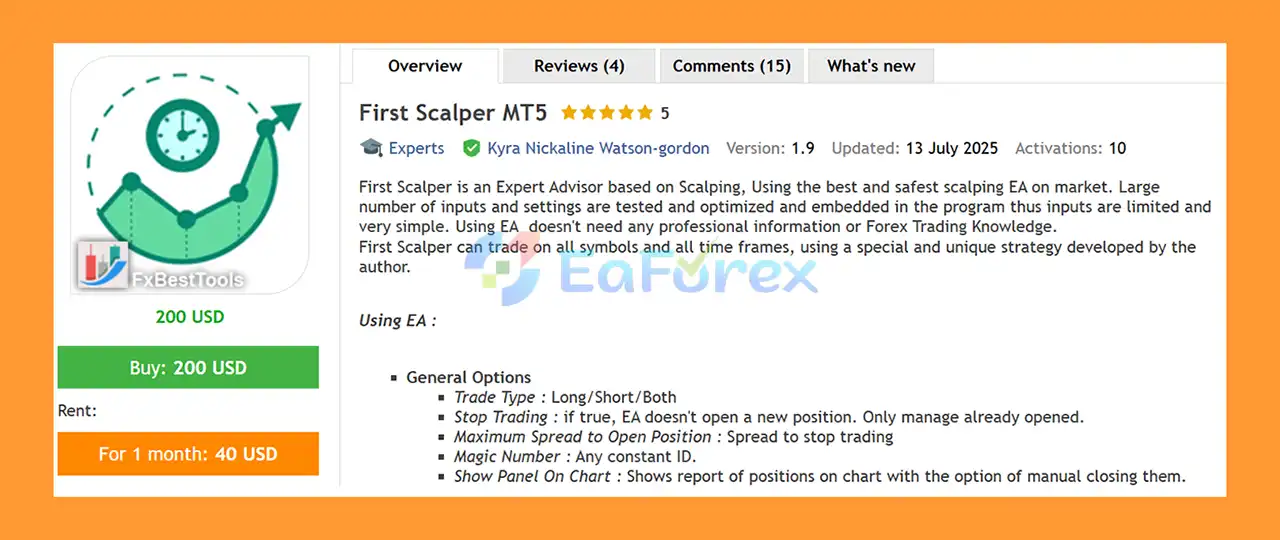
First Scalper MT5 is an automated Expert Advisor for MetaTrader 5 based on a scalping strategy developed by its author. The EA is designed to trade across different symbols and timeframes while keeping the user-facing configuration relatively simple.
According to the developer, a large number of internal parameters and settings have already been tested and optimized within the program. As a result, users do not need to configure a large collection of technical strategy parameters manually.
First Scalper is designed to automate trade execution and position management, with options covering Take Profit, Stop Loss, Averaging, Trailing Stop, Break Even, money management, trading schedules, spread control, news filtering, and notifications.
The EA can be used on multiple charts and symbols, making it possible to build a broader automated trading setup. However, each additional chart increases overall market exposure, so position sizing should be adjusted accordingly.
• Author: Kyra Nickaline Watson-gordon
• Experience: Over +4 years of experience on MQL5.
• Notable Products: First Scalper MT5, Fidelity MT5 and other advisors.
• Flagship Product: First Scalper MT5 is rated as the best performing product of the year.
>> Delivery time 24h-48h after payment.
>>> Refund if not delivered.
>>> You will receive the latest version without any limitations (ID+Time).>>Reviewed by Jason Stap <<
First Scalper is designed around a dedicated scalping strategy developed by the author. The EA can operate on different symbols and timeframes, allowing traders to adapt its use to their preferred market and trading environment.
Although the underlying strategy contains many tested parameters, the developer has limited the main user inputs to practical controls such as:
This structure allows users to focus primarily on money management and trading conditions rather than modifying the internal signal engine.
The Trade Type option allows the EA to operate in:
This gives traders control over the permitted trade direction.
The Maximum Spread to Open Position parameter can prevent the EA from opening new positions when the current spread is above the configured threshold.
This can be useful for scalping because transaction costs and execution conditions can have a meaningful impact on short-term trading strategies.
The Show Panel On Chart option displays information about open positions directly on the chart.
The panel also provides an option for manually closing positions, giving the trader additional control even while the EA is running.
First Scalper automatically monitors the market and searches for trading opportunities according to its built-in scalping strategy.
When a trading opportunity is identified, the EA can open positions according to the selected trade direction and money-management configuration.
Once a position is open, the EA can manage it using different exit and recovery methods.
For positions moving into a loss, the EA provides several management approaches:
The selected method determines how the EA responds when a position does not immediately move in the expected direction.
The Take Profit system supports:
The manual mode allows the user to specify the Take Profit distance in points.
A Stop Loss can be configured in points when the Stop Loss option is selected.
Using a predefined Stop Loss can limit the loss on an individual position, although it cannot guarantee that the exact requested price will always be achieved during fast markets or gaps.
First Scalper supports up to two averaging steps.
The first averaging level can be configured with:
The second averaging level provides the same type of controls.
Averaging can increase the probability of recovering a position when the market eventually moves in the expected direction, but it also increases exposure when the market continues moving against the initial position.
For this reason, averaging settings should be treated as an important risk-management decision rather than simply a method for increasing recovery potential.
First Scalper may be suitable for traders looking for an automated scalping EA with configurable trade management and money-management tools.
Potential advantages include:
The EA also allows users to stop opening new positions while continuing to manage existing trades through the Stop Trading option.
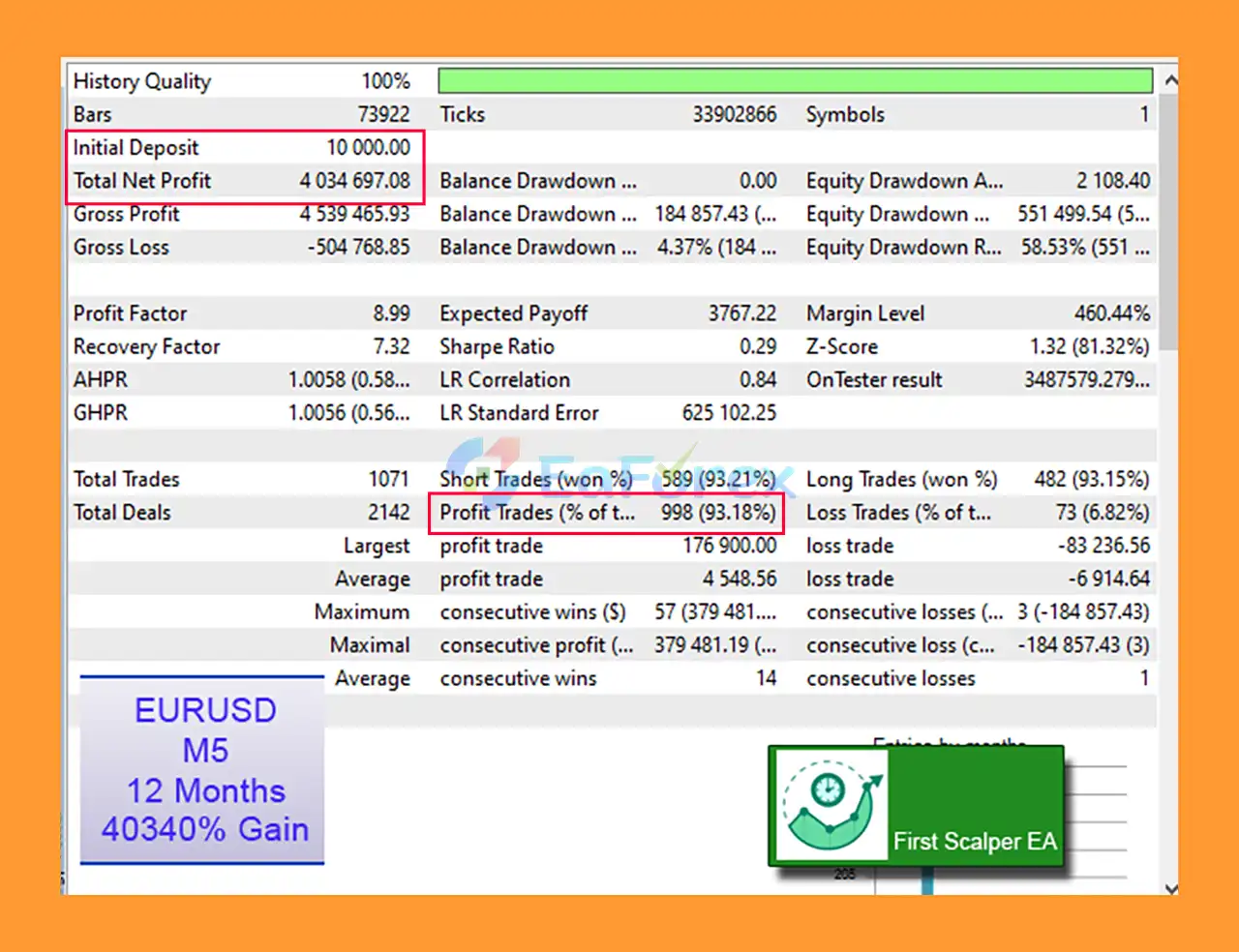
🔺EURUSD M5 (12 months, $10,000 initial):
First Scalper MT5 Backtests
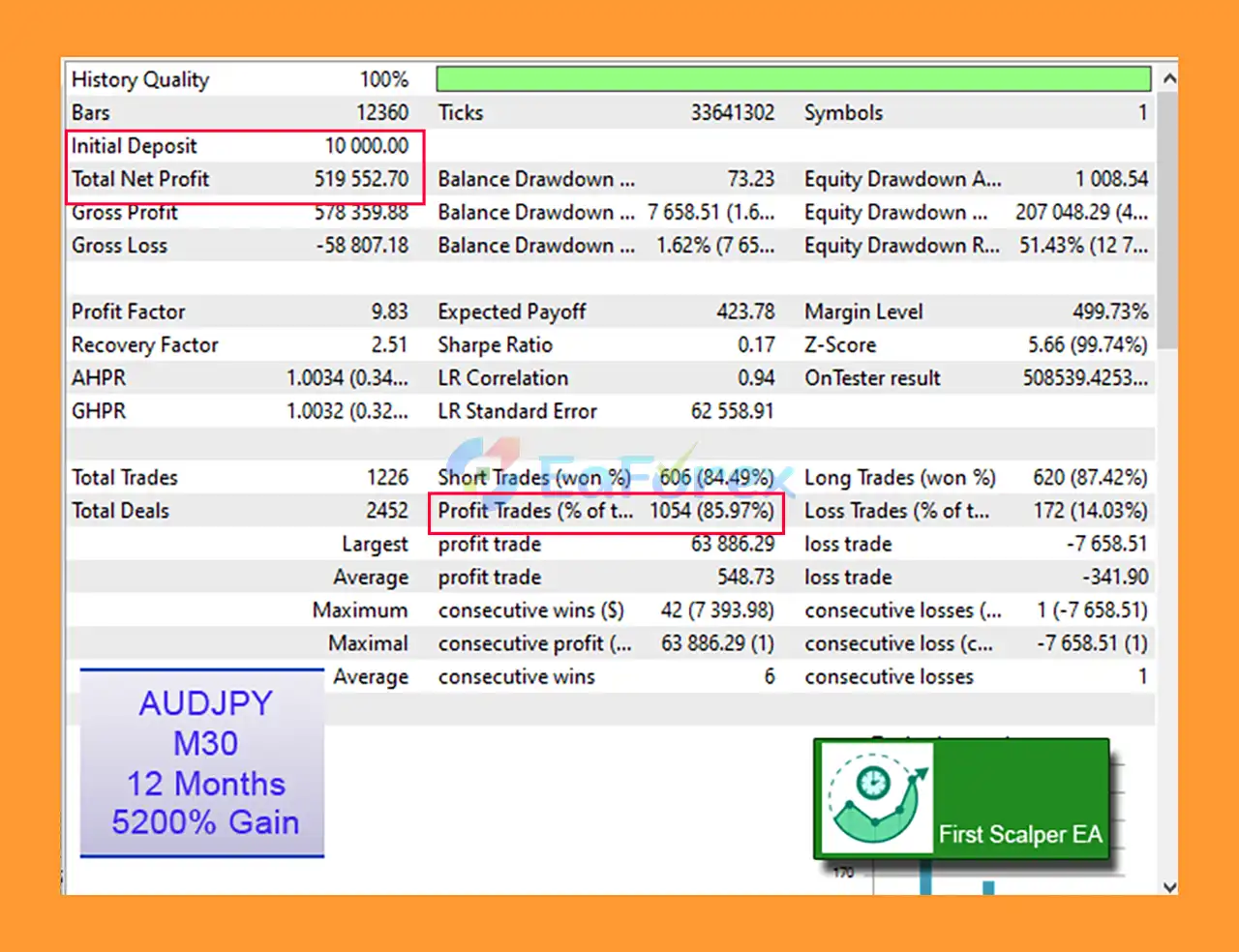
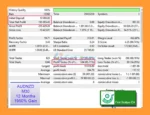
🔺AUDJPY M30 (12 months, $10,000 initial):
First Scalper MT5 Backtest
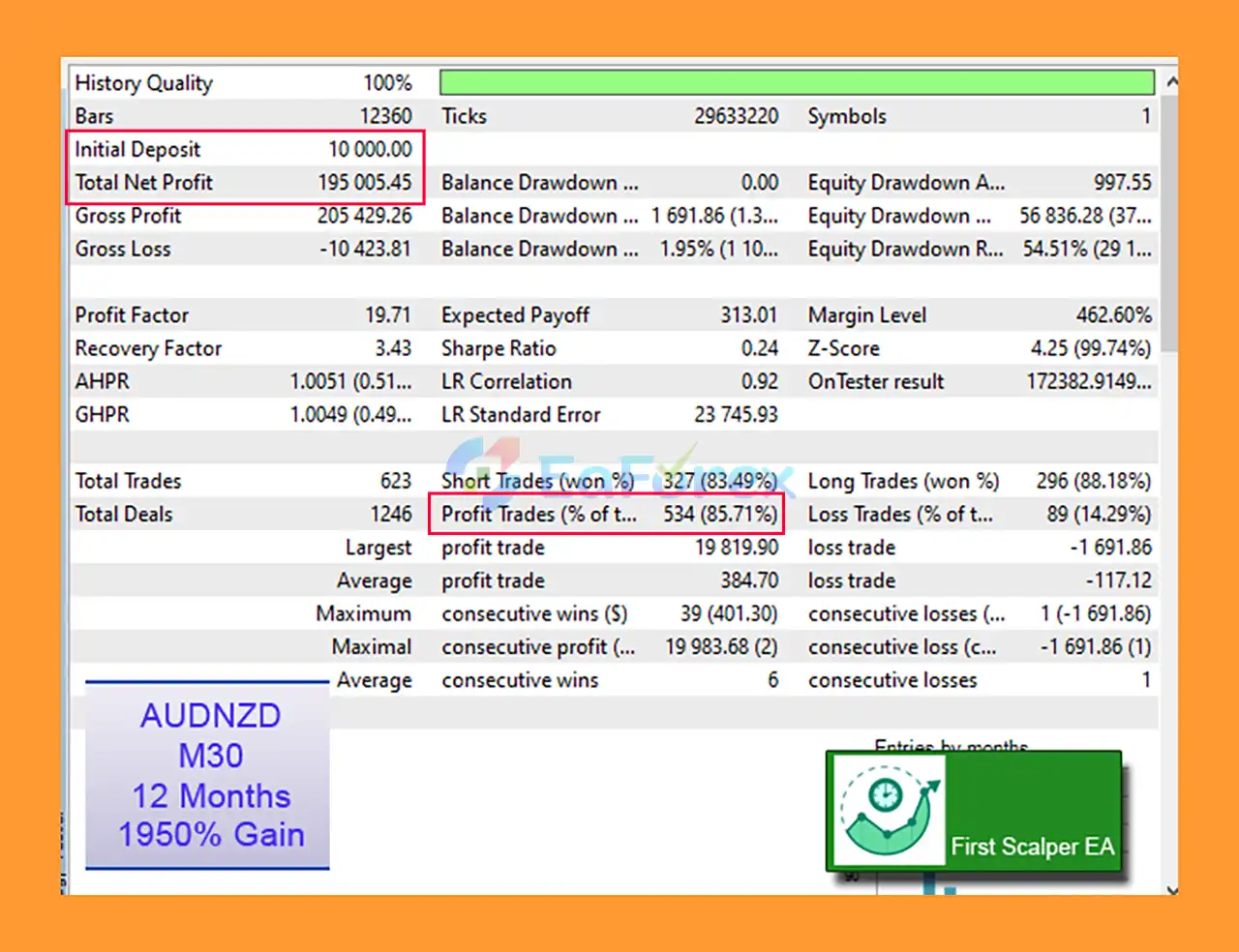
🔺AUDNZD M30 (12 months, $10,000 initial):
First Scalper EA MT5 Backtests
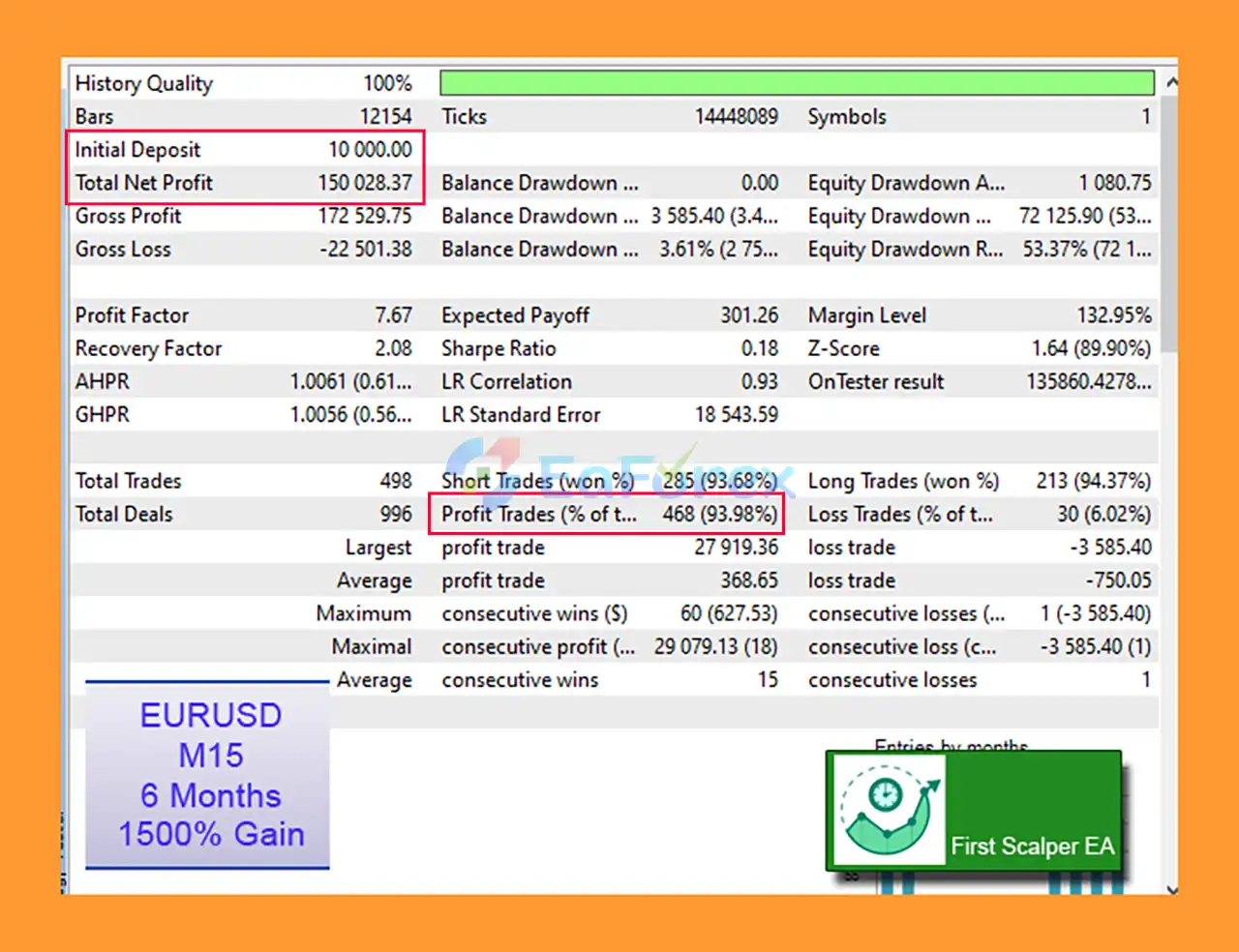
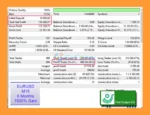
🔺EURUSD M15 (6 months, $10,000 initial):
First Scalper EA MT5 Backtest
First Scalper provides several tools designed to control position size and exposure.
The Volume Calculation Method can be configured using:
Dynamic lot calculation can be based on:
The EA also provides Minimum Volume Per Trade and Maximum Volume Per Trade controls.
This allows users to place boundaries around automatically calculated position sizes.
The Trailing Stop system includes:
These settings allow the EA to progressively adjust protection as a trade moves into profit.
The Break Even feature can automatically adjust trade protection after a specified price movement.
The Activate Break Even After Loss parameter determines the distance used by the system according to the EA’s configuration.
First Scalper includes filters that can prevent trading during selected days and hours.
This can be useful for traders who want to restrict scalping activity during specific market sessions or periods when they prefer not to trade.
The EA provides an economic-news filter with separate controls for:
Users can configure the number of minutes before and after a news event during which trading should be blocked.
This can help reduce exposure around scheduled economic announcements, although no news filter can eliminate all market-event risk.
The developer recommends optimizing First Scalper using the most recent six months of data before live deployment and updating the optimization approximately every one to two months.
An important point is that the optimization process is focused on the EA’s money-management parameters, rather than changing its core signal engine.
The recommended testing approach includes:
For five-digit accounts, the developer provides example optimization ranges for:
These are example optimization ranges rather than guaranteed optimal settings. Different symbols, brokers, account sizes, spreads, and market conditions may require different configurations.
Averaging risk: First Scalper can use one-step or two-step averaging. If the market continues moving against the initial position, additional positions can increase total exposure and potential losses.
Volume multiplier risk: The averaging volume multipliers can increase position size significantly. Higher multipliers should therefore be evaluated carefully during backtesting and forward testing.
Scalping sensitivity: Scalping systems can be particularly sensitive to spread, commissions, slippage, execution speed, and broker conditions.
Optimization risk: Optimizing recent historical data does not guarantee that the selected parameters will remain effective in future market conditions. Frequent re-optimization can also create a risk of adapting settings too closely to recent market behavior.
News risk: Economic news can cause rapid price movements, spreads, and execution conditions that differ substantially from normal market conditions. A news filter can reduce scheduled-event exposure but cannot eliminate unexpected market movements.
Multiple-chart risk: Running First Scalper on several symbols and charts increases total exposure. The developer recommends reducing trading volumes when using multiple instances.
No guaranteed results: Automated trading does not guarantee profits. Market conditions can change, and actual results can differ significantly from historical backtests.
First Scalper has several important operational requirements.
The EA works only with MT5 hedging accounts. Netting accounts are not supported.
The EA can be attached to several charts and symbols.
When running multiple instances, the developer recommends using a different Magic Number for each chart so that positions can be identified and managed separately.
If First Scalper is deployed across multiple symbols or charts, overall exposure increases.
The developer recommends reducing trading volume when running multiple instances to help control aggregate risk.
Install First Scalper MT5 into your MetaTrader 5 terminal.
Open the Navigator panel and locate the EA under Expert Advisors.
Before attaching the EA, make sure your MT5 account is a hedging account, because netting accounts are not supported.
Attach First Scalper to the desired chart and configure the main settings.
Important settings include:
Enable Algo Trading in MT5.
Before using real funds, perform backtests using realistic trading conditions and conduct forward testing on a demo account.
If optimization is required, the developer recommends testing the latest six months of data using Every Tick Based on Real Ticks, then reviewing the settings periodically.
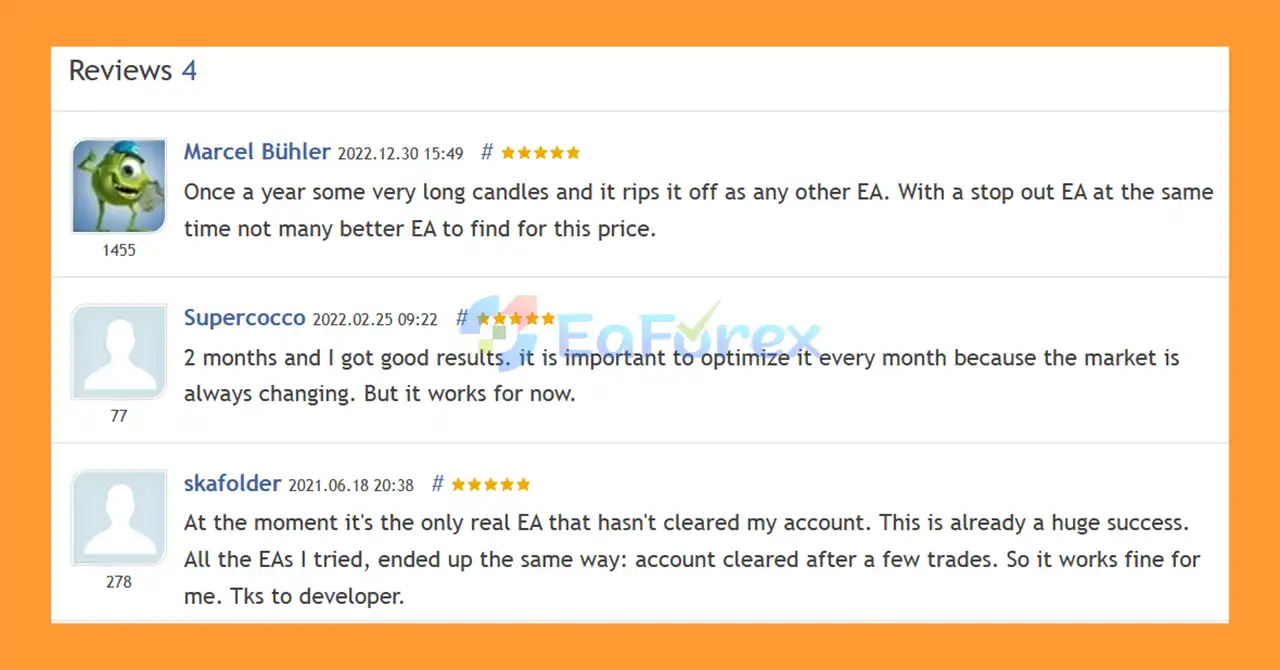
🔺First Scalper MT5 is highly appreciated by the MQL5 community for bringing stable and reliable profits. Below are 5 star reviews from users:
User Reviews
In summary, First Scalper MT5 is an automated scalping Expert Advisor designed to simplify short-term automated trading across multiple symbols and timeframes. Its main signal engine is built into the program, while users have access to practical controls for position management, money management, averaging, trading schedules, news filtering, and notifications.
One of its most important characteristics is the flexible position-management system. Traders can use traditional Take Profit and Stop Loss settings or configure one-step or two-step averaging. Because averaging can increase exposure as a position moves against the initial trade, these settings should be tested carefully and combined with appropriate position sizing.
The EA also provides a range of tools for managing risk, including spread restrictions, volume limits, risk-based sizing, trailing stops, break-even functionality, and news filters. The developer recommends optimizing the money-management parameters using recent historical data and periodically reviewing the configuration.
First Scalper requires a hedging MT5 account, and users running the EA on multiple charts should use separate Magic Numbers and consider reducing trade volumes.
As with any automated scalping system, real-world performance can be affected by market conditions, spreads, commissions, slippage, execution quality, and changes in volatility. Backtesting and optimization should therefore be treated as evaluation tools rather than guarantees of future profitability.
1. What is First Scalper MT5?
First Scalper MT5 is a high-performance automated Forex scalping EA, designed to trade all currency pairs and timeframes with pre-optimized settings for consistent and safe short-term profits.
2. Who can use First Scalper MT5?
It is suitable for traders of all experience levels, including beginners, as no prior Forex knowledge is required.
3. How does it manage risk?
The EA offers advanced risk management with multi-step averaging, automatic take profit, stop loss, trailing stops, and break-even functionality.
4. Can it trade multiple charts or symbols simultaneously?
Yes, it supports multiple charts with unique Magic Numbers, allowing flexible multi-symbol trading without interference.
5. Does it include news or time filters?
Yes, it features day/time filters and a news filter module to prevent trading during high-impact events for safer scalping.
6. How profitable is First Scalper MT5?
Backtests show exceptional results, e.g., EURUSD M5 (12 months) achieved a 40,340% total gain, $4M net profit, 93.18% win rate, and 58.53% max drawdown.
In stock
In stock
In stock
In stock
In stock
Out of stock
No account yet?
Create an Account












 Automatic EA
 EA Best Seller
 Expert Advisor MT4
 Expert Advisor MT5
 HFT EA


Reviews
Clear filtersThere are no reviews yet.