









-
 Unlimited Activations
-
 Instant delivery
-
 Easy to install








 Unlimited Activations
Instant delivery
Easy to install
Unlimited Activations
Instant delivery
Easy to install
 Free Update
 Free Install Support

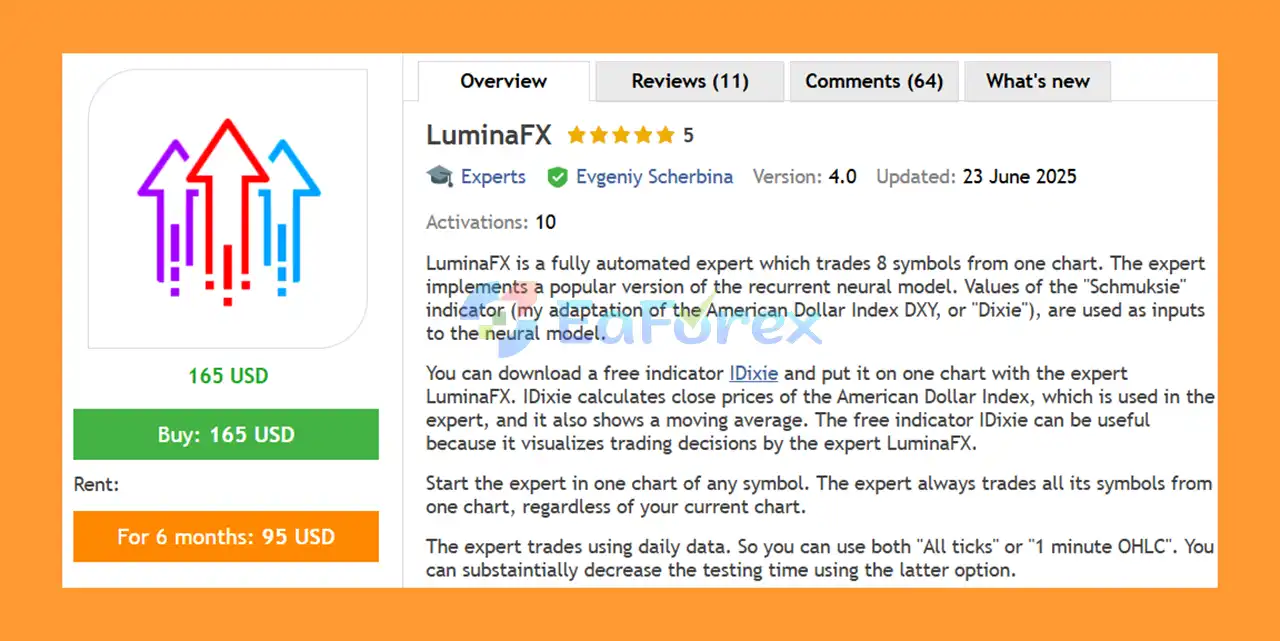
LuminaFX EA MT5 is a fully automated Expert Advisor designed to trade 8 symbols from a single MetaTrader 5 chart. Instead of requiring separate EA installations across multiple charts, LuminaFX manages its complete portfolio from one chart while continuously monitoring its predefined trading instruments.
The Expert Advisor uses a version of a recurrent neural model as part of its trading methodology. Its neural model receives input values from the Schmuksie indicator, an adaptation of the American Dollar Index, commonly known as DXY or Dixie.
LuminaFX EA MT5 is designed around daily market data, making it suitable for traders who prefer a lower-frequency automated strategy rather than an intraday scalping system.
One of the distinctive characteristics of the EA is its multi-symbol approach. Although the expert is attached to only one chart, it can trade all supported symbols from that single chart. This allows the strategy to seek diversification across different instruments and market conditions.
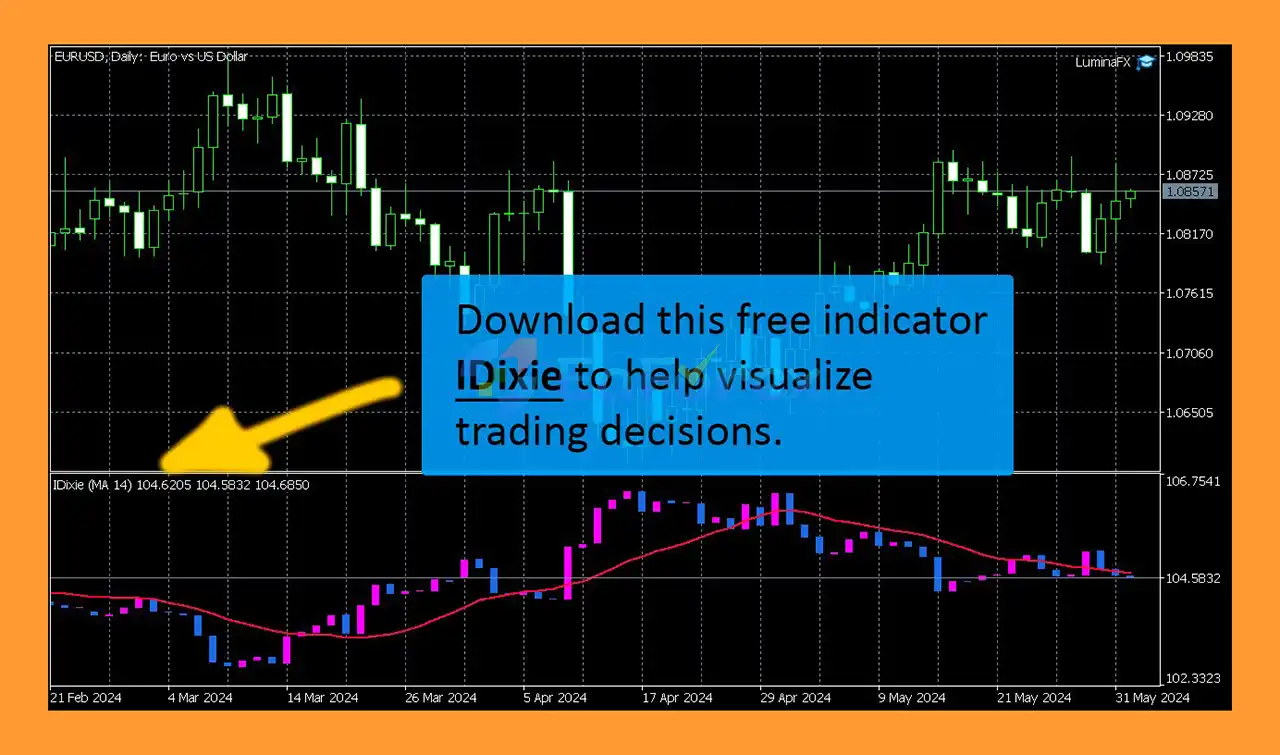
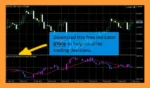
For visual analysis, users can also install the free IDixie indicator, which calculates American Dollar Index close prices and displays a moving average. The indicator can be placed on the same chart as LuminaFX to help visualize the market information and trading decisions used by the Expert Advisor.
• Author: Evgeniy Scherbina.
• Experience: Over +11 years of experience on MQL5.
• Notable Products: LuminaFX EA MT5, Atari EA MT5, QuantumPip MT5 and other advisors.
• Flagship Product: LuminaFX EA MT5 is rated as the best performing product of the year.
>> Delivery time 24h-48h after payment.
>>> Refund if not delivered.
>>> You will receive the latest version without any limitations (ID+Time).>>Reviewed by Jason Stap <<
LuminaFX EA MT5 can trade 8 symbols from a single chart. You do not need to attach the Expert Advisor separately to every trading instrument.
The chart used to launch the EA does not determine which symbols are traded. LuminaFX continues to monitor and trade its configured symbols regardless of the symbol currently displayed on the chart.
The EA implements a version of a recurrent neural model as part of its trading logic.
The model uses values derived from the Schmuksie indicator, which is an adaptation of the American Dollar Index (DXY). These values provide input data for the Expert Advisor’s decision-making process.
The American Dollar Index is an important reference for currency-market analysis. LuminaFX incorporates its adapted Schmuksie data into the neural model rather than relying solely on the price of an individual currency pair.
LuminaFX operates using daily data, making it fundamentally different from high-frequency or scalping Expert Advisors.
Because the strategy uses daily information, backtesting can be performed using either:
The 1-minute OHLC testing mode can substantially reduce backtesting time when compared with more detailed tick-based simulation.
The EA is designed to trade multiple symbols instead of relying on a single currency pair.
This diversification is an important part of its methodology because different symbols may contribute to performance during different periods. One group of symbols may perform better in one month while other instruments may contribute more during another period.
LuminaFX provides multiple parameters for controlling trade execution and position management, including:
The Close All Profit (%) parameter allows traders to define a portfolio-level profit target as a percentage.
When the specified target is reached, the EA can close all trades. Setting the parameter to 0 disables this function.
The Max Spread parameter prevents the EA from opening or closing trades when the current spread exceeds the configured limit.
This can help avoid trading during periods of unfavorable execution conditions.
LuminaFX EA MT5 follows a multi-stage process based on daily market information and its neural-model input.
The general workflow can be summarized as:
Daily Market Data → Schmuksie / DXY Data → Recurrent Neural Model → Trading Signal → Multi-Symbol Execution → Position Management
The Expert Advisor first processes daily market information. Values from the adapted Schmuksie indicator are then used as inputs for its recurrent neural model.
When the model generates a trading signal, LuminaFX can execute trades across its supported portfolio according to the configured parameters.
The EA can open multiple trades for similar signals until the configured Max Trades Per Signal limit is reached.
For example, if Max Trades Per Signal is set to 2, the EA can open up to two trades associated with a similar signal.
The Expert Advisor can also manage existing positions using its Take Profit, Trailing, Stop Loss calculations, and portfolio-level profit controls.
LuminaFX EA MT5 offers a different approach from conventional single-pair Expert Advisors.
One of its main characteristics is its ability to manage 8 symbols from one chart, allowing traders to operate a multi-symbol strategy without attaching multiple copies of the EA to different charts.
Another distinctive feature is its use of a recurrent neural model with inputs derived from the adapted American Dollar Index. This gives the EA a broader market-data framework than a strategy based solely on one currency pair’s price action.
LuminaFX also uses daily data, which can make the strategy suitable for traders who prefer lower-frequency automated trading.
The multi-symbol structure is particularly relevant to the EA’s diversification philosophy. The developer recommends keeping the supported symbols active because different instruments can contribute to performance during different months.
Instead of relying on one or two continuously profitable symbols, the strategy is designed to allow the portfolio’s different components to alternate in their contribution over time.
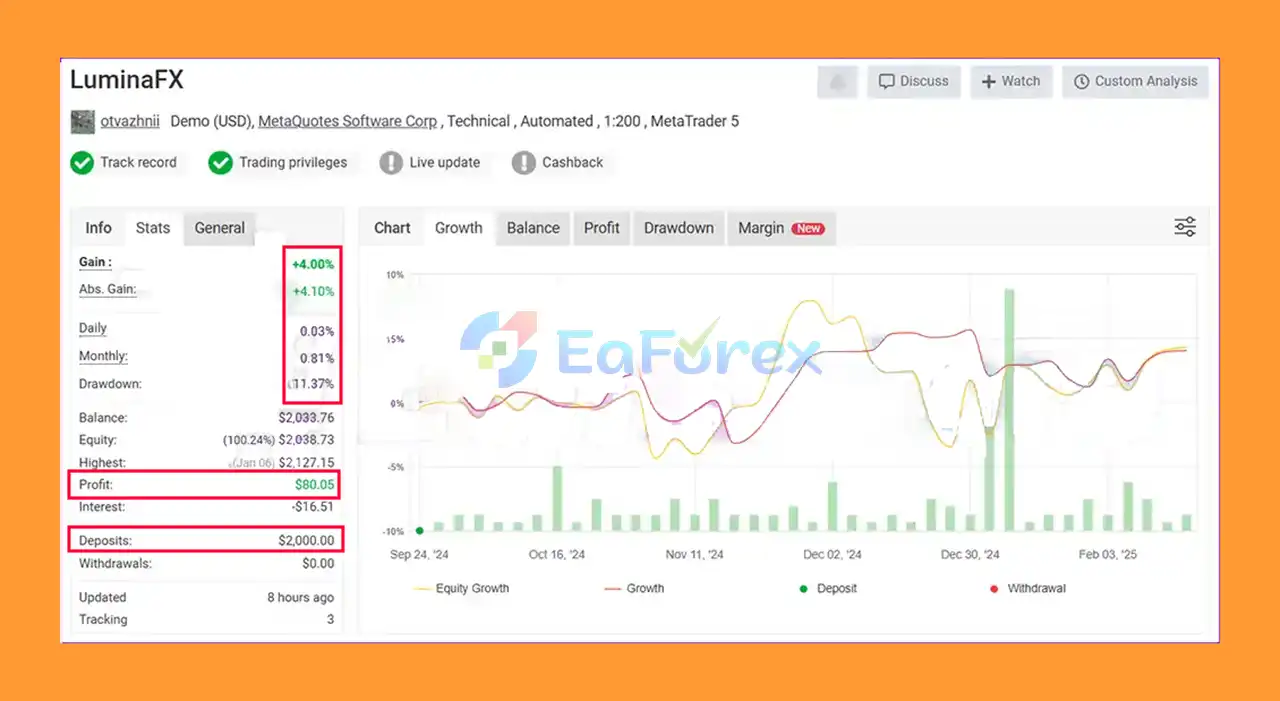
LuminaFX EA Myfxbook
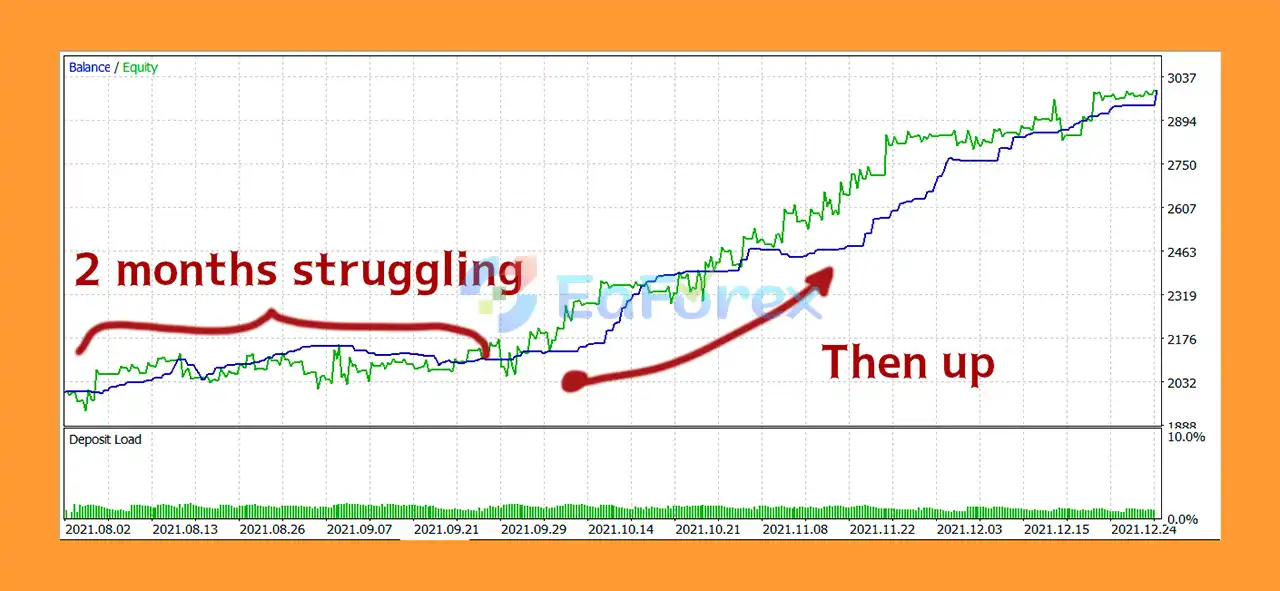
LuminaFX EA Backtests
LuminaFX EA Review
LuminaFX EA MT5 includes several parameters that allow traders to control exposure and trade management.
| Parameter | Recommendation |
|---|---|
| Chart | EURUSD D1 |
| Trading Mode | Multi-symbol |
| Symbols | 8 supported instruments |
| Minimum Deposit | $500 |
| Recommended Deposit | $1,500 |
| Max Trades Per Signal | 2 |
| Data Frequency | Daily |
| Backtesting | Every Tick or 1 Minute OHLC |
The recommended EURUSD D1 chart is primarily the launch chart. LuminaFX can continue trading its configured symbols regardless of the chart symbol used to start the EA.
The Volume parameter can be configured using either:
The EA displays the actual calculated trading volume in the MetaTrader 5 Experts tab when the EA starts or when the timeframe is changed.
For accounts using a deposit currency other than USD, such as EUR, CNY, BTC, or AUD, the supplied specifications recommend using a fixed volume rather than percentage-based volume.
The Close All Profit (%) parameter allows users to establish a percentage-based portfolio profit target.
When the target is reached, the EA can close all open trades. The trading schedule after this event depends on the Resume Trading on “Close All” setting.
The Max Trades Per Signal parameter controls the number of positions that can be opened for similar repeated signals.
This provides an additional way to manage portfolio exposure.
The Max Spread setting can prevent the EA from opening or closing trades when market spreads exceed the configured threshold.
Although LuminaFX EA MT5 includes several trade-management parameters, automated trading still involves substantial market risk.
Trading eight symbols provides diversification, but it does not eliminate risk. Multiple currency markets can become correlated during major economic or financial events, potentially increasing portfolio-wide exposure.
The use of a recurrent neural model does not guarantee accurate predictions. Financial markets can change, and historical relationships may not remain stable in future conditions.
Because LuminaFX operates using daily data, signals may take time to develop. The strategy can experience periods of reduced activity, losing trades, or drawdown.
The developer recommends keeping the portfolio symbols active because different symbols may contribute at different times. Disabling one or more symbols can change the intended diversification of the strategy.
Actual trading results can vary depending on:
Backtesting and historical performance cannot guarantee future profitability. Traders should evaluate the EA under their own broker conditions before committing significant capital.
Installing LuminaFX EA MT5 is straightforward because the Expert Advisor is designed to manage its multi-symbol portfolio from a single chart.
Install the LuminaFX EA MT5 file into the appropriate MetaTrader 5 Experts directory.
Restart MetaTrader 5 or refresh the Navigator window after installation.
Open an EURUSD D1 chart.
The recommended live setup uses EURUSD on the Daily timeframe as the chart where the EA is launched.
Locate LuminaFX EA MT5 under Expert Advisors in the Navigator and drag it onto the EURUSD D1 chart.
Enable Algo Trading when prompted.
Set the required parameters according to your trading plan.
The recommended starting configuration includes:
Review the Flags of Symbols settings.
The supplied strategy specifications recommend avoiding unnecessary deactivation of one or two symbols because diversification across the supported instruments is part of the strategy design.
For visual reference, users can install the free IDixie indicator and place it on the same chart as LuminaFX.
The indicator displays the adapted American Dollar Index close-price information and a moving average, helping users visualize the data associated with the EA’s trading logic.
Before using the EA on a live account, consider testing it in the Strategy Tester and on a demo account.
Because LuminaFX uses daily data, both Every Tick and 1 Minute OHLC can be used for testing. The latter may significantly reduce testing time.
🔺LuminaFX EA MT5 is highly appreciated by the MQL5 community for bringing stable and reliable profits. Below are 5 star reviews from users:
User Reviews
In summary, LuminaFX EA MT5 is a multi-symbol automated trading system that combines daily market data, an adapted American Dollar Index input, and a recurrent neural model to generate trading signals.
Its ability to manage 8 symbols from a single MetaTrader 5 chart is one of its defining features. Rather than concentrating the strategy on one currency pair, LuminaFX uses a portfolio-oriented approach in which different symbols can contribute at different times.
The EA also provides a broad range of trade-management parameters, including Max Trades Per Signal, Max Spread, Close All Profit, Take Profit, Trailing, Stop Loss, Volume, and symbol controls.
For traders interested in evaluating LuminaFX, the recommended starting configuration is an EURUSD D1 chart, with a suggested minimum deposit of $500 and $1,500 or more presented as a stronger starting balance in the supplied specifications.
As with any automated trading system, the use of neural-model technology and historical testing should not be interpreted as a guarantee of future results. Market conditions, broker execution, spreads, liquidity, and portfolio correlations can all affect live performance.
LuminaFX EA MT5 — Multi-Symbol Automated Trading from One Chart, Powered by Daily Market Data and a Recurrent Neural Model.
1. What is LuminaFX EA MT5?
LuminaFX EA MT5 is an AI-powered automated trading system that trades up to 8 Forex pairs simultaneously from one chart. It uses a recurrent neural network (RNN) and the Schmuksie Indicator to analyze USD strength and generate precise trading signals.
2. How does the Schmuksie Indicator improve trading performance?
The Schmuksie Indicator is a customized version of the US Dollar Index (DXY). It helps LuminaFX evaluate USD strength across multiple markets, improving trade timing, accuracy, and long-term consistency.
3. What trading timeframe does LuminaFX EA use?
LuminaFX operates best on the D1 (Daily) timeframe, allowing it to identify broader trends, reduce noise, and increase stability during volatile market conditions.
4. Can LuminaFX EA MT5 trade on any broker?
Yes. LuminaFX supports brokers with symbol suffixes and varying trading conditions, making it adaptable for most reputable MT5 brokers worldwide.
5. What risk management features does LuminaFX include?
The EA includes global profit management, spread filters, automatic trade closure, and dynamic lot sizing. These features ensure balanced risk exposure and stable growth.
6. Is LuminaFX EA suitable for beginners?
Absolutely. LuminaFX EA MT5 is beginner-friendly, requiring minimal setup. Its automated system and AI logic make it ideal for traders of all experience levels.
In stock
In stock
In stock
In stock
In stock
Out of stock
No account yet?
Create an Account












 Automatic EA
 EA Best Seller
 Expert Advisor MT4
 Expert Advisor MT5
 HFT EA


Reviews
Clear filtersThere are no reviews yet.