









-
 Unlimited Activations
-
 Instant delivery
-
 Easy to install







 Unlimited Activations
Instant delivery
Easy to install
Unlimited Activations
Instant delivery
Easy to install
 Free Update
 Free Install Support

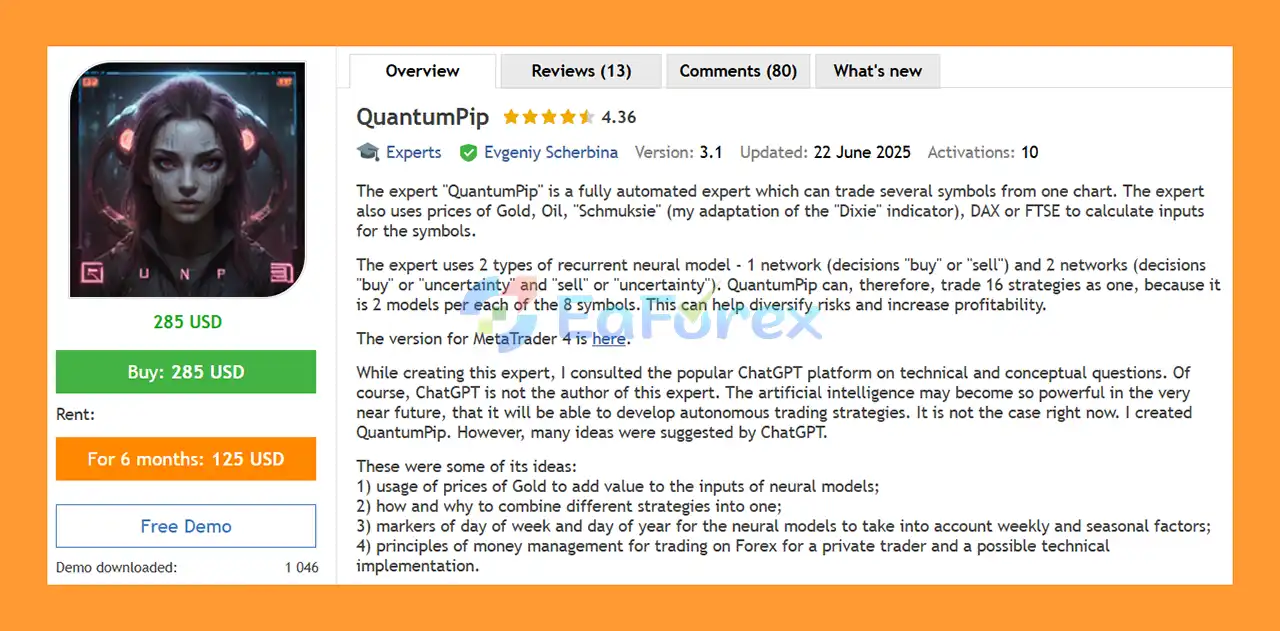
QuantumPip EA MT5 is a fully automated multi-symbol Expert Advisor for MetaTrader 5, designed to trade several Forex symbols from a single chart. Instead of requiring a separate EA instance for every trading pair, QuantumPip can manage its supported symbols from one chart, regardless of which symbol is currently displayed.
The EA uses daily market data and combines information from multiple financial instruments to generate inputs for its neural models. In addition to the traded symbols, QuantumPip can use prices from Gold, Oil, DAX, FTSE, and the developer’s adapted “Schmuksie” indicator, based on the concept of the Dixie/DXY.
At the core of QuantumPip are recurrent neural models. The system uses two different model structures:
With two models available for each of eight supported symbols, QuantumPip EA MT5 can operate with up to sixteen strategy combinations as one automated trading system. The multi-symbol and multi-model structure is intended to provide diversification across instruments and decision models.
The developer also explains that ChatGPT was consulted during the conceptual and technical development of the EA. ChatGPT contributed ideas related to feature selection, combining strategies, seasonal and weekly factors, money-management concepts, naming, and visual design. However, QuantumPip was created by its developer, not by ChatGPT.
• Author: Evgeniy Scherbina.
• Experience: Over +4 years of experience on MQL5.
• Notable Products: QuantumPip EA MT5, Atari EA MT5, LuminaFX EA, QuantumPip MT5 and other advisors.
• Flagship Product: QuantumPip EA MT5 is rated as the best performing product of the year.
>> Delivery time 24h-48h after payment.
>>> Refund if not delivered.
>>> You will receive the latest version without any limitations (ID+Time).>>Reviewed by Jason Stap <<
QuantumPip EA MT5 is designed to trade multiple supported symbols from a single MT5 chart. Once the EA is started, it continues to manage its designated instruments regardless of the symbol currently displayed on the chart.
This can simplify portfolio management because traders do not necessarily need to attach separate instances to every supported symbol.
The EA uses recurrent neural-network models to process market information and generate trading decisions.
Its model structure includes:
The inclusion of an uncertainty state is designed to allow the model to distinguish between clearer directional conditions and situations where the available information is less decisive.
QuantumPip EA MT5 does not rely exclusively on the price of the individual traded symbol. Its models can also use information from supporting markets such as:
The purpose is to provide additional market information that may help the neural models identify relationships between different financial instruments.
QuantumPip EA MT5 operates using daily data. Because of this, users can perform MT5 testing with either Every Tick or 1 Minute OHLC modeling.
For faster historical testing, the developer recommends using 1 Minute OHLC, which can substantially reduce testing time compared with more detailed tick-based modeling.
QuantumPip EA MT5 provides different risk approaches, including Reliable and Ultimate.
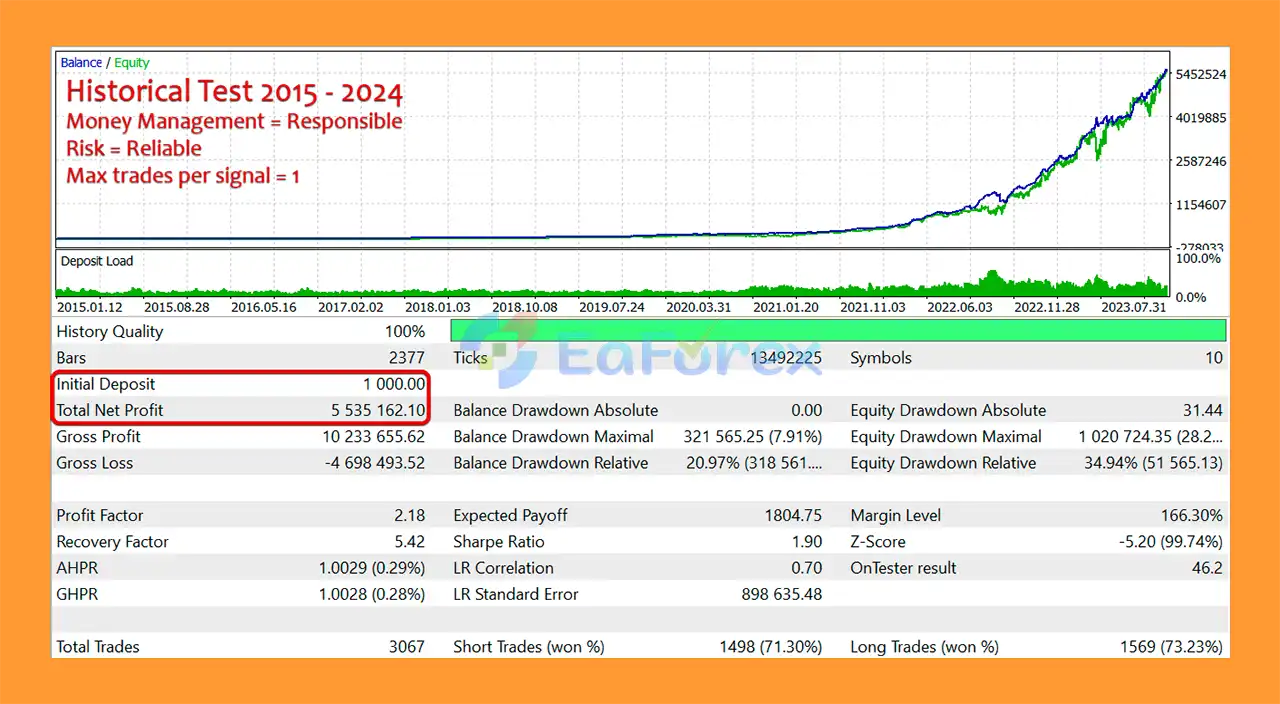
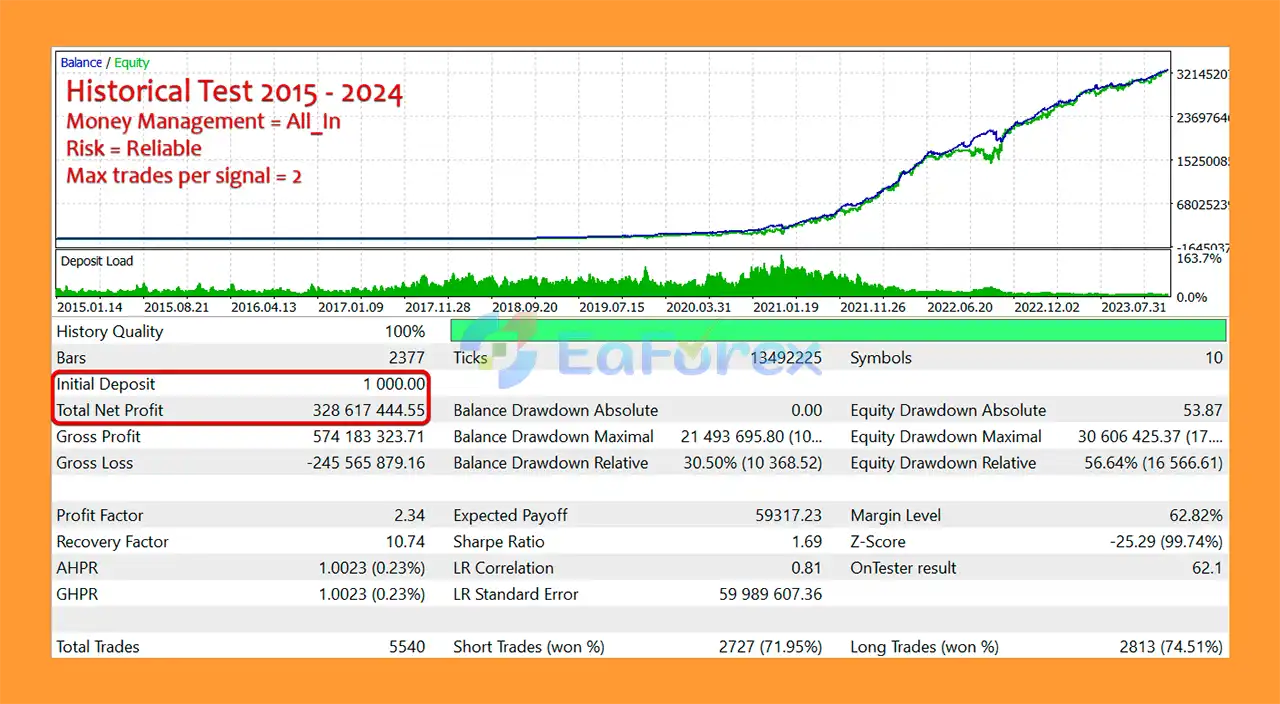
The developer specifically recommends Reliable risk for live trading. The Ultimate mode is intended primarily to demonstrate how an excessively optimized historical model can produce very attractive historical results while carrying greater uncertainty for future periods.
The EA includes several controls for managing positions and trading activity, including:
QuantumPip EA MT5 starts from a single chart and then manages its supported trading symbols internally.
The EA analyzes daily market data and incorporates information from selected support instruments. Prices from markets such as Gold and Oil can become additional inputs for the neural models, while DAX, FTSE, and the adapted “Schmuksie” indicator can also be used for selected trading relationships.
The neural models then evaluate the available information and generate trading decisions.
The two principal model approaches are designed differently. One produces a directional Buy or Sell decision, while the other introduces an Uncertainty state alongside Buy and Sell decisions.
This allows the EA to operate with different model structures across multiple instruments rather than relying on one universal trading signal.
The EA can also open multiple trades when a similar signal repeats. The Max trades per signal parameter controls how many trades can be opened for a similar signal.
For example, if Max Trades per Signal is set to two, QuantumPip can continue opening trades generated by a repeating similar signal until that limit is reached.
QuantumPip EA MT5 is designed for traders interested in an automated system that combines multi-symbol trading, neural models, cross-market inputs, and configurable money management.
Potentially useful characteristics include:
The system may be particularly interesting to users who want to experiment with a portfolio-oriented EA rather than a robot focused on only one currency pair.
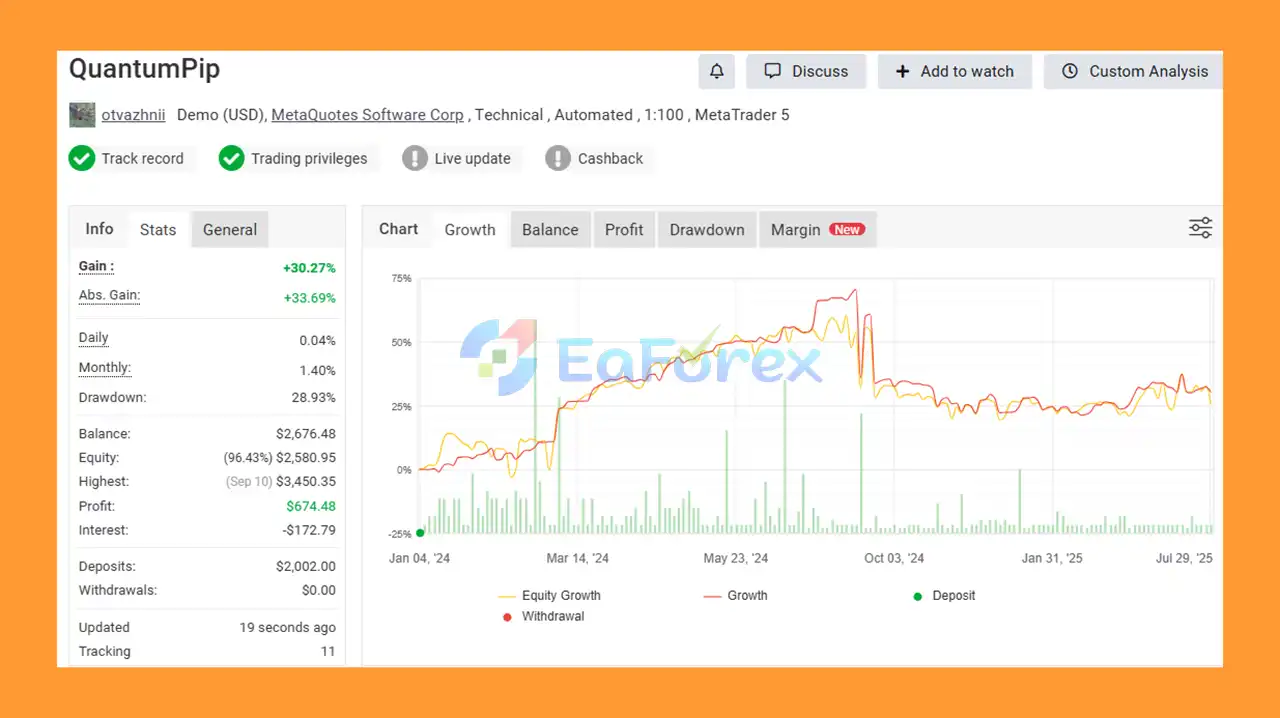
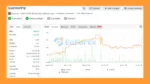
QuantumPip EA Myfxbook Results
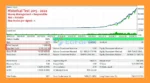
QuantumPip MT5 Backtest Results
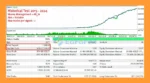
QuantumPip EA MT5 Backtest Results
🔺QuantumPip EA MT5 is highly appreciated by the MQL5 community for bringing stable and reliable profits. Below are 5 star reviews from users:
User Review
QuantumPip includes several mechanisms intended to control trading exposure.
One of the most important settings is the Risk parameter.
According to the developer, the Ultimate mode can produce more profitable historical results because its neural model has been highly optimized to historical data. However, this also means that the historical performance may not translate as effectively into future market conditions.
The Reliable mode is designed with a different objective. Its model attempts to maintain a loss characteristic that is more representative of future periods rather than simply maximizing historical results.
For live trading, the developer recommends Reliable risk and specifically warns against using Ultimate risk as a live-trading setting.
This distinction is important because a highly optimized backtest can look significantly better than actual future trading. Historical performance alone cannot guarantee future profitability.
The Max Spread setting prevents the EA from opening or closing trades when the current spread exceeds the configured threshold.
This can help reduce exposure to unfavorable execution conditions, although it cannot eliminate slippage, liquidity problems, or other broker-related risks.
The Close all profit (%) parameter allows the trader to define a portfolio-level profit target as a percentage.
When the target is reached, the EA can close its trades. Setting the value to zero disables this function.
After the function is triggered, trading behavior depends on the Resume Trading on “Close all” setting.
The Max trades per signal parameter limits how many trades QuantumPip can open for a similar repeated signal.
This provides an additional control over exposure when the same type of signal appears repeatedly.
QuantumPip EA MT5 supports both:
The EA displays the actual trading volume in the MT5 Experts tab when it starts or when the timeframe is changed.
The developer recommends using fixed volume when trading accounts whose deposit currency is not USD, such as EUR, CNY, BTC, or AUD accounts, because percentage-based calculations may behave differently depending on the account currency.
QuantumPip EA MT5 uses neural models and historical data, so users should understand the limitations associated with machine-learning-based trading systems.
Historical optimization risk: A model can perform extremely well on historical data because it has adapted to patterns that may not repeat in the future. This is particularly relevant to the Ultimate risk mode.
Future-market uncertainty: Neural models cannot guarantee that historical relationships between markets will continue to exist.
Cross-market dependency: Because the EA can use Gold, Oil, DAX, FTSE, and other market information as inputs, changes in correlations or market behavior can affect the model’s signals.
Execution risk: Spread, slippage, liquidity, broker conditions, and trading costs can influence real-world results.
Multi-symbol exposure: Trading multiple instruments does not automatically eliminate risk. Several markets can become correlated during periods of strong volatility.
No guaranteed profit: QuantumPip is an automated trading system, not a guarantee of profitability. Losses are possible, including substantial losses.
Risk settings matter: The developer specifically recommends Reliable risk for live trading and states that Ultimate risk should not be used for live trading.
Users should conduct their own backtests, forward tests, and risk evaluation before using the EA with real funds.
According to the developer’s recommendations, a basic starting configuration includes:
The developer also suggests that FTSE may be selected as a support symbol for GBPCHF and GBPUSD. These two symbols can alternatively be started on a separate chart using a different Magic Number.
Users should treat these settings as developer recommendations rather than guarantees of performance.
Download and install QuantumPip EA MT5 into your MetaTrader 5 terminal.
Open the Navigator panel and locate the Expert Advisor under Expert Advisors.
Attach QuantumPip to a chart, with EURUSD D1 being the developer’s recommended starting configuration.
Configure the important parameters, including:
For live trading, use Reliable risk rather than Ultimate risk according to the developer’s recommendation.
Enable Algo Trading/AutoTrading in MT5 and make sure the required support symbols are available in your broker’s Market Watch.
Before moving to a live account, test the EA under your broker’s actual trading conditions and evaluate the results over an appropriate period.
QuantumPip EA MT5 is a multi-symbol automated trading system built around recurrent neural models and cross-market information. Rather than focusing on a single instrument, it can manage multiple supported symbols from one chart while using additional market data such as Gold, Oil, DAX, FTSE, and the developer’s adapted “Schmuksie” indicator as model inputs.
Its most notable concept is the combination of two neural-model approaches across eight symbols, creating up to sixteen strategy combinations within one EA. The system also provides practical controls for trade limits, spread conditions, portfolio-level profit closing, position sizing, and risk selection.
However, the distinction between historical optimization and future robustness is particularly important with QuantumPip. The developer explicitly positions Reliable risk as the appropriate choice for live trading and warns against using Ultimate risk for live trading.
As with any automated trading system, QuantumPip should be evaluated through realistic backtesting, forward testing, broker-specific conditions, and conservative risk management. Past results and optimized neural models cannot guarantee future trading performance.
1. What is QuantumPip EA MT5?
QuantumPip EA MT5 is an AI-powered, multi-symbol Expert Advisor that uses recurrent neural network (RNN) technology to trade multiple assets—including Gold, Oil, DAX, FTSE, and Forex pairs—directly from one chart. It combines 16 neural-based trading strategies for maximum precision and adaptability.
2. How does QuantumPip EA MT5 use AI and machine learning?
The EA employs two RNN models per symbol to analyze market patterns, detect uncertainty, and adapt to evolving conditions. Its deep-learning algorithms continuously refine trading logic for more accurate buy/sell decisions.
3. Can QuantumPip EA trade multiple markets at once?
Yes. QuantumPip can manage up to 8 trading symbols simultaneously from a single chart, offering true multi-market diversification across Forex, indices, and commodities.
4. What are the main trading modes available?
There are two modes:
Reliable Mode: Focuses on stable, long-term profits with controlled risk.
Ultimate Mode: Optimized for aggressive, high-reward strategies and testing.
5. How does QuantumPip EA manage risk and profit?
It includes smart profit management features such as Close All Profit (%), max spread filters, dynamic lot sizing, and weekly trade resets to lock in gains and protect equity.
6. What kind of results can traders expect?
Backtests show impressive profitability — up to $5.53M net profit from a $1,000 deposit (2015–2024) with only 7.91% balance drawdown and 73% win rate. Live results also report steady +30.27% overall gain with moderate drawdown.
In stock
In stock
In stock
In stock
In stock
Out of stock
No account yet?
Create an Account












 Automatic EA
 EA Best Seller
 Expert Advisor MT4
 Expert Advisor MT5
 HFT EA


Reviews
Clear filtersThere are no reviews yet.