


Product Overview
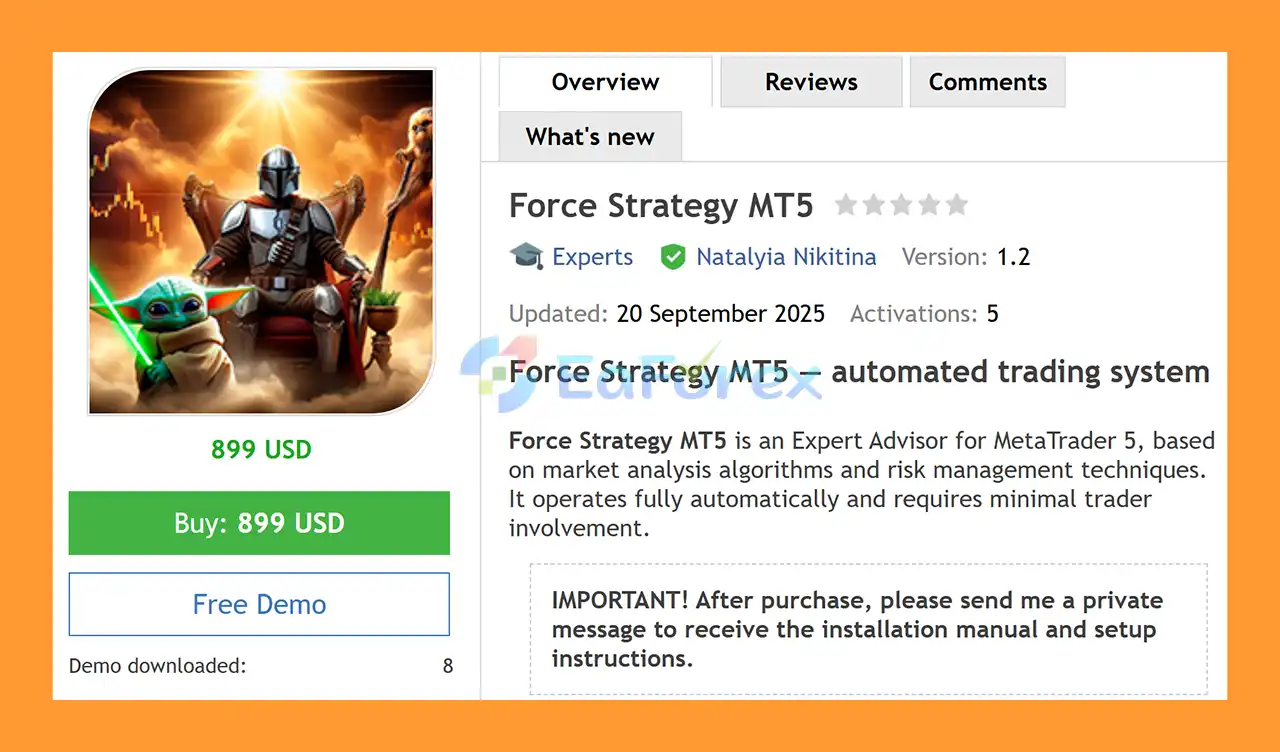
Force Strategy MT5 is a fully automated Expert Advisor for MetaTrader 5, designed to combine automated market analysis with structured risk management and capital protection mechanisms.
The EA analyzes market conditions using built-in algorithms and opens trades when predefined conditions are satisfied. Once configured, Force Strategy MT5 is designed to operate automatically with minimal trader intervention.
According to the developer, the main parameters are pre-optimized to provide a straightforward setup process.
After purchasing the EA, users should contact the developer to receive the required setup instructions and configuration guidance.
About the Developer
- Author: Natalyia Nikitina
- Experience: Over +5 years of experience on MQL5.
- Notable Products: Force Strategy MT5, Pelagia MT5, Winter MT5, Requiem MT5, Solaris Imperium MT5, PropSurge One MT5, BaLLzProtector MT5, TradeRanger MT5, Ride the wind MT5, Duramax MT5 and other advisors.
- Flagship Product: Force Strategy MT5 is rated as the best performing product of the year.
>> Delivery time 24h-48h after payment.
>>> Refund if not delivered.
>>> You will receive the latest version without any limitations (ID+Time).>>Reviewed by Jason Stap <<
Main Features of Force Strategy MT5
Automated Market Analysis
Force Strategy MT5 uses built-in market analysis algorithms to evaluate trading conditions and identify potential opportunities.
The EA automatically processes market information and executes trades according to its internal rules without requiring the trader to manually analyze every setup.
Adaptive Trading Approach
The system is designed to adapt its trading activity to changing market conditions, including periods of increased volatility and changes in market trends.
This adaptive approach is intended to allow the EA to adjust its behavior rather than relying on completely static market conditions.
Multiple Order Execution Types
Force Strategy MT5 supports several MetaTrader 5 order filling modes:
- IOC – Immediate or Cancel
- FOK – Fill or Kill
- Return
- BOC – Book or Cancel
The available execution mode may depend on the broker and symbol's trading specifications.
Risk Management
Force Strategy MT5 incorporates risk-management mechanisms intended to control market exposure.
The system includes:
- Adaptive Stop Loss
- Dynamic capital protection mechanisms
- Automated position management
- Predefined trading conditions
These features are designed to help manage risk automatically while the EA is operating.
However, risk-management features cannot eliminate the possibility of losses.
Pre-Optimized Parameters
The developer states that the main parameters are pre-optimized, allowing traders to start without having to manually optimize every setting.
Users should still evaluate the EA under their own broker conditions before using significant live capital.
How Does Force Strategy MT5 Work?
Force Strategy MT5 continuously analyzes the market using its built-in algorithms.
When the required conditions are detected, the Expert Advisor can automatically open a trade according to its predefined strategy.
After entering the market, the EA uses its position-management and risk-control mechanisms to manage the trade.
Adaptive Stop Loss and capital-management features are intended to respond to changing market conditions while limiting unnecessary exposure.
The EA is designed to operate with minimal manual intervention, making it suitable for traders who prefer an automated trading workflow.
Why Choose Force Strategy MT5?
Force Strategy MT5 is designed for traders looking for a fully automated MT5 trading system with built-in market analysis and risk-management functionality.
Key characteristics include:
- Fully automated trading
- Built-in market analysis algorithms
- Adaptive trading logic
- Dynamic risk management
- Adaptive Stop Loss
- Capital protection mechanisms
- Multiple order execution modes
- Pre-optimized parameters
- Minimal manual intervention
- M15 trading timeframe
- Automated activation of additional supported pairs
The system is intended to provide a relatively straightforward setup for traders who prefer a pre-configured automated strategy.
Recommended Trading Environment
The developer recommends the following configuration:
| Parameter | Recommended Setting |
|---|---|
| Currency Pairs | AUDCAD, NZDCAD |
| EA Launch | AUDCAD |
| Other Pairs | Activated automatically |
| Account Type | Raw Spread |
| Leverage | 1:500 |
| Minimum Deposit | $1,000 |
| Timeframe | M15 |
| VPS | Recommended |
| Recommended Broker | IC Markets Global |
The EA is recommended to be launched on AUDCAD, while other supported pairs are activated automatically according to the system's configuration.
A Raw Spread account is recommended because trading costs can affect automated strategies, particularly when positions are opened and closed frequently.
A stable VPS is also recommended to keep MetaTrader 5 running continuously and reduce interruptions caused by local computer or internet connectivity issues.
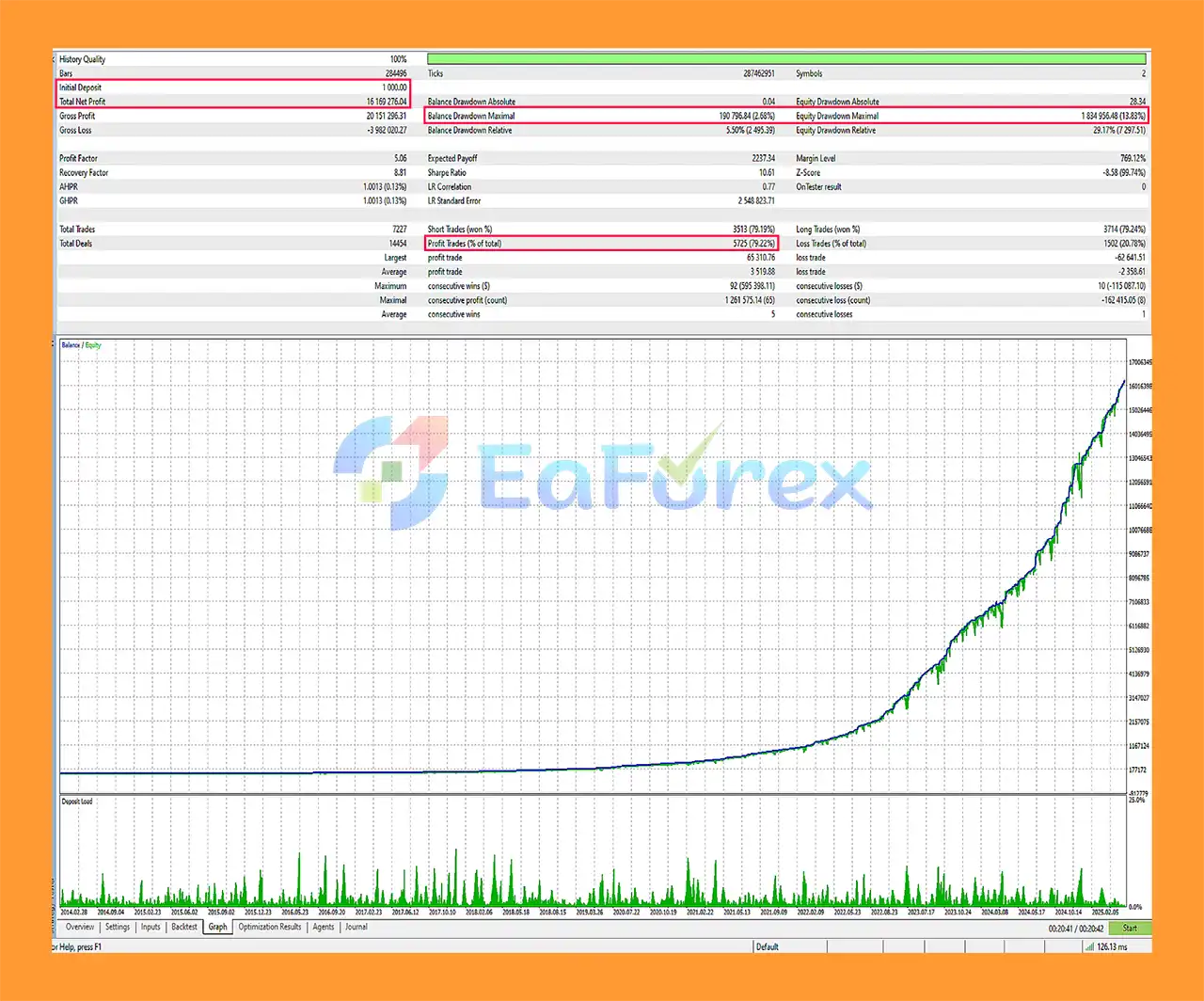
Force Strategy MT5 Backtest Results
- Initial Deposit: $1,000
- Total Net Profit: $16.160 million
- Win Rate: 79.22%
- Maximum Drawdown: 2.26%
Performance and Risk Management
Force Strategy MT5 combines automated market analysis with risk-management mechanisms intended to control trading exposure.
The system uses adaptive Stop Loss functionality and dynamic capital-management strategies rather than relying entirely on manual intervention.
The recommended $1,000 minimum deposit should be understood as a developer recommendation for the intended configuration, not as a guarantee that the account will remain within a particular drawdown level.
The suggested 1:500 leverage provides greater margin availability but also allows substantially greater exposure relative to account equity. Leverage should therefore be considered carefully when determining position size and overall account risk.
Broker conditions are also important. Spreads, commissions, execution speed, slippage, margin requirements, and order-filling rules can all affect the live behavior of an automated Expert Advisor.
Weaknesses & Risk Warnings
Automated market analysis does not eliminate financial risk.
Force Strategy MT5 may perform differently when market conditions change significantly from those encountered during its development or optimization.
Important considerations include:
- Market volatility can change rapidly
- Historical testing does not guarantee future results
- Broker execution can affect live performance
- Spreads and commissions can reduce trading results
- Slippage may cause actual execution prices to differ from expected prices
- High leverage can significantly increase account exposure
- A $1,000 deposit is not a guarantee of adequate capital under every market condition
- Adaptive Stop Loss mechanisms cannot guarantee a fixed maximum loss in all market situations
The supported execution modes also depend on the broker and the individual symbol's MetaTrader 5 trading specifications.
Traders should test the EA on a demo account before deploying substantial live capital.
Pros and Cons
Pros
- Fully automated MetaTrader 5 Expert Advisor
- Built-in market analysis algorithms
- Adaptive trading approach
- Automated execution
- Adaptive Stop Loss
- Dynamic capital-management mechanisms
- Supports multiple order filling types
- Pre-optimized parameters
- Minimal manual intervention
- M15 recommended timeframe
- AUDCAD and NZDCAD support
- VPS recommended for continuous operation
Cons
- Requires specific recommended trading conditions
- Raw Spread account recommended
- High leverage of 1:500 is suggested by the developer
- Minimum recommended deposit is $1,000
- Additional pairs are activated according to the EA's internal configuration
- Live performance depends on broker execution and market conditions
- Optimization cannot guarantee future performance
- High leverage can amplify both gains and losses
- A VPS is recommended for stable continuous operation
How to Install Force Strategy MT5
Because the developer specifically requests users to contact them after purchasing the EA, installation should follow the supplied setup instructions.
The general MT5 installation process is:
- Open MetaTrader 5
- Go to File → Open Data Folder
- Open the MQL5 → Experts directory
- Copy the Force Strategy MT5 EA file into the appropriate folder
- Restart MetaTrader 5 or refresh the Navigator panel
- Open an AUDCAD M15 chart
- Attach Force Strategy MT5 to the chart
- Enable Algo Trading
- Configure the account and broker conditions according to the developer's instructions
- Verify the Raw Spread account and trading parameters
- Confirm that the EA is operating correctly
After purchase, contact the developer to receive the official installation, setup, and configuration instructions.
What’s Included in the Download Package?
🔺 Experts:
- Setting (If Any).docx
- Installation Guide.docx
Final Thoughts
In summary, Force Strategy MT5 is a fully automated Expert Advisor designed for MetaTrader 5, combining built-in market analysis algorithms with adaptive risk management and automated execution.
The system is designed around AUDCAD and NZDCAD, with AUDCAD M15 recommended as the launch configuration. The developer recommends a Raw Spread account, 1:500 leverage, a minimum deposit of $1,000, and a VPS for the intended setup.
Its pre-optimized parameters and automated operation can simplify the initial configuration, while adaptive Stop Loss and capital-management mechanisms are designed to manage exposure as market conditions change.
However, automated trading remains subject to market volatility, execution quality, spreads, commissions, slippage, leverage, and other broker-specific conditions. The recommended configuration should therefore be treated as a starting point rather than a guarantee of performance.
Always test Force Strategy MT5 under your own broker conditions and use only capital you can afford to lose. Past tests and examples are not guarantees of future trading results.



