









-
 Unlimited Activations
-
 Instant delivery
-
 Easy to install

 Unlimited Activations
Instant delivery
Easy to install
Unlimited Activations
Instant delivery
Easy to install
 Free Update
 Free Install Support

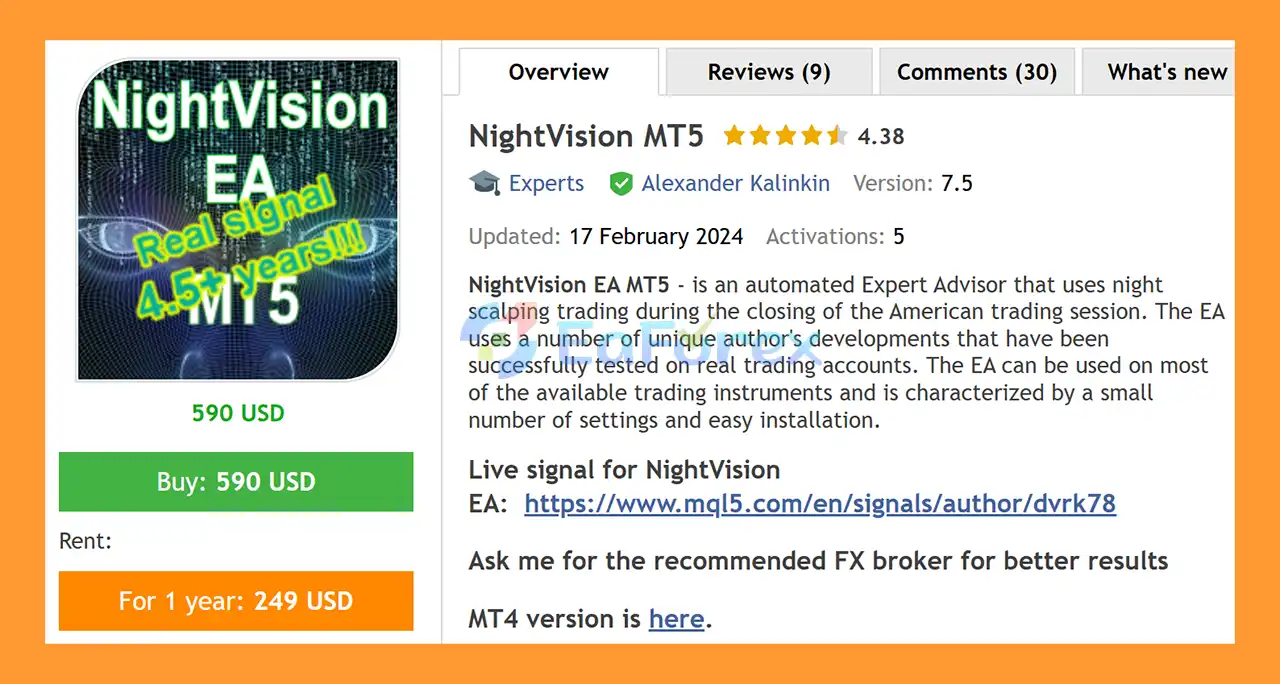
NightVision EA MT5 is an automated Expert Advisor designed for night scalping during the closing period of the American trading session.
The EA uses proprietary trading developments designed to identify short-term opportunities during specific market conditions. According to the developer, the strategy has been tested on real trading accounts and is designed with a relatively simple configuration and straightforward installation process.
NightVision EA MT5 supports a wide range of Forex currency pairs, allowing traders to build a diversified multi-pair setup from the supported instruments.
The system does not use Martingale, Grid, or Arbitrage trading methods, according to the developer. Every trade is configured with a Stop Loss and Take Profit.
• Author: Alexander Kalinkin
• Experience: Over +7 years of experience on MQL5.
• Notable Products: NightVision MT5, NightVision EA and other advisors.
• Flagship Product: NightVision MT5 is rated as the best performing product of the year.
>> Delivery time 24h-48h after payment.
>>> Refund if not delivered.
>>> You will receive the latest version without any limitations (ID+Time).>>Reviewed by Jason Stap <<
NightVision EA MT5 is designed specifically for trading opportunities that occur around the closing of the American trading session.
This period can provide different market characteristics compared with major London and New York session overlaps, allowing the EA to focus on its predefined night-scalping logic.
According to the developer, NightVision does not use several high-exposure trading techniques commonly associated with aggressive recovery systems.
The EA does not use:
This design is intended to avoid strategies that can rapidly increase position exposure during adverse market movements.
However, the absence of these techniques does not mean that the EA is risk-free.
Every trade opened by NightVision EA MT5 is configured with both:
These predefined levels are intended to establish trade-level exit conditions and help control the potential loss or profit target of individual positions.
Actual results can still vary because of spread, slippage, execution quality, market gaps, and broker conditions.
NightVision EA MT5 supports multiple Forex instruments, giving traders the ability to select which supported currency pairs they want the EA to trade.
Supported pairs include:
Traders can choose individual pairs from the supported list according to their preferred portfolio configuration.
NightVision EA MT5 is designed around a night scalping approach focused on the closing phase of the American trading session.
The EA automatically monitors the selected currency pairs and evaluates the market according to its internal trading logic.
When the required conditions are met, the EA can open a position and manage it automatically using predefined Stop Loss and Take Profit levels.
The system can operate across multiple currency pairs, while its position-management parameters allow traders to control the total number of open trades and exposure to individual currencies or currency pairs.
Because the strategy operates during a specific trading period, correct broker time and GMT Offset configuration are important.
If the broker observes daylight-saving-time changes, the DaylightSavingTime setting should also be configured correctly.
NightVision EA MT5 may be suitable for traders looking for an automated multi-pair Forex scalping system with a relatively simple configuration.
Key characteristics include:
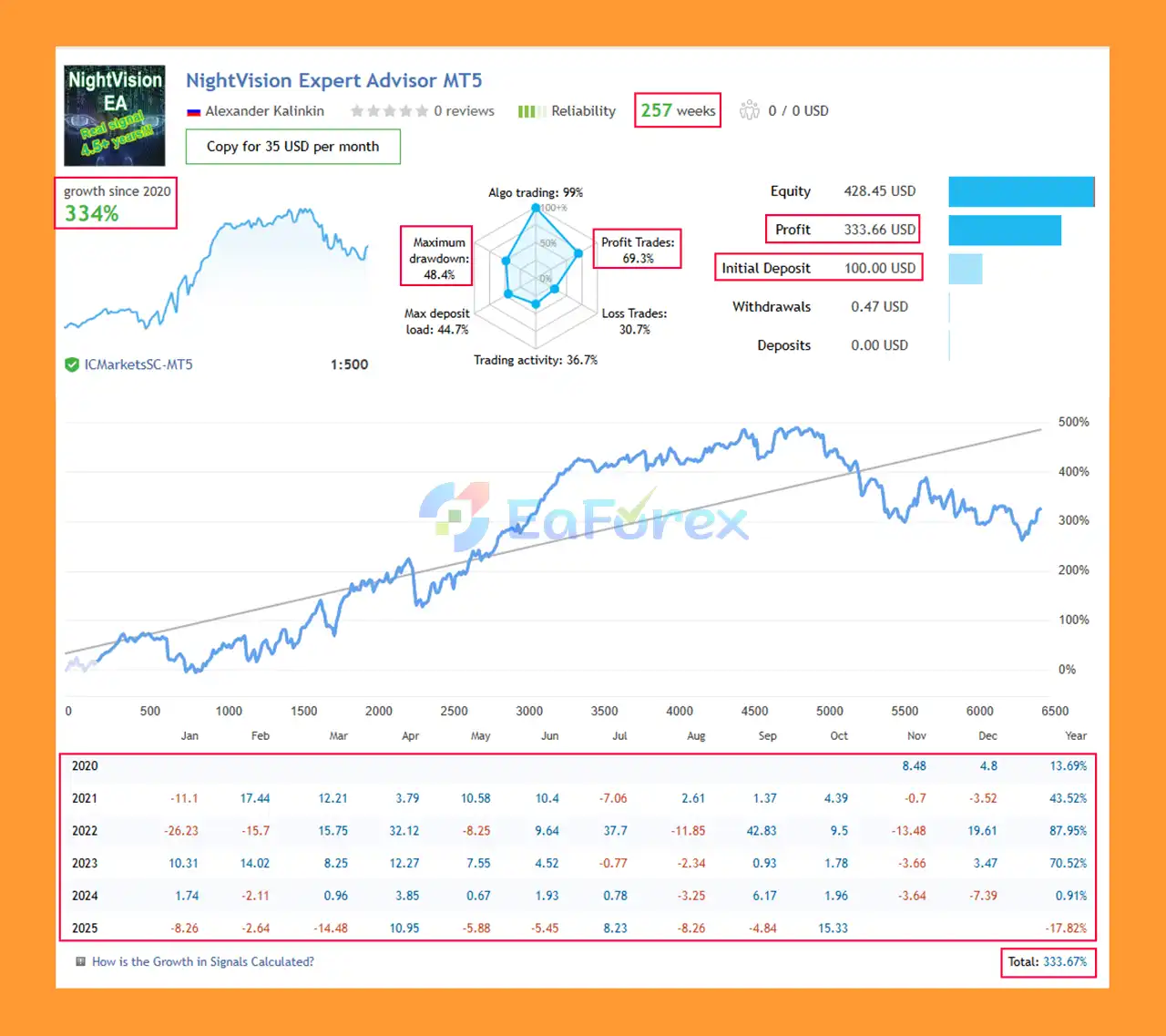
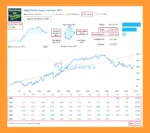
NightVision EA MT5 live Results
NightVision EA MT5 provides several parameters for controlling position size and overall exposure.
Traders can choose between different position-sizing approaches.
Fix Lot
Allows a predefined fixed lot size to be used when both Risk % and lot-per-deposit settings are disabled.
Risk %
Allows traders to define the percentage of account capital allocated to risk on an individual trade.
0.01 Lot per Deposit
Defines the amount of account deposit associated with each 0.01 lot of trading volume.
These options provide flexibility for traders using different account sizes and risk preferences.
NightVision EA MT5 also includes several limits designed to control the number of simultaneous positions.
Max Total Orders
Sets the maximum number of open orders for NightVision EA at the same time.
A value of 0 means there is no limit.
MaxAmountCurrency
Sets the maximum allowed amount of exposure to the same currency in one direction.
A value of 0 means there is no limit.
MaxAmountCurrencyPair
Sets the maximum number of positions for the same currency pair in the same direction.
A value of 0 means there is no limit.
These controls can be particularly relevant when running NightVision across multiple currency pairs because several pairs can contain the same underlying currency.
For the intended night-scalping approach, the developer recommends using an ECN account with low spreads and low commissions.
This is particularly important for scalping systems because transaction costs can have a significant impact on short-term trading results.
A suitable environment should therefore consider:
A VPS can also be useful when running the EA continuously, especially when trading multiple currency pairs.
NightVision EA MT5 includes a relatively concise set of configuration parameters.
| Parameter | Description |
|---|---|
| Supported TradingPairs | Displays the supported currency pairs |
| TradingPairs | Selects the pairs the EA should trade |
| Fix Lot | Fixed trading volume |
| Risk % | Percentage-based risk per trade |
| 0.01 Lot per Deposit | Deposit amount assigned to each 0.01 lot |
| Max Total Orders | Maximum number of simultaneous NightVision orders |
| MaxAmountCurrency | Maximum exposure to the same currency in one direction |
| MaxAmountCurrencyPair | Maximum positions for the same currency pair and direction |
| GMT Offset | Broker server time offset |
| DaylightSavingTime | Enables DST adjustment when required |
| Trade Friday | Controls whether Friday trades are allowed |
| Comment | Adds a comment to the order/trade |
The correct GMT Offset and DaylightSavingTime configuration is important because the EA is designed around a specific trading period.
Although NightVision EA MT5 does not use Martingale, Grid, or Arbitrage according to the developer, this does not eliminate trading risk.
Night scalping has its own challenges, including:
Trading many pairs simultaneously can also create indirect concentration risk. For example, several selected pairs may contain the same base or quote currency, resulting in greater combined exposure than the number of individual positions might suggest.
The MaxAmountCurrency and MaxAmountCurrencyPair controls can therefore be important when configuring a multi-pair portfolio.
Using a higher Risk % or larger fixed lot can increase potential losses. Traders should select position sizes according to their account capital and risk tolerance.
No Stop Loss system can guarantee that the exact intended exit price will always be achieved during fast markets or abnormal execution conditions.
Installation follows the standard MT5 Expert Advisor process.
It is recommended to test the EA on a demo account before using real capital.
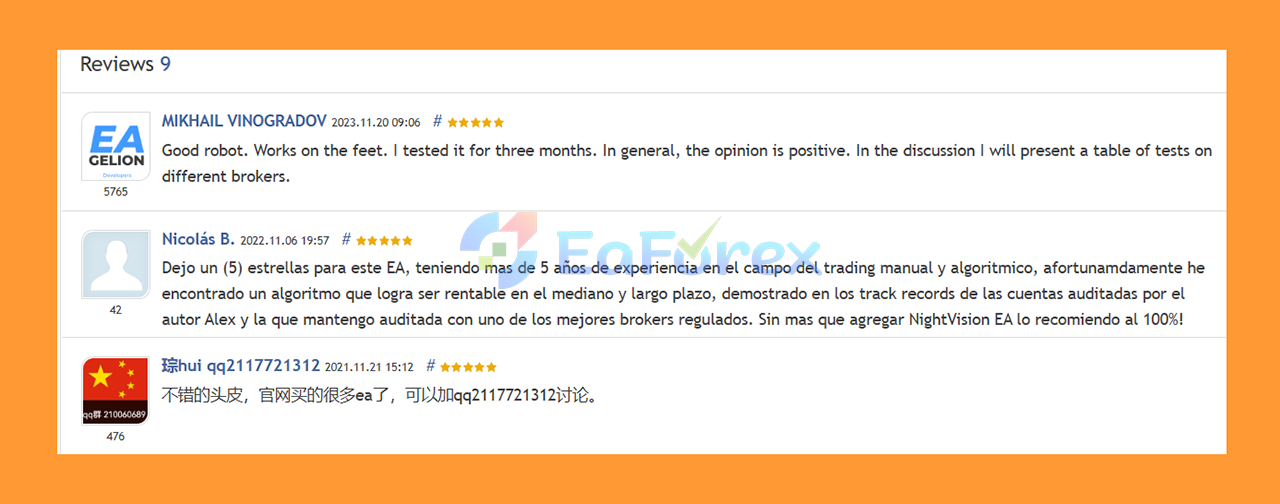
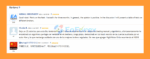
🔺 NightVision MT5 is highly appreciated by the MQL5 community for bringing stable and reliable profits. Below are 5 star reviews from users:
User Reviews
🔺 Experts:
In summary, NightVision EA MT5 is an automated Forex Expert Advisor focused on night scalping around the closing period of the American trading session.
It supports a broad selection of currency pairs and provides flexible position-sizing and exposure controls. According to the developer, the system avoids Martingale, Grid, and Arbitrage techniques, while every trade includes a Stop Loss and Take Profit.
Its multi-pair capability makes configuration flexibility important. Traders should pay particular attention to Risk %, Max Total Orders, MaxAmountCurrency, and MaxAmountCurrencyPair to prevent excessive combined exposure.
Because NightVision operates as a scalping system, spread, commission, slippage, and execution quality are especially important. An ECN account with competitive trading costs is recommended.
As with any automated trading strategy, NightVision EA MT5 carries financial risk. Past testing or real-account performance does not guarantee future results, so traders should begin with conservative settings and properly evaluate the EA under their own broker conditions before deploying significant capital.
1. What is NightVision EA MT5 and how does it work?
NightVision EA MT5 is a fully automated night scalping Expert Advisor designed to trade multiple major and cross currency pairs during the quiet hours of the post-U.S. trading session. Using proprietary algorithms, it identifies small, high-probability retracement trades in low-volatility markets. The EA avoids risky strategies like martingale, grid, or arbitrage, focusing instead on stable and controlled profit generation.
2. Which currency pairs are supported by NightVision EA MT5?
NightVision EA MT5 supports a wide range of optimized pairs, including:
GBPUSD, GBPCAD, USDCAD, GBPAUD, EURAUD, EURCAD, EURGBP, GBPCHF, EURUSD, USDCHF, NZDUSD, EURNZD, USDJPY, EURCHF, AUDJPY, and AUDNZD.
This multi-pair support allows for diversified performance and smoother profit curves across different market conditions.
3. Is NightVision EA MT5 suitable for beginners?
Yes. NightVision EA MT5 is beginner-friendly and easy to set up. With its low-maintenance design, minimal parameters, and ready-to-use default settings, users can deploy it quickly without complex optimization. It’s ideal for both novice traders looking for a safe start and experienced traders who want reliable automated performance.
4. How does NightVision EA MT5 manage risk and protect capital?
NightVision EA MT5 includes strict risk management features such as predefined Stop Loss and Take Profit levels on every trade, custom risk control options, and an order limitation system to prevent overexposure. Traders can define their lot sizing method—fixed or percentage-based—and limit the number of open trades to ensure maximum capital protection and low drawdown.
5. What are the live trading results of NightVision EA MT5?
Based on verified real account results, NightVision EA MT5 achieved a +333.67% growth rate from an initial deposit of $100 over 257 weeks, with a 69.3% win rate and a maximum drawdown of 48.4%. These results demonstrate consistent, real-market performance and the EA’s ability to generate profits in stable, low-volatility trading conditions.
6. What’s included when I purchase NightVision EA MT5?
When you buy NightVision EA MT5, you’ll receive:
The Expert Advisor (EA) file
A detailed Installation Guide (.docx)
A Settings File (.docx) if applicable
You’ll also gain access to the official Telegram channel for updates, community discussions, and performance tracking. VIP Members enjoy extra resources, setup guidance, and exclusive trading tools.
In stock
In stock
In stock
In stock
In stock
Out of stock
No account yet?
Create an Account












 Automatic EA
 EA Best Seller
 Expert Advisor MT4
 Expert Advisor MT5
 HFT EA


Reviews
Clear filtersThere are no reviews yet.