









-
 Unlimited Activations
-
 Instant delivery
-
 Easy to install









 Unlimited Activations
Instant delivery
Easy to install
Unlimited Activations
Instant delivery
Easy to install
 Free Update
 Free Install Support

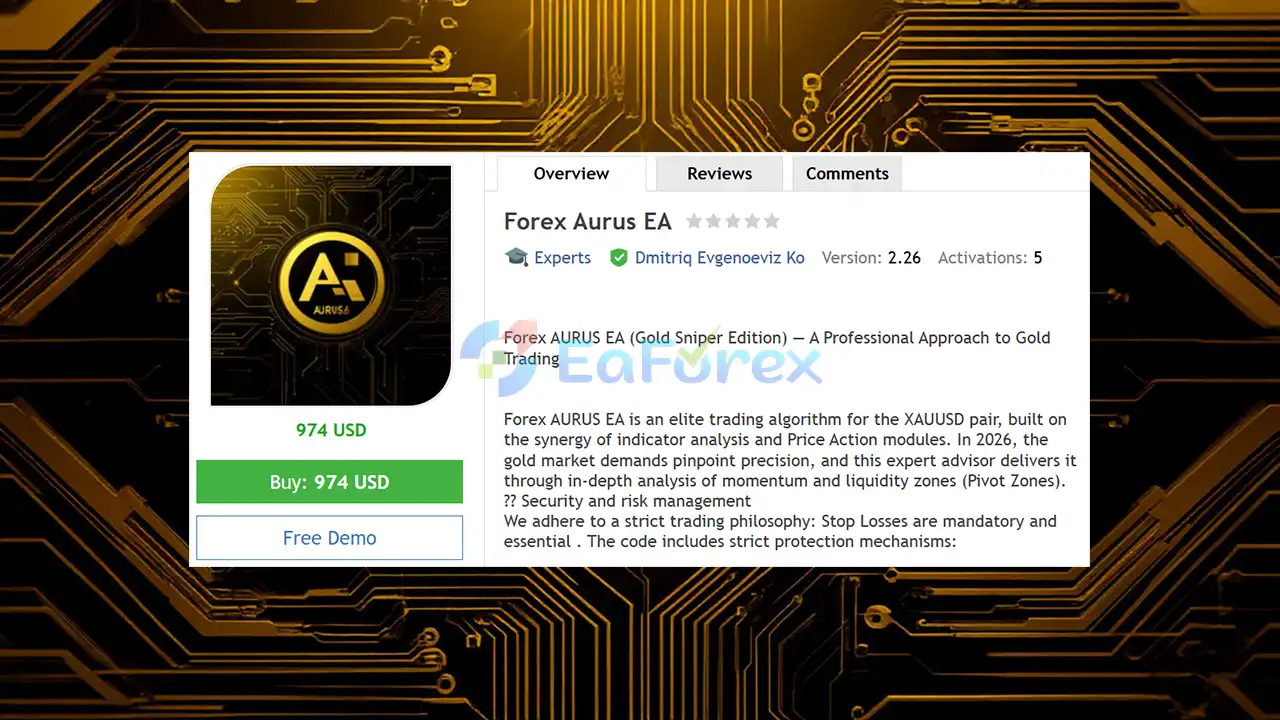
Forex AURUS EA MT5 is a professional automated trading system developed specifically for XAUUSD (Gold) on MetaTrader 5. The EA combines technical indicator analysis, Price Action modules, momentum analysis, and liquidity-based Pivot Zones to identify potential trading opportunities in the highly volatile gold market.
Designed with a strong focus on risk management and trade protection, Forex AURUS EA uses mandatory Stop Losses, an Equity Stop, Spread Filter, Virtual Trailing, and optional trading filters to help control exposure during unfavorable market conditions.
The recommended operating timeframe is H1, providing a balance between trading frequency and signal quality. With a recommended starting deposit of $500 for 0.01 lot, Forex AURUS EA MT5 is designed for traders who want an automated approach to gold trading while maintaining structured risk controls.
>> Delivery time 24h-48h after payment.
>>> Refund if not delivered.
>>> You will receive the latest version without any limitations (ID+Time).
>>Reviewed by Jason Stap <<
Forex Aurus EA MT5 OverviewForex AURUS EA is specifically designed for XAUUSD Gold trading, allowing its trading logic and risk parameters to focus on the unique volatility and price behavior of the gold market.
The EA incorporates Price Action modules to analyze market behavior and identify potential entry opportunities based on price movements rather than relying solely on traditional indicators.
Forex AURUS EA analyzes market momentum and liquidity zones, including Pivot Zones, to help identify areas where price may react or develop a directional movement.
Every trade is protected by a mandatory Stop Loss. This is an important component of the EA’s risk-management philosophy and helps define the potential downside of individual positions.
The built-in Equity Stop can automatically close trading positions when the configured drawdown percentage is reached, providing an additional account-level protection mechanism.
The Spread Filter helps prevent new positions from being opened when market spreads become excessively wide, which can occur during periods of reduced liquidity or unstable market conditions.
Forex AURUS EA includes a Virtual Trailing mechanism designed to manage profit-taking levels without exposing the trailing level directly to the broker.
The News Filter can help avoid trading around important economic events, while the Time Filter allows traders to restrict trading to selected market sessions or trading periods.
An optional Smart Grid function is available for traders who want an adaptive grid approach in sideways market conditions. The system uses an ATR filter to help adapt grid behavior to market volatility.
Important: UseGrid = false by default. Traders should understand the additional risks associated with grid-based strategies before enabling this function.
A built-in on-chart dashboard provides an intuitive overview of important trading statistics and EA activity directly inside MetaTrader 5.
The EA includes a Recovery Factor designed to assist with recovering from periods of drawdown according to the configured trading logic and risk parameters.
Forex AURUS EA MT5 follows a multi-layered market analysis process rather than relying on a single technical indicator.
First, the EA analyzes XAUUSD price behavior and market momentum to determine the current trading environment. It then evaluates relevant Price Action conditions and liquidity/Pivot Zones to identify areas that may offer potential trading opportunities.
Before opening a trade, the EA can apply additional filters such as:
When a trading opportunity satisfies the required conditions, the EA can execute a position automatically.
Once a trade is active, Forex AURUS EA applies its risk-management mechanisms, including Stop Loss protection, Equity Stop protection, and Virtual Trailing, according to the configured settings.
The optional Smart Grid module can be enabled for specific sideways-market conditions, but it is disabled by default.
Forex AURUS EA MT5 is designed for traders who want a structured and automated approach to XAUUSD gold trading without relying exclusively on aggressive position management.
Key reasons traders may consider this EA include:
The combination of market analysis and multiple protection mechanisms makes Forex AURUS EA suitable for traders who prefer a more structured approach to automated gold trading.
🔺XAUUSD (Gold)
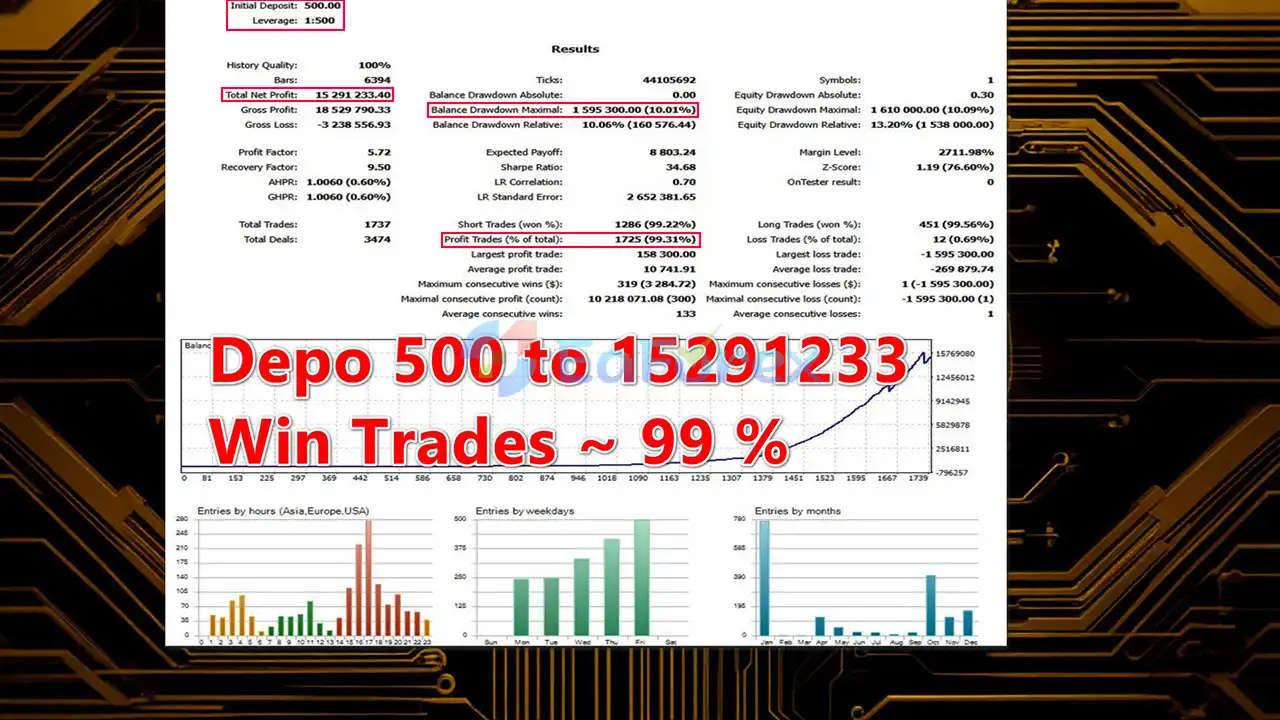
Forex Aurus EA MT5 backtetsRisk management is one of the core components of Forex AURUS EA MT5.
Unlike systems that rely solely on aggressive recovery techniques, Forex AURUS EA places strong emphasis on predefined trade protection. Every position uses a mandatory Stop Loss, while the Equity Stop provides an additional layer of account-level protection.
The EA also includes a Spread Filter to reduce the possibility of opening trades when transaction costs become unfavorable. The News Filter and Time Filter can further help traders avoid selected market conditions.
The recommended configuration is:
Actual performance can vary significantly depending on the broker, spread, commission, execution speed, leverage, VPS quality, account type, market conditions, and EA settings.
For this reason, traders should conduct individual testing on a demo account before using Forex AURUS EA on a live account.
Although Forex AURUS EA MT5 includes several risk-management features, no automated trading system can eliminate market risk.
XAUUSD can experience rapid price movements, particularly during major economic announcements, geopolitical events, changes in interest-rate expectations, and periods of increased market volatility.
Trading results may differ between brokers because of differences in:
Therefore, broker-specific testing is strongly recommended.
The optional Smart Grid function introduces additional exposure because multiple positions may potentially be opened. Although the system uses an ATR filter, grid trading can increase risk during prolonged directional market movements.
Since UseGrid = false by default, traders should only enable this feature after understanding its potential impact on account exposure.
The Recovery Factor may increase exposure while attempting to recover from drawdown. Traders should carefully evaluate the configured recovery parameters and ensure that the overall risk remains appropriate for their account size.
Forex AURUS EA does not guarantee profits. Backtests, historical results, or previous trading performance cannot guarantee future results.
Never trade with money you cannot afford to lose.
Installing Forex AURUS EA MT5 on MetaTrader 5 is straightforward.
Launch your MetaTrader 5 trading platform.
From the MT5 platform, go to:
File → Open Data Folder
Then navigate to:
MQL5 → Experts
Copy the Forex AURUS EA MT5 .ex5 file into the Experts folder.
If the EA package contains additional files or libraries, place them in their corresponding MT5 folders as instructed by the developer.
Close and reopen MetaTrader 5, or right-click the Expert Advisors section in the Navigator and select Refresh.
Open an XAUUSD chart and select the recommended H1 timeframe.
Find Forex AURUS EA MT5 under:
Navigator → Expert Advisors
Drag the EA onto the XAUUSD chart.
Review and configure the available settings, including:
For initial testing, keeping the default settings is generally preferable before making advanced modifications.
Make sure Algo Trading / AutoTrading is enabled in MetaTrader 5.
Before deploying the EA with real capital, run it on a demo account under your intended broker’s conditions. This allows you to evaluate execution, spreads, drawdown behavior, and compatibility with your trading environment.
>>> Join VIP Membership Now <<<
In summary, Forex AURUS EA MT5 is a specialized XAUUSD Gold Expert Advisor that combines Price Action analysis, momentum assessment, liquidity/Pivot Zones, and multiple risk-management mechanisms into an automated MetaTrader 5 trading system.
Its emphasis on mandatory Stop Losses, Equity Stop protection, Spread Filtering, News Filtering, and controlled trading periods makes risk management an important part of the overall system design. The optional Smart Grid and Recovery Factor provide additional functionality, but they should be used carefully because they can affect overall account exposure.
For traders interested in automated gold trading on MT5, Forex AURUS EA can be evaluated through broker-specific demo testing and careful optimization. As with any Forex EA, traders should focus not only on potential returns but also on drawdown, execution conditions, position exposure, and long-term risk before considering live deployment.
1. What is Forex Aurus EA MT5 and how does it work?
Forex Aurus EA MT5 is a professional automated trading robot designed for Gold (XAUUSD) on the MetaTrader 5 platform. It combines indicator-based momentum analysis with advanced price action and liquidity zone logic to identify high-precision trade entries while maintaining strict risk control.
2. Is Forex Aurus EA MT5 suitable only for Gold (XAUUSD)?
Yes. Forex Aurus EA MT5 is specifically optimized for trading Gold (XAUUSD). Its internal logic, volatility filters, and risk management are engineered to match Gold’s unique liquidity and price behavior, making it unsuitable for other currency pairs.
3. Does Forex Aurus EA MT5 use martingale or grid strategies?
No. Forex Aurus EA MT5 does not rely on martingale or aggressive grid strategies by default. Although it includes an optional smart ATR-based grid mode for sideways markets, this feature is disabled by default and designed with strict risk limits.
4. How does Forex Aurus EA MT5 manage risk and drawdown?
The EA uses multiple layers of risk protection, including mandatory stop-loss on every trade, an equity protection mechanism that closes all positions at a predefined drawdown level, spread filters, news filters, and session filters to minimize unnecessary risk.
5. What timeframe does Forex Aurus EA MT5 work best on?
Forex Aurus EA MT5 is optimized for the H1 (1-hour) timeframe, which provides a balanced combination of trade accuracy, reduced market noise, and controlled trade frequency for Gold trading.
6. Can Forex Aurus EA MT5 trade during news events?
No. The EA includes a built-in news filter that prevents trading during high-impact economic events such as NFP, CPI, or FOMC announcements, helping to avoid extreme volatility and unpredictable price spikes.
7. Is Forex Aurus EA MT5 beginner-friendly?
Forex Aurus EA MT5 is best suited for disciplined and serious traders. While it offers customizable risk settings and broker-adaptive presets, beginners are strongly encouraged to test the EA on a demo account before using it on a live account.
8. What is the minimum recommended deposit for Forex Aurus EA MT5?
Based on backtest data and risk structure, the recommended minimum deposit is $500, though actual requirements may vary depending on broker conditions, leverage, and risk settings.
9. Does Forex Aurus EA MT5 hide stop loss and take profit from brokers?
Yes. The EA features a virtual trailing system, which manages profit-taking levels internally instead of placing them directly on the broker’s server, reducing the risk of execution manipulation.
In stock
In stock
In stock
In stock
In stock
Out of stock
No account yet?
Create an Account












 Automatic EA
 EA Best Seller
 Expert Advisor MT4
 Expert Advisor MT5
 HFT EA


Reviews
Clear filtersThere are no reviews yet.