









-
 Unlimited Activations
-
 Instant delivery
-
 Easy to install






 Unlimited Activations
Instant delivery
Easy to install
Unlimited Activations
Instant delivery
Easy to install
 Free Update
 Free Install Support

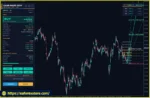
Gann Made Easy Pro MT5 is a powerful technical analysis indicator for MetaTrader 5 (MT5) that automates two popular market analysis techniques: Gann Angles and Gann 1/8 Divisions. Designed for traders who want to simplify Gann analysis, this indicator automatically identifies market swings, draws Gann fans, calculates key price levels, and generates rule-based BUY and SELL signals when predefined conditions are confirmed.
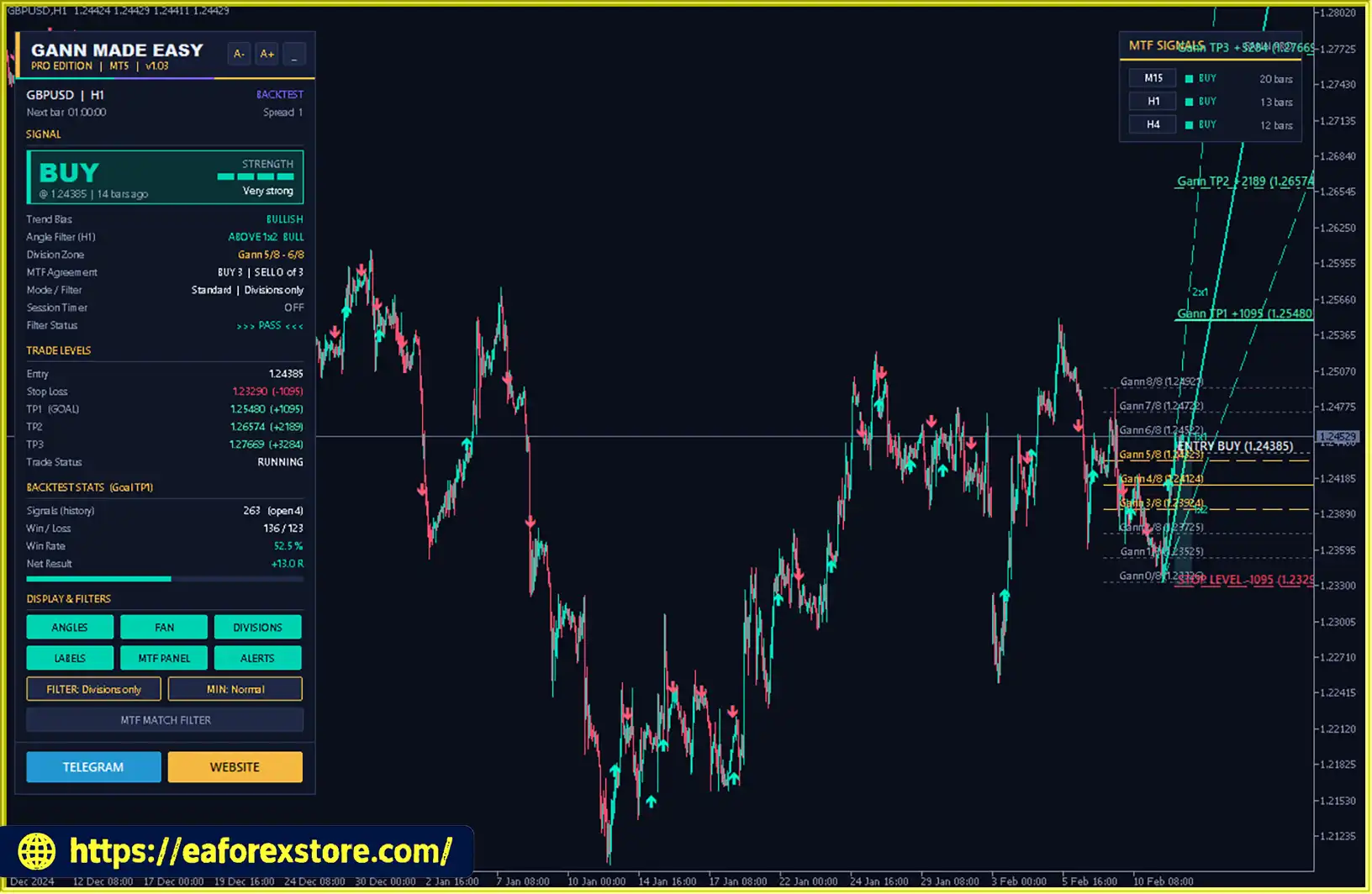
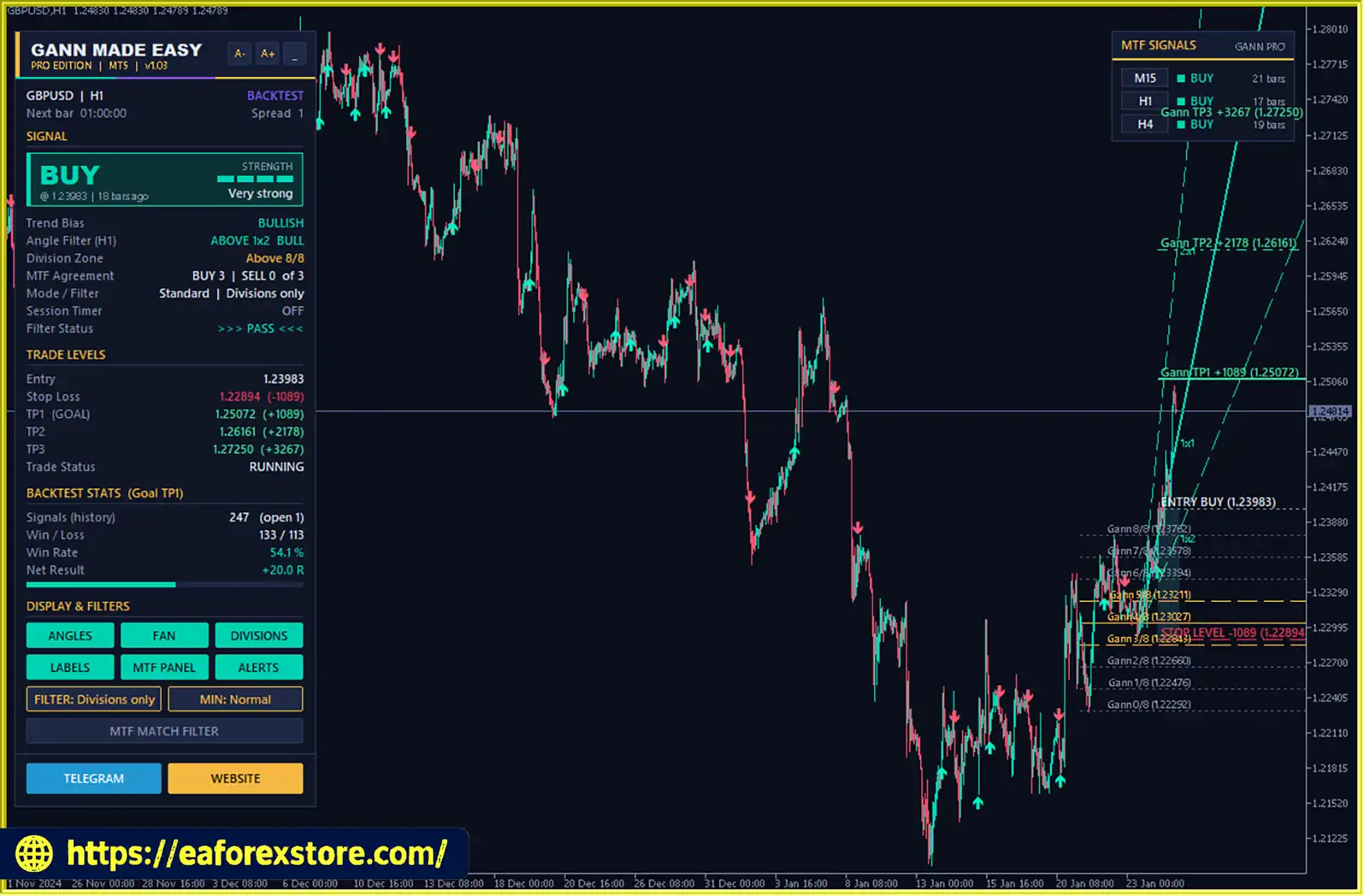
Instead of manually identifying swing highs and lows or drawing Gann angles, traders can use Gann Made Easy Pro to analyze market structure directly on their charts. The indicator projects three primary Gann angles—1×1, 2×1, and 1×2—and divides the selected price range into eight equal sections, creating nine horizontal levels from 0/8 to 8/8.
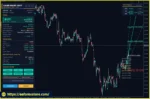
Each confirmed trading signal includes an entry price, Stop Loss, and three Take Profit targets based on risk multiples. The indicator also features a signal strength meter, Multi-Timeframe (MTF) confirmation panel, customizable filters, alerts, and built-in performance statistics.
Compatible with Forex, gold, metals, indices, cryptocurrencies, and other instruments with OHLC price data, Gann Made Easy Pro MT5 supports multiple trading timeframes, including scalping, intraday trading, and swing trading.
Whether you are new to Gann analysis or an experienced technical trader, this MT5 indicator provides a structured way to evaluate price movements, identify potential trading opportunities, and manage risk more systematically.
Gann Made Easy Pro MT5 automatically detects confirmed swing highs and swing lows to establish important market pivots. It then projects the corresponding Gann fan without requiring manual drawing.
The indicator uses three primary Gann angles:
These angles help traders assess the relationship between price movement and the established Gann structure.
The indicator divides a selected price range into eight equal sections, producing nine horizontal levels from 0/8 to 8/8.
These levels create a structured framework for analyzing potential support, resistance, and price reactions. The 4/8 level represents the midpoint of the range, while 0/8 and 8/8 define its main boundaries.
The 3/8, 4/8, and 5/8 levels receive additional emphasis, helping traders identify important areas for potential market reactions.
The indicator generates rule-based BUY and SELL arrows when the required market structure and signal conditions are satisfied on a completed candle.
Signal validation considers the current Gann fan direction, candle direction, the relationship between price and the confirmed pivot, and qualifying Gann angle or division events.
Traders can choose different filter modes to adjust signal frequency and confirmation requirements.
The built-in Multi-Timeframe Signals panel displays recent signal directions from up to four additional timeframes.
This feature helps traders compare the current setup with broader market conditions. When the MTF Match Filter is enabled, the indicator can prioritize signals that agree with selected higher-timeframe directions.
Multi-timeframe analysis is particularly useful for traders who want to evaluate lower-timeframe entries in the context of a broader trend.
Gann Made Easy Pro MT5 evaluates several confirmation factors, including Gann 4/8 positioning, angle alignment, momentum, and multi-timeframe agreement.
Based on the available confirmations, signals are classified into four categories:
The Minimum Signal Strength setting allows traders to filter out weaker setups and focus on signals that meet their preferred confirmation threshold.
Every valid signal receives a predefined trade structure consisting of an entry price, a Stop Loss, and three Take Profit targets.
The Stop Loss is calculated using the confirmed pivot and ATR-based risk adjustments. The profit targets follow a risk-multiple framework:
Here, R represents the initial distance between the entry price and the Stop Loss. This structure helps traders assess potential reward relative to defined risk.
The integrated Control Panel provides important trading information in one place, including:
These features help traders monitor the indicator’s signals and compare different configurations during historical testing.
Gann Made Easy Pro MT5 is designed to process completed candles and use information available at the time of confirmation.
Because swing detection requires confirmation bars, a new pivot is not established immediately when a potential high or low first appears. The indicator waits for the necessary confirmation before using that swing as a reference.
This approach helps prevent signals from being generated prematurely using incomplete candle information. Traders should still evaluate historical signals and live behavior in the intended broker environment.
Gann Made Easy Pro MT5 processes market data through a sequence of swing detection, Gann structure construction, price division analysis, signal filtering, strength scoring, and trade-level calculation.
The indicator analyzes historical price data to identify potential swing highs and swing lows according to the selected Swing Depth.
Once a swing receives sufficient confirmation from subsequent bars, it becomes a reference point for the Gann fan.
A confirmed swing low establishes a bullish fan, while a confirmed swing high establishes a bearish fan.
After confirming a pivot, the indicator automatically projects the 1×1, 2×1, and 1×2 Gann angles.
These lines provide a visual framework for evaluating directional price movement and potential areas of support or resistance.
Traders can use the angle structure to assess whether price is moving consistently with the current Gann direction.
The indicator measures the selected Gann Division Range and divides it into eight equal sections.
The resulting nine price levels, from 0/8 to 8/8, help organize the chart into clearly defined price zones.
Price behavior around these levels can provide additional context for identifying potential breakouts, rejections, and trading opportunities.
The indicator checks whether the current signal meets its predefined requirements.
These conditions include the direction of the current Gann fan, the candle’s closing direction, the relationship between the close and the pivot price, and qualifying Gann angle or division events.
Depending on the selected Filter Mode, the indicator can require an angle event, a division event, or confirmation from both.
Signals are evaluated using completed candles rather than relying on an unfinished candle for final confirmation.
After identifying a potential setup, the indicator evaluates its available confirmation factors.
These may include the 4/8 division, Gann angle alignment, momentum, and higher-timeframe agreement.
The resulting strength classification helps traders distinguish between setups with fewer confirmations and those with stronger technical alignment.
Once a valid signal is confirmed, the indicator calculates and displays the entry price, Stop Loss, TP1, TP2, and TP3.
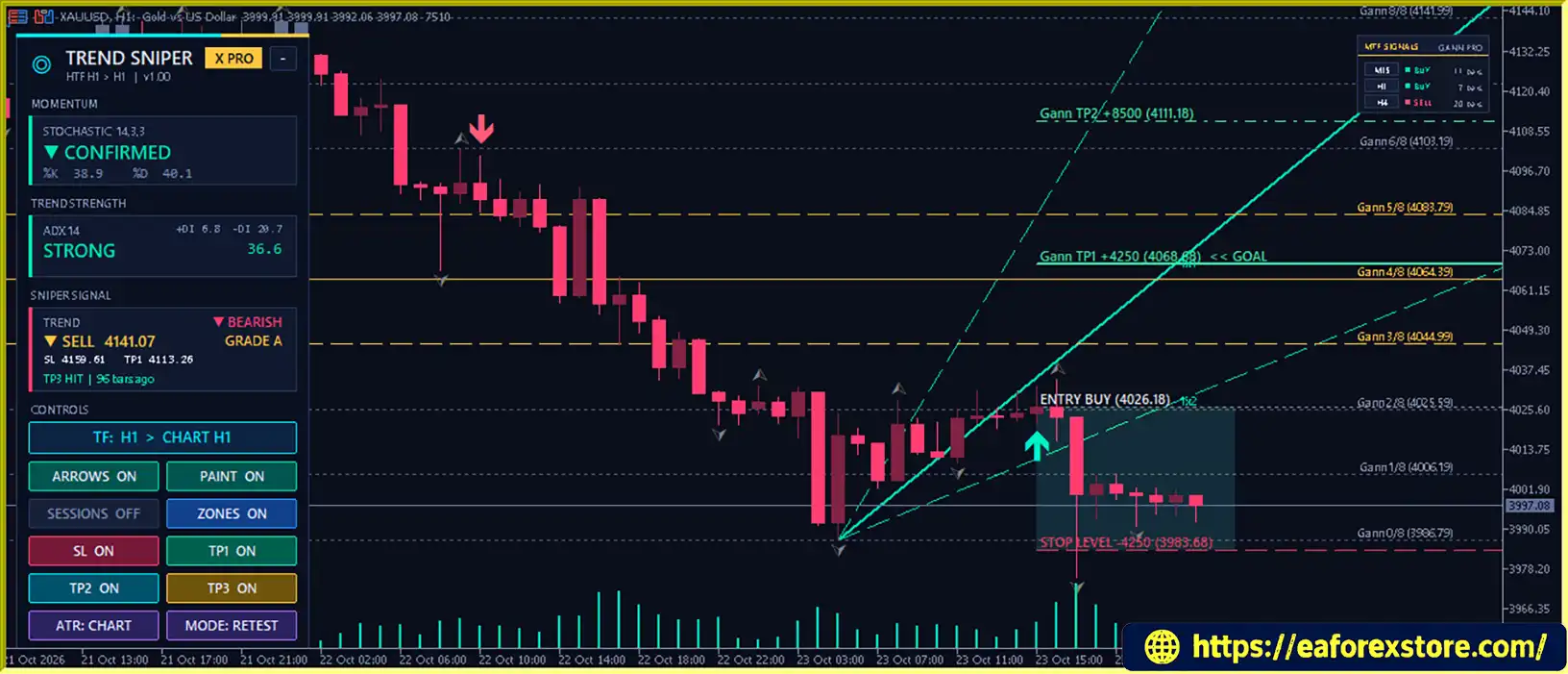
The Control Panel presents the relevant signal information, while the shaded risk zone illustrates the area between the entry and Stop Loss.
Traders can then evaluate the setup and decide whether it fits their trading strategy and risk tolerance.
Traditional Gann analysis often requires traders to identify market pivots, draw multiple angles, and calculate price divisions manually.
Gann Made Easy Pro MT5 automates these tasks, making Gann-based market analysis more accessible and efficient.
Instead of relying exclusively on trend lines or horizontal support and resistance, the indicator combines Gann angles with structured price divisions.
This provides multiple perspectives for evaluating market direction and potential trading opportunities.
The indicator evaluates candle direction, pivot relationships, Gann events, momentum, and optional multi-timeframe agreement.
This rule-based approach helps traders assess signals using a consistent framework rather than relying solely on subjective chart interpretation.
Gann Made Easy Pro MT5 supports different symbols and timeframes, with adjustable Swing Depth, Filter Mode, Minimum Signal Strength, and risk settings.
Suggested starting configurations include:
These are starting points rather than guaranteed optimal settings. The most suitable configuration depends on the instrument, broker, market conditions, and trading objectives.
Every confirmed signal includes a Stop Loss and three predefined profit targets. This allows traders to evaluate the potential reward relative to the initial risk before deciding whether to take a trade.
The indicator supports Strategy Tester workflows and provides built-in performance statistics.
Traders can use historical testing to compare settings, review signal behavior, and evaluate metrics such as win rate and net R before considering live use.
Automated Gann Analysis: Gann Made Easy Pro MT5 automatically identifies confirmed market pivots and builds Gann structures, eliminating the need for manual fan placement and division calculations.
Advanced Signal Filtering: Generates BUY and SELL signals based on Gann fan direction and configurable event filters, including Gann divisions, angle confirmations, and confluence requirements for more selective entries.
Signal Strength and Trade Management: Evaluates signals using key level positions, angle alignment, momentum, and multi-timeframe (MTF) confirmation. Each signal includes a Stop Loss and three Take Profit targets at 1R, 2R, and 3R.
Built-in Backtesting Statistics: Tracks historical signals against selected Take Profit targets or Stop Loss levels, displaying win rate and net R results to help traders evaluate performance across different settings.
Gann Made Easy Pro MT5 Reviews
Gann Made Easy Pro Review
Risk management is essential when using Gann Made Easy Pro MT5, particularly on volatile instruments such as gold, indices, and cryptocurrencies.
Although the indicator provides structured trade levels and signal filters, no technical indicator can eliminate market risk or guarantee profitable results.
The indicator positions the Stop Loss beyond the confirmed pivot and adjusts the risk distance using ATR-based calculations.
A minimum risk distance of 0.5 ATR is maintained to help prevent excessively tight stops during quieter market conditions.
The actual Stop Loss distance should still be evaluated against the instrument’s volatility, spread, and trading conditions.
Gann Made Easy Pro MT5 uses a predefined target structure:
Traders can use these levels as references for partial profit-taking or for planning an exit strategy.
These targets represent predefined price distances, not guaranteed profit outcomes. Slippage, gaps, and execution conditions can affect realized results.
The Minimum Signal Strength setting allows traders to exclude signals that do not meet their preferred confirmation level.
Higher strength requirements can reduce signal frequency, but they do not guarantee higher profitability or eliminate false signals.
When enabled, the MTF Match Filter helps prioritize signals that agree with selected higher-timeframe directions.
This can add directional context, although different timeframes may still produce conflicting signals during market transitions.
The daily session timer can restrict signal generation to selected server-time windows.
Traders can configure the session according to their preferred trading hours and avoid periods they consider unsuitable, such as low-liquidity sessions.
Always verify the broker’s server time and daylight-saving adjustments before configuring session restrictions.
The indicator includes alert functionality to help traders monitor qualifying BUY and SELL signals.
The Control Panel also displays signal direction, strength, filter status, and trade levels, making it easier to review the current setup.
Before live trading, test the alert configuration and confirm that signals are generated as expected on the intended symbol and timeframe.
Gann Made Easy Pro MT5 is a technical analysis indicator, not a guarantee of trading success. Appropriate money management and independent validation remain essential.
Beginners can start with a straightforward strategy based on Gann support and resistance, candle confirmation, and the indicator’s predefined trade levels.
The basic principle is to wait for price to react to an important Gann level rather than entering a trade simply because the price reaches that level.
Gann Made Easy Pro Indicator Review
Step 1: Identify Gann Support
Look for a Gann division level below or near the current price that may act as support. Check whether the bullish Gann fan supports the potential BUY setup.
Step 2: Wait for a Price Retest
Allow price to approach or test the selected Gann support level. Avoid entering prematurely while the price reaction remains unclear.
Step 3: Confirm a Bullish Reaction
Look for a bullish candle that closes back above the Gann level. For additional confirmation, check whether the indicator displays a confirmed BUY signal and whether the selected higher timeframes agree.
Step 4: Enter a BUY Trade
Consider entering a BUY position after the bullish confirmation candle closes and the setup meets your trading rules.
Step 5: Set Stop Loss and Take Profit
Place the Stop Loss below the relevant support or recent swing low, provided the distance is appropriate for the trade. Alternatively, use the indicator’s calculated Stop Loss.
Consider targeting the next Gann resistance level or using the indicator’s 1R, 2R, and 3R profit targets.
BUY Rule:
Gann Support + Bullish Reaction + Candle Confirmation = Potential BUY Setup
Step 1: Identify Gann Resistance
Look for a Gann division level above or near the current price that may act as resistance. Check whether the bearish Gann fan supports the potential SELL setup.
Step 2: Wait for a Price Retest
Allow price to approach or test the selected Gann resistance level. Observe whether buyers struggle to push price above the level.
Step 3: Confirm a Bearish Reaction
Look for a bearish candle that closes back below the Gann level. A confirmed SELL signal and bearish higher-timeframe agreement can provide additional context.
Step 4: Enter a SELL Trade
Consider entering a SELL position after the bearish confirmation candle closes and all required conditions are satisfied.
Step 5: Set Stop Loss and Take Profit
Place the Stop Loss above the relevant resistance or recent swing high, provided the distance is appropriate for the trade. Alternatively, use the indicator’s calculated Stop Loss.
Consider targeting the next Gann support level or using the indicator’s 1R, 2R, and 3R profit targets.
SELL Rule:
Gann Resistance + Bearish Reaction + Candle Confirmation = Potential SELL Setup
The strategy above is a general educational framework for interpreting Gann levels. It should be tested on the chosen instrument and timeframe before being used with real money.
>> Join VIP Membership Now <<<
Gann Made Easy Pro MT5 is a feature-rich MetaTrader 5 indicator designed to make Gann-based technical analysis more structured and accessible. By combining automated Gann fan construction, Gann 1/8 price divisions, rule-based BUY and SELL signals, multi-timeframe confirmation, and signal strength scoring, it helps traders organize important market information in one chart-based workflow.
Its automatic Entry, Stop Loss, and three Take Profit levels provide a clear framework for evaluating potential trades, while the Control Panel, alerts, and historical performance statistics support signal monitoring and strategy testing.
The indicator can be useful for Forex, gold, indices, cryptocurrencies, and other supported instruments across different trading timeframes. Beginners can start with the simple Gann support and resistance strategy, while experienced traders can explore additional filters and multi-timeframe confirmation.
However, Gann Made Easy Pro MT5 should be treated as an analytical tool rather than a standalone guarantee of profitable trading. Signals can fail, market conditions can change, and historical performance may not reflect future results.
For traders who want to automate key parts of Gann analysis and develop a more consistent technical trading process, Gann Made Easy Pro MT5 is worth evaluating in the MetaTrader 5 Strategy Tester and on a demo account before live deployment.
1. What Is Gann Made Easy Pro MT5?
Gann Made Easy Pro MT5 is a technical analysis indicator for MetaTrader 5 that automates Gann Angles and Gann 1/8 Price Divisions. It identifies confirmed swing highs and lows, draws Gann fans, calculates key support and resistance levels, and generates rule-based BUY and SELL signals with predefined Entry, Stop Loss, and Take Profit levels.
2. Does Gann Made Easy Pro MT5 Repaint Signals?
Gann Made Easy Pro MT5 is designed to generate signals using completed candles and confirmed market pivots. It waits for the required confirmation bars before establishing a new swing reference, helping prevent premature signals based on incomplete price data. Traders should test its historical and live behavior on their preferred broker and timeframe.
3. Which Markets and Timeframes Does Gann Made Easy Pro MT5 Support?
Gann Made Easy Pro MT5 supports Forex, gold, metals, indices, cryptocurrencies, and other instruments that provide OHLC price data. It can be used across multiple timeframes, including M1, M5, M15, H1, H4, and D1, depending on the trader's strategy and market conditions.
4. How Does Gann Made Easy Pro MT5 Generate BUY and SELL Signals?
The indicator analyzes confirmed Gann fan direction, candle direction, price relationships with confirmed pivots, and qualifying Gann angle or division events. Traders can customize the signal filter mode and minimum signal strength to adjust confirmation requirements and focus on setups that match their trading preferences.
5. Does Gann Made Easy Pro MT5 Include Stop Loss and Take Profit Levels?
Yes. Each confirmed signal includes an entry price, an ATR-adjusted Stop Loss based on the confirmed pivot, and three Take Profit targets. TP1 is set at 1R, TP2 at 2R, and TP3 at 3R, where R represents the initial risk distance between the entry price and Stop Loss. These levels help traders plan trades but do not guarantee profits.
6. What Is the Multi-Timeframe (MTF) Confirmation Feature in Gann Made Easy Pro MT5?
The built-in MTF panel displays recent signal directions from up to four additional timeframes. Traders can compare lower-timeframe setups with broader market trends and enable the MTF Match Filter to prioritize signals that align with selected higher-timeframe directions. This feature provides additional context but cannot eliminate false signals.
7. Can Beginners Use Gann Made Easy Pro MT5?
Yes. Gann Made Easy Pro MT5 can help beginners understand Gann angles, price divisions, support and resistance, and structured trade planning without manually drawing Gann fans. New users can start with the default settings, learn the signal confirmation process, and practice on a demo account before trading with real money.
8. How Can I Test Gann Made Easy Pro MT5 Before Live Trading?
You can evaluate Gann Made Easy Pro MT5 using the MetaTrader 5 Strategy Tester and a demo account. Review historical signal performance, win rate, net R, Stop Loss behavior, and the effects of different filter settings. Test your preferred instruments and timeframes while accounting for spreads, commissions, slippage, and changing market conditions. Past performance does not guarantee future results.
In stock
In stock
In stock
In stock
In stock
Out of stock
No account yet?
Create an Account












 Automatic EA
 EA Best Seller
 Expert Advisor MT4
 Expert Advisor MT5
 HFT EA


Reviews
Clear filtersThere are no reviews yet.