









-
 Unlimited Activations
-
 Instant delivery
-
 Easy to install






 Unlimited Activations
Instant delivery
Easy to install
Unlimited Activations
Instant delivery
Easy to install
 Free Update
 Free Install Support

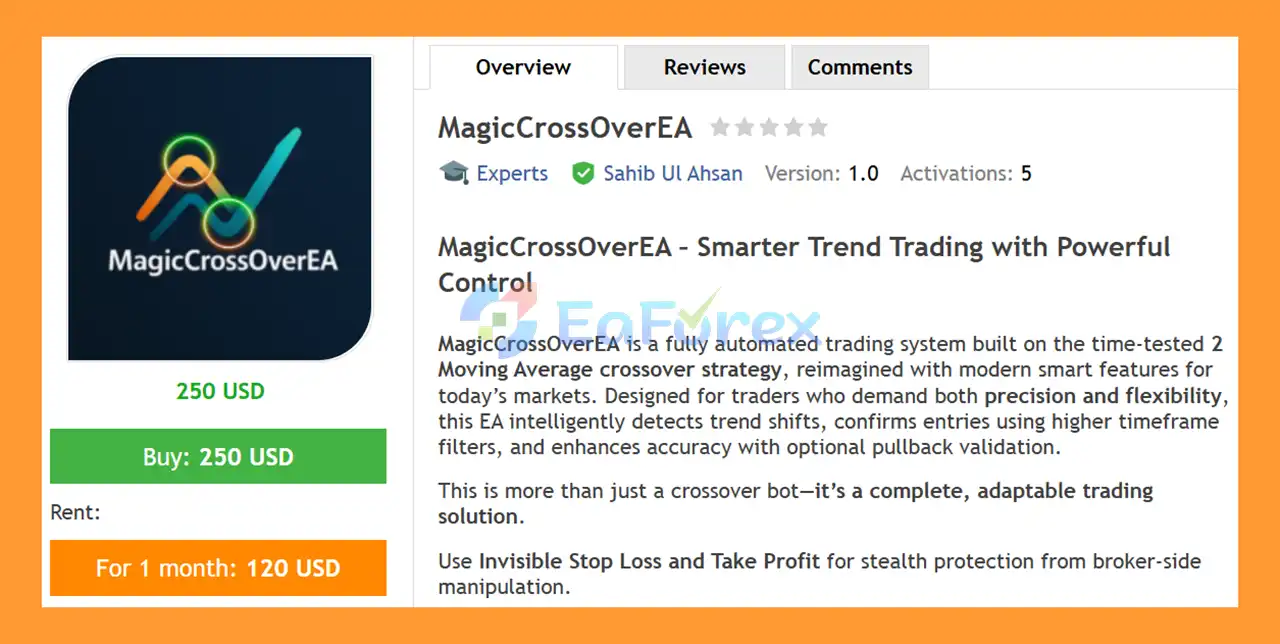
MagicCrossOverEA MT5 is an automated MetaTrader 5 Expert Advisor based on a Moving Average Crossover trading strategy. The EA is designed to identify potential changes in market trend direction by comparing fast and slow moving averages and automatically executing buy or sell trades when predefined crossover conditions are met.
In addition to its core moving average strategy, MagicCrossOverEA MT5 provides several optional confirmation filters, including pullback confirmation, higher timeframe trend confirmation, and trading session filtering. These tools allow traders to refine entry conditions and potentially avoid some trades during unsuitable market environments.
The EA also includes configurable risk management and trade management features, such as fixed-lot or risk-based position sizing, Stop Loss, Take Profit, trailing stops, and optional trade closure when an opposite signal appears.
MagicCrossOverEA MT5 can be used across multiple timeframes and is designed to support various markets, including Forex, Gold, indices, and other supported trading instruments.
>> Delivery time 24h-48h after payment.
>>> Refund if not delivered.
>>> You will receive the latest version without any limitations (ID+Time).>>Reviewed by Jason Stap <<
The core of MagicCrossOverEA MT5 is a classic moving average crossover system.
A Buy signal is generated when the fast moving average crosses above the slow moving average.
A Sell signal is generated when the fast moving average crosses below the slow moving average.
This approach is designed to identify potential changes in trend direction and participate in emerging market movements.
Traders can customize the parameters of the moving averages according to their preferred trading style.
Available settings include:
This allows the EA to be adapted to different instruments and timeframes.
An optional pullback filter can be used to refine entries after a moving average signal occurs.
Instead of relying exclusively on the initial crossover, traders can configure the EA to require additional pullback conditions before entering a position.
MagicCrossOverEA MT5 supports a higher timeframe trend filter.
This allows the EA to compare the trading signal with the broader market direction on a higher timeframe.
For example, a trader may use a lower timeframe for entries while requiring the higher timeframe trend to support the same direction.
The EA includes a trading-time filter that allows users to specify when automated trading should be active.
This can help traders avoid periods outside their preferred trading sessions or limit the EA’s activity to selected market hours.
Once the configured trading conditions are satisfied, MagicCrossOverEA MT5 can automatically execute buy and sell orders.
This removes the need for manual order placement and allows the strategy to operate according to predefined rules.
The EA supports different position-sizing approaches, including:
Risk-based position sizing can be configured according to the trader’s selected account-risk parameters.
Users can configure automatic Stop Loss (SL) and Take Profit (TP) levels for trade management.
The EA also supports optional invisible Stop Loss and Take Profit functionality, depending on the selected configuration.
The integrated trailing-stop function can automatically adjust the protective level of an open position as the trade develops.
This provides an additional method of managing profitable positions without requiring constant manual intervention.
An optional feature allows the EA to close an existing position when an opposite moving-average signal is generated.
This can be useful for traders who want positions to respond automatically to changes in the detected trend direction.
MagicCrossOverEA MT5 supports a configurable Magic Number, allowing traders to identify and manage the EA’s trades separately from other Expert Advisors or manually opened positions.
This is particularly useful when running the EA on multiple charts.
MagicCrossOverEA MT5 uses moving average crossover logic as its primary source of trading signals.
The system monitors two moving averages:
When the fast moving average crosses above the slow moving average, the EA identifies a potential bullish signal.
When the fast moving average crosses below the slow moving average, the EA identifies a potential bearish signal.
Before executing a trade, optional confirmation filters can be applied.
The EA can use:
Moving Average Crossover → Pullback Confirmation → Higher Timeframe Trend Filter → Trading Session Check → Spread/Trading Condition Check → Trade Execution
Once a position has been opened, the EA manages it according to the configured Stop Loss, Take Profit, trailing-stop, and opposite-signal settings.
This creates a structured automated trading process from signal generation through to position management.
MagicCrossOverEA MT5 may be suitable for traders who prefer a trend-following trading approach based on moving average crossovers while still wanting additional control over trade entries and risk management.
Rather than using only a basic crossover signal, the EA provides optional filters that allow users to refine how trades are selected.
The combination of pullback confirmation, higher timeframe trend filtering, and trading session controls gives traders additional flexibility when adapting the EA to different markets.
MagicCrossOverEA MT5 may be considered by traders looking for:
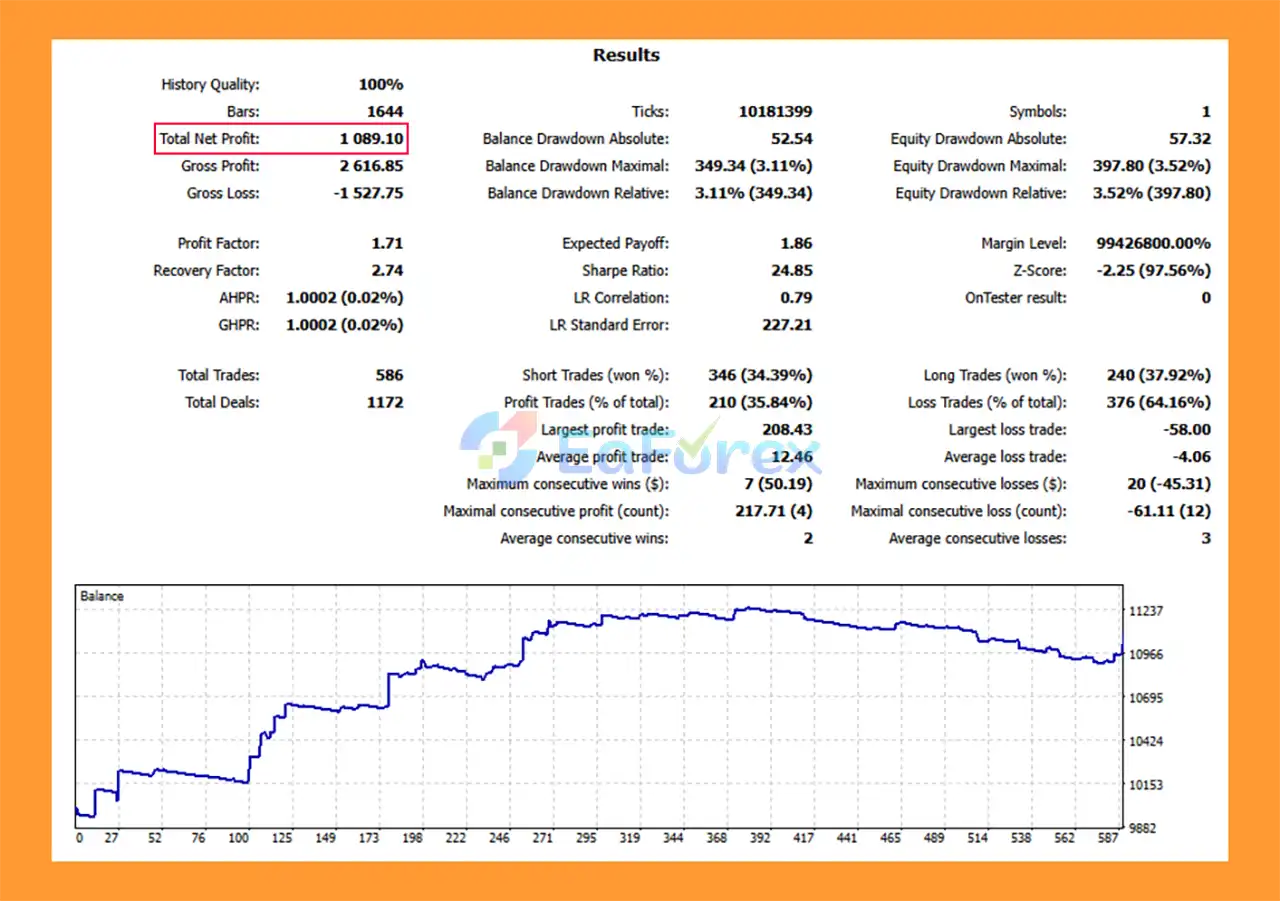
MagicCrossOverEA MT5 backtets
MagicCrossOverEA MT5 provides several tools for controlling trading risk and managing open positions.
Users can select between fixed lot sizing and risk-based lot sizing, depending on their preferred approach.
The EA can automatically apply Stop Loss and Take Profit levels to trades, while the trailing-stop function provides an additional method for managing open positions as the market moves.
The optional higher timeframe trend filter and trading session filter can also be used to restrict trade entries according to predefined conditions.
Before executing trades, the EA performs spread and trading-condition checks. These checks are important because transaction costs and market conditions can have a significant impact on automated trading results.
However, risk-management features cannot eliminate market risk.
Moving average crossover strategies can experience periods of weaker performance, particularly when the market moves sideways or produces frequent direction changes. During such conditions, crossover systems may generate repeated signals and potentially experience consecutive losing trades.
Actual results can also vary depending on:
For this reason, traders should test the EA under realistic broker conditions before considering live deployment.
Moving average crossover strategies generally perform differently in trending and ranging markets. During sideways conditions, price can repeatedly cross the moving averages and create false or short-lived signals.
Moving averages are calculated from historical price data. As a result, crossover signals may appear after a portion of a price movement has already occurred.
The performance of a moving average strategy can depend heavily on the selected periods and calculation methods. Settings that work on one instrument or timeframe may not produce the same behavior on another.
Sudden market movements can result in slippage or execution at a different price than expected. High-impact economic events can also significantly affect Forex, Gold, and index markets.
Spreads, commissions, liquidity, and execution speed can influence the actual results of an automated trading strategy.
MagicCrossOverEA MT5 does not guarantee profits or any specific return. Historical backtest results, if available, should not be interpreted as a guarantee of future performance.
Risk Warning: Trading Forex, Gold, indices, and other leveraged financial instruments involves substantial risk. Losses can occur, and traders should use appropriate risk management. Demo testing is recommended before live trading.
Installing MagicCrossOverEA MT5 follows the standard Expert Advisor installation process in MetaTrader 5.
Launch the MetaTrader 5 platform on your computer.
From the MT5 menu, select:
File → Open Data Folder
Then open:
MQL5 → Experts
Copy the MagicCrossOverEA MT5 .ex5 file into the Experts folder.
Restart MT5 or refresh the Expert Advisors section in the Navigator panel.
Open the symbol and timeframe you want to trade.
MagicCrossOverEA MT5 can be configured for different instruments and timeframes, including Forex, Gold, and indices.
In the Navigator window, locate:
Expert Advisors → MagicCrossOverEA MT5
Drag the EA onto the desired chart.
Make sure Algo Trading is enabled in MetaTrader 5.
Review and configure the main parameters, including:
Use the MetaTrader 5 Strategy Tester to evaluate the EA under historical conditions.
A demo account is also recommended for forward testing. This allows traders to evaluate execution, spreads, slippage, and the selected settings before committing real capital.
In summary, MagicCrossOverEA MT5 is an automated trend-following Expert Advisor built around a straightforward Moving Average Crossover strategy. The system identifies potential changes in market direction by comparing fast and slow moving averages and can automatically execute trades when the configured conditions are met.
The EA goes beyond a basic crossover system by providing optional pullback confirmation, higher timeframe trend filtering, trading session controls, Stop Loss, Take Profit, trailing stops, and risk-based position sizing.
Its flexible configuration allows the system to be adapted to different symbols, timeframes, and trading approaches. The Magic Number feature also makes it practical for users who operate multiple charts or Expert Advisors simultaneously.
At the same time, traders should understand the limitations of moving average strategies. Crossover systems can be affected by market noise, ranging conditions, delayed signals, spread, slippage, and changing market volatility.
For traders looking for a customizable MT5 Moving Average Crossover EA with automated execution and integrated trade management, MagicCrossOverEA MT5 provides a structured framework for systematic trading.
Before using the EA on a live account, traders should conduct their own backtesting, forward testing, broker-condition checks, and risk assessment to determine whether the selected configuration is appropriate for their trading objectives.
1. What is MagicCrossOverEA MT5?
MagicCrossOverEA MT5 is a fully automated Expert Advisor for MetaTrader 5, built on a refined 2 Moving Average crossover strategy enhanced with smart filters, pullback confirmation, and advanced trade management. It is designed to deliver clean trend-following entries with controlled risk and low drawdown.
2. Which trading strategy does MagicCrossOverEA MT5 use?
The EA uses a classic fast/slow Moving Average crossover, combined with:
Higher-timeframe trend filtering
Optional pullback confirmation
Smart exit logic on trend reversal
This modernized approach reduces false signals common in basic MA crossover systems.
3. Is MagicCrossOverEA MT5 suitable for scalping or swing trading?
Yes. MagicCrossOverEA MT5 supports multiple trading styles, including:
Scalping on M5–M15
Intraday trading on M30
Swing trading on H1 and higher
Its flexible parameters allow traders to adapt the EA to different timeframes and strategies.
4. Does MagicCrossOverEA MT5 trade automatically?
Yes. The EA is 100% fully automated, handling:
Trade entries and exits
Stop-loss and take-profit management
Trailing stops and reversal exits
No manual intervention is required once configured.
5. Does MagicCrossOverEA MT5 use martingale or grid strategies?
No. MagicCrossOverEA MT5 does NOT use martingale, grid, or averaging techniques.
Each trade is executed independently based on valid trend signals, ensuring safer and more predictable risk behavior.
6. How does MagicCrossOverEA MT5 manage risk?
The EA includes advanced risk control features such as:
Invisible stop loss and take profit
Trailing stop to lock in profits
Smart exit on signal reversal
Customizable lot sizing and trade limits
These tools help maintain low drawdown and capital protection.
7. What are invisible Stop Loss and Take Profit in MagicCrossOverEA MT5?
Invisible SL/TP means stop-loss and take-profit levels are hidden from the broker and managed internally by the EA.
This feature helps protect against:
Broker stop hunting
Slippage manipulation
Premature stop-outs
8. Can beginners use MagicCrossOverEA MT5?
Yes. MagicCrossOverEA MT5 is beginner-friendly, offering:
Pre-optimized default settings
Clear on-chart signals and dashboard
Simple installation on MT5
At the same time, advanced traders can fully customize parameters.
9. Which markets can MagicCrossOverEA MT5 trade?
MagicCrossOverEA MT5 can be used on:
Forex currency pairs
Gold (XAUUSD)
Indices and other MT5-supported instruments
Its trend-following logic adapts well to both volatile and stable markets.
In stock
In stock
In stock
In stock
In stock
Out of stock
No account yet?
Create an Account












 Automatic EA
 EA Best Seller
 Expert Advisor MT4
 Expert Advisor MT5
 HFT EA


Reviews
Clear filtersThere are no reviews yet.