Product Overview
Smart Combine EA MT5 is a fully automated MetaTrader 5 Expert Advisor designed for traders who want a flexible and customizable automated trading system. The EA combines multiple technical indicators, moving average crossover logic, and integrated risk-management tools to analyze market conditions and execute trades automatically.
One of the main advantages of Smart Combine EA MT5 is its dual-strategy architecture. The system includes a Multi-Indicator Signal Strategy and a Moving Average Crossover Strategy. Traders can operate either strategy independently or combine both approaches depending on their preferred trading style and market conditions.
The EA is designed to support a wide range of instruments, including Forex pairs, Gold (XAUUSD), indices, and cryptocurrency CFDs available through MetaTrader 5.
With configurable indicators, flexible position sizing, automated Stop Loss and Take Profit management, trailing-stop functionality, and an optional on-chart dashboard, Smart Combine EA MT5 provides traders with extensive control over how the automated strategy operates.
About the Developer
>> Delivery time 24h-48h after payment.
>>> Refund if not delivered.
>>> You will receive the latest version without any limitations (ID+Time).
>>Reviewed by Jason Stap <<
Main Features of Smart Combine EA MT5
Dual Trading Strategy System
Smart Combine EA MT5 includes two independent trading approaches that can be used separately or together.
The first strategy uses multiple technical indicators to identify potential trading opportunities, while the second strategy focuses on moving average crossovers and trend direction.
This structure allows traders to customize the EA according to their preferred strategy configuration.
Multi-Indicator Signal Strategy
The Multi-Indicator Strategy combines several technical indicators to analyze different aspects of market behavior, including momentum, volatility, trend direction, and potential market structure.
Supported indicators include:
- RSI
- RSI Divergence
- MACD
- Moving Averages
- ADX
- Bollinger Bands
- Stochastic Oscillator
- ATR
- Pivot Levels
- Fibonacci-based filters
Each supported indicator can be individually enabled, disabled, and adjusted through the EA’s input parameters.
Moving Average Crossover Strategy
The second strategy uses fast and slow moving average crossovers to identify potential trend-following opportunities.
Traders can customize:
- Fast moving average period
- Slow moving average period
- Moving average method
- Crossover distance filter
- Buy and sell signal conditions
The Moving Average Crossover Strategy can operate independently or be combined with the Multi-Indicator Strategy.
Flexible Risk Management
Smart Combine EA MT5 includes several position-sizing and risk-management options.
Users can choose between:
- Fixed lot sizing
- Risk-based lot sizing
- Automatic Stop Loss calculation
- Risk-to-reward based Take Profit
- Dynamic trailing stops
- Profit-triggered trailing
- Locked-profit trailing
- Broker-based lot normalization
These options allow traders to configure the EA according to their account size and preferred risk parameters.
Trade Execution Validation
Before sending an order to the broker, the EA checks several trading conditions.
These may include:
- Available margin
- Minimum Stop Loss distance
- Permitted trading volume
- Broker volume limits
- Execution requirements
This validation process is designed to help ensure that trade orders comply with the broker’s technical requirements.
Optional Trading Dashboard
Smart Combine EA MT5 includes an optional on-chart dashboard for monitoring the system.
The dashboard can display information such as:
- Current signal status
- Trading activity
- Strategy conditions
- Optional debugging information
Users can enable or disable the dashboard and debug functionality through the EA settings.
Extensive Customization
The EA provides a wide range of configuration parameters.
Traders can customize:
- Individual indicators
- Indicator thresholds
- Strategy selection
- Risk percentage
- Lot size
- Stop Loss
- Take Profit
- Trailing Stop
- Moving average parameters
- Dashboard visibility
- Debug logging
This flexibility allows the same EA to be adapted to different instruments, timeframes, account sizes, and trading preferences.
No Martingale or Grid Trading
According to the supplied specifications, Smart Combine EA MT5 does not use Martingale or Grid Trading methods.
This is an important characteristic for traders who prefer to avoid strategies that systematically increase market exposure through progressive position sizing or multiple grid orders.
How Does Smart Combine EA MT5 Work?
Smart Combine EA MT5 analyzes market conditions using its selected strategy configuration and waits for the required trading conditions to be satisfied.
The first possible approach is the Multi-Indicator Signal Strategy. Depending on the user’s configuration, the EA can evaluate indicators such as RSI, MACD, ADX, Bollinger Bands, Stochastic, ATR, Pivot Levels, Moving Averages, RSI Divergence, and Fibonacci-based filters.
The second approach is the Moving Average Crossover Strategy, which compares a fast moving average with a slow moving average to identify potential changes in trend direction.
Once the selected strategy generates a valid signal, the EA performs additional trade checks before execution. These checks can include available margin, broker volume restrictions, minimum Stop Loss requirements, and other execution conditions.
If the trade passes the required conditions, the EA can automatically open a position.
After entry, the position is managed using the configured Stop Loss, Take Profit, and trailing-stop parameters.
The basic trading process can therefore be summarized as:
Market Analysis → Strategy Signal → Trade Validation → Position Entry → SL/TP Management → Trailing/Profit Protection
Because the two strategies can be configured independently, traders have considerable control over the overall trading logic.
Why Choose Smart Combine EA MT5?
Smart Combine EA MT5 may be suitable for traders who want more control over an automated trading system rather than relying on a single fixed strategy.
Its main distinction is the combination of two independent signal-generation methods within one Expert Advisor. Traders can use the multi-indicator system, the moving average crossover system, or both depending on their objectives.
The extensive input parameters also allow users to experiment with different indicator combinations and risk-management configurations.
Smart Combine EA MT5 can be considered by traders looking for:
- A customizable MT5 Expert Advisor
- Multiple technical indicator options
- Two independent trading strategies
- Forex and XAUUSD trading support
- Index and cryptocurrency CFD compatibility
- Fixed-lot or risk-based position sizing
- Automated Stop Loss and Take Profit
- Dynamic trailing-stop functionality
- Optional trading dashboard
- No Martingale
- No Grid Trading
- Netting and hedging account compatibility
Why choose Smart Combine EA MT5?
- Proprietary Algorithmic Logic: An independent dual-strategy decision system, not a single-indicator or copy-trade EA.
- Maximum Customization Control: Enable, disable, and fine-tune every indicator and rule to match your trading style.
- High-Quality Signal Filtering: Multi-layer confirmation reduces noise and low-probability trades.
- Professional Risk Governance: Risk-based SL, RR-based TP, and smart trailing stop protect capital.
- Strategy Flexibility: Trade with indicators, MA crossover, or both simultaneously.
- Clean, Efficient Execution: Optimized code for fast performance and stable MT5 operation.
Smart Combine EA MT5 Reviews
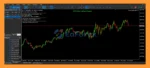
- Smart Combine EA MT5 is a fully automated Expert Advisor for MetaTrader 5 that combines multiple proven trading strategies and indicators to adapt effectively to changing market conditions.
- This EA includes risk-based stop loss, customizable risk-reward take profit, smart lot sizing, and dynamic trailing stop to help traders manage capital safely and efficiently.
- With dual-strategy logic, multi-indicator confirmation, and full customization, Smart Combine EA MT5 is ideal for Forex, Gold, indices, and crypto traders seeking precision and control.
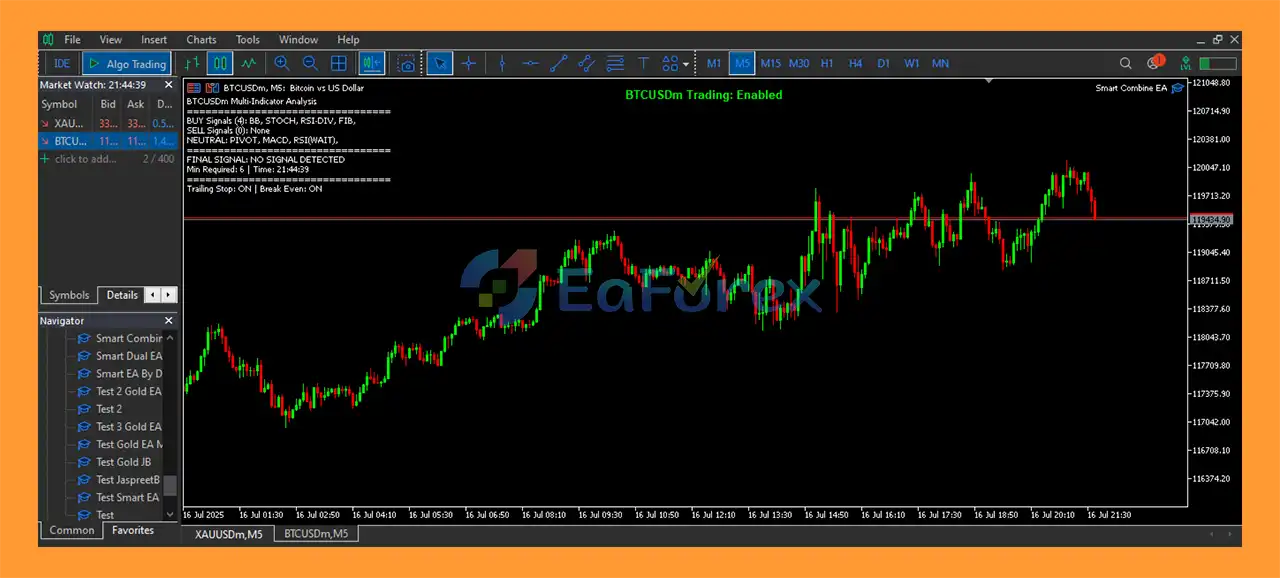
Smart Combine EA MT5 reviews
Performance and Risk Management
Smart Combine EA MT5 includes several features designed to help traders control risk during automated trading.
The EA supports both fixed-lot and percentage-based risk sizing, allowing users to determine how position size is calculated.
Automatic Stop Loss and risk-to-reward based Take Profit functionality can also be configured according to the user’s trading requirements.
The dynamic trailing-stop system provides additional flexibility by allowing positions to be managed after they become profitable. The profit trigger and locked-profit functionality can be configured to protect a portion of an open trade’s gains.
Before executing a position, the EA also checks technical trading requirements such as available margin, broker volume limits, and minimum Stop Loss levels.
However, these features do not eliminate trading risk. Automated risk management can reduce certain forms of exposure, but market gaps, slippage, volatility, spread changes, and execution problems can still affect results.
Actual performance can vary significantly depending on:
- Trading symbol
- Timeframe
- Broker
- Spread
- Commission
- Slippage
- Execution speed
- Account type
- Market volatility
- EA parameter settings
For this reason, traders should test their selected configuration before using the EA on a live account.
Weaknesses and Risk Warnings
Despite its extensive customization options, Smart Combine EA MT5 has several factors that users should consider.
Complex Configuration
The EA provides many parameters and indicator options. While this creates flexibility, inexperienced traders may find it difficult to determine which combination of settings is appropriate.
Over-Optimization Risk
Because many parameters can be adjusted, traders may be tempted to optimize the EA excessively against historical data. A configuration that performs well during a backtest may not necessarily produce similar results in future market conditions.
Market Conditions Can Change
Technical indicators and moving average strategies can behave differently during trending, ranging, highly volatile, or low-volatility markets.
A configuration optimized for one market environment may perform differently when conditions change.
Broker Conditions Matter
Trading results can be influenced by spreads, commissions, slippage, liquidity, and execution speed. Therefore, backtest results from one broker may not accurately represent live results with another broker.
No Guaranteed Profit
Smart Combine EA MT5 is an automated trading tool, not a guaranteed-profit system. Losses are possible, and no combination of technical indicators can predict every market movement.
Cryptocurrency and Gold Volatility
Although the EA supports instruments such as XAUUSD and cryptocurrency CFDs, these markets can experience substantial volatility. Traders should consider appropriate risk settings when using the EA on highly volatile instruments.
Risk Warning: Trading Forex, CFDs, Gold, indices, and cryptocurrencies involves significant risk. Past performance does not guarantee future results. Always test an Expert Advisor under appropriate conditions before deploying it on a live account.
Pros and Cons
Pros
- Fully automated MetaTrader 5 Expert Advisor
- Two independent trading strategies
- Multi-indicator signal system
- Moving average crossover strategy
- Supports Forex, Gold, indices, and cryptocurrency CFDs
- Extensive customization options
- Fixed-lot and risk-based position sizing
- Automatic Stop Loss calculation
- Risk-to-reward based Take Profit
- Dynamic trailing stop
- Profit-trigger and locked-profit functionality
- Optional trading dashboard
- Trade execution validation
- No Martingale
- No Grid Trading
- Supports netting and hedging accounts
Cons
- Extensive settings may be complex for beginners
- Requires proper parameter configuration
- Excessive optimization can lead to overfitting
- Performance can vary across different markets
- Results depend on broker and execution conditions
- No trading system can eliminate losses
- Different instruments may require different settings
- Demo testing is recommended before live deployment
How to Install Smart Combine EA MT5
Installing Smart Combine EA MT5 follows the standard MetaTrader 5 Expert Advisor installation process.
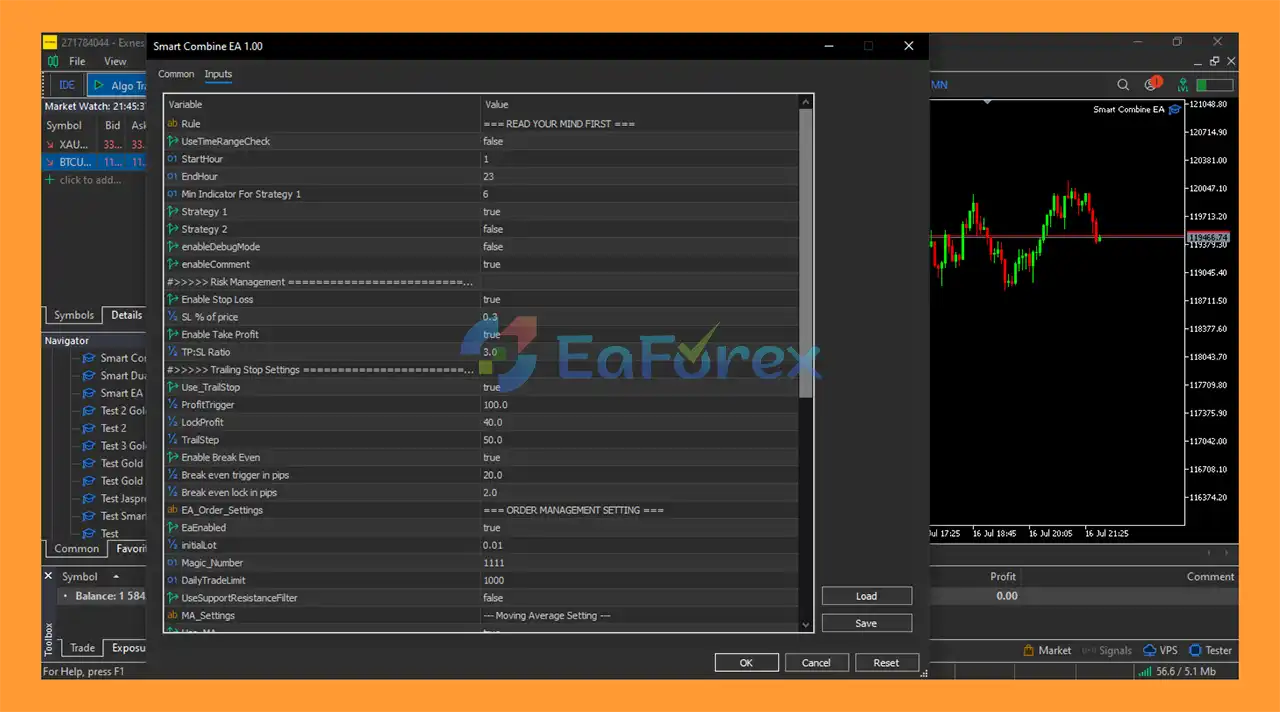
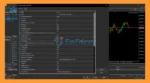
setting
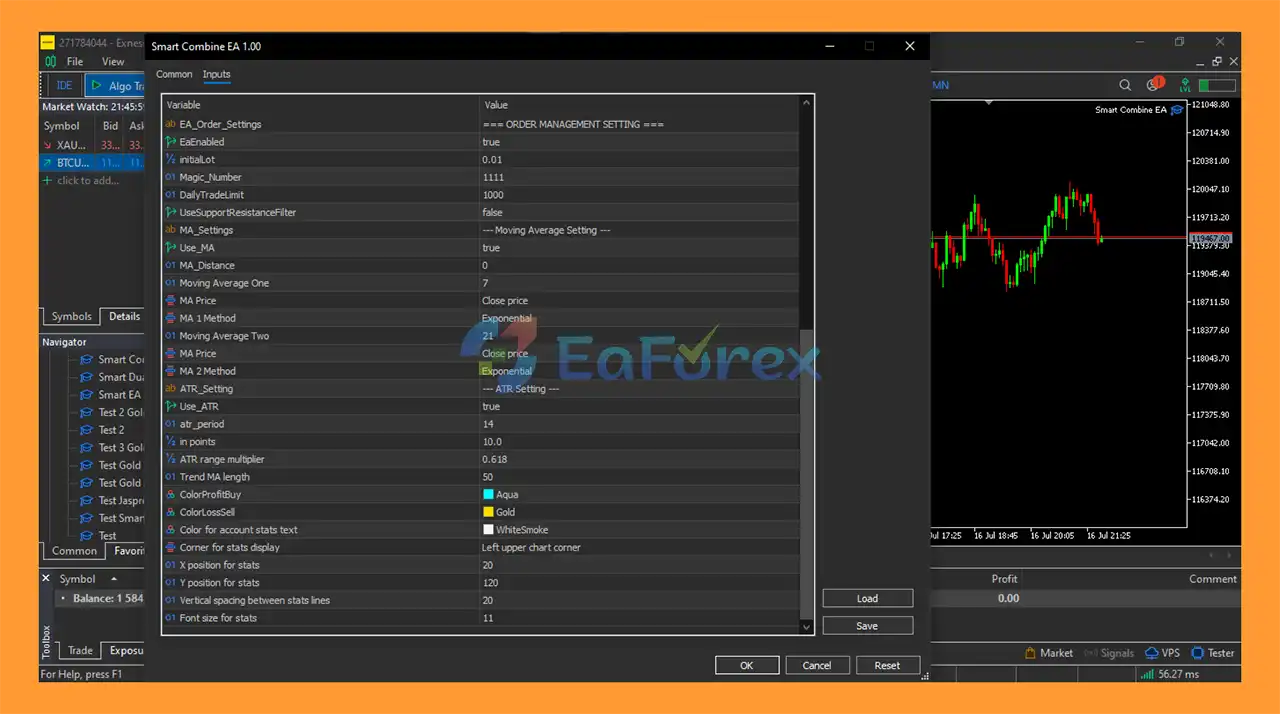
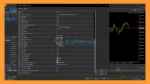
settingg
Step 1: Open MetaTrader 5
Launch your MetaTrader 5 trading platform.
Step 2: Open the MT5 Data Folder
From the top menu, select:
File → Open Data Folder
Then navigate to:
MQL5 → Experts
Step 3: Install the EA
Copy the Smart Combine EA MT5 .ex5 file into the Experts folder.
Step 4: Restart MetaTrader 5
Restart MT5 or refresh the Expert Advisors section in the Navigator window.
Step 5: Select Your Trading Instrument
Open the chart for your preferred market, such as:
- XAUUSD
- EURUSD
- GBPUSD
- Other Forex pairs
- Indices
- Supported cryptocurrency CFDs
Select the timeframe you want to test.
Step 6: Attach the EA
Open:
Navigator → Expert Advisors
Find Smart Combine EA MT5 and drag it onto the selected chart.
Step 7: Enable Automated Trading
Make sure the Algo Trading function is enabled in MetaTrader 5.
Step 8: Configure the Parameters
Review the available settings and select your preferred:
- Trading strategy
- Indicators
- Risk percentage
- Lot size
- Stop Loss
- Take Profit
- Trailing Stop
- Moving average parameters
- Dashboard options
Step 9: Test Before Going Live
Use the MT5 Strategy Tester to evaluate the EA under historical market conditions.
It is also recommended to run the EA on a demo account before using real funds. This allows traders to check whether the selected settings are appropriate for their broker, account type, spread, execution conditions, and trading instrument.
What’s Included in the Download Package?
- Setting (If Any).docx
- Installation Guide.docx
>>> Join VIP Membership Now <<<
Final Thoughts
In summary, Smart Combine EA MT5 is a flexible automated trading solution designed for traders who want to combine multiple technical analysis methods within a single MetaTrader 5 Expert Advisor.
Its main feature is the combination of a Multi-Indicator Signal Strategy and a Moving Average Crossover Strategy, which can operate independently or together. The system also provides extensive customization options covering indicators, trading signals, position sizing, Stop Loss, Take Profit, trailing stops, and dashboard monitoring.
The EA supports a broad selection of markets, including Forex pairs, XAUUSD, indices, and cryptocurrency CFDs, while its compatibility with both netting and hedging accounts provides additional flexibility.
Another notable characteristic is that the system does not use Martingale or Grid Trading, according to the supplied specifications.
However, the large number of configuration options means that proper testing and parameter selection are important. Traders should avoid assuming that a particular backtest configuration will automatically produce the same results in live trading.
For users looking for a customizable MT5 Expert Advisor with multiple technical strategies and integrated risk-management tools, Smart Combine EA MT5 provides a structured framework for automated trading. As always, traders should perform their own backtesting, forward testing, and risk assessment before deploying the EA with real capital.




















 Unlimited Activations
 Instant delivery
 Easy to install













 Automatic EA
 EA Best Seller
 Expert Advisor MT4
 Expert Advisor MT5
 HFT EA


Reviews
Clear filtersThere are no reviews yet.