









-
 Unlimited Activations
-
 Instant delivery
-
 Easy to install




 Unlimited Activations
Instant delivery
Easy to install
Unlimited Activations
Instant delivery
Easy to install
 Free Update
 Free Install Support

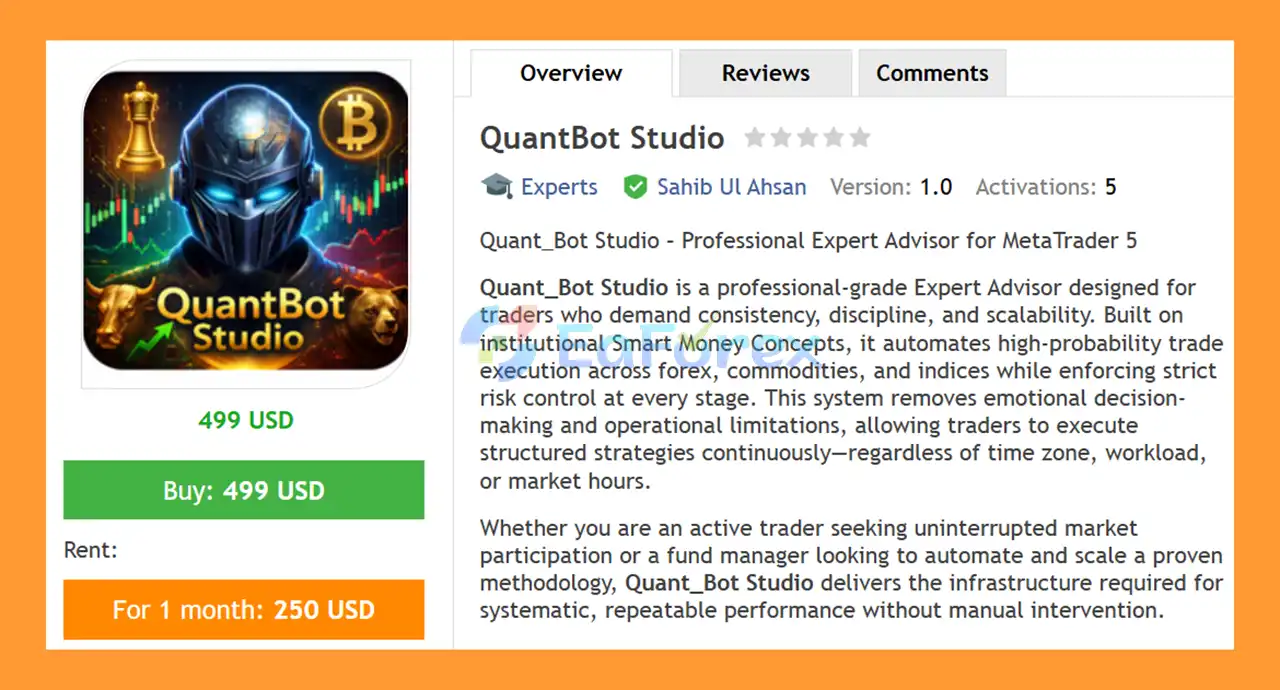
QuantBot Studio EA MT5 is a professional-grade MetaTrader 5 Expert Advisor designed for traders who want structured execution, systematic market analysis, and integrated risk management. The EA combines Smart Money Concepts (SMC) with momentum confirmation, multi-timeframe analysis, and controlled trade execution to identify potential trading opportunities across Forex, Gold, commodities, and indices.
The system is designed to reduce discretionary decision-making by applying predefined trading rules to market analysis and execution. Instead of entering the market based on a single indicator or signal, QuantBot Studio uses a multi-layer confirmation approach, requiring several conditions to align before a trade is considered.
Its analytical framework includes Break of Structure (BOS), Change of Character (CHOCH), Order Blocks, Fair Value Gaps (FVG), Supply and Demand Zones, higher timeframe trend alignment, RSI, and MACD confirmation.
QuantBot Studio also includes advanced risk-management features such as ATR-based position sizing, equity-based scaling, margin validation, drawdown protection, basket trailing stops, session filters, and spread filtering.
The EA supports multiple symbols and can be used for automated or semi-automated trading, making it suitable for traders who prefer a structured and rule-based trading environment.
>> Delivery time 24h-48h after payment.
>>> Refund if not delivered.
>>> You will receive the latest version without any limitations (ID+Time).>>Reviewed by Jason Stap <<
QuantBot Studio EA MT5 is built around a Smart Money Concepts (SMC) framework designed to analyze market structure and price behavior.
The system incorporates several SMC-based concepts, including:
These components are used as part of a broader confirmation process rather than relying on a single market signal.
The EA uses multiple conditions to validate potential entries.
Depending on the configured strategy, confirmation can involve:
This multi-layer approach is designed to make trade selection more structured and selective.
QuantBot Studio can identify potential Order Blocks associated with accumulation and distribution areas.
These zones can be incorporated into the EA’s trade-validation process to help identify areas where price may react.
The EA monitors market structure through BOS and CHOCH concepts.
A Break of Structure can provide information about a potential continuation or structural shift, while a Change of Character can be used to identify a possible change in market direction.
These concepts form part of the EA’s market-structure analysis.
Fair Value Gaps (FVGs) are incorporated into the analytical framework.
The EA can use these price-imbalance areas as part of its broader signal-confirmation process.
QuantBot Studio EA MT5 also integrates traditional momentum and trend indicators.
Supported confirmation tools include:
These indicators can provide additional confirmation alongside the SMC-based market analysis.
The EA provides several position-sizing models:
ATR-based sizing can adjust position exposure according to market volatility, while equity-based scaling allows position size to respond to account equity.
QuantBot Studio EA MT5 includes account-level protection mechanisms designed to monitor equity and drawdown.
These features can help control overall exposure rather than evaluating each trade independently.
The Basket Trailing Stop is an account-level profit-management feature designed to protect accumulated floating or basket-level profits.
This provides an additional layer of trade management beyond individual position Stop Loss and Take Profit mechanisms.
The EA supports trading-session filters for:
These settings allow traders to restrict automated activity to selected market periods.
Before executing trades, QuantBot Studio EA MT5 can evaluate spread and execution-related conditions.
This helps the system avoid entering trades when market conditions do not meet the configured execution requirements.
The EA includes controlled multi-trade functionality with several exposure-management mechanisms.
These include:
The objective is to allow multiple trade opportunities while maintaining predefined exposure controls.
QuantBot Studio EA MT5 includes an on-chart dashboard for monitoring the EA.
The dashboard can provide information such as:
This gives users a convenient overview of the EA’s current operating conditions.
A configurable debug mode is available for users who want additional information when analyzing strategy behavior and trade decisions.
This can be useful during testing and configuration.
QuantBot Studio follows a multi-stage market-analysis and trade-execution process.
First, the EA evaluates the broader market environment using multi-timeframe analysis and market-structure concepts.
It then analyzes potential structural events such as:
Break of Structure (BOS) → Change of Character (CHOCH) → Order Blocks → Fair Value Gaps → Supply/Demand Zones
Additional confirmation can be provided by the higher timeframe trend, RSI momentum, and MACD trend conditions.
The EA does not rely on a single signal. Instead, it applies multiple conditions before considering a trade.
Once the required conditions align, the system performs additional execution checks, including spread, margin, and exposure conditions.
If the trade passes the validation process, QuantBot Studio can automatically execute the position using the configured position-sizing model.
The general workflow can be summarized as:
Market Structure Analysis → SMC Detection → Momentum Confirmation → Multi-Layer Validation → Risk Check → Trade Execution → Position Management
After entry, the system continuously monitors exposure, account equity, drawdown, and trade conditions.
The basket trailing mechanism can also be used to manage account-level profit protection.
QuantBot Studio EA MT5 may be suitable for traders who want to combine Smart Money Concepts with automated execution and structured risk management.
One of the main characteristics of the EA is its multi-layer analysis framework. Instead of depending exclusively on traditional indicators, the system incorporates market-structure concepts such as BOS, CHOCH, Order Blocks, and FVGs alongside RSI and MACD confirmation.
The EA also provides multiple position-sizing models and account-level protection features, giving traders greater flexibility when configuring risk.
QuantBot Studio may be considered by users looking for:
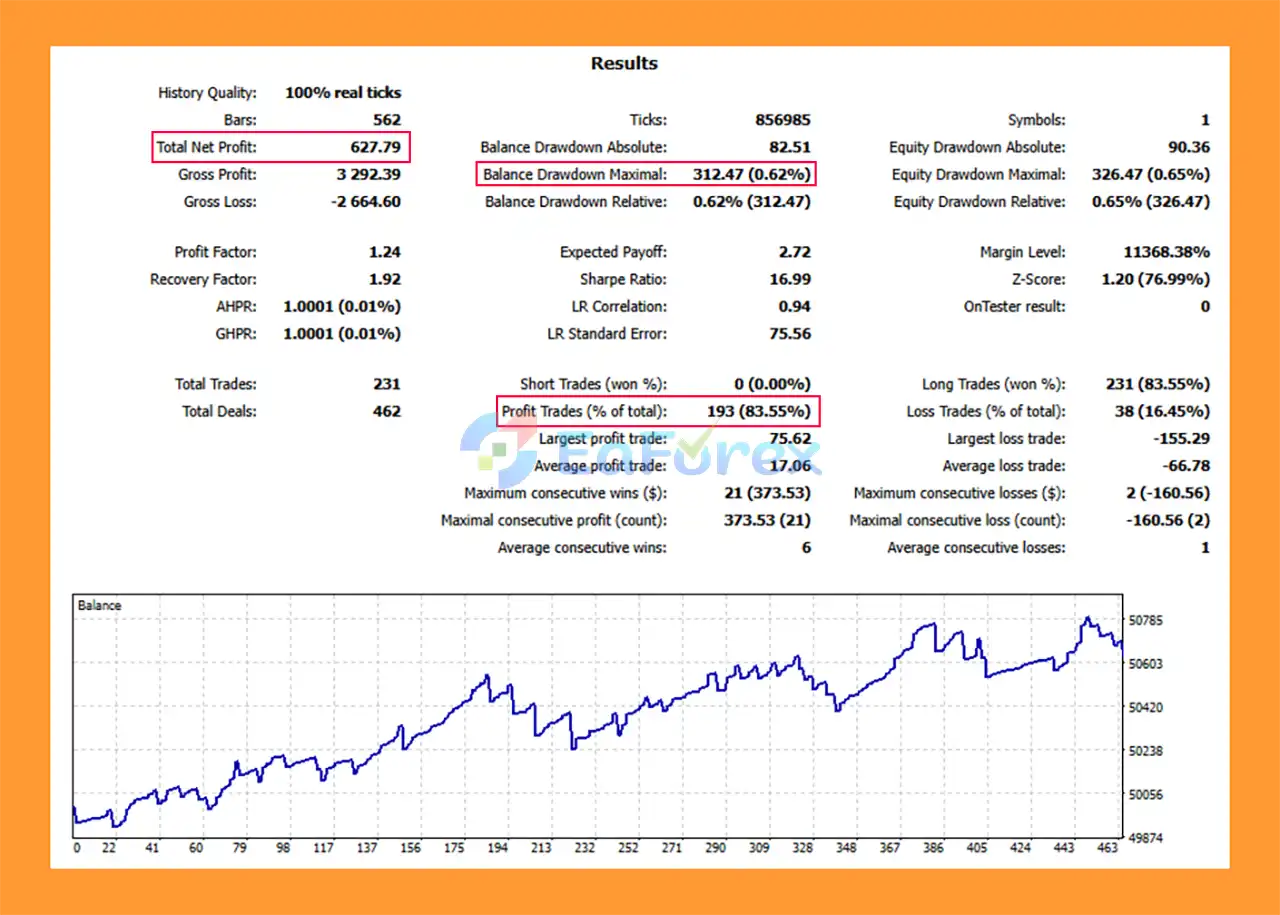
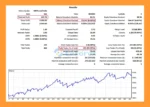
QuantBot Studio EA MT5 backtets
Risk management is a central component of QuantBot Studio EA MT5.
The system provides multiple methods for controlling position exposure, including fixed lot sizing, ATR-based position sizing, and equity-based scaling.
ATR-based sizing can take market volatility into account when determining position size. Equity-based scaling can also adjust exposure according to account equity.
Before trade execution, the EA can validate available margin and other exposure conditions. This helps prevent trades from being opened when the account does not satisfy the configured requirements.
At the account level, equity and drawdown monitoring provides additional protection. The basket trailing stop is designed to manage accumulated profit across multiple positions.
Session filtering can also limit trading activity to the London and New York sessions, while spread and execution filters can help avoid trades when transaction conditions are outside the configured parameters.
However, these mechanisms do not eliminate trading risk.
Actual performance can vary depending on:
Users should test the EA with their intended broker and account conditions before considering live deployment.
Smart Money Concepts involve interpreting market structure, liquidity, order blocks, and price imbalances. Different configurations can produce different signals, and no market-structure methodology can guarantee accurate predictions.
Because QuantBot Studio EA MT5 uses a multi-layer confirmation process, requiring several conditions to align may result in fewer trading opportunities.
Traders who prefer high-frequency trading may find this approach less active.
The EA includes multiple risk, strategy, session, and trade-management parameters. Incorrect configuration can materially change trading behavior.
Although the system includes exposure and margin controls, multiple positions can still increase total account exposure when several trades are active simultaneously.
Gold, indices, and Forex markets can experience rapid price movements. During high-volatility periods, spreads and slippage can increase and execution conditions may change.
Live results can differ from backtests because of broker-specific spreads, commissions, liquidity, execution speed, and slippage.
QuantBot Studio EA MT5 does not guarantee profits or any specific return. Historical testing results cannot guarantee future performance.
Risk Warning: Trading Forex, Gold, indices, and other leveraged financial instruments involves substantial risk. Losses are possible. Traders should use appropriate risk management and conduct their own testing before using the EA with real funds.
Installing QuantBot Studio EA MT5 follows the standard MetaTrader 5 Expert Advisor installation process.
Launch the MetaTrader 5 trading platform.
From the MT5 menu, select:
File → Open Data Folder
Then navigate to:
MQL5 → Experts
Copy the QuantBot Studio EA MT5 .ex5 file into the Experts folder.
Restart MetaTrader 5 or refresh the Expert Advisors section in the Navigator window.
Open the desired trading instrument, such as:
Select the timeframe appropriate for your configuration.
Open:
Navigator → Expert Advisors
Locate QuantBot Studio EA MT5 and drag it onto the selected chart.
Make sure the Algo Trading function is enabled in MetaTrader 5.
Before activating the EA, carefully review:
Run the EA through the MT5 Strategy Tester and then conduct forward testing on a demo account.
It is especially important to verify the basket trailing parameters, lot size, and exposure settings under your specific broker conditions.
For continuous automated operation, a VPS can help maintain a stable MetaTrader 5 environment and reduce interruptions caused by local computer or internet connectivity issues.
In summary, QuantBot Studio EA MT5 is a structured automated trading system that combines Smart Money Concepts, market-structure analysis, momentum confirmation, and integrated risk management within a single MetaTrader 5 Expert Advisor.
Its analytical framework includes BOS, CHOCH, Order Blocks, Fair Value Gaps, Supply and Demand Zones, higher timeframe confirmation, RSI, and MACD, creating a multi-layer approach to trade validation.
The system also provides several risk-management and execution tools, including ATR-based position sizing, equity-based scaling, margin validation, drawdown monitoring, basket trailing, session filtering, and spread controls.
QuantBot Studio is designed to support multiple markets, including Forex, Gold, and indices, and can be configured for automated or semi-automated trading.
At the same time, its extensive functionality means that proper configuration and testing are important. Different instruments and brokers can produce different trading conditions, while market volatility can affect execution and overall results.
For traders looking for an SMC-based MT5 Expert Advisor with multi-layer confirmation and configurable risk management, QuantBot Studio provides a structured framework for systematic automated trading.
Before using the EA on a live account, traders should perform their own backtesting, forward testing, broker-condition analysis, and risk assessment and ensure that the selected configuration is appropriate for their account.
Disclaimer: Trading financial markets involves risk. Past testing or historical performance does not guarantee future results. Users are responsible for their own trading and risk-management decisions.
1. What is QuantBot Studio EA MT5?
QuantBot Studio EA MT5 is a professional-grade automated trading Expert Advisor for MetaTrader 5, built on institutional Smart Money Concepts (SMC). It automates high-probability trade execution across Forex, Gold (XAUUSD), and Indices, while enforcing strict risk and capital protection rules.
2. Which markets can QuantBot Studio EA MT5 trade?
QuantBot Studio EA MT5 is a multi-asset system, designed to trade:
Forex pairs
Gold (XAUUSD)
Stock indices
The EA adapts its logic dynamically to different market structures, volatility profiles, and liquidity conditions.
3. What trading strategy does QuantBot Studio EA MT5 use?
The EA is built on institutional Smart Money Concepts, including:
Order Blocks (institutional accumulation & distribution zones)
Break of Structure (BOS)
Change of Character (CHOCH)
Fair Value Gaps (FVG)
Dynamic Supply & Demand zones
These elements are combined into a multi-layer confluence system to filter out low-quality setups.
4. How does QuantBot Studio EA MT5 confirm trade entries?
Trade entries are confirmed using:
Higher-timeframe trend alignment
BOS & CHOCH validation
Fair Value Gap positioning
Momentum confirmation via RSI and MACD
Spread and execution quality checks
This approach significantly reduces false signals and counter-trend trades.
5. Does QuantBot Studio EA MT5 use martingale or grid strategies?
QuantBot Studio EA MT5 includes a controlled smart Martingale framework, but with:
Strict exposure limits
Equity and margin protection
Risk caps per trade cycle
It does not use aggressive, unlimited martingale or grid systems, making it suitable for professional risk management.
6. How does QuantBot Studio EA MT5 manage risk?
The EA offers advanced risk management tools, including:
Fixed lot, ATR-based, and equity-based position sizing
Equity and margin protection logic
Controlled multi-trade exposure
Basket Trailing Stop for cumulative profit protection
Drawdown monitoring and capital preservation mechanisms
These features are designed for long-term account sustainability.
7. Does QuantBot Studio EA MT5 trade all day?
No. The EA uses session filters, focusing on:
London session
New York session
This ensures trading only during high-liquidity, institutional market hours, improving execution quality and stability.
8. What monitoring and transparency tools are included?
QuantBot Studio EA MT5 features:
Real-time trading dashboard
Equity, drawdown, and floating P/L display
Trade status and execution tracking
Debug & analysis mode for optimization and transparency
This makes the EA suitable for professional evaluation and portfolio management.
9. What are the backtest results of QuantBot Studio EA MT5?
According to the provided backtest:
Total Net Profit: $627.79
Win Rate: 83.55%
Maximum Drawdown: 0.26%
These results highlight the EA’s capital-protective structure and high execution precision.
10. Who should use QuantBot Studio EA MT5?
QuantBot Studio EA MT5 is ideal for:
Professional traders and serious investors
Fund managers and portfolio traders
Users seeking institutional-grade logic
Traders who value discipline, scalability, and low drawdown
Those trading Forex, Gold, and Indices with automated precision
In stock
In stock
In stock
In stock
In stock
Out of stock
No account yet?
Create an Account












 Automatic EA
 EA Best Seller
 Expert Advisor MT4
 Expert Advisor MT5
 HFT EA


Reviews
Clear filtersThere are no reviews yet.