









-
 Unlimited Activations
-
 Instant delivery
-
 Easy to install






 Unlimited Activations
Instant delivery
Easy to install
Unlimited Activations
Instant delivery
Easy to install
 Free Update
 Free Install Support

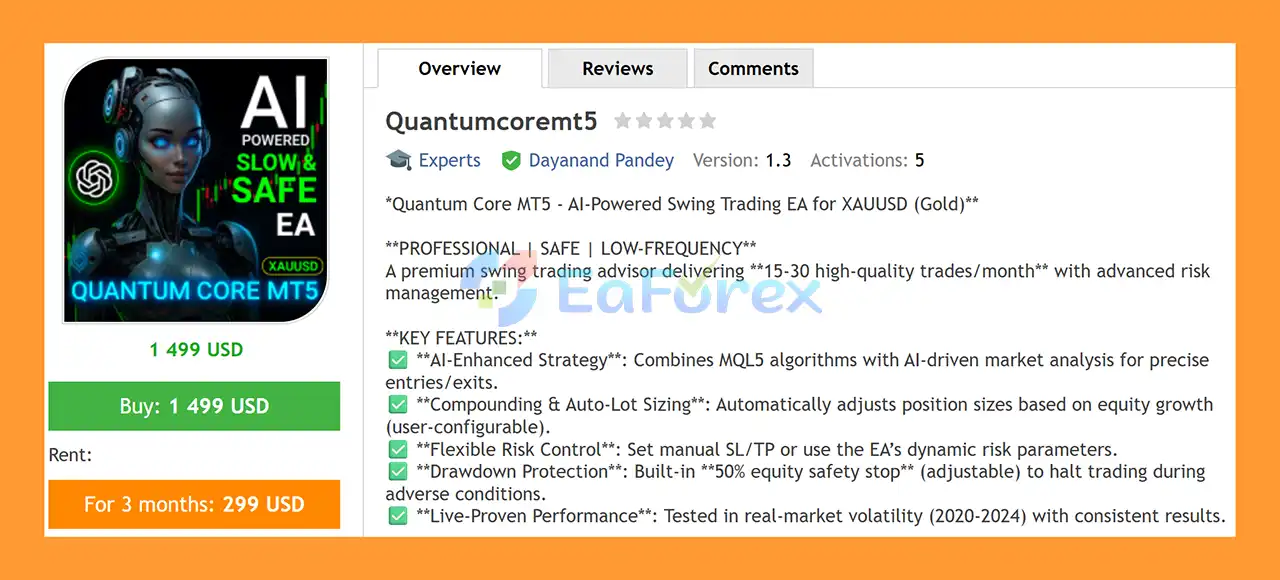
Quantumcoremt5 is an automated XAUUSD Swing Trading Expert Advisor for MetaTrader 5, designed to identify and execute medium-term trading opportunities on the Gold market.
The EA is built around an algorithmic trading strategy that combines technical calculations with market analysis to identify potential entry opportunities. It is designed to operate on XAUUSD M15 and aims to maintain a relatively controlled trading frequency of approximately 15–30 trades per month, depending on market conditions.
Quantumcore MT5 also includes several configurable risk-management tools, including automatic lot sizing, equity protection, configurable trading limits, and optional Stop Loss, Take Profit, and trailing-stop parameters.
The system has been tested using historical market data covering the period from 2020 to 2024. However, historical testing should be viewed as a reference for evaluating the strategy and does not guarantee future trading results.
>> Delivery time 24h-48h after payment.
>>> Refund if not delivered.
>>> You will receive the latest version without any limitations (ID+Time).>>Reviewed by Jason Stap <<
Quantumcoremt5 Overview
Quantumcoremt5 is specifically designed for Gold (XAUUSD) trading.
Rather than attempting to trade every short-term price movement, the EA is intended for a swing-trading approach with an expected trading frequency of approximately 15–30 trades per month, depending on market conditions.
The EA combines technical algorithms with market analysis to identify potential trading opportunities.
Once the predefined conditions are met, Quantumcoremt5 can automatically execute and manage trades without requiring manual entry decisions.
Quantumcoremt5 includes an auto-lot sizing mechanism that can adjust trading volume according to account equity.
The supplied configuration uses a base-lot relationship of:
0.01 lot per $200 of account balance
This setting is configurable and should be adjusted carefully according to account size, broker specifications, and individual risk tolerance.
The EA provides several parameters that allow traders to control how positions are managed.
Depending on the selected configuration, traders can use:
These controls allow users to adapt the system to different account-management approaches.
One of the important safety features is the equity limit / safety stop.
This functionality can be configured to pause trading when predefined equity conditions are reached.
Equity-based protection can help prevent the EA from continuing to open new positions after an account reaches a user-defined risk threshold.
Quantumcoremt5 has been tested using historical market data from 2020 through 2024.
Historical testing can provide useful information about how a strategy behaved during previous market conditions, but it should not be interpreted as evidence of guaranteed future profitability.
Quantumcoremt5 uses an algorithmic approach to analyze the XAUUSD market and identify potential swing-trading opportunities.
The EA is designed to run on XAUUSD M15 charts using predefined technical parameters.
The supplied setup uses two separate EA instances. Both instances operate on XAUUSD M15 but use different Magic Numbers, allowing the platform to identify and manage their positions independently.
The general workflow can be summarized as:
XAUUSD Market Data → Technical Analysis → Trading Conditions → Position Entry → Lot Management → Position Monitoring → Risk Management
The first strategy is configured for Buy-only trading with no fixed Stop Loss or Take Profit and without a trailing stop.
The second strategy also uses Buy-only trading, but includes a trailing mechanism with:
The two strategies therefore have similar core parameters but different trade-management behavior.
Quantumcoremt5 may be suitable for traders looking for an automated Gold swing trading EA with configurable money-management features.
Some of its main characteristics include:
The ability to configure position sizing and equity protection gives traders greater control over how the EA operates on their account.
However, traders should understand the strategy’s parameters before using the EA on a live account, particularly because the supplied configuration uses large maximum lot limits.
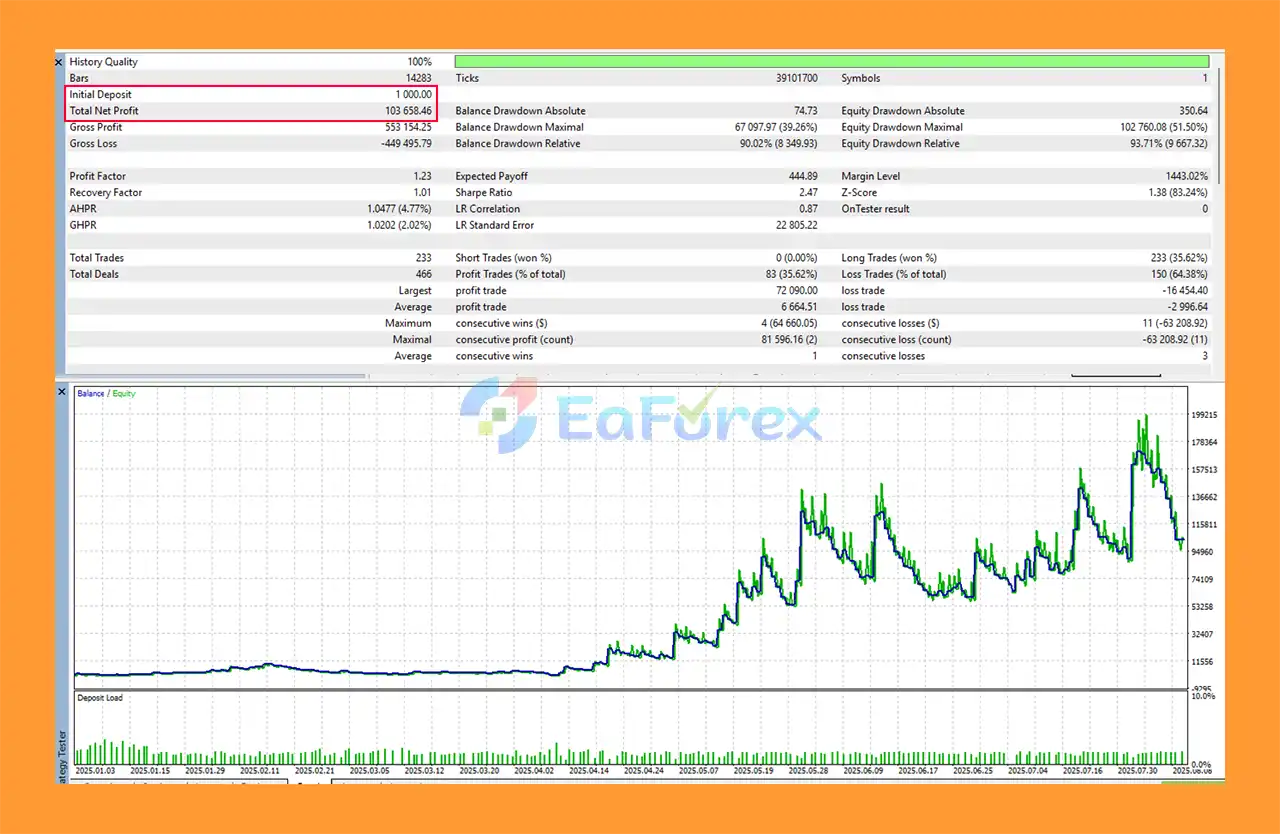
Quantumcoremt5 EA Backtest Results
Quantumcoremt5 is designed with several money-management and risk-control parameters, but the actual trading risk depends heavily on how these parameters are configured.
The supplied settings use:
Base Lot Size: 0.01 per $200 account balance
For example, a $1,000 account under this relationship would correspond to a base calculation of approximately 0.05 lots, subject to the EA’s actual implementation and broker requirements.
Traders should verify the calculation using their specific account conditions before enabling automatic lot increases.
The supplied configuration includes:
Profit Growth Percent to Start Increasing Lot Size: 300%
This means the lot-increase mechanism is configured to begin after the specified account-growth threshold is reached.
Because increasing lot size also increases potential exposure, this parameter should be evaluated carefully before live deployment.
The supplied configuration specifies:
Maximum Lot Size Per Individual Trade: 200.0
This is a very large maximum parameter relative to many retail trading accounts and should not be interpreted as a recommended live-trading position size.
The actual usable maximum will also depend on broker limits, account equity, margin requirements, leverage, and symbol contract specifications.
The supplied setup specifies:
Maximum Total Lot Size: 2000.0
Again, this represents a configuration limit rather than a recommended exposure level.
Traders should consider using substantially more conservative exposure limits appropriate to their account.
The built-in equity safety feature can be used to define conditions under which trading should be paused.
This can be particularly important for an automated Gold strategy because XAUUSD can experience substantial price movements during major market events.
In the supplied configuration:
Strategy 1
Strategy 2
This configuration means that traders should pay particular attention to the EA’s equity controls and position-management logic.
Running an automated strategy without a fixed Stop Loss can expose an account to larger floating losses during adverse market movements.
Gold can experience rapid and substantial price movements, particularly around:
These conditions can significantly affect an automated Gold strategy.
The provided settings specify 0 for Stop Loss and Take Profit, meaning these fixed levels are disabled.
This is an important risk consideration.
Without a fixed Stop Loss, losing positions may remain open for extended periods if the market moves against the strategy.
Both supplied strategy configurations use:
Trade Direction: Only Buy
This means the system does not use the supplied configuration to open short positions.
A prolonged bearish movement in XAUUSD could therefore create challenging conditions for a Buy-only strategy.
The EA includes an option to increase lot size after account growth.
While this can increase exposure as the account grows, it can also increase the size of future losses.
Lot-size growth should therefore be monitored carefully.
The supplied maximum values of 200 lots per trade and 2,000 total lots are extremely high for many retail accounts.
These should be understood as technical configuration limits rather than practical recommendations.
Users should configure appropriate limits based on their actual account size and broker requirements.
The EA has been historically tested from 2020 to 2024, but historical market behavior does not guarantee future performance.
Market conditions can change significantly over time.
The recommended minimum evaluation period is 3 months.
This does not guarantee that the EA will be profitable during that period. It simply provides a longer observation window for evaluating how the system behaves under different market conditions.
Quantumcore MT5 is designed to operate on two separate XAUUSD M15 charts according to the supplied setup.
Open MetaTrader 5 and log in to your trading account.
Go to:
File → Open Data Folder → MQL5 → Experts
Copy the Quantumcore MT5 EA files into the Experts folder.
Restart MetaTrader 5 or refresh the Expert Advisors section in the Navigator window.
Open two separate:
XAUUSD – M15
charts.
Attach one EA instance to each chart.
Use a unique Magic Number, for example:
Magic Number: 12345
The supplied Strategy 1 configuration includes:
Attach a second instance of the EA to another XAUUSD M15 chart.
Use a different Magic Number from Strategy 1.
The supplied configuration uses:
Magic Number: 123455555
Strategy 2 uses the same primary parameters but enables trailing management:
Make sure Algo Trading is enabled in MetaTrader 5.
Before using real funds, run both EA instances on a demo account.
Monitor:
Only consider live deployment after understanding how both configurations behave under different market conditions.
🔺 Experts:
In summary, Quantumcoremt5 is an automated XAUUSD swing trading Expert Advisor for MetaTrader 5 designed to combine algorithmic market analysis with configurable money-management and equity-protection features.
The EA is designed for approximately 15–30 trades per month, depending on market conditions, and includes features such as automatic lot sizing, equity safety limits, configurable trading parameters, and optional trailing management.
The supplied setup uses two separate XAUUSD M15 EA instances with different Magic Numbers. Both strategies are configured for Buy-only trading, while the second strategy additionally uses a trailing mechanism.
One of the most important considerations is that the supplied configuration has no fixed Stop Loss or Take Profit. Combined with the Buy-only approach and automatic lot-size increase, this means traders should pay close attention to equity protection, margin usage, floating drawdown, and overall position exposure.
The historical testing period of 2020–2024 provides useful historical context, but it cannot predict future market performance. Gold market conditions can change considerably, and automated strategies can experience periods of losses or drawdown.
For this reason, Quantumcore MT5 should be thoroughly tested on a demo account before live deployment. Traders should also use conservative position sizing and configure the EA according to their own account size and risk tolerance.
Quantumcore MT5 is an automated trading tool, not a guaranteed-profit system. Proper configuration, monitoring, and risk management remain essential when trading XAUUSD.
1. What exactly is QuantumCore MT5?
QuantumCore MT5 is an AI-powered swing trading Expert Advisor designed specifically for XAUUSD (Gold). It uses advanced algorithms, low-frequency trading logic, and strict risk controls to deliver high-quality, well-filtered trades each month.
2. How many trades does QuantumCore MT5 execute per month?
The EA typically generates 15–30 high-quality trades per month, focusing on precision rather than high-volume trading. This helps avoid market noise and reduces unnecessary risk.
3. What is the minimum deposit required to use QuantumCore MT5?
The minimum recommended deposit is $500, but $1,000 or more is advised for optimal compounding, smoother performance, and better risk distribution.
4. Which brokers are compatible with QuantumCore MT5?
QuantumCore MT5 works with Exness and any MT5 broker that supports algorithmic trading, low spreads, and reliable execution for XAUUSD.
5. Does QuantumCore MT5 only work on XAUUSD (Gold)?
Yes. The EA is optimized exclusively for XAUUSD to ensure maximum performance, stability, and accuracy in Gold swing trading. It is not designed for multi-pair trading.
6. Is QuantumCore MT5 suitable for beginners?
Yes. The EA includes user-friendly settings, automated lot sizing, built-in risk protection, and detailed installation guides, making it accessible for beginners while still offering advanced features for experienced traders.
7. What type of risk management does the EA provide?
QuantumCore MT5 features dynamic SL/TP, equity-based drawdown protection, a 50% safety stop, and fully adjustable risk parameters. Users can choose manual risk control or rely on the EA’s AI-managed system.
8. Can I run QuantumCore MT5 on multiple charts?
Yes. Running the EA on two charts with different Magic Numbers can enhance diversification and improve trade distribution while maintaining safe risk levels.
9. Are the results verified in real-market conditions?
Yes. QuantumCore MT5 has been tested during major volatility periods (2020–2024), proving stable and consistent performance in live market conditions—not just backtests.
10. What is included when I download QuantumCore MT5?
The package includes the Expert Advisor (.ex5 file), detailed installation instructions, recommended settings, and access to the support/Telegram channel for ongoing updates and guidance.
In stock
In stock
In stock
In stock
In stock
Out of stock
No account yet?
Create an Account












 Automatic EA
 EA Best Seller
 Expert Advisor MT4
 Expert Advisor MT5
 HFT EA


Reviews
Clear filtersThere are no reviews yet.