









-
 Unlimited Activations
-
 Instant delivery
-
 Easy to install





 Unlimited Activations
Instant delivery
Easy to install
Unlimited Activations
Instant delivery
Easy to install
 Free Update
 Free Install Support

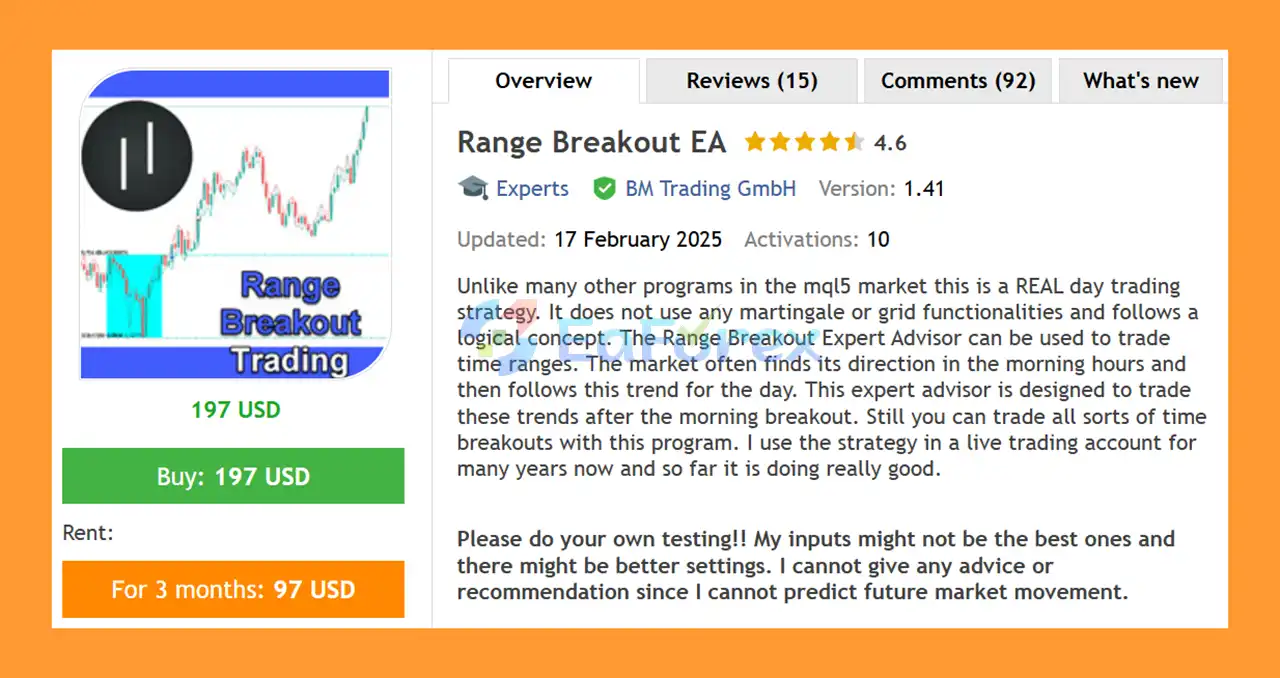
Range Breakout EA MT5 is an automated day trading Expert Advisor for MetaTrader five based on a straightforward range breakout concept. Unlike trading robots that rely on Martingale or Grid strategies, this EA is designed around a logical breakout approach that attempts to capture directional market movements after a defined trading range has been established.
The basic idea behind the strategy is that the market may establish a range during a specific period and then choose a directional move after that range is broken. The EA identifies the defined time range and places breakout orders above and below the range according to the selected settings.
The strategy is particularly suited to traders who want to explore morning range breakouts and intraday trend movements. However, the EA is flexible enough to trade different time-based breakout periods depending on the configuration.
The developer also states that the strategy has been used on a live trading account for several years. However, past live trading experience does not guarantee future results.
Important: Users should perform their own testing. The developer’s settings may not be optimal for every market, broker, or trading environment, and future market movements cannot be predicted with certainty.
>> Delivery time 24h-48h after payment.
>>> Refund if not delivered.
>>> You will receive the latest version without any limitations (ID+Time).>>Reviewed by Jason Stap <<
The core feature of Range Breakout EA MT5 is its ability to calculate a price range during a user-defined period and then trade a breakout from that range.
The range can be configured using:
After the range has been established, the EA can place pending orders above and below the defined range.
Range Breakout EA MT5 does not rely on Martingale or Grid trading functionality.
Instead, it follows a rule-based breakout concept designed to identify potential directional moves after a time-based range has been broken.
This makes the strategy structurally different from systems that increase position size after losing trades or continuously add positions at predefined price intervals.
The EA provides several position-sizing methods:
This gives traders the ability to choose between fixed position sizing and risk-based position sizing.
The EA provides multiple methods for calculating Take Profit and Stop Loss distances.
Available calculation modes include:
This allows traders to build different risk/reward configurations around the size of the breakout range.
The Order Buffer Points parameter allows pending breakout orders to be placed a specified number of points above and below the range.
A value of zero disables the additional buffer.
Range Breakout EA MT5 includes several position-management functions, including:
These settings allow traders to determine when protective stops should begin adjusting as a position moves into profit.
The EA allows users to control the maximum number of trades opened during a trading day.
Available controls include:
This can help limit the number of breakout attempts taken during a single trading session.
The EA can ignore ranges that fall outside user-defined size limits.
Available filters include:
These filters can help prevent the EA from trading ranges that are considered too small or too large according to the selected configuration.
Range Breakout EA MT5 follows a relatively straightforward sequence.
The EA first calculates a price range during the user-defined start and end times.
For live trading, the developer recommends using M1 for the range calculation timeframe. The timeframe can be changed during testing if sufficient M1 historical data is not available.
After the range has been calculated, the EA can place pending orders above and below the range.
The Order Buffer Points setting determines how far the pending orders should be positioned from the range boundaries.
If the market moves beyond one of the range boundaries and triggers a pending order, the EA can enter the market in the direction of the breakout.
This approach is designed to capture potential intraday directional movements following the range.
The EA then manages the position according to the configured:
The TP and SL can be based on points, percentages, or multiples of the calculated range.
Pending breakout orders can be automatically deleted at a specified time using the Delete Orders Hour and Delete Orders Minute settings.
This prevents outdated breakout orders from remaining active indefinitely.
The EA also includes a Close Positions function that can close open positions at a predefined time.
This can be useful for traders who want to keep the strategy strictly within a defined intraday trading window.
Range Breakout EA MT5 may be suitable for traders interested in an automated intraday breakout strategy without relying on Martingale or Grid-based position management.
Its main concept is easy to understand: define a time range, monitor the range boundaries, and attempt to participate when the market breaks out.
Another advantage is its flexibility. Traders can configure the range period, breakout buffer, position-sizing method, Stop Loss, Take Profit, trailing settings, trading frequency, and range filters.
The EA can therefore be adapted to different instruments and time-based breakout concepts rather than being restricted to one specific morning session.
The combination of fixed-lot and risk-based position sizing also gives users more control over how much capital is exposed on each trade.
However, flexibility also means that users should test their chosen configuration carefully rather than assuming the default or developer-provided settings are optimal for every market.
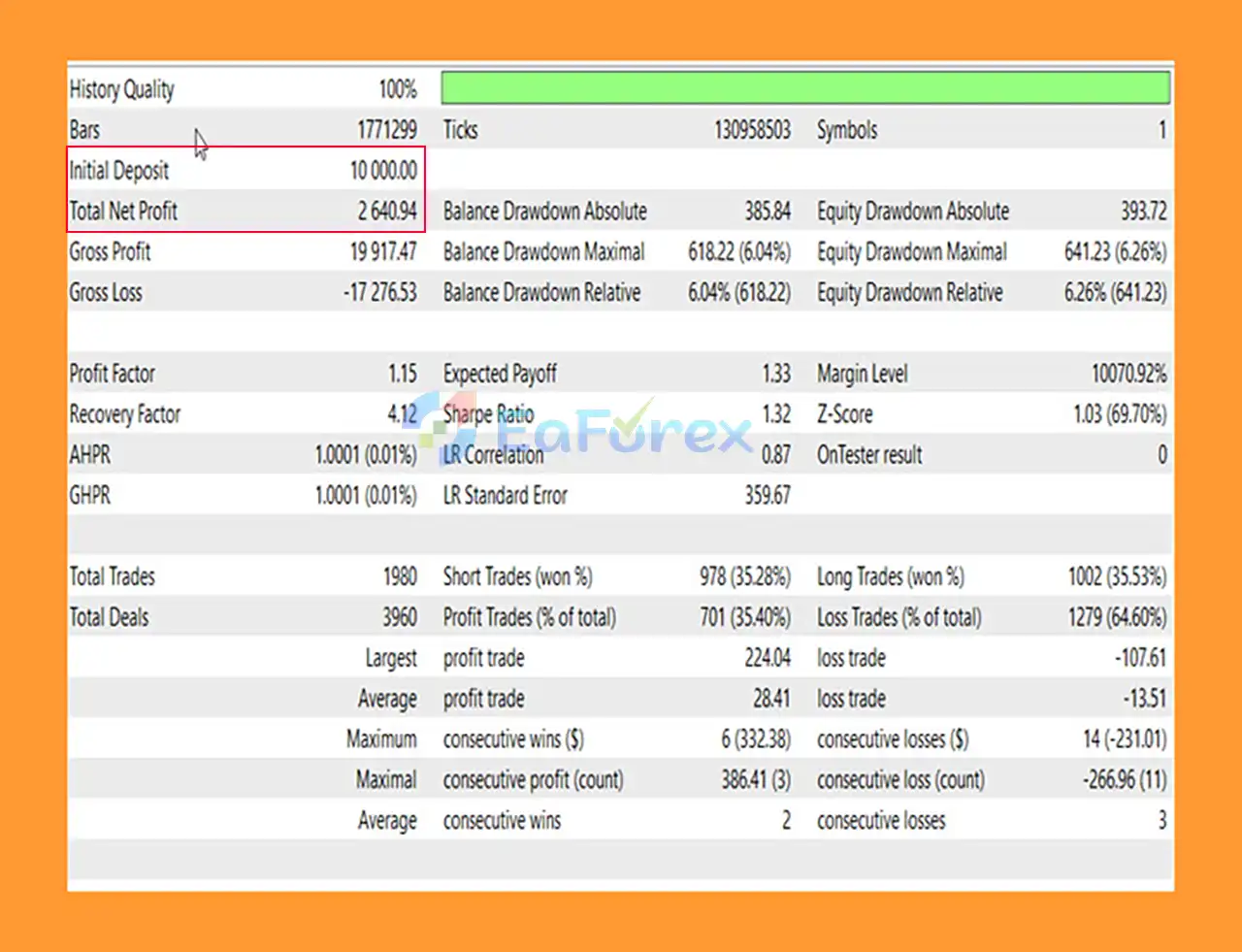
Range Breakout EA MT5 Backtests
The performance of a range breakout strategy can vary considerably depending on market conditions, instrument, trading session, spread, volatility, and execution quality.
A breakout strategy may perform differently during strong directional markets compared with periods where price repeatedly breaks a range and then reverses.
The EA provides several methods for determining trade volume.
Using VOLUME_PERCENT allows position size to be calculated according to a chosen percentage of account balance that would be at risk if the initial Stop Loss were triggered.
The VOLUME_MONEY mode instead calculates position size according to a specified monetary risk.
These features can help traders establish a more systematic approach to position sizing.
The EA can calculate Stop Loss using:
Using no Stop Loss can substantially increase risk and should be approached with extreme caution.
Take Profit can also be calculated using range multiples, percentages, or fixed points.
This allows users to experiment with different reward targets relative to the size of the identified range.
The Break-Even Stop can be activated after a trade reaches the specified profit level.
The Break-Even Stop Buffer can then move the protective stop beyond the original entry level by the configured amount.
The trailing system includes:
The EA only modifies the Stop Loss when the configured step requirement is met, which can help reduce unnecessary Stop Loss modifications.
Minimum and maximum range filters can be used to prevent trading when the calculated range is outside the preferred parameters.
This can be useful because extremely narrow ranges may produce frequent false breakouts, while unusually large ranges may result in different risk characteristics.
Historical backtests and previous live results should not be interpreted as guarantees of future performance. Actual results can vary due to market conditions, spread, slippage, execution, commissions, and configuration.
One of the primary risks of any range breakout strategy is the possibility of a false breakout.
The market may temporarily move above or below the range and then reverse back into the range, resulting in a losing trade.
A range breakout strategy may behave differently across different market environments.
Strong trends, low volatility, news events, changing liquidity, and sideways markets can all influence trading results.
Breakout strategies can be sensitive to execution quality because the difference between the intended entry level and actual execution price can affect the trade’s risk/reward characteristics.
Spread and slippage should therefore be monitored carefully.
The developer specifically recommends that users perform their own testing and notes that the supplied inputs may not be the best settings.
Different instruments and brokers may require different configurations.
Although the EA does not use Martingale or Grid functionality, it can still experience losing trades and drawdowns.
Not using Martingale or Grid does not eliminate normal market risk.
The developer recommends PERIOD_M1 for live range calculation.
Changing this setting without understanding its effect can alter how the range is calculated and potentially change the behavior of the strategy.
Open your MetaTrader 5 trading platform and make sure your account and broker are ready for automated trading.
Go to:
File → Open Data Folder
Then navigate to:
MQL5 → Experts
Copy the Range Breakout EA MT5 file into the Experts folder.
Restart the platform or refresh the Expert Advisors section in the Navigator.
Attach the EA to the desired instrument and configure the required timeframe.
For live trading, the developer recommends using M1 for the range calculation timeframe.
Set:
These settings determine the period used to calculate the daily trading range.
Choose the preferred trading volume mode and configure:
Also configure the desired Stop Loss and Take Profit calculation methods.
Review:
Make sure Algo Trading is enabled in MetaTrader 5.
Use the MT5 Strategy Tester to test the EA across different historical periods.
The developer recommends using sufficient M1 historical data for accurate range calculations. If M1 data is unavailable, the range calculation timeframe may be changed for testing purposes, but the effect of this change should be understood before live deployment.
A demo account is also recommended before using real capital.
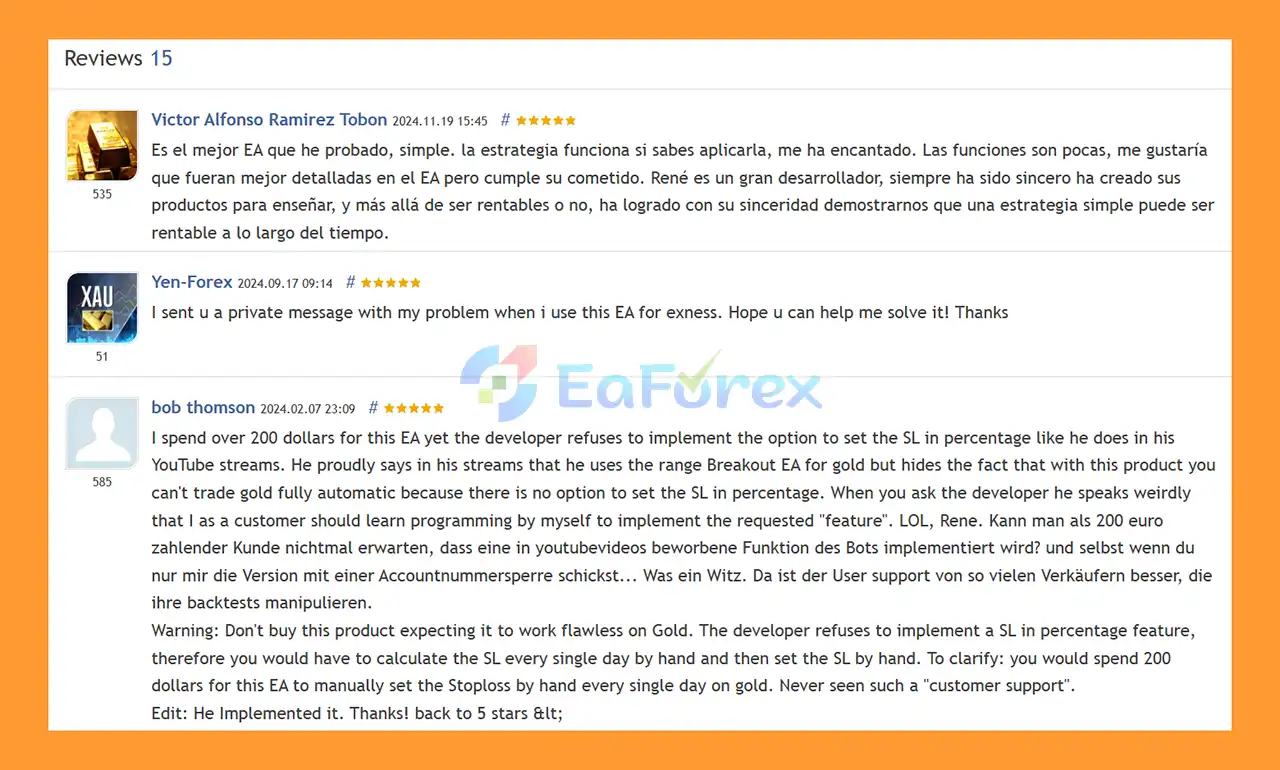
🔺Range Breakout EA MT5 is highly appreciated by the MQL5 community for bringing stable and reliable profits. Below are 5 star reviews from users:
User Reviews
🔺 Experts:
🔺 SetFiles:
In summary, Range Breakout EA MT5 is an automated day-trading Expert Advisor based on a clear time-range breakout strategy. The concept is designed around the idea that the market may establish a range during a specific period and then develop a directional movement after breaking above or below that range.
Unlike Martingale or Grid-based systems, the EA uses a conventional breakout approach with configurable position sizing and trade-management tools.
Its extensive settings allow traders to customize the range calculation, breakout buffer, trading volume, Stop Loss, Take Profit, break-even, trailing stop, trade frequency, and range filters.
The EA may be particularly interesting for traders who prefer a transparent intraday trading concept rather than an automated system based on progressive position sizing.
At the same time, users should understand that breakout trading carries the risk of false breakouts, slippage, spread-related costs, and changing market conditions. The developer also explicitly recommends conducting independent testing because the supplied settings may not be optimal for every instrument or trading environment.
For anyone considering Range Breakout EA MT5, careful backtesting, forward testing, appropriate risk management, and broker-specific evaluation are important before moving to live trading.
1. What is Range Breakout EA MT5?
Range Breakout EA MT5 is a professional Expert Advisor for MetaTrader 5 that trades time-based market breakouts. It avoids risky methods like martingale or grid trading and focuses on capturing trends after morning range breakouts.
2. How does Range Breakout EA MT5 detect trades?
The EA identifies logical breakout levels based on configurable time ranges. It then executes trades when the market moves beyond these ranges, ensuring disciplined and high-probability setups.
3. Can Range Breakout EA MT5 trade other timeframes?
Yes. While optimized for morning breakout strategies, it can adapt to any time-based breakout, giving traders flexibility for multiple setups.
4. How does the EA manage risk?
It includes advanced TP/SL calculations, trailing stop, and break-even functionality. Traders can set risk-based, money-based, or fixed lot sizes to protect capital and control exposure.
5. Which symbols and charts are recommended?
The EA is versatile and works on various Forex pairs, with live trading recommended on M1 charts. Pre-configured set files for EURUSD and GBPUSD are included.
6. Does Range Breakout EA MT5 allow custom trading schedules?
Yes. Users can configure start and end hours, automatic pending order deletion, and position closure to match personal trading preferences and market conditions.
7. How does Range Breakout EA MT5 prevent overtrading?
It features trading frequency controls, allowing traders to limit maximum long, short, and total trades per day. It also filters ranges that are too small or too large.
8. Is Range Breakout EA MT5 suitable for beginners?
Yes. The EA comes with default settings, an installation guide, and intuitive configuration options, making it accessible for both beginners and experienced traders.
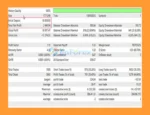
9. What are the backtested results of Range Breakout EA MT5?
Over 3 months with a $10,000 deposit:
Total Net Profit: $2,640.94
Maximum Drawdown: 6.04%
In stock
In stock
In stock
In stock
In stock
Out of stock
No account yet?
Create an Account












 Automatic EA
 EA Best Seller
 Expert Advisor MT4
 Expert Advisor MT5
 HFT EA


Reviews
Clear filtersThere are no reviews yet.