


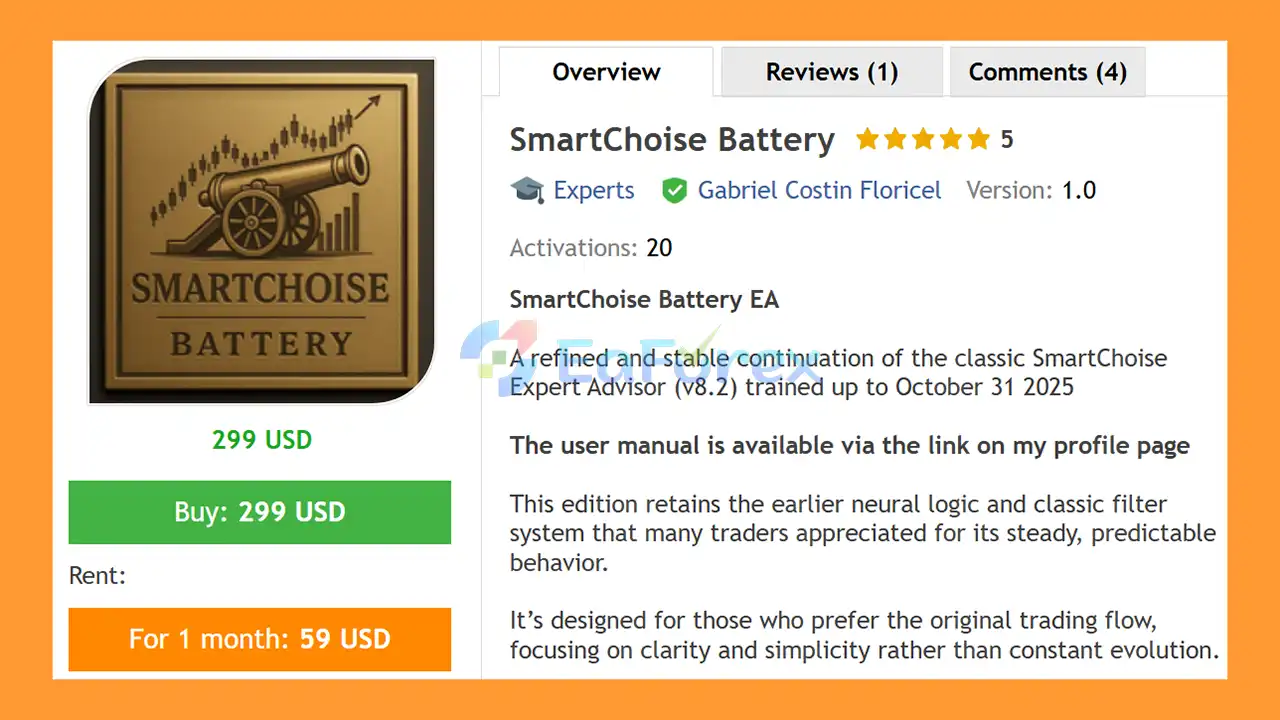
Product Overview
SmartChoise Battery EA MT5 is a refined and stable continuation of the classic SmartChoise Expert Advisor, designed for traders who prefer a familiar automated trading structure with established trading logic and comprehensive risk-management controls.
According to the product description, this edition retains the original neural logic and classic filtering system associated with the earlier SmartChoise architecture. The system is intended to maintain a clear and predictable trading workflow rather than continuously introducing changes to its internal strategy.
SmartChoise Battery EA MT5 was trained up to October 31, 2025, and is designed as a fixed branch of the SmartChoise system. Unlike continuously evolving versions, the Battery EA is intended to remain unchanged, providing users with a consistent configuration and stable internal logic.
The EA also incorporates multiple layers of account protection, including Hard Stops, Daily and Weekly Limits, Equity Controls, Safe Mode, and recovery mechanisms.
As with any automated trading system, these protection features are designed to manage risk but cannot eliminate losses or guarantee future performance.
About the Developer
- Author: Gabriel Costin Floricel.
- Experience: Over +1 years of experience on MQL5.
- Notable Products: SmartChoise Battery MT5, SmartChoise MT5, SmartBid EA and other advisors.
- Flagship Product: SmartChoise Battery EA MT5 is rated as the best performing product of the year.
>> Delivery time 24h-48h after payment.
>>> Refund if not delivered.
>>> You will receive the latest version without any limitations (ID+Time).>>Reviewed by Jason Stap <<
Main Features of SmartChoise Battery EA MT5
Classic SmartChoise Trading Logic
SmartChoise Battery EA MT5 maintains the core trading architecture associated with the classic SmartChoise v8.2 system.
The focus is on preserving the original trading flow rather than frequently modifying the underlying strategy.
Neural Logic
The EA retains its original neural-based logic according to the product description. This component is designed to support the system's market analysis and trade-selection process.
Classic Filter System
The integrated filtering system is intended to help the EA identify trading conditions that meet its predefined criteria before opening positions.
This approach can help reduce unnecessary trades and maintain a more structured trading process.
Hard Stop Protection
A Hard Stop mechanism provides an additional layer of protection by defining a maximum loss condition for trades or the trading system, depending on the configured implementation.
Daily and Weekly Limits
SmartChoise Battery EA includes daily and weekly trading limits designed to restrict trading activity when predefined loss or exposure thresholds are reached.
Equity Controls
The EA monitors account equity as part of its risk-management framework.
Equity-based protection can help prevent trading activity from continuing beyond predefined account-level risk thresholds.
Safe Mode
The Safe Mode provides an additional defensive mechanism intended to reduce trading activity or apply more conservative behavior when certain risk conditions are detected.
Recovery Mechanisms
The system includes recovery-related functionality designed to manage trading situations following unfavorable market movements.
Recovery mechanisms should always be evaluated carefully because their behavior can materially affect drawdown and account exposure.
Fixed and Maintenance-Free Branch
One of the defining characteristics of SmartChoise Battery EA MT5 is its fixed nature.
The Battery branch is intended to remain unchanged rather than continuously evolving its internal logic, which may appeal to users who prefer a stable configuration.
MetaTrader 5 Compatibility
SmartChoise Battery EA is designed for MetaTrader 5, allowing traders to automate its trading logic within the MT5 environment.
How Does SmartChoise Battery EA MT5 Work?
SmartChoise Battery EA MT5 operates through a combination of its neural logic, classic filters, trade-management rules, and account-protection mechanisms.
The general process can be described as follows.
Step 1: Market Analysis
The EA continuously analyzes available market data according to its programmed trading logic.
Its neural component and classic filters work together to evaluate potential trading conditions.
Step 2: Trade Filtering
Before opening a position, the system applies its predefined filters to determine whether the current market environment meets its requirements.
This filtering process is intended to keep the trading process structured and avoid unnecessary entries.
Step 3: Automated Trade Execution
When the required conditions are satisfied, the EA can automatically execute trades without requiring manual order placement.
This allows the strategy to operate according to predefined rules while the MT5 platform is running.
Step 4: Risk Monitoring
After positions are opened, the EA continuously monitors account and trading conditions.
Its protection framework includes:
- Hard Stops
- Daily Limits
- Weekly Limits
- Equity Controls
- Safe Mode
These mechanisms are designed to restrict trading when predefined risk conditions are reached.
Step 5: Trade Management and Recovery
The EA manages active trades according to its programmed rules and incorporates recovery mechanisms where applicable.
The exact behavior depends on the EA's configuration and internal strategy logic.
Step 6: Continuous Automated Operation
Once properly configured, SmartChoise Battery EA MT5 can operate automatically without requiring the trader to manually manage every individual trade.
However, automated operation does not mean that the system should be left completely unattended. Regular monitoring of the account, broker conditions, margin, and EA behavior remains important.
Why Choose SmartChoise Battery EA MT5?
SmartChoise Battery EA MT5 is designed for traders who value stability, familiar trading logic, and structured risk management.
Stable Trading Architecture
The Battery edition is designed to preserve the classic SmartChoise logic rather than continuously changing its internal behavior.
Familiar SmartChoise v8.2 Foundation
For users familiar with the earlier SmartChoise architecture, this version maintains the established trading framework instead of introducing an entirely new system.
Multiple Protection Layers
The combination of Hard Stops, daily and weekly limits, equity controls, and Safe Mode provides several layers of automated risk management.
Fixed Strategy Branch
The fixed nature of the Battery EA may be useful for traders who prefer to evaluate and maintain one stable configuration over time.
Automated Execution
The EA eliminates the need for manual trade entry and allows the programmed strategy to operate automatically within MetaTrader 5.
Structured Trade Management
The combination of filters, automated execution, risk limits, and recovery mechanisms provides a structured framework for algorithmic trading.
SmartChoise Battery EA MT5 Review
- Steady and Predictable Neural Execution: The EA uses advanced neural logic to execute trades with consistency and accuracy, providing reliable performance in varying market conditions.
- Comprehensive Safety and Disciplined Trade Management: Equipped with a proven filter system, the EA ensures controlled risk, disciplined entries and exits, and enhanced protection for stable trading results.
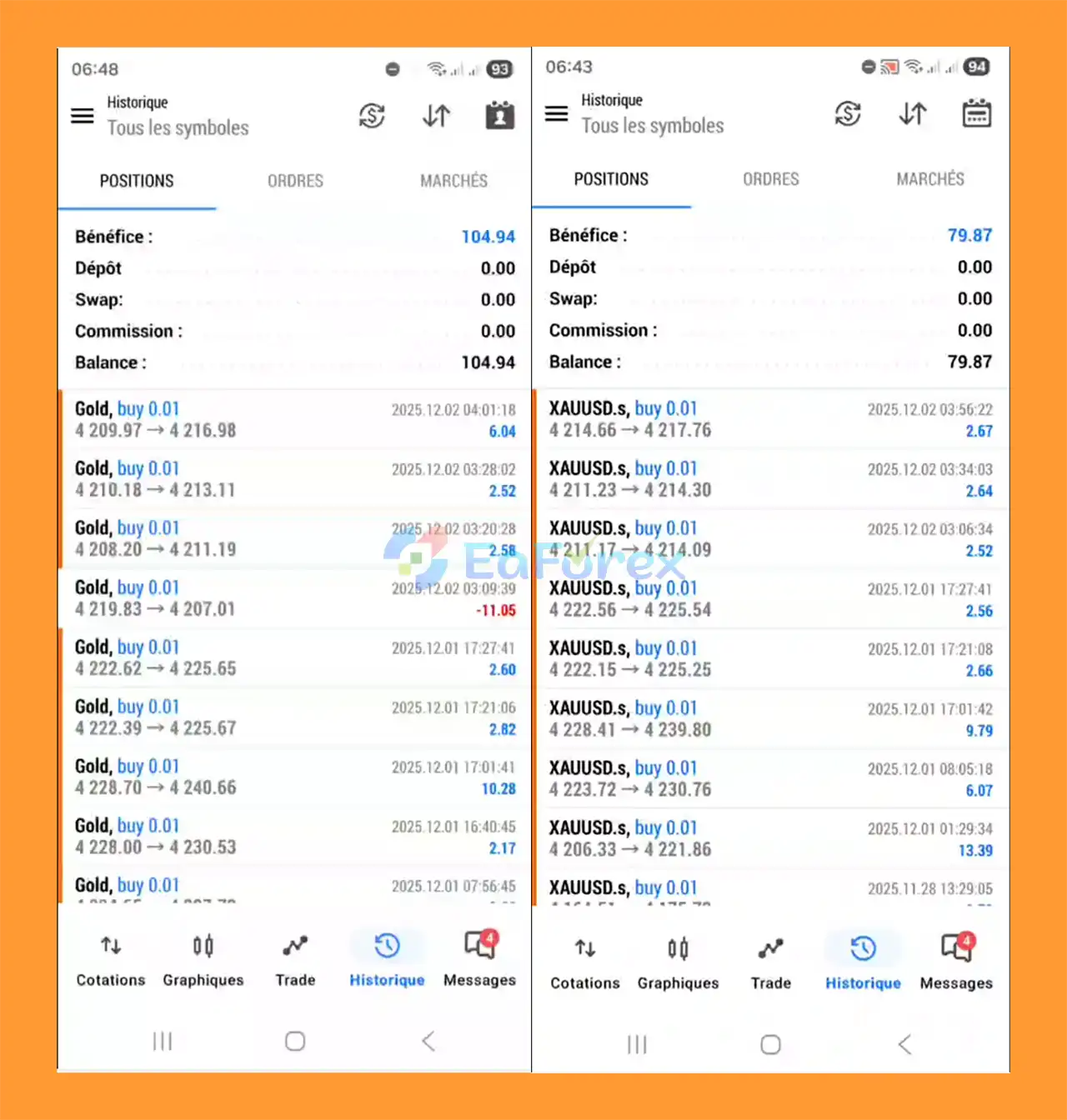
Performance and Risk Management
SmartChoise Battery EA MT5 is designed with a strong emphasis on account protection and controlled trading activity.
The product description highlights several risk-management components.
Hard Stops
Hard Stops can establish predefined loss boundaries and prevent individual trades or the strategy from remaining exposed indefinitely, depending on the implementation.
Daily Loss Limits
Daily limits can restrict trading activity after predefined daily thresholds are reached.
This can help prevent a difficult trading session from generating additional exposure.
Weekly Limits
Weekly controls provide another layer of account-level protection by monitoring performance or losses over a longer period.
Equity Protection
Equity controls are designed to monitor the account's overall equity and respond when predefined protection thresholds are reached.
Safe Mode
Safe Mode provides a defensive operating mechanism that can modify or restrict trading activity when certain conditions trigger the protection framework.
Recovery Management
Recovery mechanisms can help the EA manage positions following adverse market movements. However, recovery strategies can also introduce additional exposure depending on how they are implemented.
Therefore, users should evaluate recovery behavior during backtesting and forward testing rather than assuming that recovery functionality eliminates risk.
Important Performance Consideration
Historical testing results should always be evaluated alongside:
- Maximum drawdown
- Recovery periods
- Number of trades
- Average trade size
- Consecutive losses
- Equity curve behavior
- Spread and commission
- Slippage
- Broker execution
- Market conditions
Past performance does not guarantee future results.
Weaknesses and Risk Warnings
Although SmartChoise Battery EA MT5 includes multiple protection mechanisms, automated trading remains subject to market and technical risks.
Market Risk
No Expert Advisor can predict financial markets with certainty. Unexpected price movements can result in losses even when multiple filters and protection mechanisms are active.
Recovery Risk
Recovery mechanisms require particular attention. Depending on their implementation, recovery trading can increase exposure during unfavorable market conditions.
Users should understand exactly how recovery logic works before deploying the EA with real funds.
Fixed Logic Limitation
The Battery branch is intentionally designed to remain fixed.
While this provides consistency, a fixed strategy may not automatically adapt to structural changes in financial markets.
Broker Dependency
Live results can differ between brokers because of:
- Spread
- Slippage
- Execution speed
- Commission
- Liquidity
- Trading conditions
- Symbol specifications
Technical Risk
Automated trading requires the MT5 platform to remain connected and operational.
Internet interruptions, VPS problems, platform errors, broker server issues, or other technical failures can affect trade execution.
Over-Optimization Risk
Backtest results can sometimes look significantly different from live trading because of historical-data assumptions and parameter optimization.
Forward testing is therefore important before moving to a live account.
No Guaranteed Returns
SmartChoise Battery EA MT5 should not be considered a guaranteed-profit system.
The EA's safety mechanisms are designed to control predefined risks, but they cannot completely eliminate the possibility of financial loss.
Pros and Cons
| Pros | Cons |
|---|---|
| Based on the classic SmartChoise v8.2 architecture | Fixed logic may not adapt automatically to future market changes |
| Retains the original neural logic | Neural-based systems can be difficult for users to fully interpret |
| Classic filtering system | Filtering cannot eliminate losing trades |
| Automated trading on MetaTrader 5 | Requires MT5 to remain operational |
| Hard Stop protection | Protection settings must be configured appropriately |
| Daily and weekly trading limits | Limits do not prevent all forms of market loss |
| Equity control mechanisms | Sudden market movements can still cause slippage |
| Safe Mode | Conservative protection may reduce trading activity |
| Recovery mechanisms | Recovery trading may increase exposure depending on implementation |
| Fixed and maintenance-free branch | No ongoing strategy evolution by design |
| Suitable for traders who prefer stable configurations | Live results may differ from historical testing |
How to Install SmartChoise Battery EA MT5
Step 1: Install MetaTrader 5
Install MetaTrader 5 through your broker or the official MT5 distribution.
Step 2: Open the MT5 Data Folder
Inside MetaTrader 5, select:
File → Open Data Folder
Then navigate to:
MQL5 → Experts
Step 3: Copy the EA File
Place the SmartChoise Battery EA MT5 files into the Experts folder.
If the package includes additional files, such as indicators, libraries, or configuration files, place them into their corresponding MT5 directories according to the supplied user manual.
Step 4: Restart MetaTrader 5
Restart MT5 or refresh the Expert Advisors section in the Navigator window.
The SmartChoise Battery EA should then appear in the available Expert Advisors list.
Step 5: Open a Compatible Chart
Open the trading symbol and timeframe recommended in the official user manual.
Avoid assuming that settings optimized for one symbol or timeframe will produce the same behavior on another.
Step 6: Attach the EA
Drag the EA onto the selected MT5 chart and enable Algo Trading.
Check all required permissions and settings before activating the system.
Step 7: Configure Risk Parameters
Carefully review the available:
- Hard Stop settings
- Daily limits
- Weekly limits
- Equity protection
- Safe Mode
- Recovery settings
- Position sizing
- Other risk parameters
Step 8: Backtest and Forward Test
Before using a live account, test the EA through the MT5 Strategy Tester and run it on a demo account.
Evaluate the system under different market conditions and pay particular attention to maximum drawdown and recovery behavior.
Step 9: Consider VPS Hosting
For continuous automated operation, a reliable VPS can help keep MetaTrader 5 running when your personal computer is offline.
Real User Reviews and Feedback
🔺SmartChoise Battery EA is highly appreciated by the MQL5 community for bringing stable and reliable profits. Below are 5 star reviews from users:
- Cyril Gross (2025.11.24): “So far, I’m very satisfied. I was the first to use Smart Battery, but it’s definitely version 8.2 that’s available. I hope others will follow.”
What’s Included in the Download Package?
- Setting (If Any).docx
- Installation Guide.docx
Final Thoughts
SmartChoise Battery EA MT5 is designed as a stable continuation of the classic SmartChoise v8.2 Expert Advisor, retaining its original neural logic and classic filtering structure while incorporating multiple layers of automated risk management.
Its key characteristics include Hard Stops, Daily and Weekly Limits, Equity Controls, Safe Mode, recovery mechanisms, and a fixed strategy architecture.
The Battery concept is particularly centered around maintaining a consistent internal structure rather than continuously changing the EA's trading logic. This makes understanding and testing a specific configuration more straightforward, although the fixed nature of the system also means users should not assume that it will automatically adapt to every future change in market behavior.
As with any automated trading system, the most important factors to evaluate are not simply historical profits but also drawdown, exposure, recovery behavior, execution conditions, and performance across different market environments.
Before deploying SmartChoise Battery EA MT5 with real capital, traders should carefully study the official manual, conduct historical backtesting, perform forward testing on a demo account, and select risk parameters appropriate to their own circumstances.
SmartChoise Battery EA MT5 is a trading automation tool, not financial advice or a guarantee of investment returns. Financial markets involve risk, and past performance cannot guarantee future results.



