









-
 Unlimited Activations
-
 Instant delivery
-
 Easy to install






 Unlimited Activations
Instant delivery
Easy to install
Unlimited Activations
Instant delivery
Easy to install
 Free Update
 Free Install Support

Universal MA EA MT5 is a flexible MetaTrader 5 Expert Advisor designed to trade Forex, cryptocurrencies, CFDs, and stocks using a straightforward Moving Average trading strategy. The EA can be applied to different timeframes, making it suitable for trading styles ranging from short-term scalping to longer-term position trading.
The core strategy is based on two Moving Averages (MAs) and can be configured for different symbols and market conditions. Unlike automated systems that rely on complex hidden algorithms, Universal MA EA MT5 provides extensive settings that allow traders to modify or activate/deactivate its parameters and functions.
The EA is designed around a simple trading structure: only one trade is open at a time, every trade uses a Stop Loss, and the system does not use Martingale, Grid, or similar aggressive recovery strategies.
The developer provides set files that can be used to reproduce and test the backtest configurations shown in the product materials. For testing, users are advised to use the latest available set files.
>> Delivery time 24h-48h after payment.
>>> Refund if not delivered.
>>> You will receive the latest version without any limitations (ID+Time).>>Reviewed by Jason Stap <<
Universal MA EA MT5 uses a two-Moving-Average trading methodology to identify potential market entries.
The EA can be configured with an OrderMode parameter that determines how signals are generated. In Buy mode, the EA can look for conditions where a candle opens below a Moving Average and closes above it. In Sell mode, it can identify the opposite condition, where a candle opens above the Moving Average and closes below it.
The two Moving Averages can be configured through parameters such as MaTriggerPeriod and Ma2Period. Additional conditions can be applied to control the behavior of the second Moving Average and filter potential trades.
The EA also includes an ATR-based volatility filter. Traders can configure the ATR period and minimum ATR value so the system can avoid trading when current market volatility falls below the selected threshold.
Once a valid trading condition is detected, the EA opens a position according to the selected risk and lot settings. The trade is protected by a Stop Loss and can use Take Profit parameters to determine the exit target.
As the trade develops, Universal MA EA MT5 can modify the Stop Loss according to configurable profit thresholds. It also provides predefined filters that can be optimized for Stop Loss and Take Profit modifications.
The EA can additionally use previous daily, weekly, and monthly highs and lows as filter references. These levels can be displayed on the chart and individually activated or deactivated within the EA’s settings.
Universal MA EA MT5 is designed for traders who prefer a simple, transparent, and highly configurable automated trading system rather than an EA based on an undisclosed algorithm.
One of its main advantages is flexibility. The same EA can be configured for different asset classes, including Forex, cryptocurrencies, CFDs, and stocks, depending on broker and symbol availability. It can also be used across multiple timeframes, allowing traders to experiment with different trading approaches.
The EA’s structure is also relatively straightforward. Instead of continuously adding positions, it is designed to maintain one open trade at a time. This can make the trading logic easier to monitor and evaluate.
Another important feature is the absence of Martingale and Grid strategies. The system does not attempt to recover losses by continuously increasing lot sizes or accumulating multiple positions.
For traders who want to test different configurations, the large number of adjustable parameters and provided set files can make optimization and comparative backtesting more practical.
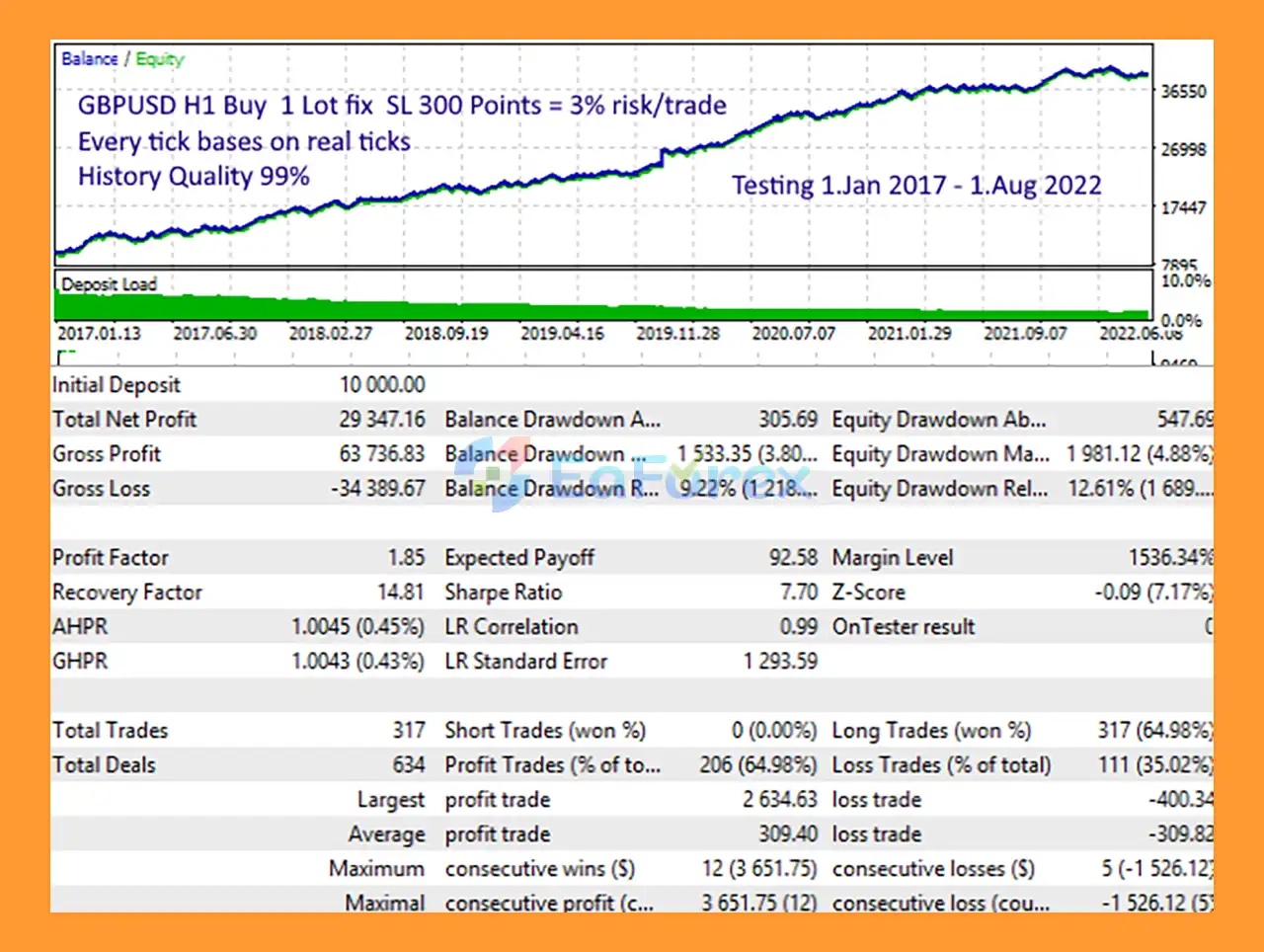
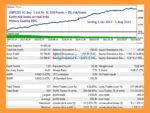
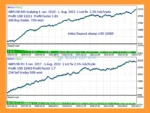
🔺GPBUSD pair – 5 years
Universal MA EA MT5 Backtests
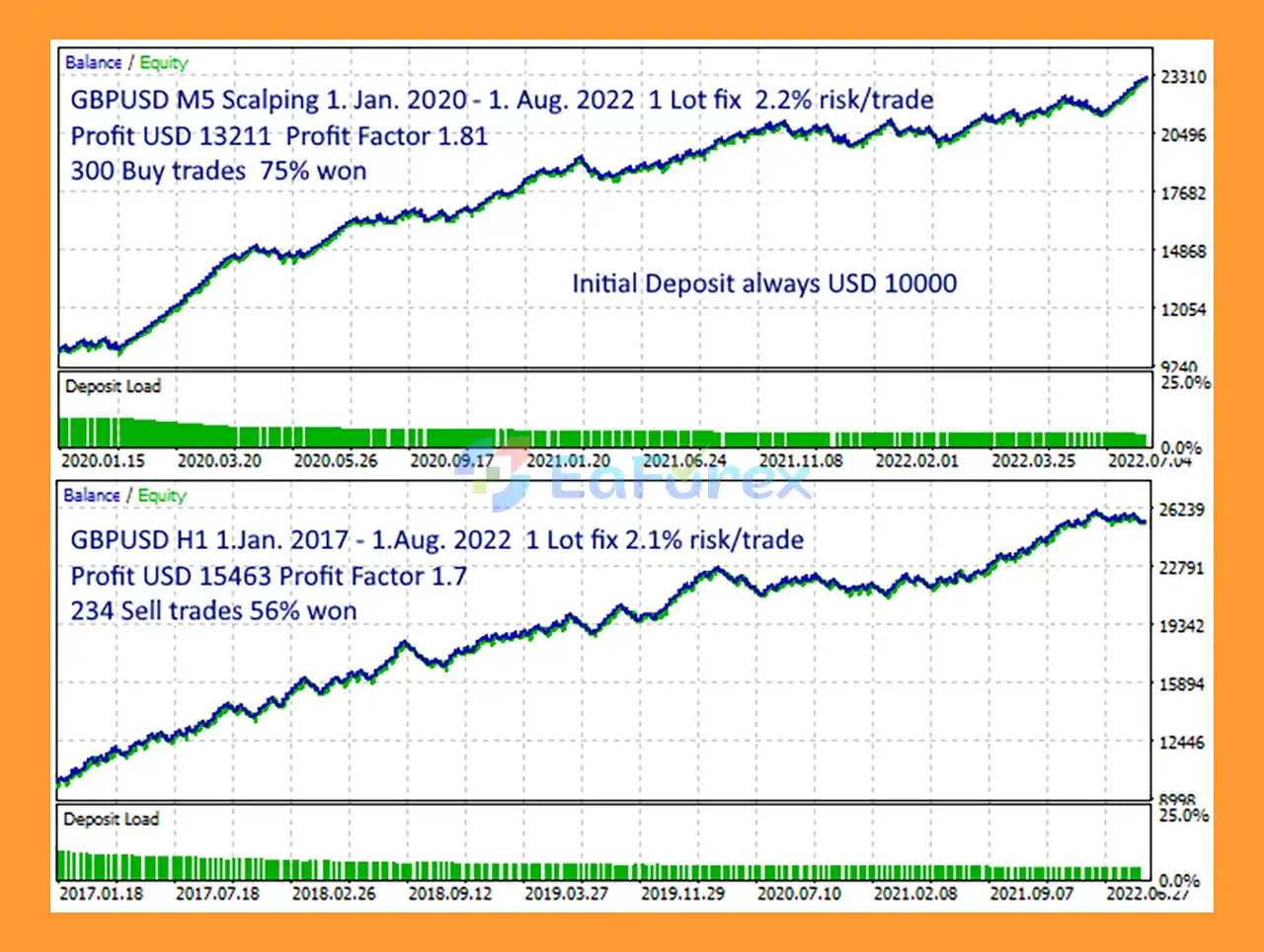
Universal MA EA MT5 Backtest
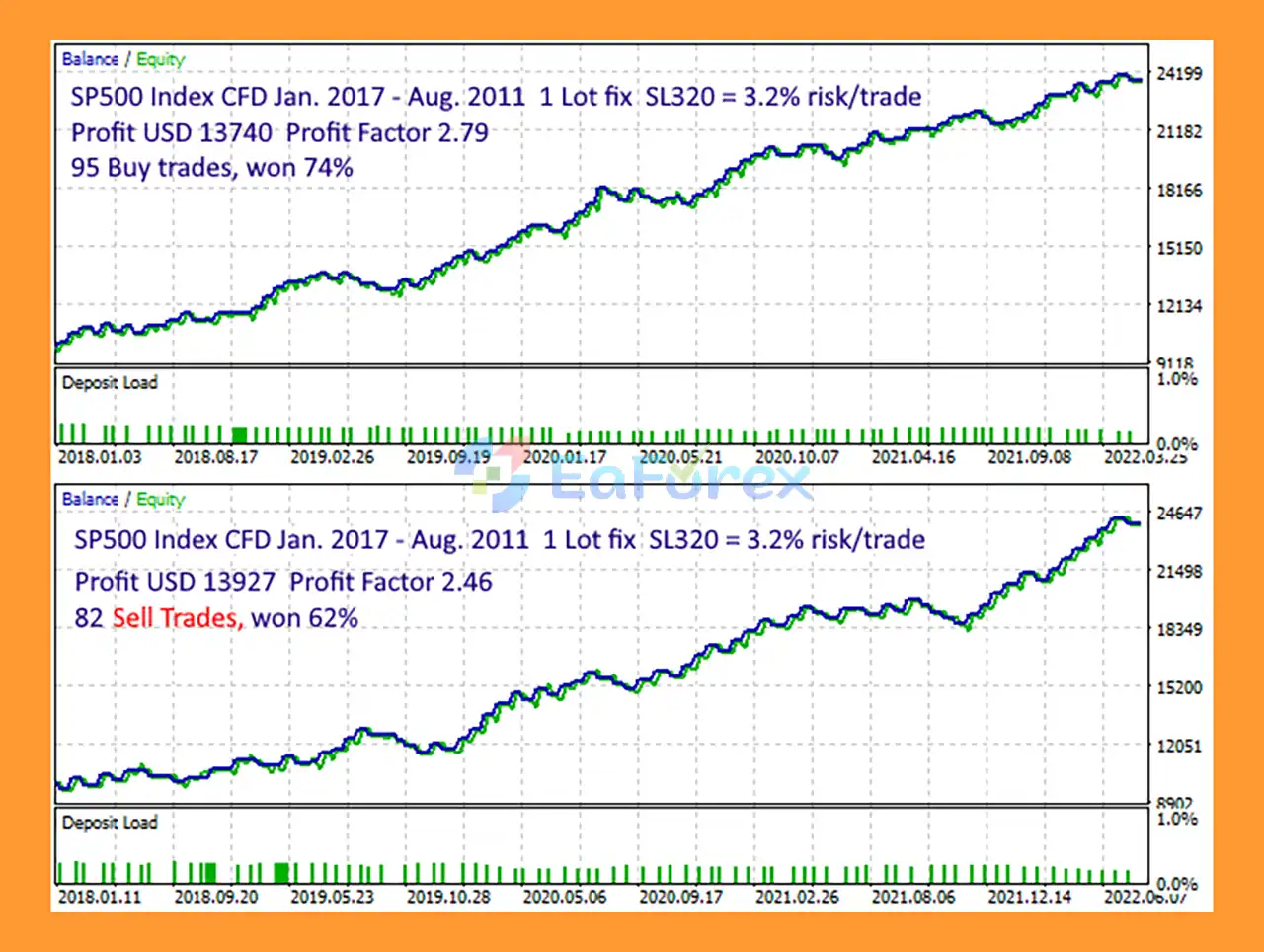
Universal MA MT5 Backtests
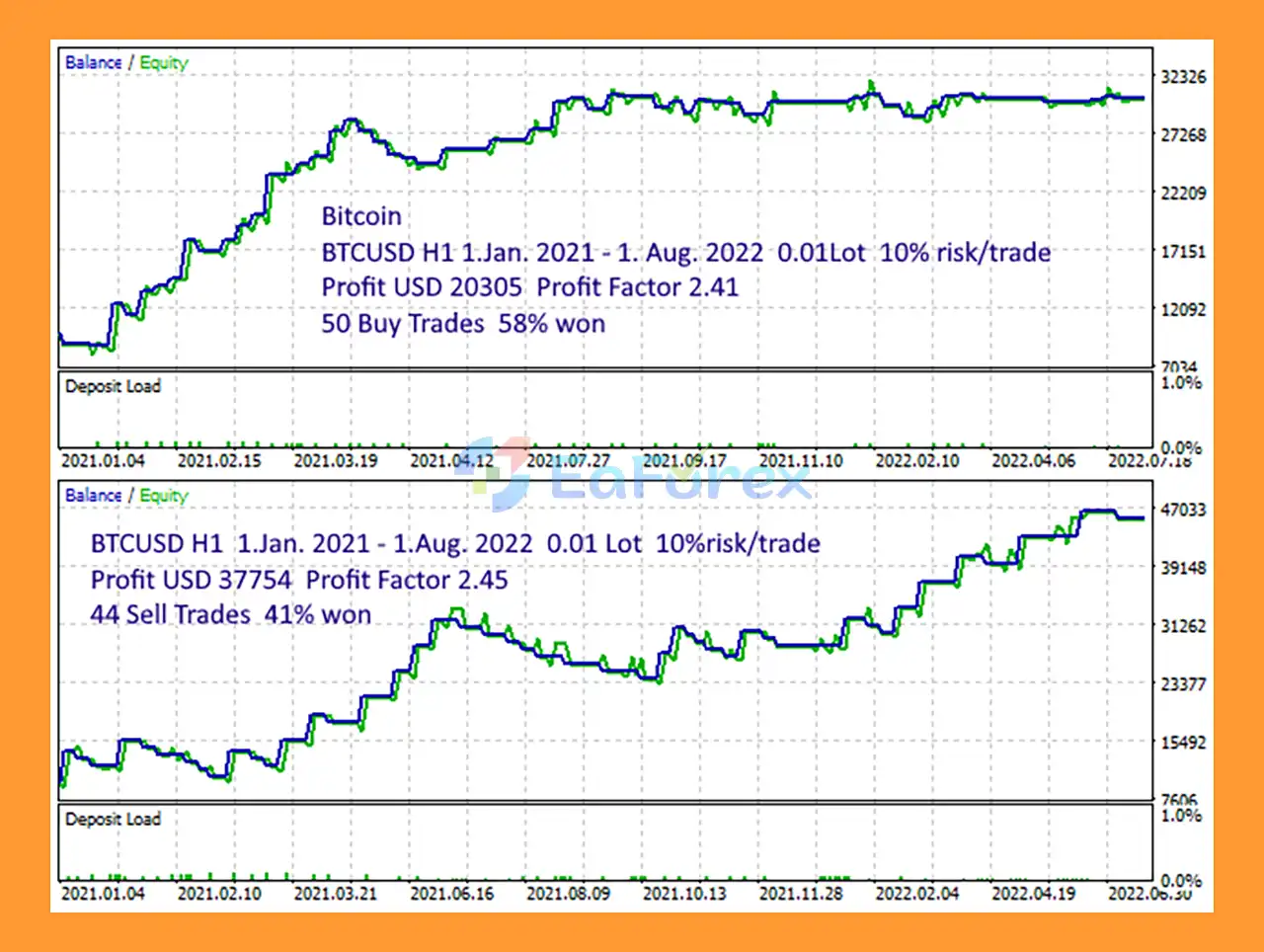
Universal MA EA Backtests
Universal MA EA MT5 includes several tools designed to help traders control position sizing, trade exposure, and exit conditions.
The Auto_Moneymanage function can automatically calculate position size based on the configured risk level. The MaximumRisk parameter defines the percentage of account free margin allocated to risk for each trade.
Alternatively, traders can disable automatic money management and use the manually configured Lots parameter.
Key risk-management settings include:
The EA’s one-trade-at-a-time structure and mandatory Stop Loss approach can help keep exposure more controlled than systems that open large numbers of simultaneous positions. However, these features do not eliminate trading risk, and actual results depend on the selected settings, asset, timeframe, broker conditions, and market environment.
Although Universal MA EA MT5 uses a relatively simple Moving Average strategy, no technical trading system can guarantee profits.
Moving Average strategies are generally dependent on market conditions. Strong directional markets may produce different results from sideways or highly volatile markets. Poorly optimized parameters may also lead to excessive signals or reduced trading performance.
Because the EA supports many assets and timeframes, a configuration that performs well on one symbol or timeframe may not produce the same results elsewhere. Traders should therefore avoid assuming that a successful backtest configuration will automatically work across every market.
The large number of available parameters also creates an optimization risk. Excessive optimization can produce settings that perform well on historical data but fail to maintain similar performance in future market conditions.
Backtest results should not be considered a guarantee of live trading performance. Real-market factors such as spread, commission, slippage, execution speed, liquidity, and broker specifications can affect results.
Although the EA does not use Martingale or Grid strategies, losses are still possible. Traders should use appropriate risk settings and consider forward testing on a demo or small account before deploying the EA with significant capital.
Installing Universal MA EA MT5 on MetaTrader 5 is straightforward.
Copy the Universal MA EA MT5 files into the appropriate MQL5/Experts folder of your MetaTrader 5 installation.
Open MT5 and go to:
File → Open Data Folder → MQL5 → Experts
Place the EA files inside the Experts folder.
Restart MT5 or refresh the Expert Advisors section in the Navigator window so that Universal MA EA MT5 appears in the available EAs.
Open the symbol and timeframe you want to test or trade. Then drag Universal MA EA MT5 from the Navigator onto the chart.
Make sure Algo Trading is enabled in MetaTrader 5.
Adjust the available settings according to your preferred strategy, including:
Always review the settings before enabling automated trading.
For backtesting, the developer provides set files corresponding to specific configurations.
To use them in MT5, move the provided set files to:
File → Open Data Folder → MQL5 → Profiles → Tester
Then open the Strategy Tester, select Universal MA EA MT5, choose the desired symbol and timeframe, and load the corresponding .set file.
Using the latest available set files is recommended when reproducing the developer’s published test configurations.
Before using the EA on a live account, run a historical backtest using the relevant set file. After that, consider forward testing on a demo account to evaluate how the selected configuration behaves under current market conditions.
For live automated trading, a stable VPS is recommended to keep MetaTrader 5 running continuously and reduce interruptions caused by local computer or internet problems.
In summary, Universal MA EA MT5 is a flexible Moving Average Expert Advisor for MetaTrader 5 that provides a straightforward approach to automated trading across Forex, cryptocurrencies, CFDs, and stocks. Its two-Moving-Average strategy, one-trade-at-a-time structure, mandatory Stop Loss, ATR filter, and configurable money-management tools give traders considerable control over how the EA operates.
The absence of Martingale and Grid strategies may appeal to traders who prefer a simpler position-management structure, while the extensive parameters and provided set files allow different configurations to be tested across markets and timeframes. However, performance can vary depending on the selected symbol, timeframe, settings, broker conditions, and market environment.
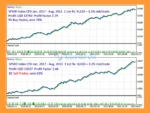
The published GBPUSD 5-year backtest provides historical information for evaluating one specific configuration, but backtest results should not be interpreted as a guarantee of future live performance. Traders should conduct their own backtesting and forward testing, carefully manage risk, and verify that the chosen settings are appropriate before using Universal MA EA MT5 with real funds.
1. What is Universal MA EA MT5?
Universal MA EA MT5 is a fully automated trading Expert Advisor for MetaTrader 5 that uses a dual moving average crossover strategy. It is designed to trade a wide range of assets including forex, cryptocurrencies, indices, CFDs, and stocks.
2. How does Universal MA EA MT5 work?
The EA generates trading signals based on the crossover of two moving averages combined with price action relative to those averages. It confirms trend direction and executes buy or sell trades accordingly with predefined risk controls.
3. Which assets can Universal MA EA MT5 trade?
Universal MA EA MT5 supports multi-asset trading, including forex pairs, cryptocurrencies, indices, CFDs, and stocks, making it a highly versatile trading system.
4. Is Universal MA EA MT5 suitable for different trading styles?
Yes, the EA is highly flexible and can be configured for scalping, intraday trading, swing trading, or long-term position trading depending on the selected timeframe and settings.
5. Does Universal MA EA MT5 use hidden algorithms?
No, Universal MA EA MT5 is fully transparent. All strategies and parameters are visible and customizable, allowing users to understand and adjust the logic according to their preferences.
6. How does Universal MA EA MT5 manage risk?
The EA includes built-in risk management features such as stop loss on every trade, ATR-based volatility filters, single-trade logic, and automatic lot sizing based on account balance and risk percentage.
7. Does Universal MA EA MT5 allow multiple open trades?
No, the EA uses a single-trade logic, meaning it maintains only one open position at a time to reduce exposure and maintain controlled risk.
8. What filters are available in Universal MA EA MT5?
The EA includes multiple filters such as ATR volatility filters, trading time restrictions, weekend and holiday controls, and broker time zone adjustments to improve trade quality and execution timing.
9. What performance results does Universal MA EA MT5 show?
Backtest results over 5 years on GBPUSD show a total net profit of $29,347.16 from a $10,000 deposit, with a win rate of approximately 64.98% and a maximum drawdown of 3.80%.
In stock
In stock
In stock
In stock
In stock
Out of stock
No account yet?
Create an Account












 Automatic EA
 EA Best Seller
 Expert Advisor MT4
 Expert Advisor MT5
 HFT EA


Reviews
Clear filtersThere are no reviews yet.