









-
 Unlimited Activations
-
 Instant delivery
-
 Easy to install





 Unlimited Activations
Instant delivery
Easy to install
Unlimited Activations
Instant delivery
Easy to install
 Free Update
 Free Install Support

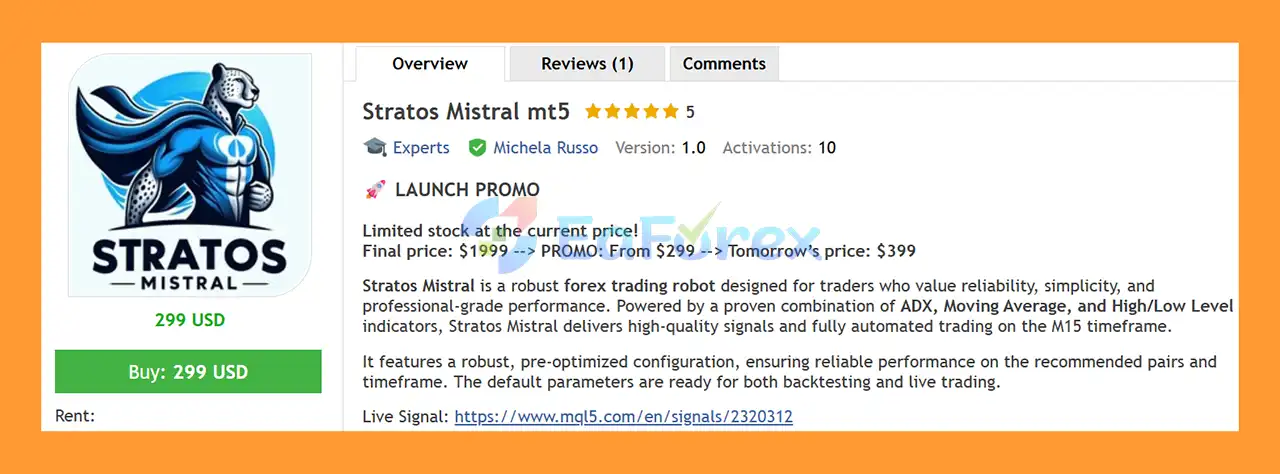
Stratos Mistral MT5 is a robust and professional Forex trading EA for MetaTrader 5 (MT5), designed for traders who value reliability, simplicity, and disciplined automated trading. The EA combines several proven technical indicators, including ADX, Moving Average, and High/Low Level detection, to identify potential market opportunities and execute trades automatically.
Designed primarily for the M15 timeframe, Stratos Mistral MT5 comes with pre-optimized default settings, allowing traders to begin backtesting or live trading without complicated parameter optimization.
The EA is recommended mainly for AUDCHF, EURCHF, and GBPCHF, with CADCHF and EURGBP available as optional trading pairs. It is also designed with dedicated risk-management functions for traders who use prop firm or funded trading accounts.
Rather than relying on marketing terms such as AI, Machine Learning, or Quantum Trading, Stratos Mistral focuses on a straightforward methodology based on established technical analysis and systematic risk control.
• Author: Michela Russo.
• Experience: Over +2 years of experience on MQL5.
• Notable Products: Stratos Mistral MT5, Hippo Trader Pro, Dragon Scalper Pro, Lizard Scalper Pro, Snake Crazy Pro and other advisors.
• Flagship Product: Stratos Mistral MT5 is rated as the best performing product of the year.
>>> Delivery time 24h-48h after payment.
>>> Refund if not delivered.
>>> You will receive the latest version without any limitations (ID+Time).>>Reviewed by Jason Stap <<
Stratos Mistral MT5 comes with carefully tested and pre-optimized default parameters. Traders can use the recommended settings for backtesting and live trading without spending significant time on manual optimization.
At the same time, experienced users can customize the available parameters according to their trading preferences.
The trading logic combines multiple technical components to improve entry filtering:
Stratos Mistral MT5 includes several tools designed to control trading exposure:
These features allow traders to organize their automated strategies while maintaining greater control over account exposure.
Stratos Mistral MT5 uses a combination of trend and market-strength filters to determine whether current market conditions are suitable for trading.
The ADX indicator is used to evaluate market strength, while the Moving Average filters help confirm the prevailing market direction. The EA also analyzes High/Low price levels to identify potentially important areas for market entries.
When the required conditions are satisfied, Stratos Mistral can automatically execute a market order.
The EA can also manage position sizing according to the selected risk level and account balance. Additional filters, such as the maximum allowed spread and trading schedule, can help prevent the robot from opening trades under unfavorable conditions.
For prop firm traders, dedicated drawdown parameters can be configured to help keep trading within predefined risk limits.
The recommended configuration is:
One of the main advantages of Stratos Mistral MT5 is its straightforward configuration. Traders do not need to perform complicated optimization before testing the EA because the default settings are already designed for the recommended markets and timeframe.
Stratos Mistral MT5 includes dedicated risk controls that can be useful for prop firm and funded account trading, including:
These features give traders additional tools for managing risk when operating under strict account rules.
The strategy does not depend on complicated marketing claims. Instead, it uses established technical concepts such as ADX, Moving Averages, and price-level analysis.
This makes the system easier to understand and evaluate compared with strategies that rely on opaque trading terminology.
Stratos Mistral is designed to remove emotional decision-making from the trading process. Once configured correctly, the EA can continuously monitor the market and execute trades according to its predefined rules.
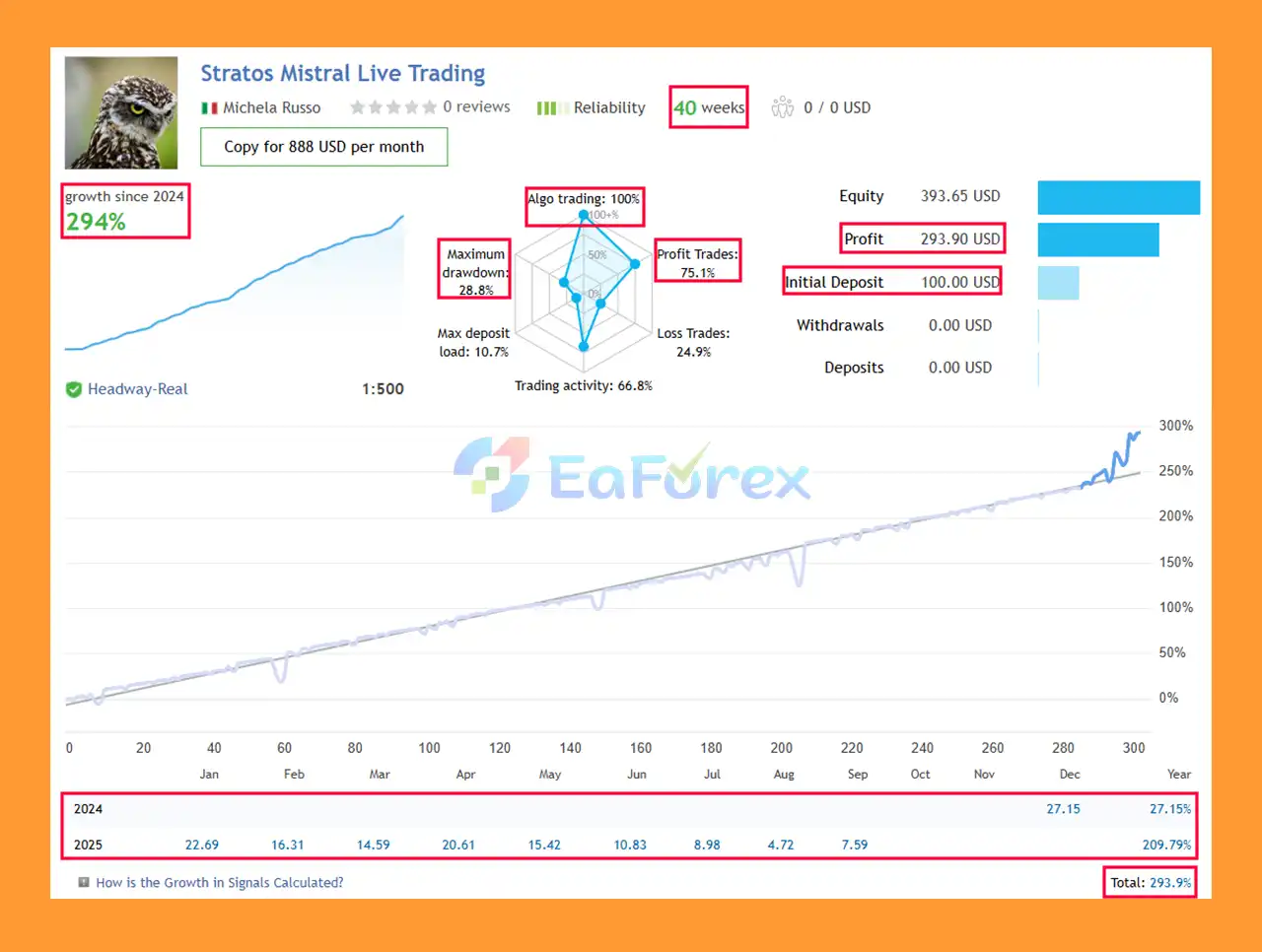
🔺Tracked on Real Accounts Over 35 Weeks
Stratos Mistral MT5 Live Trading Results
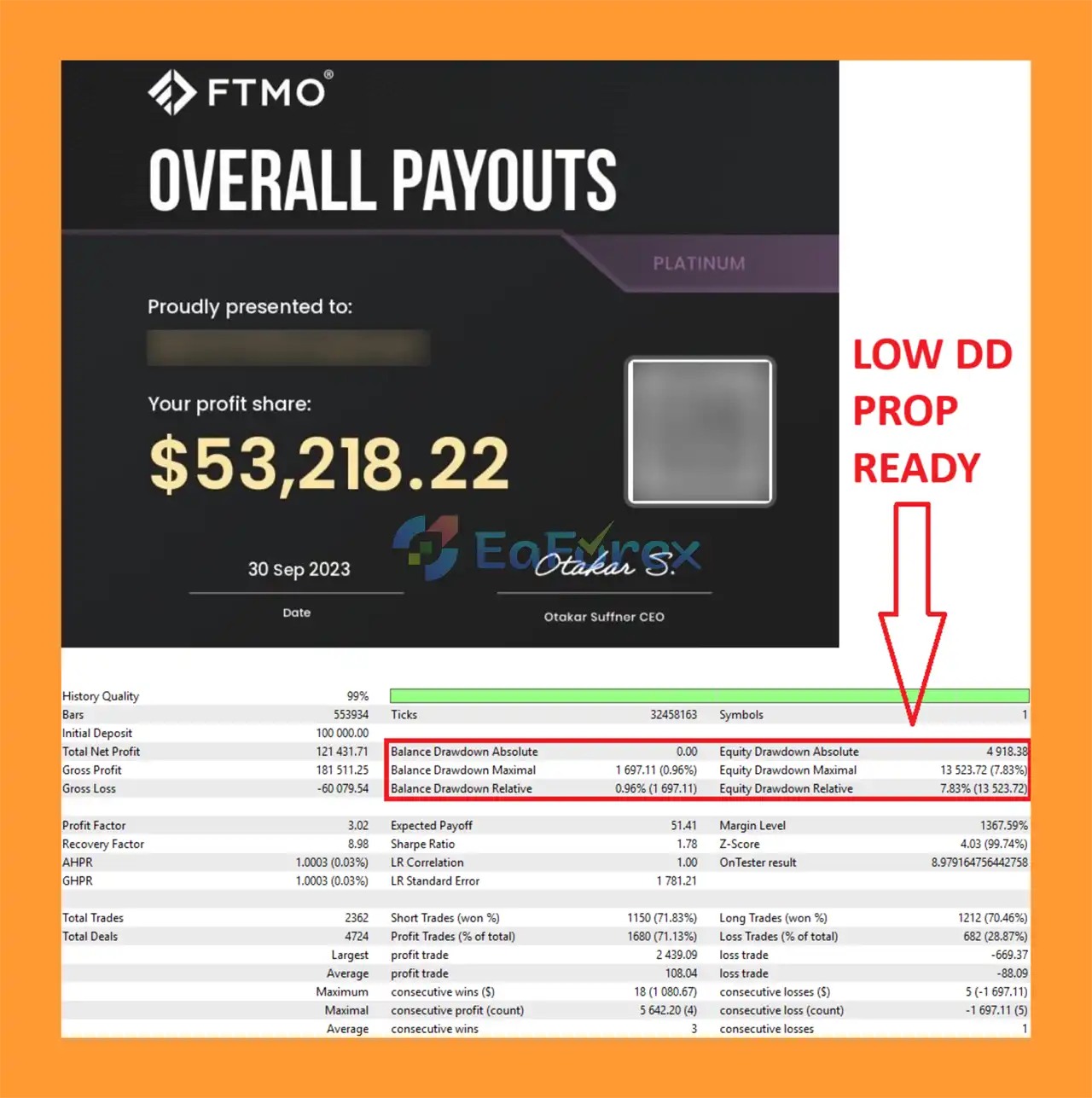
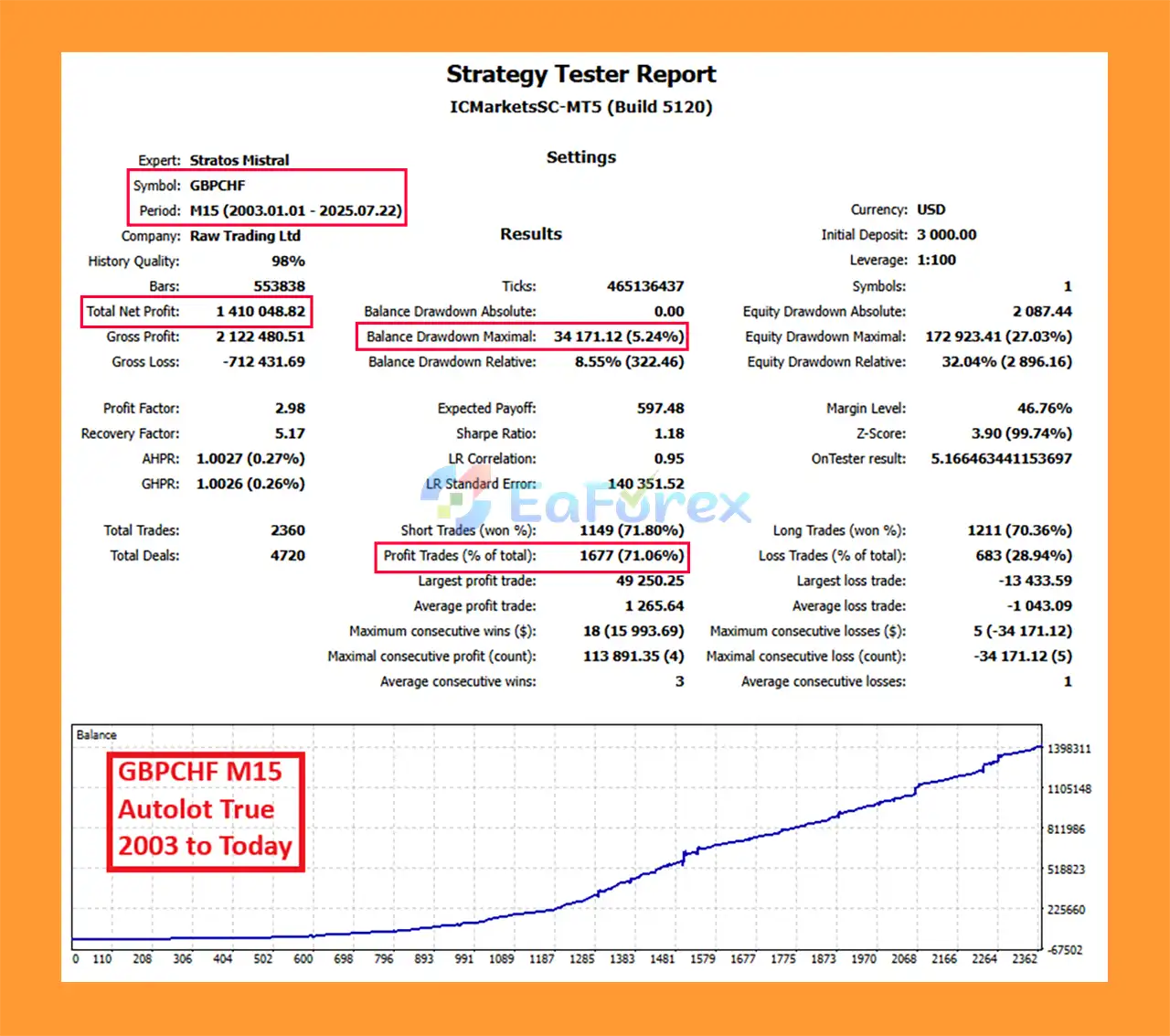
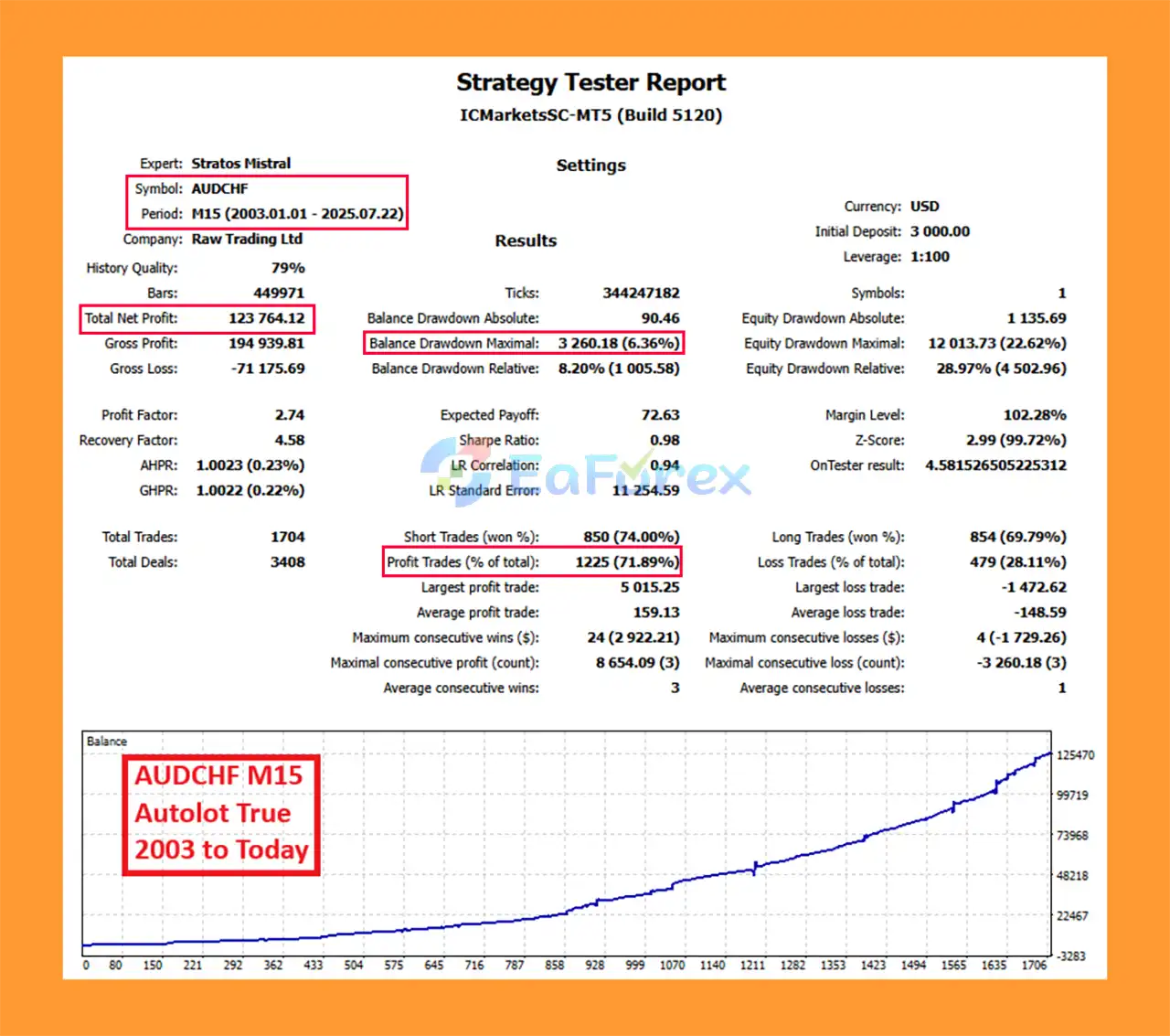
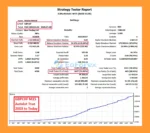
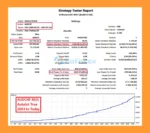
Stratos Mistral MT5 Backtest Trading Results
Stratos Mistral MT5 Backtest Results
Stratos Mistral MT5 has been developed with an emphasis on systematic testing, stress testing, and robust optimization. The recommended configuration is designed around the specified currency pairs and the M15 timeframe.
For accurate evaluation, traders should use appropriate historical data and realistic trading conditions when performing backtests.
| Parameter | Recommendation |
|---|---|
| Main Symbols | AUDCHF, EURCHF, GBPCHF |
| Optional Symbols | CADCHF, EURGBP |
| Timeframe | M15 |
| Testing From | 2003 |
| Settings | Default / Pre-Optimized |
| Execution | Market Order |
| Broker | Low Spread Required |
| Minimum Deposit | $1,500 |
| Recommended Deposit | $3,000 |
| MT5 Tester | 1 Minute OHLC or Every Tick |
| FIFO Compliance | Yes, with the appropriate set file |
The EA provides several configurable controls, including Autolot, Risk Level, Spread Allowed, Prop Firm Maximum DD, Prop Firm Maximum Daily DD, and Scheduled Trading.
These settings can help traders adjust the strategy according to their account size and risk tolerance.
However, risk management settings cannot eliminate trading losses. Forex markets can experience sudden volatility, slippage, spread expansion, and unexpected price movements.
For this reason, traders should begin with conservative risk parameters and thoroughly test the EA on a demo account before considering live deployment.
Although Stratos Mistral MT5 is designed with professional risk-management features, no automated trading system can guarantee profits.
Forex markets are unpredictable. Strong economic news, central-bank decisions, geopolitical events, and sudden market volatility can negatively affect trading performance.
The recommended configuration requires a low-spread trading environment. Excessive spreads may affect entry conditions, trading costs, and overall EA performance.
The stated minimum deposit is $1,500, with $3,000 recommended. Traders using smaller accounts may need to reduce risk substantially and should not assume that historical results will translate directly to smaller balances.
Historical backtests are useful for evaluating a strategy, but they cannot perfectly reproduce live-market conditions. Real trading can involve:
Although Stratos Mistral includes prop-firm-oriented drawdown settings, compatibility with a particular prop firm should always be checked against that firm’s current rules.
Passing a backtest or having drawdown protection enabled does not guarantee that an account will pass a prop firm challenge.
Never risk money you cannot afford to lose.
Installing Stratos Mistral MT5 follows the standard procedure for adding an Expert Advisor to MetaTrader 5.
Download and install MetaTrader 5 from your preferred broker or the official MetaTrader platform.
Inside MetaTrader 5, click:
File → Open Data Folder
Then navigate to:
MQL5 → Experts
Copy the Stratos Mistral MT5 Expert Advisor file into the Experts folder.
If the package includes a .set file, documentation, or additional files, place them in their appropriate folders according to the supplied instructions.
Restart MT5 or refresh the Expert Advisors section in the Navigator window.
For the initial setup, use one of the recommended currency pairs:
CADCHF and EURGBP can be considered as optional pairs.
Attach the EA to an M15 chart, as this is the recommended timeframe for Stratos Mistral.
Review the following parameters before enabling automated trading:
For new users, starting with conservative risk settings and testing on a demo account is recommended.
After verifying all settings, enable Algo Trading in MetaTrader 5 and monitor the EA’s activity.
Before moving to a live account, perform adequate backtesting and forward testing using your intended broker and trading conditions.
🔻Stratos Mistral is highly appreciated by the MQL5 community for bringing stable and reliable profits. Below are 5 star reviews from users:
Stratos Mistral MT5 is a professional Forex trading robot designed for traders who prefer a systematic and relatively straightforward approach to automated trading. By combining ADX, Moving Average filters, and High/Low level detection, the EA aims to identify suitable market conditions while its risk-management tools provide greater control over trading exposure.
Its pre-optimized settings, M15 strategy, multi-pair support, spread filter, and dedicated prop firm drawdown controls make Stratos Mistral an interesting option for traders exploring automated Forex strategies on MetaTrader 5.
However, traders should remember that even a thoroughly tested Expert Advisor cannot guarantee future profits. Proper position sizing, realistic expectations, broker selection, and extensive forward testing remain essential.
Stratos Mistral MT5 is best viewed as a systematic trading tool—not a guaranteed profit machine. Traders should evaluate the EA under realistic market conditions and choose risk settings that match their own account size and risk tolerance.
1. What is Stratos Mistral MT5 and how does it work?
Stratos Mistral MT5 is a forex trading robot (expert advisor) designed to automate trades using a proven strategy that combines ADX, Moving Averages, and High/Low indicators. It generates precise trading signals for consistent profits and is fully optimized for popular brokers and funded accounts.
2. Is Stratos Mistral MT5 suitable for beginner traders?
Yes, Stratos Mistral MT5 is user-friendly and comes pre-optimized, requiring no manual setup. This makes it ideal for both beginners and experienced traders who want to trade with confidence and professional-level precision.
3. What risk management features does Stratos Mistral MT5 offer?
Stratos Mistral MT5 includes customizable drawdown control, spread filters to avoid trading during high spreads, and broker max drawdown settings. These risk management tools help protect your account and improve trading safety, especially for funded accounts.
4. Which brokers and currency pairs are compatible with Stratos Mistral MT5?
Stratos Mistral MT5 is compatible with major brokers such as Exness and ICMarkets. It is optimized for multiple currency pairs including AUDCHF, EURCHF, GBPCHF, with optional support for CADCHF and EURGBP, ensuring versatile trading opportunities.
5. How reliable is Stratos Mistral MT5’s performance?
The robot has a strong track record with live trading results showing a 75%+ win rate and nearly 300% growth over 35 weeks. Backtests from 2003 to 2025 demonstrate high profitability with low maximum drawdowns, proving its consistency and reliability.
6. What do real users say about Stratos Mistral MT5?
Users in the MQL5 community praise Stratos Mistral MT5 for its stable profits and low drawdowns. Many report consistent results aligning with the developer’s claims, making it a highly recommended expert advisor for serious forex traders.
In stock
In stock
In stock
In stock
In stock
Out of stock
No account yet?
Create an Account












 Automatic EA
 EA Best Seller
 Expert Advisor MT4
 Expert Advisor MT5
 HFT EA


Reviews
Clear filtersThere are no reviews yet.