









-
 Unlimited Activations
-
 Instant delivery
-
 Easy to install





 Unlimited Activations
Instant delivery
Easy to install
Unlimited Activations
Instant delivery
Easy to install
 Free Update
 Free Install Support

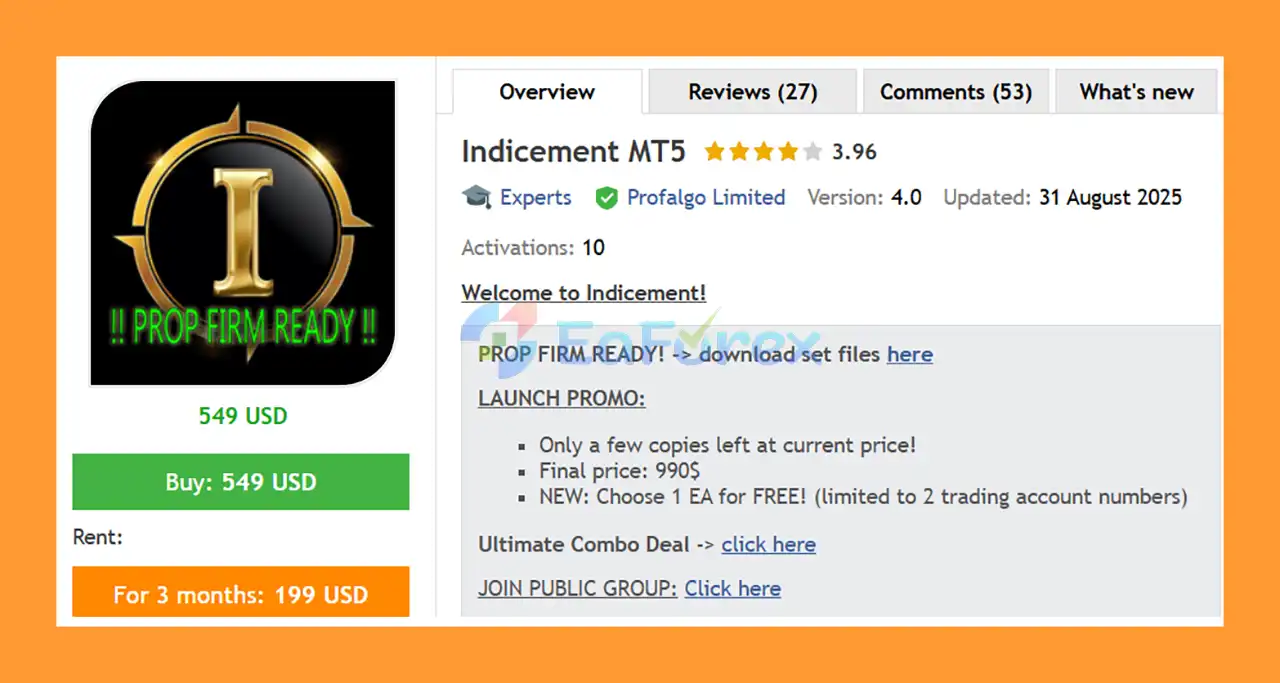
Indicement MT5 is a professional automated Expert Advisor developed specifically for trading major US stock indices, including US500 (S&P 500), US30 (Dow Jones), and NAS100 (Nasdaq 100).
The system is based on a well-established Support and Resistance breakout strategy, developed and refined through more than 15 years of experience in automated trading-system development.
Instead of relying on artificial intelligence, neural networks, machine learning, or highly complex predictive models, Indicement MT5 focuses on a structured and testable trading methodology. The EA runs multiple strategies internally, allowing different approaches to participate in the market and helping diversify the strategy’s trade exposure.
Every trade is managed with Stop Loss and Take Profit, while trailing Stop Loss and trailing Take Profit mechanisms are also used to dynamically manage open positions.
Indicement MT5 is designed to operate from one H1 chart, making installation relatively simple. Traders can select the appropriate set file according to their account size and preferred risk profile.
The EA has also been tested across multiple price feeds and brokers, including cross-market testing on the supported indices, with the goal of reducing excessive historical optimization.
• Author: Wim Schrynemakers
• Experience: Over +11 years of experience on MQL5.
• Notable Products: Indicement MT5, The Gold Reaper MT5, Bitcoin Scalp Pro MT5, Daytrade Pro Algo MT5, Advanced Scalper MT5, Stability Pro MT5, Apex Trader MT5, Goldbot One MT5 and others.
• Flagship Product: Indicement MT5 is rated as the best performing product of the year.
>> Delivery time 24h-48h after payment.
>>> Refund if not delivered.
>>> You will receive the latest version without any limitations (ID+Time).>>Reviewed by Jason Stap <<
Indicement MT5 is specifically developed for three major index markets:
These markets can provide substantial directional movements, making breakout-based strategies potentially suitable for certain market conditions.
The core methodology is based on identifying important Support and Resistance levels and trading potential breakouts from those areas.
When price breaks through a significant level, the EA evaluates its configured strategy conditions before considering an entry.
This approach attempts to capture directional movements that can occur after important technical levels are breached.
Indicement MT5 does not depend on a single trading strategy.
The EA can run multiple strategies for each supported index. For example, users can independently enable or disable:
Equivalent strategy controls are available for US30 and NAS100.
Using multiple strategies can help diversify trade signals and reduce dependence on one specific market setup.
All trades are managed with Stop Loss and Take Profit according to the selected strategy configuration.
These predefined exit mechanisms help establish a structured risk/reward framework for individual trades.
The EA also uses a Trailing Stop Loss mechanism.
As a trade develops favorably, the trailing stop can adjust according to the strategy’s rules.
The objective is to protect accumulated gains while allowing profitable positions room to continue moving.
Indicement MT5 also supports a Trailing Take Profit mechanism.
This provides another layer of dynamic trade management and is designed to help maximize the potential of favorable market movements.
Indicement MT5 is designed without traditional:
This makes the strategy structurally different from EAs that increase exposure primarily because previous positions are losing.
The EA includes dedicated settings for Prop Firm trading, including configurable daily drawdown protection and unique trade settings.
The system can modify entry and exit behavior to help users avoid identical trading patterns when multiple accounts are running the same EA.
However, traders must always verify the current rules of their specific prop firm before deployment.
The supplied specifications indicate a minimum account balance of approximately $150.
For accounts below $300, the developer recommends using the Extreme Low Risk set file.
The appropriate capital requirement depends on the selected risk configuration, leverage, broker conditions, and instrument specifications.
Indicement MT5 is designed to be installed on one H1 chart.
Users can then select one of the supplied set files and configure the desired markets and risk parameters.
This makes the EA relatively straightforward to deploy compared with systems requiring separate instances on multiple charts.
Indicement MT5 combines breakout analysis, multiple internal strategies, and dynamic trade management.
The general workflow can be summarized as:
Support & Resistance Analysis → Breakout Detection → Strategy Confirmation → Pending/Market Entry → SL/TP → Trailing Management → Exit
The EA monitors the selected index markets for important technical levels and potential breakout conditions.
The primary default chart timeframe is H1.
The system is designed to identify breakouts of important Support and Resistance levels.
Rather than entering every market movement, the internal strategies evaluate whether the current setup satisfies their respective conditions.
Multiple strategies can operate independently.
Users can enable or disable individual strategies for US500, US30, and NAS100 according to their preferred configuration.
Once the required conditions are met, the EA can place the corresponding trade or pending order.
The system automatically manages the position according to the configured parameters.
Every trade uses predefined risk and profit-management conditions.
The EA can also dynamically manage positions using trailing Stop Loss and trailing Take Profit.
Indicement MT5 includes a dedicated NFP Filter.
Before an important NonFarm Payroll event, the EA can be configured to:
The number of minutes before and after the event can be customized.
For additional risk control, users can define a maximum daily drawdown percentage.
If the configured threshold is reached, the EA can close open positions and pending orders and stop trading until the next trading day.
This feature can be particularly useful for traders operating under prop-firm daily-loss restrictions.
Indicement MT5 is designed for traders who want an automated index breakout trading system without relying on Grid or Martingale recovery techniques.
The developer states that the system is based on more than 15 years of experience developing automated trading systems.
The emphasis is on a conventional and testable trading methodology rather than marketing claims involving AI or futuristic technologies.
The ability to run several strategies across three major indices provides flexibility and can help diversify trade signals.
Rather than being a generic EA adapted to hundreds of markets, Indicement MT5 is specifically designed around:
The combination of:
provides multiple layers of position management.
Indicement MT5 includes features such as:
These can help traders configure the EA around specific account rules.
The developer states that the EA has undergone stress testing using multiple price feeds and brokers, as well as cross-market testing.
Such testing can be useful for identifying excessive dependence on a particular broker or market dataset, although no backtest can fully reproduce future live trading conditions.
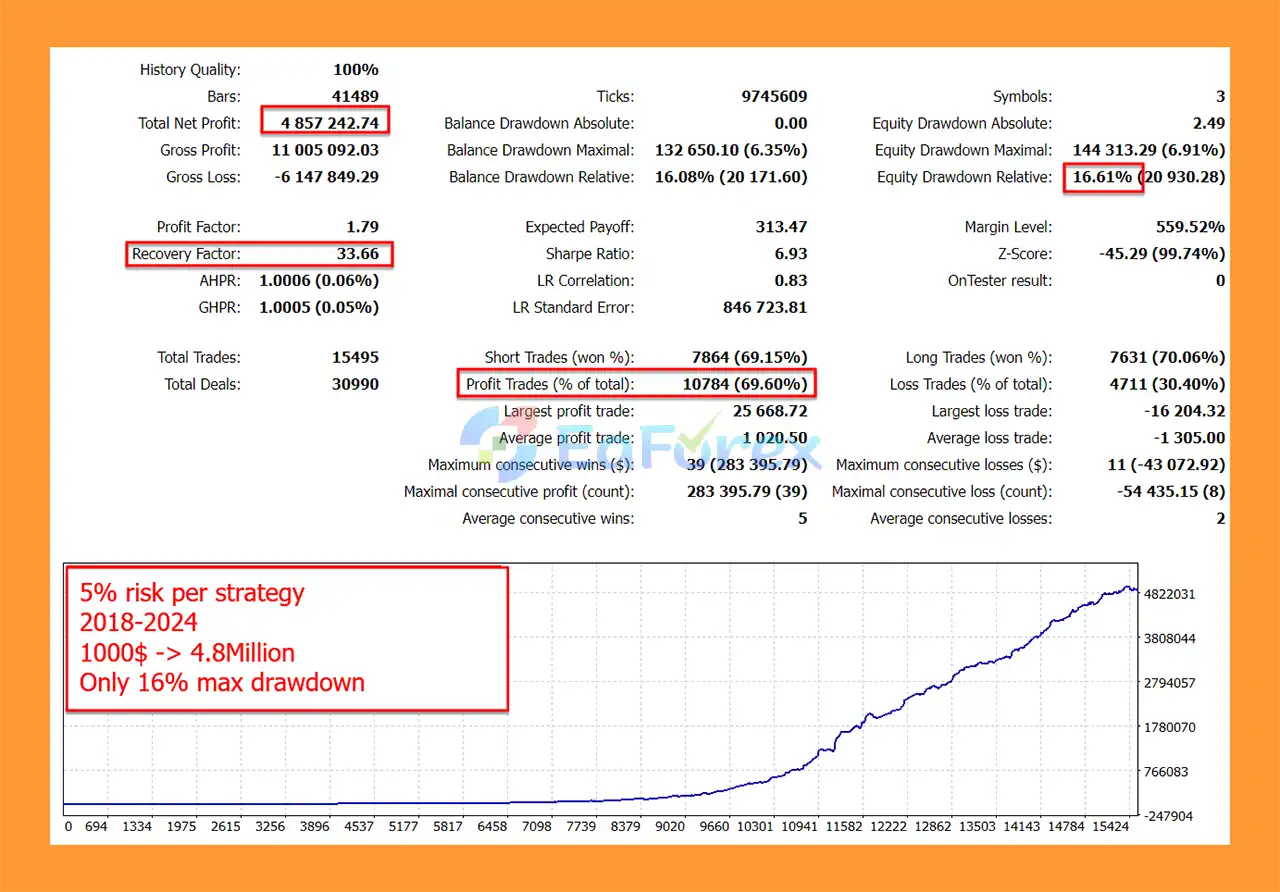
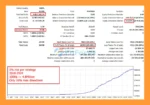
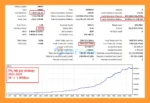
🔺 Long-Term Backtest (2018–2024)
Indicement Backtest Trading Results
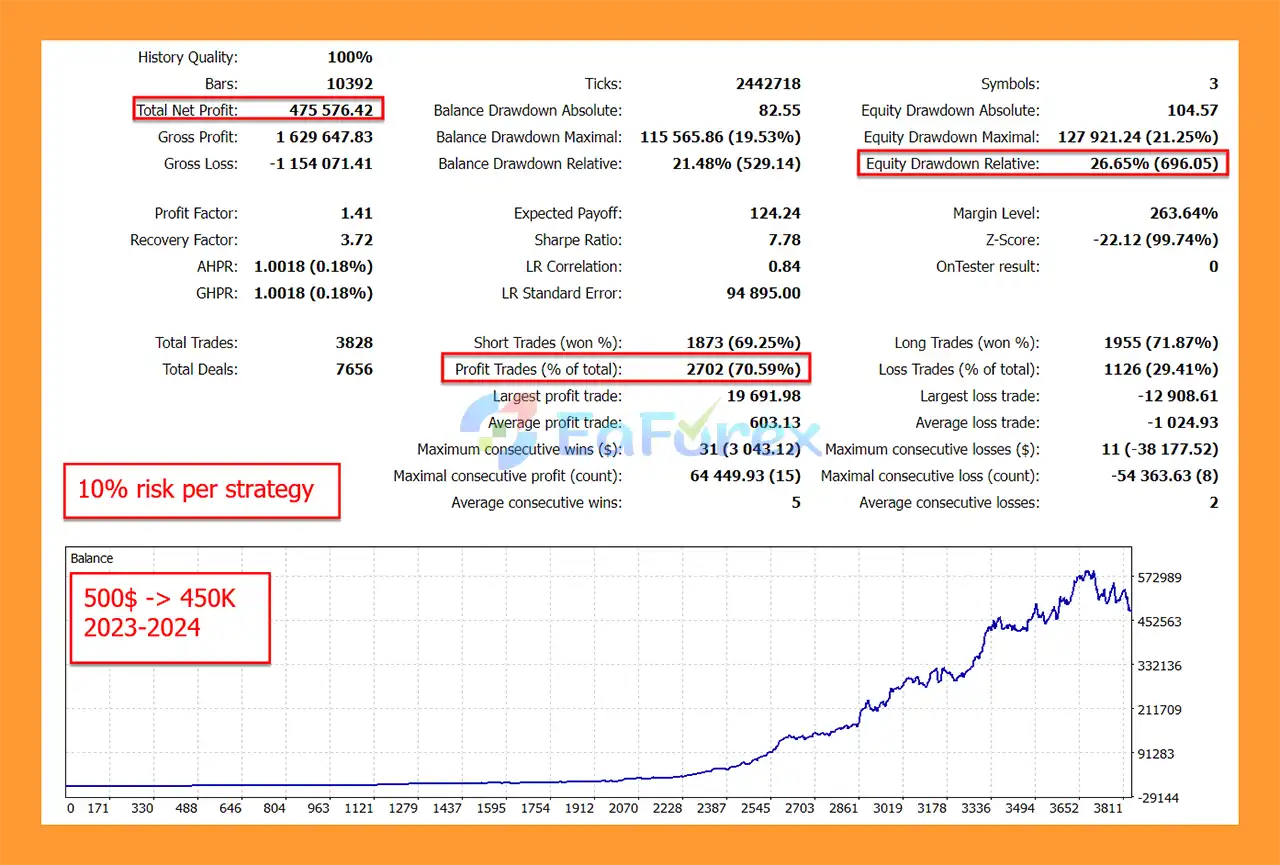
🔺 Short-Term Backtest (2023–2024)
From $500 → $475K profit, drawdown <22%, win rate ~70%.
Indicement EA Backtests Results
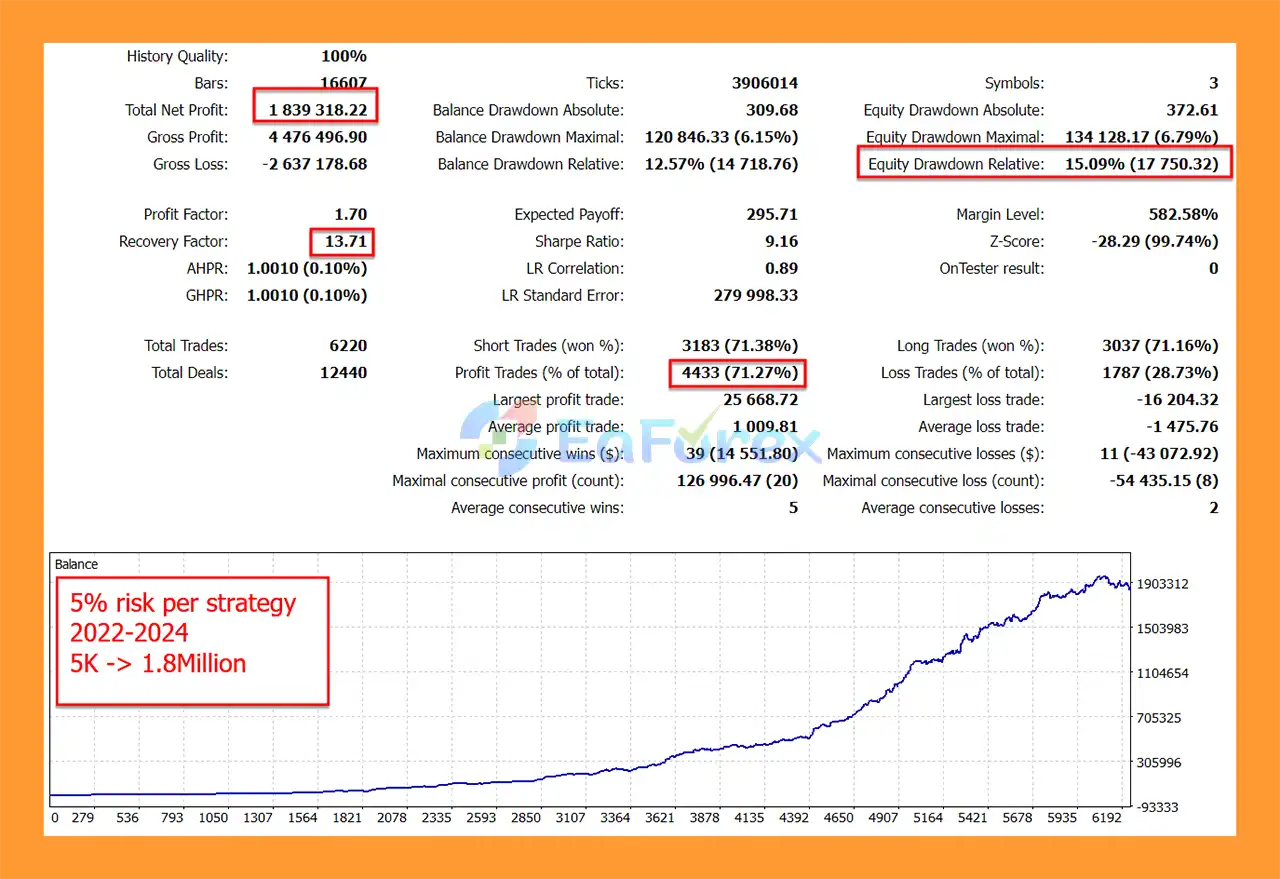
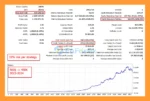
🔺 Medium-Term Backtest (2022–2024)
Indicement EABacktest Results
Indicement MT5 provides several methods for controlling position size and account exposure.
The EA provides three primary lot-sizing approaches:
The trader specifies a fixed starting lot size.
This provides straightforward position sizing but does not automatically scale according to account equity.
The EA can calculate lot size based on the selected Maximum Risk Per Strategy.
The developer describes this setting as a preferred maximum drawdown percentage for each strategy, with the EA using the historical maximum drawdown of that strategy to determine an appropriate position size.
Historical drawdown should not be treated as a guarantee of future maximum drawdown.
The LotsizeStep parameter controls how position size increases according to the selected configuration.
For example, it can define increments such as:
0.01 → 0.02 → 0.03 lots
depending on the selected settings and account conditions.
The Use Equity Instead of Balance option allows the EA to use current account equity when calculating position sizes.
This can make risk calculations more responsive to current floating profit or loss.
The OnlyUp parameter prevents lot size from decreasing after losses.
This is explicitly described as a more aggressive approach that may allow faster recovery after losses.
Because this setting can increase risk following unfavorable performance, it should be used carefully.
The Set Max Daily Drawdown parameter allows users to define a maximum daily drawdown percentage.
When the configured threshold is reached, the EA can:
This can be particularly relevant for prop-firm accounts with strict daily loss limits.
Indicement MT5 includes configurable NFP controls.
Users can specify:
These settings help control exposure around one of the most volatile scheduled economic events.
Support and Resistance breakouts can produce false signals.
Price may temporarily break a level and then reverse, resulting in a losing trade.
US500, US30, and NAS100 can experience significant volatility during major economic announcements, earnings-related developments, interest-rate decisions, and other market-moving events.
Index markets can experience slippage during rapid price movements.
The actual execution price may therefore differ from the expected price, especially around major news.
Different brokers can use different symbol names for the same index.
For example, US500 may be displayed under another symbol name.
The US500_Symbol, US30, and NAS100/USTECH settings must therefore be configured correctly for the selected broker.
The Maximum Risk Per Strategy feature can use historical drawdown information for position sizing.
However, future drawdown can exceed historical observations.
The daily drawdown function is a useful risk-control mechanism, but extreme market gaps or execution delays can cause actual losses to exceed the configured threshold.
An EA configured for one prop firm may not automatically comply with another firm’s rules.
Users should independently verify:
The developer states that the system has undergone extensive backtesting and stress testing.
Nevertheless, historical backtests cannot guarantee future live performance.
Differences in spread, execution, liquidity, commissions, price feeds, and market conditions can produce different results.
Install MetaTrader 5 through your broker and log into the account where you want to run Indicement MT5.
Copy Indicement MT5 into the appropriate Expert Advisors directory.
Restart MetaTrader 5 or refresh the Navigator window.
Open an H1 chart and attach the EA.
The supplied system is designed to operate from a single chart while managing the selected index strategies.
Correctly enter the broker-specific symbols for:
This is particularly important because brokers may use different names for these instruments.
Enable or disable the individual strategies for each index.
For example, users can independently configure:
The same type of controls are available for US30 and NAS100.
Choose between:
For new users, conservative risk settings are recommended.
Set the maximum daily drawdown according to your account and risk tolerance.
For prop-firm accounts, this should be configured below the firm’s actual daily-loss limit to provide an additional buffer.
Enable or disable the NFP Filter.
If AutoGMT is disabled, make sure the winter and summer GMT offsets are entered correctly.
You can also configure how many minutes before and after NFP the EA should stop trading.
Set the trading hours during which the EA is allowed to open new trades.
You can also configure the Friday Stop Hour if you do not want positions to remain open over the weekend.
The developer provides different set files for different risk profiles.
For smaller accounts below approximately $300, the Extreme Low Risk set file is recommended according to the supplied information.
Before using real capital, backtest the EA using realistic broker conditions.
Then forward-test the selected configuration on a demo account to evaluate:
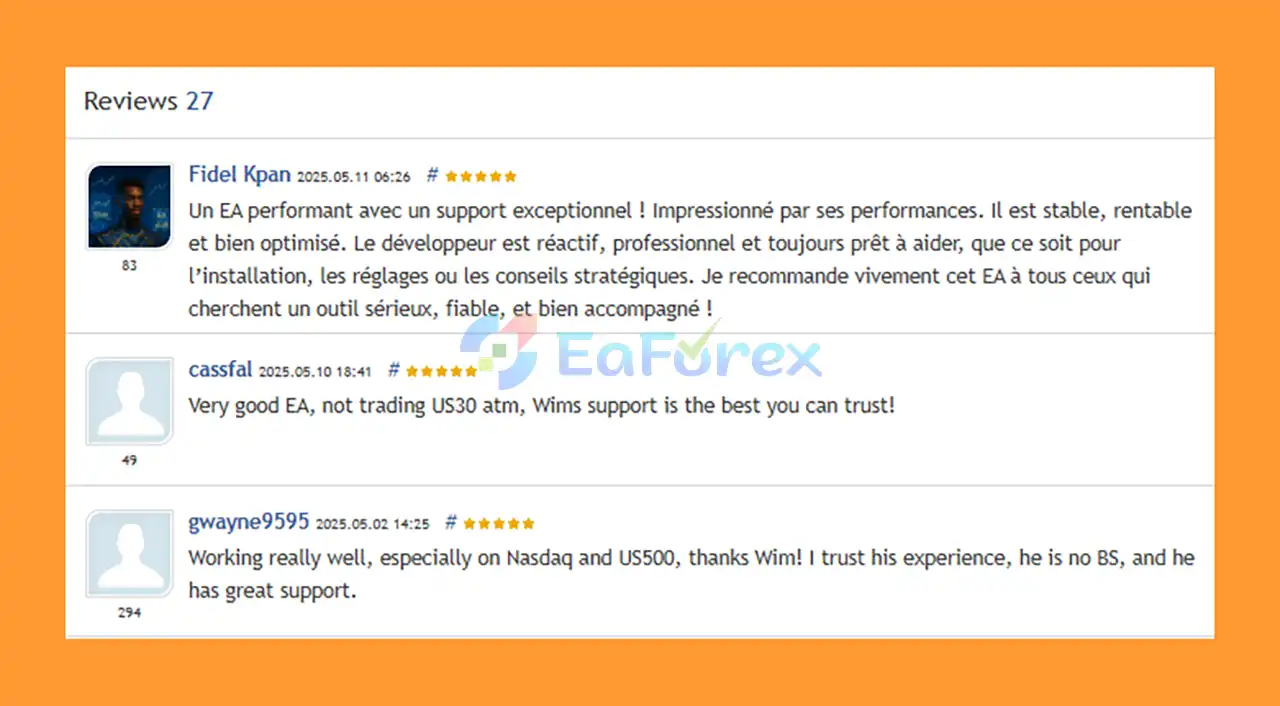
🔺Indicement is highly appreciated by the MQL5 community for bringing stable and reliable profits. Below are 5 star reviews from users:
User Reviews
🔺Experts:
🔺Presets:
>>> Join VIP Membership Now <<<
Indicement MT5 is a specialized automated trading system designed for US500, US30, and NAS100, using a classic Support and Resistance breakout methodology combined with multiple internal strategies and advanced trade-management features.
Rather than relying on Grid, Martingale, or AI-based marketing concepts, the system focuses on a more traditional and testable breakout framework.
Its combination of Stop Loss, Take Profit, Trailing Stop Loss, Trailing Take Profit, NFP filtering, multiple risk-calculation methods, and daily drawdown protection gives traders substantial control over how the EA operates.
The ability to run multiple strategies across three major indices is another important feature. Traders can customize which strategies are active for each market and adjust position sizing according to their account size and risk tolerance.
For prop-firm users, the dedicated controls for daily drawdown, NFP exposure, trading hours, Friday stopping, and unique trade settings can provide additional flexibility. However, users should always verify compatibility against the exact rules of their prop firm.
Indicement MT5 may be particularly suitable for traders looking for an index-focused breakout EA with transparent configuration and conventional trading logic.
As always, backtest results should be treated as historical evidence rather than a promise of future performance. Before deploying the EA with real capital, traders should test their chosen set file under the same broker, symbol specifications, leverage, and execution conditions they intend to use in live trading.
Indicement MT5 — An automated multi-strategy breakout EA for US500, US30, and NAS100, combining Support & Resistance analysis, dynamic trade management, NFP filtering, and configurable risk controls.
1. What is Indicement MT5?
Indicement MT5 is a professional Expert Advisor (EA) designed for trading US500, US30, and NAS100 indices. It applies a proven breakout strategy with strict risk management, avoiding risky methods like martingale or grid trading.
2. How does Indicement MT5 manage risks?
Every trade comes with stop-loss, take-profit, and trailing SL/TP. The EA includes equity-based controls, drawdown limits, and news filters, ensuring safe and stable performance under different market conditions.
3. Is Indicement MT5 suitable for prop firm challenges?
Yes. It has prop firm–friendly features such as drawdown control, randomization for unique trade entries/exits, and compliance filters, making it ideal for passing and maintaining funded accounts.
4. What kind of results can I expect with Indicement MT5?
Backtests show strong profitability, including $1,000 growing to $4.85M (2018–2024) with under 7% drawdown, and $500 growing to $475K in one year with drawdowns below 22%.
5. How easy is it to set up Indicement MT5?
Setup is simple with OneChartSetup style—just install on one H1 chart, load the provided preset files, and the EA will automatically trade multiple indices simultaneously.
6. Why should I choose Indicement MT5 over other index EAs?
Indicement MT5 is based on 15+ years of trading expertise, uses transparent and realistic results, avoids over-optimization, and has been stress-tested across brokers for reliability and consistency.
In stock
In stock
In stock
In stock
In stock
Out of stock
No account yet?
Create an Account












 Automatic EA
 EA Best Seller
 Expert Advisor MT4
 Expert Advisor MT5
 HFT EA


Reviews
Clear filtersThere are no reviews yet.