









-
 Unlimited Activations
-
 Instant delivery
-
 Easy to install





 Unlimited Activations
Instant delivery
Easy to install
Unlimited Activations
Instant delivery
Easy to install
 Free Update
 Free Install Support

Ksm MT5 is an automated Forex Trading Expert Advisor (EA) designed to help traders automate their trading process across multiple currency pairs and timeframes. The system uses modern time-series data analysis to evaluate market conditions and identify potential trading opportunities.
Unlike an EA focused on a single currency pair or fixed timeframe, Ksm MT5 is designed with a flexible multi-currency architecture. Traders can configure the system for different instruments and adjust its parameters according to their preferred trading style and market conditions.
Ksm MT5 also includes integrated risk management, position sizing, Take Profit, Stop Loss, drawdown protection, volatility filtering, spread controls, and series management, providing traders with greater control over automated trading.
• Author: Andriy Sydoruk.
• Experience: Over +11 years of experience on MQL5.
• Notable Products: Ksm mt5, CoreX EA MT5 Receiver and other advisors.
• Flagship Product: Ksm mt5 is rated as the best performing product of the year.
>> Delivery time 24h-48h after payment.
>>> Refund if not delivered.
>>> You will receive the latest version without any limitations (ID+Time).>> Reviewed by Jason Stap <<<
Ksm mt5 Overview
Multi-Currency Trading
Ksm MT5 supports trading across multiple Forex currency pairs, allowing traders to diversify their automated trading portfolio and adapt the EA to different market environments.
Time-Series Market Analysis
The system uses time-series data analysis and algorithmic processing to evaluate market behavior and identify potential trading signals.
Multi-Timeframe Support
Ksm MT5 allows traders to select the timeframe used for signal generation, providing flexibility for different trading approaches.
Automatic Position Sizing
With the RiskOn function, traders can enable automatic risk-based position sizing instead of relying exclusively on a fixed lot size.
Flexible Take Profit and Stop Loss
Users can define Take Profit and Stop Loss parameters to automatically manage open positions and control potential losses.
Drawdown Protection
Parameters such as MaximumDrawdown and StopWorkingDrawdown provide additional protection when account drawdown reaches predefined levels.
Order Series Management
Ksm MT5 includes controls for managing order series, including LimitSeries and TypeSeries, helping traders control the number and type of positions opened by the system.
Trailing for Order Series
The TrailingSeriesOn option allows traders to enable trailing management for an order series.
Volatility Control
The VolatilityLimitOn parameter allows traders to apply volatility restrictions and prevent trading when market conditions exceed predefined limits.
Customizable Trading Parameters
Ksm MT5 provides extensive configuration options covering price scaling, capital management, signal processing, order limits, volatility, and spread conditions.
Ksm MT5 works by processing Forex time-series data and evaluating market conditions according to the configured trading parameters.
The general trading process can be described in several stages.
Market Data Analysis
The EA continuously processes market data from the selected currency pairs and timeframe.
Signal Processing
The selected signalTf parameter determines the timeframe used for generating trading signals. The system then processes market information to identify conditions that may qualify for a trade.
Trade Execution
When the required conditions are satisfied, Ksm MT5 can automatically open positions according to the configured lot, risk, and order-series parameters.
Position Management
Once positions are active, the EA can manage them using Take Profit, Stop Loss, and optional trailing functionality.
Risk Monitoring
The system monitors account exposure and drawdown. Traders can configure maximum drawdown and stop-working thresholds to limit further automated trading under unfavorable conditions.
Market Condition Filtering
Volatility and spread-related controls can be used to avoid trading when market conditions become unsuitable according to the trader’s configuration.
This automated workflow allows Ksm MT5 to operate continuously without requiring manual execution of every trading decision.
Ksm MT5 may be suitable for traders who want a flexible multi-currency Forex EA rather than a system restricted to one specific trading instrument.
Multi-Currency Flexibility
The ability to work with multiple currency pairs provides traders with more opportunities to diversify their automated trading setup.
Advanced Configuration
Ksm MT5 offers a wide range of parameters, allowing experienced users to fine-tune the system according to their trading objectives.
Built-In Risk Management
Automatic position sizing, drawdown protection, Stop Loss, Take Profit, and trading limits provide multiple layers of risk control.
Suitable for Different Trading Styles
Because traders can modify the signal timeframe, lot size, risk settings, order series, and trade-management parameters, Ksm MT5 can be adapted to different approaches.
Simple Parameter Management
Despite its advanced functionality, the main configuration parameters are clearly defined, making it easier for users to understand and adjust the system.
Automated Trading Workflow
Ksm MT5 can automate signal processing, trade execution, and position management, reducing the need for constant manual intervention.
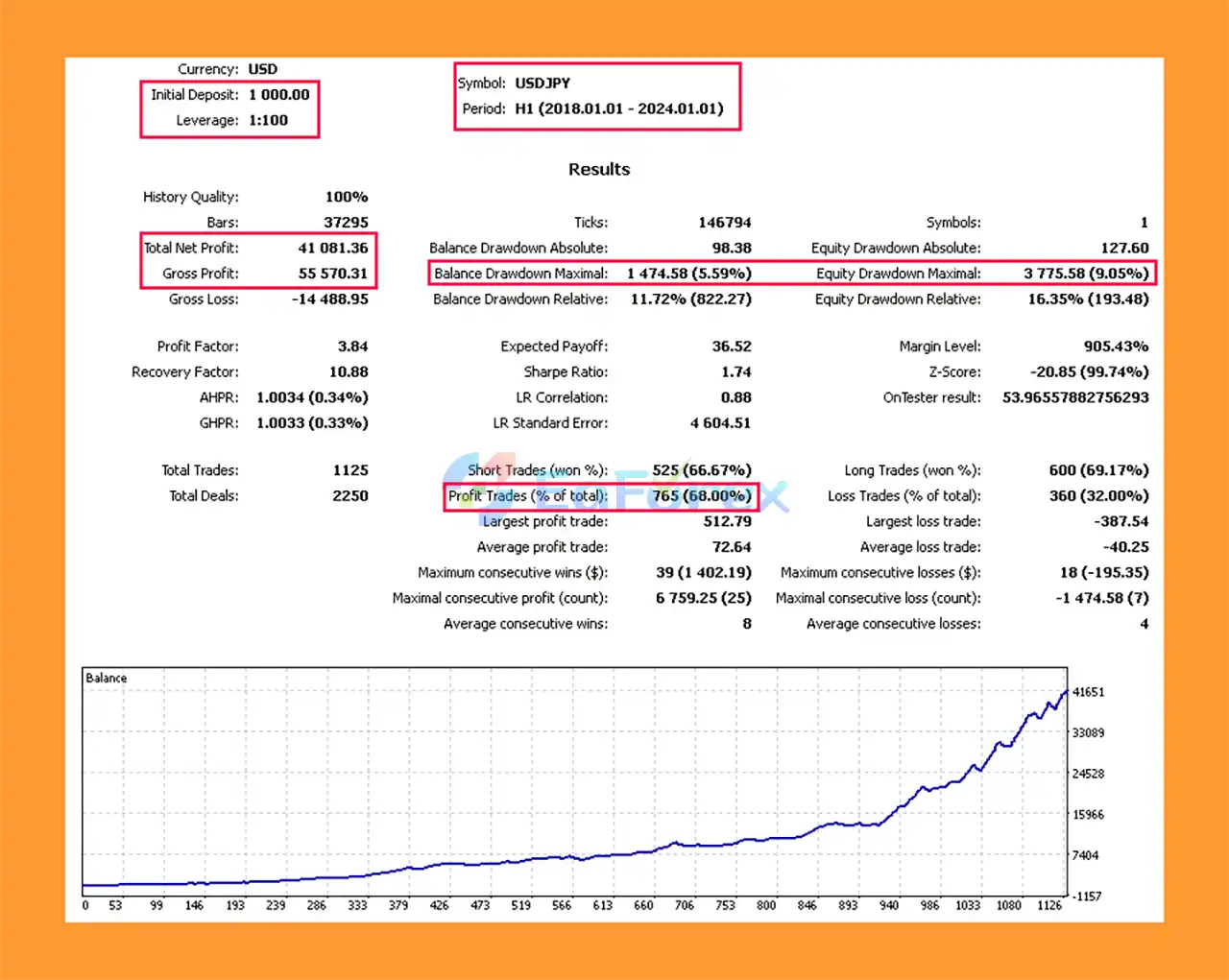
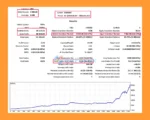
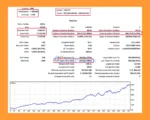
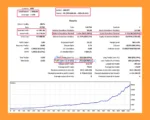
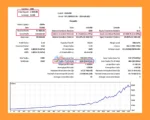
Ksm Backtests Trading Results
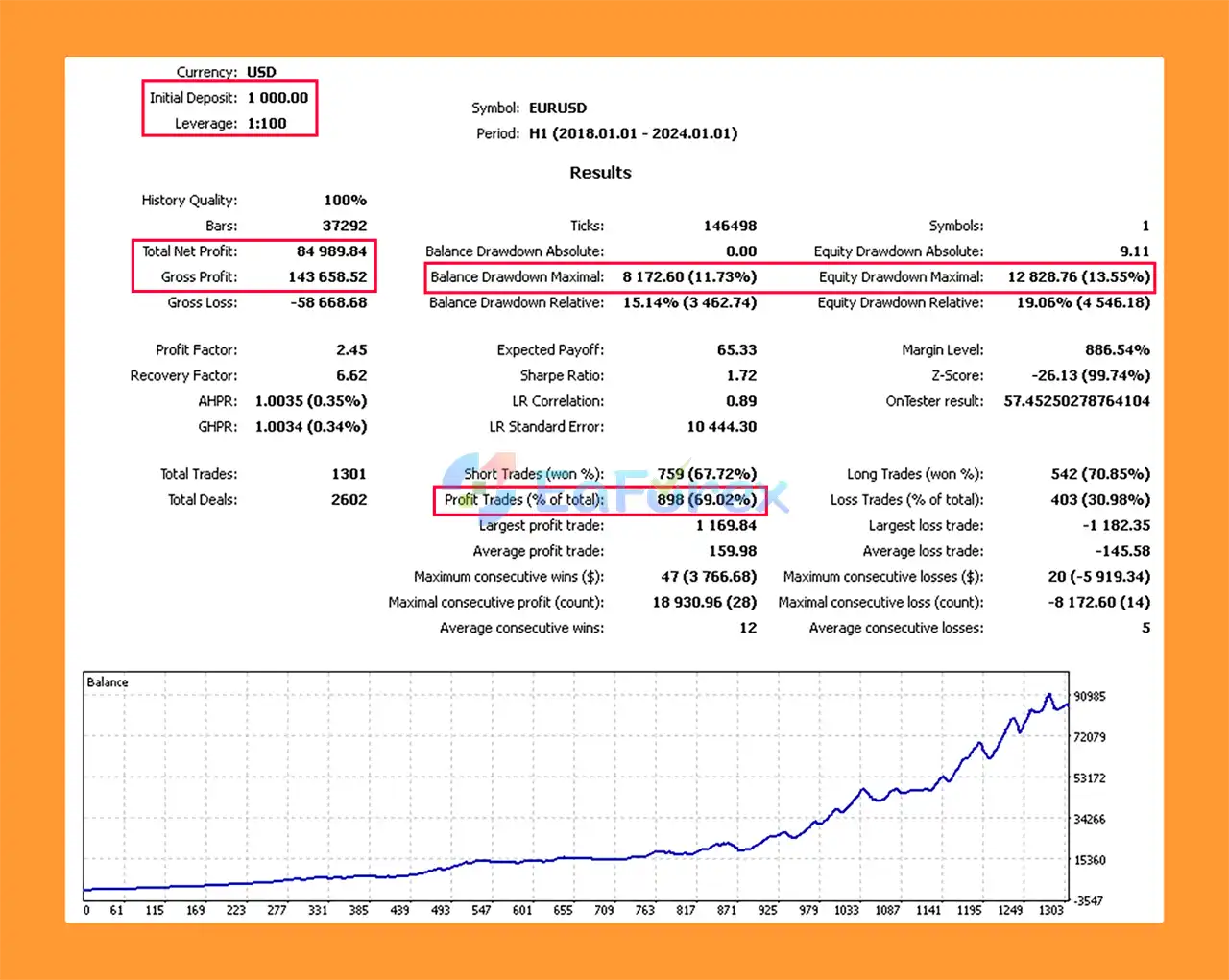
Ksm Backtest Trading Results
Ksm Backtest Results
Ksm EA Backtests Trading Results
Ksm EA Backtest Trading Results
Ksm MT5 includes several features designed to help traders manage account exposure during automated Forex trading.
The most important risk-management parameters include:
| Parameter | Function |
|---|---|
| MaximumDrawdown | Defines the drawdown level at which open orders can be closed |
| StopWorkingDrawdown | Stops further trading when the specified drawdown threshold is reached |
| Lot | Sets a fixed position size |
| RiskOn | Enables automatic risk-based position sizing |
| LimitSeries | Limits the number of orders within a series |
| TakeProfit | Defines the target for automatically closing positions |
| StopLoss | Defines the loss level for automatically closing positions |
| TrailingSeriesOn | Enables trailing management for order series |
| VolatilityLimitOn | Enables volatility-based trading restrictions |
| signalTf | Determines the timeframe used for trading signals |
These controls allow traders to choose between fixed-lot trading and automated risk-based position sizing.
However, risk management parameters should always be configured carefully. A higher lot size, aggressive risk setting, large order series, or loose drawdown limits can significantly increase account exposure.
Backtesting should be performed across different market periods and currency pairs before using Ksm MT5 on a live account.
Although Ksm MT5 offers extensive customization and risk-management features, automated Forex trading still involves significant risks.
Market Conditions Can Change
A strategy that performs well under one market environment may perform differently when volatility, trends, liquidity, or spreads change.
Multi-Currency Exposure
Trading multiple currency pairs simultaneously can increase diversification, but it can also increase overall exposure when several correlated pairs move in the same direction.
Configuration Risk
Incorrect settings for lot size, risk percentage, order limits, or drawdown controls can result in excessive account exposure.
Series Trading Risk
Users should understand how the selected TypeSeries and LimitSeries settings affect the number of positions that may be opened.
Volatility Risk
Extreme market volatility can lead to wider spreads, slippage, rapid price movements, and execution conditions that differ from historical testing.
No Guaranteed Results
Ksm MT5 cannot guarantee profits. Backtest results and historical performance should not be considered a guarantee of future trading results.
Broker Conditions Matter
Spreads, commissions, execution speed, leverage, swap costs, and liquidity can vary significantly between brokers and may affect real-world performance.
For these reasons, traders should start with conservative risk settings and conduct forward testing before committing significant capital.
Installing Ksm MT5 on MetaTrader 5 is straightforward.
Download the Ksm MT5 EA and locate the provided EA files.
Open MetaTrader 5 and navigate to:
File → Open Data Folder → MQL5 → Experts
Copy the Ksm MT5 files into the Experts folder.
Restart MetaTrader 5 or refresh the Expert Advisors section in the Navigator window.
Open the currency pair chart you want to trade and select the desired timeframe.
Drag Ksm MT5 onto the chart.
Enable Algo Trading/AutoTrading and allow the required Expert Advisor permissions.
Configure the main parameters, including Lot, RiskOn, signalTf, MaximumDrawdown, StopWorkingDrawdown, LimitSeries, TakeProfit, StopLoss, and volatility controls.
If you want to trade multiple currency pairs, configure each supported pair according to your strategy and account risk.
Before running the EA on a live account, perform a comprehensive backtest and forward test using your intended broker, account type, spread conditions, and trading environment.
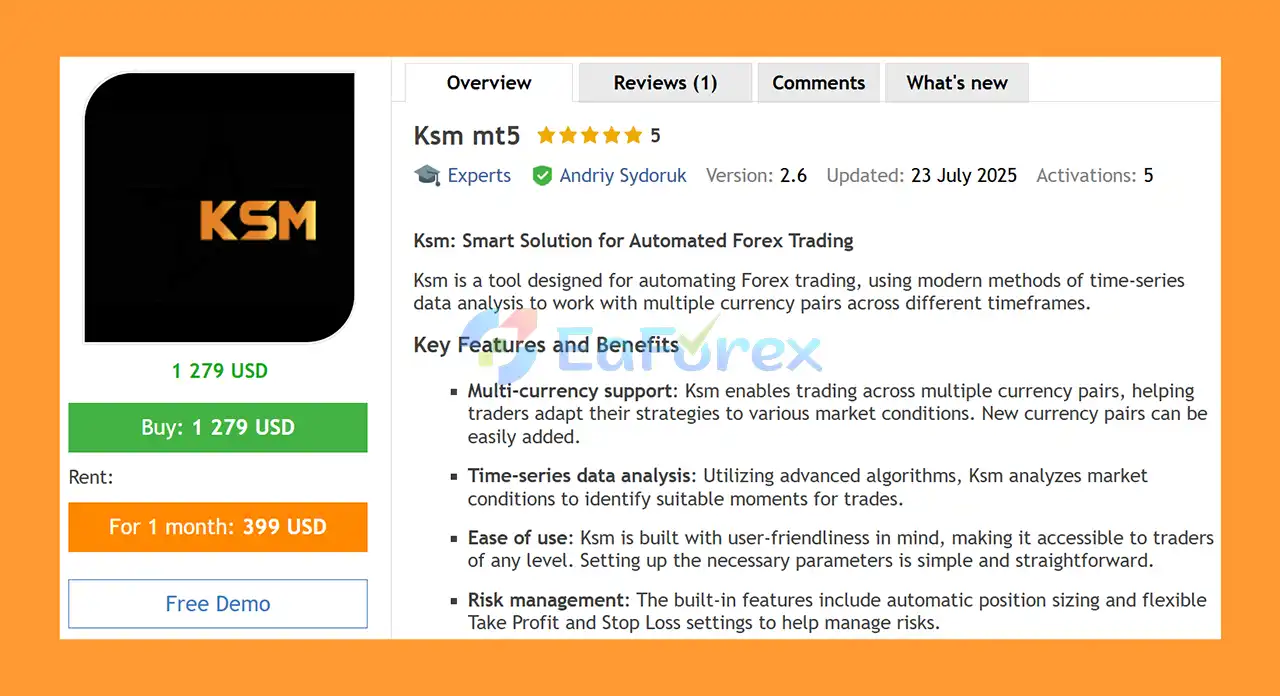
🔻 Ksm mt5 is highly appreciated by the MQL5 community for bringing stable and reliable profits. Below are 5 star reviews from users:
Ksm MT5 is a flexible automated Forex trading EA designed for traders who want to manage multiple currency pairs and timeframes through a customizable algorithmic trading system.
Its combination of time-series data analysis, automatic position sizing, Take Profit, Stop Loss, drawdown protection, order-series management, volatility controls, and multi-currency support makes it a versatile tool for automated Forex trading.
One of the main advantages of Ksm MT5 is its flexibility. Traders can choose between fixed-lot and risk-based position sizing, define signal timeframes, control the number of orders in a series, and establish drawdown and volatility limits according to their risk tolerance.
However, flexibility also means that users need to understand the parameters before using the EA with real money. Proper testing, conservative risk management, and suitable broker conditions are essential for responsible automated trading.
Overall, Ksm MT5 can be considered by traders looking for a customizable MetaTrader 5 Forex EA with multi-currency support and integrated risk-management tools.
1. What is Ksm MT5?
Ksm MT5 is a smart, fully automated Forex trading system built for MetaTrader 5. It uses advanced time-series data analysis to identify profitable trading opportunities, manage risk efficiently, and adapt dynamically to changing market conditions. The EA supports multiple currency pairs and timeframes, making it suitable for both beginners and professional traders.
2. How does Ksm MT5 work?
Ksm MT5 operates using statistical and algorithmic models that analyze time-series data in real time. The Expert Advisor automatically executes trades based on optimal entry and exit points while managing drawdowns, trailing stops, and volatility thresholds. It continuously adjusts its strategy to market behavior, ensuring stable and data-driven trading performance.
3. What are the key features of Ksm MT5?
Key features of Ksm MT5 include:
Multi-currency trading across major and minor Forex pairs
Advanced time-series analytics for precise trade entries
Built-in drawdown and volatility protection
Customizable Take Profit (TP) and Stop Loss (SL) settings
Automated trailing and signal optimization systems
Easy setup with full parameter control for all experience levels
4. Is Ksm MT5 suitable for beginners?
Yes. Ksm MT5 is designed with a user-friendly interface and clear parameter settings, making it accessible for new traders. Despite its advanced algorithms, the setup process is simple, and traders can start with default configurations or gradually customize the EA as they gain experience.
5. What kind of results can I expect from Ksm MT5?
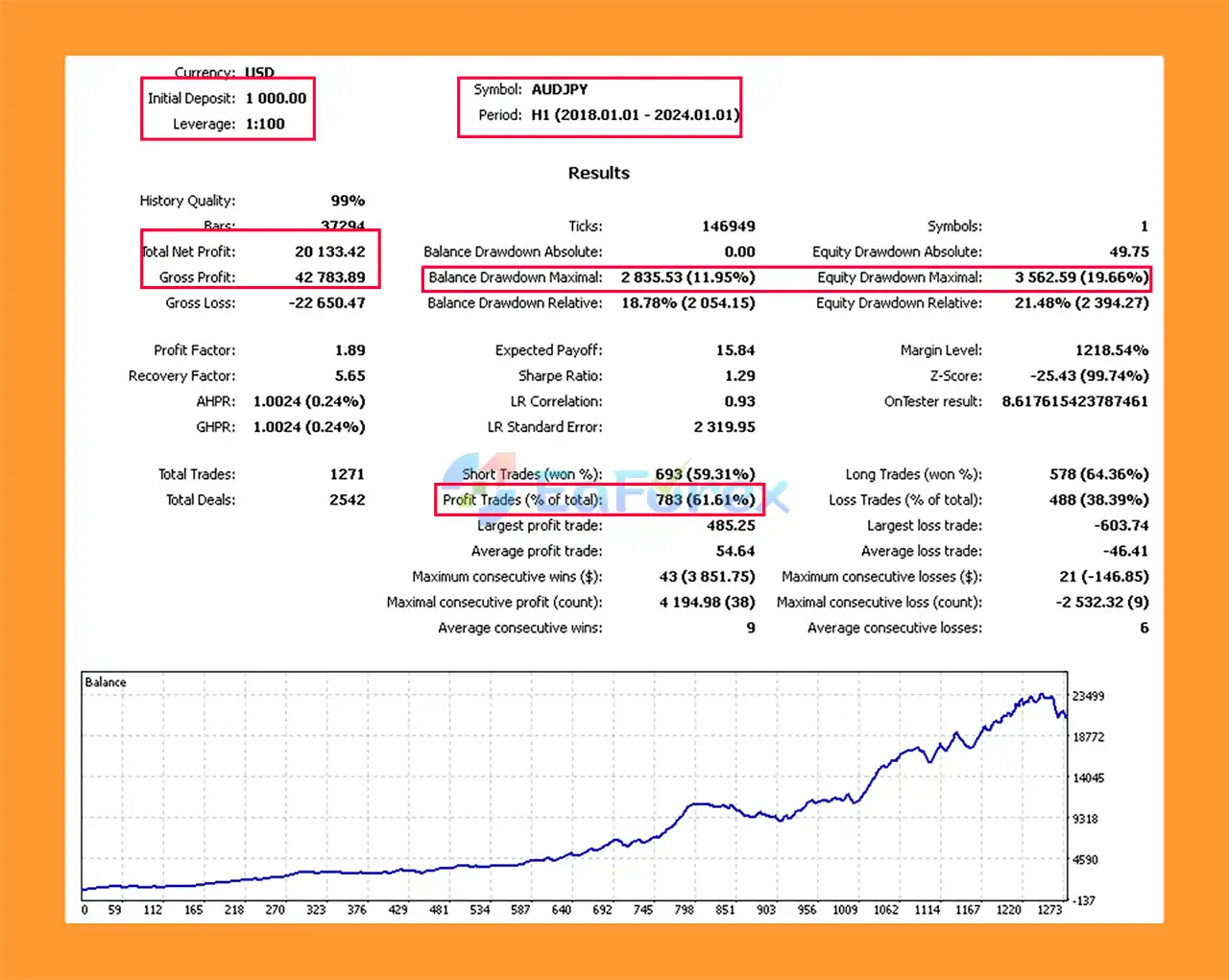
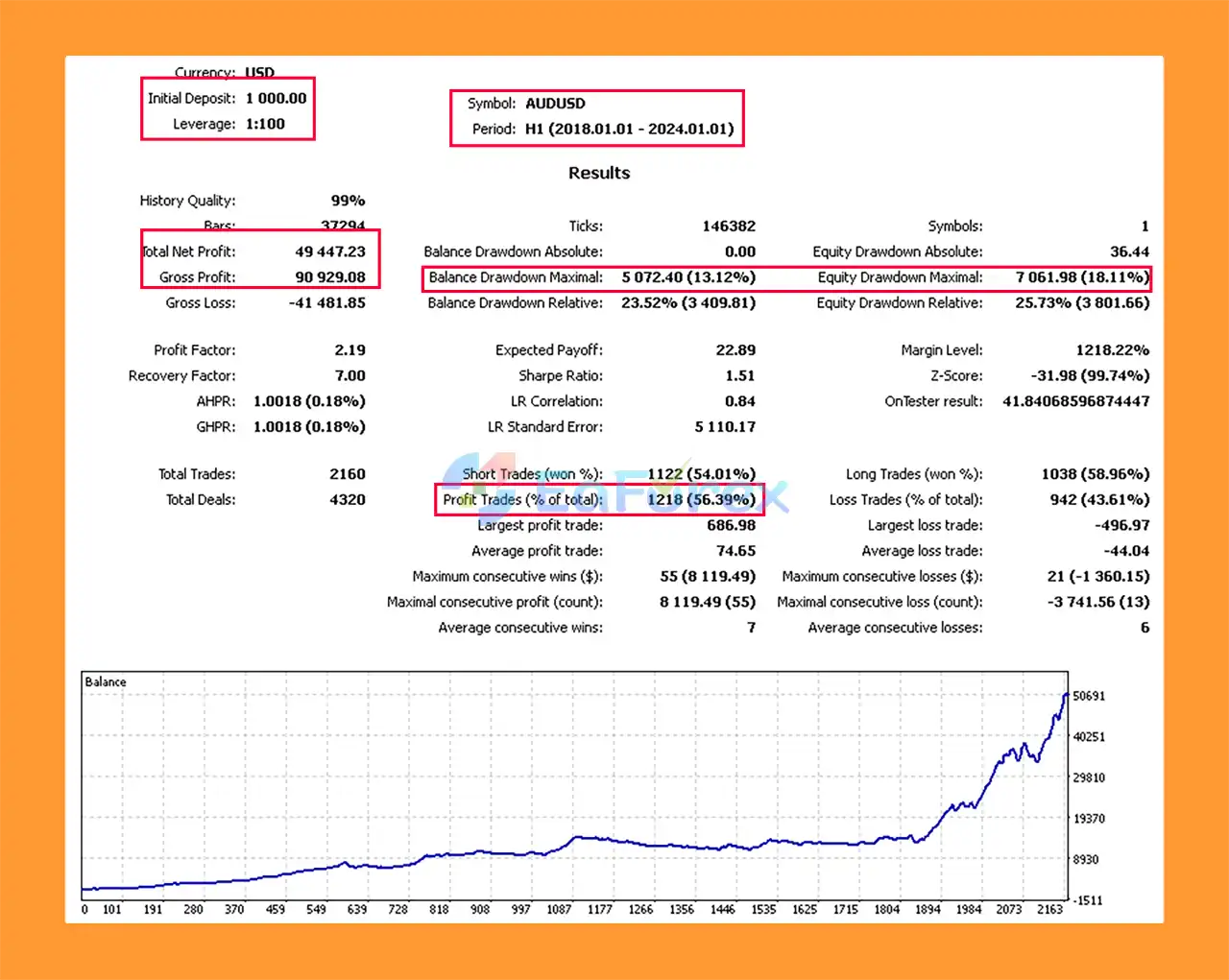
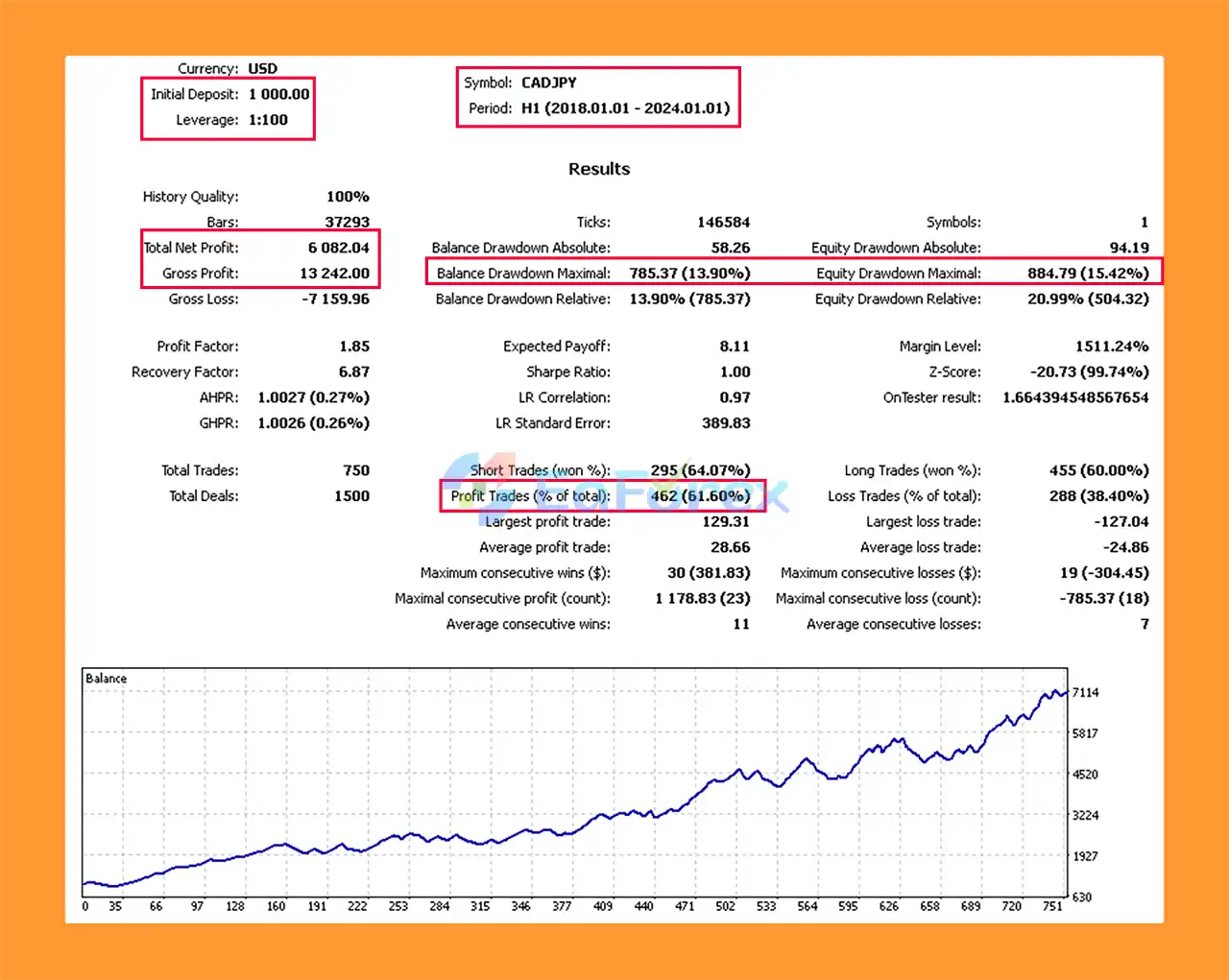
Backtests from 2018–2024 show strong profitability and low drawdown levels across multiple pairs. For example:
EURUSD: $84,989 profit with 11.73% drawdown
USDJPY: $41,081 profit with 5.59% drawdown
AUDUSD: $49,447 profit with 13.12% drawdown
These results demonstrate consistent performance and reliable risk control when used with appropriate settings and market conditions.
6. Why should I choose Ksm MT5 over other Expert Advisors?
You should choose Ksm MT5 because it combines smart automation, adaptive analytics, and strong risk management in one solution. It’s highly customizable, supports multiple pairs and strategies, and protects your capital with built-in drawdown limits. Whether you’re a beginner or an advanced trader, Ksm MT5 delivers stable, data-driven, and scalable Forex trading performance.
In stock
In stock
In stock
In stock
In stock
Out of stock
No account yet?
Create an Account












 Automatic EA
 EA Best Seller
 Expert Advisor MT4
 Expert Advisor MT5
 HFT EA


Reviews
Clear filtersThere are no reviews yet.