Product Overview
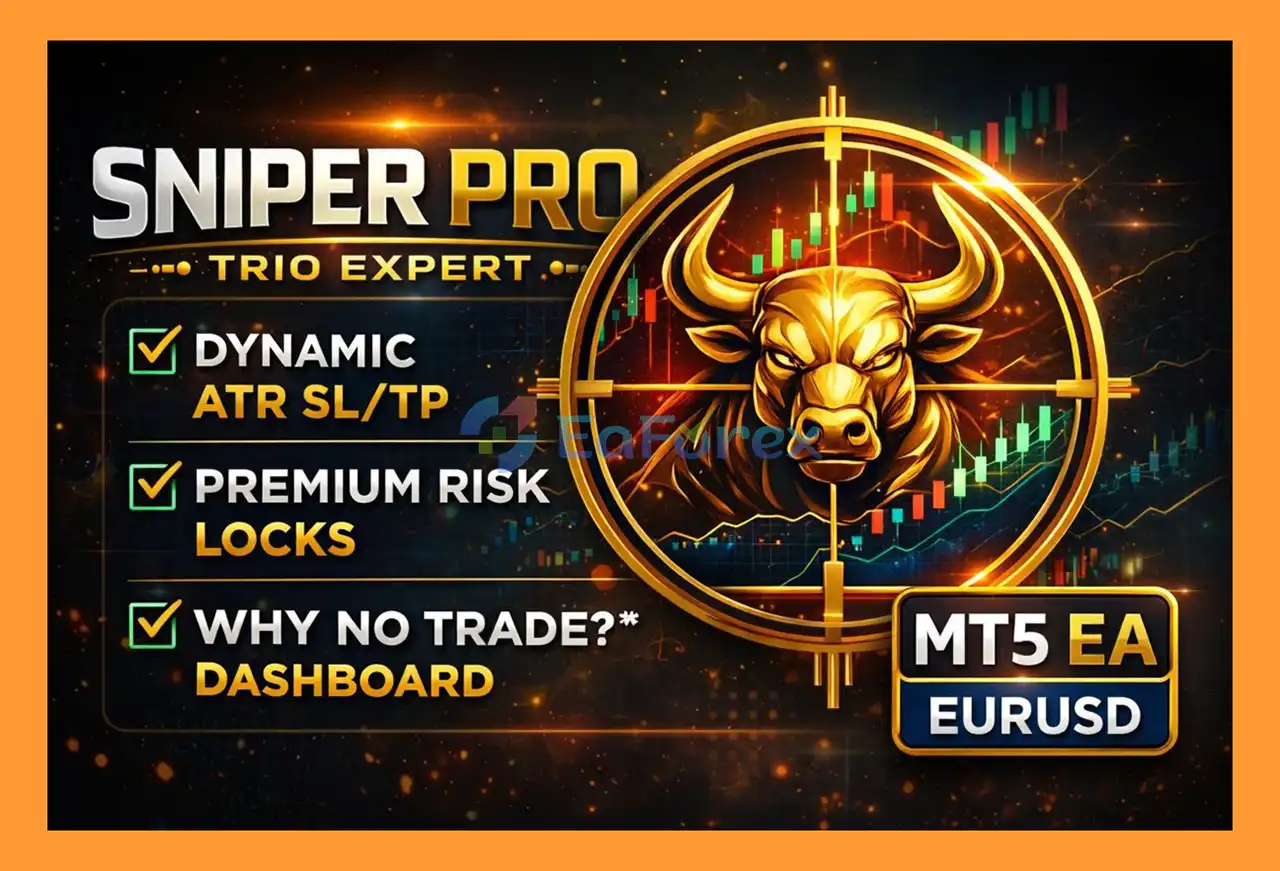
Sniper Pro Trio Expert EA MT5 is a selective EURUSD Expert Advisor for MetaTrader 5, designed to identify high-quality trading opportunities using a multi-confirmation technical analysis system.
The EA combines an EMA 200 trend filter, RSI, MACD, and Bollinger Bands to evaluate market conditions before opening a position. Instead of entering the market frequently, Sniper Pro Trio is designed to wait until multiple conditions align with the selected confirmation level.
For trade management, the EA supports ATR-based dynamic Stop Loss and Take Profit, allowing SL and TP distances to adapt to current market volatility. Fixed SL/TP settings are also available for traders who prefer a more static approach.
A major feature of Sniper Pro Trio Expert EA MT5 is its Ultra Premium Protection system, which includes a persistent daily trade limit, cooldown mechanism, and equity protection lock. These protection states can remain saved even after MetaTrader 5 is restarted.
The EA also includes a professional on-chart dashboard that displays live spread, ATR, confirmation signals, current market status, and a “WHY NO TRADE” explanation when an entry is rejected.
Sniper Pro Trio is primarily optimized for EURUSD, with H4 recommended for swing trading and H1 available for traders seeking a more active configuration.
About the Developer
- Author: Shadi Bin Shahradin Bin Juma Balqaid
- Experience: Over +1 years of experience on MQL5.
- Notable Products: Sniper Pro Trio Expert EA, Gold Empire Expert and other advisors.
- Flagship Product: Sniper Pro Trio Expert EA MT5 is rated as the best performing product of the year.
>> Delivery time 24h-48h after payment.
>>> Refund if not delivered.
>>> You will receive the latest version without any limitations (ID+Time).
>>Reviewed by Jason Stap <<
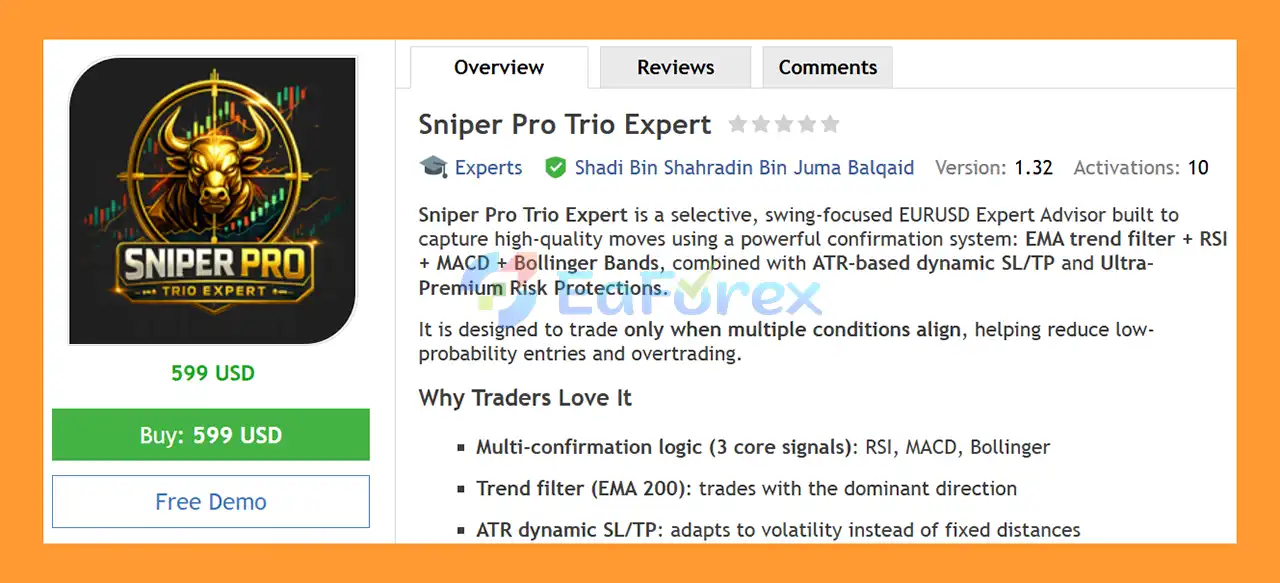
Sniper Pro Trio Expert EA MT5 Overview
Main Features of Sniper Pro Trio Expert EA MT5
Multi-Confirmation Trading System
Sniper Pro Trio EA uses several technical conditions to qualify potential entries:
- EMA 200 – primary trend direction filter
- RSI – momentum and market condition analysis
- MACD – trend momentum confirmation
- Bollinger Bands – price-extremity and re-entry analysis
The EA can require a minimum number of confirmations before allowing a trade.
EMA 200 Trend Filter
The 200-period Exponential Moving Average acts as a directional filter.
This allows the EA to evaluate whether market conditions are aligned with the dominant trend before considering a position.
RSI Confirmation
The Relative Strength Index is incorporated as an additional confirmation tool.
Users can configure:
- RSI period
- Buy threshold
- Sell threshold
This provides flexibility when adapting the EA to different trading conditions.
MACD Momentum Confirmation
MACD is used to evaluate trend momentum and provide additional confirmation for potential Buy or Sell signals.
The Fast, Slow, and Signal periods can be customized through the EA inputs.
Bollinger Bands Confirmation
Bollinger Bands help the EA evaluate price position relative to its recent volatility range.
An optional Bollinger Band re-entry condition can provide an additional confirmation layer before an entry is permitted.
ATR-Based Dynamic SL/TP
Instead of relying exclusively on fixed pip distances, Sniper Pro Trio can calculate Stop Loss and Take Profit using Average True Range (ATR).
This allows trade-management distances to adjust according to current market volatility.
Users can configure:
- ATR period
- ATR Stop Loss multiplier
- ATR Take Profit multiplier
- Maximum ATR volatility safety cap
Fixed SL/TP Option
Traders who prefer predefined distances can disable ATR-based SL/TP and use fixed Stop Loss and Take Profit values instead.
Selective Trading Logic
The EA is designed to avoid unnecessary entries. If the required confirmation conditions are not satisfied, the system waits.
As a result, days with zero trades are completely normal and are part of the selective strategy design.
Persistent Daily Trade Limit
Users can define a maximum number of trades per day.
The protection state can remain saved after an MT5 restart when persistence is enabled.
Persistent Cooldown System
After an entry, the EA can wait for a specified number of bars before considering another trade.
This can help reduce rapid re-entry and excessive trading activity.
Equity Protection Lock
The EA can monitor drawdown against a user-defined threshold.
If the configured drawdown limit is exceeded, the system can lock new entries for the remainder of the trading day and automatically reset the protection state on the following day.
Professional Trading Dashboard
The on-chart dashboard provides information such as:
- Current Bid
- Current Ask
- Live spread
- ATR value
- Confirmation BUY score
- Confirmation SELL score
- Current signal status
- Trading-hours status
- Cooldown status
- Daily trade limit status
- Reason for rejected trades
The “WHY NO TRADE” feature makes it easier to understand why the EA is waiting rather than entering the market.
How Does Sniper Pro Trio Expert EA MT5 Work?
Sniper Pro Trio follows a multi-stage confirmation process designed to filter potential trading opportunities.
Step 1 – Determine the Market Direction
The EA first evaluates the market using the EMA 200 trend filter.
This establishes the broader directional context for potential trades.
Step 2 – Analyze Momentum With RSI
The EA checks the RSI according to the configured period and Buy/Sell thresholds.
The RSI condition acts as one component of the overall confirmation system rather than being used independently.
Step 3 – Confirm Momentum With MACD
MACD is then evaluated to determine whether momentum conditions support the potential trading direction.
Step 4 – Analyze Bollinger Bands
The EA evaluates price behavior around the Bollinger Bands.
If BB Re-entry is enabled, the system can require an additional re-entry confirmation before allowing a position.
Step 5 – Calculate the Confirmation Score
The EA combines the configured technical conditions into a confirmation framework.
The Minimum Confirmations parameter determines how strict the entry requirements are.
For example, a setting of 2 means the strategy can require at least two qualifying confirmation conditions before an entry is considered, subject to the other filters.
Step 6 – Check Trading Conditions
Before placing an order, the EA also checks operational restrictions such as:
- Maximum spread
- Trading hours
- Daily trade limit
- Cooldown period
- Maximum open positions
- Equity protection status
- New-bar requirements
If any required condition is not satisfied, the EA does not open a trade.
Step 7 – Execute and Manage the Trade
When all required conditions are satisfied, the EA opens the position according to the configured risk settings.
The position can use:
- ATR-based SL/TP
- Fixed SL/TP
- Optional trailing stop
- Opposite-signal closing
This creates a structured process from signal generation through trade management.
Why Choose Sniper Pro Trio Expert EA MT5?
Selective Rather Than Constant Trading
Sniper Pro Trio is designed for traders who prefer fewer potential entries with multiple confirmation conditions rather than constant market activity.
Multiple Technical Confirmations
Combining EMA, RSI, MACD, and Bollinger Bands creates a multi-layered signal process instead of depending on a single indicator.
Designed for EURUSD
The EA is specifically optimized around EURUSD, one of the most widely traded Forex pairs.
Suitable for Swing Trading
The recommended H4 timeframe makes the EA suitable for traders who prefer a slower swing-oriented approach.
H1 is also available for traders who want a more active configuration.
Dynamic Volatility-Based Risk Management
ATR-based SL/TP allows trade-management distances to respond to changing market volatility instead of always using the same fixed pip values.
Persistent Protection
The daily trade limit, cooldown, and equity protection mechanisms can retain their states after an MT5 restart when persistent state is enabled.
Transparent Trading Logic
The dashboard’s “WHY NO TRADE” feature helps users understand whether the EA is waiting because of spread, trading hours, cooldown, daily limits, confirmation requirements, or another configured restriction.
No-Trade Days Are Expected
The EA does not need to trade every day. When the required conditions are not present, waiting for another setup is part of its selective trading philosophy.
Sniper Pro Trio Expert EA MT5 Backtest Results
🔺EURUSD
- Initial Deposit: $10.000
- Total Net Profit: $166,54
- Maximum Drawdown: 2,02%
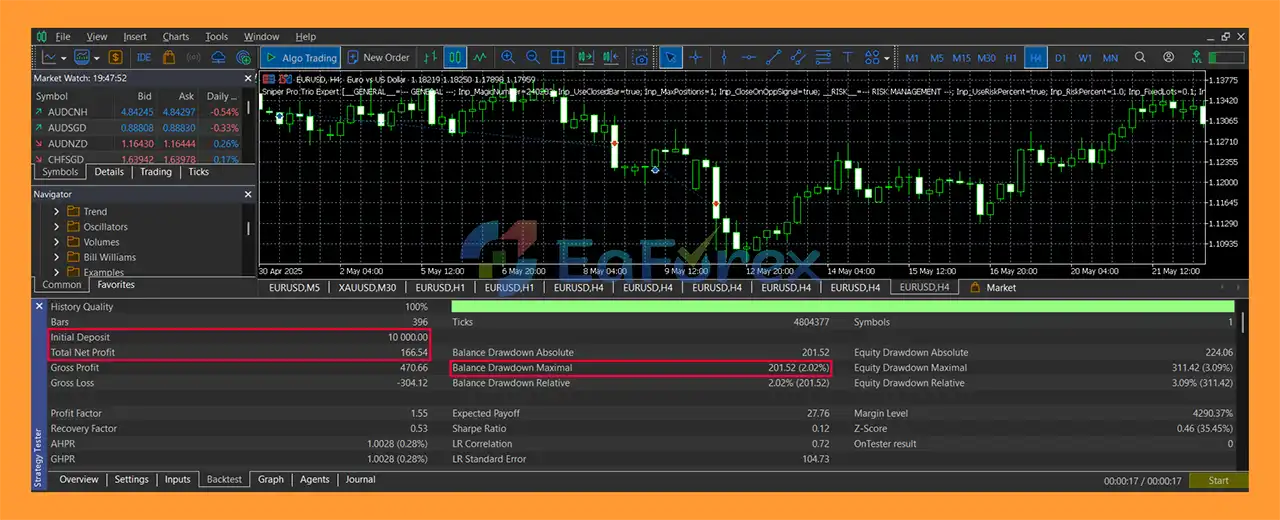
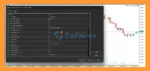
Sniper Pro Trio Expert EA MT5 backtets
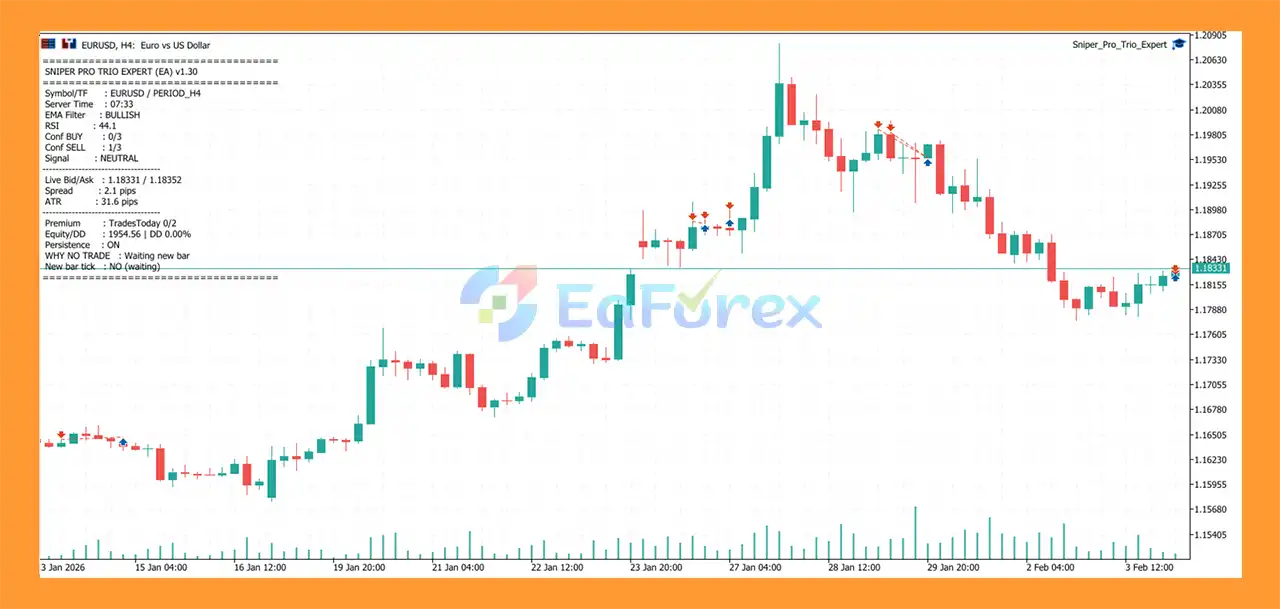
Sniper Pro Trio Expert MT5 backtets
Performance and Risk Management
Sniper Pro Trio Expert EA MT5 places strong emphasis on controlled trade frequency and risk management rather than maximizing the number of entries.
Risk-Based Position Sizing
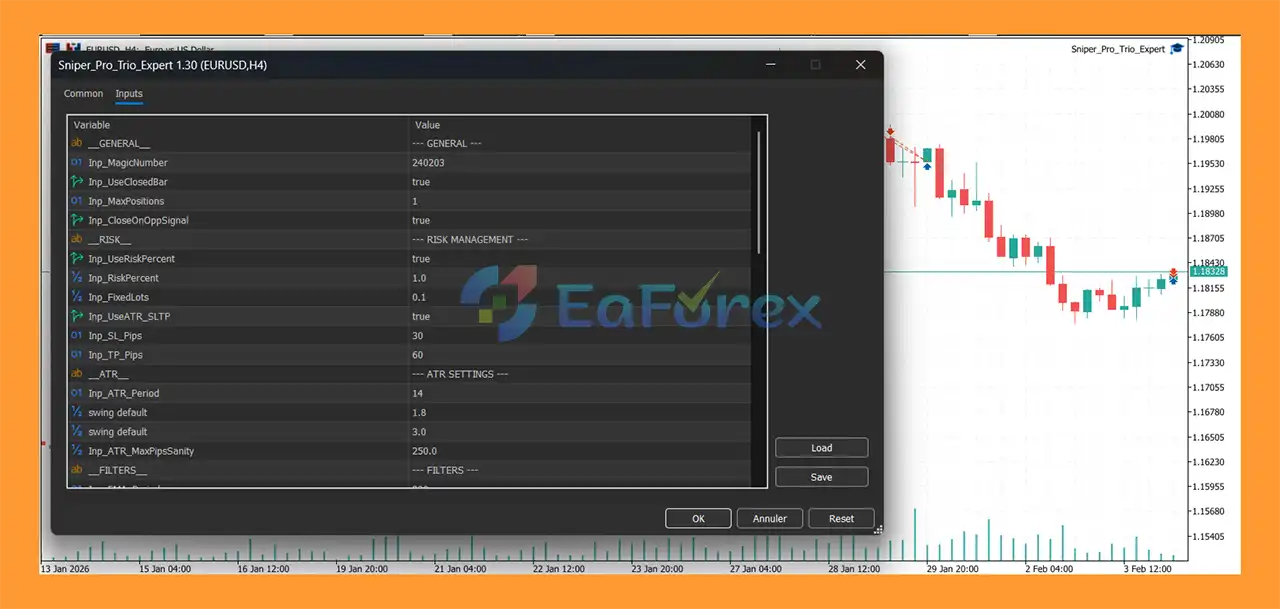
The EA supports percentage-based risk sizing through:
Inp_UseRiskPercent
and:
Inp_RiskPercent
The recommended risk range provided for the strategy is approximately 0.5%–1% per trade, although users should choose a level appropriate to their own risk tolerance and account conditions.
A fixed-lot option is also available.
ATR-Based Stop Loss and Take Profit
ATR allows the EA to adapt SL/TP distances to changing market volatility.
A maximum ATR safety cap is also available to prevent extreme volatility from producing excessively large calculated distances.
Daily Trade Limit
Users can restrict the number of trades opened per day.
For the recommended H4 swing configuration, the suggested setting is up to 2 trades per day.
Cooldown Protection
The cooldown system requires the EA to wait for a specified number of bars after an entry before considering another position.
This can help reduce rapid re-entries.
Equity Protection
The EA can lock new entries when the configured drawdown threshold is reached.
This protection is designed to reduce additional exposure during unfavorable trading conditions.
Spread Filter
For EURUSD, the recommended maximum spread is approximately 2.0–2.5 pips, although the appropriate threshold depends on the broker and account type.
Trailing Stop
An optional trailing-stop function can be activated to manage positions after they move into profit.
Important Risk Consideration
Risk-management features can reduce exposure but cannot eliminate trading losses. Actual results depend on market conditions, broker execution, spreads, slippage, commissions, and the selected settings.
Weaknesses and Risk Warnings
The EA May Produce Zero Trades
Because Sniper Pro Trio is intentionally selective, there may be trading days when no valid setup appears.
This is normal behavior and should not automatically be interpreted as a malfunction.
Multiple Indicators Do Not Guarantee Winning Trades
EMA, RSI, MACD, and Bollinger Bands can provide confirmation, but no combination of technical indicators can guarantee profitable results.
H4 Trading Produces Fewer Opportunities
The recommended H4 configuration is designed for a swing-oriented approach. Traders expecting frequent daily trades may find the trading frequency relatively low.
H1 Can Increase Trading Activity
Using H1 may result in more opportunities, but potentially more market noise and signals compared with H4.
News Events Can Affect EURUSD
Major economic announcements, central-bank decisions, employment data, and unexpected geopolitical developments can produce rapid EURUSD movements.
These conditions can increase slippage and spread and may cause actual execution to differ from historical testing.
Broker Conditions Matter
Trading results can vary significantly between brokers because of:
- Spread
- Commission
- Slippage
- Execution speed
- Liquidity
- Server conditions
- Trading hours
Persistent State Must Be Configured Correctly
The protection features rely on the persistence setting being enabled.
If the persisted state is intentionally reset, the stored protection information will be cleared according to the EA’s configuration.
Backtests Are Not Guarantees
Historical backtests cannot guarantee future live performance. Forward testing under the intended broker conditions is strongly recommended.
Pros and Cons
| Pros |
Cons |
| Multi-confirmation trading logic |
Can generate few trades |
| EMA 200 trend filter |
No-trade days are normal |
| RSI + MACD + Bollinger Bands |
Indicators can still produce false signals |
| ATR-based dynamic SL/TP |
ATR distances can expand during high volatility |
| Optional fixed SL/TP |
Requires careful parameter configuration |
| Persistent daily trade limit |
Protection depends on correct settings |
| Persistent cooldown |
May reduce trading frequency |
| Equity protection lock |
Does not guarantee prevention of losses |
| Professional “WHY NO TRADE” dashboard |
More settings require more testing |
| Risk-based lot sizing |
Actual risk varies with execution conditions |
| H4 swing configuration |
H4 provides fewer opportunities than lower timeframes |
| H1 active configuration |
H1 can produce more market noise |
| EURUSD focused |
Primarily optimized for EURUSD |
| Optional trailing stop |
Trailing can affect trade exits |
| No forced trading |
May remain inactive for extended periods |
How to Install Sniper Pro Trio Expert EA MT5
Step 1 – Download the EA
Download the Sniper Pro Trio Expert EA MT5 package after purchase and save the provided files to your computer.
Step 2 – Open MetaTrader 5
Launch your MetaTrader 5 platform.
Select:
File → Open Data Folder
Step 3 – Open the Experts Folder
Navigate to:
MQL5 → Experts
Copy the EA file into the Experts folder.
If the package contains additional libraries, presets, or supporting files, install them according to the developer’s instructions.
Step 4 – Restart MetaTrader 5
Restart MetaTrader 5 or refresh the Navigator window.
You should see:
Navigator → Expert Advisors → Sniper Pro Trio Expert EA
Step 5 – Open EURUSD
Open a EURUSD chart.
For the recommended swing configuration, select:
H4
For a more active configuration, you can use:
H1
Step 6 – Attach the EA
Drag Sniper Pro Trio Expert EA MT5 onto the EURUSD chart.
Make sure Algo Trading is enabled.
Step 7 – Configure Risk Settings
Review the EA parameters before activating live trading.
Important settings include:
- Risk percentage
- Fixed lot size
- Maximum positions
- ATR SL/TP
- EMA period
- RSI parameters
- MACD parameters
- Bollinger Band settings
- Minimum confirmations
- Maximum spread
- Trading hours
- Daily trade limit
- Cooldown bars
- Equity protection
- Trailing stop
For the recommended swing setup, the supplied configuration is approximately:
H4 | 0.5%–1% risk | 2 confirmations | 2.0–2.5 pip maximum spread | 2 trades/day | 3-bar cooldown
Step 8 – Enable Persistent Protection
If you want protection settings to remain active after restarting MT5, enable:
Inp_PersistState = true
If you need to clear the stored protection state, use the reset option as instructed and then disable it again.
Step 9 – Test on Demo
Before using real funds, test the EA on a demo account.
Monitor:
- Entry frequency
- Confirmation behavior
- Spread
- Slippage
- Drawdown
- Stop Loss and Take Profit behavior
- Trading frequency
- Dashboard messages
- Daily protection behavior
Forward testing is especially important because live execution can differ from backtest results.
What’s Included in the Download Package?
- Setting (If Any).docx
- Installation Guide.docx
>>> Join VIP Membership Now <<<
Final Thoughts
In summary, Sniper Pro Trio Expert EA MT5 is a selective EURUSD Forex Expert Advisor designed around multiple technical confirmations rather than constant market participation. Its combination of EMA 200, RSI, MACD, and Bollinger Bands provides a structured framework for evaluating potential setups.
The addition of ATR-based dynamic SL/TP, risk-based position sizing, daily trade limits, cooldown protection, and persistent equity protection gives the EA a strong focus on controlled automated trading.
Its most distinctive feature is its selective nature: the EA is designed to wait when conditions are not strong enough. Therefore, periods with few or even zero trades can be a normal part of its operation.
For traders considering this MT5 Expert Advisor, the recommended approach is to start with EURUSD H4, use conservative risk settings, and conduct thorough demo and forward testing before considering live deployment.
































 Automatic EA
 EA Best Seller
 Expert Advisor MT4
 Expert Advisor MT5
 HFT EA


Reviews
Clear filtersThere are no reviews yet.