Product Overview
AbuTraderMT5 is a fully automated Expert Advisor for MetaTrader 5, primarily designed for EURUSD trading on the H1 timeframe. The system was developed by a team with more than 9 years of experience in trading and software development, with a focus on structured execution and long-term automated trading.
Rather than attempting to trade every available market, AbuTraderMT5 is primarily focused on EURUSD, allowing its trading logic to concentrate on the price behavior and characteristics of one of the world’s most actively traded currency pairs.
The EA combines automated trade execution with hedging-based risk management, automatic lot sizing, Stop Loss protection, and configurations designed for different account sizes, including personal and prop firm accounts.
AbuTraderMT5 is also supplied with dedicated set files for different account sizes and trading objectives, making configuration easier for both smaller retail accounts and larger trading accounts.
The system is designed to be easy to install and use, with default settings intended to work with many brokers. However, low-spread trading conditions are strongly recommended, and traders should test the EA on a demo account before deploying it on a live account.
About the Developer
- Author: Murodillo Eshkuvvatov
- Experience: Over +5 years of experience on MQL5.
- Notable Products: AbuTrader MT5, AbuTrader MT4, BitcoinRobot MT4, BitcoinRobot MT5 and other products.
- Flagship Product: AbuTraderMT5 is rated as the best performing product of the year.
>> Delivery time 24h-48h after payment.
>>> Refund if not delivered.
>>> You will receive the latest version without any limitations (ID+Time).
>>Reviewed by Jason Stap <<

AbuTraderMT5 Overview
Key Features of AbuTraderMT5
🔺EURUSD-Focused Trading
AbuTraderMT5 primarily focuses on EURUSD, allowing the system to concentrate its trading logic on the behavior of a single major currency pair.
The recommended configuration is:
- Currency Pair: EURUSD
- Timeframe: H1
- Minimum Deposit: No specific minimum stated
- Recommended Account: Raw/low-spread account
- VPS: Recommended
🔺Hedging-Based Protection
The EA incorporates a hedging mechanism designed to help manage adverse market movements.
According to the developer’s configuration, trades are protected using a hedging Stop Loss structure rather than relying exclusively on a conventional directional position.
🔺Automatic Lot Sizing
AbuTraderMT5 includes an automatic lot-sizing function, allowing position size to be calculated according to the configured account and risk parameters.
This can make the system easier to deploy across different account sizes without manually calculating every trade volume.
🔺Prop Firm-Oriented Features
The EA includes several features designed with prop firm trading environments in mind.
Dedicated set files are available for different account sizes and configurations, allowing traders to select a setup according to their account type and risk requirements.
However, prop firm rules vary between companies and can change over time. Traders remain responsible for verifying that the EA’s configuration complies with the specific firm’s current rules.
🔺Live Signal Transparency
The developer states that AbuTraderMT5 is supported by live trading signals from individuals and clients, rather than relying exclusively on demo-account results.
Live signals can provide additional information about how an EA behaves under actual market conditions, although live results can still vary depending on broker, account type, spread, execution, and risk settings.
🔺Easy Installation
AbuTraderMT5 is designed to be straightforward to install.
The developer states that the default settings are suitable for many brokers, reducing the need for extensive manual configuration.
Nevertheless, broker-specific conditions should always be tested before live deployment.
🔺VPS Support
A VPS is recommended to keep the EA running continuously.
The developer specifically recommends ZOMRO VPS, although traders can use another reliable MT5-compatible VPS with stable connectivity and low latency to their broker.
🔺Multi-Market Capability
The product information references trading support for Forex, Gold, and Bitcoin. However, the primary recommended setup is EURUSD on H1.
Traders should follow the official set files and product instructions for any additional supported instruments rather than assuming that the EURUSD configuration is suitable for other markets.
How Does AbuTraderMT5 Work?
AbuTraderMT5 is designed to automate the trading process on MetaTrader 5 with minimal manual intervention.
The recommended primary configuration is EURUSD on the H1 timeframe.
The general workflow can be summarized as:
Market Analysis → Trade Signal → Position Sizing → Trade Execution → Hedging Protection → Automated Management
Step 1: Market Analysis
The EA continuously monitors the selected market and analyzes price conditions according to its internal trading logic.
For the primary setup, this process is performed on the EURUSD H1 chart.
Step 2: Trade Execution
When the system identifies conditions that meet its trading criteria, it automatically opens a position without requiring manual order placement.
Step 3: Automatic Lot Calculation
The built-in lot-sizing mechanism determines the appropriate trading volume according to the configured account and risk settings.
Step 4: Hedging Protection
After entering the market, the EA uses its hedging-based protection mechanism to manage adverse price movement.
The developer describes each trade as being protected by a hedging Stop Loss structure.
Step 5: Automated Position Management
The EA continues to manage the position according to its programmed rules, reducing the need for constant manual monitoring.
This allows the system to operate continuously when connected to a suitable VPS.
Why Choose AbuTraderMT5?
Focused EURUSD Strategy
AbuTraderMT5 is primarily designed around EURUSD, allowing its trading logic to focus on one major and highly liquid currency pair.
Experienced Development Team
The EA was developed by a team with more than 9 years of experience in trading and coding, according to the developer.
Hedging-Based Risk Architecture
The system incorporates hedging as part of its trade protection and management approach.
Live Signal Availability
The developer provides access to live trading signals from individuals and clients, offering additional information beyond historical backtests.
Prop Firm Configurations
The EA includes configurations designed for different account sizes and prop firm-oriented use cases.
Easy Setup
The developer states that default settings are designed to work with many brokers, while dedicated set files are available for different account sizes.
Automated Operation
Once correctly configured, AbuTraderMT5 handles market monitoring, trade execution, position sizing, and trade management automatically.
AbuTraderMT5 Reviews
- Low-Maintenance Trading Tool: Requires minimal setup after installation, making it easy for traders to start using the system quickly without complex configuration.
- User-Friendly Automated Trading Solution: Designed to simplify trading operations with efficient automation, helping traders save time and reduce manual effort.
- Marketplace-Ready Expert Advisor: A reliable automated trading system suitable for traders looking for a ready-to-use Expert Advisor for online trading platforms.
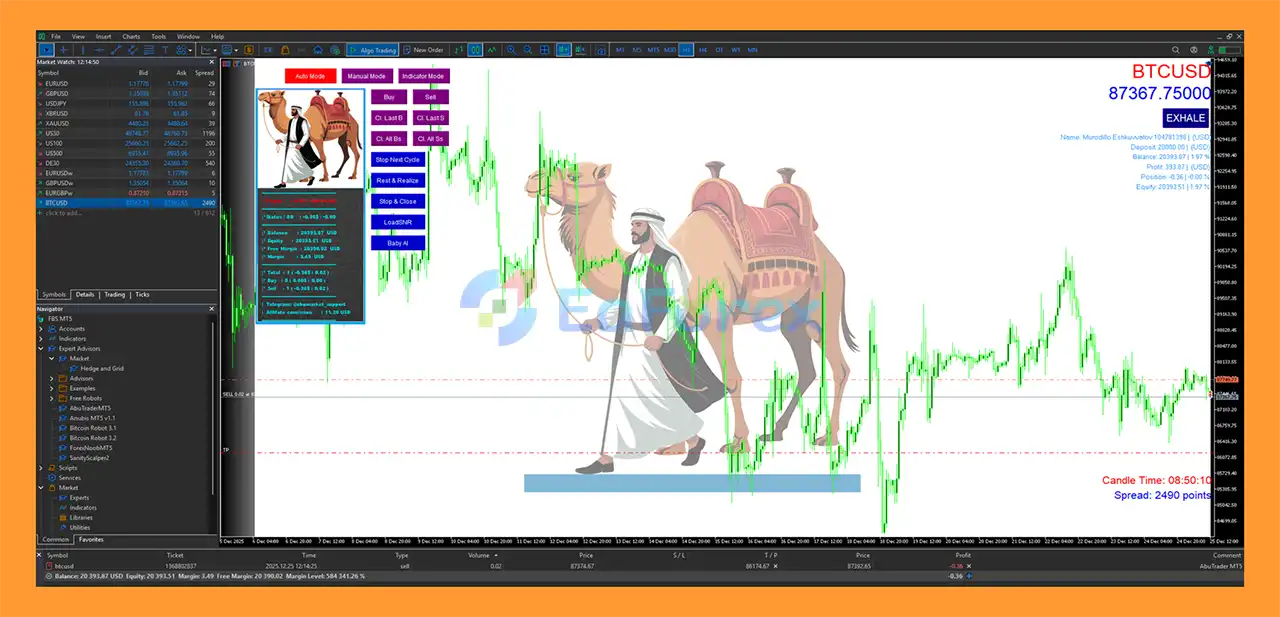
AbuTraderMT5 Review
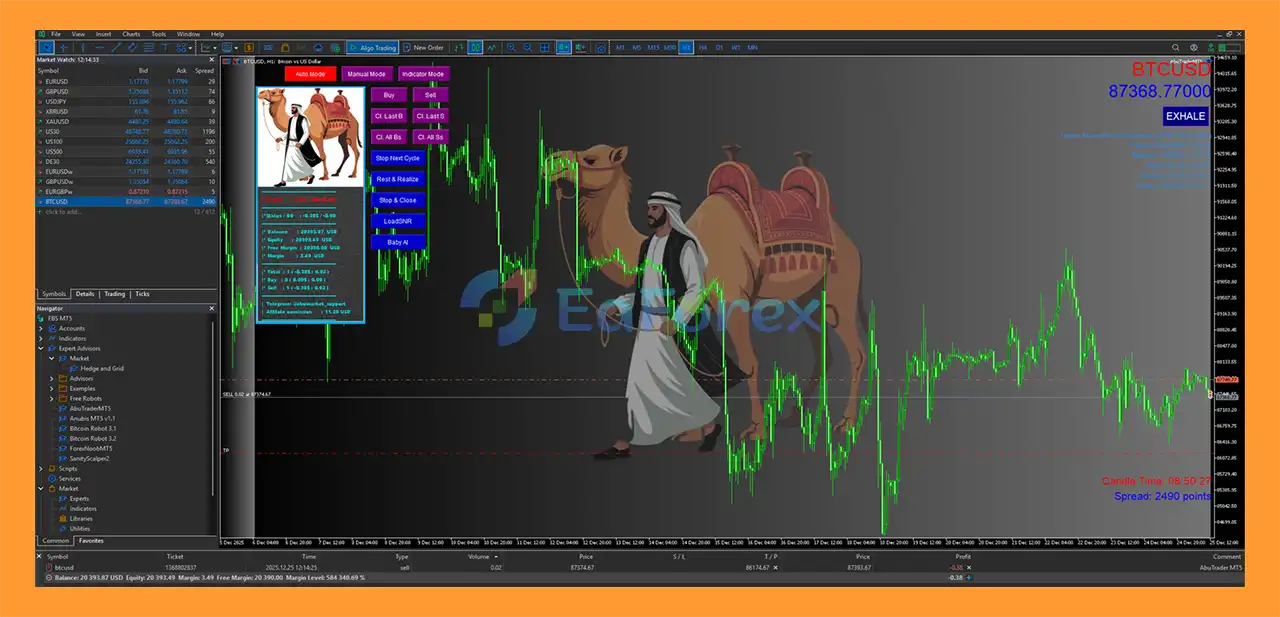
AbuTraderMT5 Reviews
Performance and Risk Management
AbuTraderMT5 is designed with a focus on automated execution, hedging, and position-size management.
The system includes:
- Automatic lot sizing
- Hedging-based trade protection
- Stop Loss management
- Account-specific set files
- Prop firm-oriented configurations
- Automated position management
- Low-spread execution requirements
Low Spread Is Important
The developer strongly recommends using a low-spread account, particularly a Raw account, for the best possible execution conditions.
The stated preferred spread range is approximately 1–12 points, with lower spreads generally providing more favorable trading costs for an automated system.
Actual spreads can vary by broker, market session, news conditions, and account type.
Recommended Testing Period
Before using AbuTraderMT5 on a live account, the developer recommends testing the EA on a demo account for approximately 12 weeks.
This provides time to evaluate:
- Broker compatibility
- Spread conditions
- Execution quality
- Slippage
- Trading frequency
- Drawdown behavior
- Position management
- Compatibility with account rules
Live Trading Results
The developer states that live signals are available and are not based solely on demo accounts.
However, live trading results should still be evaluated carefully because performance can vary according to broker, account type, spread, leverage, execution, risk settings, and market conditions.
Weaknesses and Risk Warnings
Low Spread Is Essential
AbuTraderMT5 is sensitive to trading costs, so high spreads can negatively affect actual performance. A low-spread account is strongly recommended.
Hedging Does Not Eliminate Risk
Although the EA uses hedging-based protection, hedging does not guarantee that losses will be avoided. Hedged positions can still generate costs and drawdown.
EURUSD Is the Primary Configuration
The main recommended setup is EURUSD H1. Other markets mentioned in the product information may require separate configurations and should not automatically use the EURUSD settings.
Prop Firm Rules Vary
An EA configuration suitable for one prop firm may not be suitable for another. Traders should independently verify rules concerning:
- Maximum daily loss
- Maximum overall drawdown
- Hedging
- News trading
- Overnight positions
- Lot sizes
- Trading frequency
- Minimum trading days
Live Results Can Differ
Even when live signals are available, actual results can differ between accounts due to spread, slippage, broker execution, latency, commission, leverage, and account specifications.
Backtests Are Not Guarantees
The developer explicitly warns that historical backtests may be highly optimized. Backtest results should therefore not be interpreted as a direct representation of future live performance.
VPS Is Recommended
A reliable VPS is recommended for 24/7 operation. Interruptions caused by a local computer, internet connection, or MT5 terminal can affect automated trading.
Pros and Cons
Pros
- Fully automated MetaTrader 5 Expert Advisor
- Primarily designed for EURUSD
- Recommended H1 timeframe
- Developed by a team with 9+ years of trading and coding experience
- Hedging-based trade protection
- Automatic lot-sizing function
- Prop firm-oriented configurations
- Set files for different account sizes
- Live signals available according to the developer
- Easy installation
- Low-spread account recommended
- VPS-compatible
- Automated position management
- Suitable for different account sizes
Cons
- Performance can be sensitive to spread and execution quality
- Low-spread trading conditions are strongly recommended
- Hedging does not eliminate trading risk
- EURUSD is the primary recommended configuration
- Other instruments may require dedicated settings
- Prop firm compatibility depends on each firm’s specific rules
- Backtests may be highly optimized
- Live results can vary between brokers and accounts
- VPS is recommended for continuous operation
- Past performance does not guarantee future profitability
How to Install AbuTraderMT5
Step 1: Open MetaTrader 5
Launch MetaTrader 5 and log in to your trading account.
Step 2: Open the MT5 Data Folder
From the MT5 platform, select:
File → Open Data Folder
Then navigate to:
MQL5 → Experts
Copy the AbuTraderMT5 EA file into the Experts folder.
Step 3: Restart MetaTrader 5
Restart MT5 or refresh the Navigator panel.
The EA should appear under:
Navigator → Expert Advisors
Step 4: Open the EURUSD H1 Chart
For the primary recommended setup, open:
Symbol: EURUSD
Timeframe: H1
Step 5: Attach the EA
Drag AbuTraderMT5 from the Navigator window onto the EURUSD H1 chart.
Make sure Algo Trading is enabled.
Step 6: Load the Appropriate Set File
Select the appropriate set file according to your account size and trading environment.
Dedicated configurations may be available for:
- Small accounts
- Larger accounts
- Personal accounts
- Prop firm accounts
Always use the configuration intended for your specific account type.
Step 7: Check Spread Conditions
Before starting the EA, verify that your broker provides sufficiently low spreads.
A Raw/low-spread account is recommended for the primary configuration.
Step 8: Configure Risk and Lot Management
Review the automatic lot-sizing and risk settings before enabling live trading.
Do not assume that the default risk level is appropriate for every account.
Step 9: Run a Demo Test
The developer recommends testing AbuTraderMT5 on a demo account for approximately 12 weeks before deploying it on a live account.
Use this period to evaluate broker compatibility, spread, execution, drawdown, and overall EA behavior.
Step 10: Use a VPS
For continuous automated trading, install MT5 and AbuTraderMT5 on a reliable VPS.
A low-latency connection to your broker can help maintain stable execution.
Recommended Setup
EA: AbuTraderMT5
Platform: MetaTrader 5
Primary Symbol: EURUSD
Timeframe: H1
Account Type: Raw / Low Spread recommended
Minimum Deposit: No specific minimum
Trading Mode: Automated
Risk Management: Automatic lot sizing
Protection: Hedging-based Stop Loss
VPS: Recommended
Demo Testing: 12 weeks recommended
Primary Focus: Long-term automated EURUSD trading
Real User Reviews and Feedback
🔺AbuTraderMT5 is highly appreciated by the MQL5 community for bringing stable and reliable profits. Below are 5 star reviews from users:
- Fritak (2026.01.15): “I’ve been using AbuTrader for some time now on Bitcoin as well as forex pairs, and so far it ranks among the best EAs I’ve worked with. What I appreciate most is its professional trading approach – no aggressive or reckless entries, but well-thought-out logic with a strong focus on capital protection. The drawdown is kept at a reasonable level, which makes trading calm and stress-free. The bot delivers consistent performance and stable results, and it definitely doesn’t feel like another “hype” system based on luck. This is exactly what I was looking for – a serious tool for long-term growth that behaves in a disciplined way even during more challenging market conditions.”
What’s Included in the Download Package?
- Setting (If Any).docx
- Installation Guide.docx
>>> Join VIP Membership Now <<<
Final Thoughts
In summary, AbuTraderMT5 is a fully automated EURUSD Expert Advisor for MetaTrader 5, primarily designed for the H1 timeframe and focused on structured automated execution, automatic lot sizing, and hedging-based trade protection. By concentrating mainly on EURUSD, the system is designed to focus its trading logic on the characteristics of a single major currency pair rather than spreading its core configuration across multiple markets.
A key feature of AbuTraderMT5 is its combination of automated position management and account-specific configurations. The availability of different set files for personal, larger, and prop firm-oriented accounts provides flexibility, while the automatic lot-sizing function can simplify position management across different account sizes. However, hedging should not be interpreted as eliminating risk, as adverse market movements, spread costs, slippage, and accumulated exposure can still affect account performance.
The developer also recommends low-spread trading conditions, a reliable VPS, and approximately 12 weeks of demo testing before live deployment. Live signal information may provide additional insight into real-market behavior, but live results can vary between brokers and accounts due to execution, spread, commission, leverage, latency, and risk settings.
Overall, AbuTraderMT5 provides a structured framework for automated EURUSD trading on MetaTrader 5. Traders should carefully evaluate the EA under realistic broker conditions, verify compatibility with any prop firm rules, and use conservative position sizing and risk management before considering live trading.

































 Automatic EA
 EA Best Seller
 Expert Advisor MT4
 Expert Advisor MT5
 HFT EA


Reviews
Clear filtersThere are no reviews yet.