









-
 Unlimited Activations
-
 Instant delivery
-
 Easy to install




 Unlimited Activations
Instant delivery
Easy to install
Unlimited Activations
Instant delivery
Easy to install
 Free Update
 Free Install Support

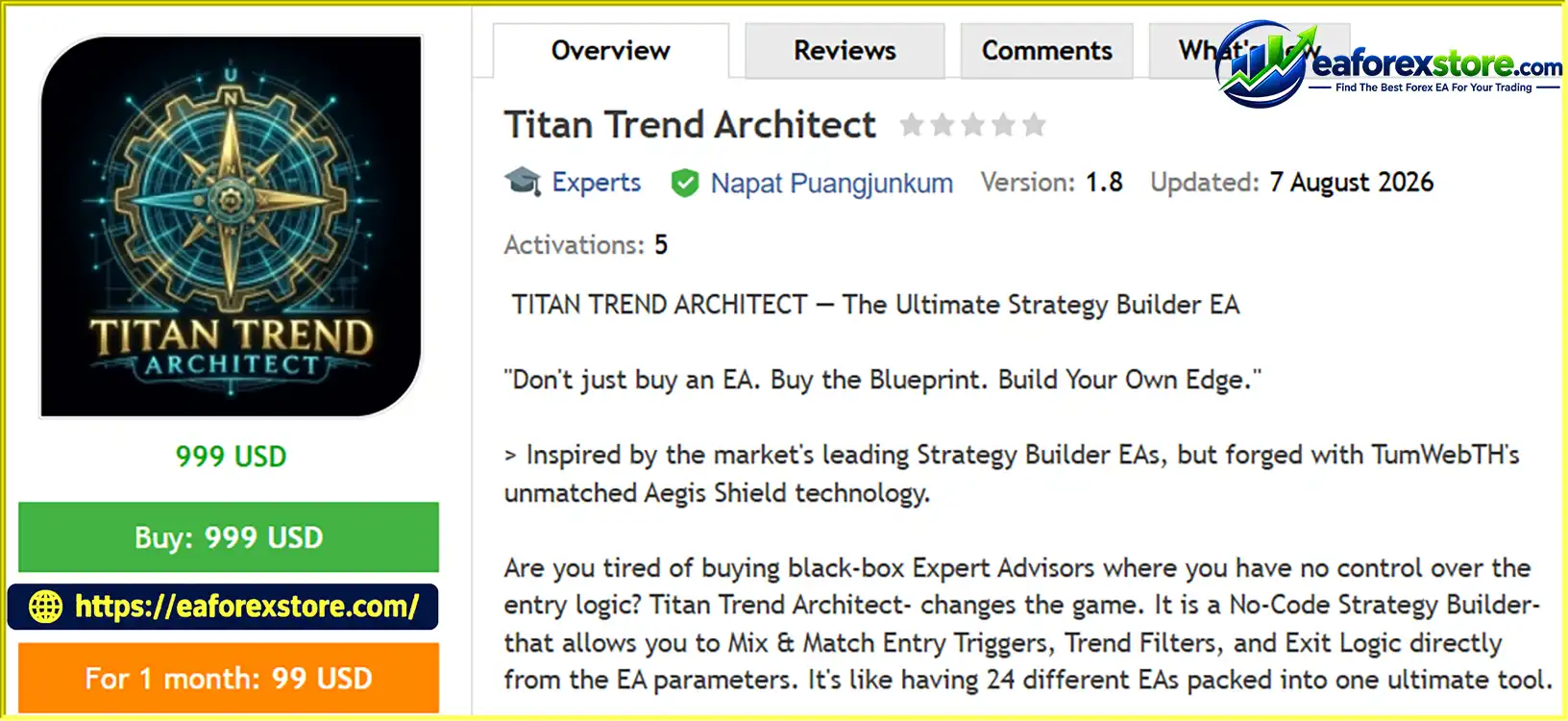
Titan Trend Architect EA MT5 is a customizable Forex trading Expert Advisor (EA) designed for MetaTrader 5 (MT5). Unlike traditional black-box trading robots that offer limited control over their entry and exit rules, this EA features a no-code Strategy Builder that allows traders to configure their trading approach directly through the EA’s input parameters.
The core concept behind Titan Trend Architect EA MT5 is flexibility. Instead of relying on a single trading strategy, users can combine different entry triggers, trend filters, and exit mechanisms to create a trading configuration that matches their trading preferences and risk tolerance.
The EA offers four entry triggers, three trend filter options, and three exit methods. By combining these settings, traders can explore multiple strategy configurations without needing to write or modify any MQL5 code.
Titan Trend Architect EA MT5 also incorporates risk management features, including the Aegis Shield daily drawdown protection, virtual Stop Loss and Take Profit functionality, and a one-trade-at-a-time execution model. According to its specifications, the system does not use grid trading or martingale position sizing.
The EA is designed for traders who want greater control over automated trading decisions while maintaining a structured approach to trade execution and account protection.
Product highlights:
Actual performance depends on the selected configuration, broker conditions, market volatility, and execution quality. The advertised features should be tested before the EA is used on a live account.
> Delivery time 24h-48h after payment.
>>> Refund if not delivered.
>>> You will receive the latest version without any limitations (ID+Time).Reviewed by Jason Stap <<<
Titan Trend Architect EA MT5 Overview
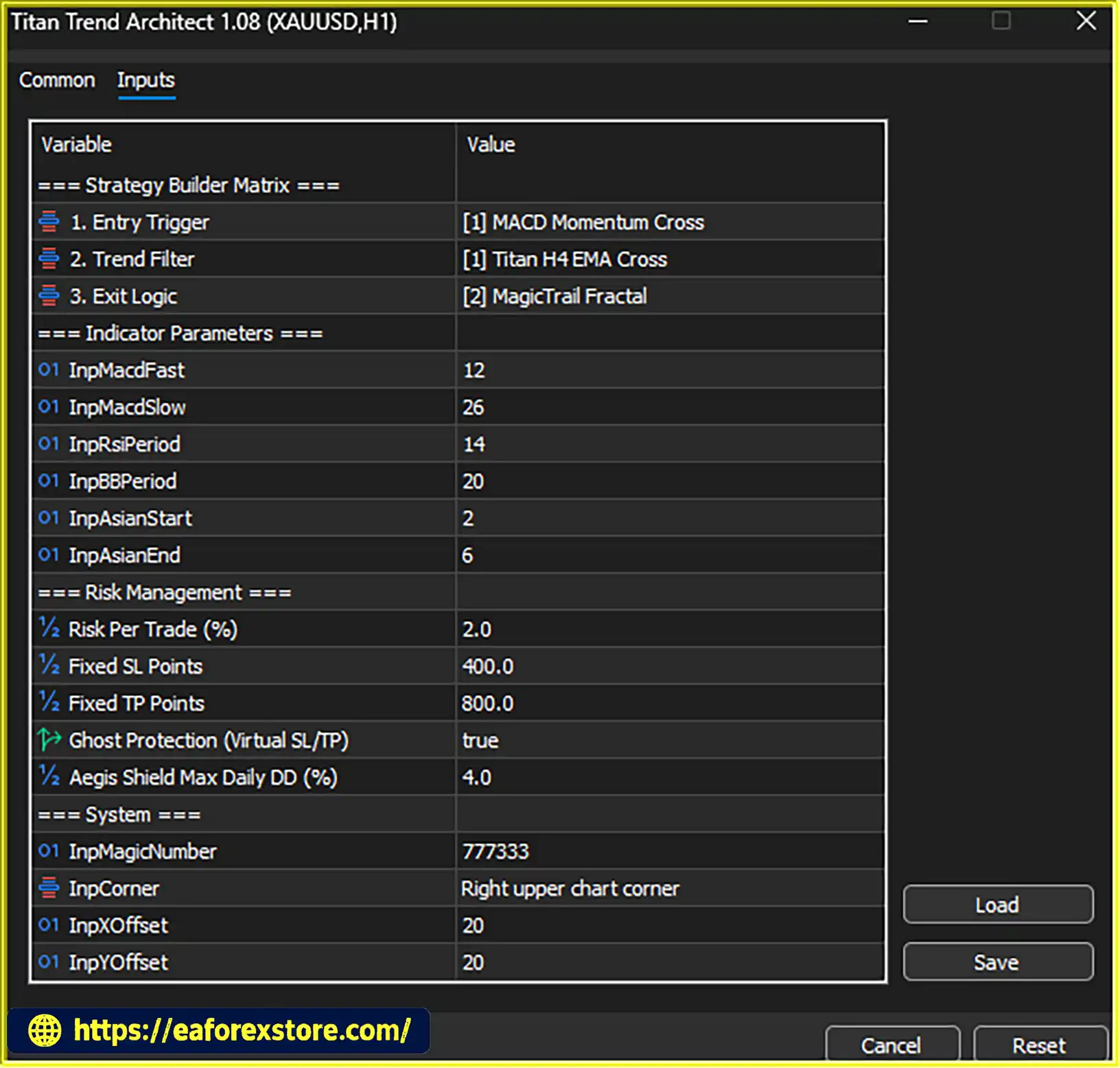
The standout feature of Titan Trend Architect EA MT5 is its built-in Strategy Builder. Users can configure entry conditions, trend filters, and exit logic through dropdown parameters instead of manually programming a trading system.
This approach makes strategy experimentation more accessible to traders who understand technical indicators but do not have advanced coding skills.
The EA supports four entry signal types:
1. MACD Momentum Cross
The MACD Momentum Cross strategy generates trading signals based on crossovers between the MACD line and its signal line. Traders commonly use these crossovers to identify potential momentum shifts and emerging trends.
2. RSI Extreme Reversal
The RSI Extreme Reversal strategy identifies overbought and oversold conditions using the Relative Strength Index (RSI). The supplied configuration references readings above 70 and below 30 as potential reversal zones.
These readings do not guarantee that a reversal will occur. Strong trends can remain overbought or oversold for extended periods.
3. Bollinger Band Breakout
The Bollinger Band Breakout strategy looks for price movements beyond the upper or lower Bollinger Band. Such movements can indicate expanding volatility or a potential breakout.
However, a band breakout may also be followed by a price reversal, so confirmation and appropriate risk controls remain important.
4. Asian Box Breakout
The Asian Box Breakout strategy monitors the high and low of a specified Asian trading session. A trade may be triggered when price breaks beyond the established session range.
The effectiveness of this approach depends on the selected session hours, broker server time, market liquidity, and subsequent price action.
Titan Trend Architect EA MT5 provides three trend filter options:
Using a trend filter may help reduce countertrend entries, although it can also delay entries or cause potentially profitable trades to be skipped.
Users can select one of three exit methods:
The best exit method depends on the chosen entry trigger, the instrument’s volatility, and the trader’s objectives.
The Aegis Shield is described as a daily drawdown circuit breaker designed to stop further trading when a configured daily loss threshold is reached.
For example, a trader might configure a 4% daily drawdown threshold to establish a buffer below a prop firm’s 5% daily loss limit.
This is a risk-control setting rather than a guarantee against breaching a firm’s rules. Gaps, slippage, commissions, swaps, open-position losses, and differences in drawdown calculation can affect the final result.
The Ghost Protection feature, also referred to as Stealth SL/TP, is designed to manage Stop Loss and Take Profit levels within the EA rather than submitting those levels as conventional broker-side orders.
This can reduce the visibility of those specific levels to the broker, but it introduces operational considerations. If the terminal or VPS stops running, the EA may be unable to execute its virtual exits. Traders should verify whether any independent broker-side protection remains in place.
According to the supplied product specifications, Titan Trend Architect EA MT5 does not use grid trading or martingale position sizing. It follows a one-shot execution approach with a maximum of one open trade at a time.
This avoids the specific risk of systematically increasing exposure through grid accumulation or martingale recovery. Nevertheless, a single trade can still generate a substantial loss if its position size or exit controls are inappropriate.
Titan Trend Architect EA MT5 follows a configurable trading workflow that combines technical signals, trend confirmation, trade management, and account-level risk controls.
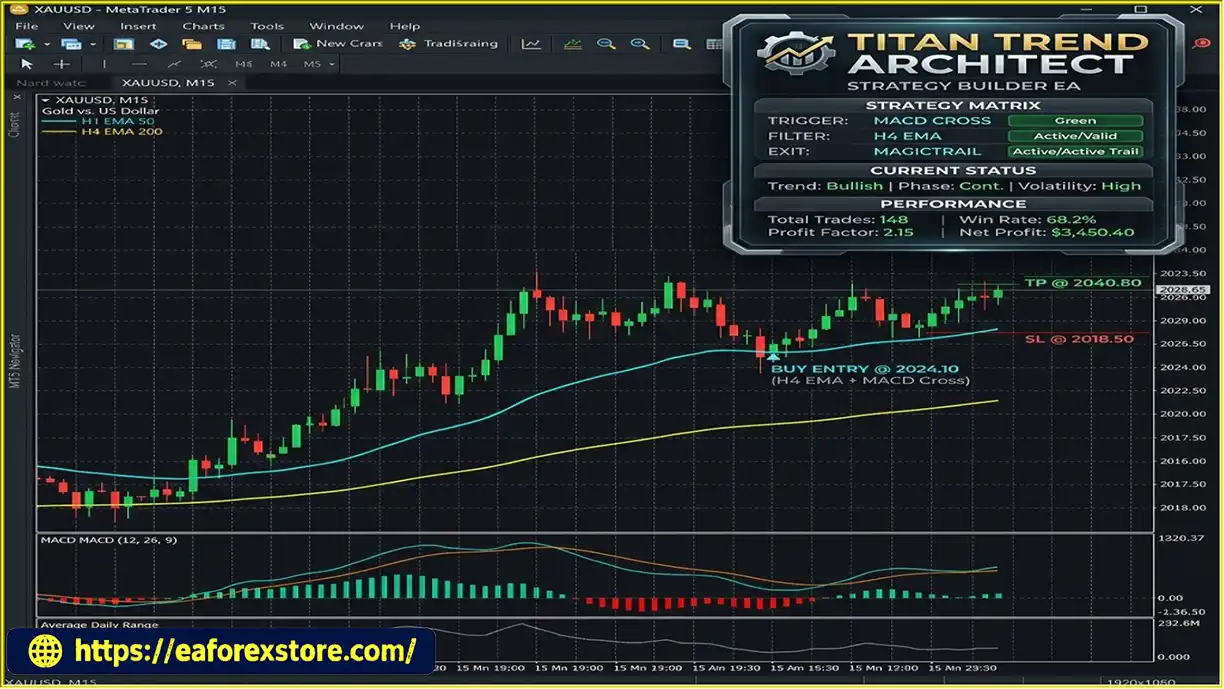
The EA evaluates the selected entry trigger, such as a MACD crossover, RSI extreme condition, Bollinger Band breakout, or Asian Session range breakout.
When the configured conditions are satisfied, the system identifies a potential trading opportunity.
If a trend filter is enabled, the EA checks whether the signal agrees with the selected H4 or Daily trend logic.
When the trend conditions do not align, the signal may be rejected. Selecting the No Filter option allows the EA to consider signals without this additional restriction.
The EA uses the configured Risk Per Trade (%) setting and other risk-related parameters to determine the intended trading exposure, subject to the implementation of the EA.
For example, a 1% risk setting on a $10,000 account would represent $100 of intended risk if the EA calculates risk against current account equity and the Stop Loss is executed as expected.
This amount is not a guaranteed maximum loss. Actual losses may exceed the intended risk because of slippage, gaps, execution failures, or virtual Stop Loss limitations.
When the entry conditions and applicable filters are satisfied, the EA attempts to open a position.
The one-trade-at-a-time design is intended to prevent multiple simultaneous positions from accumulating under its normal execution rules.
The selected exit method determines how the trade is managed:
The Aegis Shield monitors the configured daily drawdown conditions and is intended to restrict further trading after the specified threshold is reached.
Traders should verify exactly how the EA calculates daily drawdown, when its daily counter resets, and whether it accounts for floating losses, commissions, and swaps.
Titan Trend Architect EA MT5 may appeal to traders who want to customize an automated trading system without developing a new EA for every strategy idea.
Rather than being restricted to one predefined approach, users can change entry triggers, trend filters, and exit methods. This makes it easier to compare different strategy configurations within a single EA.
The Strategy Builder can help traders evaluate how momentum, reversal, and breakout signals behave under different trend conditions.
For example, a MACD crossover combined with an H4 trend filter creates a different trading approach from an RSI reversal strategy with no trend filter.
Percentage-based risk settings, daily drawdown controls, and configurable exits provide several layers of risk management. These features can support a more disciplined trading process when configured and tested correctly.
The stated absence of grid and martingale logic may be attractive to traders who prefer not to increase position sizes systematically after losing trades.
The supplied setup instructions identify gold (XAUUSD), silver (XAGUSD), and NAS100 as intended instruments.
However, each instrument has different volatility, spread, contract specifications, and trading-session characteristics. Separate optimization and testing are advisable rather than assuming one configuration will work equally well across all markets.
Users can adjust the available strategy parameters through the MT5 interface without writing MQL5 code. This can make systematic strategy testing more approachable for traders who are not software developers.
🔺2019–2023
Titan Trend Architect EA Backtest Results
The performance of Titan Trend Architect EA MT5 depends on its strategy configuration, risk settings, market conditions, broker execution, and the reliability of its protective mechanisms.
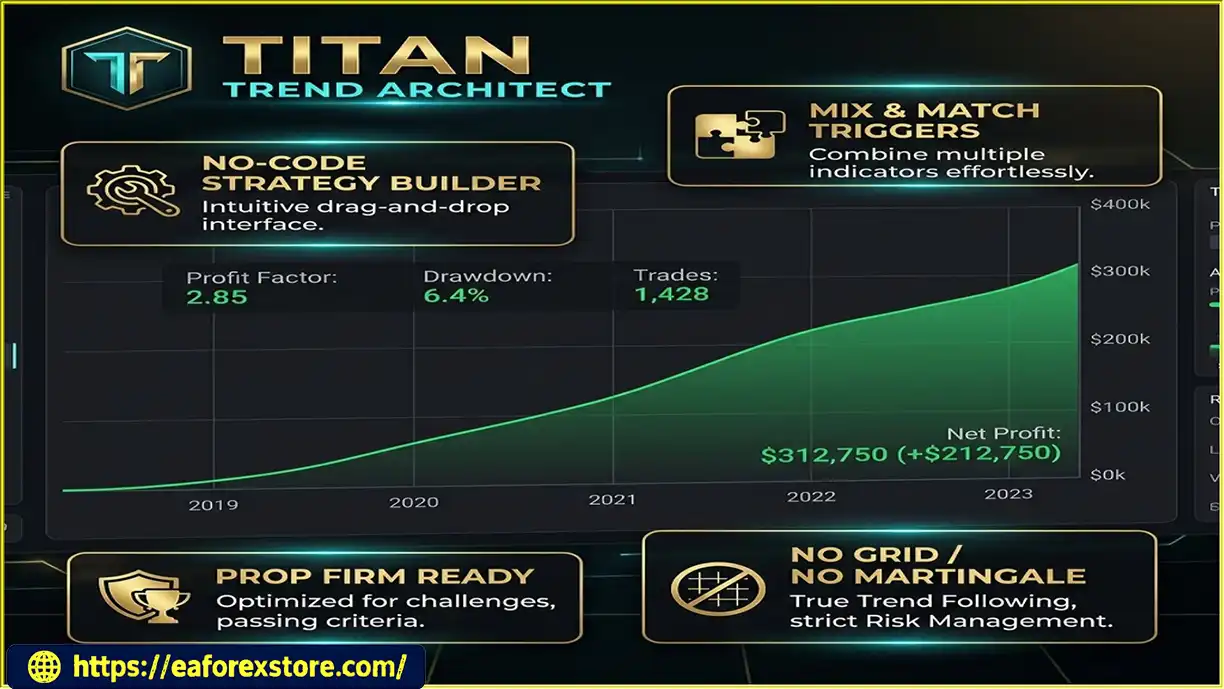
No verified backtest results, independently audited trading records, or live-account performance statistics have been supplied here. Therefore, profitability, win rate, maximum drawdown, and long-term consistency cannot be established from the product description alone.
The supplied configuration recommends a Risk Per Trade setting between 1% and 2% for prop firm use. A more conservative starting point may be appropriate during testing.
For illustration, consider a $10,000 account:
| Risk per trade | Intended risk amount |
|---|---|
| 0.25% | $25 |
| 0.50% | $50 |
| 1.00% | $100 |
| 2.00% | $200 |
These figures assume that the percentage is calculated against a $10,000 balance or equity figure. Actual position sizing depends on the EA’s calculation method and the instrument’s contract specifications.
A lower percentage does not eliminate risk, but it can reduce the intended loss associated with an individual trade when the Stop Loss operates as expected.
Aegis Shield can be configured to a daily drawdown threshold such as 4%. The intention is to stop trading before reaching a stricter external loss limit.
Before relying on this feature, traders should confirm:
A prop firm’s official rules should always take precedence over the EA’s settings.
Before using Titan Trend Architect EA MT5 on a live account, consider the following testing process:
A strategy that performs well on historical data may still fail in live trading. Optimization should aim for robustness rather than the highest possible backtest profit.
Despite its customizable strategy options and stated risk controls, Titan Trend Architect EA MT5 has limitations that prospective users should understand.
Technical indicators do not predict market movements with certainty. MACD crossovers can lag, RSI reversals can fail during strong trends, and breakouts can turn into false signals.
The ability to combine multiple indicators does not automatically create a profitable trading strategy.
Ghost Protection relies on the EA being operational to manage virtual exits. If the terminal crashes, the VPS disconnects, or the EA stops functioning, virtual Stop Loss and Take Profit instructions may not execute.
A trader should not assume that a hidden Stop Loss offers the same protection as a broker-side protective order.
The Aegis Shield is intended to control losses, but it cannot guarantee compliance with every prop firm’s drawdown rules. Fast market movements, gaps, slippage, and technical failures may cause losses to exceed the configured threshold.
Gold, silver, and NAS100 can experience sharp price movements and rapidly changing spreads. A strategy that performs adequately on one instrument may behave differently on another.
Because the EA offers multiple combinations of entry, filter, and exit settings, traders may be tempted to select the configuration with the highest historical profit.
Testing many combinations increases the possibility of overfitting, where a strategy matches past price movements but fails to generalize to future markets.
Reliable automated trading requires a stable MT5 terminal, an uninterrupted internet connection, and appropriate broker execution conditions. A VPS may improve availability, but it does not eliminate technical or market risks.
The product description presents Aegis Shield as a prop firm defense feature. Nevertheless, traders must independently verify that the EA’s execution style, virtual stops, trading hours, news restrictions, and drawdown calculations comply with their specific firm’s rules.
Risk warning: Forex, CFDs, metals, and indices can involve substantial financial losses. Titan Trend Architect EA MT5 should be tested thoroughly before live deployment. Never risk money you cannot afford to lose, and do not interpret the presence of automated risk controls as a guarantee of capital protection.
Overall, Titan Trend Architect EA MT5 offers a flexible framework for experimenting with automated trading strategies. Its value depends on the quality of the strategy configuration, the reliability of its implementation, and the trader’s ability to test and manage risk responsibly.
Follow these steps to install and configure Titan Trend Architect EA MT5 on MetaTrader 5.
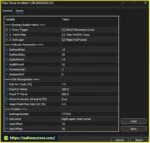
setting
Obtain the Titan Trend Architect EA MT5 file from the official provider. The file will commonly use the .ex5 extension, although the exact package may vary.
Only use files from a source you trust.
Launch your MT5 trading platform and log in to your broker account. For initial testing, a demo account is recommended.
In MetaTrader 5:
MQL5 directory.Experts folder.If the provider supplies additional required files or specific installation instructions, follow those instructions as well.
Return to MT5 and open the Navigator panel.
Right-click Expert Advisors and select Refresh. Alternatively, restart the platform if the EA does not appear.
Locate Titan Trend Architect EA MT5 in the Expert Advisors list.
Open the chart for the instrument you intend to test:
Attach the EA to an M15 chart, as specified in the supplied setup instructions.
Broker symbol names may include suffixes or prefixes, so confirm the exact instrument name in your Market Watch window.
Drag the EA onto the chart or double-click its name.
Review the EA settings and enable the required permissions. Make sure the platform’s Algo Trading control is enabled.
Check the Experts and Journal tabs for initialization errors or warnings.
Choose the combination of entry trigger, trend filter, and exit logic that you want to test.
For example, a test configuration could use:
This is an illustrative configuration, not a verified profitable setup. Different combinations should be evaluated independently.
Review the relevant risk settings, including:
The supplied instructions recommend a 4% daily drawdown threshold and identify 1%–2% risk per trade as a suggested range for prop firm use. These are product recommendations, not universally safe settings.
For initial testing, consider a lower risk percentage and verify that position sizing, Stop Loss calculations, and daily drawdown behavior work as expected.
Keep Stealth Mode enabled only if you understand its operational limitations and have verified the EA’s behavior. Do not assume that virtual exits remain active if MT5 or the EA stops running.
Before live trading:
Evaluate drawdown, trade frequency, profit factor, average trade outcome, and performance across different market conditions. Use realistic trading costs whenever the testing environment supports them.
Run the EA on a demo account before deploying it to a live account. Monitor its entries, exits, position sizing, daily drawdown calculations, and behavior during connection interruptions.
If you intend to use the EA with a prop firm, compare its actual behavior with the firm’s current trading rules before purchasing an evaluation or deploying it on a funded account.
Installation tip: If the EA does not open trades, check whether automated trading is enabled, the symbol is supported, the selected trigger conditions have been met, the market is open, and the Experts or Journal tabs report any errors.
>>> Join VIP Membership Now <<<
Titan Trend Architect EA MT5 takes a customizable approach to automated trading by combining multiple entry signals, trend filters, and exit methods within a single MetaTrader 5 Expert Advisor.
Its main attraction is the no-code Strategy Builder, which allows traders to experiment with different trading configurations without developing a separate EA for each strategy. The stated Aegis Shield daily drawdown control, Ghost Protection virtual exits, and no-grid, no-martingale execution model provide additional features for users who prioritize structured trade management.
However, flexibility should not be confused with profitability. Every strategy combination carries its own strengths and weaknesses, and technical indicators can generate false signals in changing market conditions. Virtual Stop Loss and Take Profit functionality also introduces operational risks that traders need to understand before using the EA on a live account.
For the best evaluation process, begin with historical backtesting, continue with demo forward testing, and use conservative risk settings until the EA’s behavior has been independently assessed. Verify its daily drawdown calculations and confirm compatibility with your broker and any prop firm’s trading rules.
1. What Is Titan Trend Architect EA MT5?
Titan Trend Architect EA MT5 is an automated Forex trading Expert Advisor designed for the MetaTrader 5 platform. It features a no-code Strategy Builder that allows traders to customize entry signals, trend filters, and exit methods without writing MQL5 code. The EA is designed for traders who want greater flexibility in developing and testing automated trading strategies.
2. Which Trading Instruments Does Titan Trend Architect EA MT5 Support?
According to the supplied product specifications, Titan Trend Architect EA MT5 is intended for trading XAUUSD (Gold), XAGUSD (Silver), and NAS100 (Nasdaq-100 index CFD), subject to broker availability. The recommended chart timeframe is M15. Traders should verify symbol names, contract specifications, spreads, and trading conditions with their brokers before using the EA.
3. What Trading Strategies Are Available in Titan Trend Architect EA MT5?
Titan Trend Architect EA MT5 offers four customizable entry strategies: MACD Momentum Cross, RSI Extreme Reversal, Bollinger Band Breakout, and Asian Box Breakout. Traders can combine these entry triggers with different trend filters and exit methods to create trading configurations that match their preferences. However, no strategy guarantees profitable trades in all market conditions.
4. Does Titan Trend Architect EA MT5 Require Programming Skills?
No. One of the main features of Titan Trend Architect EA MT5 is its no-code Strategy Builder. Users can configure entry signals, trend filters, and exit logic through the EA's input parameters in MetaTrader 5. This makes strategy experimentation more accessible to traders who understand technical indicators but do not have advanced MQL5 programming skills.
5. Does Titan Trend Architect EA MT5 Use Grid Trading or Martingale?
According to the supplied product description, Titan Trend Architect EA MT5 does not use grid trading or martingale position sizing. It follows a one-shot execution model designed to allow a maximum of one open trade at a time under its normal operating rules. Although this avoids the specific risks associated with grid accumulation and martingale recovery, individual trades can still generate significant losses.
6. What Risk Management Features Does Titan Trend Architect EA MT5 Offer?
Titan Trend Architect EA MT5 includes percentage-based risk settings, Aegis Shield daily drawdown protection, and configurable exit mechanisms. It also offers Ghost Protection, which manages virtual Stop Loss and Take Profit levels within the EA. These features are designed to support structured risk management, but they cannot eliminate market risk or guarantee that losses remain within configured limits.
7. Is Titan Trend Architect EA MT5 Suitable for Prop Firm Challenges?
Titan Trend Architect EA MT5 may appeal to traders preparing for prop firm challenges because it offers daily drawdown protection and configurable risk-per-trade settings. However, compatibility with a particular prop firm is not guaranteed. Traders should verify the firm's current rules regarding daily losses, overall drawdown, automated trading, virtual Stop Losses, news trading, and trading hours before deployment.
8. Is Titan Trend Architect EA MT5 Profitable?
The profitability of Titan Trend Architect EA MT5 has not been independently verified based on the supplied product information. Although the description lists historical backtest figures for 2019–2023, including a reported net profit of $312,750, a profit factor of 2.85, a maximum drawdown of 6.4%, and 1,428 trades, these figures should not be treated as independently confirmed results. Traders should request the complete backtest report and evaluate the strategy through realistic backtesting and demo forward testing before risking real money.
9. How Do I Install Titan Trend Architect EA MT5 on MetaTrader 5?
To install Titan Trend Architect EA MT5, download the EA file from an official or authorized source and open MetaTrader 5. Select File → Open Data Folder, navigate to MQL5 → Experts, and copy the supplied .ex5 file into that folder. Refresh the Navigator panel, attach the EA to an appropriate M15 chart, configure the Strategy Builder and risk settings, and enable Algo Trading. Run a backtest and test the EA on a demo account before using it on a live account.
10. What Are the Main Risks of Using Titan Trend Architect EA MT5?
The main risks include false trading signals, strategy over-optimization, changing market conditions, slippage, and broker execution issues. Ghost Protection's virtual Stop Loss and Take Profit functionality may also depend on MetaTrader 5 and the EA remaining operational. In addition, daily drawdown protection cannot guarantee compliance with every prop firm's loss limits. Traders should use conservative risk settings, verify the EA's behavior, and never invest money they cannot afford to lose.
In stock
In stock
In stock
In stock
In stock
Out of stock
No account yet?
Create an Account












 Automatic EA
 EA Best Seller
 Expert Advisor MT4
 Expert Advisor MT5
 HFT EA


Reviews
Clear filtersThere are no reviews yet.