









-
 Unlimited Activations
-
 Instant delivery
-
 Easy to install





 Unlimited Activations
Instant delivery
Easy to install
Unlimited Activations
Instant delivery
Easy to install
 Free Update
 Free Install Support

Chronos Auto Adaptive Matrix EA MT5 is an automated Forex trading system designed for the MetaTrader 5 (MT5) platform. According to its product description, this Expert Advisor (EA) focuses on major currency pairs, particularly EUR/USD and GBP/USD, using an adaptive grid strategy, dual-direction trading logic, and automated basket management.
The EA is built around a dual-mind hedging concept that combines independent buy and sell trading engines. By monitoring market volatility through the Average True Range (ATR) indicator, Chronos aims to adjust its grid spacing dynamically rather than relying on fixed-distance grid levels.
The system also features several advertised risk-management components, including a maximum drawdown circuit breaker, a spread filter, a cooldown mechanism, and an automated recovery module. Its basket-profit closing system is designed to close a group of open positions when the specified floating profit target is reached.
Another highlighted feature is Ghost Protocol V4, which is described as a stealth execution mechanism intended to manage take-profit, stop-loss, and trailing levels internally rather than placing all these levels directly on the broker’s server.
While these features may appeal to traders interested in automated Forex trading, actual profitability, execution quality, and drawdown performance must be evaluated through independent backtesting and forward testing. The advertised capabilities should not be interpreted as guarantees of trading success.
> Delivery time 24h-48h after payment.
>>> Refund if not delivered.
>>> You will receive the latest version without any limitations (ID+Time).Reviewed by Jason Stap <<<
The Dual-Mind Hedging Engine is the central component of Chronos Auto Adaptive Matrix EA MT5. It uses two independent trading engines to manage potential opportunities in both market directions.
This approach aims to capture opportunities in different market conditions. However, opening positions in both directions does not automatically eliminate risk. Hedged positions may still generate losses through spreads, commissions, swaps, and adverse price movements.
Chronos uses the Average True Range (ATR) indicator to measure market volatility and adjust grid spacing dynamically.
Unlike a conventional grid EA with fixed entry distances, an ATR-based system can respond to changes in recent price movement. Wider spacing may be used during periods of higher volatility, while narrower spacing may be appropriate when market fluctuations decrease, depending on the EA’s actual implementation.
Potential benefits include:
ATR measures volatility rather than predicting price direction. An adaptive grid can still accumulate substantial exposure during a prolonged trend or sudden market shock.
Ghost Protocol V4 is advertised as a stealth mode that manages take-profit, stop-loss, and trailing targets internally.
Instead of transmitting every target level to the broker, the EA may monitor prices locally and issue closing orders when its programmed conditions are satisfied.
This approach can reduce the visibility of certain target levels to the broker. However, it does not guarantee protection against stop-hunting, manipulation, slippage, or execution problems. Internal stop management also depends on the terminal or VPS remaining online and the EA functioning correctly.
Traders should confirm which protection levels are actually stored on the broker’s server and which exist only within the EA.
The AEGIS protection system is presented as a multi-layered risk-management framework.
Its advertised components include:
Although these mechanisms may help control certain trading risks, their effectiveness depends on the underlying code, trigger conditions, execution speed, and account equity. A 30% drawdown limit is not a guaranteed maximum loss.
The product description references seven stages, but only five numbered stages or components are explained in the supplied information. The remaining stages should be verified in the official documentation.
The Machine Gun Exit Protocol is designed to close the EA’s trading basket once its floating profit reaches a predefined monetary target.
For example, a trader might configure a basket-profit target of $10. When the EA detects that the relevant floating profit has reached the configured threshold, it attempts to close the associated positions and reset the trading cycle.
Potential advantages include:
The actual closing time and realized profit may differ from the target because of market volatility, spreads, commissions, slippage, order-processing delays, and partial fills.
Chronos combines volatility analysis, directional trading logic, position management, and basket-level exit rules into an automated trading workflow.
The EA monitors market data and calculates ATR to estimate recent volatility. This information is used to determine suitable grid spacing according to the strategy’s programmed parameters.
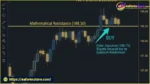
The Buy Matrix Engine looks for potential bullish reactions, while the Sell Matrix Engine searches for potential bearish setups.
The exact entry criteria, confirmation indicators, and signal filters should be checked in the EA’s source code or documentation.
When trading conditions meet the EA’s rules, it opens and manages positions. Depending on its configuration, the system may maintain buy and sell exposure simultaneously and adjust its grid as prices move.
Grid-based strategies can increase the number of open positions as the market moves against existing entries, making position sizing and exposure limits especially important.
The advertised AEGIS system monitors selected risk conditions, including drawdown, spread, and market aggression. When a configured threshold is reached, the EA may stop opening new trades or enter a cooldown period.
The precise behavior of each protection mechanism must be confirmed through testing.
The TrendTrapper and Ouroboros modules are described as tools for managing directional exposure and reducing selected losing positions. Their real effectiveness depends on their algorithms, trade-selection rules, and available realized profits.
Using profits from winning trades to close losing trades can reduce open exposure, but it does not eliminate the underlying loss.
When the configured basket-profit condition is met, the Machine Gun Exit Protocol attempts to close the relevant positions. The EA then resets the cycle according to its programmed rules.
Before live deployment, traders should verify how the EA calculates basket profit, including commissions, swap charges, and whether the target is based on balance, equity, or floating profit.
Chronos Auto Adaptive Matrix EA MT5 may be worth evaluating for traders who prefer automated position management and adaptive grid strategies over manual trade execution.
ATR-based grid spacing offers a volatility-sensitive alternative to fixed grid intervals. This may provide greater flexibility as market conditions change, although it cannot guarantee better entries or profitability.
The dual-engine design allows the EA to manage both bullish and bearish opportunities. This may suit strategies that seek to operate in ranging markets as well as changing directional conditions.
A monetary basket-profit target gives traders a clear exit objective for a group of positions rather than relying exclusively on individual trade targets.
The advertised drawdown, spread, and cooldown controls provide several potential layers of defense. Their effectiveness should be verified under realistic execution conditions.
The EA is designed for MetaTrader 5 and focuses on EUR/USD and GBP/USD. Before choosing a broker, traders should verify support for the required hedging mode, trading symbols, minimum lot sizes, execution policies, and trading conditions.
Important: These advantages describe the strategy’s intended design, not independently verified performance. No EA should be selected solely on the basis of marketing claims or feature lists.
Chronos Auto Adaptive Matrix EA MT5 Review
Chronos Auto Adaptive Matrix EA MT5 Results
The performance of Chronos Auto Adaptive Matrix EA MT5 depends on market conditions, account configuration, broker execution, position sizing, and the quality of its risk controls.
Because no verified backtest results, live trading statements, or independently audited performance figures were supplied, its profitability and historical drawdown cannot be reliably quantified.
Maximum drawdown: The advertised 30% circuit breaker should be examined carefully. Determine whether it measures equity drawdown or balance drawdown, whether it uses the account’s peak equity, and whether it closes existing positions or only stops new entries.
Position sizing: Lot size, maximum open positions, grid depth, and total directional exposure can have a greater impact on account risk than entry precision alone.
Spread and commissions: EUR/USD and GBP/USD trading costs vary by broker and account type. Testing should include realistic spreads, commissions, swaps, and slippage.
News and volatility: A spread filter may block entries during some periods of elevated costs, but it cannot reliably prevent all losses associated with news releases, price gaps, or rapid market reversals.
Hedging and margin: Simultaneous buy and sell positions can consume margin and incur trading costs. Margin requirements and hedging rules vary across brokers and account types.
Basket recovery: Closing losing positions using profits from winning trades can realize losses and reduce the account’s remaining capital. The recovery logic should be evaluated for its effect on net equity, exposure, and future recovery capacity.
Before using real funds, traders should:
A profitable backtest does not guarantee profitable live trading. Results can deteriorate because of overfitting, execution differences, changing market conditions, and unexpected events.
Despite its advertised automation and protection features, Chronos Auto Adaptive Matrix EA MT5 has several potential weaknesses that traders should understand before using it.
Grid strategies may accumulate additional positions as the market moves against existing trades. A prolonged directional move can increase floating losses and margin requirements, even when the EA uses adaptive ATR spacing.
Opening both buy and sell positions does not guarantee a neutral or profitable portfolio. Transaction costs, unequal position sizes, timing differences, and changes in exposure can all affect the outcome.
If protective levels are managed locally rather than on the broker’s server, a disconnected terminal, failed VPS, or malfunctioning EA may prevent timely execution. Stealth management also cannot guarantee protection against adverse execution.
Automatically closing losing positions with profits from winning trades may reduce exposure, but it can also lock in losses and leave the account with fewer opportunities to recover.
A programmed drawdown threshold cannot ensure that losses stop at exactly 30%. Slippage, gaps, margin liquidation, and execution delays may cause actual losses to exceed the configured threshold.
Terms such as “God-tier,” “AI-powered,” “perfectly calibrated,” and “extreme precision” are promotional descriptions rather than evidence of consistent profitability. The supplied product description does not establish independently verified returns, a certified AI model, or guaranteed protection against broker practices.
Traders should request the official EA documentation, verified trading history, risk disclosures, and details of the underlying execution logic before purchasing or deploying the system.
Risk warning: Forex and leveraged trading involve substantial risk and may result in the loss of some or all of the capital invested. Automated trading does not eliminate market risk. Past performance, simulated results, and marketing claims are not reliable guarantees of future results.
Overall, Chronos offers a feature-rich trading concept, but its suitability depends on independent testing, transparent documentation, and disciplined risk management.
Follow these general steps to install a MetaTrader 5 Expert Advisor. The exact process may vary depending on the file format and the developer’s installation instructions.
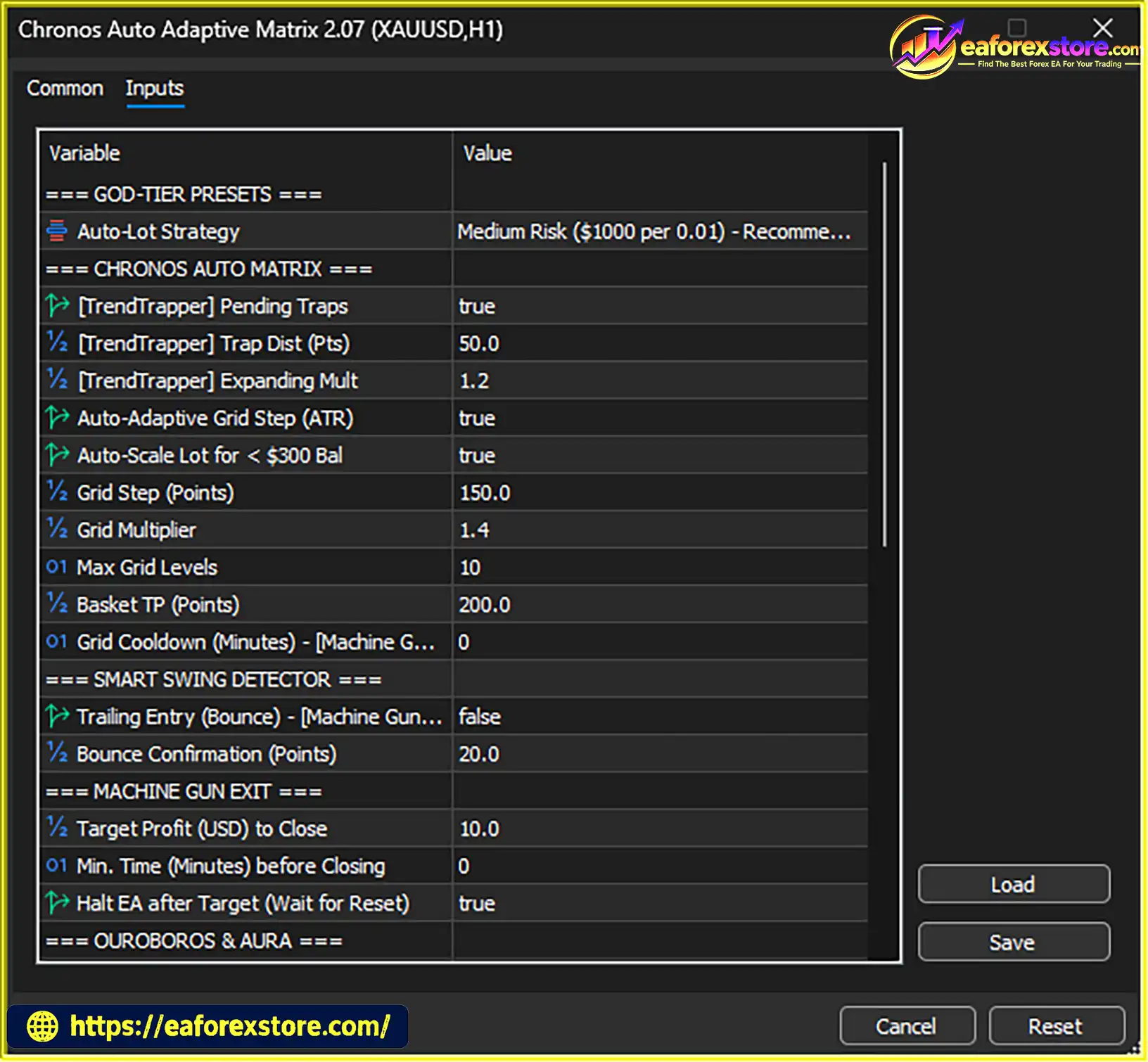
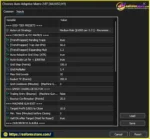
setting
Download Chronos Auto Adaptive Matrix EA MT5 from the official developer or an authorized source.
Verify the file format. Common MT5 Expert Advisor files include .ex5 for compiled programs and .mq5 for source code. Do not run unknown executable files from unverified websites.
Launch MetaTrader 5 on your computer and sign in to the trading account you intend to use for testing.
In MT5, select File → Open Data Folder.
Navigate to:
MQL5 → Experts
Copy the supplied EA file into this directory.
Return to MetaTrader 5 and open the Navigator panel. Right-click Expert Advisors and select Refresh.
If the EA does not appear, restart MT5 or follow the developer’s instructions for compiling or installing its files.
Open a chart for a supported currency pair, such as EUR/USD or GBP/USD. Select the timeframe specified in the official documentation.
Drag the EA onto the chart or double-click its name to open the settings window.
Review all available inputs, including:
Use only settings you understand, and do not assume that the default parameters are suitable for every account.
Enable the platform’s Algo Trading function and allow automated trading in the EA’s properties if required.
Confirm that the EA is attached to the correct chart and that no configuration or permission errors appear in the Experts and Journal tabs.
Run the EA on a demo account before considering live deployment. Check that trades open and close correctly, basket targets work as expected, and protection mechanisms respond to their configured conditions.
If the EA uses stealth stop management, verify the developer’s requirements for continuous terminal operation and VPS hosting.
Installation note: These are general MT5 installation instructions. They do not confirm that a working Chronos EA file is available or that the product has been independently verified.
>>> Join VIP Membership Now <<<
Chronos Auto Adaptive Matrix EA MT5 presents an ambitious approach to automated Forex trading by combining ATR-based grid spacing, dual-direction trade management, stealth target handling, drawdown controls, and automated basket exits.
Its design may interest traders looking for an Expert Advisor that manages multiple positions and adapts its grid spacing to changing volatility. However, the same features that make grid and hedging systems flexible can also introduce significant complexity, transaction costs, and exposure during persistent market trends.
The most important consideration is not the number of advertised features but whether the EA can demonstrate robust results under realistic trading conditions. Before using real money, traders should verify its source and documentation, test its behavior across different market regimes, examine equity drawdown, and confirm that its risk controls work as intended.
Final verdict: Chronos Auto Adaptive Matrix EA MT5 may be worth evaluating as an automated Forex trading system, but its profitability, safety, and real-world performance remain unverified based on the supplied description. Thorough testing and conservative risk management are essential before live trading.
1. What Is Chronos Auto Adaptive Matrix EA MT5?
Chronos Auto Adaptive Matrix EA MT5 is an automated Forex trading Expert Advisor designed for the MetaTrader 5 (MT5) platform. It combines an ATR-based adaptive grid strategy, dual-direction trading engines, hedging logic, and automated basket-profit management to identify and manage potential trading opportunities with minimal manual intervention.
2. Which Currency Pairs Does Chronos Auto Adaptive Matrix EA MT5 Support?
Chronos Auto Adaptive Matrix EA MT5 is primarily designed for major Forex currency pairs, especially EUR/USD and GBP/USD. Traders should verify the supported symbols and recommended trading timeframes in the official documentation before using the EA with a specific broker.
3. How Does the ATR-Based Adaptive Grid Strategy Work?
The EA uses the Average True Range (ATR) indicator to measure market volatility and adjust grid spacing according to changing price conditions. This approach is designed to provide more flexible position management than a traditional fixed-distance grid system. However, adaptive grid trading can still accumulate significant exposure during prolonged market trends.
4. Does Chronos Auto Adaptive Matrix EA MT5 Support Both Buy and Sell Trades?
Yes. The EA features separate Buy Matrix and Sell Matrix engines designed to manage potential bullish and bearish trading opportunities. Its dual-direction approach can allow buy and sell positions to be managed simultaneously, depending on the EA settings and the broker's hedging rules. However, hedging does not eliminate trading risk or guarantee profits.
5. Does Chronos Auto Adaptive Matrix EA MT5 Have Built-In Risk Management?
Chronos Auto Adaptive Matrix EA MT5 advertises several risk-management features, including a maximum drawdown circuit breaker, a dynamic spread filter, a cooldown mechanism, and automated recovery logic. The product description references a 30% drawdown threshold and a cooldown period of up to 60 minutes. These settings should be verified before use, as they do not guarantee a maximum loss or prevent all adverse market events.
6. Can I Set a Custom Profit Target for Each Trading Basket?
Yes. The EA includes an automated basket-profit closing feature that allows users to specify a monetary profit target in USD. When the combined floating profit of the relevant open positions reaches the configured threshold, the EA attempts to close the basket automatically. Actual realized profit may differ from the target because of spreads, commissions, swaps, slippage, and execution delays.
7. Is Chronos Auto Adaptive Matrix EA MT5 Profitable?
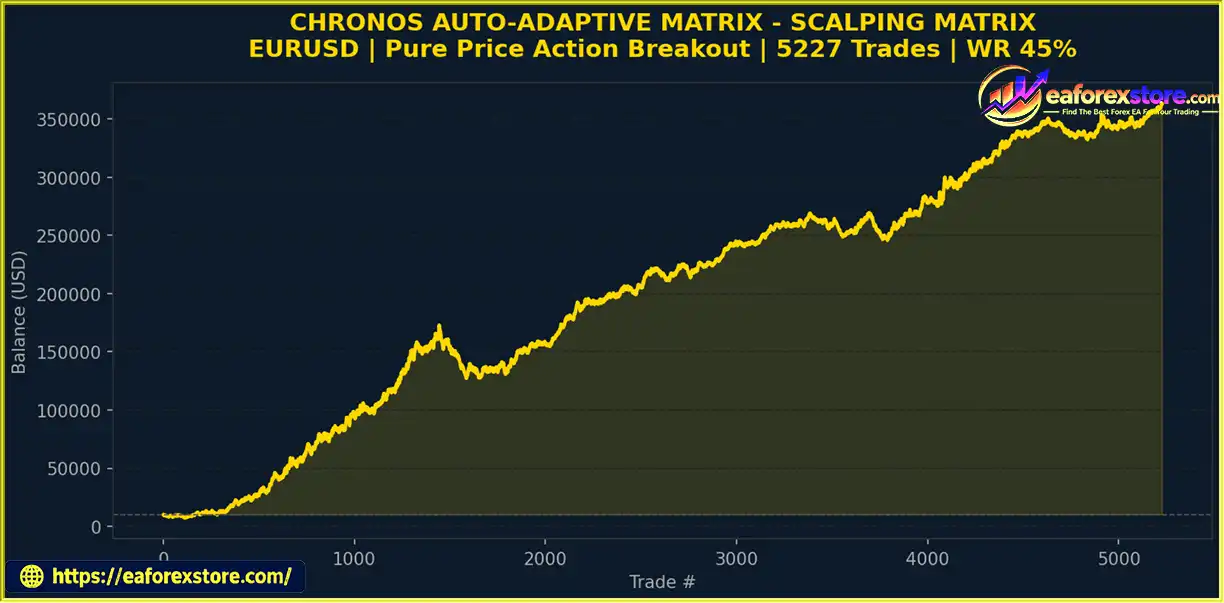
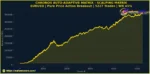
The EA's profitability cannot be guaranteed. Its supplied backtest description reports 5,227 trades and a 45% win rate, with a generally upward equity curve. However, these figures alone do not establish long-term profitability, acceptable drawdown, or reliable live-trading performance. Traders should review verified trading statements, test the EA under realistic market conditions, and evaluate key metrics such as profit factor and maximum equity drawdown before investing real money.
8. Is Chronos Auto Adaptive Matrix EA MT5 Suitable for Beginners?
The EA's automated trade execution and basket management may appeal to beginners who want to reduce manual trading. However, its adaptive grid, hedging, multiple-position management, and recovery mechanisms can be complex. Beginners should understand the risks of leveraged Forex trading, learn the EA's settings, and conduct demo testing before considering a live account.
9. How Do I Install Chronos Auto Adaptive Matrix EA MT5 on MetaTrader 5?
To install the EA, download the file from an official or authorized source, open MetaTrader 5, and select File → Open Data Folder. Navigate to MQL5 → Experts and copy the supplied .ex5 file into that folder. Return to MT5, refresh the Navigator panel, attach the EA to a supported currency-pair chart, configure the parameters, and enable Algo Trading. Always test the installation on a demo account first and follow the developer's official instructions.
10. Does Chronos Auto Adaptive Matrix EA MT5 Guarantee Profits or Protect Against All Trading Risks?
No. Chronos Auto Adaptive Matrix EA MT5 does not guarantee profits or complete protection against losses. Its grid and hedging strategies remain exposed to market volatility, transaction costs, margin requirements, slippage, and prolonged adverse price movements. Even the advertised drawdown circuit breaker and stealth trade-management features have operational limitations. Traders should independently verify the EA's performance, use conservative risk settings, and only trade with capital they can afford to lose.
In stock
In stock
In stock
In stock
In stock
Out of stock
No account yet?
Create an Account












 Automatic EA
 EA Best Seller
 Expert Advisor MT4
 Expert Advisor MT5
 HFT EA


Reviews
Clear filtersThere are no reviews yet.