









-
 Unlimited Activations
-
 Instant delivery
-
 Easy to install

 Unlimited Activations
Instant delivery
Easy to install
Unlimited Activations
Instant delivery
Easy to install
 Free Update
 Free Install Support

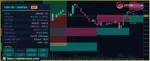
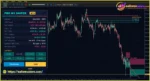
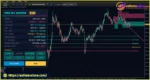
Pro M1 Sniper MT5 is a professional custom trading indicator for MetaTrader 5 (MT5), designed primarily for scalping on the M1 (one-minute) timeframe. It combines Dynamic Support and Resistance (DSR), Sniper entry signals, adaptive Stop Loss and Take Profit levels, volatility trading zones, and Gann angle analysis in one integrated chart interface.
Unlike basic scalping indicators that rely on a single technical indicator or fixed entry condition, Pro M1 Sniper MT5 uses multiple analytical engines to evaluate market direction, identify potential pullback reversals, and establish structured trade management levels. Its control panel consolidates trend direction, entry signals, risk targets, volatility information, spread data, and historical signal statistics.
The Dynamic Support and Resistance engine uses an Average True Range (ATR)-based trailing line to identify potential trend changes. Meanwhile, the Sniper Signal Engine combines swing structure, Relative Strength Index (RSI) conditions, and rejection candlesticks to identify possible short-term trading opportunities.
One of the main advantages of Pro M1 Sniper MT5 is its adaptive risk management framework. The indicator calculates Stop Loss levels using volatility-based distances and provides three profit targets: TP1, TP2, and TP3, typically positioned at 1R, 2R, and 3R. These levels help traders plan entries and manage potential profits systematically.
Additional features include volatility-based trading zones, Gann angle projections, five Sniper signal sensitivity modes, configurable alerts, and a built-in historical performance dashboard.
Although Pro M1 Sniper MT5 is optimized for M1 scalping, it can also be configured for M5–M15 intraday trading and H1 swing analysis. Its closed-candle signal logic is designed to improve historical signal consistency, making it a useful analytical tool for traders who prefer structured, rule-based technical analysis.
>> Join our Channel Telegram <<<
The Dynamic Support and Resistance engine identifies market direction using an ATR-based trailing support or resistance line.
During an uptrend, the support line moves upward beneath price. During a downtrend, the resistance line moves downward above price. When price breaks the active line, the indicator can identify a potential trend reversal and display a corresponding DSR arrow.
Four sensitivity modes allow traders to adjust the balance between smoother trend filtering and faster reactions to price changes.
The Sniper Signal Engine identifies potential pullback reversals using several conditions, including swing lows or highs, RSI movements from extreme conditions, and rejection candles.
A BUY signal requires a fresh swing low, an RSI recovery from oversold conditions, and a bullish rejection candle closing in the upper half of its range. SELL signals apply the opposite logic.
Optional DSR trend and support or resistance filters can help restrict entries to setups that align with the broader market direction.
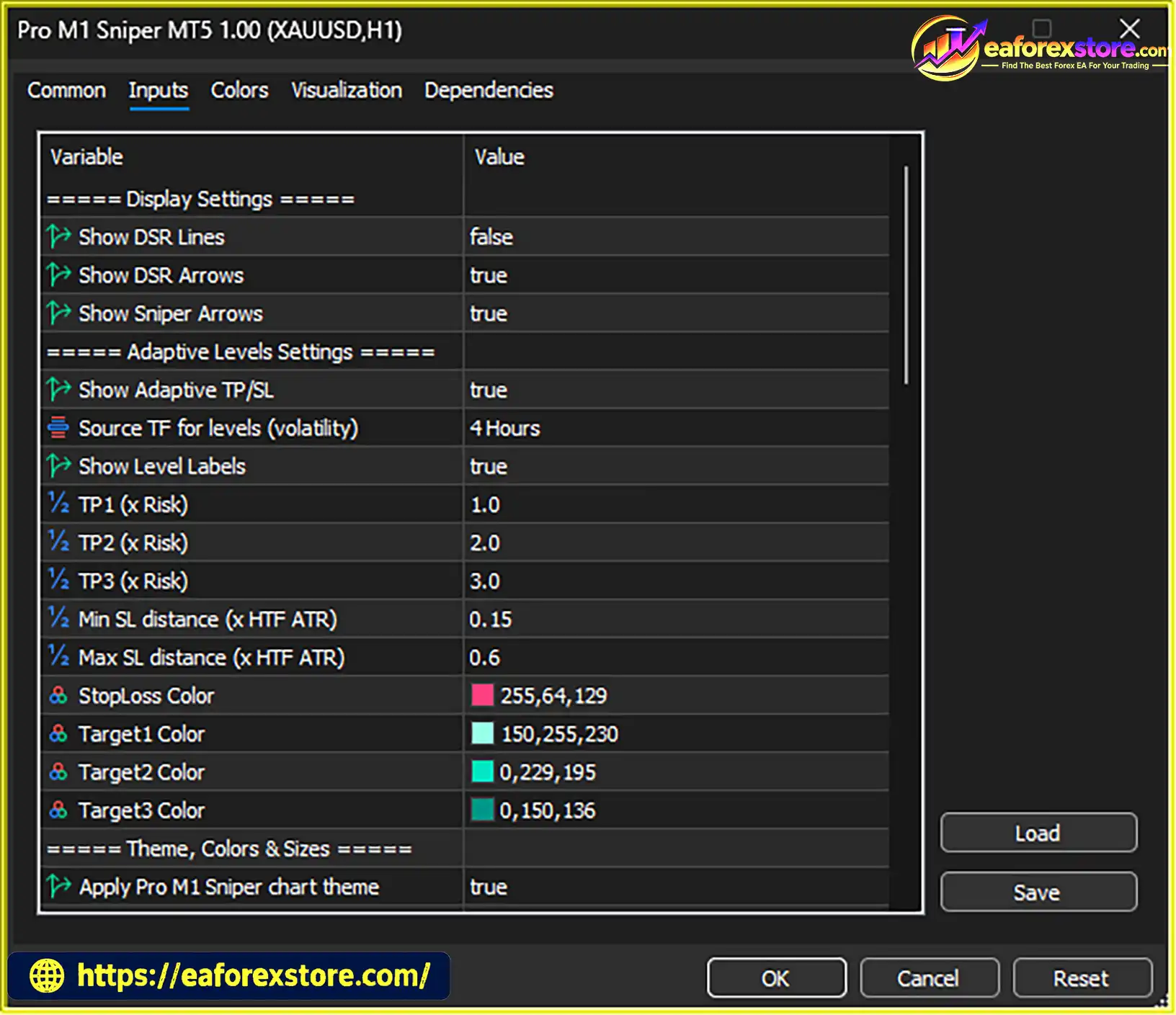
Pro M1 Sniper MT5 calculates trade risk levels using ATR data from a higher timeframe. The Stop Loss distance adapts to market volatility and incorporates a buffer beyond the signal candle, subject to configurable minimum and maximum risk distances.
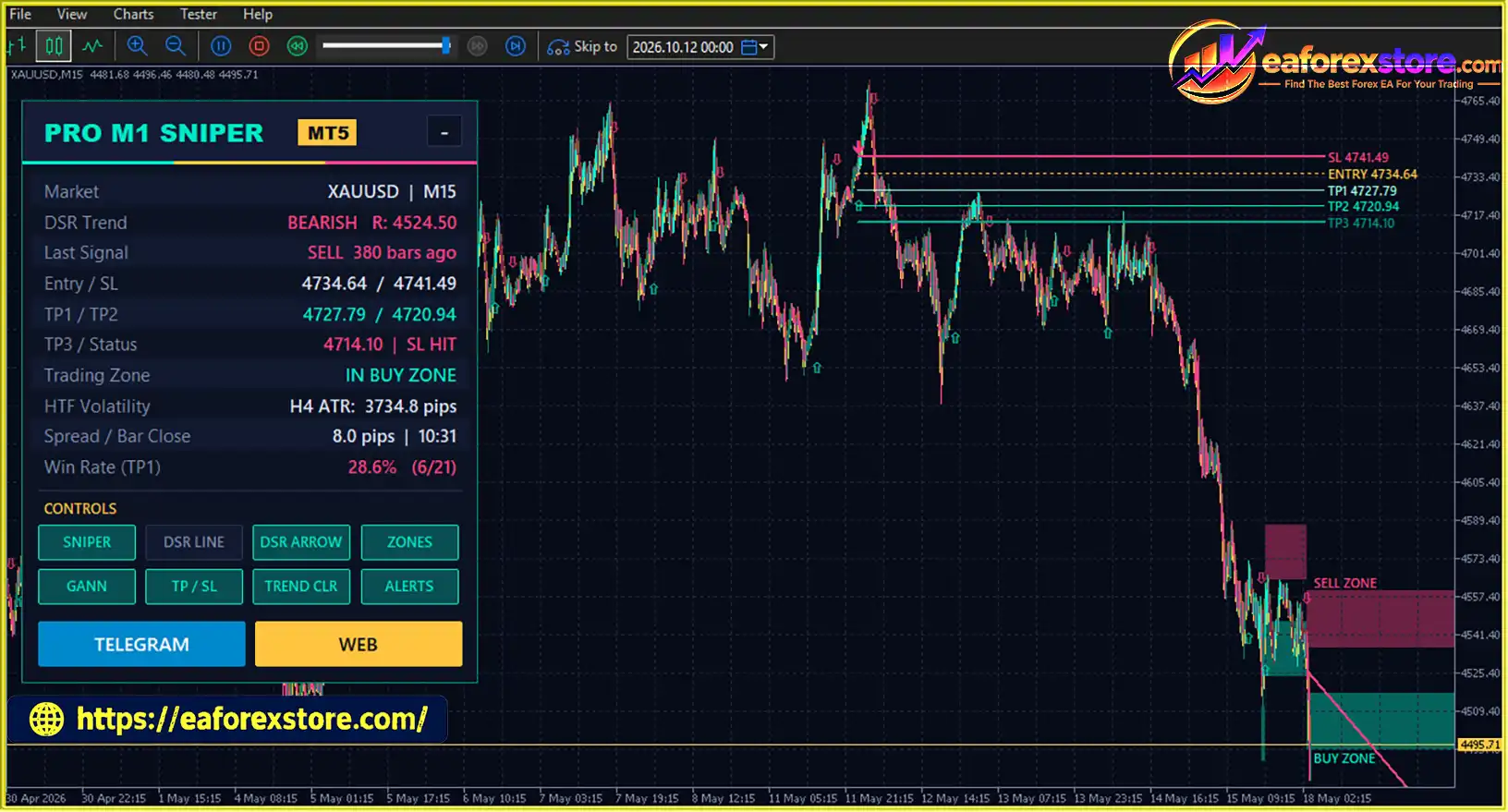
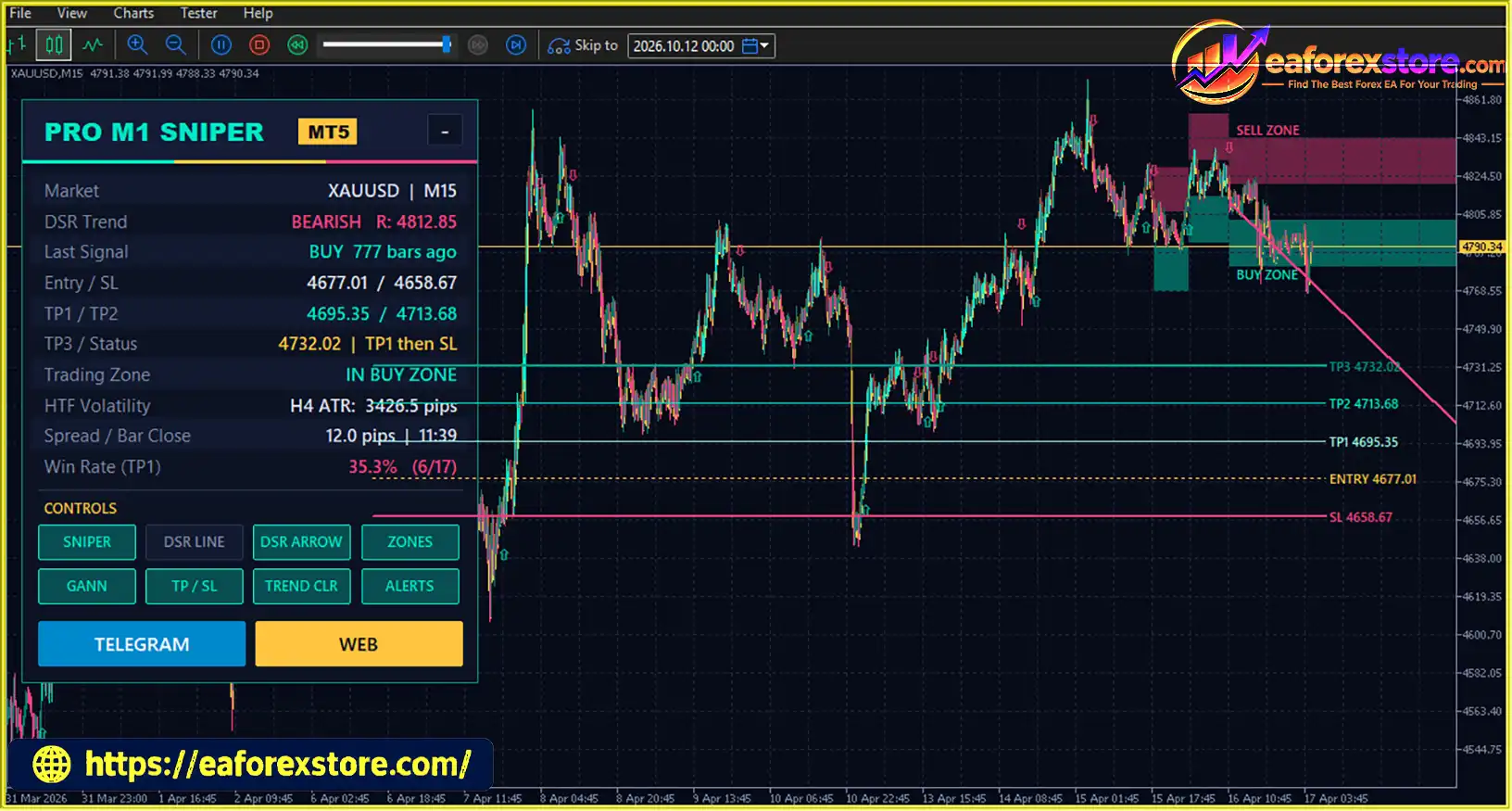
The indicator also displays three potential profit targets:
This structure supports staged profit-taking and gives traders a clear framework for planning potential exits.
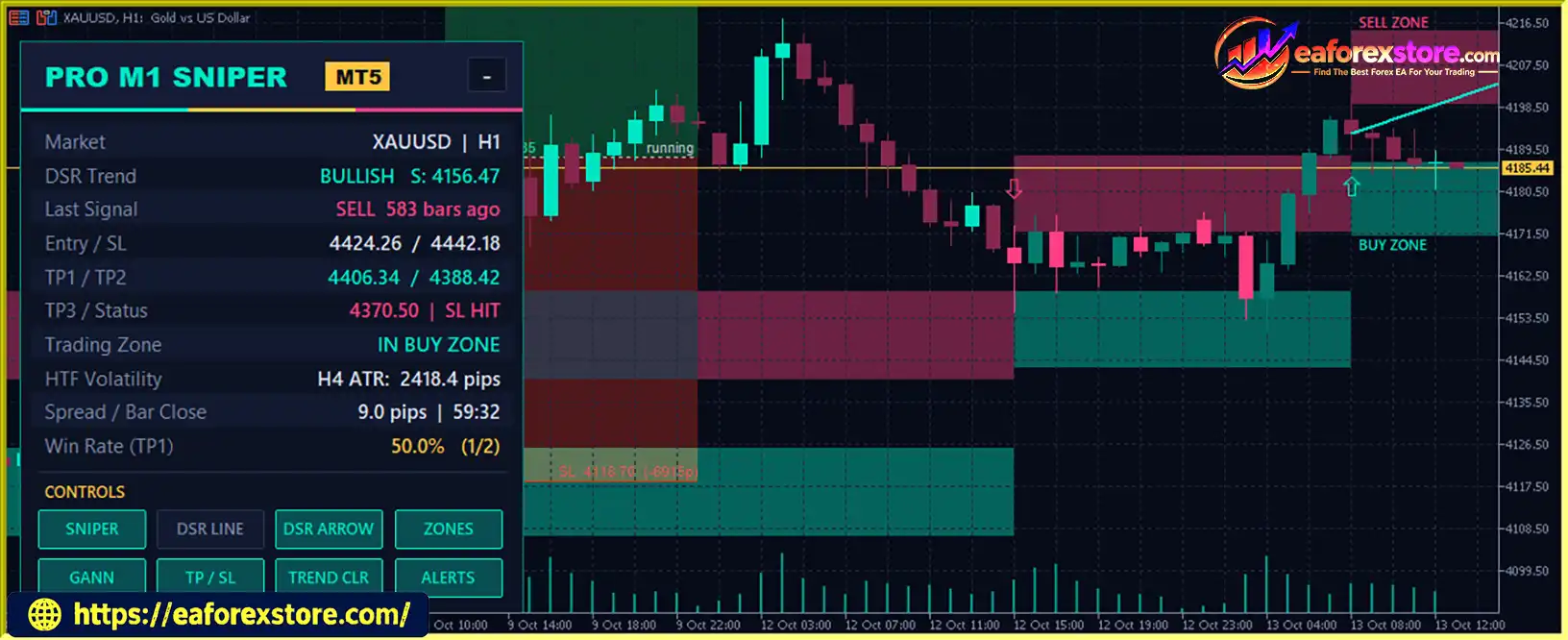
When the DSR engine detects a trend change, the indicator creates BUY or SELL volatility zones around the reversal price.
These zones are scaled using higher-timeframe ATR, providing additional reference areas for evaluating possible price reactions, pullbacks, and short-term market opportunities.
The built-in Gann angle projects a trend path from the latest DSR reversal point. Its slope is adjusted using volatility, while five available Gann ratios provide different angle configurations.
This feature adds another perspective to trend analysis and can help traders assess potential reaction areas alongside the indicator’s support, resistance, and volatility zones.
Pro M1 Sniper MT5 includes five arrow modes with different sensitivity and signal-frequency characteristics. Lower-numbered modes are generally more aggressive, while Mode 5 produces fewer signals.
This flexibility allows traders to evaluate different configurations depending on their preferred trading style, instrument, and timeframe.
The control panel tracks historical signal outcomes, including the number of wins, closed signals, and the TP1 win rate within a configurable Bars Limit.
The historical win rate is based on whether TP1 was reached before Stop Loss. This information can help traders compare configurations during backtesting, although it does not establish future profitability.
The indicator supports pop-up, email, and push notifications for Sniper signals and DSR trend changes.
Its control panel displays essential market information, including:
Pro M1 Sniper MT5 maintains its chart presentation, including the Aurora Neon theme, candles, and control panel, in the Strategy Tester visual mode. This allows traders to review historical signals and compare their behavior with the indicator’s normal chart presentation.
Although the indicator primarily targets M1 scalping, it can also be evaluated on M5 and M15 for intraday trading or H1 for swing analysis. The appropriate configuration depends on the selected instrument, volatility, and trading objectives.
Pro M1 Sniper MT5 reviews
Pro M1 Sniper MT5 Indicator
Pro M1 Sniper MT5 Indicator Reviews
Pro M1 Sniper MT5 processes completed candles through five connected analytical engines. Each component performs a different role in the signal-generation and trade-planning process.
Step 1: Identify Market Direction
The Dynamic Support and Resistance engine calculates an ATR-based trailing line. The position of this line relative to price helps identify bullish or bearish conditions. A break of the active line can trigger a trend-change signal.
Step 2: Detect Potential Pullback Reversals
The Sniper Signal Engine evaluates swing structure, RSI conditions, and rejection candlesticks. When the required conditions align, it generates a potential BUY or SELL arrow.
Step 3: Calculate Risk and Profit Targets
Once a valid Sniper signal is identified, the indicator calculates the Stop Loss using higher-timeframe ATR and the configured risk constraints. It then derives TP1, TP2, and TP3 from the initial risk distance.
Step 4: Display Volatility and Gann Reference Levels
The indicator projects volatility-based BUY and SELL zones around DSR trend changes. It also draws a volatility-scaled Gann angle from the latest reversal point to provide additional context for price movement.
Step 5: Track Historical Signal Performance
The control panel records historical signal outcomes within the selected Bars Limit. Traders can use these statistics to compare signal modes and assess whether a configuration deserves further testing.
The indicator is designed to generate DSR and Sniper arrows after candle closure. Higher-timeframe ATR calculations also use completed higher-timeframe candles, helping maintain consistency between historical signals and live chart processing.
However, the presence of a signal does not mean a trade must be executed immediately. Traders should confirm the market context, evaluate the available risk-to-reward profile, and avoid entries when spreads or volatility are unsuitable.
Pro M1 Sniper MT5 is designed for traders who want to combine short-term entry signals, dynamic trend analysis, and structured trade management within a single MetaTrader 5 indicator.
Multiple analytical tools in one indicator: Dynamic Support and Resistance, Sniper signals, volatility zones, adaptive risk levels, and Gann analysis are integrated into one chart interface.
Designed for M1 scalping: The indicator focuses on short-term pullback reversals and completed-candle signals, helping traders follow a more systematic entry process.
Adaptive risk calculations: ATR-based Stop Loss and Take Profit levels adjust to market volatility rather than relying exclusively on fixed point distances.
Three profit targets: TP1, TP2, and TP3 support different exit strategies, including partial profit-taking and extended targets.
Flexible signal sensitivity: Five Sniper arrow modes allow traders to compare aggressive and more selective configurations.
Trend-filtered entries: Optional DSR conditions can help traders restrict signals according to the prevailing trend direction.
Comprehensive dashboard: Important information about signals, trade levels, volatility, spread, and historical results is available directly on the chart.
Configurable alerts: Pop-up, email, and push notifications help traders monitor potential opportunities without continuously watching every candle.
Historical testing support: Strategy Tester visual compatibility and built-in signal statistics make it easier to investigate the indicator’s historical behavior.
For scalpers who value visual clarity and structured technical analysis, Pro M1 Sniper MT5 provides a convenient set of tools. Nevertheless, the quality of its signals depends on market conditions, configuration settings, transaction costs, and disciplined execution.
A practical strategy for Pro M1 Sniper MT5 focuses on the M1 timeframe, confirmed entry signals, trend alignment, and predefined risk levels. The following approach provides a framework for evaluating BUY and SELL opportunities.
Stop Loss: Use the indicator’s calculated Stop Loss or a suitable level below the recent swing low, provided the resulting risk remains within your predefined limits.
Take Profit: Consider partial profit-taking at TP1, followed by management toward TP2 and TP3. A DSR trend change may provide an additional reason to reassess the remaining position.
Stop Loss: Use the indicator’s calculated Stop Loss or a suitable level above the recent swing high, subject to your maximum risk allowance.
Take Profit: Consider partial profit-taking at TP1, then evaluate whether the remaining position should be held toward TP2 or TP3.
The indicator’s default target structure uses multiples of the initial risk:
For example, if the initial Stop Loss distance represents a risk unit of $10 per position, the corresponding gross target distances would represent $10, $20, and $30 in potential profit, assuming a fixed position size and ignoring trading costs.
A trader may choose to close part of the position at TP1 and move the Stop Loss toward break-even. However, break-even adjustments should account for spreads, commissions, and execution costs. Moving a Stop Loss does not guarantee that the remaining position will close without a loss.
Mode 1 is intended for more aggressive, frequent signals, while Mode 5 is more selective. Rather than assuming that more signals produce better results, compare the modes using the same instrument, testing period, and realistic transaction costs.
For beginners, a more selective configuration can make it easier to study the relationship between trend direction, entry conditions, and risk management.
These guidelines provide a systematic starting point, but they do not guarantee a positive trading outcome.
Although Pro M1 Sniper MT5 includes several analytical and risk-planning features, traders should understand its limitations before using it in live markets.
The one-minute timeframe contains frequent price fluctuations, short-lived reversals, and false breakouts. Even when the indicator’s trend and entry filters align, the market can reverse before a profit target is reached.
Aggressive modes may generate more trading opportunities but can also produce more low-quality entries. More selective modes may reduce trading frequency without necessarily improving profitability. Each configuration requires independent testing.
The built-in TP1 win rate reflects historical signal outcomes over a selected period. It does not necessarily represent live trading results and may not account for every aspect of actual order execution.
A high historical win rate alone is insufficient to determine whether a strategy is profitable. Average wins, average losses, trading costs, and drawdown must also be considered.
Major economic announcements can cause sudden price movements, wider spreads, and slippage. These conditions can make M1 scalping more difficult and may cause actual execution prices to differ from expected levels.
Scalping strategies are particularly sensitive to spreads, commissions, and slippage because individual profit targets may be relatively small. A strategy that appears profitable in a simplified backtest may perform differently under realistic broker conditions.
Gann angles and volatility zones help visualize potential reaction areas, but they do not guarantee that price will reverse or respect a projected level. These tools should be evaluated alongside price action and broader market conditions.
A Stop Loss defines a planned exit level, but gaps, slippage, and market execution conditions can affect the actual exit price. Traders should not assume that every trade will close at precisely the displayed level.
Pro M1 Sniper MT5 is a technical analysis indicator, not a guaranteed income system. Forex and CFD trading involves substantial financial risk, and rapid short-term trading can lead to repeated losses.
Always use appropriate position sizing, establish clear risk limits, and test the indicator before risking real capital. Never treat historical performance as a reliable prediction of future results.
Overall, Pro M1 Sniper MT5 may suit traders who prefer detailed chart analysis and predefined risk levels. It may be less suitable for traders who expect every signal to produce a quick profit or who cannot monitor the risks associated with short-term trading.
Follow these steps to install Pro M1 Sniper MT5 on MetaTrader 5.
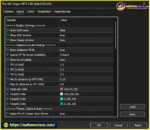
setting
Download the Pro M1 Sniper MT5 indicator package from the official product source. Depending on the package, the main file may be supplied in .ex5 compiled format or .mq5 source format.
Launch MetaTrader 5 and select File → Open Data Folder from the top menu.
Navigate to:
MQL5 → Indicators
Copy the supplied Pro M1 Sniper MT5 indicator files into this directory. If the package includes supporting libraries or additional resources, follow the developer’s instructions for installing them.
If the package includes an .mq5 source file, open it in MetaEditor and compile it. Check for compilation errors before proceeding.
If the package contains only a compiled .ex5 file, compilation is generally unnecessary.
Return to the MT5 trading platform. In the Navigator panel, right-click Indicators and select Refresh. You can also restart MetaTrader 5 to reload the indicator list.
Open the trading instrument you want to analyze. For the primary scalping setup, select the M1 timeframe.
Find Pro M1 Sniper MT5 in the Navigator panel and drag it onto the chart.
Review the available settings and configure the indicator according to your trading approach. Depending on the version, these may include:
Use the supplied documentation to confirm the precise parameter names and default values.
Verify that the trend direction, Sniper signals, entry levels, Stop Loss, profit targets, volatility zones, and spread information appear correctly.
If the indicator does not display properly, check the installation directory, file compatibility, platform version, and any error messages in the Experts or Journal tabs.
Use the MT5 Strategy Tester to inspect historical signal behavior. Compare different signal modes on the same instrument and testing period, and include realistic spread and commission assumptions where possible.
Next, run the indicator on a demo account to observe its behavior under current market conditions. Confirm that the selected Stop Loss and Take Profit levels are appropriate before considering live trading.
Important: Installing Pro M1 Sniper MT5 does not automatically mean that orders will be executed. It is an indicator, and automated order execution generally requires a compatible Expert Advisor or a separate trading implementation.
>> Join VIP Membership Now <<<
Pro M1 Sniper MT5 is a multi-component trading indicator for MetaTrader 5 that combines trend direction, pullback reversal signals, adaptive Stop Loss and Take Profit levels, volatility trading zones, and Gann angle analysis. Its primary focus is M1 scalping, although alternative timeframe applications may suit traders with different trading styles.
The indicator’s main strengths are its integrated chart interface, multiple signal sensitivity modes, three profit targets, configurable alerts, and built-in historical statistics. These features can help traders organize their analysis and follow a more consistent entry and exit process.
However, the one-minute timeframe demands discipline. Market noise, trading costs, news events, and execution differences can undermine an otherwise attractive historical setup. The indicator’s built-in statistics should therefore be treated as evaluation tools rather than promises of future returns.
In conclusion, Pro M1 Sniper MT5 is worth evaluating for traders looking for a structured MT5 scalping indicator with trend filtering and adaptive risk levels. For the most responsible approach, test its signal modes on historical data, forward-test the selected configuration on a demo account, and apply strict position sizing before considering live trading.
1. What Is Pro M1 Sniper MT5?
Pro M1 Sniper MT5 is a custom trading indicator for MetaTrader 5 designed primarily for M1 (one-minute) scalping. It combines Dynamic Support and Resistance (DSR), Sniper entry signals, ATR-based Stop Loss and Take Profit levels, volatility trading zones, and Gann angle analysis. Its integrated dashboard displays trend direction, potential entries, risk levels, spread information, and historical signal statistics to support more structured trading decisions.
2. How Does Pro M1 Sniper MT5 Generate BUY and SELL Signals?
Pro M1 Sniper MT5 uses two main analytical components: the Dynamic Support and Resistance engine and the Sniper Signal Engine. DSR uses an ATR-based trailing line to identify potential trend changes. The Sniper engine evaluates swing highs or lows, RSI conditions, and rejection candlesticks to identify potential pullback reversals. Optional DSR trend and support or resistance filters can help align entries with the broader short-term market direction. Signals are designed to appear after the relevant candles close.
3. What Are the Main Features of Pro M1 Sniper MT5?
The main features include dynamic trend analysis, Sniper entry arrows, five signal sensitivity modes, ATR-based Stop Loss calculations, and three profit targets: TP1, TP2, and TP3. The indicator also provides volatility-based trading zones, Gann angle projections, historical signal statistics, and configurable pop-up, email, and push notifications. Its control panel consolidates important trading information on the chart, while Strategy Tester visual compatibility helps users examine historical signal behavior.
4. What Are TP1, TP2, and TP3 in Pro M1 Sniper MT5?
TP1, TP2, and TP3 are three potential profit targets calculated from the initial trade risk. The default target structure is TP1 at 1R, TP2 at 2R, and TP3 at 3R, where R represents the initial risk distance. For example, if the initial risk corresponds to $10, the gross profit targets would be $10, $20, and $30, respectively, assuming a fixed position size and excluding trading costs. Traders can use these levels to plan staged profit-taking, but reaching any target is not guaranteed.
5. Which Timeframes and Trading Styles Does Pro M1 Sniper MT5 Support?
Pro M1 Sniper MT5 is primarily designed for M1 scalping, where it identifies potential short-term pullback reversals and trend changes. According to the product description, it can also be evaluated on M5 and M15 for intraday trading or H1 for swing analysis. The most appropriate timeframe and settings depend on the selected instrument, volatility, and trading approach. Each configuration should be tested independently rather than assuming that settings suitable for M1 will work equally well on higher timeframes.
6. Does Pro M1 Sniper MT5 Repaint Signals?
According to the supplied product description, Pro M1 Sniper MT5 is designed to generate DSR and Sniper arrows after candle closure. Its higher-timeframe ATR calculations also use completed higher-timeframe candles, helping maintain consistency between historical and live chart processing. However, traders should verify signal behavior in their installed version and configuration. Historical signal statistics and closed-candle logic do not eliminate the possibility of false signals or guarantee that a trading setup will succeed.
7. What Are the Main Risks of Using Pro M1 Sniper MT5?
The main risks include market noise on the M1 timeframe, false signals, spreads, commissions, slippage, and rapid price movements around economic news. More aggressive signal modes may generate additional opportunities but can also increase exposure to lower-quality entries. The built-in historical TP1 win rate is useful for comparing configurations, but it does not independently establish profitability. Traders should assess average wins and losses, drawdown, transaction costs, and performance across different market conditions before using the indicator with real money.
8. How Do I Install Pro M1 Sniper MT5 on MetaTrader 5?
To install Pro M1 Sniper MT5, download the indicator package and open MetaTrader 5. Select File → Open Data Folder, then navigate to MQL5/Indicators and copy the supplied indicator files into that directory. If the package includes an .mq5 source file, open it in MetaEditor and compile it; a compiled .ex5 file generally does not require compilation. Return to MT5, refresh the Navigator panel, and attach the indicator to your preferred chart, starting with M1 for scalping. Configure the signal mode, trend filters, ATR risk settings, and alerts, then test the indicator using the Strategy Tester and a demo account. Installing the indicator alone does not automatically execute trades; automated execution generally requires a compatible Expert Advisor or separate trading implementation.
In stock
In stock
In stock
In stock
In stock
Out of stock
No account yet?
Create an Account












 Automatic EA
 EA Best Seller
 Expert Advisor MT4
 Expert Advisor MT5
 HFT EA


Reviews
Clear filtersThere are no reviews yet.