









-
 Unlimited Activations
-
 Instant delivery
-
 Easy to install






 Unlimited Activations
Instant delivery
Easy to install
Unlimited Activations
Instant delivery
Easy to install
 Free Update
 Free Install Support

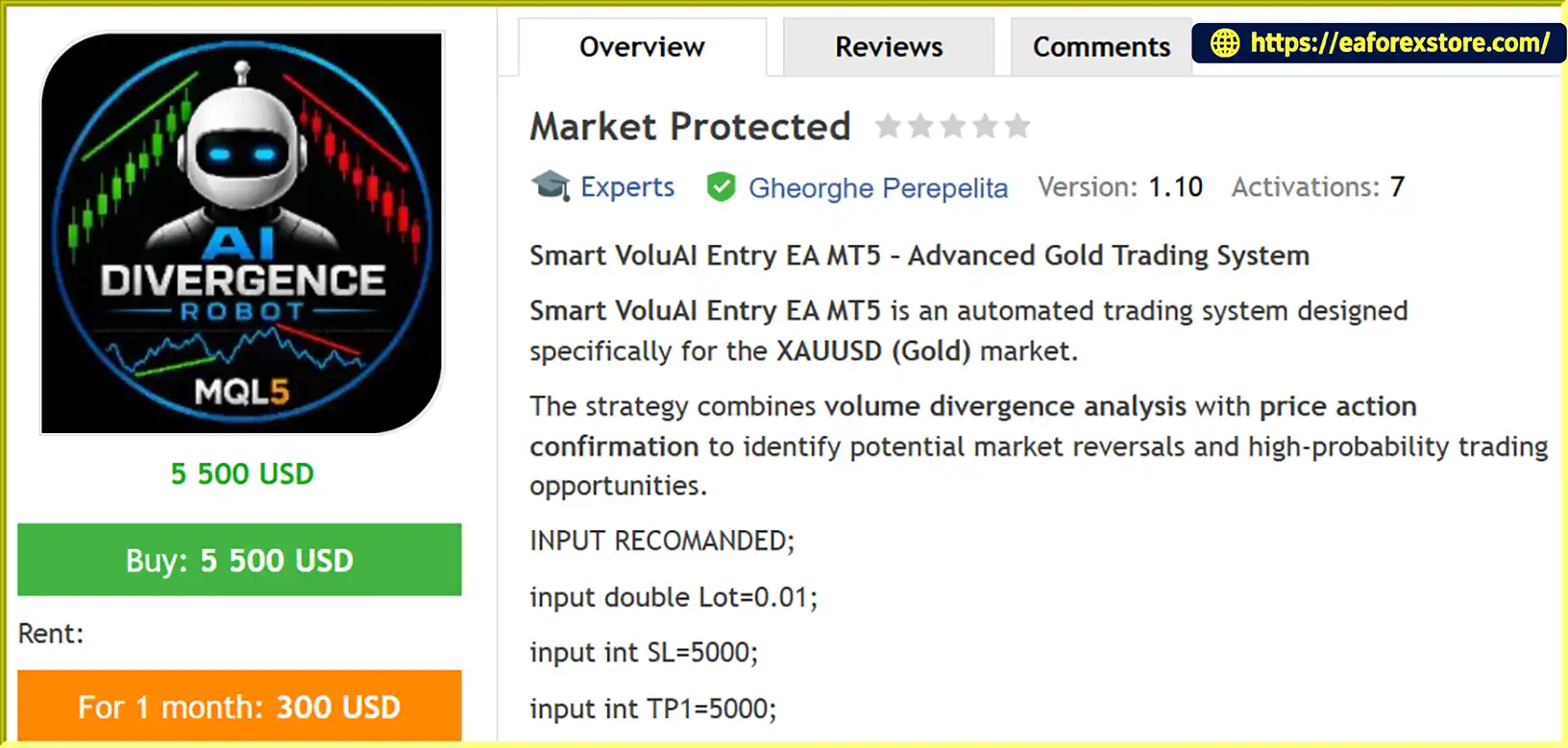
Market Protected EA MT5 is an automated Expert Advisor designed primarily for Gold (XAUUSD) trading on the MetaTrader 5 platform. It combines volume divergence analysis with candlestick price action confirmation to identify potential market reversals and execute trades when predefined conditions are satisfied.
Unlike trading robots that rely on a single technical indicator, Market Protected EA MT5 uses a two-condition entry strategy. For a BUY trade, the EA looks for bullish volume divergence followed by a Bullish Engulfing candlestick pattern. For a SELL trade, it requires bearish volume divergence together with a Bearish Engulfing pattern.
The EA is designed to open three simultaneous positions, each with an independent take-profit target. This structure allows the trading system to close positions at different profit levels while leaving other positions open to capture potentially larger price movements.
Market Protected EA MT5 also incorporates break-even protection, trailing-stop management, spread filtering, margin protection, and trade execution checks. These features are intended to support disciplined trade management while reducing exposure to unfavorable trading conditions.
With configurable stop-loss and take-profit levels, adjustable divergence lookback settings, and support for genetic optimization, the EA provides a customizable approach to automated gold trading.
Although the EA can reportedly be attached to other instruments, its strategy is specifically developed and optimized for XAUUSD. Traders should test the system under realistic market conditions before using it on a live account, as volume divergence and candlestick patterns cannot guarantee profitable reversals.
>>> Delivery time 24h-48h after payment.
>>> Refund if not delivered.
>>> You will receive the latest version without any limitations (ID+Time).Reviewed by Jason Stap <<<
Market Protected EA MT5 Overview
Market Protected EA MT5 uses volume divergence to identify potential differences between trading activity and price movement.
Volume divergence may indicate that the current trend is losing momentum or that buying and selling pressure is changing. The EA uses this information as one component of its reversal detection strategy.
Its main functions include:
The supplied recommended Lookback setting is 21. The effectiveness of volume divergence depends on the EA’s calculation method and the quality of the volume data available through the broker.
The EA uses Engulfing candlestick patterns to confirm potential reversal signals.
Requiring both conditions may help filter some weaker signals compared with using either condition alone. However, Engulfing patterns can fail, particularly during strong trends, news events, or periods of high volatility.
One of the main features of Market Protected EA MT5 is its multi-target trade management system.
The EA is configured to open three positions with separate profit objectives:
This structure allows the first position to secure profits at a nearer target while the remaining positions continue toward their respective targets.
The approach can provide a balance between partial profit-taking and the opportunity to benefit from extended price movements. Actual results depend on entry quality, stop-loss execution, spread, and market conditions.
Market Protected EA MT5 includes a break-even mechanism that activates after the first take-profit target is reached.
According to the supplied strategy description, the EA moves the stop loss to the entry price after TP1 is achieved. This is intended to protect the remaining positions from turning into losing trades after an initial favorable move.
However, a stop loss placed at the entry price does not necessarily guarantee a zero monetary result because spreads, commissions, swaps, and slippage may affect the final outcome.
The EA activates its trailing-stop mechanism after the first profit target is reached.
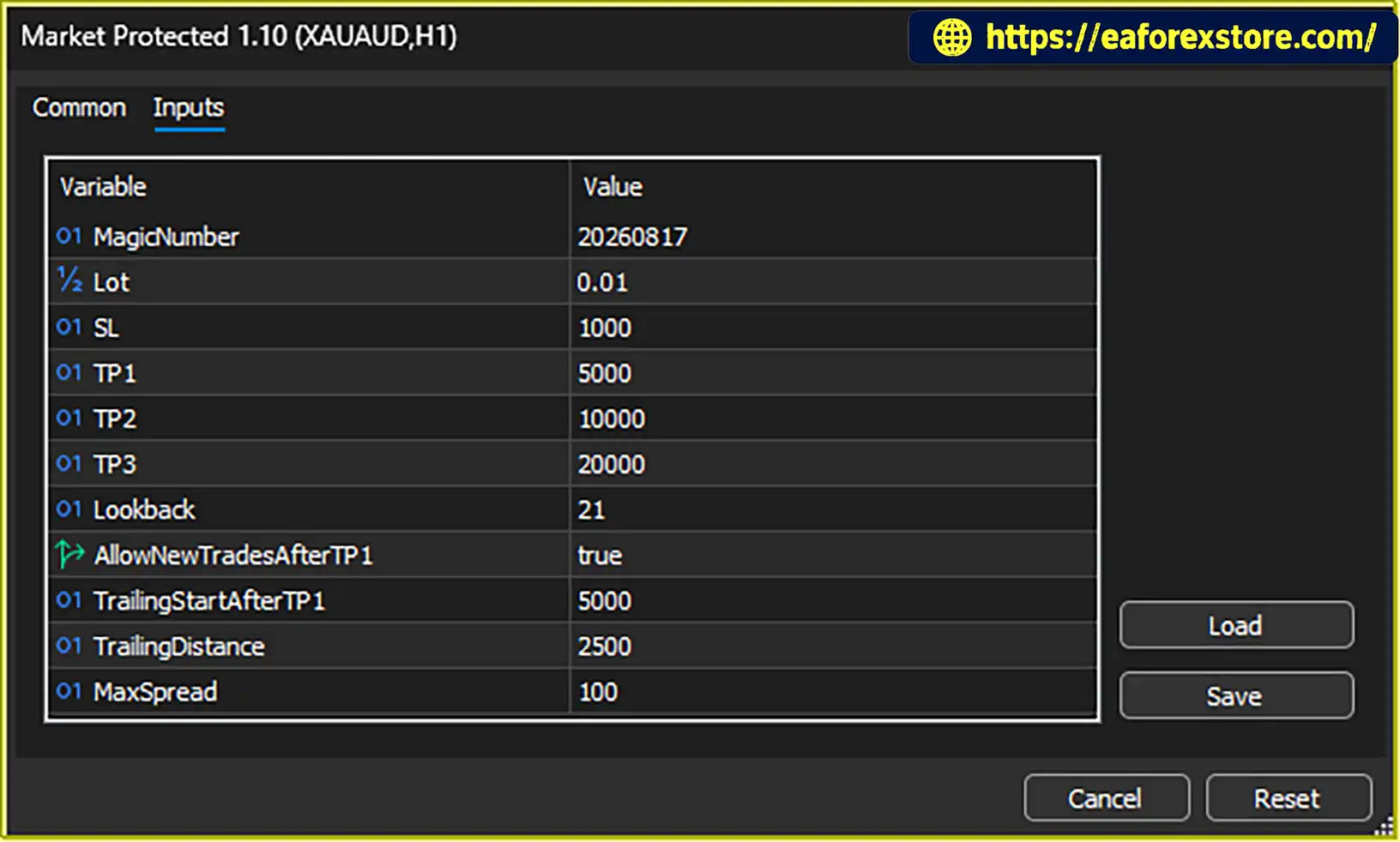
The recommended settings are:
The trailing stop is designed to follow favorable price movement while maintaining a specified distance from the market. This may help preserve unrealized gains if the trend continues.
The actual effect depends on the EA’s trailing-stop implementation and the broker’s execution conditions. A trailing stop can also close positions during temporary pullbacks before the market resumes its original direction.
The EA provides several settings for controlling trade size, stop-loss distance, profit targets, and execution conditions.
Its recommended configuration includes:
These settings allow users to adjust the strategy to their trading environment. Traders should verify whether the lot setting applies to each of the three positions or to the combined trade group, as this directly affects total exposure.
Market Protected EA MT5 includes several operational safeguards:
These safeguards can improve operational reliability but cannot eliminate market risk, slippage, or unexpected execution problems.
The EA supports genetic optimization, allowing traders to evaluate different parameter combinations using the MetaTrader 5 Strategy Tester.
Users may test settings such as the divergence lookback period, stop-loss distance, take-profit levels, and trailing-stop parameters to investigate how the strategy behaves under different historical conditions.
Optimization results should be validated on separate data and through demo trading to reduce the risk of overfitting historical price movements.
Market Protected EA MT5 follows a structured process that combines volume analysis, candlestick confirmation, automated order placement, and multi-stage trade management.
The EA evaluates market data to identify potential bullish or bearish volume divergence.
Bullish divergence may indicate that selling pressure is weakening, while bearish divergence may suggest that buying pressure is losing strength.
The EA uses its configured lookback period to evaluate the relevant data. The exact divergence formula depends on the EA’s implementation and should be confirmed through the developer’s documentation.
After identifying a potential divergence, the EA checks for a corresponding candlestick pattern.
For a BUY trade, the system requires bullish volume divergence and a Bullish Engulfing pattern.
For a SELL trade, it requires bearish volume divergence and a Bearish Engulfing pattern.
Both conditions must be satisfied before the EA opens a trade, according to the supplied strategy rules.
When the entry conditions are confirmed, the EA opens three simultaneous positions with separate take-profit targets.
The recommended targets are 5,000, 10,000, and 20,000 points, respectively. The initial stop-loss setting is 5,000 points.
This arrangement allows the EA to manage each position independently while applying the same general entry signal.
Traders should confirm how the EA handles partial order failures, broker volume restrictions, and situations where one or more of the three orders cannot be executed.
When the first position reaches TP1, it is intended to close at its target.
The EA then activates its specified break-even and trailing-stop management for the remaining positions, according to the supplied description.
Moving stops to the entry price can help limit downside exposure on the remaining positions, although trading costs and slippage may still result in a net loss.
The EA uses the trailing-stop settings to manage the remaining trades as price moves favorably.
The second position targets 10,000 points, while the third position targets 20,000 points.
If the market develops a strong trend, the trailing stop may help preserve some of the accumulated gains. If price reverses, the remaining positions may close before reaching their original take-profit targets.
Throughout the trading process, the EA applies its configured spread filter, margin protection, stop-level validation, lot normalization, and execution checks.
These functions are intended to help ensure that orders comply with broker requirements and that the EA responds appropriately to common execution issues.
The actual protection provided depends on the EA’s implementation and should be tested before live deployment.
Market Protected EA MT5 uses two complementary types of analysis to identify potential reversal opportunities.
Volume divergence evaluates changes in trading activity relative to price, while Engulfing patterns provide a visual representation of short-term buying or selling pressure.
Requiring both conditions may help filter some weaker entries. However, neither signal guarantees that the market will reverse.
The EA is primarily designed for XAUUSD, a market known for sharp price movements and periods of elevated volatility.
Its configurable stop loss, multiple profit targets, and trailing-stop management are intended to provide a systematic framework for trading gold.
Although the EA may be compatible with other instruments, users should conduct separate testing before applying the strategy to EURUSD or other markets.
The three-position structure allows the EA to pursue different profit objectives from the same trading signal.
The first position targets a shorter move, the second seeks a larger price movement, and the third aims to capture a more extended trend.
This approach may provide flexibility between taking profits early and allowing part of the trade to remain open for a larger move.
The EA automatically manages stop-loss adjustments after TP1 is reached.
These functions can reduce the need for manual intervention and help maintain consistent trade-management rules.
However, stop adjustments do not guarantee that every trade will close profitably, particularly when the market moves quickly or reverses sharply.
Market Protected EA MT5 includes adjustable parameters for lot size, stop loss, take-profit levels, divergence lookback, spread limits, and trailing-stop behavior.
This flexibility allows traders to investigate different configurations using historical testing and demo trading.
Changes should be evaluated systematically because settings that perform well on one historical period may not remain effective under different market conditions.
The EA incorporates margin checks, spread filtering, stop-level validation, and trade execution verification.
These features are useful for an automated system because incorrect volume settings, broker restrictions, or execution failures can affect trading results.
Nevertheless, users should monitor terminal logs and verify the EA’s behavior under adverse conditions rather than relying exclusively on its built-in safeguards.
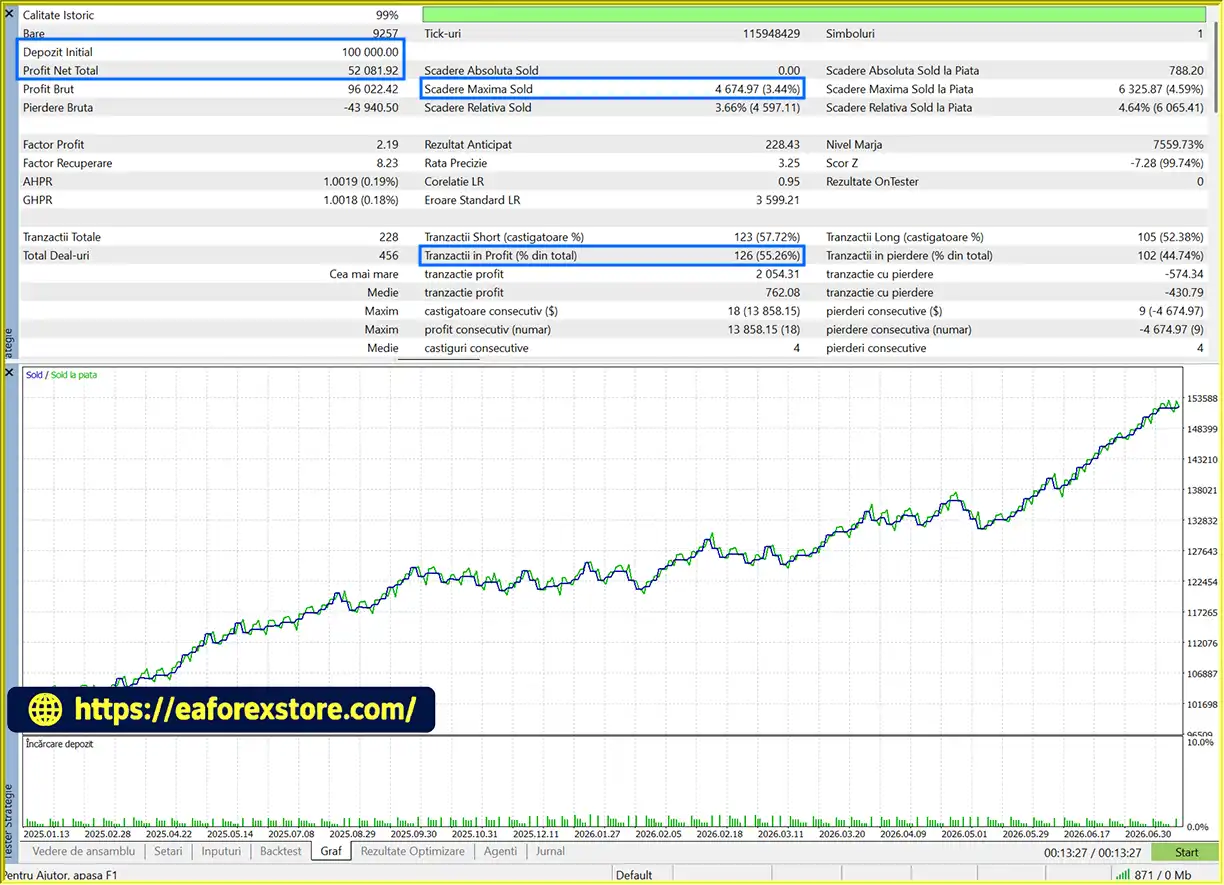
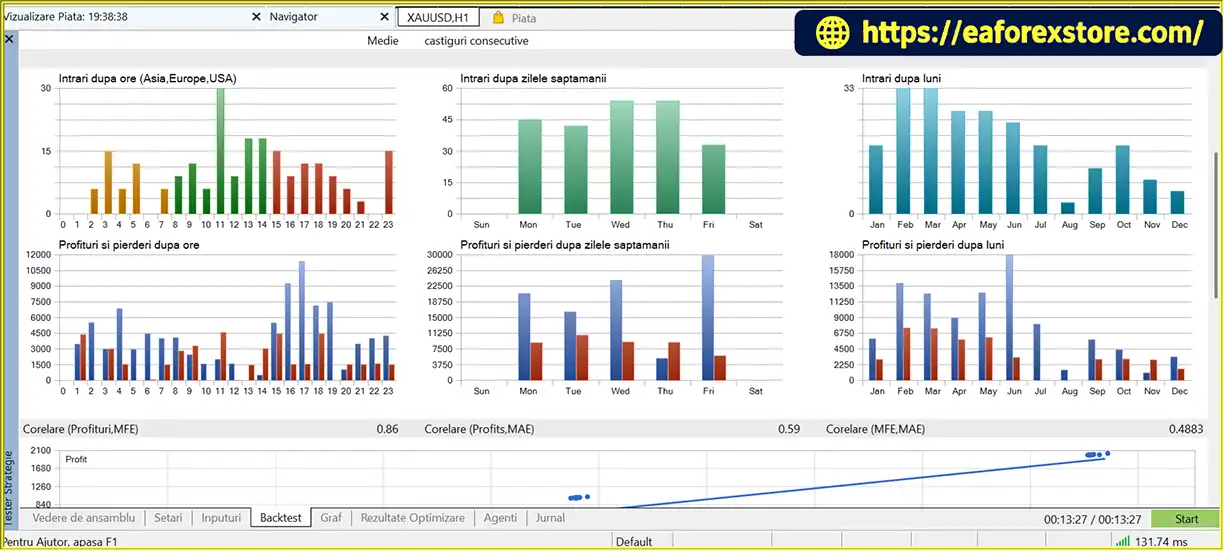
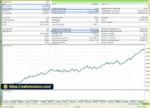
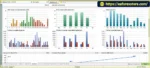
Market Protected EA MT5 Backtets
Market Protected EA Backtets
Risk management is essential when trading XAUUSD because gold prices can move rapidly in response to economic announcements, interest-rate expectations, geopolitical developments, and changes in market liquidity.
The recommended Lot setting is 0.01.
A smaller lot size may reduce exposure compared with a larger volume, but the actual monetary risk depends on the broker’s contract specifications, account currency, stop-loss distance, and the number of simultaneous positions.
Because the EA opens three positions, traders should establish whether the configured lot size applies individually to each position. If each position uses 0.01 lots, the combined initial volume could be 0.03 lots when all three orders are open.
The recommended SL setting is 5,000 points.
The stop loss is intended to define an exit threshold if the market moves against the trade. Before live deployment, users should confirm how this distance is calculated for their broker’s XAUUSD symbol.
A point-based stop loss is not a fixed monetary risk limit. Actual losses may differ because of position volume, slippage, spread, commissions, and execution gaps.
The EA uses three profit targets:
These levels are designed to distribute profit-taking across different price movements. The first target may secure an earlier gain, while the other positions remain active for potentially larger moves.
However, the remaining positions may still incur losses or close below their intended targets if the market reverses.
The EA moves the stop loss to the entry price after TP1 is reached, according to the supplied description.
This feature is designed to protect the remaining trades from a full reversal after the first position has closed profitably.
Users should confirm whether the EA applies break-even changes to both remaining positions and how it handles trading costs, rejected stop modifications, or sudden price gaps.
The recommended trailing-stop settings are a 5,000-point activation threshold after TP1 and a 2,500-point trailing distance.
The trailing stop is intended to protect gains while allowing price to continue moving in the trade’s favor. However, a large trailing distance may give back some unrealized profits, while a smaller distance may result in premature exits during normal price fluctuations.
The MaxSpread parameter is set to 100 points.
The EA is intended to reject new trades when the spread exceeds this threshold. The practical meaning of 100 points depends on the broker’s symbol digits and pricing format.
Traders should confirm the permitted spread in actual XAUUSD market conditions and verify whether the filter applies only to new entries or also affects position-management operations.
Margin protection and automatic lot normalization are intended to help prevent orders that exceed broker requirements or use invalid trade volumes.
Stop-level validation checks whether protective order distances comply with broker restrictions, while execution verification helps identify unsuccessful order requests.
These safeguards are important but do not guarantee that all orders will be accepted or that stop losses will execute at the requested prices.
The AllowNewTradesAfterTP1 setting is enabled by default in the supplied configuration.
This setting suggests that the EA can continue opening new trades after the first take-profit condition is reached. Traders should confirm whether this applies while the remaining positions are still open or only after a particular trade-management condition has been satisfied.
Allowing new entries can increase the number of simultaneous positions and overall exposure, so this behavior should be tested carefully.
Important risk warning: Market Protected EA MT5 does not guarantee profits. Volume divergence and Engulfing patterns can produce false signals, and even multiple protective mechanisms cannot eliminate trading risk. Start with a demo account, verify the complete three-position trade logic, and evaluate maximum drawdown under realistic spreads and slippage before considering live trading.
Follow these steps to install Market Protected EA MT5 and prepare it for testing.
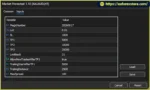
setting
Obtain the official Market Protected EA MT5 package and review the included installation documentation.
Confirm that the supplied files are compatible with MetaTrader 5 and that you have the correct version of the Expert Advisor.
MQL5 → Experts..ex5 file into the Experts folder.Open your broker’s Gold chart, usually labeled XAUUSD.
Select the timeframe recommended by the EA developer. If the documentation does not specify a required timeframe, test the strategy on appropriate timeframes before deciding which configuration to use.
Find Market Protected EA MT5 in the Navigator panel and drag it onto the XAUUSD chart.
Review the EA properties and enable algorithmic trading if required. Grant only the permissions specified by the developer.
Review the following default settings before activation:
Confirm that the point values match your broker’s symbol specification. Also verify whether the EA opens three positions with the configured lot size for each position.
Enable algorithmic trading in MetaTrader 5 and confirm that the EA is operating correctly.
Review the Experts and Journal tabs for invalid stops, rejected orders, spread-filter messages, insufficient-margin errors, or other execution warnings.
Use the MetaTrader 5 Strategy Tester to evaluate the EA against historical XAUUSD data.
Review net profit, profit factor, maximum equity drawdown, win rate, trade count, and the behavior of all three positions. Include realistic spreads, commissions, and slippage assumptions where possible.
Run the EA on a demo account to verify that volume divergence detection, Engulfing confirmation, multiple take-profit targets, break-even adjustments, and trailing stops behave as expected.
Pay particular attention to the behavior after TP1 is reached and when AllowNewTradesAfterTP1 is enabled.
Only consider live trading after confirming that the EA operates reliably and that its potential drawdown is appropriate for your risk tolerance.
Installation note: The exact setup may vary by EA version and broker. Follow the official documentation and verify all trading and risk-management settings before enabling the EA on a live account.
>>> Join VIP Membership Now <<<
Market Protected EA MT5 is an automated Gold trading Expert Advisor that combines volume divergence analysis with Bullish and Bearish Engulfing confirmation to identify potential reversal opportunities on XAUUSD.
Its main strengths include a clearly defined two-condition entry strategy, three independent take-profit levels, break-even protection after the first target, and trailing-stop management for the remaining positions. Margin protection, spread filtering, and trade execution checks provide additional safeguards for automated operation.
The three-position structure allows the EA to take partial profits while maintaining exposure for potentially larger market movements. However, this approach also requires careful evaluation of combined lot size, stop-loss behavior, transaction costs, and the possibility of false reversal signals.
The recommended settings provide a starting point for testing rather than proof of optimal performance. Traders should verify the EA’s volume calculations, broker-specific point values, and handling of new entries after TP1 before using real funds.
Overall, Market Protected EA MT5 may be worth evaluating for traders looking for an automated XAUUSD strategy based on volume divergence and price action confirmation. Its suitability should be determined through independent backtesting, demo trading, and disciplined risk management rather than assumed profitability.
1. What Is Market Protected EA MT5?
Market Protected EA MT5 is an automated Expert Advisor designed primarily for trading Gold (XAUUSD) on the MetaTrader 5 platform. It combines volume divergence analysis with Engulfing candlestick patterns to identify potential market reversals and execute trades when its entry conditions are met.
2. How Does Market Protected EA MT5 Work?
The EA analyzes volume and price movement to detect potential bullish or bearish divergence. It then waits for a matching candlestick confirmation before entering a trade. A BUY requires bullish volume divergence and a Bullish Engulfing pattern, while a SELL requires bearish volume divergence and a Bearish Engulfing pattern.
3. What Are the Recommended Settings for Market Protected EA MT5?
The supplied recommended settings include a 0.01 lot size, a 5,000-point stop loss, take-profit targets of 5,000, 10,000, and 20,000 points, a 21-period lookback, and a maximum spread of 100 points. The recommended trailing-stop settings are a 5,000-point activation threshold after TP1 and a 2,500-point trailing distance. Traders should verify these values against their broker's XAUUSD specifications and test them before live trading.
4. Does Market Protected EA MT5 Open Multiple Trades at Once?
Yes. Market Protected EA MT5 is designed to open three simultaneous positions from a qualifying trading signal. Each position has an independent take-profit target: TP1 at 5,000 points, TP2 at 10,000 points, and TP3 at 20,000 points. This structure allows the EA to take partial profits while keeping other positions open for potentially larger market movements.
5. Does Market Protected EA MT5 Include Stop-Loss and Break-Even Protection?
Yes. The EA supports an initial stop loss, automatic break-even protection after the first take-profit target is reached, and trailing-stop management for the remaining positions. It also includes spread filtering, margin protection, stop-level validation, and trade execution checks. These features help manage trading operations but cannot eliminate losses caused by market volatility, slippage, or execution problems.
6. What Are the Backtest Results of Market Protected EA MT5?
According to the supplied backtest figures, Market Protected EA MT5 recorded the following results:
Initial Deposit: $100,000
Total Net Profit: $52,081.92
Win Rate: 55.26%
Maximum Drawdown: 3.44%
These figures describe the provided backtest, not guaranteed future performance. Traders should review the original Strategy Tester report, testing period, trading costs, and whether the drawdown represents equity or balance drawdown before relying on the results.
7. Can Market Protected EA MT5 Trade Symbols Other Than XAUUSD?
The supplied product description states that the EA may be attached to other instruments, but its strategy is primarily developed and optimized for XAUUSD. Other symbols can have different volatility, spreads, liquidity, and price behavior. Therefore, traders should conduct separate backtesting and demo testing before using the EA on other currency pairs or financial instruments.
8. Is Market Protected EA MT5 Suitable for Beginners, and Does It Guarantee Profits?
Market Protected EA MT5 offers automated entries and trade management, but users still need to understand position sizing, stop-loss settings, broker specifications, and drawdown risk. It does not guarantee profits. Volume divergence and Engulfing patterns can produce false signals, and opening three positions can increase total exposure. Beginners should start with a demo account, verify all settings, and evaluate the strategy under realistic trading conditions before considering a live account.
In stock
In stock
In stock
In stock
In stock
Out of stock
No account yet?
Create an Account












 Automatic EA
 EA Best Seller
 Expert Advisor MT4
 Expert Advisor MT5
 HFT EA


Reviews
Clear filtersThere are no reviews yet.