









-
 Unlimited Activations
-
 Instant delivery
-
 Easy to install







 Unlimited Activations
Instant delivery
Easy to install
Unlimited Activations
Instant delivery
Easy to install
 Free Update
 Free Install Support

Professor Moriarty EA MT5 is an automated Expert Advisor designed for the MetaTrader 5 platform. Its strategy focuses on identifying rapid corrective price movements and analyzing potential directional opportunities when price differences occur between trading instruments, including currency pairs and metals.
According to the supplied strategy description, the EA evaluates possible price direction on the selected trading instrument before opening a position. Each position is configured with a Stop Loss (SL) and Take Profit (TP), while a position-tracking algorithm is intended to manage the relationship between potential profits and losses.
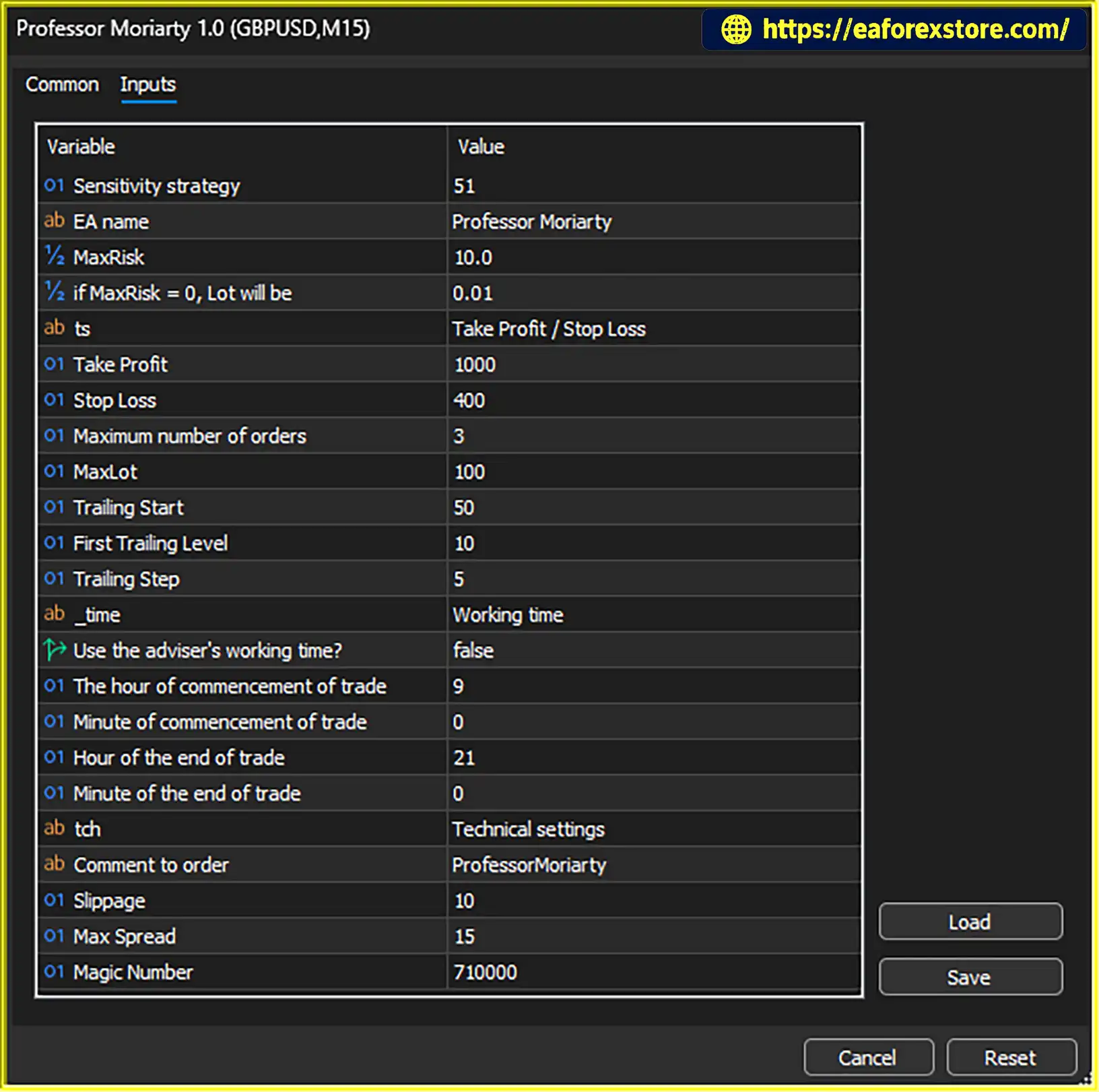
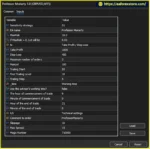
Professor Moriarty EA MT5 includes configurable trade sizing, order limits, trailing-stop parameters, trading hours, slippage, and spread restrictions. These options allow users to adapt the EA’s operation to their trading environment and risk preferences.
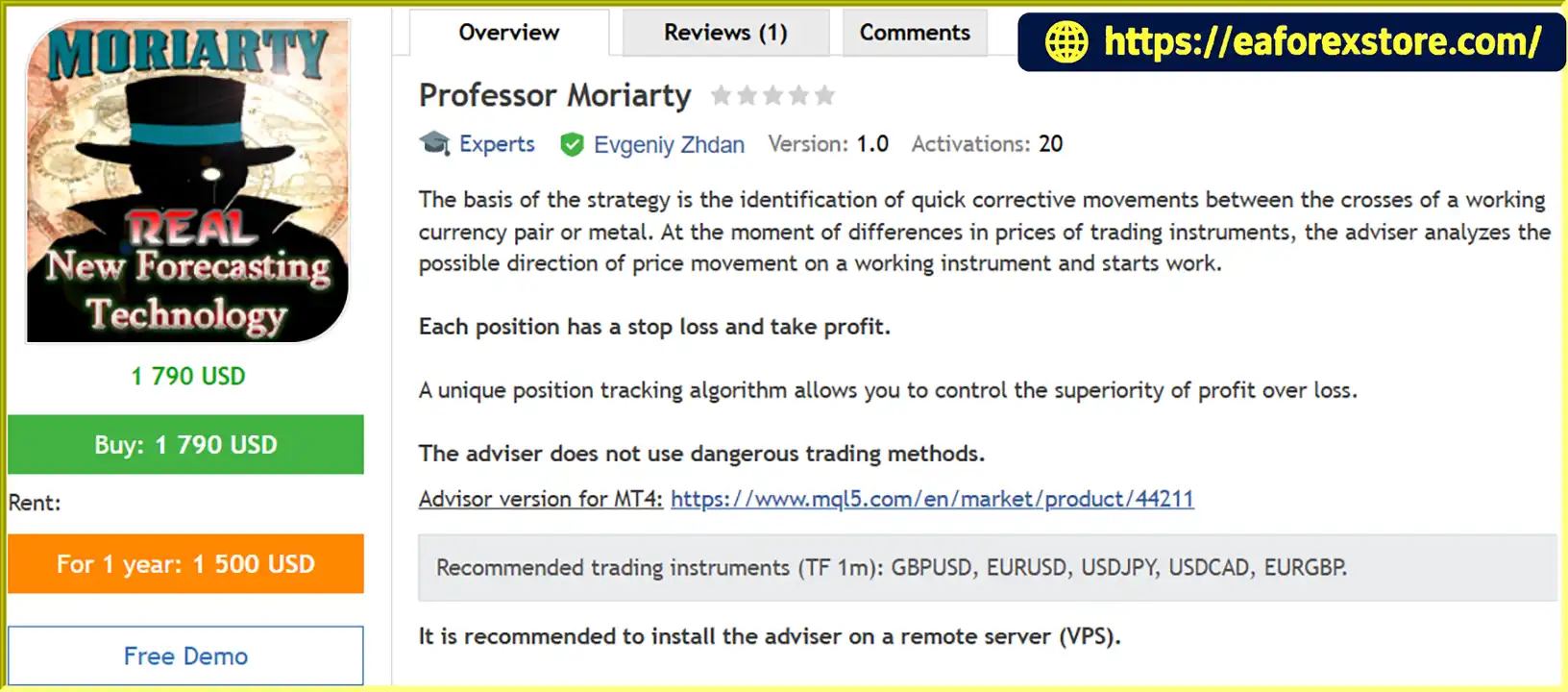
The recommended timeframe is M1 (1-minute), with suggested currency pairs including GBPUSD, EURUSD, USDJPY, USDCAD, and EURGBP. A VPS is also recommended to support continuous operation.
>>> Delivery time 24h-48h after payment.
>>> Refund if not delivered.
>>> You will receive the latest version without any limitations (ID+Time).Reviewed by Jason Stap <<<
Professor Moriarty EA MT5 Overview
The EA focuses on identifying quick corrective movements associated with price differences between trading instruments. It then analyzes the possible direction of the selected instrument before initiating a trade.
This approach is intended to identify short-term trading opportunities. However, the exact mathematical model, instrument relationships, and entry-confirmation rules are not specified in the supplied description.
Professor Moriarty EA MT5 is designed to use Stop Loss and Take Profit levels for each position.
These parameters help establish predefined exit levels. Actual execution prices and final losses can differ from configured levels during periods of slippage, gaps, or rapid market movements.
The EA includes a position-tracking algorithm intended to manage the relationship between profits and losses.
This feature is described as helping control profit relative to loss. However, it should not be interpreted as a guarantee of profitability or a verified win rate. Actual results depend on the strategy’s trade selection, exit logic, and market conditions.
The MaxRisk parameter is used to calculate the trading lot. Users can also configure a fallback lot size for situations where MaxRisk is set to zero.
The EA additionally provides a MaxLot parameter to limit the maximum lot size.
These settings offer flexibility in position sizing. Because the precise MaxRisk formula is not included in the supplied information, traders should verify how it calculates volume before using the EA on a live account.
The Maximum Number of Orders setting allows users to limit the number of positions that can be open simultaneously.
This can help define the EA’s permitted trading activity and manage exposure. The appropriate limit depends on account size, position sizing, and the behavior of the strategy.
Professor Moriarty EA MT5 includes several trailing-stop parameters:
These settings provide control over how the stop level may be adjusted as a position develops. Their precise behavior should be confirmed in the EA’s documentation and tested with the broker’s symbol specifications.
The EA allows users to enable or disable a trading-time restriction and specify the start and end times using separate hour and minute inputs.
A trading schedule can help users limit operation to selected periods. However, the times should be checked against the broker’s server time, which may differ from the user’s local time.
Professor Moriarty EA MT5 includes two execution-related settings:
These controls may help restrict trading under less favorable execution conditions. They cannot eliminate slippage or guarantee that all trades will be executed at the requested price.
The Magic Number identifies positions opened by the EA, helping distinguish its trades from positions opened by other EAs or manually.
The Comment to Order parameter allows users to assign a comment to orders, making trade identification and account monitoring more convenient.
Professor Moriarty EA MT5 follows an automated process based on its corrective-movement strategy and configured trading parameters.
The exact entry formula, corrective-movement calculation, and position-management algorithm are proprietary or unspecified in the supplied description. These details should be verified through the official manual and strategy testing.
The supplied description recommends the following instruments on the M1 timeframe.
| Trading Instrument | Recommended Timeframe |
|---|---|
| GBPUSD | M1 |
| EURUSD | M1 |
| USDJPY | M1 |
| USDCAD | M1 |
| EURGBP | M1 |
These are the stated recommended instruments, not a guarantee that the EA will perform equally well on every pair or with every broker.
Because M1 trading can be sensitive to spreads, commissions, execution latency, and price fluctuations, users should test each instrument separately before deploying the EA across multiple charts.
The EA is designed to identify rapid corrective price movements, making its strategy relevant to traders interested in short-term automated trading.
MaxRisk, fallback lot size, MaxLot, maximum order count, Stop Loss, and Take Profit provide several configurable controls for defining trading behavior.
The trailing-start, first-level, and trailing-step parameters allow users to configure how trailing-stop management operates.
The ability to configure trading start and end times gives users additional control over when the EA can operate.
These settings allow users to specify execution conditions that the EA should consider before trading, subject to the implementation of each filter.
The developer recommends running the EA on a VPS. A properly configured VPS can help maintain platform uptime when the user’s personal computer is switched off, although stable connectivity and correct platform configuration are still necessary.
Professor Moriarty MT5 backtets
Professor Moriarty EA MT5 backtets
Professor Moriarty EA backtets
The supplied description states that Professor Moriarty EA MT5 does not use dangerous trading methods. This is a developer claim and should be verified through testing and examination of the EA’s actual trading behavior.
Before live deployment, consider the following precautions:
No automated trading system can guarantee profits or prevent all losses. Stop Loss orders may not execute at their specified prices in every market condition, and historical or simulated results do not guarantee future performance.
MQL5/Experts directory.Installation details may vary depending on the file format and the MT5 environment supplied by the developer.
>>> Join VIP Membership Now <<<
Professor Moriarty EA MT5 is an automated trading Expert Advisor focused on rapid corrective price movements, with recommended use on M1 charts for GBPUSD, EURUSD, USDJPY, USDCAD, and EURGBP.
Its configurable trade sizing, Stop Loss and Take Profit, maximum order count, trailing-stop parameters, trading-hour restrictions, and execution filters give users several ways to customize its operation. The developer also recommends VPS hosting for more continuous operation.
However, the precise strategy mechanics and MaxRisk formula should be verified before live use. Traders should evaluate performance separately for each instrument, account for transaction costs, and test conservative settings under realistic conditions.
Overall, Professor Moriarty EA MT5 may be worth evaluating for traders seeking a configurable short-term trading system, but its suitability should be determined by independent testing rather than unverified performance expectations.
1. What is Professor Moriarty EA MT5?
Professor Moriarty EA MT5 is an automated Expert Advisor for MetaTrader 5 designed to identify rapid corrective price movements and analyze potential trading opportunities. It includes configurable trade sizing, Stop Loss, Take Profit, trailing-stop management, and execution filters.
2. Which trading instruments and timeframe does Professor Moriarty EA MT5 support?
The recommended timeframe is M1 (1-minute), with the following suggested currency pairs: GBPUSD, EURUSD, USDJPY, USDCAD, and EURGBP. Traders should test each pair separately because performance can vary depending on market conditions, broker execution, spreads, and commissions.
3. How does Professor Moriarty EA MT5 work?
According to the supplied strategy description, the EA evaluates price relationships between trading instruments, analyzes the potential direction of the selected instrument, and opens positions when its internal conditions are met. It then manages positions using configured Stop Loss, Take Profit, position-tracking, and optional trailing-stop settings. The exact entry formula and internal calculations are not fully specified.
4. Does Professor Moriarty EA MT5 include risk management features?
Yes. The EA provides Stop Loss, Take Profit, MaxRisk, a fallback lot size, MaxLot, and a maximum open-order setting. It also includes trailing-stop parameters and filters for trading hours, spread, and slippage. Users should verify the MaxRisk calculation and test their settings on a demo account before live trading.
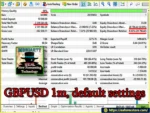
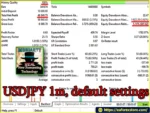
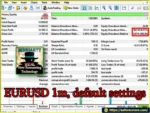
5. What are the reported backtest results for Professor Moriarty EA MT5?
The supplied backtest figures report the following results from an initial deposit of $10,000 for each currency pair:
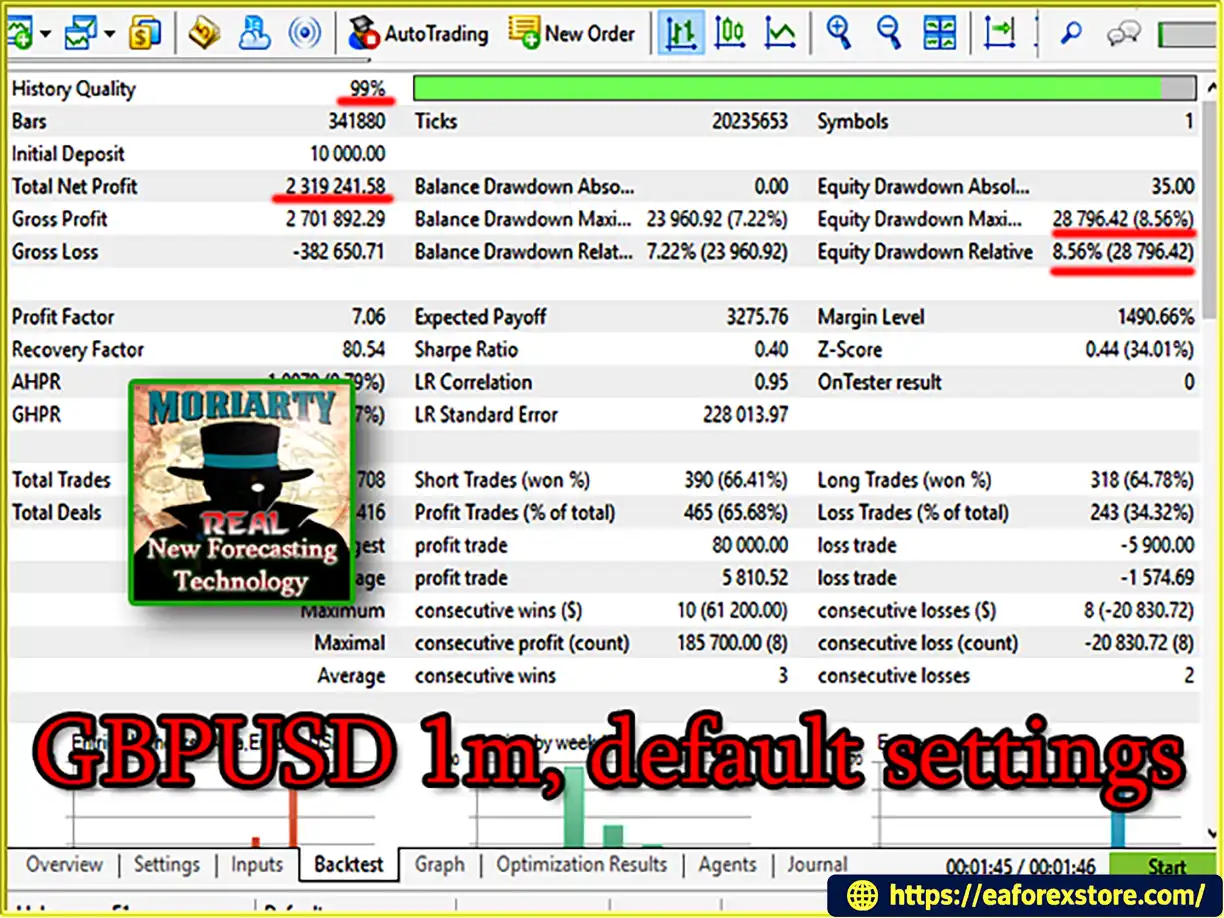
GBPUSD: Net profit of $2,319,241.58, win rate of 65.68%, and maximum drawdown of 7.22%.
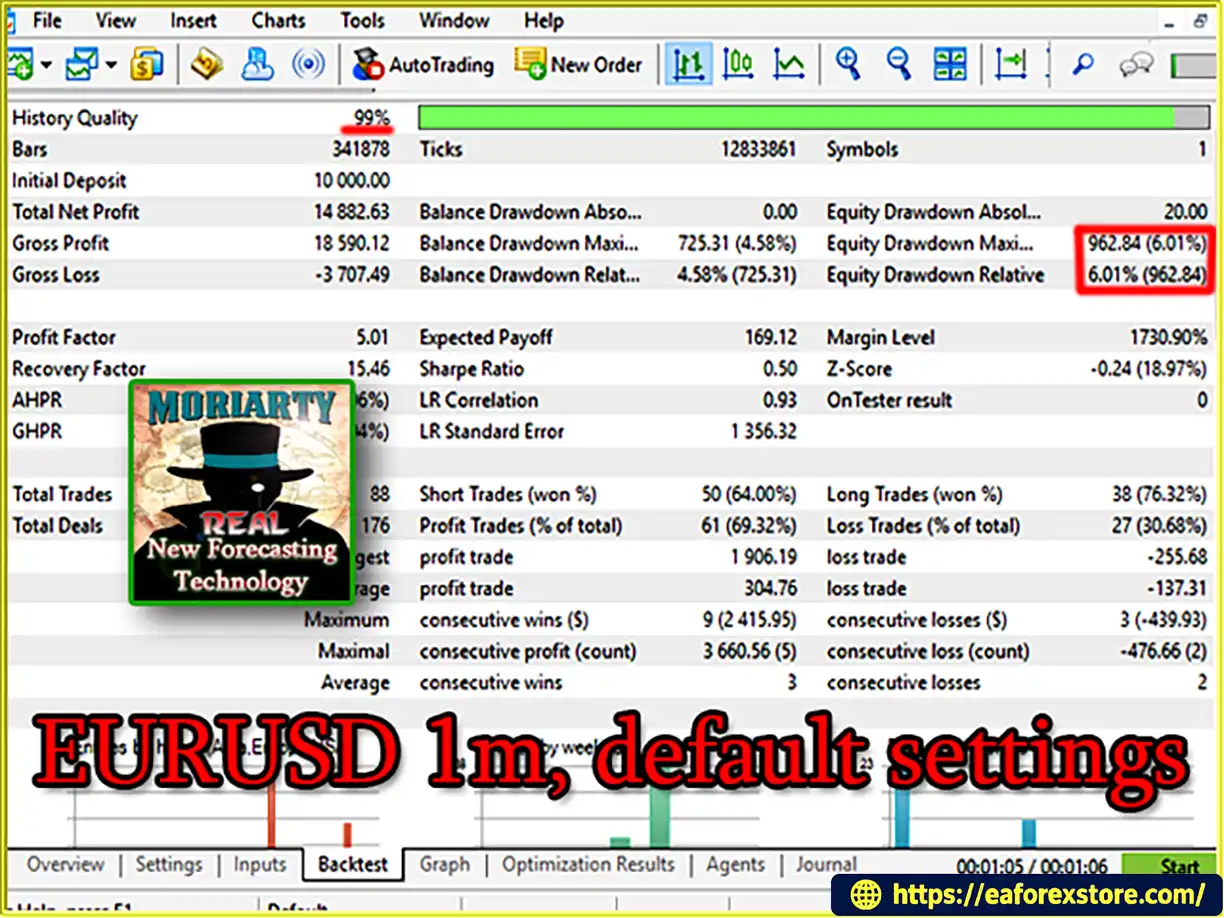
EURUSD: Net profit of $14,882.63, win rate of 69.32%, and maximum drawdown of 4.58%.
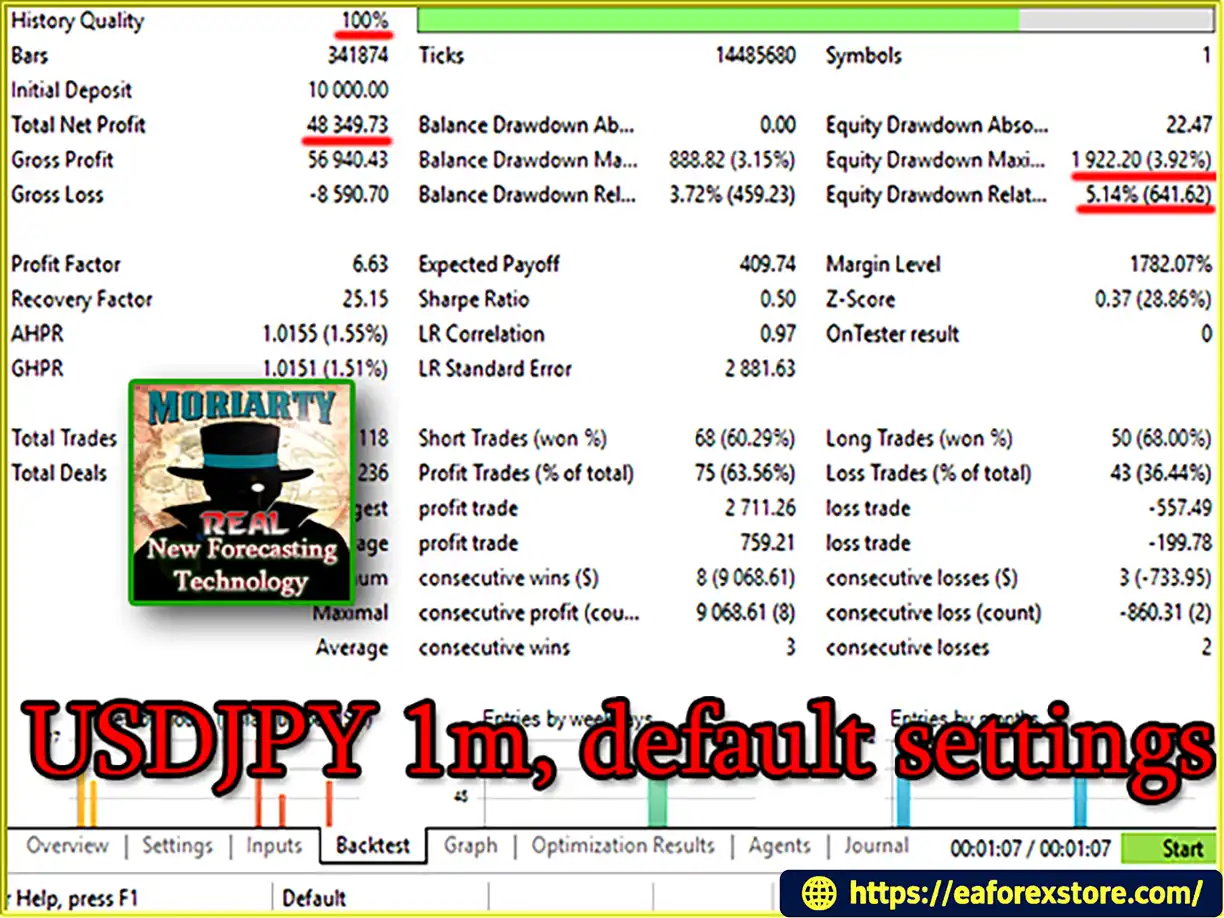
USDJPY: Net profit of $48,349.73, win rate of 63.56%, and maximum drawdown of 3.15%.
These are reported figures from the supplied product description, not independently verified results. The testing periods, broker conditions, and complete strategy settings should be checked before drawing conclusions about performance.
6. Does Professor Moriarty EA MT5 use a Martingale strategy?
The supplied description does not provide enough technical detail to confirm whether the EA uses Martingale, grid trading, or other position-escalation techniques. Traders should review the EA's documentation and inspect its trading behavior during testing before assuming that any particular method is absent.
7. Does Professor Moriarty EA MT5 require a VPS?
A VPS is recommended to help keep MetaTrader 5 running continuously without requiring a personal computer to remain switched on. Users should ensure that the VPS has a stable connection, the MT5 platform is configured correctly, and algorithmic trading remains enabled.
8. Is Professor Moriarty EA MT5 suitable for beginners, and are profits guaranteed?
The EA offers several configurable settings, but users need to understand position sizing, trading costs, drawdown, and automated trading risks before using it with real money. Beginners should start with backtesting and demo forward testing, use conservative settings, and verify the EA's behavior on their chosen broker. Profits are not guaranteed, and historical or simulated results do not ensure future performance.
In stock
In stock
In stock
In stock
In stock
Out of stock
No account yet?
Create an Account












 Automatic EA
 EA Best Seller
 Expert Advisor MT4
 Expert Advisor MT5
 HFT EA


Reviews
Clear filtersThere are no reviews yet.