









-
 Unlimited Activations
-
 Instant delivery
-
 Easy to install




 Unlimited Activations
Instant delivery
Easy to install
Unlimited Activations
Instant delivery
Easy to install
 Free Update
 Free Install Support

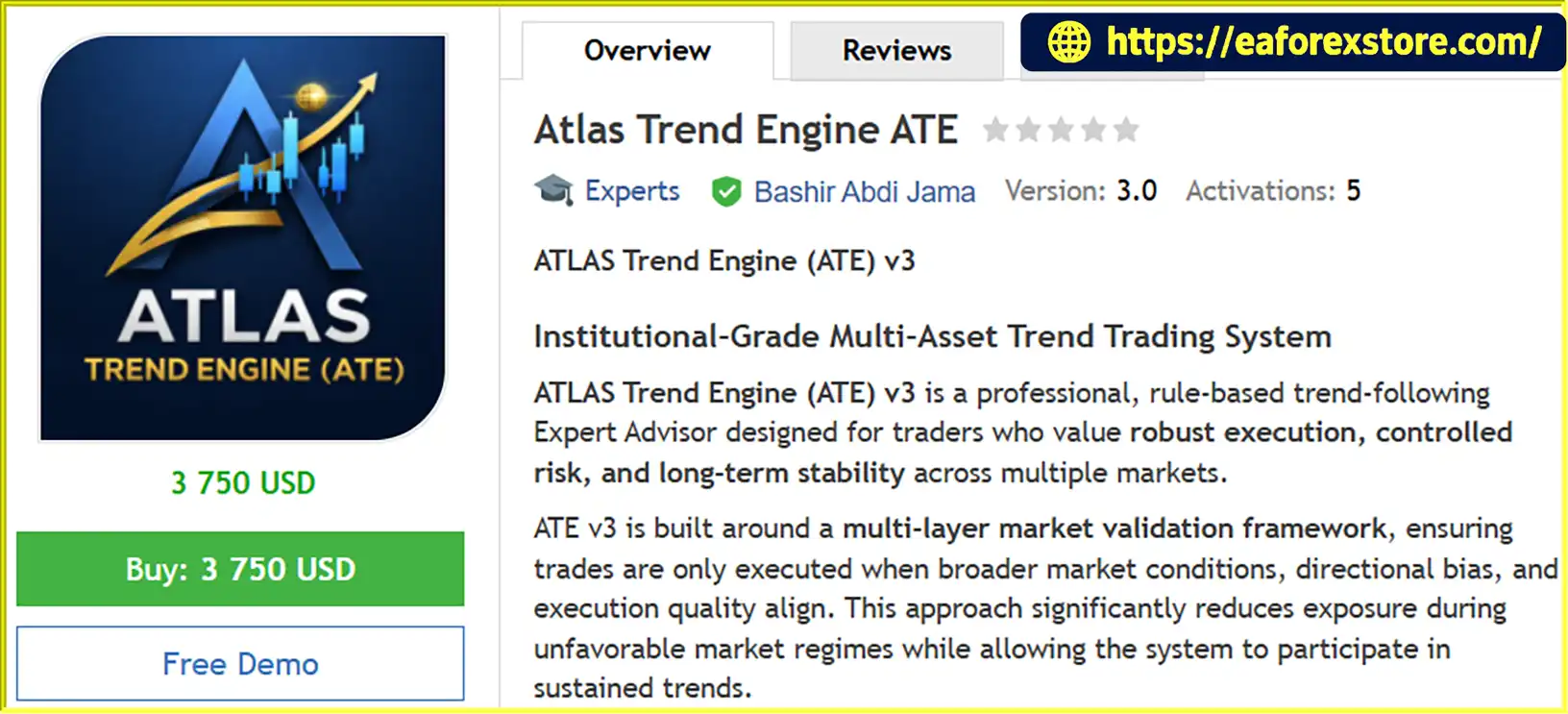
Atlas Trend Engine EA MT5 is an automated Expert Advisor (EA) for MetaTrader 5, designed to trade trending market conditions across Forex, Gold (XAUUSD), and major stock indices. It uses a rule-based trading framework that combines multi-timeframe market validation, higher-timeframe directional bias, volatility-adaptive execution, and portfolio-level risk controls.
Unlike high-frequency scalping systems, Atlas Trend Engine EA MT5 focuses on selective trade opportunities and sustained market trends. Its design emphasizes disciplined execution, capital preservation, and structured risk management rather than frequent trading.
The EA incorporates adaptive stop management, partial profit handling, session-aware execution, and configurable exposure controls. It is primarily intended for traders using the H1 timeframe, with H4 configurations available for a more swing-oriented trading approach.
Atlas Trend Engine EA MT5 is designed for traders who prefer systematic, rules-based trading across multiple instruments. However, its actual performance depends on market conditions, broker execution, configuration, and risk settings. No automated trading system can guarantee profits or eliminate trading risk.
>>> Delivery time 24h-48h after payment.
>>> Refund if not delivered.
>>> You will receive the latest version without any limitations (ID+Time).Reviewed by Jason Stap <<<
Atlas Trend Engine EA MT5 uses a multi-layer validation framework to assess market conditions before executing trades. By considering information from multiple timeframes, the system aims to align entries with broader market conditions rather than relying exclusively on short-term price movements.
This approach may help filter some unfavorable trading opportunities, although the exact validation rules and indicators should be confirmed through the product’s documentation.
The EA includes trend regime detection designed to identify conditions that may be suitable for trend-following strategies.
Instead of continuously opening trades, Atlas Trend Engine EA MT5 aims to participate selectively when its trading conditions are satisfied. This design may appeal to traders who prefer fewer, more structured opportunities. However, trend detection can still produce false signals, particularly during sideways markets and abrupt reversals.
The EA uses higher-timeframe market structure to establish directional bias. This feature is intended to help align trades with the broader trend and reduce reliance on isolated short-term price movements.
Directional filtering can support a more consistent trading process, but it cannot guarantee that a trend will continue or prevent losses when market conditions change unexpectedly.
Atlas Trend Engine EA MT5 incorporates volatility-normalized execution and adaptive stop management. These mechanisms are designed to account for changing market volatility when managing trades.
Adapting to volatility may help the system respond to different market environments. Nevertheless, fast price movements, slippage, and market gaps can still affect entry prices and realized losses.
The EA includes several stated risk-management mechanisms:
These controls are intended to help traders establish risk boundaries across multiple instruments. Users should verify how each limit is calculated and whether triggering it blocks new entries, closes existing positions, or activates another protective action.
Atlas Trend Engine EA MT5 supports partial profit handling and dynamic trade protection. These features are intended to manage open positions as market conditions evolve and apply predefined trade-management rules.
The exact partial-close conditions, trailing-stop logic, and activation thresholds are not specified in the supplied description. Traders should review the available settings before using the EA on a live account.
The EA incorporates session-aware execution logic to account for market-session conditions when evaluating or placing trades.
This can be relevant for Gold, Forex, and indices, as liquidity, volatility, and spreads may vary throughout the trading day. Correct session configuration and broker server-time alignment are important for the intended behavior.
Atlas Trend Engine EA MT5 includes percentage-based risk settings, portfolio exposure limits, and daily and weekly loss protection. These features are intended to support traders who operate under strict drawdown requirements, including those trading proprietary firm accounts.
However, compatibility with a particular prop firm is not guaranteed. Users must independently check rules covering daily losses, maximum drawdown, news trading, overnight positions, weekend holding, and permitted instruments.
Atlas Trend Engine EA MT5 follows a rule-based trading process built around market qualification, directional analysis, execution, and position management.
A typical workflow includes the following stages:
The recommended primary timeframe is H1, while H4 is suggested for swing-oriented configurations.
The EA is intended for the following markets:
The supplied description does not specify exact entry indicators, exit formulas, stop-loss distances, take-profit targets, or verified performance statistics. Traders should obtain the installation manual and evaluate the system through controlled backtesting and demo trading before committing real capital.
Atlas Trend Engine EA MT5 focuses on selective trend trading rather than high-frequency scalping. Its rule-based framework may suit traders who prefer systematic entries and aim to participate in sustained market movements.
The EA is designed for Gold, selected Forex pairs, and major indices. This allows traders to evaluate different instruments within one trading framework, subject to broker support and appropriate symbol configuration.
Trading multiple instruments does not automatically diversify risk. Several markets may respond similarly to major economic announcements or broader financial shocks.
Fixed percentage risk per trade, maximum portfolio exposure, and daily and weekly loss protection provide several mechanisms for controlling trading exposure.
These tools can help support a disciplined process, provided their settings are appropriate and their behavior is fully understood.
Volatility-based stop management and partial profit handling allow the EA to manage positions according to predefined rules instead of depending entirely on manual intervention.
However, adaptive management cannot guarantee that profits will be secured or that losses will remain within an exact amount.
The EA may appeal to traders who want a repeatable trading process, consistent risk settings, and the ability to evaluate performance across multiple instruments without continually intervening in active trades.
The H1 timeframe is the primary recommendation, while H4 is intended for swing-oriented configurations. These options provide different approaches to market analysis, although actual trading frequency and holding periods depend on the EA’s entry and exit rules.
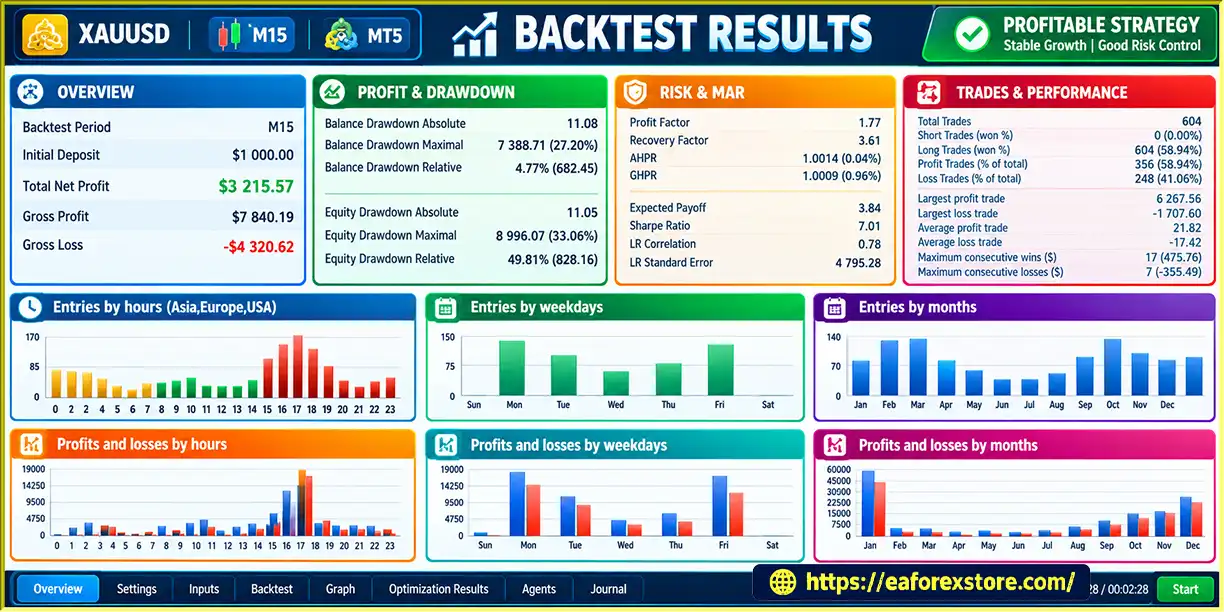
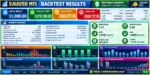
🔺XAUUSD (Gold) pair
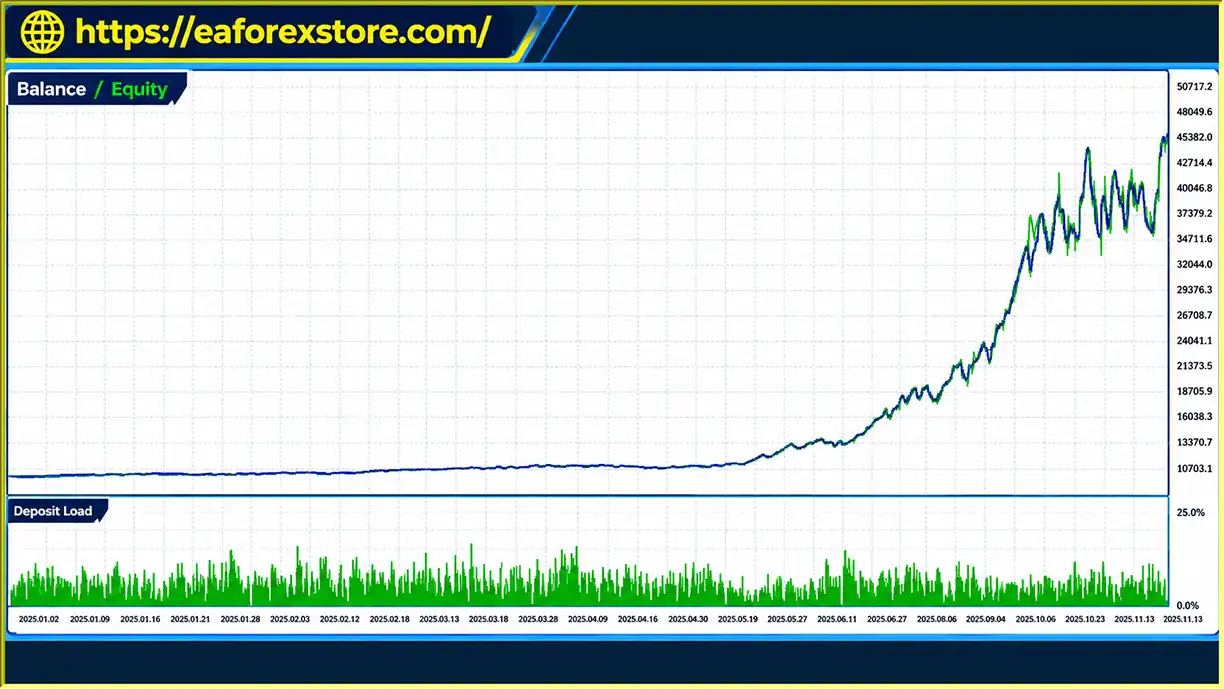
ATLAS Trend Engine EA MT5 backtets
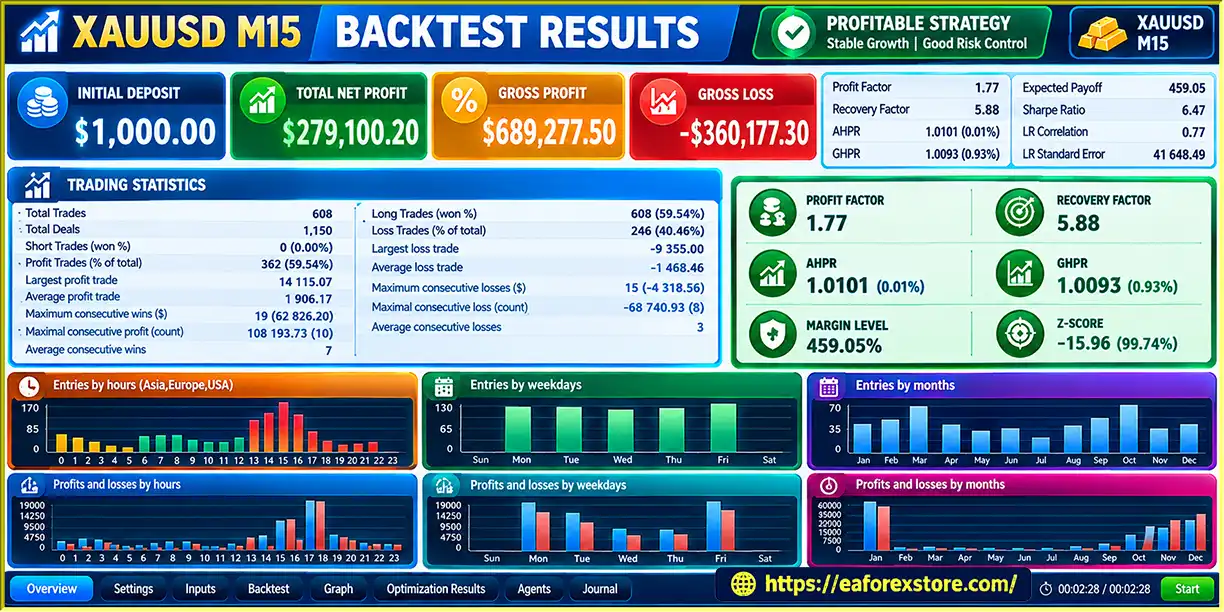
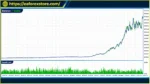
🔺XAUUSD (Gold) pair
ATLAS Trend Engine MT5 backtets
Risk management is essential when operating Atlas Trend Engine EA MT5. Its built-in controls should be treated as tools for limiting exposure, not guarantees against losses.
Start with conservative risk settings. Use a modest percentage risk per trade while evaluating the EA. Increase exposure only after understanding its behavior across different market conditions.
Monitor combined portfolio exposure. Positions in XAUUSD, NAS100, US30, and Forex pairs can create overlapping risk. Monitor total exposure rather than assessing each trade independently.
Verify daily and weekly loss protection. Confirm the balance or equity reference used for calculations, reset times, time zone, and whether reaching a limit blocks new trades or closes existing positions.
Understand adaptive stops. Volatility-based stops may adjust to market conditions, but fast price movements and gaps can cause execution at prices worse than expected.
Use realistic execution conditions. The EA is described as optimized for low-spread environments. Consider spreads, commissions, swaps, and slippage when evaluating performance, especially on Gold and indices.
Check broker specifications. Symbol names, contract sizes, tick values, minimum lots, trading hours, and margin requirements can differ between brokers. Verify the settings for every instrument you intend to trade.
Check prop-firm rules independently. Built-in loss protection does not guarantee compliance with every proprietary firm’s restrictions. Confirm the relevant rules before activating the EA on a funded account.
Test different market conditions. Trend-following systems can struggle during prolonged consolidation, sudden reversals, and unexpected news events. Evaluate performance across both trending and non-trending periods.
Use a demo account first. Conduct backtests and forward tests with realistic trading costs. Review maximum drawdown, consecutive losses, trade frequency, average trade duration, and combined exposure before considering live trading.
Follow these general steps to install Atlas Trend Engine EA MT5:
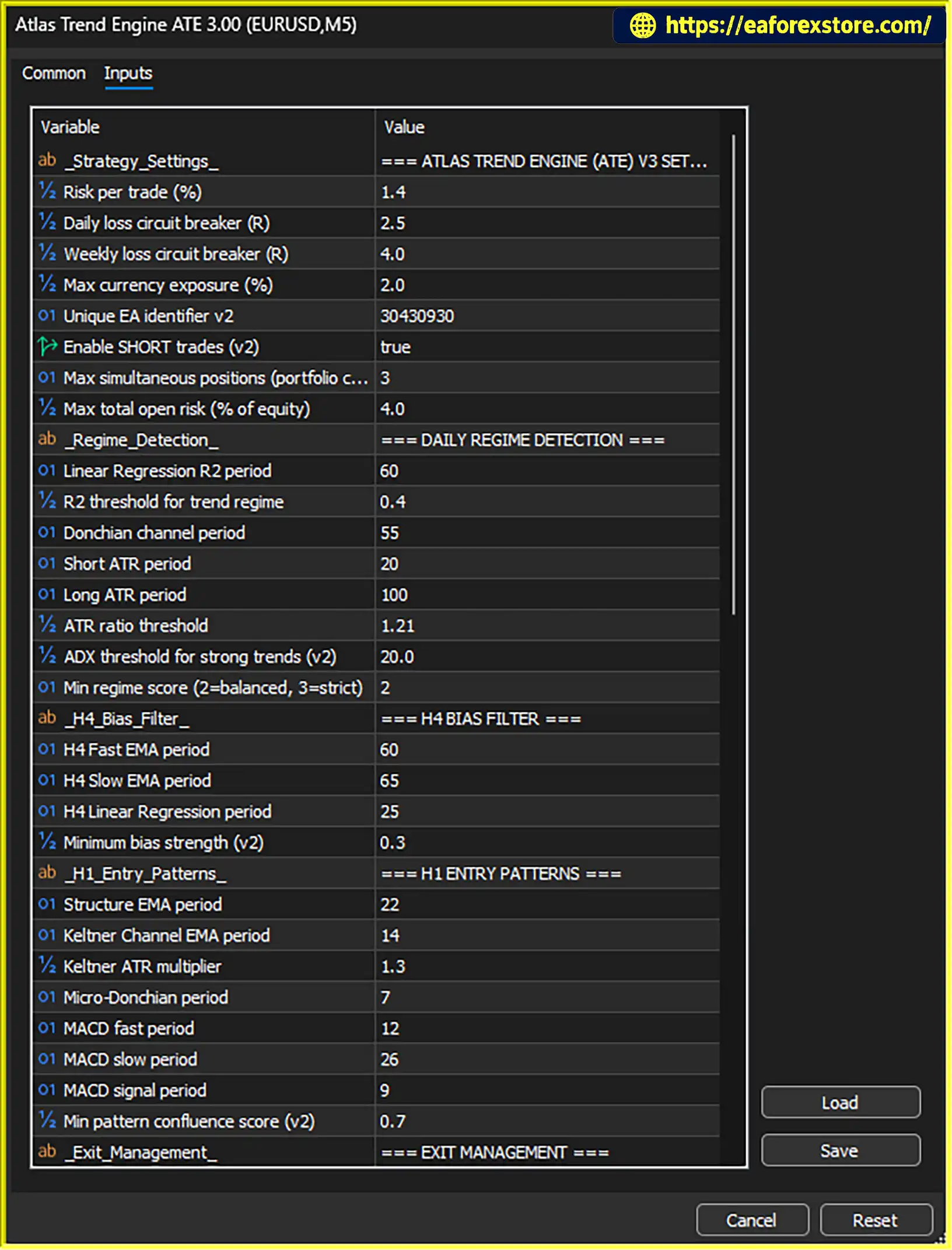
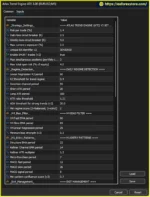
setting
MQL5 → Experts and place the supplied EA file in the folder.The provider requests that buyers send a private message after purchase to receive the installation manual and setup instructions. Follow that manual for the recommended configuration, supported symbols, licensing, and any additional setup requirements.
>>> Join VIP Membership Now <<<
Atlas Trend Engine EA MT5 is a multi-asset trend-following Expert Advisor designed around multi-timeframe validation, directional filtering, volatility-adaptive execution, and portfolio-level risk management.
Its main appeal is its structured approach to trading Gold, selected Forex pairs, and major indices without relying on high-frequency scalping. Features such as partial profit handling, adaptive stops, and daily and weekly loss protection may help traders implement a more systematic trading process.
Nevertheless, the effectiveness of the system cannot be established from feature descriptions alone. Its exact trading rules and verified performance statistics were not included in the supplied information, and its risk controls cannot eliminate market or execution risk.
Before using Atlas Trend Engine EA MT5 with real money, test its individual configurations, verify the behavior of its loss limits, and evaluate performance with realistic trading costs. Traders considering a prop-firm account should also confirm compliance with the firm’s specific rules.
Important: Past performance does not guarantee future results. Always test on a demo account first and only risk capital you can afford to lose.
1. What is Atlas Trend Engine EA MT5?
Atlas Trend Engine EA MT5 is an automated Expert Advisor for MetaTrader 5 designed to trade trending conditions across Gold (XAUUSD), selected Forex pairs, and major stock indices. It uses multi-timeframe market validation, higher-timeframe directional bias, volatility-adaptive execution, and portfolio-level risk controls.
2. What are the main features of Atlas Trend Engine EA MT5?
Key features include trend regime detection, multi-timeframe validation, higher-timeframe directional filtering, adaptive stop management, partial profit handling, session-aware execution, fixed percentage risk per trade, maximum portfolio exposure limits, and daily and weekly loss protection.
3. How does Atlas Trend Engine EA MT5 work?
The EA assesses market conditions, identifies potential trend-following opportunities, and uses higher-timeframe market structure to establish directional bias. When its trading conditions are satisfied, it executes trades using volatility-adaptive methods and manages positions through stop adjustments, partial profit handling, and configured risk controls. The exact entry indicators and trading formulas are not fully specified in the supplied description.
4. Which trading instruments and timeframes does Atlas Trend Engine EA MT5 support?
The EA is designed for Gold (XAUUSD), selected Forex pairs such as USDJPY and GBPJPY, and major indices such as NAS100 and US30. H1 is the primary recommended timeframe, while H4 is suggested for swing-oriented configurations. Actual instrument availability depends on the broker and its symbol specifications.
5. Does Atlas Trend Engine EA MT5 have built-in risk management?
Yes. The EA includes fixed percentage risk per trade, maximum portfolio exposure limits, daily and weekly loss protection, and volatility-adaptive stop management. Traders should verify how the loss limits are calculated, when they reset, and whether triggering them stops new trades or closes existing positions. These controls cannot eliminate trading risk.
6. What are the reported backtest results for Atlas Trend Engine EA MT5?
The supplied product description reports two XAUUSD backtests:
Backtest 1: Initial deposit of $100, total net profit of $32,519.57, win rate of 79.33%, and maximum equity drawdown of 33.06%.
Backtest 2: Initial deposit of $1,000, total net profit of $279,100.02, win rate of 59.54%, and maximum equity drawdown of 33.38%.
These figures are reported by the product description and have not been independently verified. The testing period, trading costs, and other detailed test conditions were not specified in the supplied information. The reported drawdowns are substantial and should be carefully evaluated before considering live trading. Past performance does not guarantee future results.
7. Is Atlas Trend Engine EA MT5 suitable for prop-firm accounts?
The EA includes percentage-based risk settings, portfolio exposure controls, and daily and weekly loss protection intended to support structured risk management. However, compatibility with a specific prop firm is not guaranteed. Traders should independently verify rules concerning maximum drawdown, daily losses, news trading, overnight positions, weekend holding, and permitted instruments before using the EA on a funded account.
8. How do you install Atlas Trend Engine EA MT5?
Obtain the EA file, ATLAS Trend Engine.ex5, from the provider. Open MetaTrader 5 and select File → Open Data Folder. Copy the file into MQL5/Experts, refresh the Expert Advisors list, and attach the EA to a supported chart. Configure the risk settings, portfolio exposure limits, and trade-management parameters, then enable algorithmic trading. Test the EA in Strategy Tester and on a demo account before using real funds. According to the supplied description, buyers should also contact the provider privately to obtain the installation manual and setup instructions.
In stock
In stock
In stock
In stock
In stock
Out of stock
No account yet?
Create an Account












 Automatic EA
 EA Best Seller
 Expert Advisor MT4
 Expert Advisor MT5
 HFT EA


Reviews
Clear filtersThere are no reviews yet.