









-
 Unlimited Activations
-
 Instant delivery
-
 Easy to install
 Unlimited Activations
Instant delivery
Easy to install
Unlimited Activations
Instant delivery
Easy to install
 Free Update
 Free Install Support

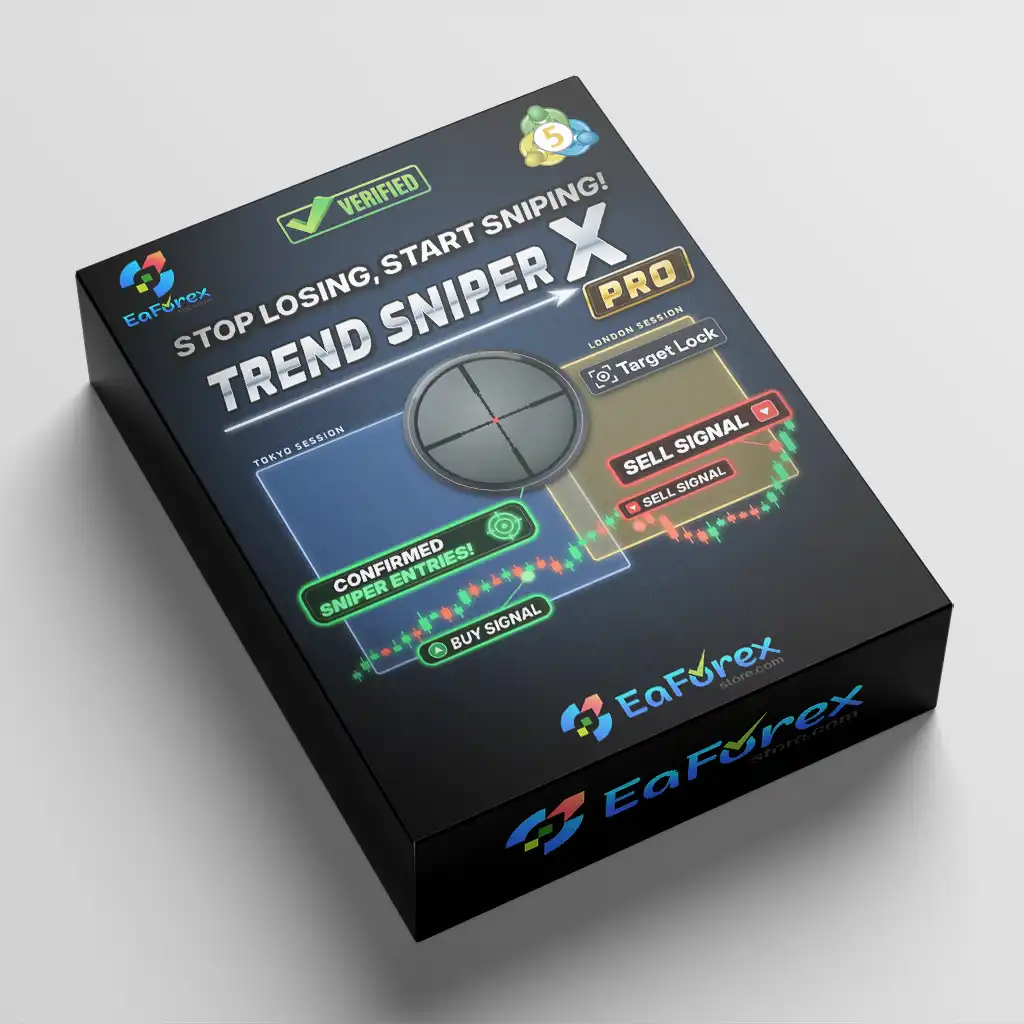
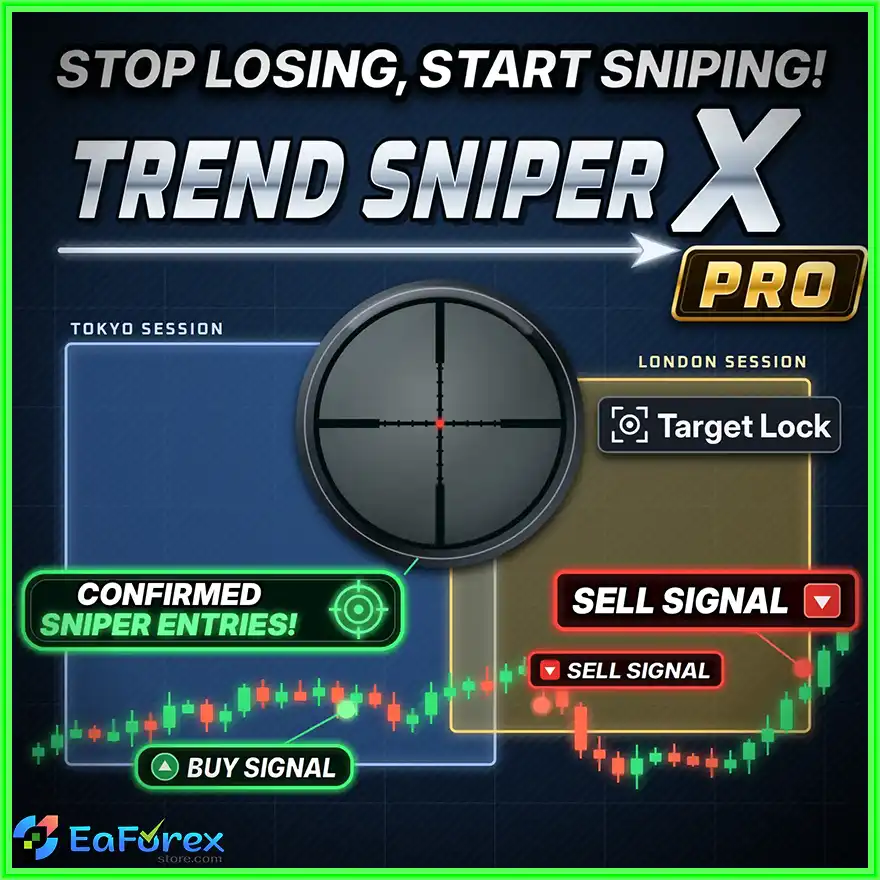
Trend Sniper X Pro MT5 is an advanced trend-following indicator for MetaTrader 5 (MT5) designed to help traders identify market direction, confirm trading opportunities, and plan entries and exits using a structured technical analysis system. By combining higher-timeframe SuperTrend, Exponential Moving Average (EMA) confirmation, Stochastic momentum, ADX trend strength, and confirmation bars, the indicator provides a comprehensive framework for evaluating potential BUY and SELL opportunities.
Unlike basic trend indicators that display only directional signals, Trend Sniper X Pro MT5 combines trend analysis with predefined trade levels. Each confirmed signal can include an entry price, an ATR-based Stop Loss, and three Take Profit targets calculated from the initial risk distance. These levels are fixed after the signal candle closes, providing a consistent reference for trade planning and historical analysis.
The indicator also features a professional Control Panel, Grade A/B/C signal classification, multiple entry modes, backtest statistics, configurable alerts, and a Global Variable bridge for integration with external Expert Advisors (EAs).
Trend Sniper X Pro MT5 is suitable for traders who want to analyze higher-timeframe market direction while executing trades on lower timeframes. Whether you trade Forex, gold, indices, or other supported instruments, this MT5 indicator helps organize trend identification, signal confirmation, and risk management within one chart-based workspace.
Trend Sniper X Pro MT5 uses a higher-timeframe SuperTrend to identify the broader market direction while displaying signals on the active trading chart.
The default SuperTrend configuration uses an ATR period of 10 and a multiplier of 3.0, with H1 as the default trend timeframe. Traders can select compatible higher timeframes, including M15, M30, H1, H4, and D1.
When No-Repaint mode is enabled, the trend engine uses completed higher-timeframe candles to help maintain consistent trend confirmation.
The indicator combines SuperTrend with a 50-period Exponential Moving Average (EMA) on the selected trend timeframe.
This dual-confirmation approach helps traders identify directional conditions and avoid treating every short-term price movement as a confirmed trend.
The confirmation bar filter requires the selected trend conditions to remain valid for a specified number of consecutive candles before confirming a trend change.
The default setting is two confirmation bars. Traders can adjust this value to suit their trading style and preferred signal frequency.
Requiring additional confirmation may help reduce signals caused by short-lived price fluctuations, although it can also delay entries.
Trend Sniper X Pro MT5 generates BUY and SELL arrows when the confirmed trend changes direction relative to the previous signal.
Signals alternate between BUY and SELL rather than repeatedly displaying new signals in the same direction under the described signal logic.
This provides a clear visual reference for identifying potential trend-following opportunities and monitoring directional changes.
The indicator incorporates Stochastic momentum analysis and the Average Directional Index (ADX) to provide additional market context.
Stochastic conditions are classified into states such as CONFIRMED, PARTIAL, REJECTED, BURST, and SCALP ENTRY.
ADX categorizes trend strength as STRONG, MODERATE, or WEAK / FLAT.
These classifications help traders evaluate whether a trend signal is supported by momentum and whether market conditions appear suitable for a trend-following approach.
Each signal receives a grade based on Stochastic conditions, ADX strength, and directional DI confirmation.
The scoring system follows these thresholds:
The grade provides a quick summary of the available confirmations surrounding a signal. It should be treated as a technical classification rather than a guarantee of trading success.
Every qualifying signal can display a complete trade plan consisting of Entry, Stop Loss, TP1, TP2, and TP3.
The Stop Loss is calculated using Average True Range (ATR), while Take Profit levels are based on the initial risk distance.
The default intraday target configuration uses 1.5R, 3R, and 4R, where R represents the distance between the entry price and the initial Stop Loss.
The indicator supports MARKET, RETEST, and MID-BAR entry modes, allowing traders to adjust how the entry level is defined.
Once the signal candle closes and the entry and risk levels are calculated, the displayed levels remain fixed according to the indicator’s signal logic.
This makes it easier to review historical setups without the original entry, Stop Loss, and Take Profit levels moving with subsequent price changes.
The indicator’s no-repaint behavior and historical calculations should still be validated under the intended chart, timeframe, and entry settings.
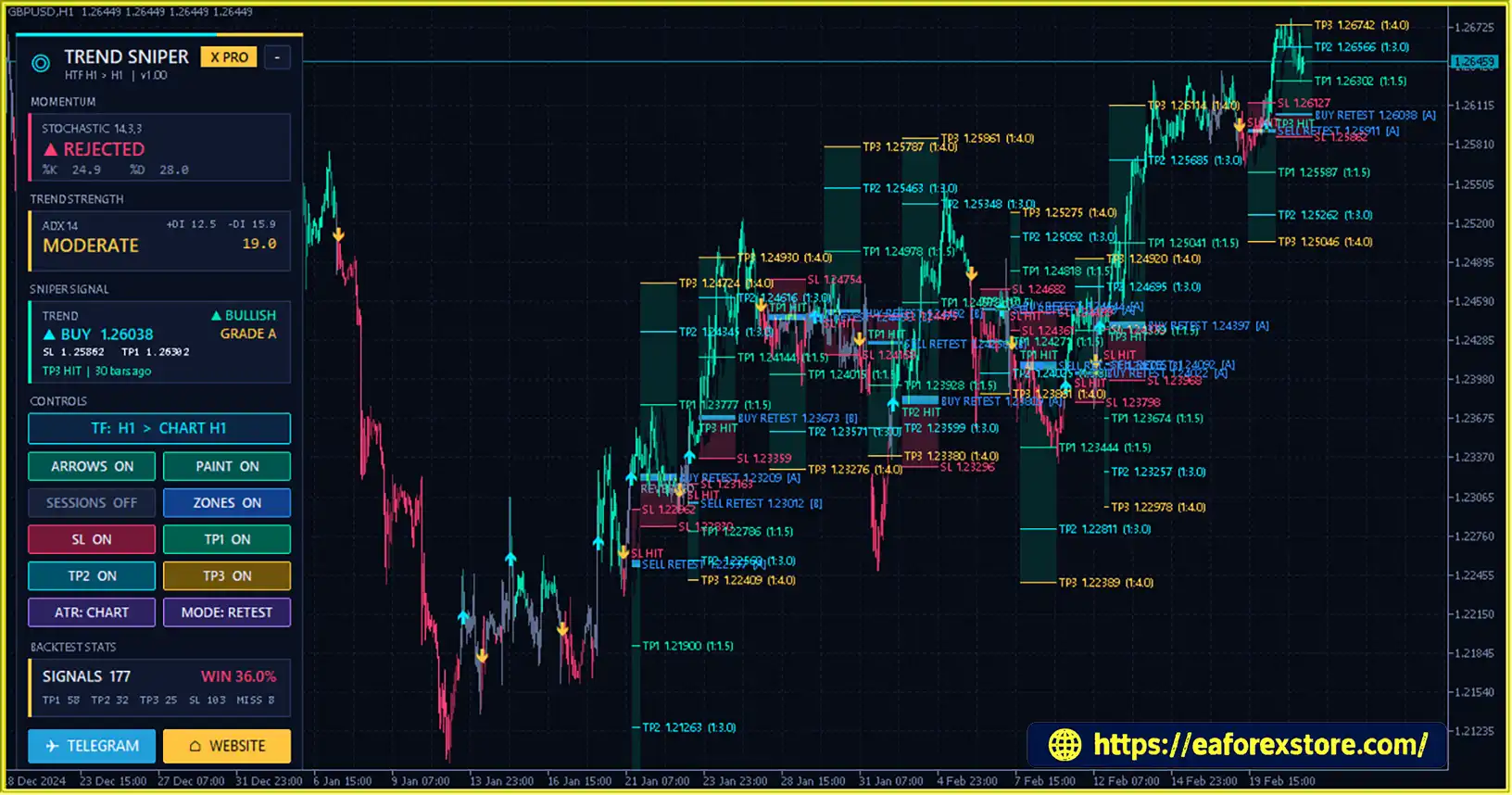
The integrated Control Panel presents key information without requiring traders to switch between multiple indicators.
Depending on the selected settings, it displays:
These options help traders customize the chart to their preferred analysis and trade-management workflow.
Trend Sniper X Pro MT5 tracks historical signal performance using metrics such as total signals, win rate, TP1 hits, TP2 hits, TP3 hits, Stop Loss results, and missed entries.
Statistics update when a new candle arrives and can change when traders select different entry modes, ATR sources, timeframes, or other configurations.
These statistics can support historical comparisons, but they should not be interpreted as proof of future profitability.
The indicator publishes signal information through MT5 Global Variables, including direction, entry, Stop Loss, Take Profit targets, grade, and trade status.
An external Expert Advisor can read these values for compatible trade-execution or management workflows.
Trend Sniper X Pro MT5 also supports terminal alerts, sound notifications, mobile push notifications, and email alerts, helping traders monitor signals without continuously watching the chart.
Trend Sniper X Pro MT5 follows a structured process that combines higher-timeframe trend identification, directional confirmation, momentum evaluation, signal generation, and trade-level calculation.
The indicator calculates SuperTrend using the selected higher timeframe and evaluates price relative to the 50-period EMA.
When both indicators support a bullish direction, the market is classified as bullish. When both support a bearish direction, the market is classified as bearish.
If the two measurements disagree, the indicator treats the market as neutral rather than forcing a directional bias.
The confirmation bar filter checks whether the trend conditions remain valid for the required number of consecutive candles.
This helps distinguish a confirmed directional change from a temporary price movement.
Traders can increase the number of confirmation bars for a more selective approach, although this may reduce signal frequency and delay entries.
The indicator examines Stochastic momentum, ADX trend strength, and directional DI conditions.
Stochastic provides information about momentum behavior, while ADX helps assess the strength of the prevailing trend.
These factors contribute to the signal classification and help traders understand whether the current setup has additional technical confirmation.
When the required trend conditions are confirmed, the indicator generates a directional signal on the first qualifying closed candle where the confirmed direction changes relative to the previous signal.
A BUY signal indicates a potential bullish trading opportunity, while a SELL signal indicates a potential bearish opportunity.
Traders should confirm the candle close and review the broader market context before considering an entry.
After a signal is confirmed, Trend Sniper X Pro MT5 calculates the entry price, ATR-based Stop Loss, and three Take Profit targets.
The selected entry mode—MARKET, RETEST, or MID-BAR—affects how the entry is defined.
The Stop Loss uses ATR-based volatility calculations, and the Take Profit levels are calculated from the initial risk distance. Once established, the levels remain fixed for the historical signal.
The Control Panel displays the current signal, grade, trade status, and relevant price levels.
Alerts can notify traders when qualifying signals appear, while the historical statistics help evaluate how different configurations performed over the loaded chart history.
Traders can also use the Global Variable bridge to make signal data available to a compatible external Expert Advisor.
Trend Sniper X Pro MT5 brings higher-timeframe trend analysis, signal confirmation, and predefined trade levels into one MT5 indicator.
This reduces the need to manually combine several separate tools just to establish directional bias and plan a potential trade.
The indicator combines SuperTrend, EMA, confirmation bars, Stochastic momentum, ADX strength, and directional DI conditions.
These factors provide a structured method for evaluating signals instead of relying on a single indicator reading.
The MARKET, RETEST, and MID-BAR entry modes offer different approaches to defining trade entries.
Traders can test these options to determine which approach better matches their strategy, instrument, and execution requirements.
ATR-based Stop Loss calculations and multiple Take Profit targets provide a predefined framework for evaluating risk and reward before entering a trade.
This can support more consistent trade planning, although actual execution and results depend on market conditions.
The built-in statistics panel tracks signal outcomes and several performance metrics.
Traders can compare historical behavior across different settings instead of relying exclusively on visual impressions or isolated winning trades.
The Global Variable bridge allows an external EA to access the indicator’s signal direction, entry, Stop Loss, Take Profit levels, grade, and status.
This makes the indicator useful for traders who want to explore semi-automated or automated workflows, subject to the external EA’s implementation and testing.
Trend Sniper X Pro MT5 supports different chart and trend timeframes, making it adaptable to scalping, intraday trading, and swing trading approaches.
The best configuration depends on the instrument, volatility, trading costs, and individual risk tolerance.
Advanced Trend Detection: Combines higher-timeframe SuperTrend with EMA confirmation to identify the market direction and uses confirmation bars before activating a new trend signal.
Fixed Entry, Stop Loss, and Take Profit: Calculates Entry, Stop Loss (SL), and Take Profit (TP) levels when a signal candle closes, then keeps them fixed for consistent trade planning and historical analysis.
Momentum Confirmation: Uses the Stochastic indicator to assess whether market momentum supports the identified trend, helping traders evaluate potential BUY and SELL opportunities.
Trend Strength Analysis: Integrates ADX and Directional Indicators (DI) to provide additional insights into trend strength and buying or selling pressure.
Comprehensive Trading Dashboard: Displays signals, signal grades, entry levels, SL/TP targets, statistics, trading sessions, and visual settings in one convenient control panel.
Clearer Historical Performance Evaluation: Preserves historical trade levels after signals appear, making it easier to review previous setups, compare trade outcomes, and assess indicator performance on MetaTrader 5.
Trend Sniper X Pro MT5 Reviews
Trend Sniper X Pro MT5 Review
Trend Sniper X Pro Reviews
Effective risk management is essential when using a trend-following indicator. Trend Sniper X Pro MT5 provides structured trade levels and technical filters, but these features cannot eliminate losses or guarantee profitable outcomes.
The indicator calculates the Stop Loss using ATR multiplied by a configurable factor.
The default ATR multiplier is 1.5, and traders can select whether the ATR calculation uses the active chart timeframe or the trend timeframe.
ATR-based stops adjust the planned risk distance according to recent volatility. However, a stop order may execute at a different price during gaps, slippage, or fast-moving market conditions.
Trend Sniper X Pro MT5 supports three risk-based profit targets.
The recommended configurations vary by trading style:
These are suggested starting configurations rather than guaranteed optimal settings. Traders should evaluate their suitability through historical testing and demo trading.
The indicator can display an entry band, a risk area between the entry and Stop Loss, and a reward area extending toward the furthest visible Take Profit target.
Individual Stop Loss and Take Profit lines can also be shown or hidden.
This visual layout helps traders understand the planned trade structure before deciding whether to enter.
Grade A, B, and C classifications summarize the available technical confirmations.
Traders may choose to focus on higher-grade signals, but a higher grade does not guarantee a better outcome. Trend-following strategies can still produce losses during sideways markets, sudden reversals, and low-momentum conditions.
Stochastic and ADX classifications provide additional context, but they should be interpreted alongside price action and broader market conditions.
The indicator supports multiple alert channels:
The Control Panel also displays signal direction, grade, entry price, Stop Loss, Take Profit levels, and trade status.
Configure and test notifications before relying on them for time-sensitive trade decisions.
The built-in statistics track signal outcomes, including Take Profit hits, Stop Loss results, and missed entries.
Because results may change with different timeframes, ATR sources, and entry modes, traders should compare configurations using consistent test periods and realistic execution costs.
Historical statistics are useful for analysis but do not guarantee similar results in live markets.
Forex, CFDs, and other leveraged instruments involve significant financial risk. Always use a risk-management plan appropriate to your trading experience and financial circumstances.
Beginners can start with a straightforward trend-following strategy using Trend Sniper X Pro MT5. The basic principle is to follow the confirmed higher-timeframe trend, wait for the indicator’s signal candle to close, and use the predefined trade levels to plan risk.
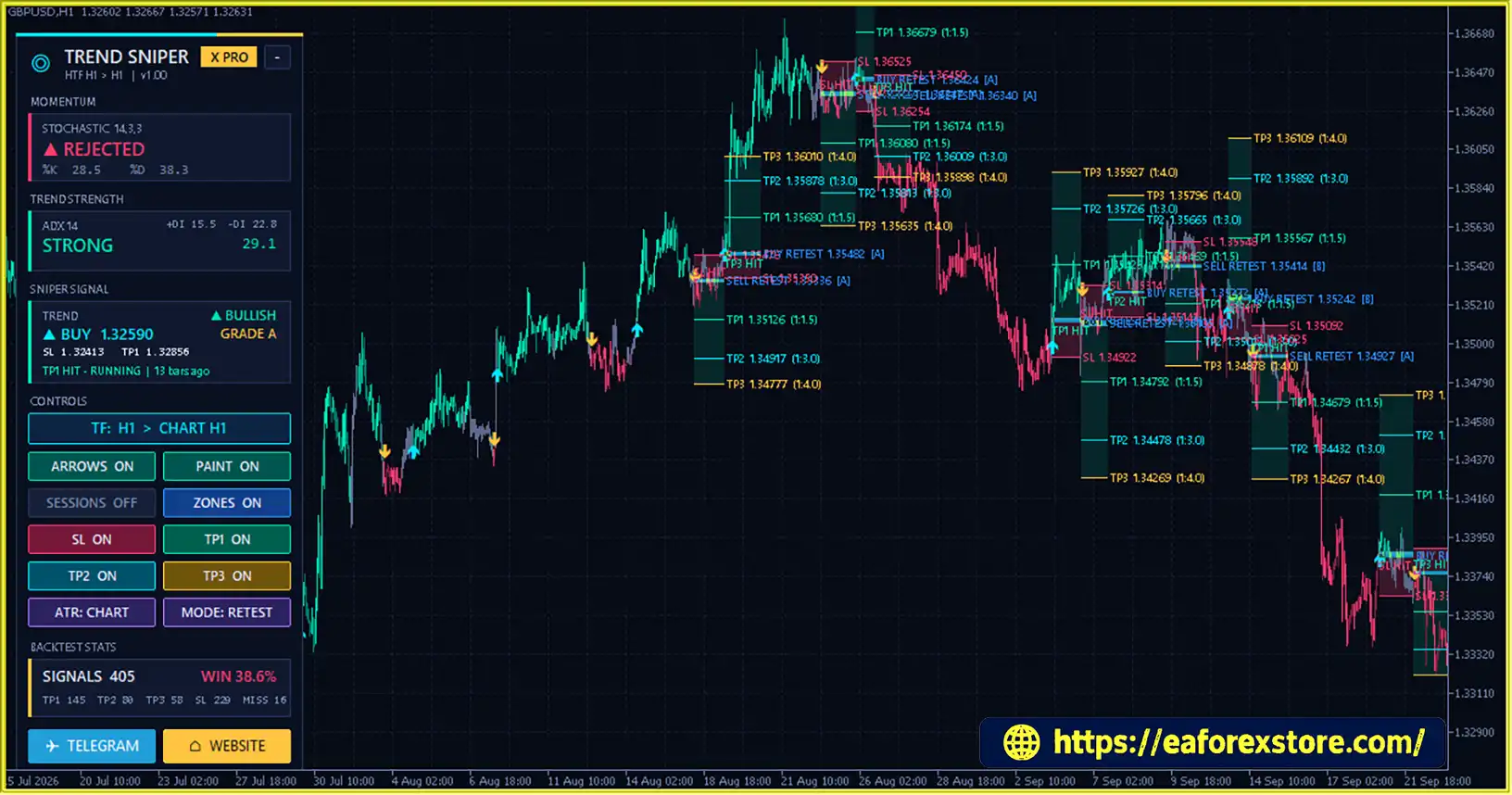
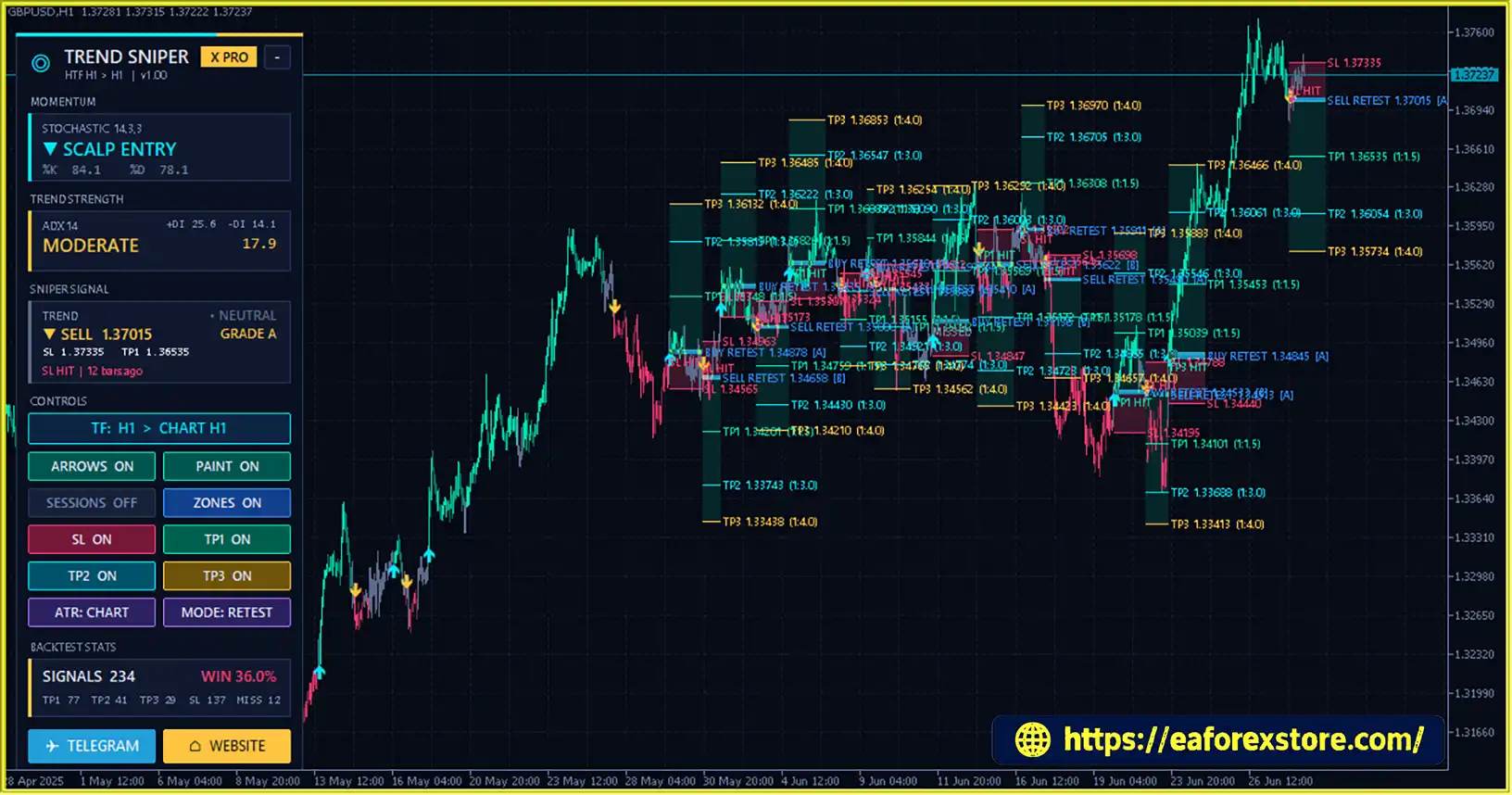
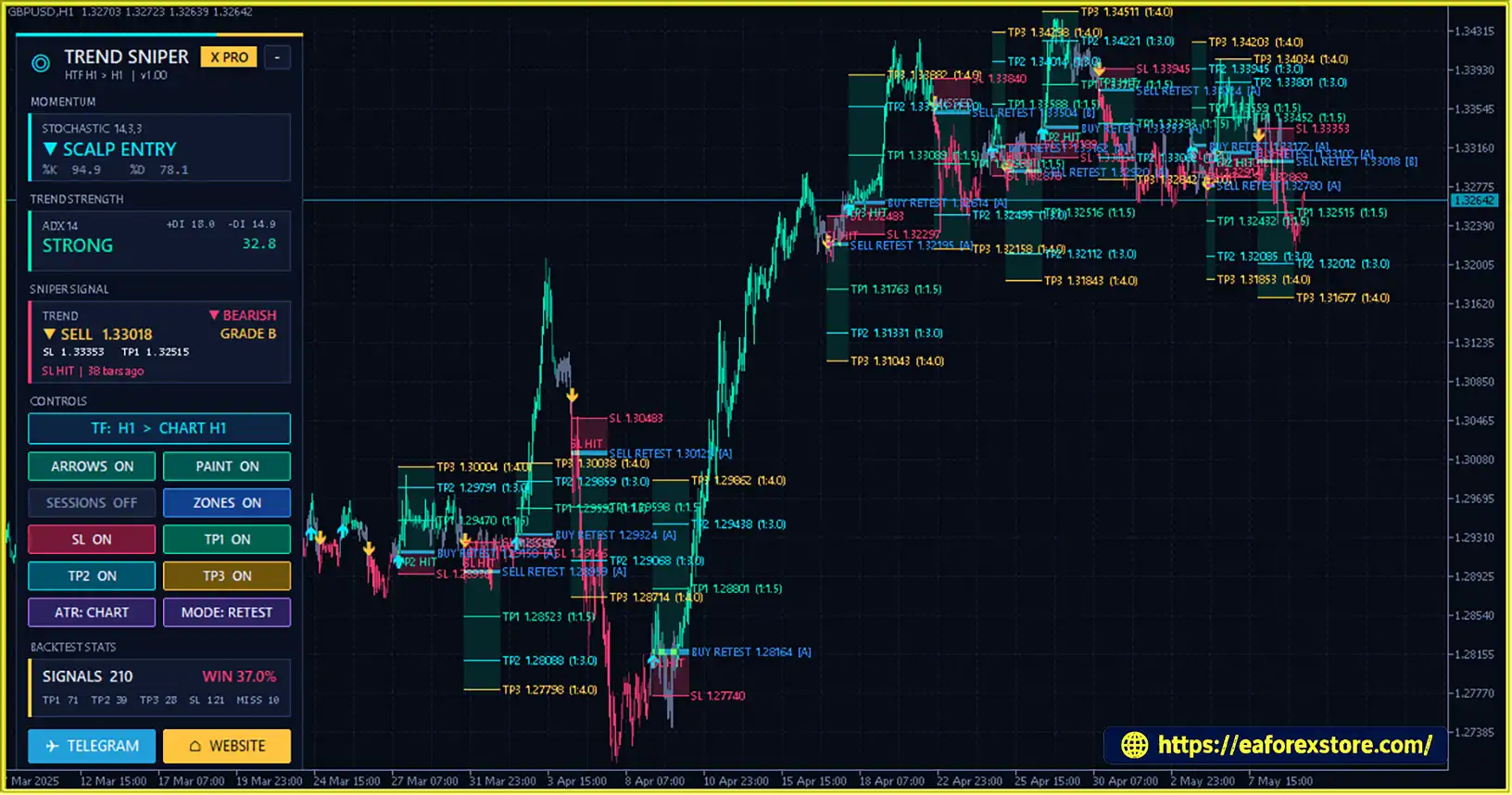
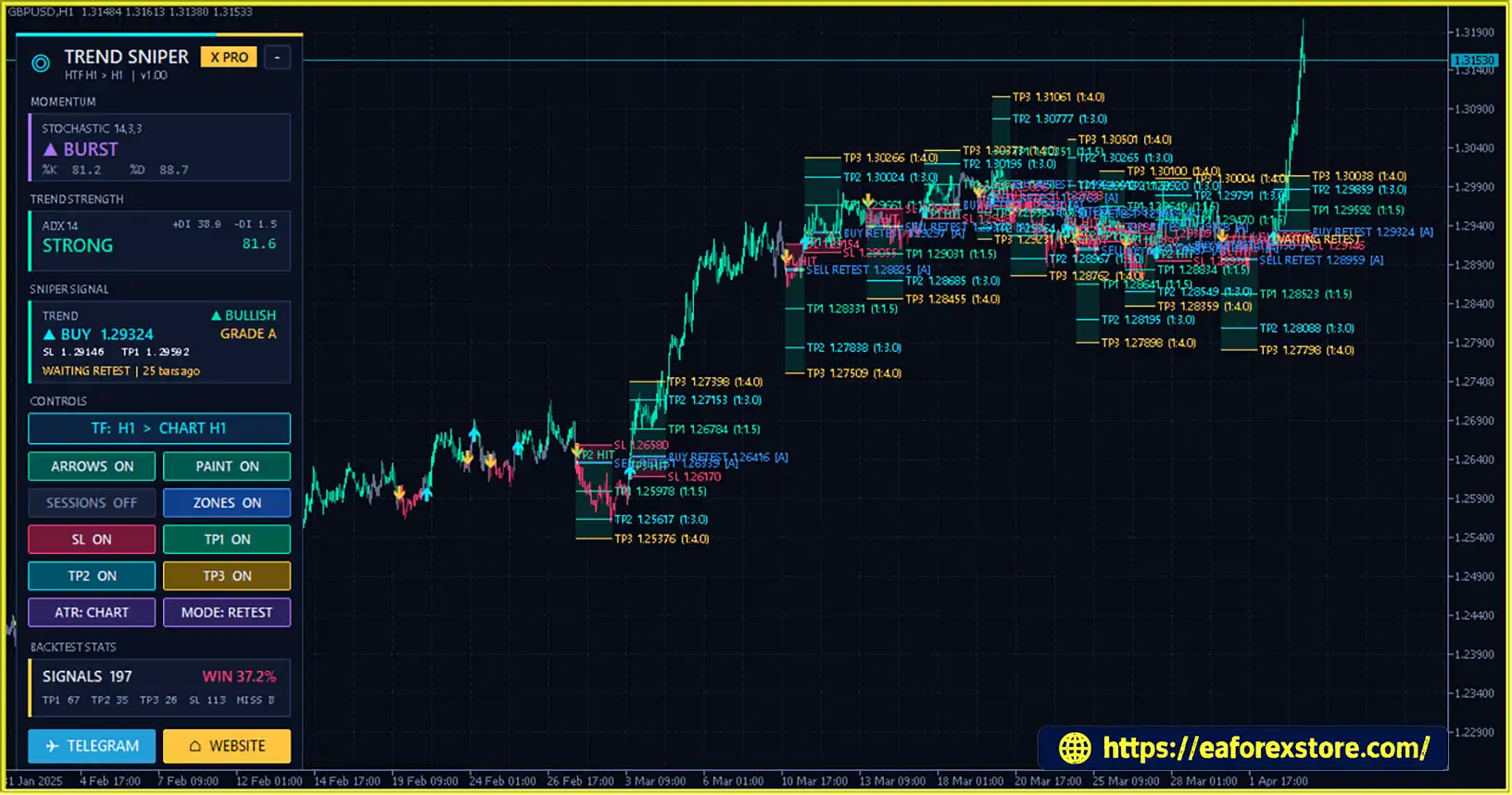
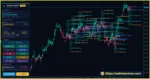
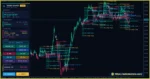
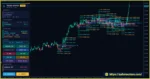
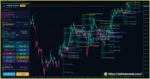
Trend Sniper X MT5 Trading Results
Trend Sniper X MT5 Trading Result
Step 1: Identify a Bullish Trend
Check whether the higher-timeframe SuperTrend and EMA indicate a bullish market direction. Ideally, price should be above the EMA and the SuperTrend should confirm the uptrend.
Step 2: Wait for a BUY Signal
Wait for Trend Sniper X Pro MT5 to generate a BUY arrow. Avoid entering while the signal candle is still forming.
Step 3: Check Momentum and Signal Strength
Review the Stochastic state, ADX classification, and signal grade. A stronger combination of bullish trend confirmation and supportive momentum can provide additional context for the setup.
Step 4: Enter the BUY Trade
Consider entering a BUY position after the signal candle closes, provided the setup meets your trading rules and the entry price remains acceptable.
Step 5: Set Stop Loss and Take Profit
Use the indicator’s ATR-based Stop Loss and predefined TP1, TP2, and TP3 levels. Calculate the position size according to the planned risk before placing the trade.
Simple BUY Rule:
BUY Signal + Confirmed Bullish Trend + Closed Candle + Acceptable Risk
Step 1: Identify a Bearish Trend
Check whether the higher-timeframe SuperTrend and EMA indicate a bearish market direction. Ideally, price should be below the EMA and the SuperTrend should confirm the downtrend.
Step 2: Wait for a SELL Signal
Wait for Trend Sniper X Pro MT5 to generate a SELL arrow. Do not rely on an unfinished candle for final signal confirmation.
Step 3: Check Momentum and Signal Strength
Review the Stochastic state, ADX classification, and signal grade. A bearish trend supported by suitable momentum conditions can provide additional confirmation.
Step 4: Enter the SELL Trade
Consider entering a SELL position after the signal candle closes, provided the setup satisfies your trading rules and execution conditions.
Step 5: Set Stop Loss and Take Profit
Use the indicator’s ATR-based Stop Loss and predefined Take Profit levels. Confirm that the position size and planned risk are appropriate for your account.
Simple SELL Rule:
SELL Signal + Confirmed Bearish Trend + Closed Candle + Acceptable Risk
This entry strategy is an educational framework, not a guarantee of profitability. Each setup should be assessed according to current market conditions, execution costs, and your own risk-management rules.
>> Join VIP Membership Now <<<
Trend Sniper X Pro MT5 is a comprehensive trend-following indicator for MetaTrader 5 that combines higher-timeframe SuperTrend, EMA confirmation, Stochastic momentum, ADX trend strength, and structured BUY and SELL signals.
Its main advantage is the integration of trend analysis, signal grading, ATR-based Stop Loss calculations, three Take Profit targets, and historical performance statistics within a single chart-based workspace.
The flexible entry modes, configurable alerts, visual trade zones, and Global Variable bridge also make it suitable for traders who want to develop a more structured manual or EA-assisted trading workflow.
Whether you focus on scalping, intraday trading, or swing trading, Trend Sniper X Pro MT5 provides tools for evaluating market direction and planning potential entries and exits. Nevertheless, trend-following indicators can struggle in sideways markets, and even highly confirmed signals can fail.
For the best evaluation, test the indicator on your preferred instrument and timeframe, compare its available settings in the MT5 Strategy Tester, and verify its behavior on a demo account before deploying it with real capital.
Overall, Trend Sniper X Pro MT5 is worth considering for traders seeking a structured MT5 trend-following tool with multi-factor confirmation, predefined trade levels, and support for compatible automated trading systems.
1. What Is Trend Sniper X Pro MT5?
Trend Sniper X Pro MT5 is an advanced trend-following indicator for MetaTrader 5 that combines higher-timeframe SuperTrend, EMA confirmation, Stochastic momentum, and ADX trend strength to identify potential BUY and SELL opportunities. It also provides signal grades, ATR-based Stop Loss levels, three Take Profit targets, and built-in performance statistics.
2. Does Trend Sniper X Pro MT5 Repaint Signals?
Trend Sniper X Pro MT5 is designed to confirm signals using closed candles and can use completed higher-timeframe candles when No-Repaint mode is enabled. Entry, Stop Loss, and Take Profit levels are fixed after the signal candle closes according to the indicator's logic. Traders should still test its behavior under their selected settings and broker conditions.
3. Which Markets and Timeframes Does Trend Sniper X Pro MT5 Support?
Trend Sniper X Pro MT5 can be used to analyze Forex, gold, indices, and other supported trading instruments. It supports multiple chart and trend timeframes, including M15, M30, H1, H4, and D1 for trend analysis. Traders can configure it for scalping, intraday trading, or swing trading, depending on their strategy and risk tolerance.
4. How Does Trend Sniper X Pro MT5 Generate BUY and SELL Signals?
The indicator evaluates the higher-timeframe SuperTrend, 50-period EMA, and confirmation bars to establish market direction. It then uses Stochastic momentum, ADX trend strength, and Directional Indicator (DI) conditions to provide additional confirmation and classify signals. BUY and SELL arrows appear when the required directional conditions are confirmed, helping traders identify potential trend-following entries.
5. What Do Grade A, Grade B, and Grade C Signals Mean?
Trend Sniper X Pro MT5 classifies signals according to a scoring system based on Stochastic conditions, ADX strength, and directional DI confirmation. Grade A signals receive four or more points, Grade B signals receive two to three points, and Grade C signals receive fewer than two points. These grades summarize technical confirmation levels but do not guarantee profitable trades.
6. Does Trend Sniper X Pro MT5 Provide Automatic Stop Loss and Take Profit Levels?
Yes. Trend Sniper X Pro MT5 calculates an ATR-based Stop Loss and three Take Profit targets for qualifying signals. The default intraday targets are 1.5R, 3R, and 4R, where R represents the initial risk distance between the entry price and Stop Loss. Traders can also explore different target configurations for scalping and swing trading. Actual results depend on market conditions and trade execution.
7. What Are the MARKET, RETEST, and MID-BAR Entry Modes?
Trend Sniper X Pro MT5 offers three entry modes to accommodate different trading approaches. MARKET is designed for market-price entries, RETEST uses a return toward the designated entry level, and MID-BAR uses a defined level within the signal candle's range. Traders should consult the included product guide to confirm the precise behavior of each mode and test the settings before live trading.
8. Can Trend Sniper X Pro MT5 Work with Expert Advisors (EAs)?
Yes. Trend Sniper X Pro MT5 includes a Global Variable bridge that publishes signal information, including direction, entry price, Stop Loss, Take Profit targets, signal grade, and trade status. A compatible external Expert Advisor can read these values for supported automated trading or trade-management workflows. The external EA must be configured and tested separately, as the indicator does not guarantee successful execution or profitable automated trading.
In stock
In stock
In stock
In stock
In stock
Out of stock
No account yet?
Create an Account












 Automatic EA
 EA Best Seller
 Expert Advisor MT4
 Expert Advisor MT5
 HFT EA


Reviews
Clear filtersThere are no reviews yet.