Product Overview
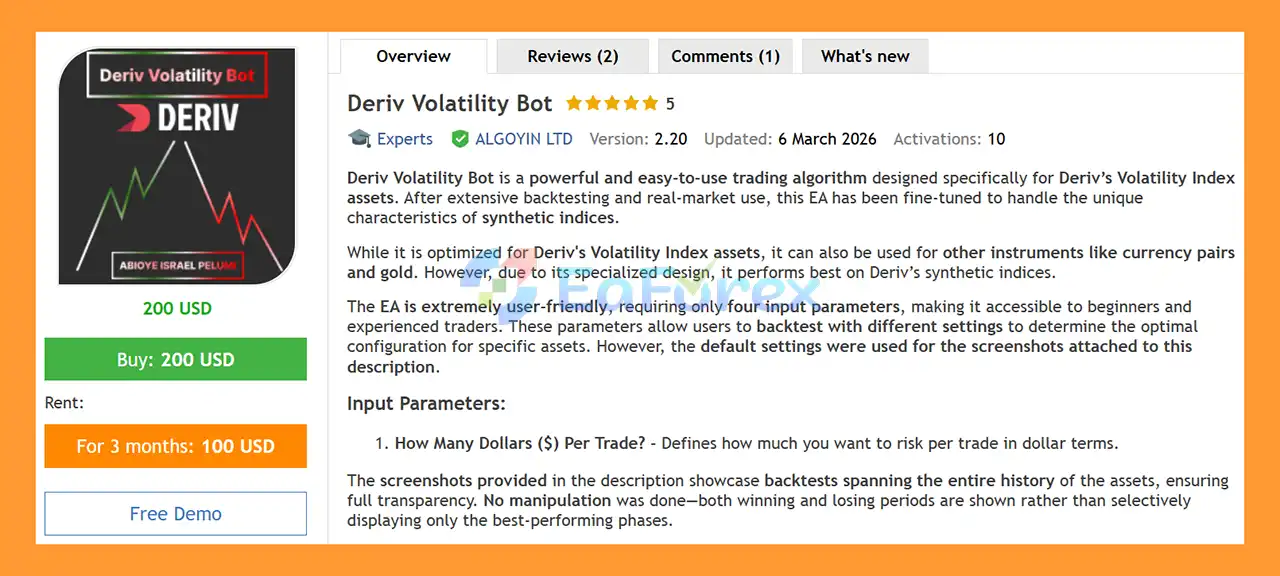
Deriv Volatility Bot MT5 is an automated Expert Advisor (EA) for MetaTrader 5, specifically designed for trading Deriv Volatility Index and synthetic index markets. The EA is built to work with the unique price behavior of Deriv’s synthetic instruments and has been refined through extensive backtesting and real-market usage.
The bot is primarily recommended for Jump 10 Index, Volatility 10 (1s) Index, and Volatility 10 Index, where its specialized trading logic is intended to perform most effectively. Although the EA can also be tested on other instruments such as Forex currency pairs and Gold (XAUUSD), its main focus remains Deriv synthetic indices.
One of the key advantages of Deriv Volatility Bot MT5 is its simple configuration. The EA uses only a small number of input parameters, making it suitable for both beginners and experienced traders who want an automated trading solution without complicated settings.
The EA also allows traders to experiment with different risk configurations through MT5 backtesting, helping users evaluate how the strategy behaves on a specific instrument before using it on a live account.
About the Developer
- Author: Israel Pelumi Abioye
- Experience: Over +2 years of experience on MQL5.
- Notable Products: Deriv Volatility Bot MT5, The Moving Average EA MT5, The Moving Average EA MT4, Deriv Volatility Bot MT4 and other advisors.
- Flagship Product: Deriv Volatility Bot MT5 is rated as the best performing product of the year.
>> Delivery time 24h-48h after payment.
>>> Refund if not delivered.
>>> You will receive the latest version without any limitations (ID+Time).
>>Reviewed by Jason Stap <<
Main Features of Deriv Volatility Bot MT5
- Designed for Deriv Synthetic Indices – Developed specifically around the characteristics of Deriv’s Volatility Index markets.
- MT5 Expert Advisor – Fully automated trading software designed for MetaTrader 5.
- Recommended for Selected Indices – Primarily recommended for Jump 10 Index, Volatility 10 (1s) Index, and Volatility 10 Index.
- Simple Configuration – Uses a limited number of input parameters for easier setup and management.
- Dollar-Based Risk Control – The “How Many Dollars ($) Per Trade?” parameter allows users to define the intended dollar amount per trade.
- Backtesting Support – Traders can test different settings in the MetaTrader 5 Strategy Tester.
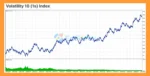
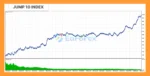
- Full-History Testing – The supplied screenshots are based on backtests covering the available historical data rather than selectively displaying only favorable periods.
- Beginner-Friendly Interface – Simple parameters make the EA easier to configure compared with more complex automated trading systems.
- Flexible Testing – Users can test the EA on different assets and settings before deciding whether it matches their trading approach.
- VPS Compatible – An MQL5 VPS can help keep the EA running continuously and reduce interruptions that could cause missed entries.
How Does Deriv Volatility Bot MT5 Work?
Deriv Volatility Bot MT5 is designed to automate trading decisions on supported Deriv synthetic indices. Once installed on MetaTrader 5, the EA monitors the selected market and automatically manages trades according to its programmed trading logic.
The main user-controlled parameter is:
How Many Dollars ($) Per Trade?
This setting determines the intended dollar amount allocated or risked per trade according to the EA’s configuration.
Because different synthetic indices can behave differently, traders can use the MT5 Strategy Tester to evaluate the EA with different settings and historical periods. This provides an opportunity to study potential profit, drawdown, trade frequency, and losing periods before considering live deployment.
The EA is primarily intended for Jump 10 Index, Volatility 10 (1s) Index, and Volatility 10 Index. Other instruments, including Forex and Gold, may be tested, but they are not the primary markets for which this EA is designed.
For continuous operation, running the EA on an MQL5 VPS can help maintain the trading terminal and reduce the risk of interruptions caused by computer shutdowns, internet problems, or platform disconnections.
Why Choose Deriv Volatility Bot MT5?
Deriv Volatility Bot MT5 is designed for traders who want a straightforward automated solution for Deriv synthetic indices without spending significant time configuring dozens of technical parameters.
Its simple setup can make it easier for traders to understand and test. Instead of relying on complicated manual trading decisions, the EA is designed to automate the trading process based on its programmed strategy.
Another important feature is the ability to backtest the EA using different configurations. Traders can analyze historical behavior before deciding whether the system is appropriate for their account and risk tolerance.
The EA is particularly focused on selected Deriv instruments, including Jump 10 Index, Volatility 10 (1s) Index, and Volatility 10 Index. This specialized focus may make it more suitable for traders specifically interested in automated trading on synthetic indices rather than a general-purpose Forex EA.
Deriv Volatility Bot MT5 Reviews
- Risk-Controlled Trade Execution: Each trade is opened with predefined risk limits per position, helping to protect capital and maintain consistent risk management.
- Built-In Risk Management System: The strategy ensures disciplined trading by automatically applying strict risk parameters to every position.
- Fully Automated Trade Handling: The EA manages both trade entries and exits automatically, eliminating the need for manual intervention.
- Hands-Free Trading Efficiency: Benefit from a seamless automated system that executes and manages trades in real time, improving accuracy and saving time.
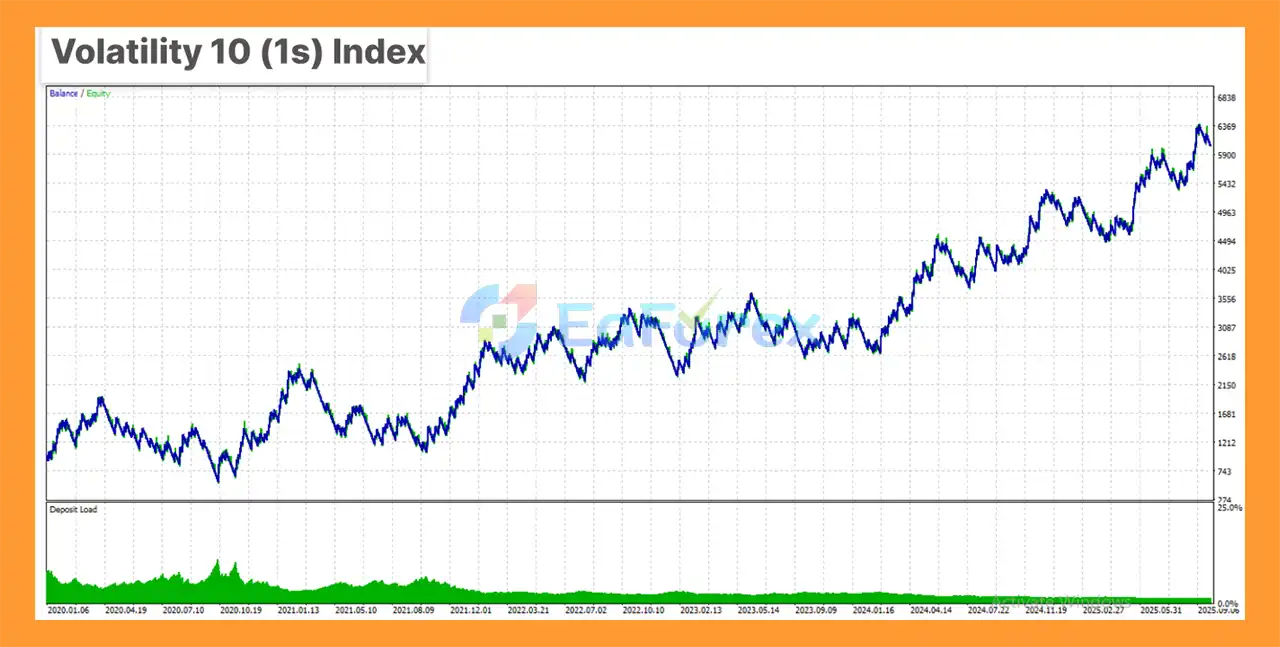
Deriv Volatility Bot MT5 Backtest
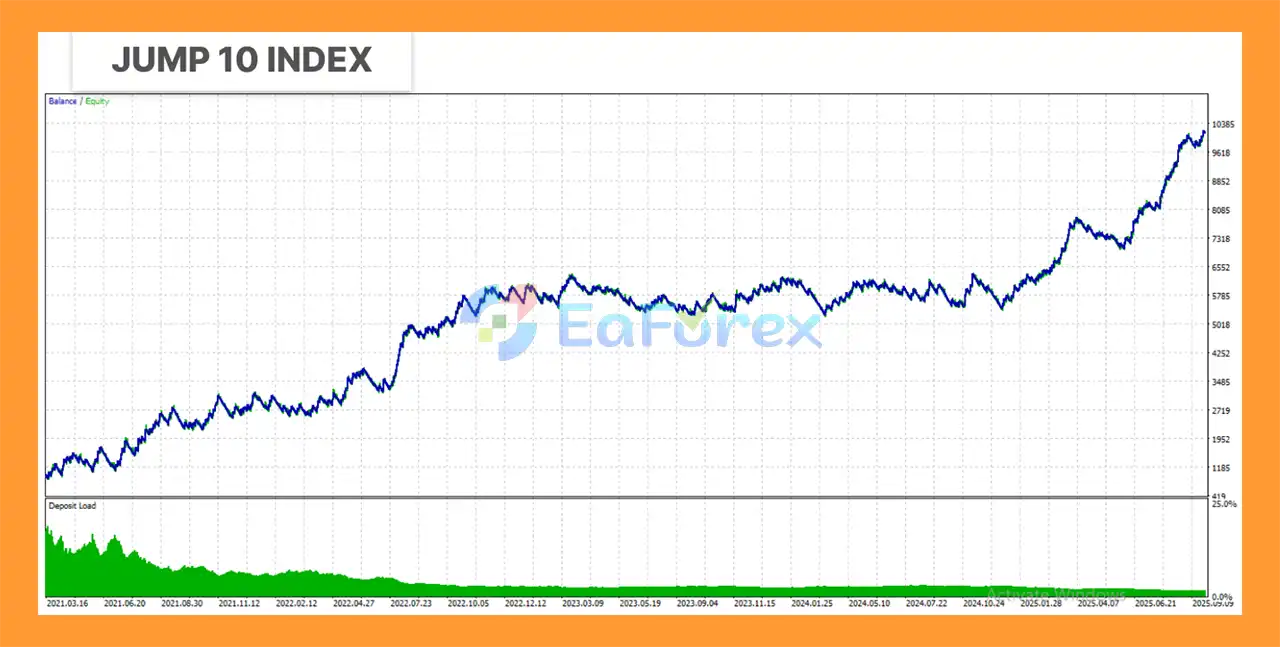
Deriv Volatility Bot MT5 Backtest Results
Performance and Risk Management
Risk management is an essential part of using Deriv Volatility Bot MT5. The developer recommends considering a risk level of approximately 2% per trade and avoiding money that you cannot afford to lose.
The EA allows traders to adjust its trade allocation through the dollar-based input parameter. However, the appropriate setting depends on factors such as account size, trading instrument, broker conditions, and individual risk tolerance.
Before using the EA on a live account, traders should perform thorough backtesting using different settings and historical periods. Backtesting can help identify potential drawdown, losing periods, trade frequency, and changes in performance under different configurations.
The backtest screenshots supplied with the EA are intended to show the full available history, including both profitable and losing periods, rather than presenting only selected high-performing sections.
For uninterrupted automated execution, an MQL5 VPS is recommended. A VPS can help keep MetaTrader 5 running continuously and reduce the possibility of missed trades caused by local computer or internet interruptions.
Important: Backtest results are historical simulations and do not guarantee future trading performance. Live-market results can differ because of execution conditions, account settings, and other market-related factors.
Weaknesses and Risk Warnings
Although Deriv Volatility Bot MT5 is designed to simplify automated trading, it is not a risk-free trading system.
- No EA guarantees profits – Past backtests and previous results cannot guarantee future performance.
- Synthetic indices involve risk – Deriv Volatility and synthetic markets can experience extended losing periods.
- Recommended markets are limited – The EA is primarily designed for specific Deriv indices rather than all financial instruments.
- Other instruments may behave differently – Forex pairs and Gold can be tested, but they are not the EA’s main target markets.
- Backtesting is not live trading – Historical results may differ from actual execution.
- Risk settings are important – Excessive risk per trade can significantly increase account drawdown.
- Technical interruptions can affect trading – Connection problems, terminal shutdowns, or VPS issues may prevent expected trade execution.
- Live performance can vary – Broker conditions, account type, execution, and other technical factors may affect results.
- Never risk money you cannot afford to lose – Automated trading still involves the possibility of substantial losses.
For these reasons, users should backtest the EA thoroughly, start with an appropriate risk level, and understand the potential drawdown before moving to live trading.
Pros and Cons
Pros
- Designed specifically for Deriv Volatility Index and synthetic markets
- Primarily recommended for Jump 10, Volatility 10 (1s), and Volatility 10
- Compatible with MetaTrader 5
- Simple and beginner-friendly configuration
- Dollar-based trade setting
- Supports historical backtesting
- Can be tested with different configurations
- Suitable for automated trading
- Compatible with VPS operation
- Full-history backtest screenshots are provided
Cons
- Primarily focused on selected Deriv synthetic indices
- Not specifically optimized for Forex or Gold
- Requires proper risk management
- Backtest results do not guarantee live performance
- Losing periods can occur
- Requires MetaTrader 5 and a compatible trading environment
- Continuous operation may benefit from a reliable VPS
- Traders should thoroughly test settings before using real funds
How to Install Deriv Volatility Bot MT5
Installing Deriv Volatility Bot MT5 on MetaTrader 5 is straightforward:
- Download the EA files after purchasing Deriv Volatility Bot MT5.
- Open your MetaTrader 5 trading platform.
- Click File → Open Data Folder.
- Navigate to MQL5 → Experts.
- Copy the Deriv Volatility Bot MT5 EA file into the Experts folder.
- Restart MetaTrader 5 or refresh the Navigator panel.
- Locate the EA under Navigator → Expert Advisors.
- Open the recommended Deriv instrument, such as Jump 10 Index, Volatility 10 (1s) Index, or Volatility 10 Index.
- Select the appropriate timeframe according to the EA’s recommended settings.
- Drag the EA onto the chart.
- Enable Algo Trading/AutoTrading in MetaTrader 5.
- Configure the “How Many Dollars ($) Per Trade?” parameter according to your chosen risk level.
- Use the Strategy Tester to backtest the EA before considering live trading.
- If you want continuous automated operation, consider using an MQL5 VPS.
- Monitor the EA regularly and adjust the settings only after understanding their potential impact on risk and drawdown.
Real User Reviews and Feedback
🔺Deriv Volatility Bot MT5 is highly appreciated by the MQL5 community for bringing stable and reliable profits. Below are 5 star reviews from users:
- A1billionaire (2026.03.12): “Good risk management, good for small and big accounts.”
What’s Included in the Download Package?
- Setting (If Any).docx
- Installation Guide.docx
>>> Join VIP Membership Now <<<
Final Thoughts
In summary, Deriv Volatility Bot MT5 is a specialized Deriv Synthetic Indices Expert Advisor for MetaTrader 5, primarily designed for Jump 10 Index, Volatility 10 (1s) Index, and Volatility 10 Index. Its simple configuration, automated trade management, dollar-based trade setting, and MT5 backtesting support make it a straightforward option for traders interested in automated synthetic-index trading.
The supplied backtest information provides historical data for evaluating how the EA has behaved across its available testing history. However, backtest performance should not be interpreted as a guarantee of future live results. Actual trading outcomes can vary depending on risk settings, account size, execution conditions, technical interruptions, and the behavior of the selected synthetic index.
For traders considering Deriv Volatility Bot MT5, thorough backtesting and demo forward testing are recommended before using real capital. Particular attention should be given to the dollar amount allocated per trade, potential losing periods, account drawdown, and the specific Deriv instrument being traded. Using an MQL5 VPS can also help maintain continuous automated execution. As with any automated trading system, disciplined risk management and realistic expectations remain essential.














 Unlimited Activations
 Instant delivery
 Easy to install













 Automatic EA
 EA Best Seller
 Expert Advisor MT4
 Expert Advisor MT5
 HFT EA


Reviews
Clear filtersThere are no reviews yet.